


Vulnerability Assessment
Action1 automatically performs real-time vulnerability assessment for operating systems and software installed on your managed Windows and macOS endpoints, and helps you remediate vulnerabilities in accordance with your company policies.
NOTE: Vulnerability assessment for Linux endpoints is not supported in the current version.
Once the agents are deployed, they detect all software vulnerabilities and send this data to the Action1 cloud.
NOTE: Make sure your endpoints are connected to Action1 Cloud. Check out the Endpoints view to see your managed endpoints and their connection status.
- The initial vulnerability assessment is free for an unlimited number of endpoints – all you have to do is deploy Action1 agents to your endpoints using one of the provided deployment methods.
- The ongoing vulnerability assessment and remediation capabilities are always free and never expire for your first 200 endpoints.
- A paid subscription can be purchased to cover any additional endpoints for ongoing assessment (beyond the free initial assessment) and remediation.
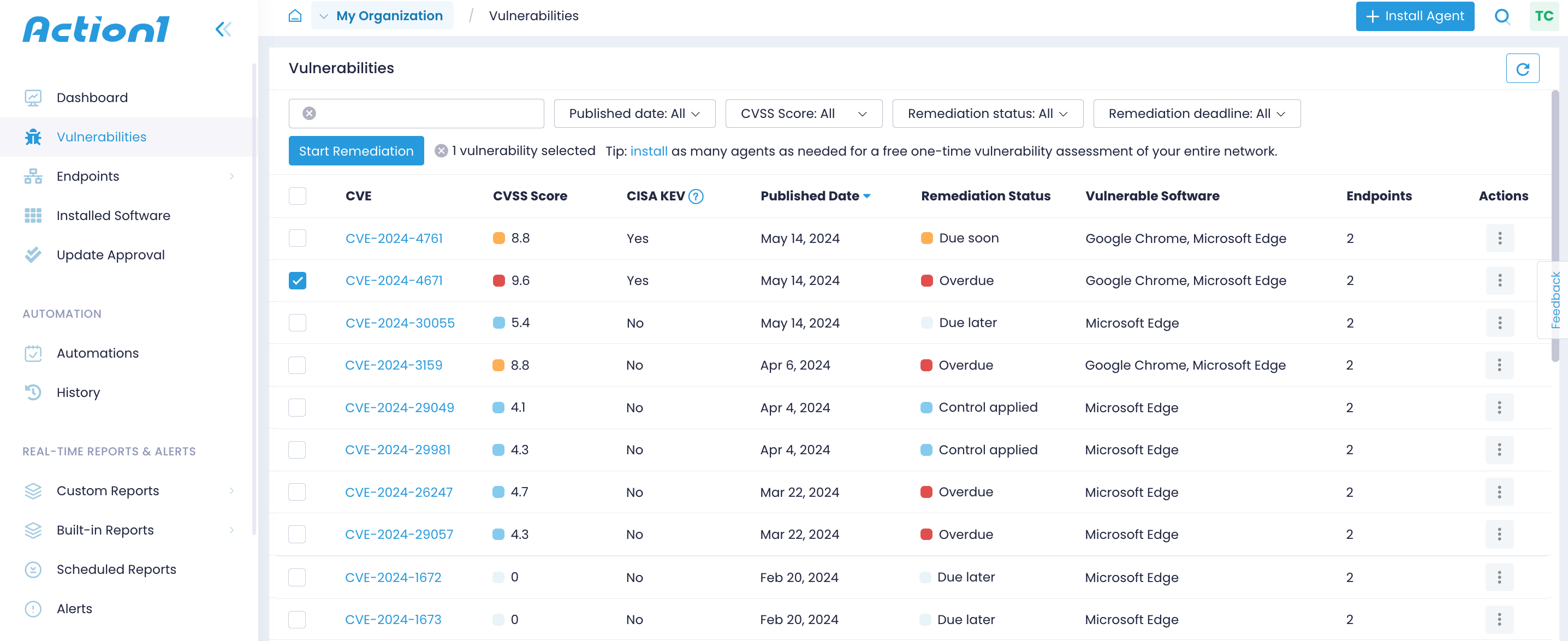
Action1 provides a complete reference for each vulnerability, such as its identifier, CVSS score, attack vector, the date it was published, whether it is known to be actively exploited (listed in CISA KEV) or used in any ransomware campaigns, and more.
- The CVE identifier includes the year the issue was found and its number in the NIST National Vulnerability Database, e.g., CVE-2023-4073.
- The CVSS score, which can be between 0 and 10, is determined using a variety of factors such as attack complexity, exploitability, and impact on your infrastructure.
Vulnerabilities on Dashboard
Navigate to the Dashboard to get a bird’s eye view of your organization’s security posture. Check Vulnerability Remediation Compliance and Vulnerabilities to Remediate Deadline Breakdown widgets to get an overview of your compliance status, detect the number of CVEs that need your attention, and examine the remediation timeframes defined by your corporate service-level agreements.
To learn more, see Dashboard, Configure SLAs.

Vulnerabilities View
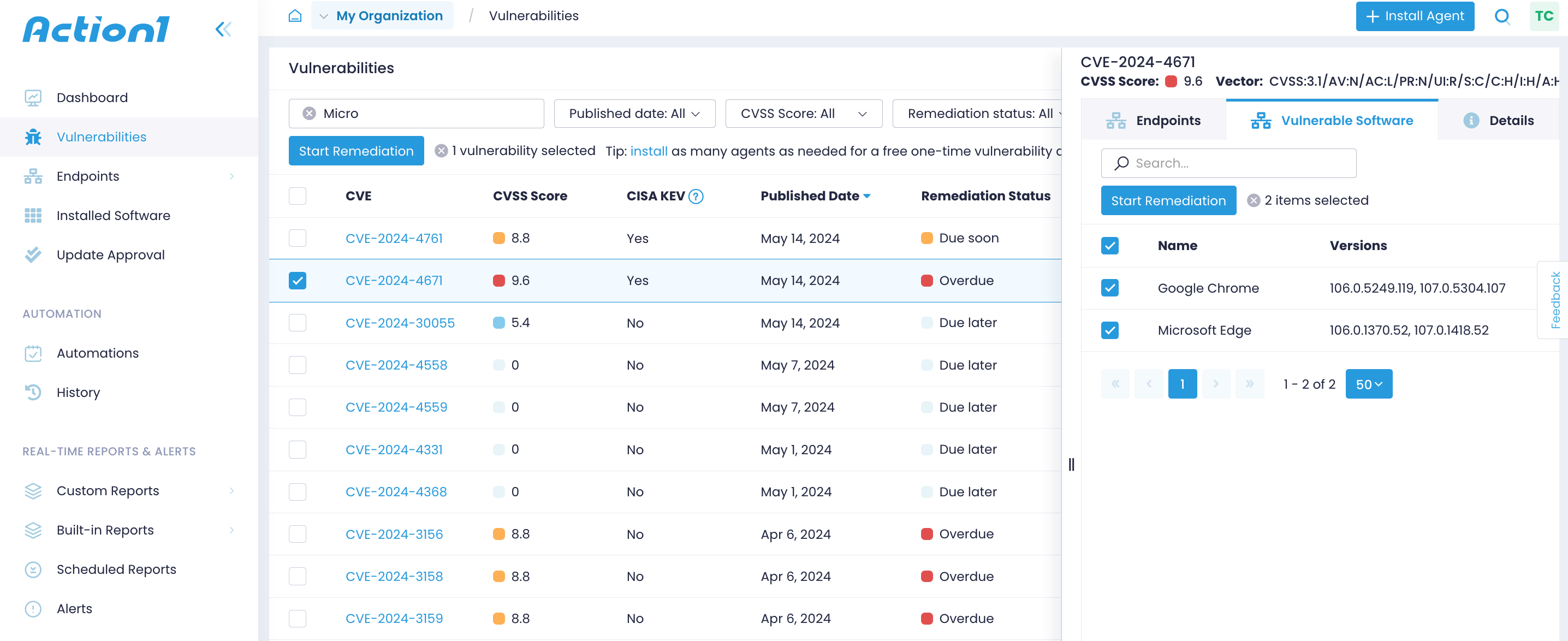
Navigate to the Vulnerabilities view to see all detected common vulnerabilities and exposures (CVEs). Expand the vulnerability details to see the affected endpoints, compromised software or OS, and other details, including the attack vector, attack complexity, and a link to the NIST National Vulnerability Database.
Vulnerability Management Reports
Vulnerability Management reports help you track and remediate unresolved vulnerabilities affecting your managed endpoints. Use them to examine vulnerabilities and their attributes in detail, including severity, status, vulnerable software, and documented compensating controls.