

Industrial and OT Patch Management That Just Works
Unified Cross-OS and Third-Party Patching
No VPN Required – Patch your systems from anywhere.
Risk-Based Patching – Remediate critical vulnerabilities on time.
Automated Deployment – Patch thousands of systems in hours.
Asset Inventory – Track every endpoint in real-time.






Unified Cross-OS Patch Management
Manage and update your Windows, macOS, and Linux endpoints directly in your browser from anywhere around the world with no VPN required. Action1’s Autonomous Endpoint Management platform delivers real-time visibility into vulnerabilities, missing patches, and compliance status, enabling your IT team to remediate security gaps with patch management software that just works.

Windows OS
Keep your Windows 10/11 and Windows Server endpoints secure and compliant by automating update/patch deployments and report generation in just a few clicks. Avoid unexpected downtime by remediating vulnerabilities with phased, risk-free, autonomous rollouts.

macOS
Automate patching across your entire macOS fleet. Identify vulnerabilities and missing updates in real time, test patches thoroughly, and schedule seamless deployments to turn manual patching into a set-it-and-forget-it process.
Linux
Keep your Debian and Ubuntu distributions secure and stable with automated updates that never fall behind (Red Hat and SUSE support coming soon). Less downtime, stronger security, no manual overhead—just patching that works.
Why Action1 Is Essential for Manufacturing Industry?
Action1 helps you automate patching across all your systems, minimize downtime risks, ensure regulatory compliance, protect against vulnerability exploitation, and cut operational costs.
Reduce Downtime
Patching delays can lead to unexpected downtime and expose your systems to vulnerability exploitation. Action1 prevents these risks through end-to-end automation that streamlines everything from vulnerability identification and prioritization to scheduling, testing, and deploying patches, plus effortless report generation.
Legacy Systems Support
Production environments frequently contain systems running on outdated OSes and third-party applications. If exploited, a single unpatched vulnerability can freeze your business indefinitely. Action1 gives you complete visibility into each system’s patch and compliance status, allowing you to deploy missing updates with just a few clicks.
Compliance
Adhering to regulatory standards such as ISO 9001, ISO 27001, NIST 800-53, CMMC, and ITAR demands timely patching and audit readiness. With real-time visibility into every system’s security posture, detailed patch reports, and proof of remediation, Action1 helps you stay audit-ready at all times and avoid compliance fines and penalties.
Asset Inventory
Minimizing your attack surface starts with complete visibility into every system. Installing Action1’s lightweight agent across all your production and operational technology systems ensures full inventory visibility, real-time status monitoring, and complete inclusion in patching processes—even for offline machines.
Industry Awards




Trusted by many Fortune 500 companies





Key Features of Action1

Automated Patch Lifecycle
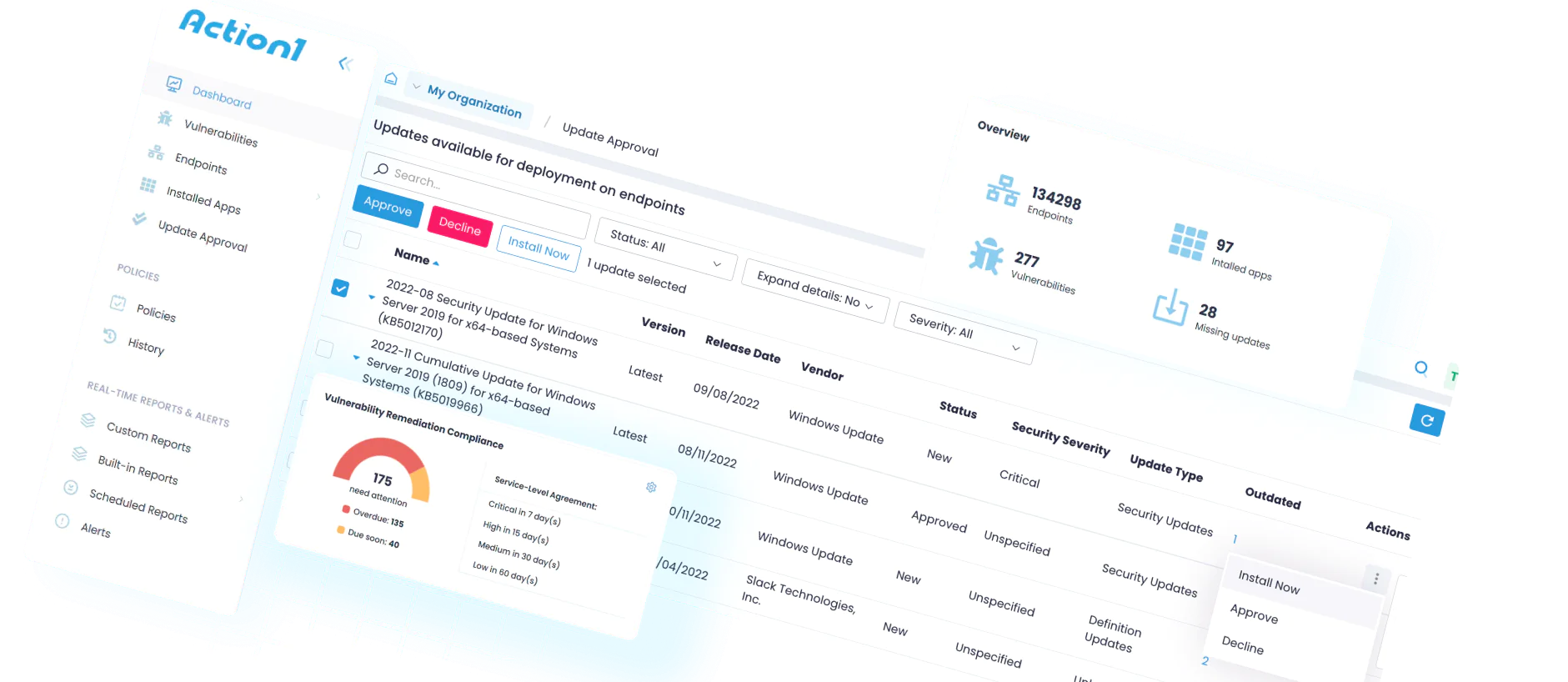
Action1 automates every step of the patching process, from vulnerability identification to remediation. Once configured, missing patches are automatically tested and deployed across all your systems according to your policy.

Scheduling, Policy & Prioritization Rules
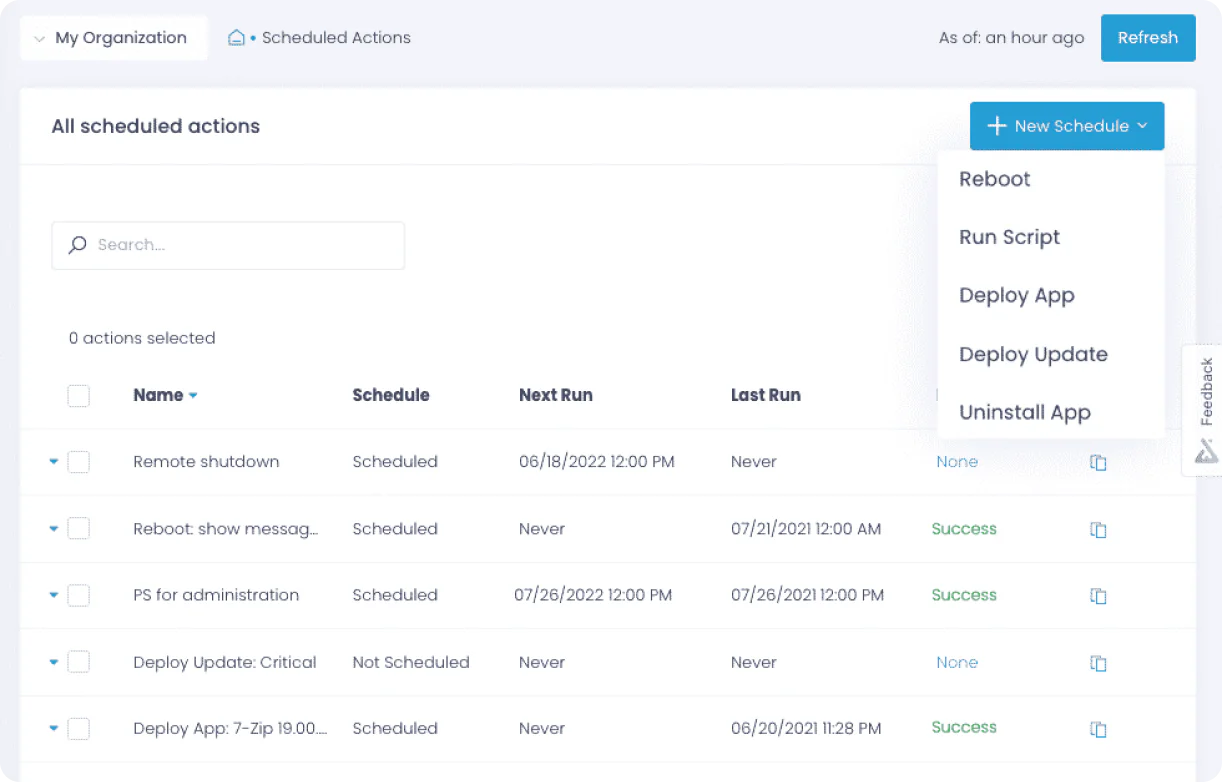
Schedule patch deployments outside business hours to avoid downtime, or apply them immediately to address critical vulnerabilities. Flexible policy settings let you define automation workflows for different system groups, while prioritization rules ensure high-risk patches are deployed first.

Single Reboot Efficiency
Deploying multiple patches simultaneously doesn’t mean frequent reboots. Action1 intelligently sequences installations and restarts your systems only once, with flexible reboot options. As a result, productivity increases and downtime is minimized.

Real-Time Visibility and Reporting
Forget about visibility gaps that leave systems outside patching lifecycles. With Action1, you get real-time visibility into every system, existing vulnerability, and missing update. After each patch lifecycle, you can generate audit-ready reports in seconds using 100+ built-in customizable templates.

Easy to Scale
Action1’s cloud-native architecture offers infinite scalability, allowing you to go from hundreds to hundreds of thousands of systems with lower per-unit costs as you scale. No complex setup, no additional hardware or VPNs required.

Unified Cross-OS Patching
Keep your Windows and macOS systems, including their third-party applications, up to date with Action1. The platform’s secure, private software repository and P2P patch distribution ensure only reliable updates reach your systems, reducing downtime risks and minimizing bandwidth usage.
Want to See the Full Feature List?
Download our complete datasheet to explore every Action1 capability, from OS patching to compliance reporting.
Case Studies



What Our Customers Say
A lot of value from Action1 comes from the peace of mind, knowing that your patches are installed, that you are protected from known vulnerabilities which attackers are likely to target with ransomware and other malware.
Action1 saves me 10–15 minutes per machine on software deployment. I can access every device remotely, so I don’t have to literally travel to every location and touch every machine.
Action1 helped us save about 125 hours per month by automating patch management. That’s a huge enabler to our business; as an MSP, the more you automate, the more money you save, and the more savings you can pass on to your customers.
Answers to Your Top Questions
From setup and security to integrations and pricing, here are the answers IT teams look for before choosing Action1.
What Are the Biggest Challenges in Implementing Patch Management in OT and Manufacturing Environments?
The biggest challenges in implementing patch management in OT and manufacturing environments are related to:
- Downtime Risks: Patches and updates are designed to address software vulnerabilities, fix bugs, or improve software’s functionality by adding new features. However, things do not always go as planned, and problematic patches may become a reason for unexpected downtime or compatibility issues. This translates into financial losses and delays in production processes.
- Difficulties in Patching Legacy Systems: Most manufacturing companies still rely on machines running outdated operating systems and third-party applications. The problem is that they may lack the resources for new patches or be incompatible with modern patching solutions.
- Potential Compatibility Issues: It’s less likely but still possible that a particular patch case has unforeseen conflicts with specialized OT software or hardware.
- Lack of Visibility: It’s almost impossible to assess, list, and manage every single OT system across your company, meaning that not all systems are going to be monitored or you won’t understand which ones need patching, leaving software vulnerabilities unaddressed for long periods of time.
- Testing Constraints: OT systems often run 24/7, powered by employees working in shifts. That makes it hard to create maintenance windows for extensive testing of patches in order to ensure they don’t disrupt critical systems and processes.
How Does Patch Management Differ Between IT Systems and Industrial Control Systems (ICS)?
Patch management works completely differently across IT and industrial control systems because of what matters most for these environments and what their priorities are.
In IT systems, for instance, security always comes first. The fear of vulnerability exploitation overcomes possible operational disruptions. That’s the reason why patches and updates roll out frequently, with the idea in mind to protect sensitive data and all devices across the organization. What’s more, since IT hardware gets replaced every few years anyway, keeping it updated is manageable.
ICS environments, on the other hand, follow different priorities. Uptime and safety matter more than patching speed because these systems control actual production processes. The fear of shutting down production lines due to a problematic patch is bigger than a possible cyberattack. That’s why patches are applied less frequently, only during scheduled maintenance windows, and everything gets tested thoroughly first. Add to that the fact that many ICS devices run for 20–30 years on older software, which makes patching far more complicated and riskier than IT.
What Are the Key Features to Look for in a Patch Management Solution for OT/Manufacturing?
The key features to look for in a patch management solution are:
- Cross OS Support – Manufacturers use plenty of devices running on different operating systems; that’s the reason why they need a solution that supports Windows, macOS, and Linux.
- Third-Party Application Patching: Pick a solution that offers support for a wide range of third-party applications to ensure all software vulnerabilities can be remediated in a timely manner. That’s necessary since unpatched vulnerabilities are involved in a significant portion of cyberattacks, with third-party software being a major target.
- Vulnerability Prioritization: Look for a platform that offers risk-based prioritization based on CVSS scores, CVE numbers, and real-business impact. Thus, you will be able to remediate the most critical vulnerabilities first and reduce even more the chance of falling victim to cybercriminals.
- Automation: Your patch management platform must offer end-to-end automation, from asset identification and monitoring to vulnerability detection and remediation by listing missing patches, testing, and deploying them promptly.
- Flexible Scheduling: Being able to schedule patch/update deployments during off-hours or weekends results in minimized downtime risks and improved productivity.
- Controlled Reboots: Having options to decide whether a system should reboot immediately after update deployment or not is essential since you can allow your employees to finish their tasks to avoid losing valuable information during unexpected restarts.
- Reporting Capabilities: After each patch/update lifecycle, you must create detailed audit-ready reports by documenting which devices were vulnerable and how you remediated these vulnerabilities. That’s why you need to look for software that allows you to effortlessly generate such documentation, which will help you be audit-ready when regulatory bodies knock on your door.
How Does Action1 Address Patching Needs in Hybrid IT/OT Environments?
Action1 addresses patching needs in hybrid IT/OT environments by providing a set of features that automate and streamline patch deployments in order to help manufacturers keep their machines and systems secure, compliant, and smoothly performing. Action1 is a cloud-based autonomous endpoint management platform that minimizes manual workload by automating each step of the patching process from vulnerability identification to their remediation and audit-ready report generation.
The software takes up to five minutes to be deployed, including creating an account and installing the agent. Then it automatically identifies all existing vulnerabilities across your systems and prioritizes them based on their criticality (CVSS scores, CVE numbers, and potential business impact).
Next, on your dashboard you see all missing patches and updates across your Windows- and macOS-based endpoints and third-party applications. To remediate these vulnerabilities, you can deploy the updates immediately or schedule them outside business hours. To minimize the risks of unexpected downtime, you can use the autonomous update rings feature, which offers you staged, risk-free, intelligent deployments, where if a patch/update meets predefined success rates, it proceeds to the next ring; if not, it doesn’t.
After each patch lifecycle, you can generate audit-ready reports with just a few clicks using the 100+ built-in customizable templates.
Since the platform is cloud-native, you can manage your systems from anywhere, directly from your browser—no VPN, no complex setup, or additional infrastructure required. Action1 is highly secure software that is certified for SOC 2 Type II, ISO 27001, TX-RAMP, CSA, CISA Secure by Design, CAIQ, and GDPR. Last, but not least, you can use the platform for free for up to 200 endpoints with no feature limits, forever.