


Roll Out and Deploy Updates
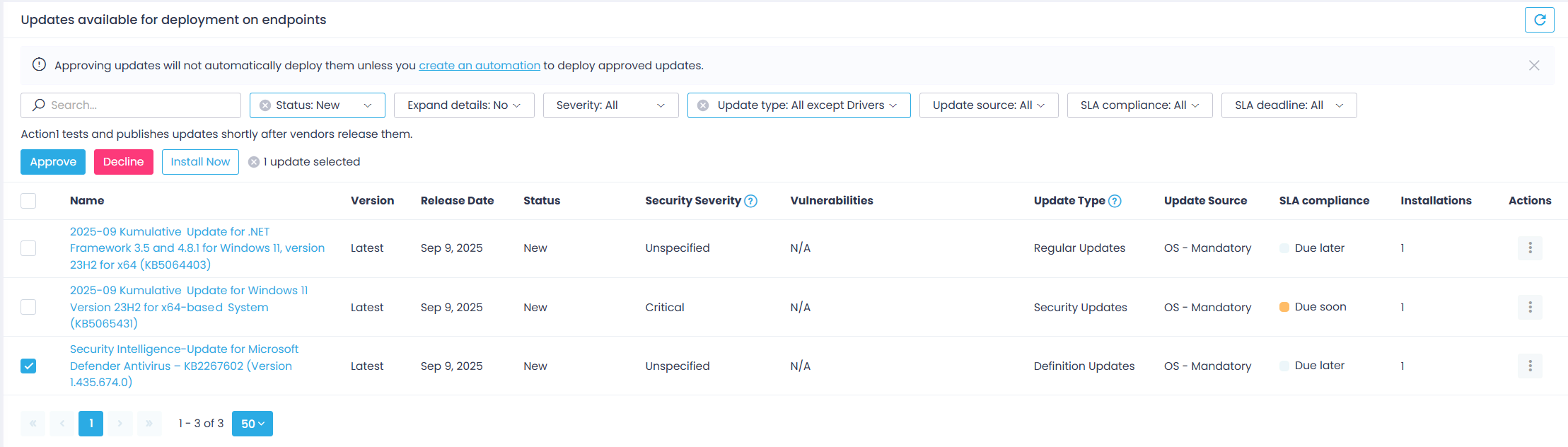
After reviewing pending updates, you can push them to multiple endpoints at once directly from the Update Approval page. Select the patches you want to deploy and click Install Now.
In addition to on-demand patch delivery, Action1 enables you to automate the patch management process and tailor it to your organization’s patch management policy. Automated patch deployment strengthens overall infrastructure security and helps you ensure that your endpoints are up-to-date and compliant with the security requirements.
Some applications must be closed before a new version of the software app can be deployed to target endpoints. To control how Action1 handles these situations, use the Application restart behavior during updates advanced setting in the Action1 console. It applies to both manual and automated update deployments and is configured for the Enterprise scope by default. See this section for details.
How Does It Work?
The automated patch management process goes as follows:
- The stable updates for Windows and Mac systems typically become available in the Action1 cloud within two days after release. Linux updates are retrieved from the corresponding online repositories. Third-party app updates are tested and published within 24 hours of vendor release.
Important! Action1 does not support major macOS upgrades.
- If your workflow requires patch review and manual approval before distribution, the authorized administrator reviews and approves patches on the Update Approval page.
- Action1 automatically distributes approved updates to the target endpoints according to the configured schedule.
TIP: To roll out updates in stages, you can use an Update Ring automation. See Update Rings for details.
NOTE: The Application restart behavior during updates advanced setting determines what happens when Action1 detects that a running application must be closed before an update can proceed. See this section for details.
- Endpoints that are offline or disconnected at the time of deployment receive updates automatically when they come back online, provided it occurs within the configured retry window.
- To examine the update deployment results, you can use:
- Automations view – see Managing Automations.
- Built-in Reports | Patch Management reports – see Installed Updates and Reports.
How to Create an Automation?
Follow the Deploy Update automation wizard, as explained in the Automate Patch Management section.
Service-Level Agreements (SLAs) for Updates
In the Update Approval view, you can see update status and SLA Compliance deadlines, such as Overdue or Due later. These deployment deadlines are calculated based on the industry best practices and service-level agreements (SLAs) that prescribe different timeframes for updates with different severities.
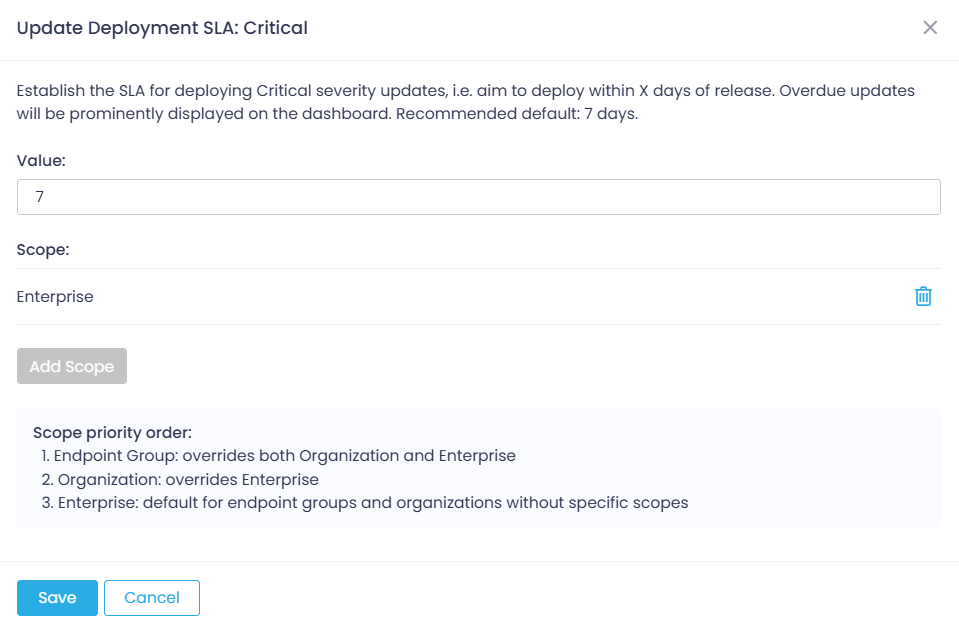
For example, when you establish the SLA for deploying Critical severity updates to X days, you aim to deploy the update within X days of its release (i.e., availability in Action1). Overdue updates will be prominently displayed on the dashboard.
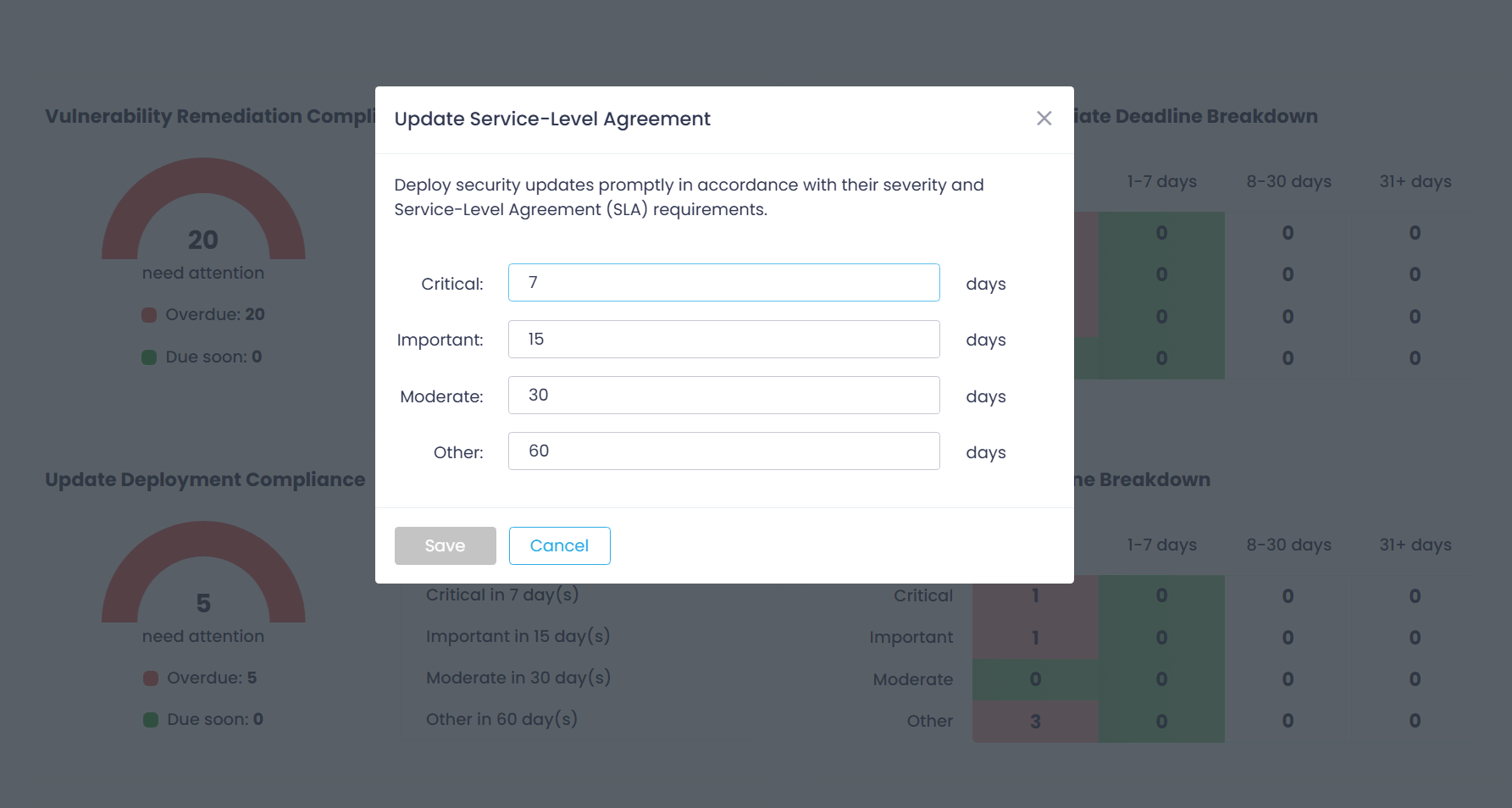
Default SLAs are as follows:
- for Critical updates – 7 days
- for High impact updates – 15 days
- for Medium impact updates – 30 days
- for Low impact updates – 60 days
Adjusting Update Deployment SLAs
To modify SLAs using the dashboard:
- Open the Dashboard page and go to the Update Deployment Compliance widget.
- Click a gear icon in the top-right corner.
- In the Service Level Agreement dialog displayed, set remediation timeframes for each severity.
To modify SLAs using Action1 configuration settings:
- Open the Advanced page, select SLA settings category.
- Select the Vulnerability Remediation SLA you want to update and provide a new value.
See next: Automate Patch Management