


Configure Remediation SLAs
For each CVE on the Vulnerabilities view, you can see the status and deadline. These remediation deadlines and remediation statuses such as “due soon”, “due later” and “overdue” are calculated based on the industry best practices and service-level agreements (SLAs) that prescribe different timeframes for mitigating CVEs depending on their CVSS score.
For example:
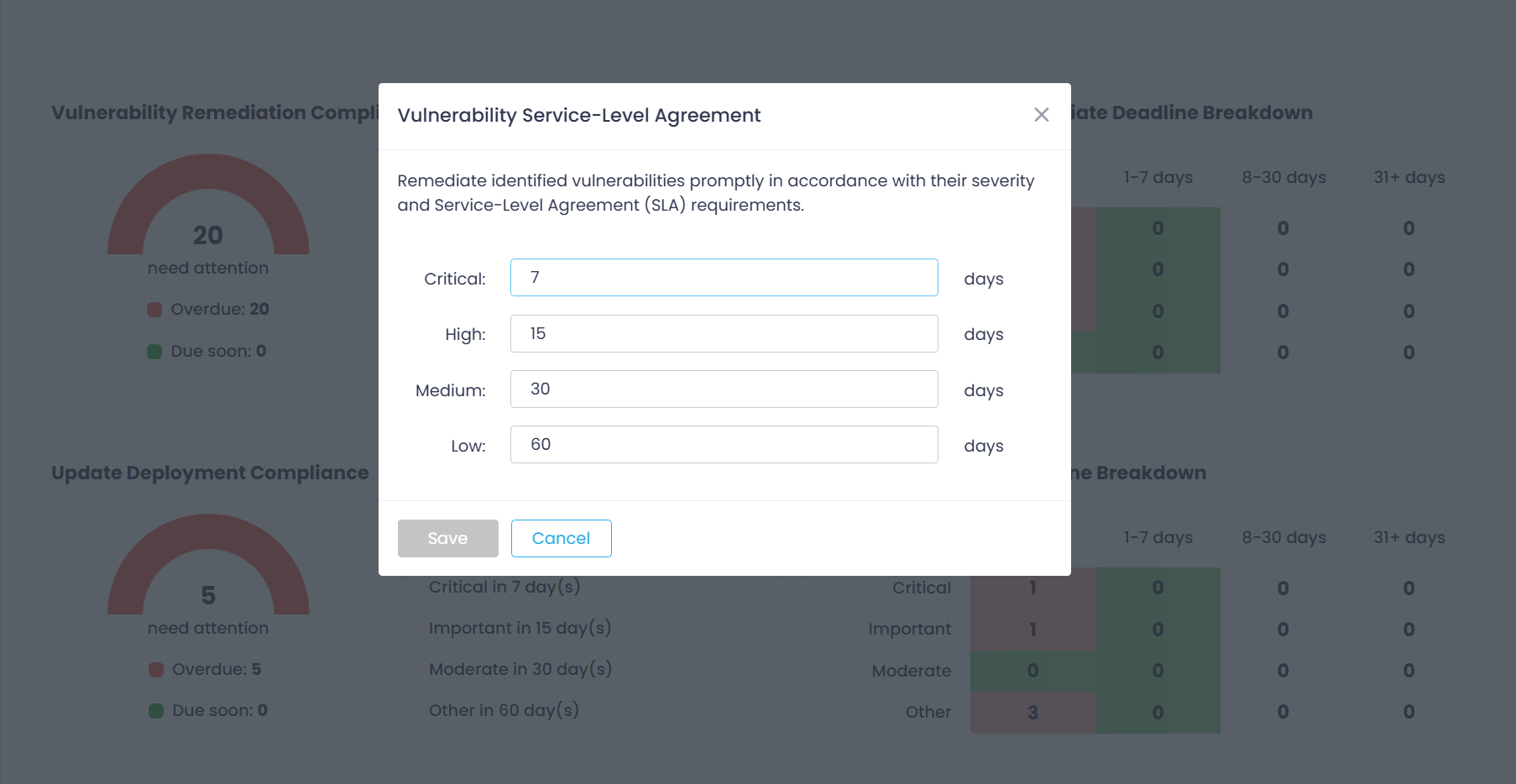
- Critical vulnerabilities (9-10) must be addressed within a week,
- High impact vulnerabilities (7-9) must be mitigated within 15 days,
- Medium vulnerabilities (4-7) must be treated in 30 days,
- Low impact vulnerabilities (1-4) must be mitigated within 60 days.
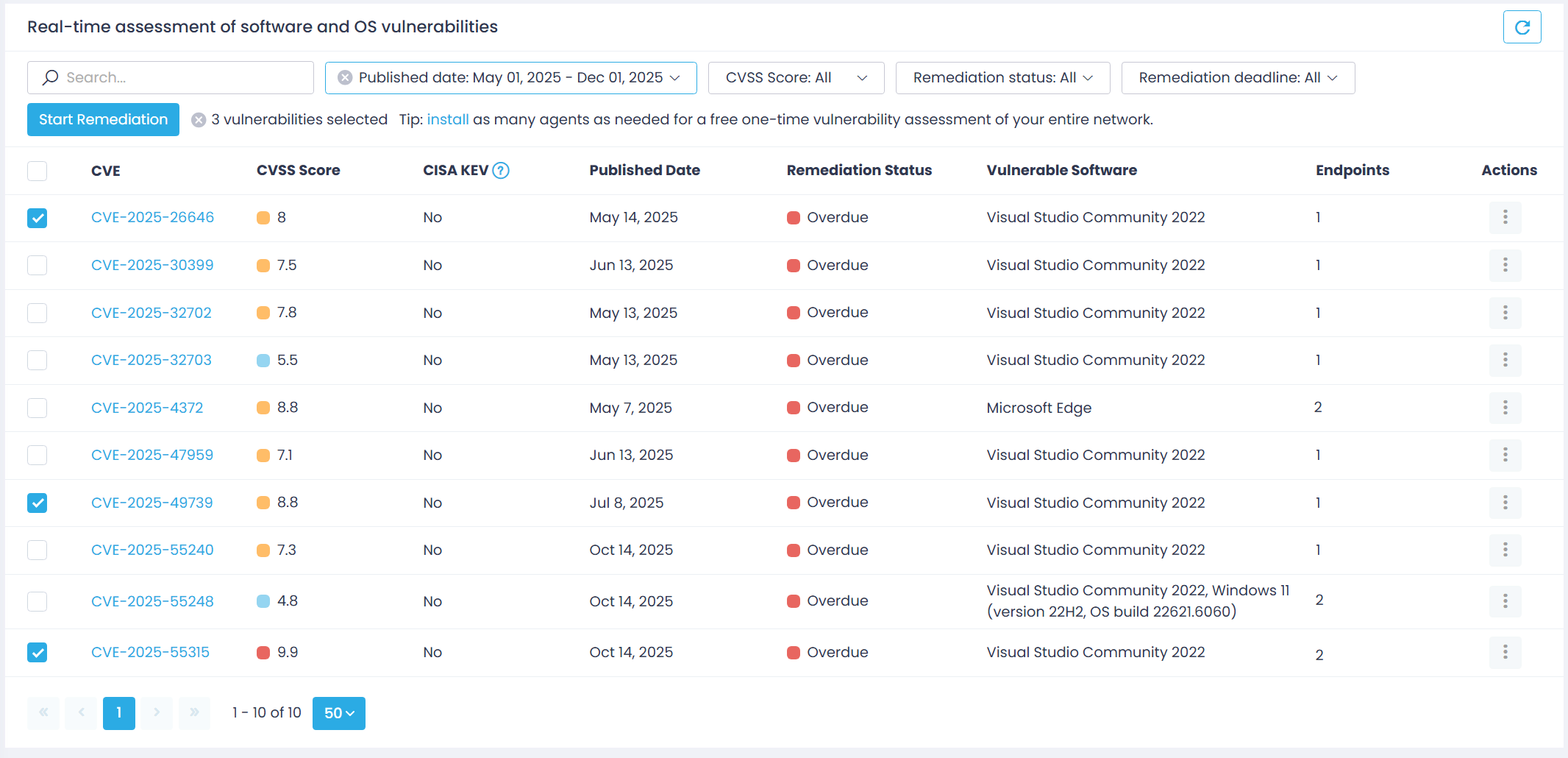
You can adjust SLAs based on your corporate patching policy. For example, to ensure critical issues get addressed as soon as possible, you can make them prominent by keeping their deadlines tight while loosening those for low- and medium-risk CVEs.
NOTE: SLAs are enterprise-wide — their settings apply to all your Action1 Organizations. This is the default scope for SLAs; its modification is currently not supported.
Adjusting Remediation SLAs
To modify SLAs for vulnerability remediation using the dashboard:
- Open the Dashboard page and go to the Vulnerability Remediation Compliance widget.
- Click a gear icon in the top-right corner.
- In the Service Level Agreement dialog displayed, set remediation timeframes for each severity.
To modify SLAs using Action1 configuration settings:
- Open the Advanced page, select SLA settings category.
- Select the Vulnerability Remediation SLA you want to update and provide a new value.
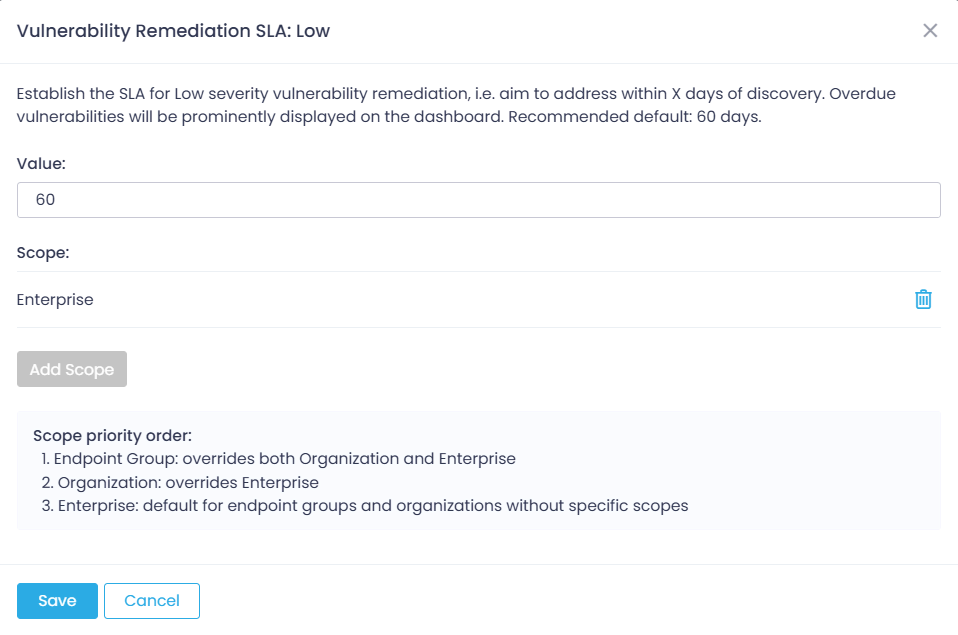
NOTE: By default, SLAs are enterprise-wide, so the scope customization options are currently not supported.
To learn about the update deployment SLAs, see Roll Out and Deploy Updates.