






TL;DR
- Best overall Automox alternative: Action1 for autonomous patching, vulnerability remediation, reporting, remote access, and cross-platform endpoint management.
- Best for broad third-party patching: ManageEngine Patch Manager Plus, with support for Windows, macOS, Linux, and more than 1,100 third-party applications.
- Best for Microsoft environments: Microsoft Intune for MDM, MAM, Conditional Access, compliance policies, and Microsoft 365 integration.
- Best for risk-based patch prioritization: Ivanti Neurons for Patch Management, which connects patching decisions to vulnerability and threat intelligence.
- Best for large enterprises: Tanium Patch and Tanium Deploy for real-time endpoint visibility and patching at significant scale.
- Best for MSPs: NinjaOne for patching, remote monitoring, automation, endpoint management, and expandable RMM capabilities.
- Why organizations replace Automox: Common concerns include pricing, limited reporting depth, unclear patch progress, remote-control reliability, and weak server support.
- Best free option: Action1 is fully featured for the first 200 endpoints with no time limit.
- Best for compliance-focused teams: Action1 and ManageEngine provide stronger reporting and patch-status visibility for audit preparation.
- Best choice depends on: OS coverage, third-party application support, remote access, reporting requirements, vulnerability prioritization, scalability, and budget.
Automox is a great platform for automating patch management across Windows, macOS, Linux, and third-party applications. But it isn’t a one-size-fits-all solution. Thin reporting, unreliable remote control, and limited visibility into patch progress are among the complaints users raise repeatedly, although they aren’t the only limitations reported. How much those gaps matter depends on your environment. Automox may be a strong fit for some teams and a frustrating one for others. That’s perfectly normal, because no software is perfect.
So if you feel that Automox hasn’t solved your patching pain points, we get it, and we’re here to help you find a better fit. We cover the 6 best Automox alternatives, evaluating each one based on its key features, real-world pros and cons, and ratings and feedback from verified users across G2, Capterra and Gartner Peer Insights.
This article gives you a detailed look at every platform on our list. By the end, you’ll have clear answers to your biggest questions and concerns, helping you choose a solution that addresses the gaps that matter to you and fits your team’s size, workflows, and long-term growth plans.
You don’t have to guess whether Action1 can solve the gaps you just read about. Watch the demo or sign up for free and test the fully featured platform across up to 200 endpoints, with no time limits.
What are the Best Automox Alternatives?
The best alternatives to Automox for patch and endpoint management are Action1 Patch Management, ManageEngine Patch Manager Plus, Microsoft Intune, Ivanti Neurons for Patch Management, Tanium Patch & Tanium Deploy, and NinjaOne Patch Management.
How We Evaluated the Best Automox Alternatives
Choosing the wrong Automox alternative might cost your company time and money, but more importantly, it might not address the limitations that made you move away from Automox in the first place. To help you avoid that, we made sure our evaluation process was thorough, transparent, and grounded in real data.
We compared each Automox alternative based on:
- Core evaluation criteria: OS and third-party patch coverage, deployment model, remote endpoint support, reporting depth and customization, ease of deployment, and scalability.
- Consistent comparison: All 6 patch management tools were evaluated against the same criteria, so patching depth and remote support received the same attention as reporting and scalability, not just the features easiest to market.
- Third-party review data: Ratings, recurring themes, and friction points were pulled from G2, Capterra and Gartner Peer Insights, prioritizing verified reviews from IT professionals, MSPs, and enterprise IT teams.
- Deployment and ease of use: Each tool was evaluated based on its deployment model (cloud, on-premises, or hybrid) and how much time and effort it takes to get from signup to your first successful patch deployment.
- Vendor documentation and pricing: We reviewed official vendor documentation and pricing pages and verified the information directly on each vendor’s website as of July 2026 rather than relying on sales decks or outdated third-party summaries.
Why Look for Automox Alternatives?
IT teams at organizations of all sizes start looking for Automox alternatives once the same problems keep showing up. Limited visibility into patch progress, limited reporting depth, and unreliable remote control are the three complaints users raise most often. These aren’t small annoyances either. They slow down your whole workday, and enough of that friction adds up fast. Beyond those three, users also report problems with console performance, end-user notification controls, pricing, and server support.
To back up our words with real user feedback, here’s what verified G2 users actually say about Automox after using it firsthand:
Limited Visibility into Patch Progress and Failures
In some instances, Automox may show that a particular update is installing without displaying enough detail to confirm how far it has progressed or whether it’s stuck. Also, patches fail, but you don’t get information about the root cause, making the diagnostic process time-consuming and chaotic.
“When updates are being installed, it just shows ‘Installing,’ but it’s hard to tell the actual progress or if something is stuck. A progress bar or more detailed status would make a big difference.” – Verified G2 user review.
Limited Reporting Depth and Dashboard Customization
Automox’s native reports definitely provide useful high-level visibility but lack the depth, visual customization, and executive-ready detail required for complex compliance and management reporting.
“Sometimes, when you need to present very detailed or executive reports to management about the compliance status, the visual options fall a bit short and you have to export data.” – Verified G2 user review.
Slow Console Performance and Report Filtering
Users managing larger environments report slow filtering, delayed page loads, or occasional console instability. As a result, it takes them significantly more time to complete routine investigations and generate audit-ready reports.
“Sometimes the website crashes and sends you to a different page. The report filtering may take some time to load, especially for a large number of devices.” – Verified G2 user review.
Unreliable Remote Control
More than one user reported having a hard time due to slow and unreliable remote control functionality. Connection failures or a clunky session experience have become a reason for some of them to retain another platform for dependable remote troubleshooting.
“We are a little disappointed in the remote control tools. We are working with Automox on the issues to see if there are ways to improve our experience. It is a little clunky and does not always connect.” – Verified G2 user review.
Limited End-User Deferral and Notification Controls
A common complaint is the limited control over how users are notified before patches or reboots occur. Reviewers specifically mention their frustration with confusing pop-ups, limited postponement options, and cases where updates or restarts interrupt their employees or clients with insufficient warning.
“The User-side pop-ups confuse the users. If there was an option to allow users to postpone patches within a window, this would make it perfect.” – Verified G2 user review.
High Price
Automox adds a separate per-device expense, which may be difficult to justify for organizations already paying for Microsoft 365 plans that include Intune.
“Using Automox requires paying extra per device, which can get expensive. From a cost perspective, Microsoft has an advantage, although I find Automox better service-wise.” – Verified G2 user review.
Weak Server Support
Desktop endpoints get the full experience in Automox. Servers don’t, and that gap really shows in environments managing large Windows or Linux server estates.
“Server support isn’t as robust compared to desktop environments. Also the UI can feel clunky when digging into detailed settings.” – Verified G2 user review.
Quick Comparison of the Top Automox Alternatives
| Tool | OS & Third-Party Patching | Deployment | Key Strengths | Key Limitations | Best For |
|---|---|---|---|---|---|
| Action1 Patch Management | Autonomous patching for Windows, macOS, Linux, and 310+ third-party apps. | Cloud-native, agent-based. | Autonomous patching, scripting, software deployment, real-time visibility, advanced reporting, P2P, private software repo, remote support, user-friendly interface, seamless scalability, flexible scheduling, RBAC, multi-tenancy, reboot management. Free tier for up to 200 endpoints. | No MDM, no one-click rollback. | SMBs, large enterprises, MSPs, government agencies, non-profits, and institutions in healthcare, finance, education, manufacturing, and oil and energy. |
| ManageEngine Patch Manager Plus | Windows, macOS, Linux, 1,100+ third-party apps. | Cloud or on-premises. | Cross-platform coverage, wide third-party catalog, flexible scheduling, remote support, intuitive interface. | Frequent patch failures, weak reporting, confusing reboot and policy setup, older-server compatibility issues. | Mid-sized and large organizations managing Windows, macOS, Linux, and third-party apps across on-prem and remote endpoints. |
| Microsoft Intune | Windows, macOS, and Linux management. Native patching for Windows. Third-party updates rely on Enterprise App Management. | Cloud-based | Strong MDM and MAM, Autopilot zero-touch provisioning, conditional access tied to identity and compliance. | Weak non-Windows patching depth, key modules cost extra beyond the base plan, real learning curve for new admins. | SMBs and enterprises on Windows-based endpoints that prioritize device compliance and MDM over deep non-Windows patching. |
| Ivanti Neurons for Patch Management | Windows, macOS, Linux, 1,000+ third-party apps | Cloud-based | Risk-based prioritization via VRR and Active Threat Context, faster vulnerability remediation. | Steep learning curve, high cost, resource intensive. | SMBs, enterprises, manufacturers, and healthcare institutions needing patching tied directly to vulnerability management. |
| Tanium Patch & Tanium Deploy | Windows, macOS, Linux, and third-party applications. | Cloud or on-premises. | Real-time patch visibility, linear chain architecture, risk-based prioritization, predefined package gallery, self-service portal, remote management. | Resource intensive, steep learning curve, bandwidth constraints. | Large enterprises needing real-time visibility at massive scale across on-premises and remote endpoints. |
| NinjaOne Patch Management | Windows, macOS, Linux, broad third-party app coverage. | Cloud-native | Risk-based patching, flexible approval workflows, remote endpoint visibility, audit-ready reporting, effortless scalability, deep integrations across the MSP tool stack. | High cost for smaller businesses, weak reporting customization, real learning curve on the interface. | MSPs and hybrid IT teams that want to add MDM, backup, or ticketing as they grow, all from one platform. |
Best Automox Alternatives: Detailed Review
Now that you know who’s on the list, here’s a closer look at what each platform actually gets right, where it falls short, and who it’s genuinely built for. These six platforms can successfully replace Automox and offer your organization a diverse range of tools and features to keep your endpoints up to date, secure, compliant, and performing at their best.
Action1 Patch Management Software
Action1 is a powerful, cloud-native autonomous endpoint management platform that scales with your environment and gets you up and running in just five minutes. It automates every stage of OS and third-party patching, from identifying vulnerabilities and prioritizing risk to finding missing patches, scheduling and testing deployments, and generating reports.
Free for your first 200 endpoints with no feature limits, Action1 patches Windows, macOS, Linux, and third-party applications from anywhere, straight from your browser, no VPN required. Its private software repository makes sure only verified packages ever reach your endpoints, and P2P distribution speeds up large deployments without eating your bandwidth or requiring on-premises cache servers.
Security isn’t an afterthought either. Action1 holds a SOC 2 Type II attestation, ISO/IEC 27001:2022 and TX-RAMP certifications, and a CSA STAR Level 1 registration. It has also signed CISA’s Secure by Design Pledge and supports compliance with frameworks like GDPR, so you’re not just patching faster. You’re doing it in a way that actually holds up to an audit.
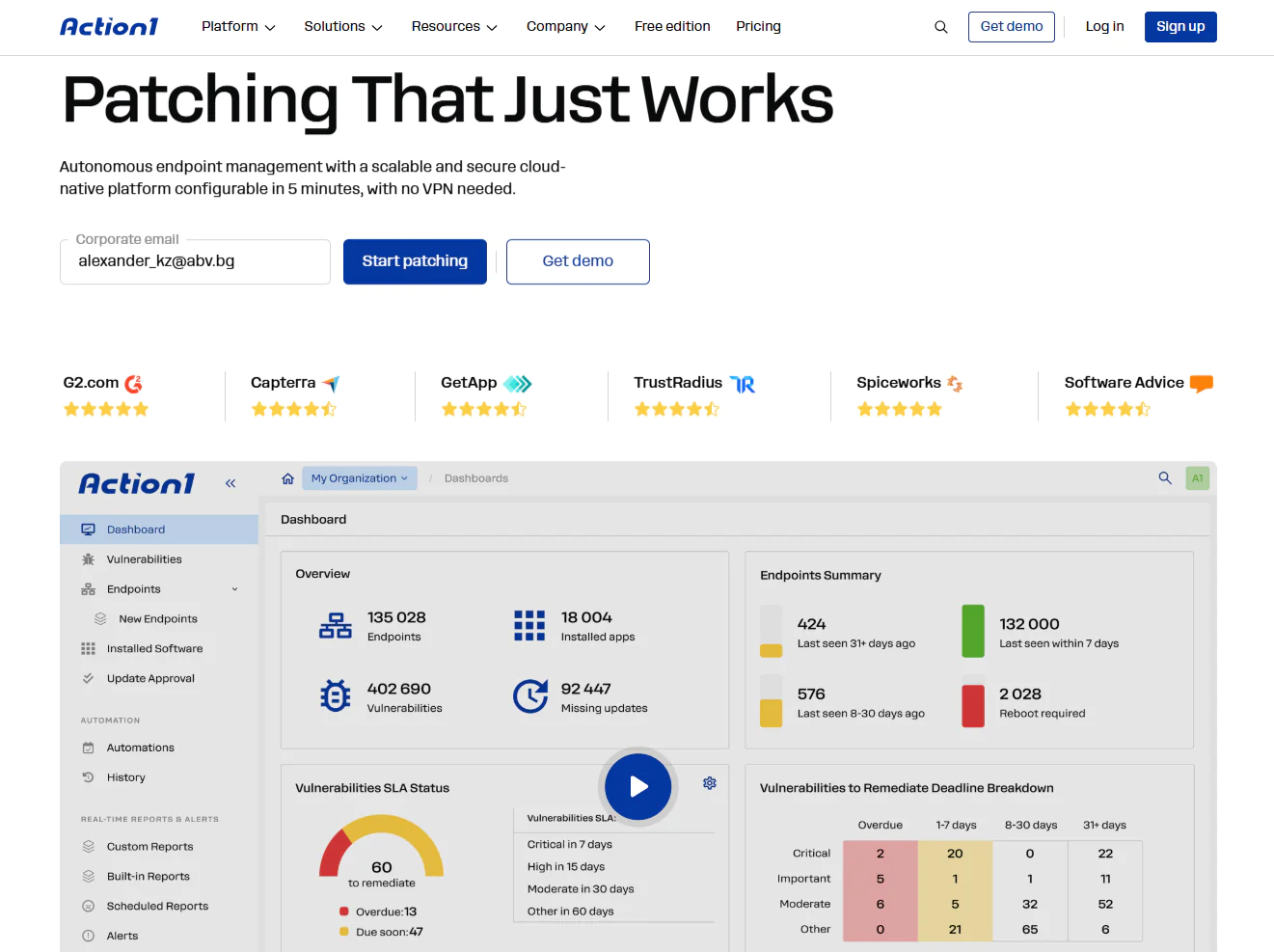
Key Features:
- Cross-platform support: Automates operating system patching across Windows, macOS, and Linux, with granular filtering, manual or automatic approvals, SLA-based compliance tracking, Windows driver updates, and automatic Windows Update Agent repair.
- Third-party patching: Automates patching for hundreds of third-party software titles, with real-time deployment status and 99% coverage for typical enterprise environments, including applications such as Adobe, Chrome, and Zoom. Windows and macOS packages are maintained in Action1’s private software repository, while Linux packages are deployed through native repositories and scripts.
- Risk-based patch management: Action1 prioritizes and applies patches and updates based on severity, associated CVEs, CVSS scores, and the real-world risk they pose to your organization.
- Vulnerability management: Real-time vulnerability detection with built-in remediation capabilities.
- Update rings: This feature enables phased, lower-risk, and autonomous patch rollouts, where updates advance from inner to outer rings only after meeting predefined success metrics. This way, patches that meet those criteria move forward automatically, while problematic ones are stopped.
- Automation and reboot controls: Decide when and how updates are installed, which endpoints receive them, and how reboots are handled. Configure immediate or delayed restarts to balance patch compliance with user productivity and business continuity.
- Offline endpoint catch-up window: If any endpoints are offline when the scheduled deployment begins, they will be updated automatically as soon as they come back online. This feature is extremely useful for remote employees working across different time zones and locations.
- Real-time reporting: Create detailed, audit-ready reports by taking advantage of 100+ built-in report templates with customization options to meet your specific requirements.
- IT asset management inventory: Real-time visibility into every endpoint’s system health, patch status, and hardware configuration.
- P2P distribution: Downloads updates once and shares them peer-to-peer across the rest of the endpoints connected to the same local network to cut bandwidth usage. As a result, large updates deploy faster while your bandwidth stays untouched.
- Privately maintained secure software repository: Provides you with peace of mind knowing that only thoroughly tested patches and updates reach your endpoints.
- Software deployment: Fully automated and effortless deployment of prepackaged and custom applications.
- Software uninstall: Allows you to uninstall unauthorized or legacy software across multiple endpoints.
- Scripting automation: Provides built-in scripts while supporting custom PowerShell, CMD, and Bash scripting capabilities.
- Remote access: Manage your on-premises and remote endpoints from anywhere without a VPN connection, directly in your browser.
- Multi-tenancy for MSPs and enterprises: Create and manage multiple organizations under one account, each with its own endpoints, data, maintenance windows, policies, and update approval workflows.
- Update approval per organization: Allows software update approvals to be managed at the organizational level, rather than uniformly across the entire enterprise. Essential for MSP-managed clients and large enterprises, this capability enables you to independently approve, defer, or decline updates for each unit or department within the Action1 platform.
- Extensive integrations: Connect Action1 to your existing IT and security stack through its REST API and PowerShell, with OAuth 2.0 authentication and integrations for vulnerability scanners, ITSM platforms, identity providers, and automation tools.
- Full REST API access: Connects Action1 to your existing tools and workflows through OAuth 2.0 authentication at no additional cost.
- Role-based access control (RBAC): Define granular levels of access for individual user accounts. With it, you can allow specific users or employees to manage endpoints and configure automations while giving view-only access to certain reports to others. Moreover, Action1’s RBAC is fully customizable with customer-defined roles granting permissions to scopes (organizations, groups, scripts, etc.) and functions (reports, automations, dashboards, etc.).
- Single sign-on (SSO): Integrates with your existing identity provider for Single Sign-On (SSO), including Entra ID (Azure AD), Okta, Google, or Duo.
- Multi-factor authentication (MFA): Further strengthens your overall security posture and helps protect access to business-critical data and applications through email verification or authenticator apps such as Google Authenticator and Duo.
- Custom endpoint attributes: Configure custom attributes based on registry keys, installed or missing software, machine type (VM, physical, laptop, server, etc.), warranty expiration date, BitLocker status, free disk space, environment variables, BIOS version, and more.
- Windows feature updates: Automatically upgrade Windows 10 to Windows 11 on one or all of your endpoints.
- Free for up to 200 endpoints: Fully featured, with no functional limits, forever. You can use it for free in your small or mid-sized business or thoroughly test it in your large enterprise before purchasing.
- Public roadmap: Feedback-driven development prioritized by customer votes in Action1’s public roadmap.
Pros
- Easy to deploy in just five minutes.
- Automates patch and update deployments for operating systems and third-party applications.
- Reduces downtime risk through staged, controlled rollouts.
- Built-in remote control and remote desktop.
- Ranked the #1 easiest-to-use patch management solution by independently verified customers on G2.
- Highly scalable, allowing you to expand from hundreds to hundreds of thousands of endpoints quickly without adding on-premises infrastructure.
- Cloud-native platform that manages both on-premises and remote endpoints without a VPN.
- Comes with built-in security controls, including MFA, SSO, role-based access control, audit trails, malware patch scanning, and Patch Assurance, and is backed by SOC 2 Type II, ISO/IEC 27001:2022, and TX-RAMP certification.
- Intuitive, easy-to-navigate user interface.
Cons as per G2 User Reviews
- No mobile device management (MDM).
- No one-click patch rollback.
Customer Story
“Before Action1, managing Windows updates was all we could do. Third-party applications were left out.
Now, with Action1, we are able to continuously keep our entire software environment up to date, regardless of where our clients are located. This improves our security while simultaneously reducing the required effort. An excellent price-to-performance ratio.” – Tobias Bleicher, Head of IT at RKT, Rodinger Kunststoff-Technik GmbH, Germany
Pricing
Action1 is free for your first 200 endpoints, fully featured, forever. After that, custom pricing applies based on a per-device model. The more endpoints you manage, the lower the price gets.
Get your personal pricing quote here or schedule a demo to see it in action first.
Best for
Action1 is best for SMBs, large enterprises, MSPs, government agencies, non-profit organizations, and institutions in healthcare, finance, education, manufacturing, and the oil and energy sector.
Reviews
- G2 Rating: 4.9/5 stars, based on 1,075+ reviews (at the time of update)
- Capterra Rating: 4.9/5 stars, based on 235+ reviews (at the time of update)
- G2 Comparison Review – Action1 vs Automox
ManageEngine Patch Manager Plus
ManageEngine Patch Manager Plus simplifies the deployment of operating system and third-party application updates across Windows, macOS, and Linux endpoints through a centralized console, helping organizations keep their devices secure, compliant, and running smoothly.
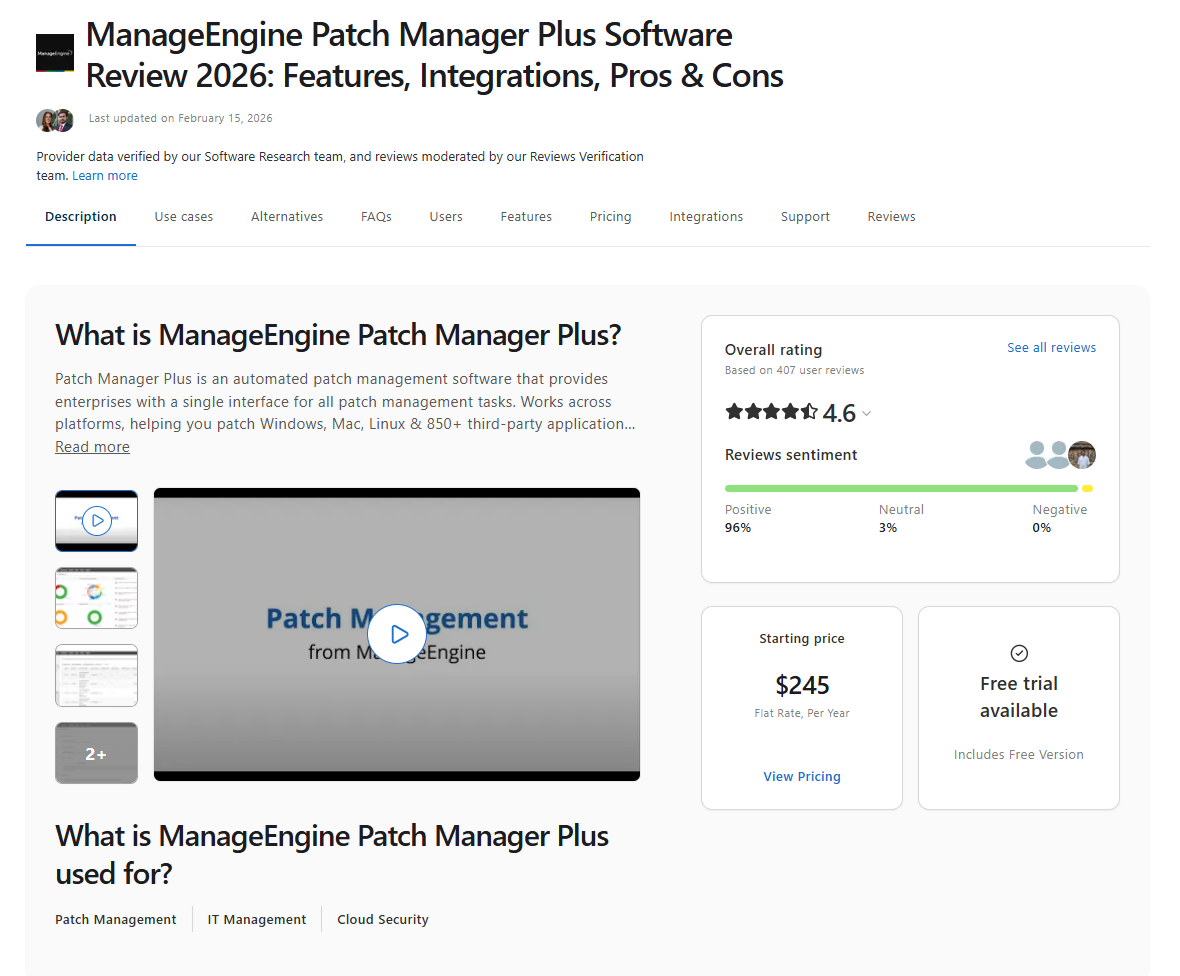
Key Features
- Cross-platform support: Supports Windows, macOS, and Linux endpoints.
- Third-party patching: Provides advanced patching for third-party applications such as Adobe, Java, Chrome, and many other business-critical tools.
- Flexible update deployments: Enables organizations and their IT teams to deploy updates at convenient times, with user notifications and customizable reboot policies.
- Patch testing: Automatically tests patches and updates on smaller groups of endpoints before deploying them across production systems.
- Insightful reports: Create detailed reports on patch compliance and status to help you meet regulatory standards with minimal effort.
- Remote endpoint patching: Allows you to patch endpoints outside your office over the internet without requiring a VPN connection.
- Decline or delay non-critical updates: Allows you to decline patches for legacy applications or postpone non-critical updates to prioritize security fixes.
- 30-day free trial: You can test the product for 30 days before purchasing it.
Pros
- Automates end-to-end patch management.
- Supports patching for Windows, macOS, Linux, and a wide range of third-party applications.
- Supports patching across LANs, WANs, DMZs, and remote work environments, including internet-based patching without a VPN.
- Improves patch reliability through automated testing before deployment.
- Built-in reporting tools help reduce the time spent preparing compliance documentation.
Cons as per G2 User Reviews
- Some users find the third-party application coverage restrictive, although the platform supports many third-party apps.
- Building and managing custom patches can be difficult, and less technical users may find the workflow too complex to handle on their own.
- Patches sometimes fail to install without providing a clear reason. Resolving these failures usually requires contacting customer support, which can take anywhere from a couple of hours to several days.
- The initial setup isn’t always as straightforward as expected. Some users also report compatibility issues, particularly with older server versions.
- The agent doesn’t offer enough customization for customer-specific branding.
- Uninstalling patches could be faster and easier.
- Setting up automated reboots, patch policies, and deployment rules can be confusing, especially the first few times. It simply isn’t as straightforward as it should be.
Pricing
ManageEngine Patch Manager Plus is available in two tiers, Professional and Enterprise. Both are offered on-premises or in the cloud, making it a flexible solution for organizations with different deployment and licensing requirements.
- On-premises: Choose between an annual subscription and an upfront perpetual license. Professional starts at $245 per year for 50 computers and one technician, while Enterprise starts at $345 per year for the same endpoint range.
- Cloud: Available by subscription only and billed monthly or annually. Professional starts at $34.50 per month or $345 per year for 50 computers and one technician. Enterprise starts at $44.50 per month or $445 per year for the same range.
- Scaling: Computers and servers are priced separately, and the total cost increases as the number of managed endpoints grows within either category.
- Additional technicians: Pricing is the same across both tiers, starting at $195 per year for one additional technician.
Best for
Mid-sized and large organizations with hybrid IT environments that want to automate patch management for Windows, macOS, Linux, and third-party applications across on-premises and remote endpoints from a single platform.
Reviews
- G2 rating: 4.5/5 stars, based on 195 reviews (at the time of update)
- Capterra rating: 4.6/5 stars, based on 405+ reviews (at the time of update)
Microsoft Intune
Microsoft Intune is a cloud-based endpoint management platform that lets you manage corporate-owned and personal (BYOD) devices, along with their apps and data, all from one place, without stepping on your employees’ privacy or personal space. It gives you the tools to set security policies, govern how data gets accessed and shared across your organization, push out and update applications, and confirm every device meets your compliance bar. The platform ties directly into Microsoft Entra ID, Microsoft Purview Information Protection, and the rest of the Microsoft 365 stack.
On the platform side, it covers Windows, macOS, Linux, Android, ChromeOS, iOS, and iPadOS, though what you actually get differs by platform. Windows gets the most thorough native update and policy controls of the bunch. Apple devices run on declarative device management, letting you target specific OS versions and set installation deadlines. Linux, meanwhile, is built around enrollment, compliance checks, and Conditional Access rather than pushing native OS patches directly.
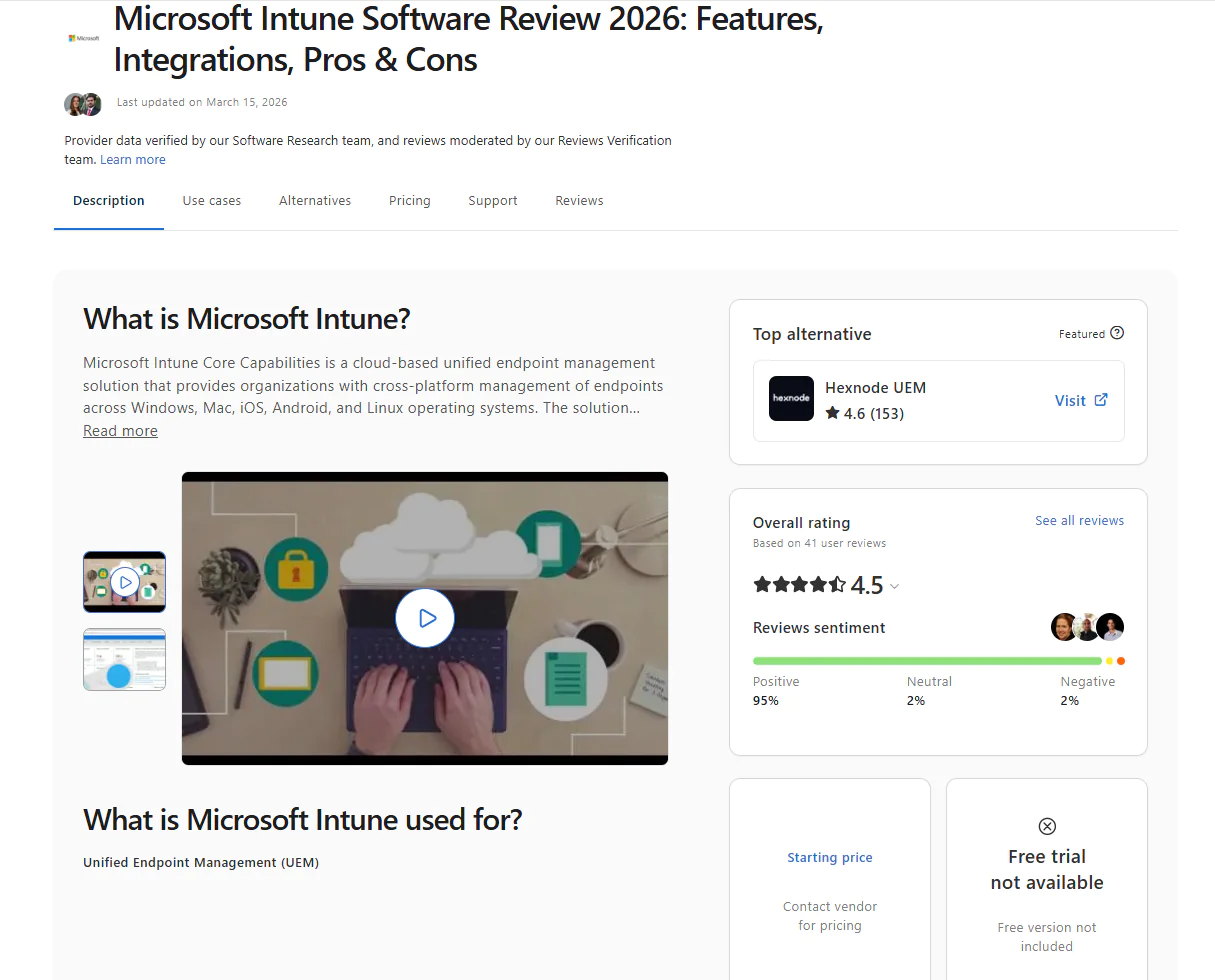
Key Features
- Unified endpoint management: Provides a unified approach to managing PCs, mobile devices, and virtual endpoints across your organization’s on-premises and remote environments.
- Cross-platform support: Supports Windows, macOS, iOS, iPadOS, Android, Linux, and ChromeOS devices, although management capabilities vary by platform.
- Advanced device management: With Intune, you can enroll devices, configure settings, deploy updates and policies, and enforce security configurations such as BitLocker encryption in Windows environments.
- Application management: Enables the deployment and updating of apps, controls access to them, and protects the organizational data within those programs.
- Conditional access: With Intune, your IT team can use Microsoft Entra Conditional Access policies to control access to your organization’s resources based on criteria such as device compliance and user identity, supporting a Zero Trust approach.
- Endpoint protection: Integrates with Microsoft Defender for Endpoint to add advanced threat detection and response capabilities while helping strengthen security across your on-premises and remote devices.
- Effective compliance management: The cloud-based solution helps you meet regulatory requirements by providing compliance policies, reporting, and visibility into device compliance status.
- Windows Autopilot: With Intune, you can provision Windows endpoints for your employees and have them ready to use through a zero-touch deployment process.
- Integration with the Microsoft ecosystem: Since Intune is a Microsoft product, it integrates seamlessly with other tools and services such as Microsoft Entra ID, Microsoft 365, and Microsoft Defender.
- Free trial: 30-day free trial with full access to all features.
Pros
- Manages multiple device types running different operating systems, all from a single platform.
- Cuts down the time spent on routine daily tasks such as patching, provisioning, application management, and reporting.
- Delivers strong MDM and MAM capabilities.
- Windows Autopilot brings zero-touch Windows device provisioning to scale.
- Conditional Access policies evaluate user identity and device compliance, granting access to corporate resources only when the required conditions are met.
Cons as per G2 User Reviews
- Non-Windows platforms and third-party applications don’t get the same depth of management and patching capabilities as Windows-based devices do.
- Small businesses without a dedicated IT team often run into real challenges when setting up and configuring the software.
- Implementation and ongoing management can get expensive, especially for SMBs.
- Advanced capabilities aren’t included with standalone Intune Plan 1 by default. Depending on your Microsoft 365 license, you may need separate add-ons or the Intune Suite to unlock Remote Help, Endpoint Privilege Management, Enterprise App Management, or Advanced Analytics.
- Reporting stays fairly basic unless Advanced Analytics is included in your license or purchased separately.
- New admins face a real learning curve, often requiring formal training or frequent trips to vendor documentation just to get comfortable with the platform’s features.
Pricing
Intune’s pricing runs per user, per month, billed annually, so your cost scales with your headcount rather than your device count. Here’s how the plans break down:
- Plan 1: $8 per user per month, the required starting point for the other plans and add-ons.
- Plan 2: $4 per user per month as an add-on to Plan 1.
- Intune Suite: $10 per user per month as an add-on to Plan 1.
Microsoft 365 E3 and E5 customers should check which advanced Intune capabilities are already included in their licenses before purchasing additional add-ons.
Best for
If your organization already runs on Microsoft 365 and Entra ID, this is the natural next step, especially if what you actually need is strong device compliance, MDM, application management, and Conditional Access rather than deep, cross-platform patching across non-Windows environments.
Reviews
- G2 Rating: 4.5/5 stars, based on 260+ reviews (at the time of update)
- Capterra Rating: 4.5/5 stars, based on 40+ reviews (at the time of update)
Ivanti Neurons for Patch Management
Ivanti Neurons for Patch Management is a cloud-based patching solution designed to help organizations of all sizes automatically identify and remediate vulnerabilities by using risk-based prioritization to deploy missing patches and updates across on-premises and remote endpoints. It successfully strengthens their overall security posture, makes regulatory compliance easier, and eliminates time-consuming manual processes.
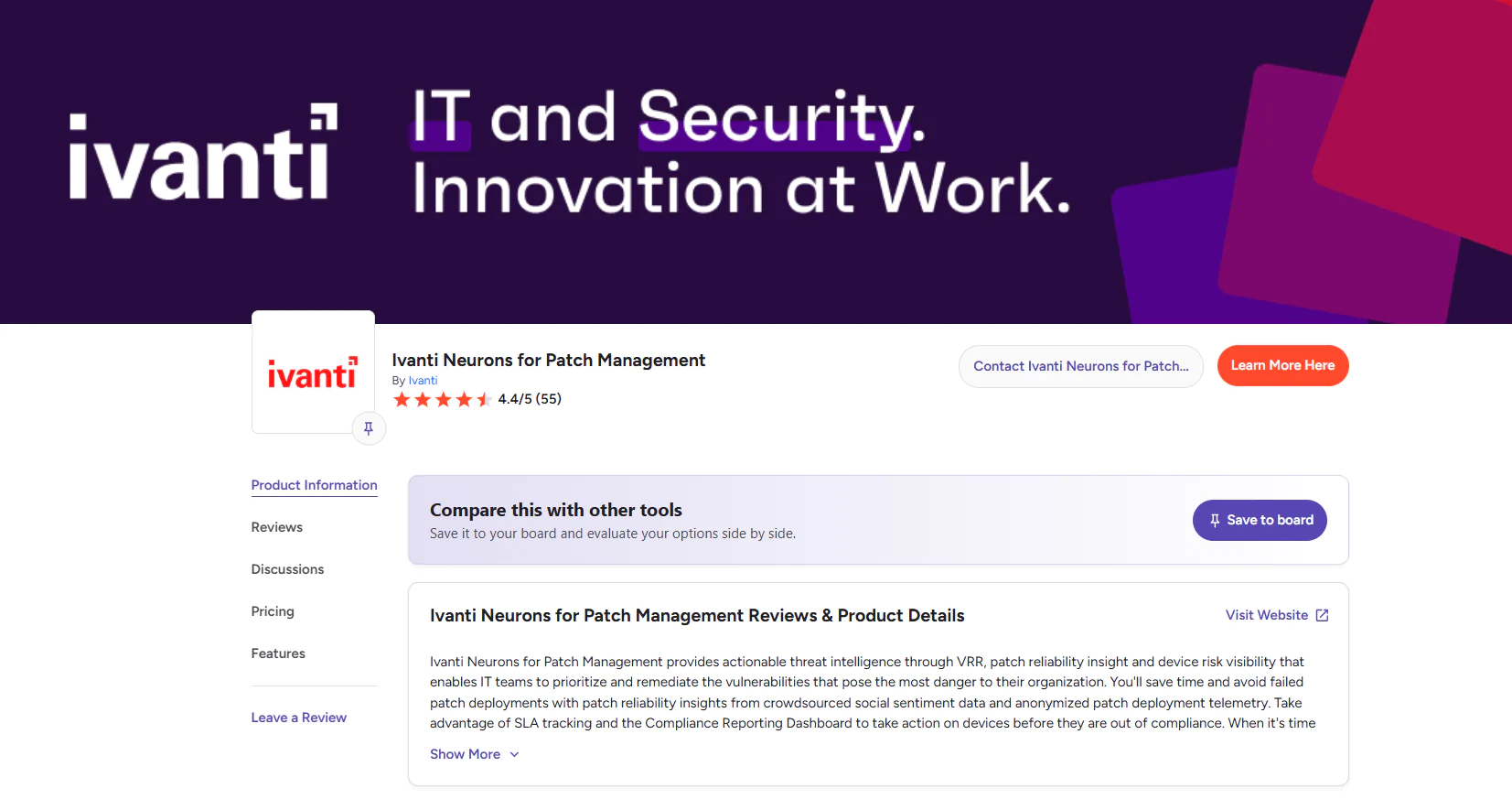
Key Features
- Cross-platform support: Windows, macOS, and Linux endpoints.
- Third-party patching: Covers 1,000+ third-party applications.
- Risk-based prioritization: Automatically prioritizes patches that address the most critical vulnerabilities, especially those linked to ransomware and active exploits.
- Active threat context: Uses adversarial risk and exploit intelligence to properly prioritize identified software vulnerabilities across your endpoints.
- Ring deployment: Deploys software updates with precision and control, with the main goal of reducing downtime risks.
- Compliance reporting: Generates detailed, audit-ready reports on patch status and compliance to help your company meet regulatory standards and reduce non-compliance risks.
- Equal access to SLA tracking and risk intelligence for both IT and security teams: Successfully breaks down barriers between departments to provide a detailed view and a common language that promote quick and effective cross-functional action.
- Security-driven patch automation: Executes patch and update deployments through automated workflows based on security priorities and real-world risks.
- Integration with Microsoft Configuration Manager: Integrates smoothly with your existing Microsoft Configuration Manager environment.
Pros
- Cloud-native.
- Manages Windows, macOS, and Linux endpoints from one platform.
- A rich third-party application catalog covers most of what you’re already running.
- Its VRR, or Vulnerability Risk Rating, system weighs active risk exposure, patch reliability, and device compliance to help you prioritize what actually needs fixing first.
- Uses Active Threat Context to flag what’s genuinely urgent, not just what’s technically vulnerable.
- Automates the patch management process end to end.
Cons as per G2 User Reviews
- The complex setup process takes time, especially if you’re new to the platform and need to configure policies, figure out update rings, and learn the interface.
- Reviewers report patches failing to deploy fairly often, which means restarting the automation or pushing the patch manually yourself.
- Reporting could use more depth and more ways to customize it.
- Reboots don’t always go through cleanly, and when one fails, you may need to restart the endpoint by hand.
- Fixed patch cycles can be difficult to align with your organization’s existing workflows.
- Pricing runs high compared with other solutions on the market, given the depth of features involved.
- Larger environments can see a real performance hit, particularly on devices running weaker hardware.
Pricing
Ivanti doesn’t publicly list its pricing, so you have to contact its sales team to get a personalized quote.
Best for
SMBs, enterprises, manufacturers, and healthcare institutions that need operating system and third-party patching tied directly to vulnerability management.
Reviews
- G2 rating: 4.4/5.0 stars, based on 55+ reviews (at the time of update)
- Gartner rating: 4.6/5.0 stars, based on 3 reviews (at the time of update)
Tanium Patch & Tanium Deploy
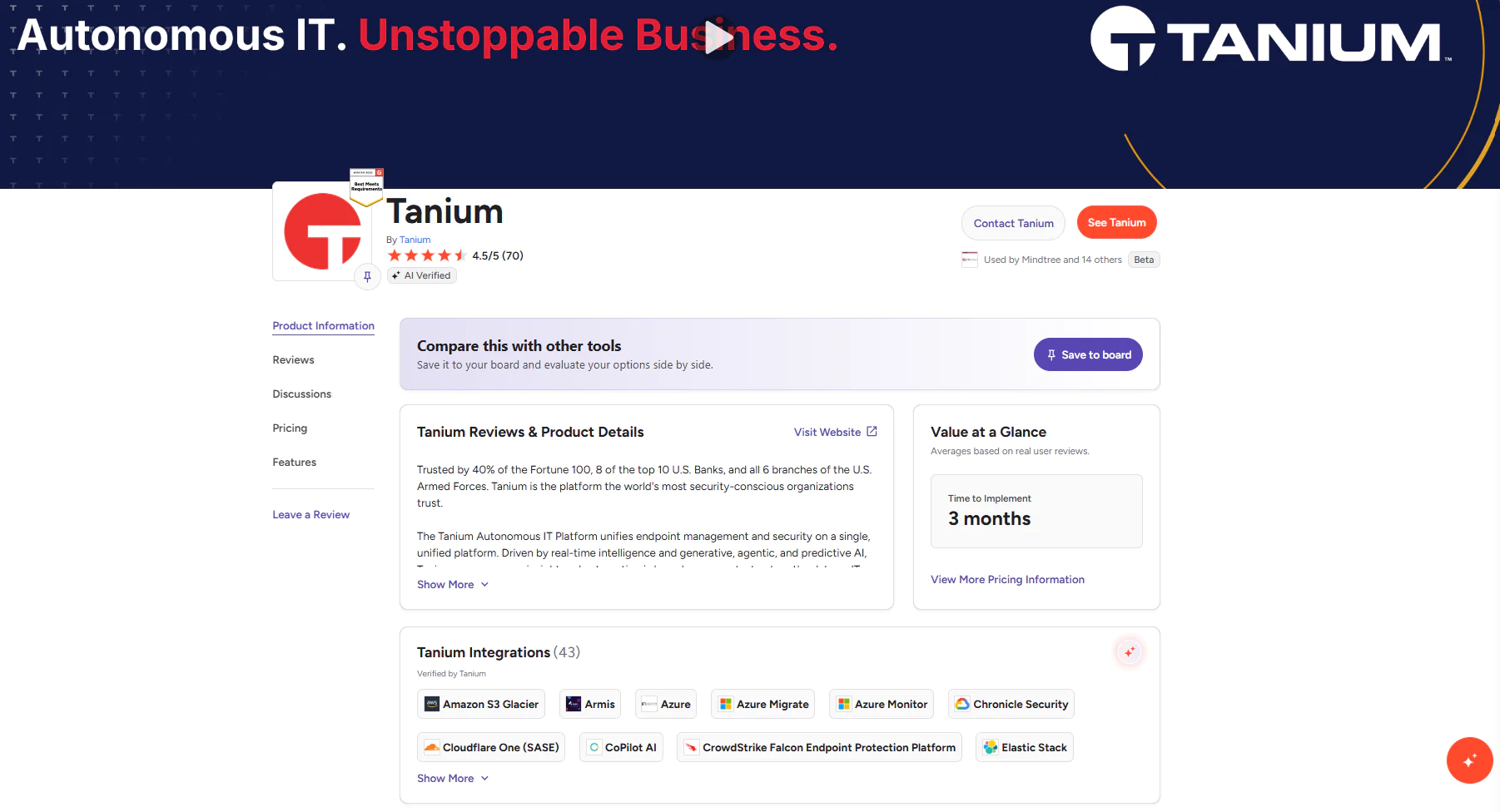
Tanium Patch & Tanium Deploy form another exciting solution set that simplifies and automates each step of the patching process, from spotting a missing update to fixing it for good. Tanium Patch handles OS patching across Windows, macOS, and Linux endpoints, while Tanium Deploy takes care of third-party application installs, updates, and removals across your fleet.
Together, these modules give you real-time visibility instead of the stale, periodic-scan data many patch tools rely on, so what you’re looking at is what’s actually happening on your endpoints right now, not what happened an hour ago. That real-time visibility is what helps keep your on-premises and remote devices up to date, compliant, and running smoothly.
Key Features:
- Cross-platform support: Windows, macOS, and Linux systems.
- Third-party patching: Installs, updates, and removes a variety of third-party applications across your endpoints.
- Flexible patch scheduling: With Tanium, you can deploy updates at your convenience to reduce the risk of unexpected downtime.
- Block/approve lists: With this feature you can create lists of patches that you want to approve or block based on different metrics and criteria like severity, release date, and associated CVEs.
- Real-time patch visibility and control: Provides you with real-time information about the patch status of your endpoints.
- Remote endpoint patching: Allows you to patch remote and on-premises endpoints.
- Compliance reporting: Offers detailed reporting across the patch lifecycle to make regulatory compliance easier.
- Automatic group creation: It separates your endpoints based on their OS (Windows and Linux).
Pros
- You see what’s happening on your endpoints right now, not what happened during last week’s scan.
- Speed holds up even at scale. Environments running hundreds of thousands of devices can still patch fast.
- One agent covers patching, asset inventory, and software deployment.
- Connects directly to tools you’re probably already running, including ServiceNow and Microsoft Security Copilot.
Cons as per G2 User Reviews
- The software can negatively affect device performance, especially on endpoints with weaker configurations.
- If you’re not a tech-savvy user, you may find it difficult to set up and configure Tanium Patch and Deploy. Many users say they needed a lot of time to get used to the interface and properly utilize the tools.
- Large deployments may strain network resources and server capacity, requiring strategic configuration and traffic distribution features to prevent performance issues.
Pricing
Tanium Patch & Tanium Deploy are separate products, each licensed per endpoint on top of the core platform, and pricing isn’t published for either, so you’ll need to contact Tanium’s sales team for a quote based on your endpoint count and the modules you need.
Best for
Fits best across large enterprise environments, with endpoints running on various operating systems and dispersed across multiple locations, especially when real-time visibility at massive scale matters more than a lighter, simpler setup.
Ratings
- G2 Rating: 4.5/5 stars, based on 70 reviews (at the time of update)
- Capterra Rating: 4.2/5 stars, based on 5 reviews (at the time of update)
NinjaOne Patch Management
NinjaOne Patch Management is a cloud-based remote monitoring and management solution that successfully handles automated patch deployments across different operating systems and third-party applications. It equips organizations with scripting, real-time monitoring, and flexible scheduling options. The software helps IT teams keep their systems secure and compliant with minimal manual oversight.
Key Features:
- Cross-platform support: Windows, macOS, and Linux.
- Third-party patching: Automates third-party patching end-to-end.
- Compliance management: Supports regulatory compliance by generating reports, providing visibility into patch status, and enabling automated policy enforcement.
- Risk-based vulnerability management: Integrations with vulnerability scanners bring CVE identifiers and CVSS scores into NinjaOne, helping your team prioritize patch deployments according to risk.
- Flexible patch scheduling: Custom patch scan and deployment schedules with the ability to deploy updates during off-hours to minimize business disruption.
- Patch testing and approval: Custom patch approval workflows where you can configure rules to automatically approve certain types of patches while holding others for manual review.
- Granular device control: Ability to assess and apply updates based on a client, device group, or individual endpoint basis.
- Free trial: 14-day free trial with full access to all features.
Pros
- Automates OS and third-party patching across your entire fleet.
- Prioritizes by CVE and CVSS, so your team fixes what’s actually dangerous first, not just what’s newest.
- Minimizes the time between vulnerability identification and remediation.
- Works on on-premises and remote endpoints, such as desktops, laptops, servers, virtual machines, tablets, and smartphones.
Cons as per G2 User Reviews
- Many users report that the software is quite expensive, especially for smaller businesses with a hundred or fewer endpoints.
- Users have mentioned several times that the reporting depth could be more robust. Their concerns come from the fact that they have noticed restrictions in generating detailed, customizable reports for specific organizational or client needs.
- The interface takes real time to learn before you’re using the software to its full potential.
- Several users note that the platform could offer more options for advanced customization.
Best for
NinjaOne is best for managed service providers (MSPs) and hybrid IT departments because it allows them to add MDM, backup, or service management tools such as ticketing as their needs grow. From one place, they can manage multiple processes rather than relying on separate platforms for patching, RMM, and software deployment.
Ratings
- G2 Rating: 4.7/5 stars, based on 4,300+ reviews (at the time of update)
- Capterra Rating: 4.7/5 stars, based on 285+ reviews (at the time of update)
Automox Alternatives FAQs
What is Automox?
Automox is a cloud-native endpoint management solution that automates OS patching across Windows, macOS, and Linux, plus updates for over 580 third-party applications. It lets you control, monitor, and secure both remote and on-premises endpoints equally well, backed by centralized visibility across your fleet. The platform gives you the flexibility to shape your patching process around what actually works for your company. With it, you can reduce the time between vulnerability identification and remediation, cut manual workload, strengthen your endpoints’ overall security posture, and support compliance with the regulations that apply to your organization.
What is the Cheapest Automox Alternative?
Action1 is the most budget-friendly option since it’s free to use for up to 200 endpoints forever, with no functional limits, making it an ideal choice for small and mid-sized businesses, as well as for large enterprises, which can test it in their environments before purchasing. Moreover, the platform is infinitely scalable, allowing you to grow from hundreds to hundreds of thousands of endpoints at a gradually lowering per-endpoint price.
Apart from that, Action1 is one of the best options on the market for automating your patch management process. With it, you can strengthen your overall security posture by identifying and remediating software vulnerabilities across your on-premises and remote endpoints with just a few clicks. Action1 allows you to confidently schedule, test, and deploy patches by using the update rings feature, helping your systems remain current through a staged, intelligent, and lower-risk process.
Which Automox Alternatives Manage Both On-Premises and Remote Endpoints?
Action1 is our top choice for organizations that need to manage and patch both on-premises and remote endpoints from the same platform. Because it’s cloud-native, you can deploy patches and updates to Windows, macOS, Linux, and third-party applications directly from your browser, regardless of where each device is located, without requiring a VPN or on-premises management server.
Other reliable Automox alternatives for managing on-premises and remote endpoints include ManageEngine Patch Manager Plus, Microsoft Intune, Ivanti Neurons for Patch Management, Tanium Patch for OS updates and Tanium Deploy for third-party applications, and NinjaOne.
Do Any Automox Alternatives Support Third-Party Software Patching?
Yes, Action1 offers exceptional support for third-party applications (310+) from its privately maintained secure software repository, with 99% coverage for typical enterprise environments (Adobe, Chrome, Zoom, etc.). Moreover, the platform uses peer-to-peer patch distribution to minimize external bandwidth usage and speed up deployment of large updates without requiring any on-premises cache servers.
Action1 offers automated, reliable, and flexible testing, scheduling, and reporting features to not only patch your systems as quickly as possible but also give you confidence that downtime risks are minimized and audit-ready reports are generated with just a few clicks.
Other alternatives to Automox that support third-party patching include ManageEngine Patch Manager Plus, Microsoft Intune, Ivanti Neurons for Patch Management, Tanium Deploy, and NinjaOne.
What’s the Easiest Automox Alternative to Deploy and Manage for Small IT Teams?
The easiest Automox alternative to deploy and manage for small IT teams is undoubtedly Action1. The cloud-native autonomous endpoint management platform is highly secure and configurable in just 5 minutes. It’s always free for the first 200 endpoints with no functional limits, offering an intuitive and extremely user-friendly interface.
Action1 helps organizations of all sizes keep their on-premises and remote endpoints up-to-date, compliant, and performing smoothly. It automates each step of the patch management process: vulnerability identification, missing patch listing, testing, scheduling, deployment, and report generation.
What is the Best Automox Alternative for Compliance-Driven Organizations?
The best alternative for compliance-driven organizations is Action1. The software not only helps teams act on vulnerability scan findings by deploying patches promptly but also offers more than 100 built-in reports on patching, vulnerabilities, software and hardware inventory, and security configuration.
Moreover, you can customize the existing reports according to your own or multiple clients’ specific needs by adding or removing columns, changing filters, ordering, grouping, and more. Last but not least, IT teams can build new reports based on PowerShell script output.
By addressing software weaknesses promptly, keeping your endpoints current, and generating audit-ready reports on patch and update status, your organization can strengthen endpoint security, improve its compliance posture, and make regulatory requirements easier to demonstrate. This minimizes not only the attack surface across your network but also the risk of costly regulatory fines and penalties.
Which Automox Alternative is Right for You?
The right Automox alternative depends on which specific gap you’re trying to close, not on which platform is most popular.
- Action1 fits teams that want autonomous OS and third-party patching, remote control, real-time visibility, strong reporting capabilities, P2P distribution, and a private software repository, all with no infrastructure to manage. What it doesn’t include: native MDM and one-click rollback.
- ManageEngine Patch Manager Plus fits mixed on-prem and cloud environments, but reboot policies and reporting take real effort to configure.
- Microsoft Intune fits organizations already running Microsoft 365 and Entra ID, but non-Windows patching stays shallow.
- Ivanti Neurons for Patch Management fits teams that need patches prioritized by real-world exploit risk, but cost and setup effort are real trade-offs.
- Tanium Patch & Tanium Deploy fits large enterprises needing real-time visibility at massive scale, but it demands more resources and a longer learning curve.
- NinjaOne fits MSPs that want patching bundled into a full RMM platform, but cost climbs fast for smaller teams.
However, nobody can tell you which platform is right for your company because nobody understands your IT infrastructure, budget, workflows, or team capacity as well as you do. That’s your call to make.
Our top recommendation is Action1, since it covers the most ground for the widest range of teams: autonomous patching across Windows, macOS, and Linux, 100+ audit-ready report templates, and built-in remote control, all without a VPN or added infrastructure. It’s free for your first 200 endpoints, fully featured, forever, which makes it a genuine option to test before committing to anything paid.
Ready to replace Automox?
Trusted by Fortune 500 companies, with a 99% patch success rate across 10m+ managed endpoints and 5k+ customers. Watch the demo and see why thousands of IT teams chose Action1. Or see it running on your endpoints in five minutes.
Sources, data, and editorial methodology
This comparison was researched and verified in July 2026 using official vendor documentation, pricing pages, and security and compliance materials, alongside verified user reviews and ratings from G2, Capterra, and Gartner Peer Insights. Each platform was evaluated against the same core criteria: OS and third-party patch coverage, deployment model, remote endpoint support, reporting depth and customization, ease of deployment, and scalability.
Action1 publishes this comparison. To keep it transparent and useful, we checked every product claim against primary vendor sources and looked for recurring patterns across third-party reviews rather than relying on isolated comments. Feature availability, pricing, and ratings were accurate at the time of publication and may change.





