


Action1 vs ManageEngine – Comparison Review
With cloud-native patch management, stronger compliance, and cost savings, Action1 helps IT teams go beyond what ManageEngine provides.
Trusted by leading organizations worldwide:






Industry Awards
Award-winning patch management trusted by IT teams worldwide. Recognized by G2 and CyberSecurity Breakthrough for usability and performance.
How is Action1 better than ManageEngine?
 |
 |
|
|---|---|---|
| Ultra-Fast Setup – 5 minutes |  |
 |
| P2P Patch DIstribution | |
|
| Cloud-Native Setup | |
|
| SOC 2 Type II, ISO 27001 | |
|
| Cross-Platform OS Patching | |
|
| Private Pre-Tested Patch Repository | |
|
| Third-Party Application Patching | |
|
Start Patching Smarter – Free for Up to 200 Endpoints
Key Features of Action1
No VPN Required
The cloud-native architecture of the software allows you to patch and update on-premises and remote endpoints directly from your browser, without a VPN.
P2P Patch Distribution
Each patch is downloaded only once and then shared across your endpoints, which minimizes external bandwidth usage and supports the rapid deployment of large updates.
Risk-Based Remediation
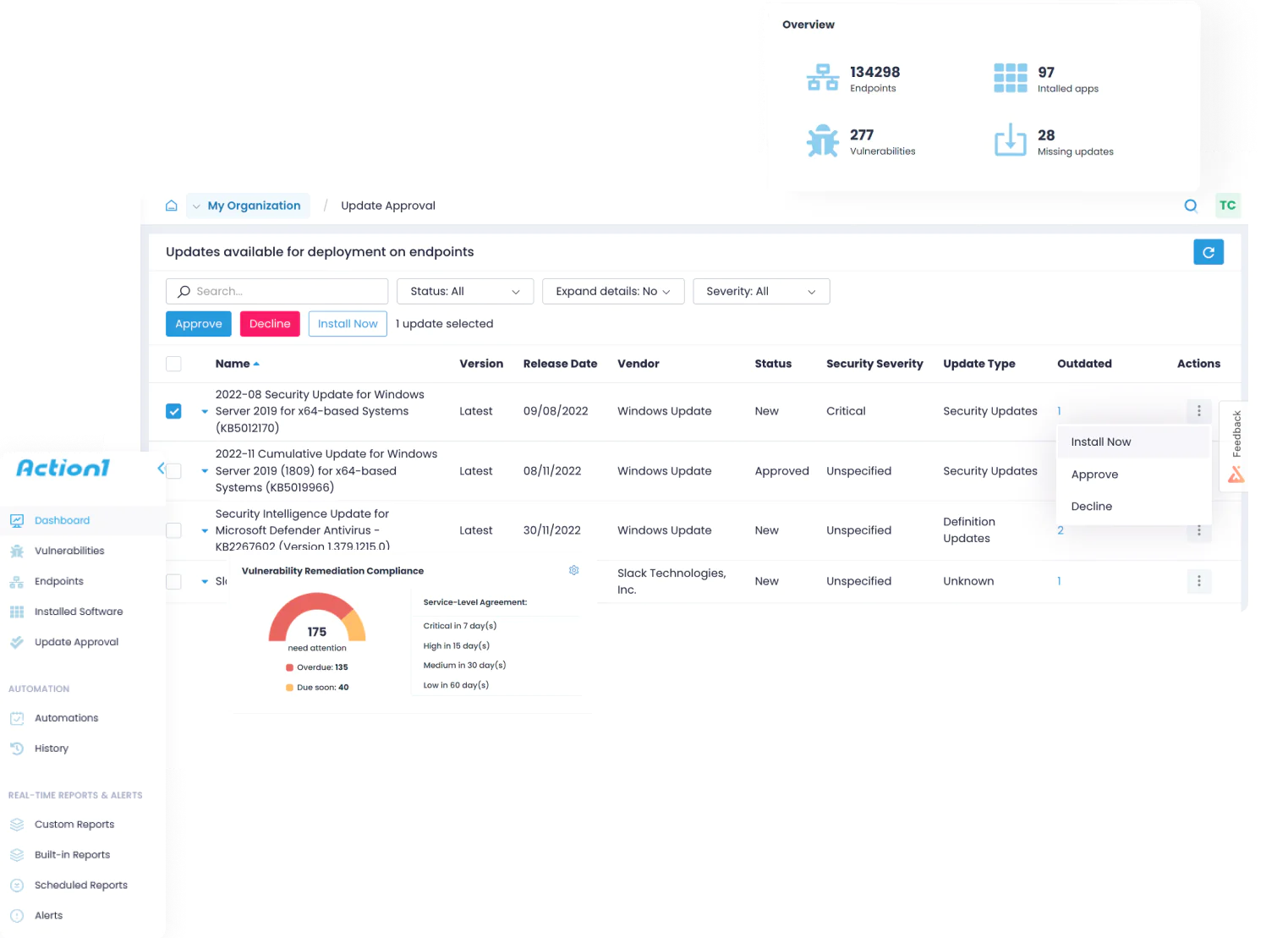
Action1 prioritizes vulnerabilities across your OS and third-party apps based on CVSS scores, CVE numbers, and CISA KEV status, allowing you to remediate the highest-risk ones first.
Scheduled Automation & Compliance Reporting
</table>Schedule automated deployments at convenient times to avoid unexpected downtime, then generate reports using 100+ built-in templates or customize them based on your needs.
Built-in REST API and PowerShell Module
Automate workflows and integrate with existing tools through full REST API access and PSAction1 PowerShell module for scripting, reporting, and custom automation tasks.
Patch Repository
Every patch and update is thoroughly tested by a team of experts for reliability and security before being added to our secure, privately maintained software repository..
Case Studies



Answers to Your Top Questions
From setup and security to integrations and pricing, here are the answers IT teams look for before choosing Action1.
What makes Action1 a better alternative to ManageEngine for patch management?
Is Action1 easier to set up than ManageEngine Patch Manager Plus?
Yes, Action1 is easier to set up compared to ManageEngine Patch Manager Plus. It takes under 5 minutes to create your account, install the lightweight agent, and start patching your endpoints. ManageEngine, on the other hand, requires complex and time-consuming on-premises server installations, database configuration, web server setup, and user account management before you can start using it. Next, Action1 is ranked by G2 as the #1 easiest-to-use patch management software on the market, allowing even non-tech-savvy users to completely automate patch deployments
What is the difference between Action1 free version of the software compared to the one ManageEngine has?
Action1 provides 200 endpoints free forever with no functional limits. When you expand beyond the free tier, you benefit from gradually decreasing per-endpoint costs. ManageEngine Patch Manager Plus offers a 30-day free trial for unlimited endpoints, then transitions to a free edition supporting up to 25 endpoints with basic features.
How does Action1's cloud-native design differ from ManageEngine's cloud version?
Action1 is fully cloud-native, which means that you can manage and deploy patches/updates directly from your browser, without needing VPNs, on-premises servers, or distribution points. When you install Action1’s agent, it communicates with the cloud, so updates are delivered and deployed through the agent, regardless of where your endpoints are located. ManageEngine Patch Manager Plus (Cloud version), on the other hand, is cloud-hosted, not cloud-native. For that reason, it may still require additional infrastructure components for optimal performance in complex network environments.
Which supports compliance better: Action1 or ManageEngine?
Action1 is better than ManageEngine Patch Manager Plus in terms of compliance support. The platform is certified for ISO 27001:2022, SOC 2 Type II, CSA Star Level 1, and CISA Secure by Design pledge, while also aligning with PCI DSS, HIPAA, GDPR, and NIST frameworks. ManageEngine, on the other hand, owns fewer security certifications: ISO 27001, PCI DSS, HIPAA, GDPR, and NIST. Regarding compliance reports, both vendors offer you the ability to generate reports after each patch/update lifecycle to help you adhere to regulatory frameworks. However, Action1 has an advantage over ManageEngine, because it offers 100+ built-in report templates, that you can also customize according to your needs.
Do both Action1 and ManageEngine provide third-party application patching?
Yes, both Action1 and ManageEngine provide third-party application patching. But Action1 clearly leads here, since it equips you with autonomous update rings, which enable phased, intelligent, risk-free rollouts, advancing updates from inner to outer rings based on success metrics. Action1 also maintains a private secure software repository of pre-tested patches for added reliability. Additionally, it uses P2P distribution, so each patch is downloaded once and shared across your endpoints, minimizing bandwidth usage and accelerating large update deployments. ManageEngine Patch Manager Plus, on the flip side, lacks autonomous update rings and doesn’t have its own software repository. Most importantly, it relies on distribution servers instead of using a P2P approach.
Why are IT teams switching from ManageEngine to Action1 for patch automation?
IT teams around the world prefer Action1 because it’s fully cloud-native architecture that doesn’t require a VPNs or on-premises distribution servers to function, which simplifies patch/update deployments and scaling. Autonomous update rings, organizational-level update decline/approvals, P2P patch distribution, and the private software repository are other factors that position Action1 as a better alternative to ManageEngine. On top of that, the simplicity, fast setup, and intuitive interface make it a top choice for organizations of all sizes. Many users switching from ManageEngine Patch Manager Plus cite the need for on-premises infrastructure, limited reporting capabilities, occasional patch failures, and complex setup as key reasons for choosing Action1 instead.