macOS Patch Management
Identify missing macOS patches, deploy them on your schedule, and verify which endpoints still need attention. Manage macOS patching across remote and on-site endpoints from one cloud-native platform, without a VPN or on-premises server.
Status: Active
Coverage: macOS 12 (Monterey), 13 (Ventura), 14 (Sonoma), 15 (Sequoia), 26 (Tahoe)
Availability: Global
New to Action1? See this capability in action!
An available macOS patch can still leave
endpoints exposed
When Apple releases a macOS security patch, IT needs to identify affected endpoints, deploy the update, and confirm it has been installed. Different macOS versions may need different patches. Remote endpoints can miss a scheduled deployment, and a system update is not complete until the required restart occurs.
Without clear installation results, IT cannot tell which endpoints remain unpatched or whether the security gap has closed. Action1 shows missing macOS updates and affected endpoints, supports staged deployment, and reports what succeeded, failed, or remains pending.
How Action1 macOS patching works
Action1 takes macOS patching from missing-patch detection to vulnerability remediation in four steps:
Discover
See which macOS updates are missing and which endpoints need them. Identify vulnerabilities without checking devices one by one.
Prioritize
Use severity scores and CISA’s Known Exploited Vulnerabilities catalog to decide which patches and CVEs need attention first.
Deploy
Approve and schedule updates. Use update rings to test installation on a pilot group before a wider rollout and configure reboot timing so system updates can be completed.
Verify
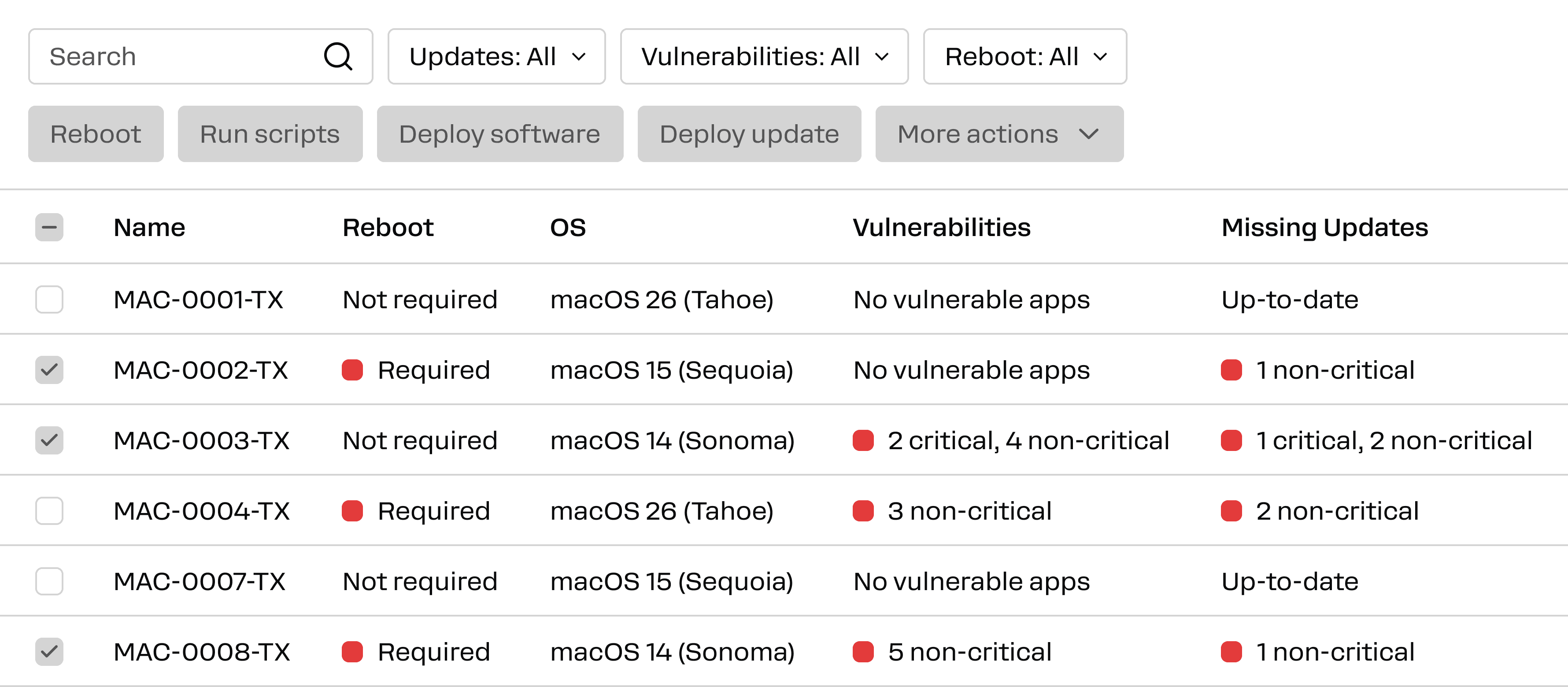
Review deployment results to identify successful, failed and pending updates. Check which macOS patches are still missing on affected endpoints.
Enterprise macOS patching features
Action1 helps IT teams manage macOS updates across on-site and remote endpoints. Identify what needs attention, control how updates roll out, remediate vulnerabilities and verify results from one cloud-native platform.
Identify and prioritize macOS vulnerabilities
See which vulnerabilities affect each endpoint based on available macOS security updates and Apple’s published CVEs. Review severity and whether a vulnerability appears in CISA’s Known Exploited Vulnerabilities catalog to decide what to patch first.
Scheduled patch deployment for selected groups
Review and approve macOS updates, then schedule installation for selected endpoint groups. Deploy patches without relying on users to install them individually.
Staged, risk-free rollouts
Start with a pilot group, then use update rings to expand deployment. Set criteria for when an update can proceed to the next group based on earlier deployment results.
Reboot controls with clear failure status
Show users a reboot prompt and set a timeout and completion deadline. If a user cancels the required restart, Action1 records the system update as failed so IT can follow up.
Remote deployment with reconnect retry
Deploy updates to internet-connected endpoints without a VPN or on-premises patch server. If an endpoint is offline at the scheduled time, Action1 can retry when it reconnects within the configured window.
Visibility into incomplete deployments
Review patch deployment success and failure. Check endpoint status history and missing macOS updates to find installations that still need attention.