- Top Microsoft Intune alternatives in 2026 include Action1, NinjaOne, JumpCloud, ManageEngine, Jamf Pro, and Atera.
- Organizations switch from Intune due to licensing complexity, limited third-party patching, and Microsoft-centric management limitations.
- Action1 stands out with autonomous patching, cloud-native architecture, real-time vulnerability remediation, and support for Windows, macOS, and Linux.
- NinjaOne and Atera are strong choices for MSPs needing unified RMM, patch management, and remote endpoint control.
- JumpCloud and Jamf Pro are ideal for identity-centric and Apple-focused environments.
- The best alternative depends on your priorities: autonomous patching, MDM, compliance reporting, remote management, or multi-OS support.
What are the Best Microsoft Intune Alternatives?
The best Microsoft Intune alternatives in 2026 are Action1, ManageEngine Endpoint Central, NinjaOne, JumpCloud, Hexnode UEM, Jamf Pro, Omnissa Workspace ONE, and IBM MaaS360. Each one covers ground that Intune doesn’t, whether that’s cross-platform patching, stronger third-party app coverage, or a simpler setup that doesn’t require weeks of configuration before it protects a single endpoint.
In this article, you’ll find a detailed breakdown of each platform’s pros, cons, key features, pricing, and verified user ratings, so you can compare them side by side and pick the one that actually fits your environment. You’ll also find a clear explanation of what Microsoft Intune is, where its limitations are, and a practical framework for choosing the right alternative based on your OS mix, team size, compliance requirements, and budget.
Let’s get into it.
How We Selected the Best Microsoft Intune Alternatives?
Choosing the wrong endpoint management platform doesn’t just cost you money. It costs you time, coverage, and in regulated industries, it can put you out of compliance. That’s exactly why we made sure our evaluation process was thorough, transparent, and grounded in real data, covering where each platform is strongest, where it falls short, and which types of organizations are most likely to benefit from it.
We evaluated each platform based on four sources:
- Official vendor documentation and feature sets reviewed as of 2026.
- Current pricing pages verified directly from each vendor’s website.
- User reviews from G2, Capterra, and Gartner Peer Insights, analyzing feedback from verified IT professionals, MSPs, and enterprise IT teams.
- Hands-on assessment of product capabilities across patch management, endpoint management, remote access, scripting, vulnerability management, and compliance reporting.
Our goal is simple. To give you technically accurate, current, and practical information alongside a real point of view from customers already using these platforms, so you can make an informed decision about the best Microsoft Intune alternative for your organization based on an honest review that reveals the real-world advantages and limitations of each option on our list.
What is Microsoft Intune?
Microsoft Intune is a cloud-based endpoint management solution that helps you manage, secure, and update your organization’s devices, apps, and data from one place. It covers desktops, laptops, smartphones, tablets, and virtual endpoints, and it works equally well for corporate-owned devices and employees’ personal devices under BYOD policies.
With Intune you can configure security policies, control how data is accessed and shared across your organization, deploy and update applications, and ensure every device meets your compliance requirements. The software works in conjunction with Microsoft Entra ID, Microsoft Purview Information Protection, and the broader Microsoft 365 ecosystem.
Core Microsoft Intune Features
Microsoft Intune packs a lot under one roof. Here’s what it brings to the table:
- Unified Endpoint Management → Manage all your organization’s endpoints from one place, including desktops, laptops, smartphones, tablets, and virtual machines. Intune supports Windows, macOS, Linux, ChromeOS, Android, and iOS/iPadOS.
- Mobile Device Management (MDM) → Provision endpoints, push security policies, configure settings, and manage certificates across your entire fleet from a single admin console.
- Mobile Application Management (MAM) → Protect your company data by enforcing controls at the application level rather than the device level. That distinction matters, because you can keep corporate data secure on an employee’s personal phone without touching anything outside your managed apps, which is why MAM is now standard practice across organizations of all sizes, from SMBs to large enterprises.
- Endpoint Security → Protect all company and user-owned endpoints by deploying policies for disk encryption, password requirements, and compliance.
- Conditional Access → Stop unauthorized endpoints or users from accessing sensitive corporate data through integration with Microsoft Entra ID. If a device fails your predefined security requirements, it simply doesn’t get access to corporate resources, applications, or sensitive data.
- Remote Control → Remotely wipe, lock, or retire lost or stolen endpoints to help protect corporate data.
- Zero-Touch Device Provisioning → Send a brand new workstation to your new employee. On first boot, once the device connects to the internet, Intune automatically enrolls it, applies your security policies, installs required applications, and configures everything from Wi-Fi and VPN profiles to encryption settings.
- App Protection Policies → Restrict copy and paste between work and personal apps, block screenshots of corporate content, and prevent sensitive data from being saved to personal cloud storage or USB drives.
- Compliance Reporting and Analytics → Monitor your devices’ health, compliance status, and security posture directly from the admin center. From there, you can generate data-driven reports, track policy adherence, identify non-compliant devices, and pull audit-ready documentation in minutes.
- OS and Application Update Management → Patch and update your Windows, macOS, iOS, and Android endpoints alongside their third-party apps using update rings, maintenance windows, and expedited deployment for critical security patches. For broader third-party app coverage, automated updates for popular applications are available through the paid Enterprise App Catalog add-on.
- Role-Based Access Control (RBAC) → Define exactly who on your IT team can see, configure, or manage which devices, policies, and reports.
Why Look for a Microsoft Intune Alternative?
Organizations consistently cite complex initial setup, limited cross-platform patching, and escalating add-on costs as the top reasons for evaluating Microsoft Intune alternatives, based on verified user reviews across G2, Capterra, and Gartner Peer Insights. Here’s a breakdown of each limitation in detail.
Complex Setup and Steep Learning Curve
In practice, getting Intune up and running isn’t an easy process, and those of you who have already gone through it know exactly what that means. The initial setup requires configuring your tenant, integrating with Microsoft Entra ID, setting up Windows Autopilot enrollment profiles, creating compliance policies, and connecting to your existing identity infrastructure. Depending on the size of your environment and how many endpoints you need to manage, that process alone can take anywhere from a few hours to several weeks.
The admin center, while offering a broad feature set, feels like it’s caught between two worlds. Parts of it look and behave like modern cloud software. Other parts feel like something pulled straight out of the 90s. That inconsistent experience creates real confusion for new administrators trying to navigate, find the right settings, and manage policies efficiently.
On top of that, Conditional Access requires specific Entra ID license tiers, and co-management requires Configuration Manager, none of which are always obvious upfront, and those hidden costs add up fast once you start enabling the features your environment actually needs. And if you’re running a mix of on-premises and remote endpoints, the complexity multiplies faster than you’d expect.
The hard truth is that Intune doesn’t simplify endpoint management from day one. For many teams, it adds complexity before it removes it. And instead of saving time through automation, you spend the first weeks just figuring out how to make the tool work instead of actually managing devices the way you intended.
So here’s what actually happens. You spend days on the initial setup. Then, once everything is configured and you’re ready to start protecting your endpoints, you realize you don’t fully understand how half the features work or how to use them together. You end up either leaning on a more experienced admin, watching YouTube tutorials, or working through Microsoft’s documentation just to figure out how to update an app, generate a report, or enforce security policies across your endpoints.
And once you’ve finally made peace with the setup, the patching limitations are the next thing you’ll run into.
Patch Management Limitations
Intune handles Windows OS updates well, but only when configured the right way, and even then there are seven key patch management limitations worth knowing before you consider it your primary endpoint management solution.
First, native patching only covers Windows client endpoints. Second, macOS patching works through MDM policies but with limited flexibility and granular control. Third, Linux systems get compliance monitoring only. No native patching at all. Fourth, Windows Server patch management isn’t natively supported through Intune in the same way as Windows client devices, leaving most organizations dependent on separate tooling like WSUS or Azure Update Manager to keep their servers current.
Fifth, device check-ins take up to eight hours, and when a critical patch drops, that window is too long. Your endpoints stay exposed while the clock runs. Sixth, the base product offers no one-click rollback capability and no real-time deployment visibility, so when something goes wrong, you’re flying blind until the next check-in cycle completes. Seventh, the built-in reporting is functional but not insightful. Historical data is limited, customization is minimal, and answering basic questions like which devices keep failing updates or whether compliance is improving over time often requires exporting data manually or building custom dashboards in Power BI.
The patching gaps get even harder to ignore once third-party applications enter the picture.
Third-Party Patching Coverage Gaps
Intune is very limited when it comes to patching third-party apps outside Microsoft’s product catalog. Take Chrome, Zoom, Java, and Adobe Reader for instance. None of them get patched automatically unless you manually package them as Win32 apps, write custom PowerShell scripts, or bring in another patching tool.
On macOS, Intune can’t enforce app updates or manage reboots the same way it does on Windows. On Linux, there’s no third-party patching at all. And on top of all that, Intune can’t clearly surface which apps are outdated across your systems, so visibility gaps pile on top of coverage gaps. You end up not knowing what needs patching and having no straightforward way to patch it even when you do.
But as most of you already know, the coverage problem doesn’t stop at applications. The further you move from a Windows-first environment, the more the gaps multiply.
Limited Support for Mixed OS Environments
Organizations managing a mix of endpoints across multiple operating systems shouldn’t expect Intune to cover all their needs equally. As we already covered, it’s limited when it comes to macOS and especially Linux. macOS endpoints can be patched through workarounds using Apple’s MDM framework, but you won’t get the same level of control and flexibility that Intune delivers natively on Windows. Linux support is limited and doesn’t include native OS or third-party patching.
ChromeOS works through Google Chrome Enterprise policy sync rather than native MDM, which adds another configuration layer. And if your environment includes IoT devices, rugged hardware, or industrial endpoints, Intune’s native capabilities won’t cover those either. The further you move from a standard Windows-first environment, the more supplementary tooling you’ll need alongside Intune to fill the gaps.
Remote and Distributed Endpoint Management Limitations
Intune’s cloud-based architecture sounds like it’s built for remote work. In practice, it’s got real limitations. Device actions like wipe commands, policy enforcements, and reboots can be way slower than expected. One Gartner reviewer put it bluntly: “Intune actions can be so slow for the Windows platform. When you send a wipe command or a restart command, it takes forever.”
Policy syncs run every eight hours by default, so there’s no real-time remediation when something goes wrong. That’s a real problem when you’re dealing with vulnerabilities that are actively exploited in the wild. And last but not least, Remote Help, which is the feature you’d use to troubleshoot a remote user’s device, isn’t included in the base plan. It requires the paid Intune Suite add-on.
Pricing, Licensing, and Add-On Costs
Microsoft Intune’s pricing looks simple on paper. The base Intune plan starts at $8 per user per month and covers standard MDM and MAM. It’s also included in Microsoft 365 E3, E5, and Business Premium, so if you’re already on one of those plans, you’re already covered at no extra cost. But if you need features like Remote Help, Endpoint Privilege Management, or Enterprise App Management, you’ll have to put another $10 per user per month on the table for the Intune Suite.
And that’s not even the main problem. Key features that almost every large enterprise and MSP need require separate licensing on top of Intune. Conditional Access requires specific Microsoft Entra ID license tiers, and co-management requires Configuration Manager on top of that. Do you get the point? You’re paying for other products just to unlock more of the one you already bought. That’s the reality.
How to Choose the Best Microsoft Intune Alternative?
Choosing the best alternative to Microsoft Intune isn’t as simple as picking the highest-rated option on the market. To make things clearer, here’s a breakdown of what actually matters when you’re evaluating your options:
Endpoint Coverage
Start by getting the exact count of your endpoints, both on-premises and remote, and write down their OS and device type. Desktops, laptops, mobile devices, servers, virtual machines. If your environment runs a mix of Windows, macOS, and Linux, you need a platform that covers all three natively, not through workarounds. Same goes for servers, virtual machines, and cloud workloads. The goal is one console that lets you manage, monitor, and secure everything without jumping between tools to fill coverage gaps.
Patch Management and Vulnerability Remediation
Look for a platform that offers automated patch and vulnerability management capabilities for operating systems and third-party applications. You need a platform that automates the full patching cycle from vulnerability identification and risk-based prioritization all the way through to patch testing, deployment, and audit-ready report generation.
Beyond that, features like flexible scheduling, dynamic device grouping, P2P patch distribution, staged rollouts, reboot management, automatic patching of offline endpoints upon reconnection, update approvals at the organizational or department level, multi-tenancy, and RBAC are all must-haves. They’re what keep your endpoints up-to-date, secured, and compliant with the regulatory frameworks your organization is subject to.
Device and Application Management
The best Intune alternative must automate software deployment and uninstallation, application lifecycle management, and device provisioning from a single platform. But that’s not all. You need real-time visibility into installed software, unauthorized applications, failed deployments, compliance status, patch status, and overall device health across every endpoint regardless of location. And features like policy enforcement, scripting automation, software inventory tracking, and bulk application actions across on-premises and remote endpoints aren’t extras. They’re what remove a huge part of the manual work from your daily routine.
Remote Monitoring and Remote Access
If your team manages remote or hybrid workforces, browser-based remote access without a VPN is the standard you should be measuring against. Platforms that require VPN connectivity for remote management add infrastructure complexity and create coverage gaps for devices that aren’t on the corporate network. Real-time endpoint monitoring, live patch and compliance status, and built-in support tools for troubleshooting any device from anywhere directly in the browser are the three capabilities that separate modern platforms from “old school” tools in this category.
Security and Compliance
Check if the platform you’ve chosen is certified for the compliance frameworks your organization operates under. SOC 2 Type II, ISO 27001, HIPAA, PCI DSS, and GDPR are the ones that come up most in regulated industries like healthcare, finance, and government. If a vendor can’t show you a current certification for the frameworks your auditors care about, that’s a problem worth taking seriously before you sign anything.
Beyond certifications, dig into the built-in security stack. MFA, RBAC, and encryption should come standard, not as paid add-ons. Last but not least, you must be able to generate audit-ready reports in minutes using customizable templates.
Ease of Deployment
Time to value matters. A platform that takes weeks to configure before it protects a single endpoint isn’t a practical choice for most IT teams. Look for agent-based cloud-native platforms that deploy in minutes without requiring VPN setup, on-premises infrastructure, or complex tenant configuration. The best alternatives on this list take about five minutes from account creation to first patch deployment. That’s the benchmark worth measuring against.
Integrations
These days, there’s no company that’s running a single tool to protect its entire IT environment. So the best alternative to Intune must integrate seamlessly with your existing IT stack, including your PSA, ticketing system, SIEM, vulnerability scanner, and identity provider. Look for REST API access, SSO support through Entra ID, Okta, or Google, and native integrations with tools like ServiceNow, CrowdStrike, Tenable, and Rapid7.
Total Cost of Ownership
In reality, the total cost of ownership is rarely just the license fee. There are infrastructure costs, implementation fees, training, and add-on licensing to factor in too. But here’s the thing. Cloud-native platforms consistently deliver the lowest TCO because they don’t require hardware, VPNs, or on-premises infrastructure to function. That’s a meaningful cost advantage over hybrid or on-premises solutions right from day one.
Keep in mind that a single administrator managing thousands of endpoints through automation costs far less than a whole team managing the same fleet manually or with the wrong tool. There’s a golden rule to avoid that mistake. Always look for a free tier or at least a free trial before purchasing a license. That way you can test the platform firsthand, make sure it solves your actual pain points, delivers the automation level you need, and fits your environment or your clients’ environments before you spend a single dollar.
Microsoft Intune Alternatives Quick Comparison Table
First things first. Before we start exploring each of the platforms on our list in detail, let’s have a look at their basics, like what’s their core focus, who they’re best for, key strengths, architecture type, and whether they offer a free tier or not.
| Platform | Core Focus | Best For | Key Strengths | Architecture | Free Tier |
|---|---|---|---|---|---|
| Action1 | Autonomous patch management and endpoint management. | SMBs, MSPs, enterprises, government agencies, and regulated industries. | Autonomous patching, 630+ third-party apps, P2P distribution, update rings, real-time vulnerability management, browser-based remote access. | Cloud-native. No VPN or hardware required. | Yes. Free forever for up to 200 endpoints, fully featured. |
| ManageEngine Endpoint Central | Unified endpoint management and security.. | IT teams managing mixed OS environments with both desktop and mobile devices. | 1,000+ third-party app catalog, phased patch deployment through test groups, built-in UEM and endpoint security. | Cloud-based and on-premises. | Yes. Free for up to 25 desktops and 25 mobile devices. |
| NinjaOne | RMM, patch management, MDM, and backup. | MSPs and hybrid IT departments needing one platform for RMM, backup, and patching. | Unified RMM and MDM under one license, CVE/CVSS risk-based patching, real-time monitoring, no implementation fees. | Cloud-native. No VPN required. | No. 14-day free trial only. |
| JumpCloud | Cloud directory, identity, access, and device management. | Mixed-OS organizations that need centralized identity management alongside device control. | SSO for 700+ applications, zero trust access policies, built-in password manager, centralized directory without Active Directory. | Cloud-native. | No. 30-day free trial only. |
| Hexnode UEM | Unified endpoint management across the widest OS range. | Organizations managing diverse fleets including rugged hardware, kiosks, and BYOD devices. | Supports 9 operating systems including tvOS and Fire OS, kiosk mode, zero-touch enrollment via Apple Business Manager and Samsung Knox. | Cloud-based. | No. 14-day free trial only. |
| Jamf Pro | Apple-exclusive device management. | Companies running entirely or primarily on Apple hardware. | Best-in-class macOS and iOS management, zero-touch deployment, Jamf Nation community, Smart Groups. | Cloud-native. | No. 14-day free trial only. |
| Omnissa Workspace ONE | Digital workspace platform combining UEM, identity, and app delivery. | Large enterprises with complex mixed environments needing virtual desktops alongside endpoint management. | Passwordless Single Sign-On, virtual app and desktop delivery via Horizon, data loss prevention, zero trust conditional access. | Cloud-based SaaS. | No. 30-day free trial only. |
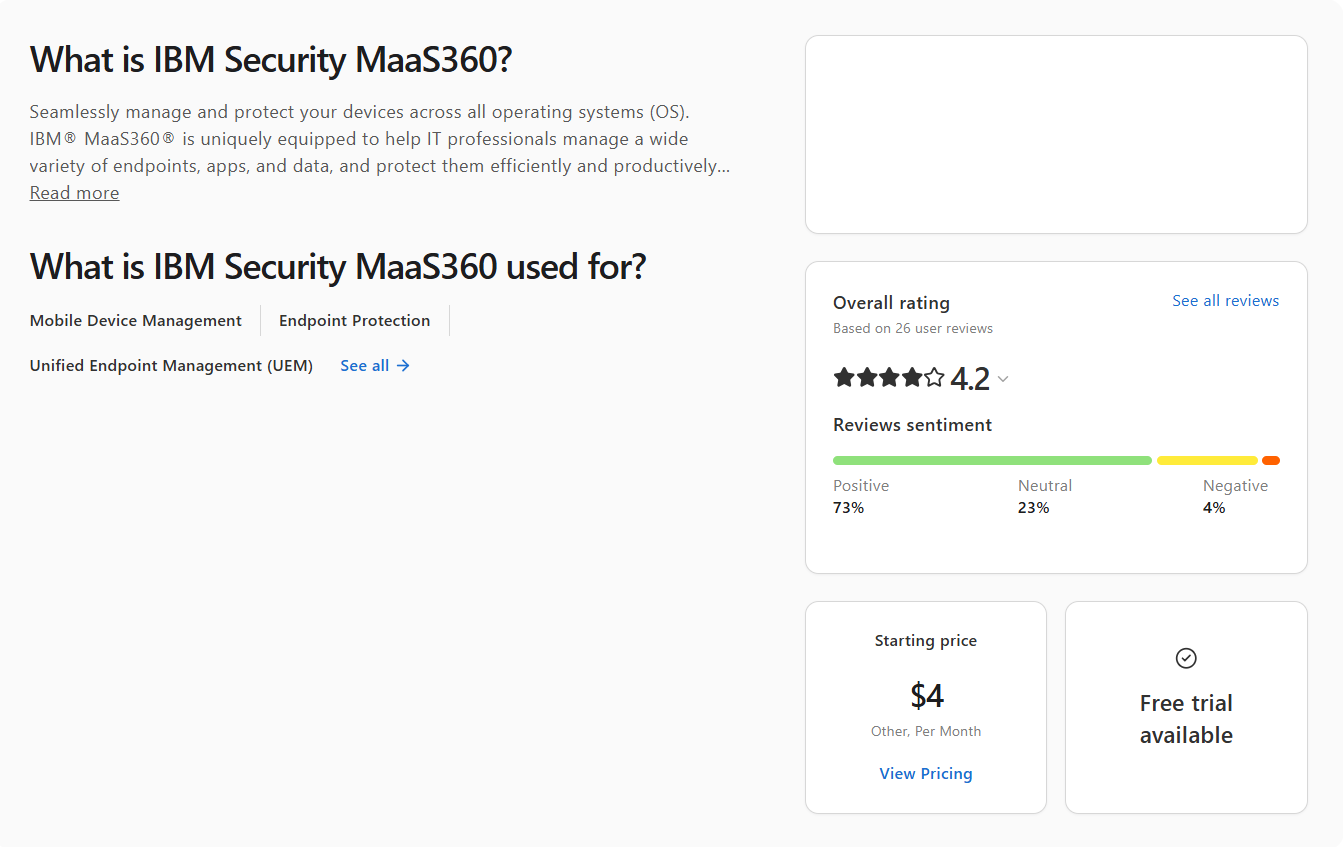
| IBM MaaS360 | Mobile-first UEM with AI-driven security. | Mobile-heavy organizations where security and threat detection are the top priority. | Built-in Watson AI threat detection, mobile threat defense, phishing protection, and zero-touch automated security included in base plans. | Cloud-based. | No. 30-day free trial only. |
Top Microsoft Intune Alternatives in 2026
Good. Now that you have the lay of the land, let’s go deeper on each platform.
Action1 Patch Management Software
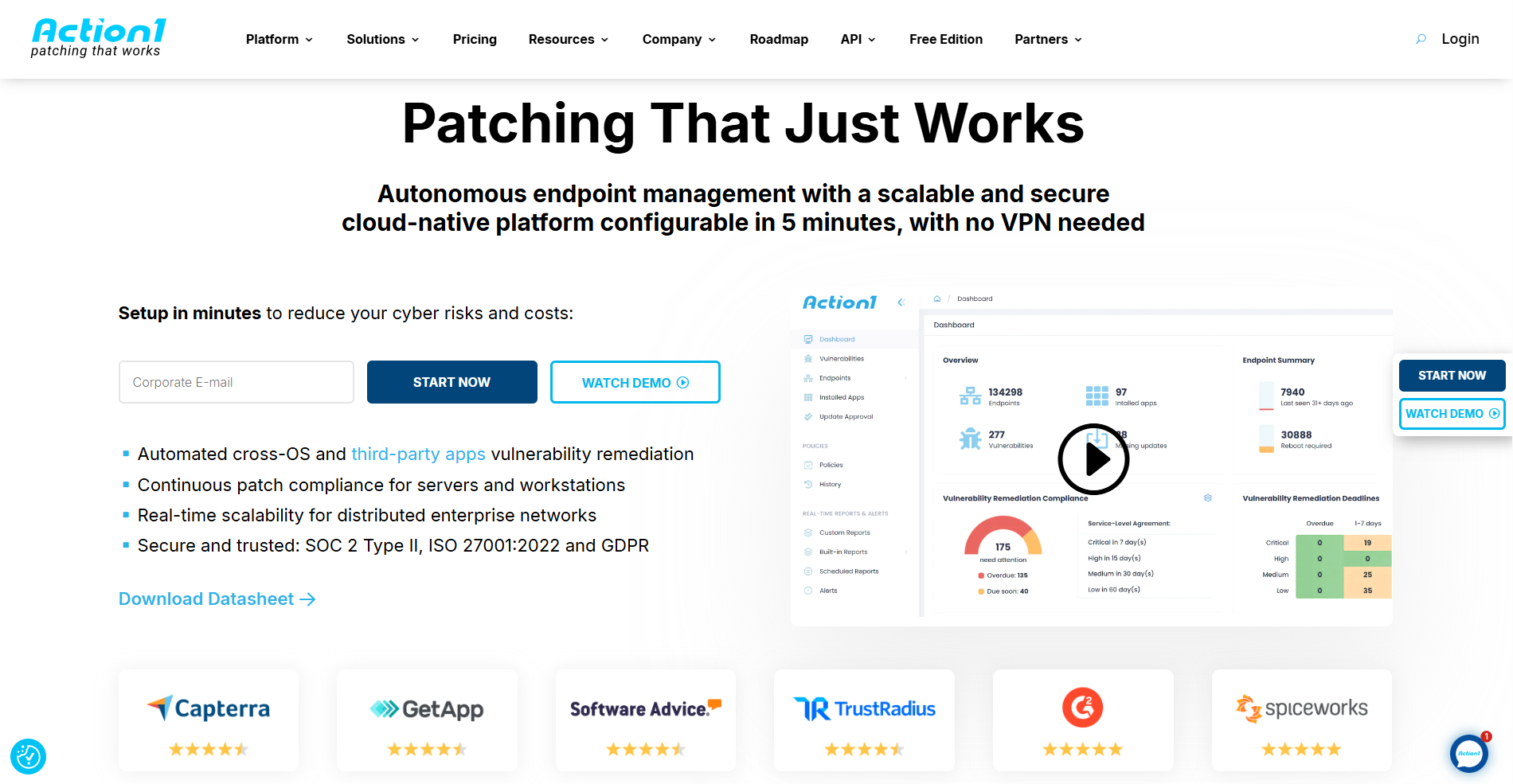
Action1 is a cloud-native autonomous endpoint management platform that’s tightly focused on patch management but also delivers strong RMM capabilities, remote endpoint control, software management, real-time monitoring, scripting with a built-in library, and advanced reporting. It’s highly secure, infinitely scalable, and built to run without VPNs or on-premises hardware.
It works across desktops, laptops, servers, virtual machines, and cloud workloads. From one browser-based console, you can patch on-premises and remote endpoints, install or remove software, and keep track of each system’s patch status, compliance status, and online or offline state in real time.
What makes it genuinely different is the privately maintained software repository, where every update gets tested for security and reliability before it ever reaches your endpoints. Add P2P patch distribution, risk-based prioritization, advanced access controls, 100+ built-in customizable report templates, and a script library, and you’ve got a platform that lets one administrator do the work that used to take a whole team, with a fraction of the manual effort and far fewer downtime surprises.
Key Features of Action1:
- Cross-Platform OS Support → Windows, macOS, and Linux.
- Third-Party Patching → Automated patching of numerous software titles on Windows and macOS based on filters (severity, vendor, etc.) with real-time progress status and 99% coverage for typical enterprise environments (Adobe, Chrome, Zoom, etc.).
- Offline Catchup Window → If an endpoint is offline during a scheduled patch deployment, it’ll get patched once it comes back online automatically, with no additional actions needed on your part.
- Vulnerability Management → Real-time identification with built-in remediation capabilities.
- Risk-Based Patch Management → Prioritize and apply software patches and updates based on the level of risk they pose to your organization’s IT infrastructure and critical assets.
- IT Asset Inventory → Real-time visibility into the hardware details and online/offline status of your endpoints.
- Software Deployment → Streamlined deployment of prepackaged and custom apps.
- Software Uninstall → Bulk uninstallation of unauthorized or legacy software.
- Scripting Automation → Offers built-in scripts and supports custom PowerShell, CMD, or Bash scripting.
- Real-Time Reporting → 100+ built-in report templates with customization options.
- Role-Based Access Control (RBAC) → Granular levels of access for user accounts.
- Single Sign-On (SSO) → Leverage your existing identity provider for Single Sign-On: Entra ID (Azure AD), Okta, Google, or Duo.
- Multi-Factor Authentication (MFA) → Secure access to business-critical data and applications using multi-factor authentication through email verification or authenticator apps like Google Authenticator and Duo to protect user credentials and enforce access controls.
- Update Rings → Lets you extensively test updates and patches before deploying them across your network, making the automated patch management process more intelligent, staged, and risk-free. With this feature, you can categorize your endpoints into groups (rings), set specific success rates, and update counts to minimize the risks of experiencing unexpected downtime.
- P2P Patch Distribution → Updates are downloaded only once and then shared internally across the rest of the endpoints in your local network. This minimizes external bandwidth consumption and speeds up update deployments.
- Private Software Repository → Each patch and update is thoroughly tested by Action1’s expert team, ensuring only reliable and secure files reach your endpoints.
- Real-Time Vulnerability Data → Provides CVE numbers, CVSS scores, and exploitation indicators to support real-time patching decisions.
- Auto Repair of Windows Update Agent → Automatically detects and repairs broken Windows Update Agent configurations across your endpoints to help you maintain 99% patch compliance rates at all times.
- Custom Endpoint Attributes → Examples include attributes based on registry keys, installed or missing software, machine type (VM, physical, laptop, server, etc.), warranty expiration date, BitLocker status, free disk space, environment variables, BIOS version, and more.
- Remote Access → Manage on-premises and remote endpoints from anywhere, directly in your browser, without a VPN connection.
- Full REST API Access → With OAuth 2.0 at no extra charge.
- Windows Feature Updates → Upgrade Windows 10 to Windows 11.
- Free Tier → For up to 200 endpoints, fully featured, forever. No credit card required, no catch, just patching that works.
Pros:
- Fast initial setup taking up to 5 minutes from creating your account to deploying the agent.
- Turns OS and third-party patching into a fully autonomous process.
- Significantly reduces manual workload through automation. You set the patching rules, Action1 does the rest.
- User-friendly platform with an intuitive interface. No long training sessions for new administrators.
- Free forever for up to 200 endpoints.
- No VPN or infrastructure required. Works equally well for office-based and remote employee endpoints, servers, virtual machines, and cloud workloads.
- Your team always knows which vulnerabilities to fix first, so critical exposures get closed faster and low-priority issues never get in the way.
- Seamless scalability that allows you to expand from 200 to 200,000+ endpoints at a gradually lowering per-endpoint cost.
- Automates software deployments and uninstallations.
- Lets you generate audit-ready reports in minutes.
- Large-scale deployments stay fast and bandwidth-efficient, no matter how many endpoints you manage.
- Meets globally recognized security and compliance standards including SOC 2 Type II, ISO 27001, TX-RAMP, and GDPR, according to vendor documentation, so your organization stays protected and audit-ready without additional compliance tooling.
- No one-click rollback capability. Currently, rollback is available through script automation.
- No MDM functionality.
- Linux support doesn’t include third-party application patching.
Pricing:
Action1 starts at $0.00 because it offers a free tier for up to 200 endpoints, fully featured, forever. Scaling above that requires a custom quote, which you can request directly from the pricing page. The more endpoints you manage, the lower the per-endpoint price gets. When you’re ready to scale, expanding your coverage happens almost immediately.

Microsoft Intune vs Action1
Action1 is the stronger pick for organizations that need real cross-platform endpoint management. It patches Windows, macOS, and Linux natively, covers 630+ third-party applications, and does it all without VPNs, on-premises hardware, or a months-long implementation. Intune does none of that out of the box.
Where Action1 pulls ahead in practice: remote desktop built into the browser, P2P patch distribution that doesn’t choke your bandwidth during large deployments, update rings that stop bad patches before they reach production, and 100+ report templates that turn audit prep from a two-day project into a 20-minute task.
Choose Action1 if you’re managing a mixed OS environment, running a distributed workforce, or just tired of stitching together two or maybe three tools to do what one should.
Go with Intune if your fleet is Windows-heavy, you’re already deep in the Microsoft 365 ecosystem, and MDM with tight app and data access controls is your primary need. It earns its place in that specific context.
Action1 Ratings:
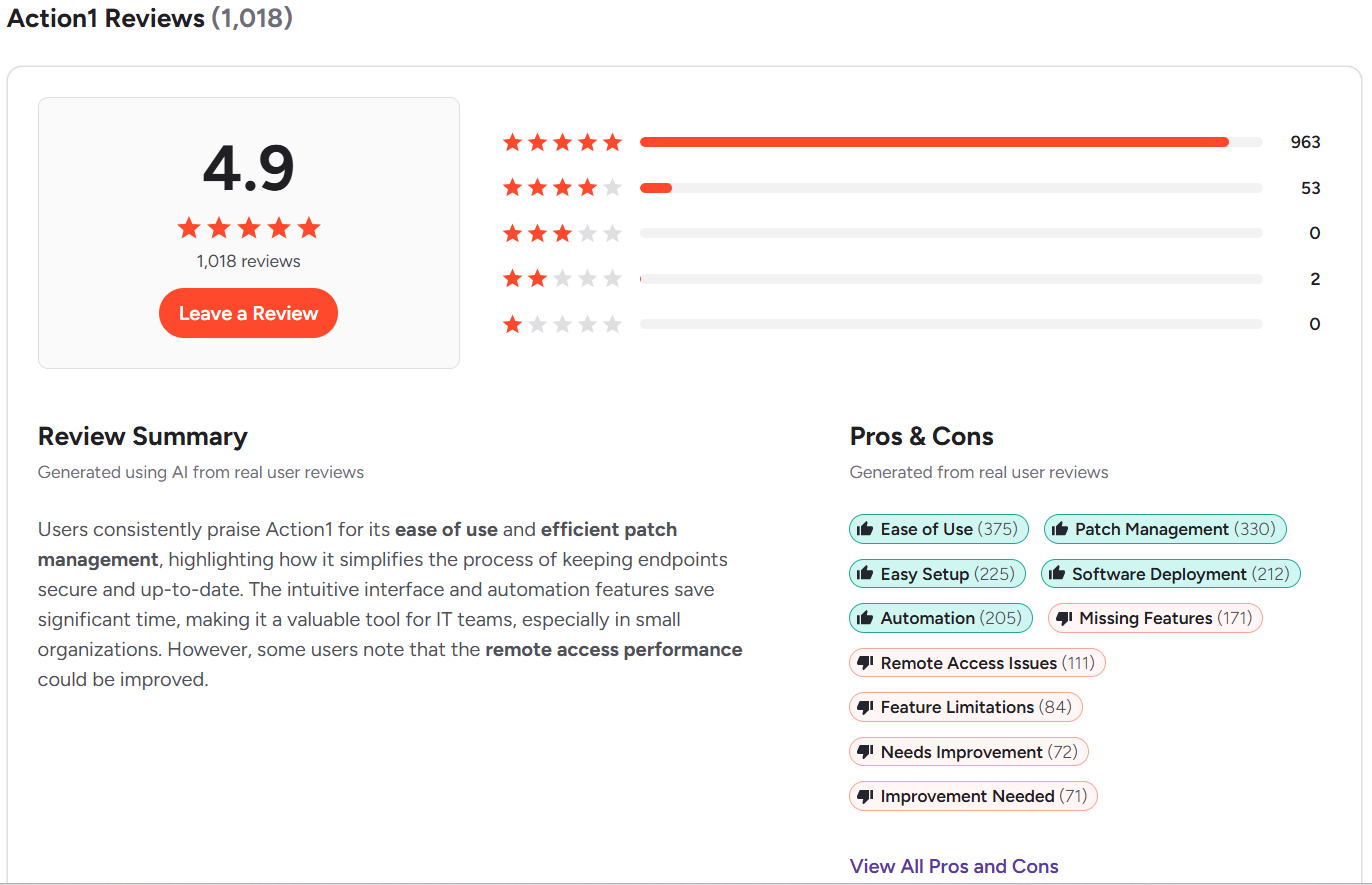
- G2 Rating: 4.9/5 (1,012+ reviews)
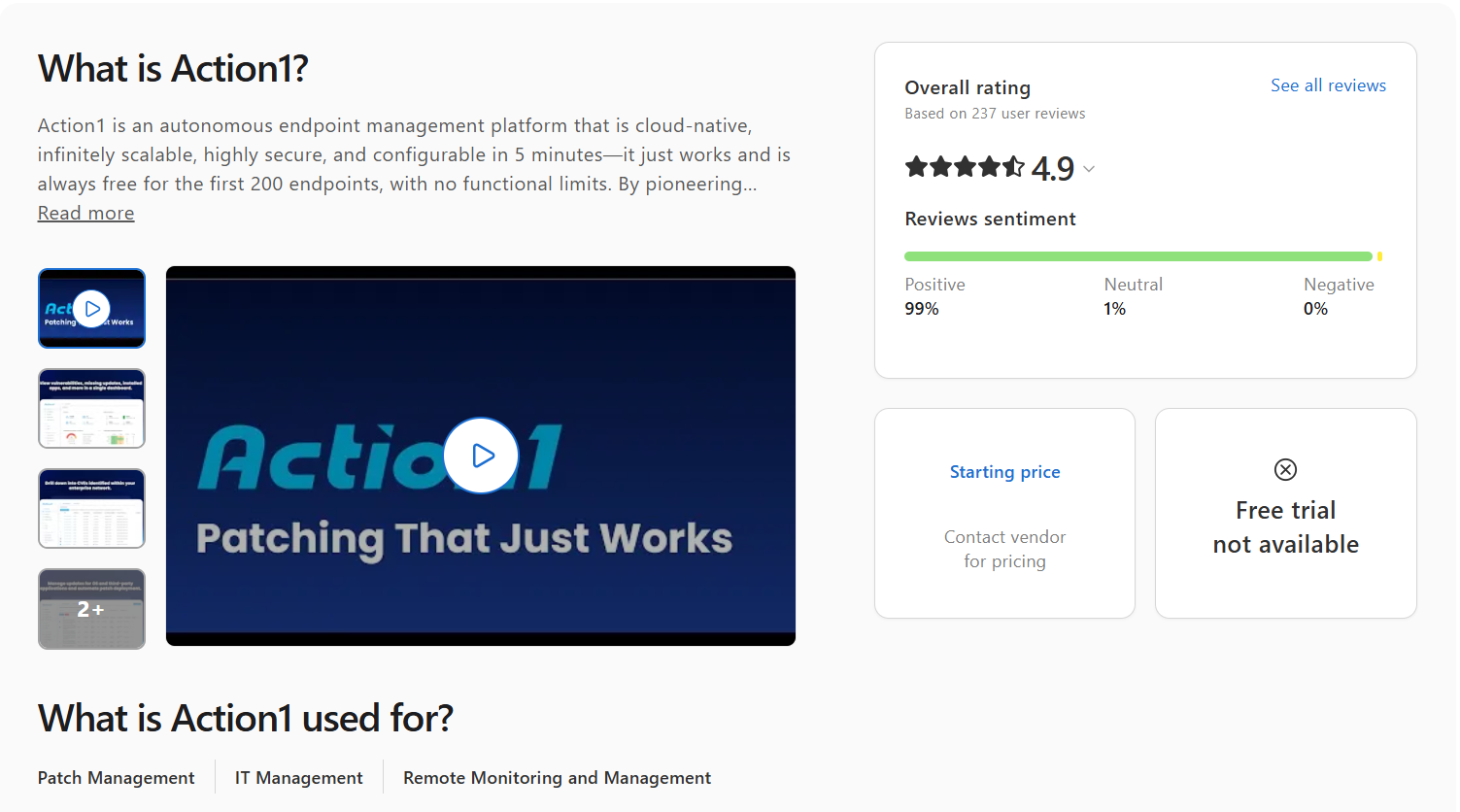
- Capterra Rating: 4.9/5 (235+ reviews)
Action1 + Intune
ManageEngine Endpoint Central
ManageEngine Endpoint Central is a unified endpoint management and security platform that helps IT teams manage their existing infrastructure, including servers, desktops, laptops, and mobile devices, from a single console. Its supported platforms include Windows, macOS, and Linux, letting you automate administrative tasks like OS and third-party application patching, app deployment and uninstallation, policy management and security enforcement, hardware and software license compliance reporting, remote troubleshooting, and OS imaging and deployment.
Key Features of ManageEngine Endpoint Central
- Cross-Platform OS Support → Windows, macOS, and Linux.
- Third-Party Patching → Automates the deployment of patches and updates across 1,000+ commonly used software titles.
- Unified Endpoint Management → Manages different types of systems like desktops, laptops, servers, smartphones, tablets, TVs, and IoT endpoints from one platform.
- Remote Control → Allows you to monitor, manage, and secure on-premises and remote endpoints from a web-based console without requiring a VPN or additional local infrastructure.
- Software Deployment and Uninstallation → Install or remove applications across all your endpoints automatically or manually.
- Asset Management → Maintains hardware and software inventory, manages software licenses, and monitors compliance.
- Endpoint Security → Equips you with the necessary tools for vulnerability assessment, threat management, browser security, DLP, and ransomware protection.
- Reporting Capabilities → Reduces the time spent on preparing regulatory compliance documentation.
Pros:
- Cloud-based platform that doesn’t require a VPN or expensive on-premises hardware.
- Consolidates UEM, security, patch management, and asset management into one platform.
- Provides effective remote control and troubleshooting tools.
- Mobile device management capabilities for iOS and Android devices.
- Phased patch deployment through test groups and APD policies for fewer downtime risks and timely vulnerability remediation.
- MFA, SSO through SAML, and RBAC to control user access and permissions.
- Reliable remote access that allows you to easily take complete control over your endpoints.
- The interface isn’t as intuitive as advertised and feels a bit clunky.
- Complex initial deployment and configuration.
- Sometimes the agent malfunctions and shows endpoints as offline when they aren’t. Only a manual restart fixes the problem.
- In some cases, patched endpoints still appear as vulnerable.
- Occasional issues with the wake-up function for remote endpoints.
- User provisioning and assigning users to remote offices come with great complexity.
Pricing:
ManageEngine Endpoint Central offers both cloud and on-premises deployment across all plans. Here’s how the pricing breaks down for 50 endpoints and one technician:
- Free tier: Up to 25 desktops and 25 mobile devices, forever, but with limited functionality.
- Professional: On-premises at $795 per year or $1,987 perpetual. Cloud at $104 per month or $1,045 per year.
- Enterprise: On-premises at $945 per year or $2,362 perpetual. Cloud at $124 per month or $1,245 per year.
- UEM: On-premises at $1,095 per year or $2,738 perpetual. Cloud at $139 per month or $1,395 per year.
- Security: On-premises at $1,695 per year or $4,238 perpetual. Cloud at $205 per month or $2,045 per year.
Keep in mind that these prices are calculated for 50 endpoints and one technician. Additional endpoints, technicians, servers, and add-ons increase the cost.
Microsoft Intune vs ManageEngine Endpoint Central
Intune fits well when your environment is mostly Windows-based and your primary needs are MDM, MAM, and tight control over how employees access corporate apps and data on both company-owned and personal devices. Keep in mind that Intune requires Microsoft Entra ID and in some cases higher-tier Microsoft 365 licensing to unlock the features most enterprises actually need, like Remote Help.
ManageEngine Endpoint Central, on the other hand, is the stronger pick for mixed fleets. It covers Windows, macOS, and Linux natively, automates third-party patching across a broad application catalog, and adds scripting, real-time monitoring, and advanced reporting on top. So if your environment is more complex than a standard Windows-centric enterprise, Endpoint Central should be your choice without a doubt.
ManageEngine Endpoint Central Ratings:
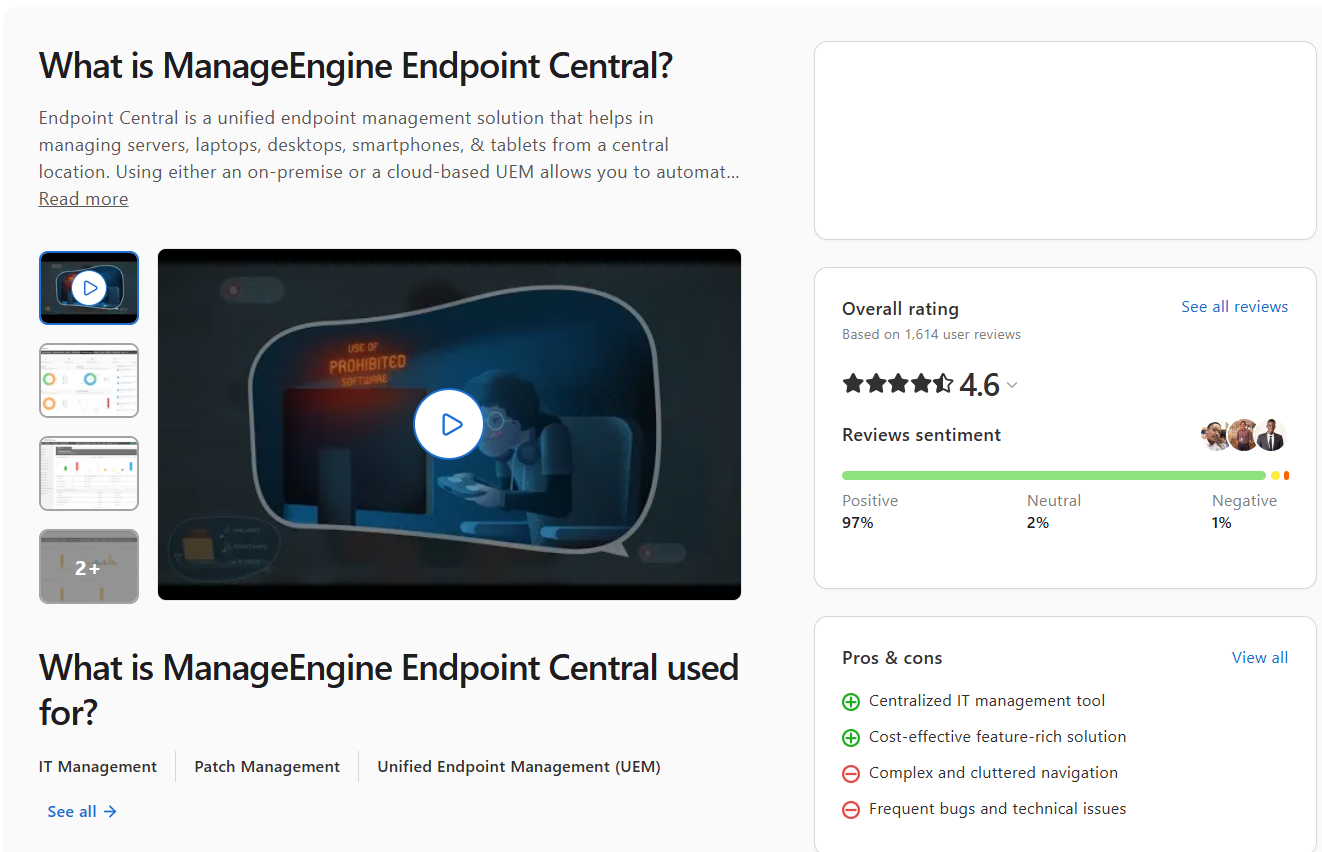
- G2 Rating: 4.5/5 (1,080+ reviews)
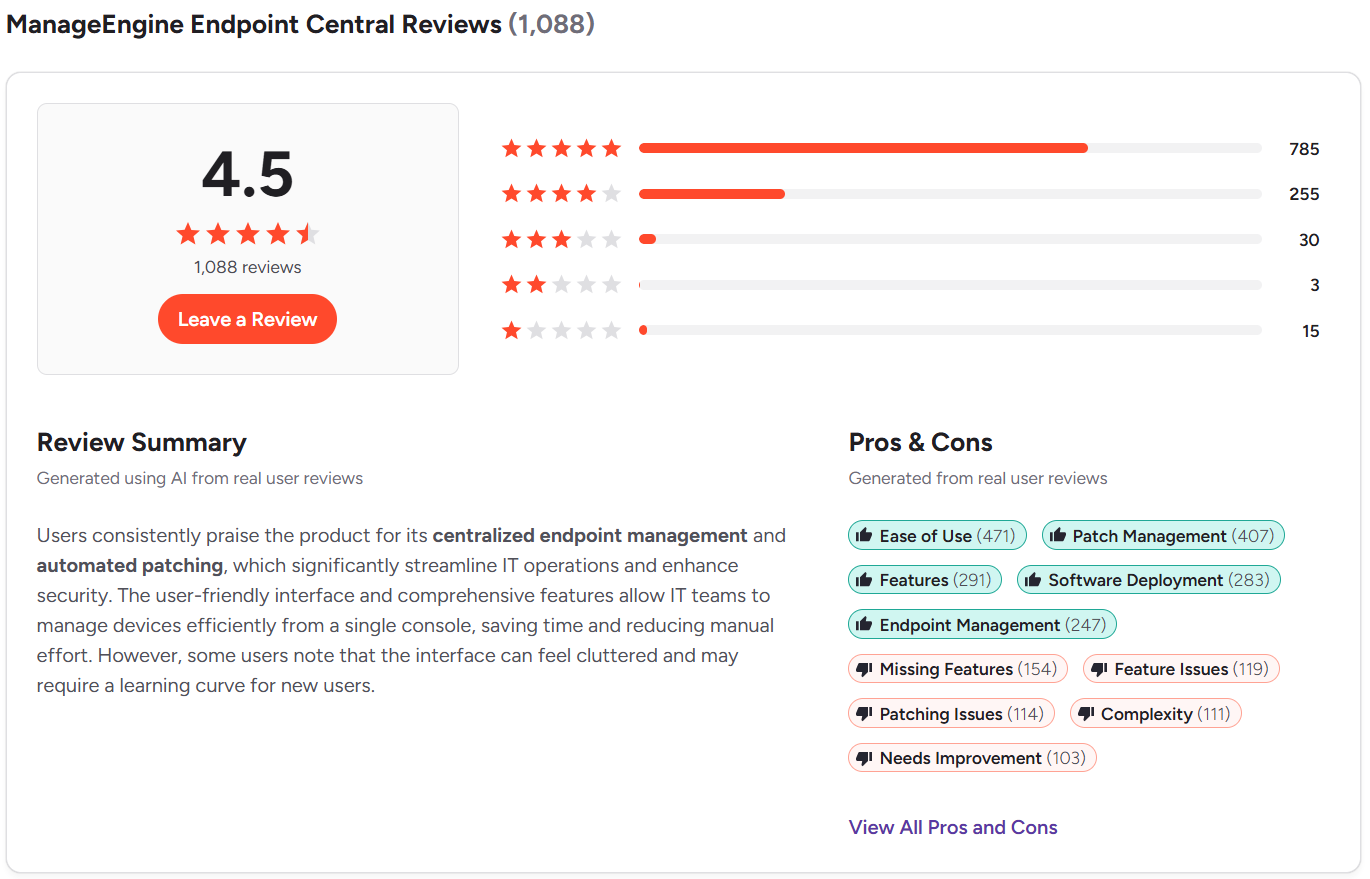
- Capterra Rating: 4.6/5 (1,600+ reviews)
NinjaOne
NinjaOne is a cloud-native RMM platform with an intuitive interface, fast performance, and unified endpoint management built in. It makes IT teams’ lives easier by bringing remote endpoint monitoring and management, automated OS and third-party patching, software deployment and removal, and backup management under one console. It’s safe to say that the platform is built for MSPs and hybrid IT departments, and provides the necessary scalability and adaptability to take the most time-consuming tasks off their plate.
It works equally well across on-premises and remote endpoints, enabling real-time monitoring of their patch, compliance, and security status, troubleshooting issues with built-in remote desktop capabilities, and of course reducing the time spent creating audit-ready reports.
Key Features of NinjaOne
- Cross-Platform OS Support → Windows, macOS, and Linux.
- Third-Party Patching → Automates patch deployment for hundreds of third-party applications across your managed endpoints.
- Risk-Based Prioritization → Prioritizes vulnerabilities using CVE numbers, CVSS scores, exploit context, and real-world threat intelligence so your team always tackles the highest-risk exposures first.
- Automation Flexibility → Lets you build your own patching strategy based on your environment’s specifics, delivering complete coverage with fewer downtime risks and less manual intervention.
- Endpoint Remote Control → Connect to and manage endpoints regardless of their location with no VPN or local appliance dependencies.
- Real-Time Reporting → Gives you real-time insights into the patch and compliance status of every endpoint across your network and lets you generate audit-ready reports in minutes.
- Asset Discovery and Management → Identifies and inventories hardware and software assets across your network so you always have a current picture of what’s running and where.
- Mobile Device Management → For Android, iOS, and iPadOS devices. Whitelist or blacklist specific apps and remotely lock or wipe data from lost or stolen endpoints.
- Self-Service Portal → Lets end users submit tickets or access self-help resources on their own, cutting down the volume of repetitive requests your team has to handle manually.
- Software Deployment and Removal → Bulk deploy or uninstall software titles across all your endpoints or a specific group with just a few clicks.
Pros:
- Automates OS and third-party patching.
- Proactive patching with CVE/CVSS integration can help reduce vulnerability exposure when policies are configured and maintained properly.
- Cuts down the time between vulnerability identification and remediation.
- Lets you control on-premises and remote endpoints without a VPN or any additional infrastructure.
- Covers desktops, laptops, servers, virtual machines, and mobile devices from one place.
- Scales seamlessly as your endpoint count grows.
- Reporting lacks depth and customization options.
- The interface isn’t as intuitive as it should be, and new administrators need time to find their footing with different features and automations.
- Basic scripting capabilities.
- Reboot management has known issues.
- Rollback works fine on Windows, but on macOS and Linux it requires scripting or manual intervention.
- Patch deployment failures reported across G2 and Capterra reviews.
- Pricier than other alternatives with comparable features.
Pricing:
NinjaOne doesn’t publicly list its pricing, so you’ll need to contact their sales team directly for a custom quote. And if you want to test the platform before committing, the 14-day free trial gives you enough time to evaluate whether it’s the right fit for your environment.
Microsoft Intune vs NinjaOne
Intune earns its place when your environment is almost entirely Windows, you’re already deep in the Microsoft 365 ecosystem, and your biggest priority is tight security and compliance policy enforcement across company-owned and personal devices. Step outside that lane and the gaps show up fast. Obviously.
NinjaOne is the better choice if you’re running a real mix of Windows, macOS, and Linux and need stronger third-party patching, real-time monitoring, script automation, and software management, all without being tied to any hardware or software dependencies.
NinjaOne Ratings:
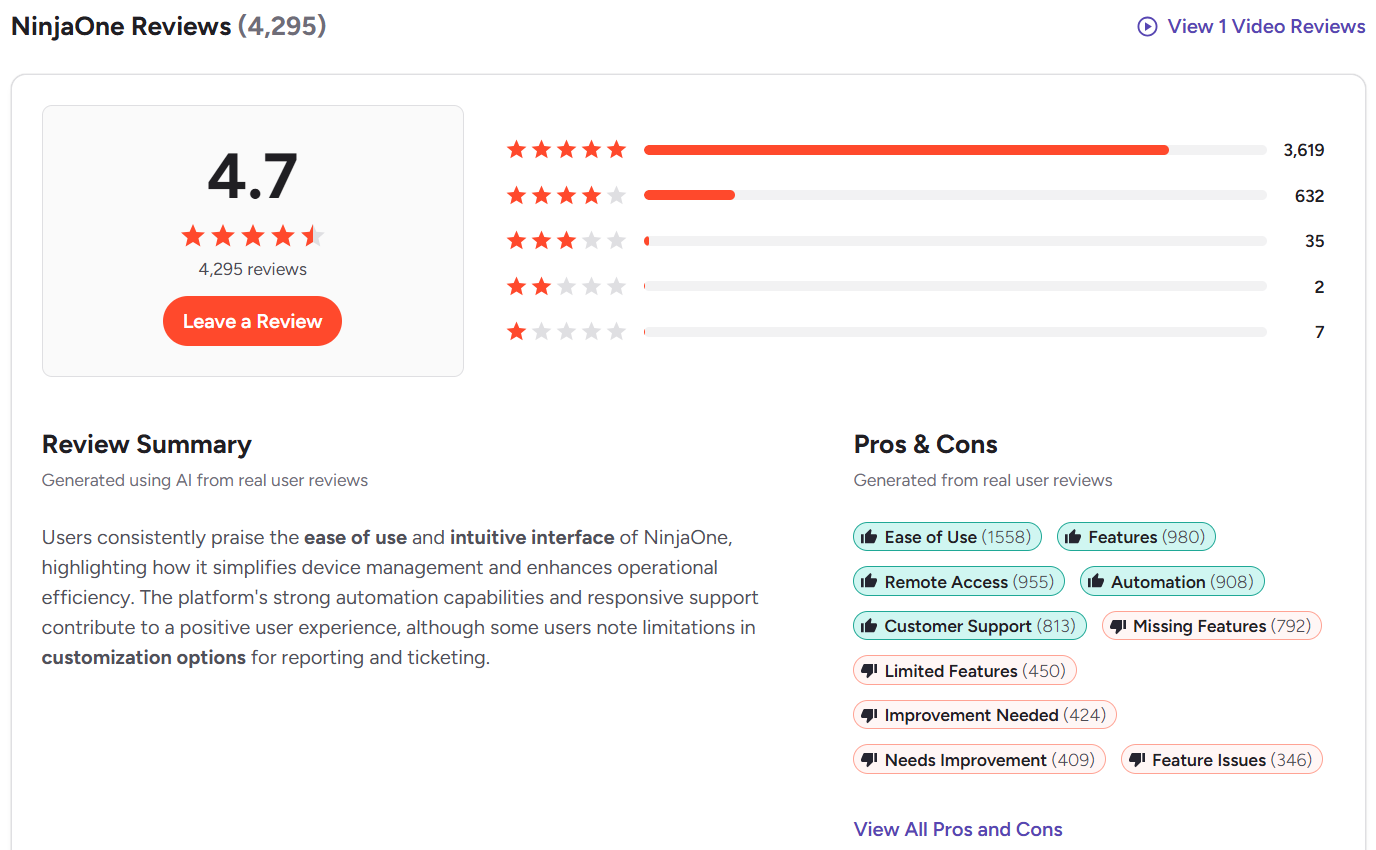
- G2 Rating: 4.7/5 (4,280+ reviews)
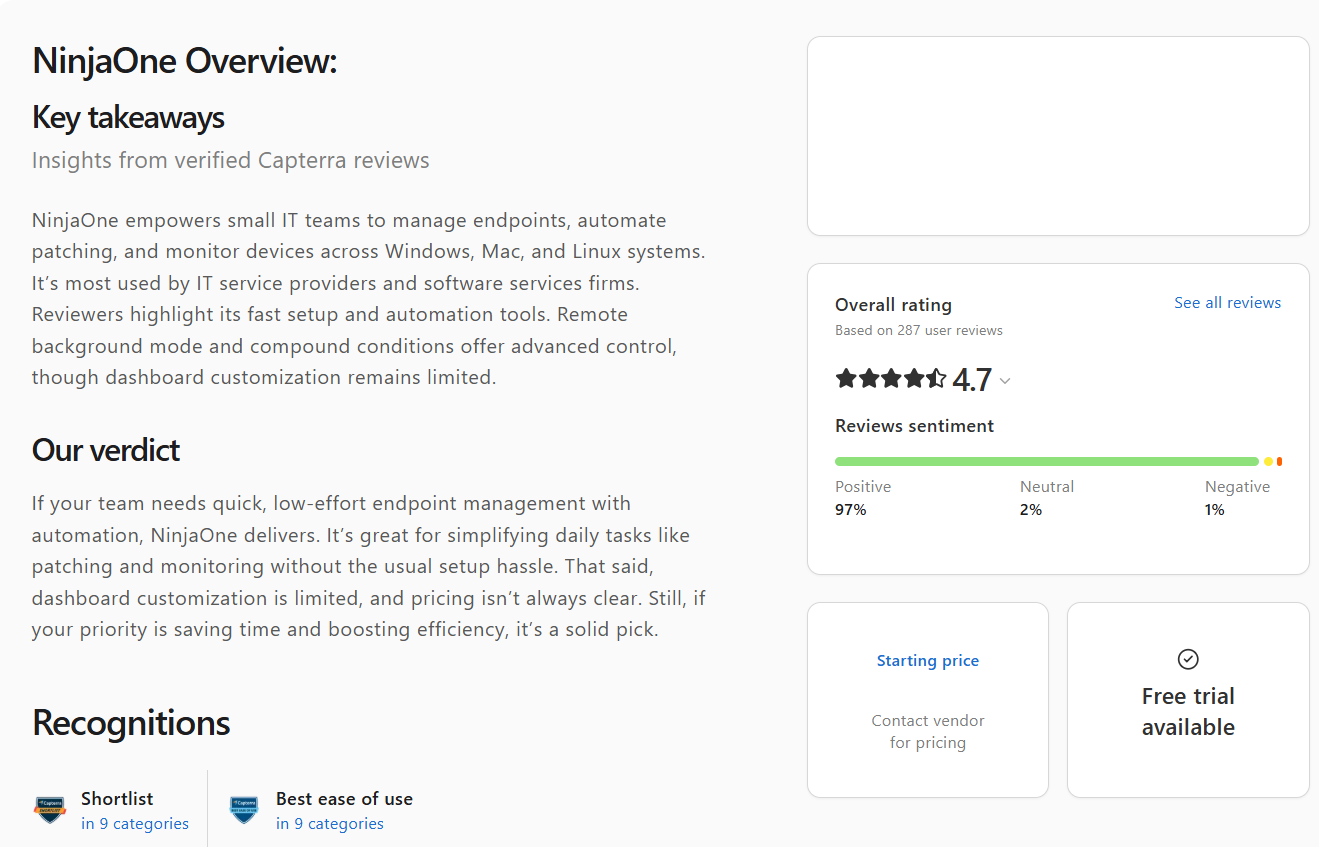
- Capterra Rating: 4.7/5 (280+ reviews)
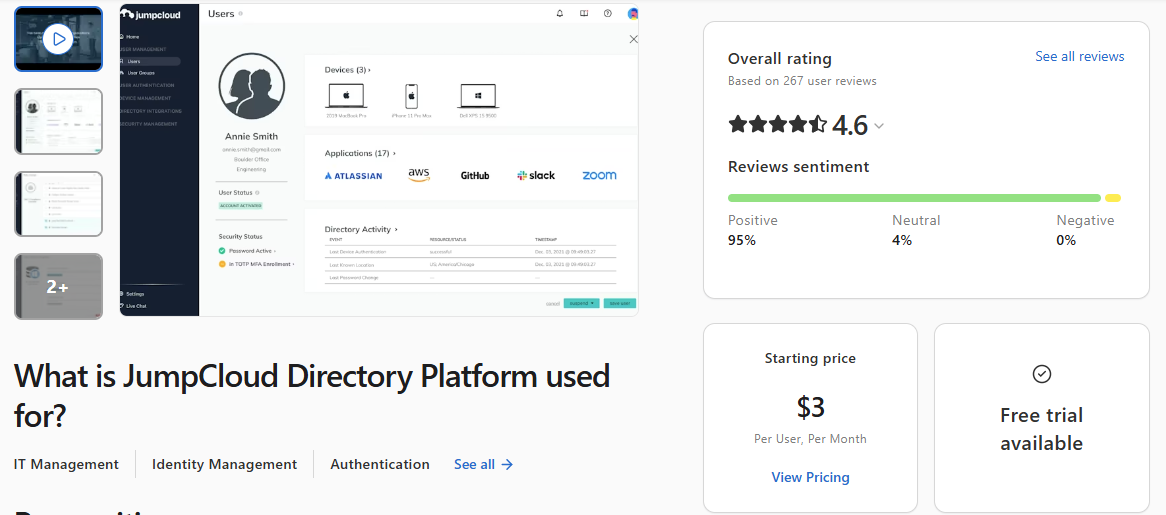
JumpCloud
JumpCloud is a cloud-based directory platform that simplifies identity, access, and device management for organizations with complex IT environments. With it, you can manage Windows, macOS, and Linux systems, mobile devices, web applications, and network access from a unified console, including SSO integration with Google Workspace, Microsoft 365, and 700+ applications according to vendor documentation.
It handles the complete user lifecycle, device policy enforcement, and zero trust security architecture. In practice, that means you can monitor, manage, and secure corporate devices with minimal manual effort on your part.
Key Features of JumpCloud
- Cross-Platform OS Support → Windows, macOS, and Linux.
- Mobile Device Management → iOS, iPadOS, and Android.
- Third-Party Patching → Automates patch deployment for hundreds of third-party applications.
- Centralized Directory → Eliminates the need for on-premises infrastructure like Active Directory by acting as its own source of truth for user identities.
- User Lifecycle Management → Automates onboarding and offboarding.
- Policy Enforcement → Lets you implement security policies like full-disk encryption, screen lock, and remote wipe across all your endpoints, whether they’re on-premises or remote.
- Real-Time Monitoring → Provides current data on system configurations, software inventory, security posture, and patch and compliance status.
- Conditional Access → Enables zero trust access policies for granting or restricting access based on device trust, location, IP address, and other factors.
- Password Management → Comes with a built-in password manager for safely storing your credentials.
- Reporting Capabilities → Offers customizable report templates for cutting down the time spent preparing regulatory compliance documentation.
Pros:
- Unified directory and device management from one place.
- Simplifies and speeds up employee onboarding and offboarding.
- Easy to set up.
- Strong security and access controls.
- Scales effortlessly as your environment grows.
- Cuts down significantly on the time spent completing routine tasks.
- Steep learning curve, a “click-heavy” interface, hidden features, and configuration complexity in some cases.
- Pricier than alternative tools offering the same capabilities.
- Occasional agent sync issues.
- Limited reporting and auditing, especially when you need detailed reports.
- macOS management has its limitations.
Pricing:
Pricing starts at $3 per user per device. Keep in mind that the final price depends heavily on the features you need, so it can get significantly higher than that.
Microsoft Intune vs JumpCloud
Microsoft Intune is a reliable choice for SMBs and enterprises that rely mostly on Windows systems with a smaller group of macOS endpoints. It covers patch management, MAM, and MDM for strong device and data control.
JumpCloud is the better fit for mixed-OS environments where the priority is centralized management that lets you monitor, manage, and protect your entire technology stack from one place, without any software or hardware dependencies.
JumpCloud Ratings:
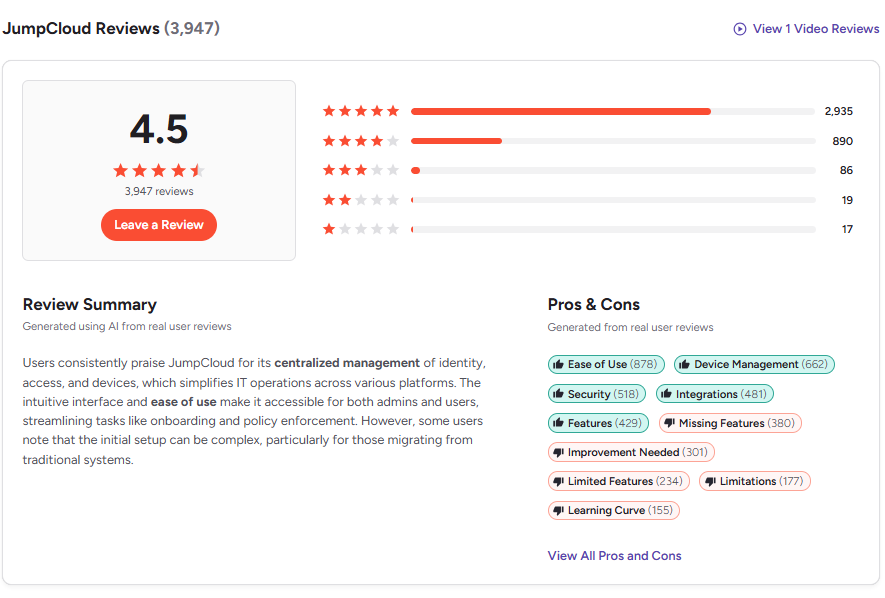
- G2 Rating: 4.5/5 (3,940+ reviews)
- Capterra Rating: 4.6/5 (260+ reviews)
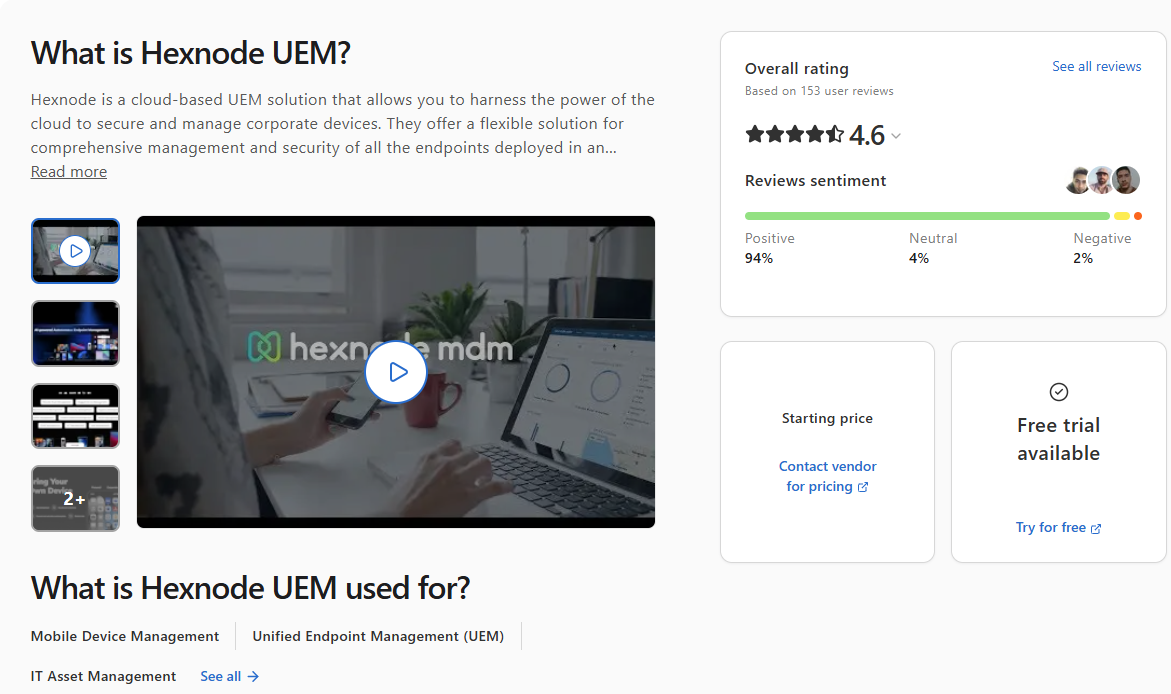
Hexnode UEM
Hexnode UEM is a cloud-based unified endpoint management platform that helps organizations of all sizes monitor, manage, and secure their endpoints from one place, whether they’re on-premises or remote. It supports Windows, macOS, Linux, iOS, iPadOS, Android, ChromeOS, tvOS, and Fire OS, which makes it one of the wider OS coverage options you’ll find in the UEM market.
With it, you can automate patch management, enforce security policies, manage and deploy applications, and configure devices completely over the air, without ever touching them physically. It’s a particularly strong fit for organizations managing diverse device fleets, rugged hardware, shared devices running in kiosk mode, and BYOD environments.
Key Features of Hexnode UEM
- Cross-Platform OS Support → Windows, macOS, and Linux.
- Mobile Device Management → iOS, iPadOS, Android, and Fire OS.
- OS and Third-Party Patching → Automates patch deployment for Windows, macOS, and Linux, as well as hundreds of third-party applications.
- Zero-Touch Device Enrollment → Automates device onboarding and provisioning using Apple Business Manager, Android Enterprise zero-touch enrollment, and Samsung Knox.
- Remote Endpoint Management → Remotely wipe, lock, or restart endpoints and control the data stored on them from anywhere.
- Application Management → Whitelist or blacklist specific applications, and install or remove software across your managed endpoints.
- Kiosk Mode → Lock down mobile devices and desktops to specific applications or websites only.
- Real-Time Reporting and Compliance → Gives you 360-degree visibility into your endpoints’ patch and compliance status, security posture, hardware configurations, and software inventory, plus customizable templates for generating audit-ready reports.
Pros:
- Easy to set up.
- Strong multi-platform support.
- Advanced capabilities for troubleshooting, wiping, locking, and securing on-premises and remote endpoints.
- Device offboarding issues.
- Feature gaps in Windows and macOS management.
- Pricier than alternatives with similar functionality.
- Lagging command execution.
- Basic reporting and limited customization options.
- The interface isn’t as intuitive as advertised.
Pricing:
No publicly listed pricing. You’ll need to contact the Hexnode UEM sales team directly for a custom quote.
Microsoft Intune vs Hexnode UEM
Microsoft Intune works well if your company is built on Windows systems, you’re already using Microsoft 365, and your priorities are MDM, MAM, and tight control over how corporate data is accessed on both company-owned and BYOD devices.
Hexnode UEM is for organizations that rely on endpoints running different operating systems, because it covers Windows, macOS, Linux, iOS, iPadOS, Android, ChromeOS, and Fire OS from one place. On top of that, it offers stronger patch management capabilities, kiosk lockdown for dedicated devices, and rugged hardware deployments that Intune simply can’t match. And that’s pretty obvious once you’ve actually tried to do either of those things in Intune.
Hexnode UEM Ratings:
- G2 Rating: 4.5/5 (230+ reviews)
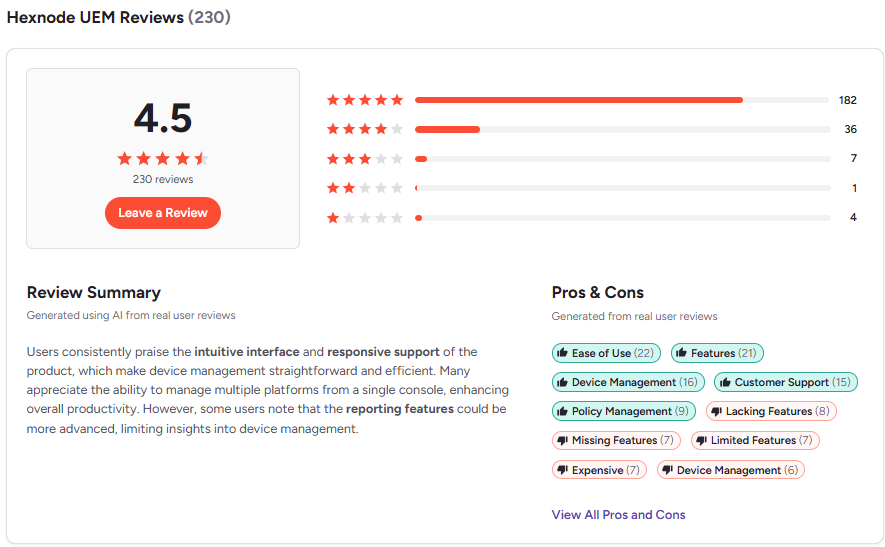
- Capterra Rating: 4.6/5 (150+ reviews)
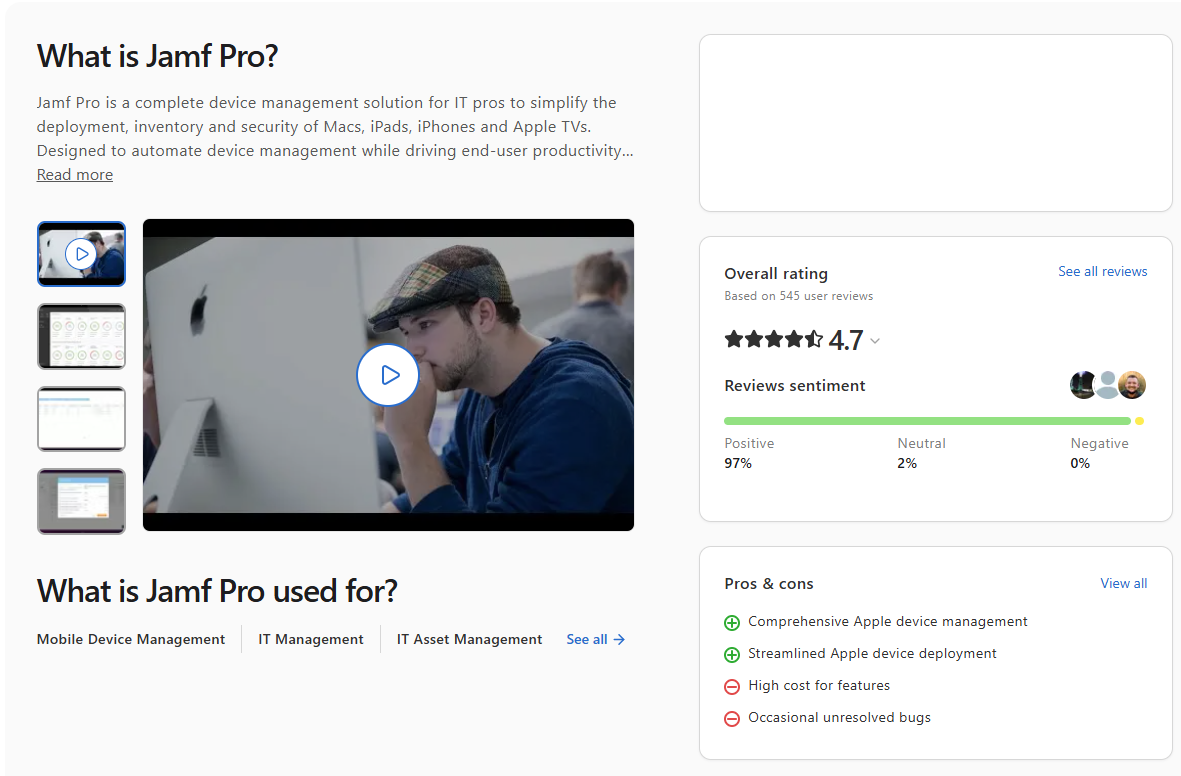
Jamf Pro
Jamf Pro is a cloud-native platform specifically designed to help you monitor, manage, and secure your Apple devices (Mac, iPad, iPhone, and Apple TV) running macOS, iOS, iPadOS, and tvOS from one place. Businesses use it for automating OS and third-party patching, zero-touch deployment, inventory management, security configuration, and of course software distribution.
Key Features of Jamf Pro
- OS Support → macOS, iOS, iPadOS, and tvOS.
- OS and Third-Party Patching → Automates the end-to-end patching process for macOS and third-party applications.
- Zero-Touch Deployment → Ship a brand new workstation straight to your new employee’s desk. The moment they boot it up and connect to the internet, it configures itself, installs everything they need, and hands them a ready-to-work device. No IT involvement required.
- Device Management and Configuration → Create and enforce security policies, run scripts, and manage all your endpoints, whether they’re sitting in the office or connecting from the other side of the world.
- Inventory Management → Gives you clear and current data about the hardware and software on every endpoint. You can also build dynamic Smart Groups based on OS version, installed applications, and other attributes, which is genuinely useful when you’re managing hundreds of devices at once.
- App Lifecycle Management → Automates the deployment of App Store and custom software across managed endpoints, supports volume purchasing, and pushes apps to remote endpoints without asking anyone for their Apple ID.
- Security → Enforces FileVault encryption and blocks malicious software in real time, before it spreads to other endpoints or gets anywhere near your sensitive corporate data.
Pros:
- Perfect for managing Apple devices.
- Powerful automation for grouping endpoints and patching OS and third-party apps.
- Self-Service Portal that lets your employees help themselves instead of pinging IT for every small thing.
- Jamf Nation is one of the strongest IT communities out there. Chances are someone already solved whatever problem you’re dealing with.
- Advanced scripting capabilities.
- Expensive pricing model.
- Steep learning curve. The only way around it is training or YouTube tutorials, and the official training costs more than you’d expect.
- The interface looks like a mix of legacy and modern design. Most users find it a bit strange and confusing.
- Limited cross-platform OS support.
Pricing:
Jamf for Mac management starts at $12.50 per device per month, billed annually. Jamf for Mobile starts at $5.75 per device per month, also billed annually. Both plans have a 25-device minimum. Running a smaller team with fewer than 25 devices? Jamf Now covers the basics at $4 per device per month with no minimum.
Microsoft Intune vs Jamf Pro
Intune is the Windows platform. It handles macOS too, but don’t expect the same depth. If your company runs on Windows and you’re already in the Microsoft 365 ecosystem, Intune is the obvious call.
Jamf Pro is a different story entirely. It’s built from the ground up for Apple, and it shows. OS and third-party patching, device provisioning, dynamic groupings, security policy enforcement, script automation across macOS, iOS, and iPadOS. All of it. If your company runs on Apple hardware, Jamf Pro isn’t even a debate at that point.
Jamf Pro Ratings:
- G2 Rating: 4.7/5 (2,120+ reviews)
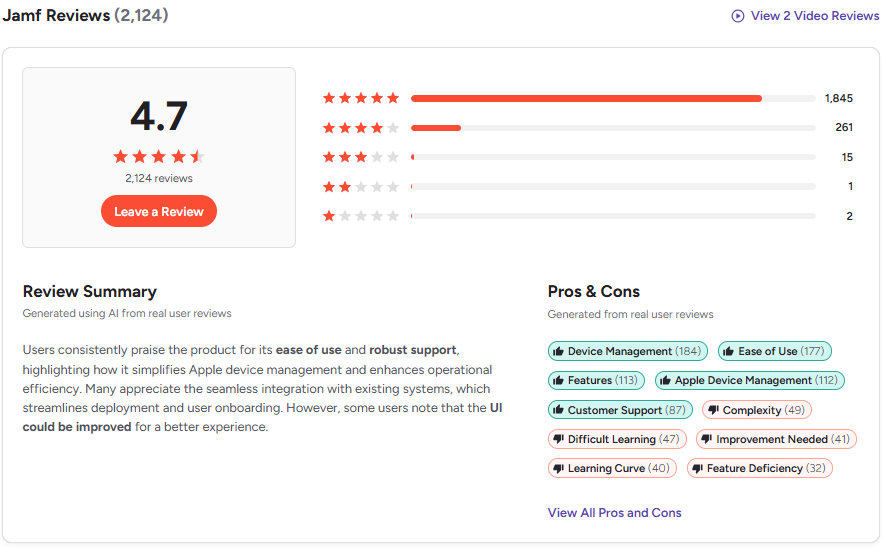
- Capterra Rating: 4.7/5 (540+ reviews)
Omnissa Workspace ONE
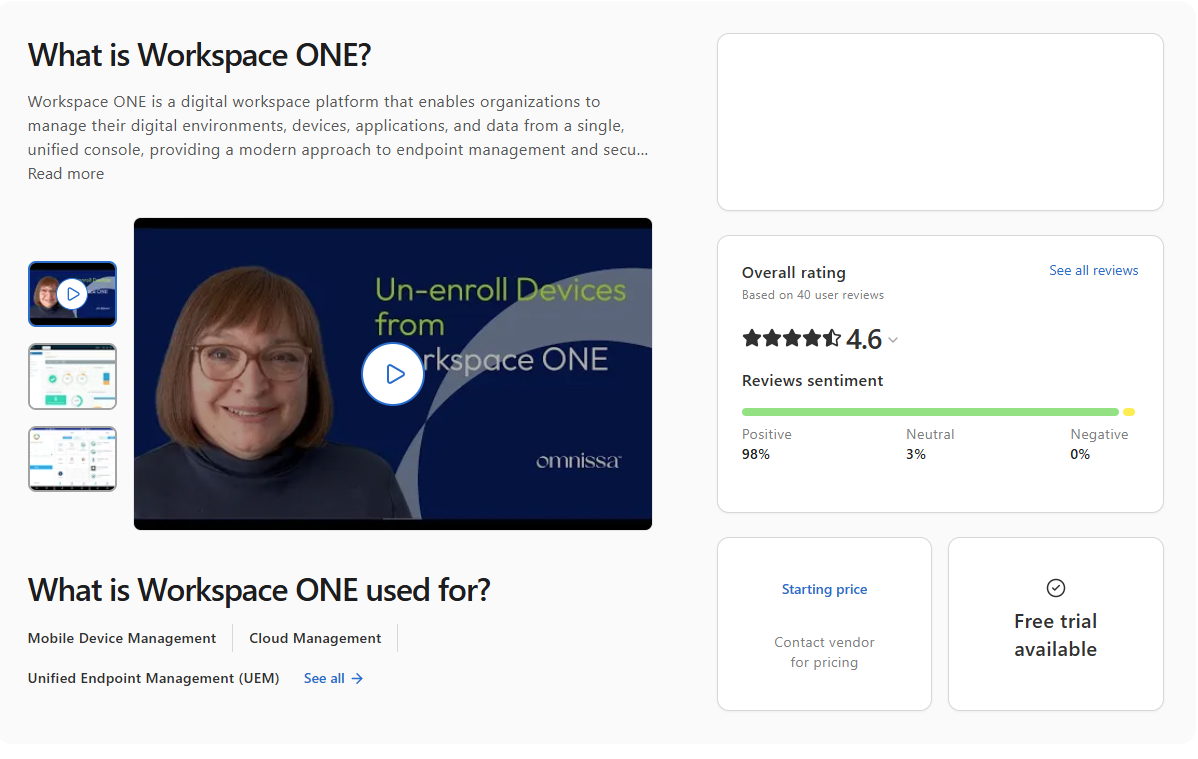
Omnissa Workspace ONE, previously known as VMware Workspace ONE, is a digital workspace platform that ties together access control, application management, and unified endpoint management in one place.
It lets you monitor, manage, and secure your systems while controlling exactly what can and can’t be installed on them. And that’s actually where it earns its place in enterprise environments. You can lock down sensitive corporate data on your employees’ BYOD devices without touching anything personal, which is the kind of balance most IT teams spend years trying to get right.
Key Features of Omnissa Workspace ONE
- Cross-Platform OS Support → Windows, macOS, and Linux.
- Mobile Device Management → iOS, iPadOS, Android, and Android Open Source Project (AOSP).
- Unified Endpoint Management → Lets you manage all your endpoints from a single console regardless of their OS or device type.
- Passwordless Single Sign-On → Your employees get one-touch access to every app they need, whether that’s a web app, a SaaS tool, or a native mobile app, without typing a password every single time. Certificates do the heavy lifting behind the scenes.
- Conditional Access → Control who gets into what based on device compliance, user identity, network location, and more. If a device doesn’t meet your security requirements, it doesn’t get in. And instead of just blocking access, Workspace ONE guides users toward compliance rather than leaving them stuck at a wall.
- Automated App Management → Manage apps across your entire fleet by installing, updating, and removing software without touching a single device manually. It works for Windows apps, mobile apps, and everything in between, on a schedule or on the fly.
- Zero-Touch Device Provisioning → Dynamic Smart Groups automatically push the right configurations, Wi-Fi settings, VPN profiles, and applications to the right devices based on user attributes and device information. No laptop imaging needed.
- Data Loss Prevention → Block copy and paste between work and personal apps, restrict access from rooted or jailbroken devices, and set geofencing rules that cut access the moment a device leaves an approved location.
- Real-Time Visibility and Reporting → Monitor application usage, device events, and compliance status across your entire environment in real time, with exportable reports for audit and regulatory purposes.
- Virtual App and Desktop Delivery → Through Horizon integration, users can securely access virtual desktops and sensitive applications from any device, anywhere, without the data ever leaving your controlled environment.
Pros:
- Unified endpoint management platform that puts full control over all your endpoints in your hands.
- Secure and reliable.
- Provides advanced automation capabilities across patch management, software management, scripting, and report generation.
- Effortless scalability and solid platform performance.
- Steep learning curve and a detailed setup process. This is a sophisticated enterprise tool, not a plug-and-play solution.
- Customizing advanced settings gets complicated fast for less experienced admins.
- The app catalog search bar isn’t very intuitive, which makes finding specific apps harder than it should be.
- No transparent public pricing, which makes budget planning harder upfront.
Pricing:
No publicly listed pricing. What we know for sure is that it runs on a subscription model billed per user or per device, with tiers going from Standard up through Advanced, Enterprise, and Advanced for VDI. For the actual numbers, you’ll need to get in touch with their sales team for a custom quote. And if you want to test it before committing, there’s a 30-day free trial with no credit card required.
Microsoft Intune vs Omnissa Workspace ONE
Stick with Intune if your company runs on Windows and you’re already paying for Microsoft 365. It does MDM, MAM, and access control well in that world.
Pick Workspace ONE if things are messier than that. Mixed devices, remote workers on personal laptops, virtual desktops, apps that need to reach people on any device anywhere. That’s where Intune starts showing its limits and Workspace ONE starts making sense. It’s a bigger platform, a steeper setup, and a heftier price tag, but for complex environments it earns every bit of it.
Omnissa Workspace ONE Ratings:
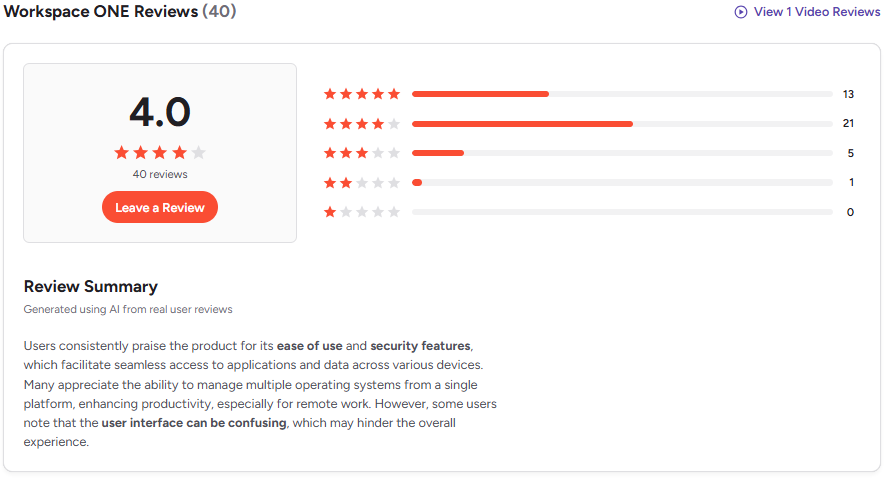
- G2 Rating: 4.0/5 (40+ reviews)
- Capterra Rating: 4.6/5 (40+ reviews)
IBM MaaS360
IBM MaaS360 is a cloud-based unified endpoint management platform that gives you the ability to manage, monitor, and secure different types of systems like smartphones, tablets, laptops, and IoT devices used across your organization. It supports Windows, macOS, iOS, iPadOS, and Android. The software offers AI-driven security, containerization for BYOD privacy, and automated compliance, which makes it ideal for companies relying on employees working outside the office.
Key Features of IBM MaaS360
- Cross-Platform OS Support → Windows and macOS.
- Mobile Device Management → Android, iOS, and iPadOS.
- Mobile Threat Defense → Detects and blocks malware, phishing attacks, and man-in-the-middle attacks in near real-time, with zero-touch automated protection that runs quietly in the background.
- AI-Powered Analytics → Built-in Watson AI helps you spot threats faster, identify risky behavior across your fleet, and make smarter decisions without spending hours digging through logs.
- Conditional Access and Zero Trust → Only compliant, verified devices get access to your corporate resources.
- Automated Compliance Management → Continuously monitors your devices against your security policies and flags anything that falls out of line, so you’re always audit-ready without the last-minute scramble.
- App and Content Management → Deploy, manage, and secure corporate applications across your entire fleet. Higher-tier plans add enterprise browser, app security, and content management on top.
- Granular Patch Management → Automates application patching across managed endpoints, available from the Enterprise plan upward.
- Identity and User Risk Management → Tracks user behavior and risk scores so you can catch unusual activity before it turns into an incident.
Pros:
- Watson AI actually adds value here, not just as a marketing badge. It flags threats and management issues that would take a human analyst considerably longer to catch manually.
- Easy to set up, especially for smaller teams using the MaaS360 Fast Start option.
- Strong mobile threat defense built into the platform rather than bolted on as a separate tool.
- Covers frontline workers and knowledge workers with different management flows for each.
- Recognized in Gartner’s UEM leadership evaluations, which gives enterprise buyers a credible external reference point.
- Windows and macOS management isn’t as deep as dedicated endpoint management platforms. Mobile is clearly where MaaS360 feels most at home.
- Advanced features like application patching and mobile threat management are locked behind the higher-tier Enterprise plan, which pushes the cost up significantly.
- The interface has a learning curve, and some users report that navigating deeper settings takes more clicks than it should.
- Poor interface design.
- Slow performance.
Pricing:
MaaS360 offers four plans billed per device per month:
- Essentials → Around $4.00. Core device management, app management, and AI-driven insights.
- Deluxe → Around $5.00. Everything in Essentials plus secure email and chat containerization to keep work and personal data separate.
- Premier → Around $6.25. Adds mobile threat management, secure browsing, and content management.
- Enterprise → Around $9.00. The full package. Advanced mobile threat defense, enhanced compliance, and document editing on top of everything else.
A few things worth knowing:
- Per-user pricing is also available, running $8.00 to $10.00 per month for lower tiers and up to $18.00 for Enterprise.
- Add-ons like TeamViewer remote support or additional mobile threat management cost roughly $1.00 to $2.50 per device per month extra.
- Enterprise overages run around $10.50 per managed device, so sizing your license correctly upfront saves you money.
- 30-day free trial available. No permanent free tier.
Microsoft Intune vs IBM MaaS360
Intune is your pick if your company runs on Windows and your priorities are MDM, MAM, and conditional access.
Honestly though, IBM MaaS360 should be your choice if mobile security is your biggest concern. Built-in Watson AI helps you fight zero-day threats, and mobile threat defense, phishing protection, and zero-touch automated security all come standard at no extra cost.
IBM MaaS360 Ratings:
- G2 Rating: 4.2/5 (200+ reviews)
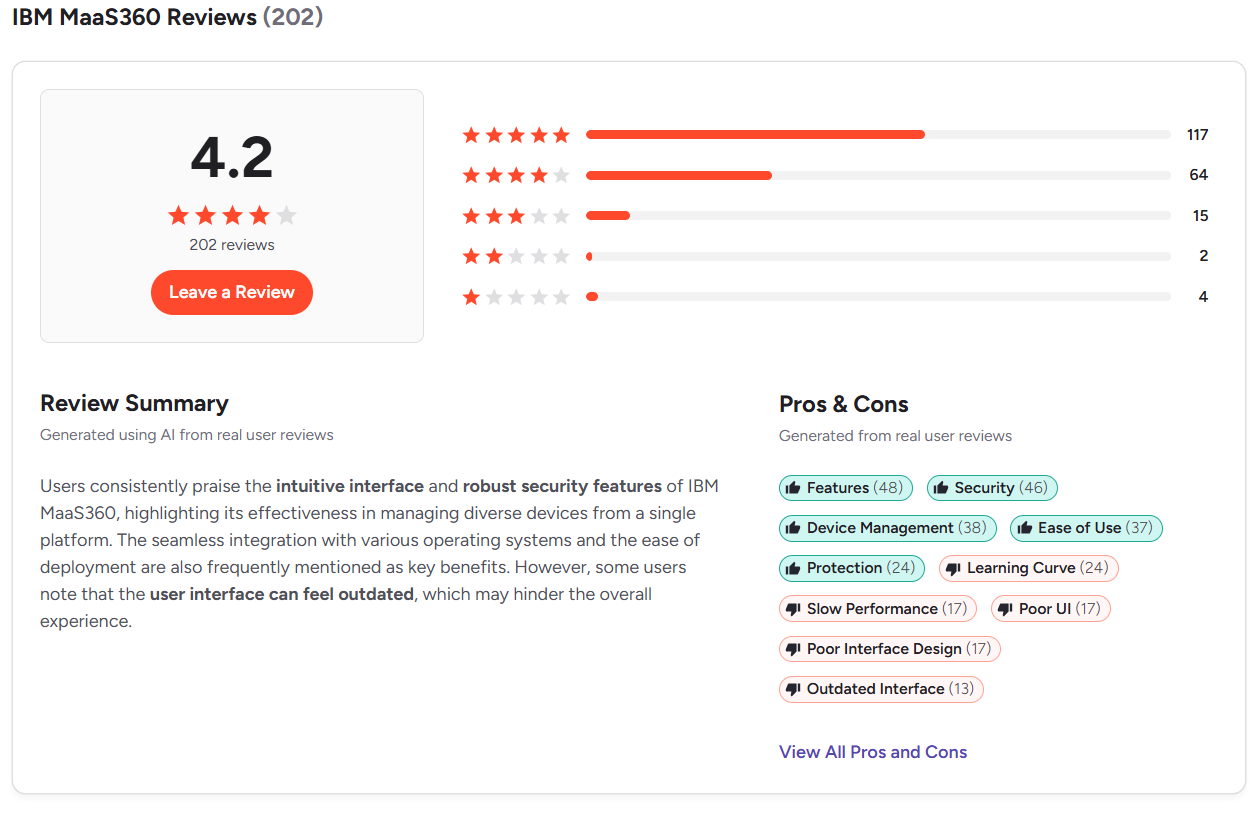
- Capterra Rating: 4.2/5 (20+ reviews)
Best Microsoft Intune Alternative by Use Case
Now let’s get practical. Here’s which platform wins for each specific use case, based on what it actually solves, not just what it lists on its feature page.
Best Intune Alternative for Patch Management
The best Microsoft Intune alternative for patch management is Action1. It’s cloud-native and offers autonomous OS and third-party patching across Windows, macOS, and Linux endpoints. It identifies known software vulnerabilities, then lets you deploy patches immediately or on a schedule through staged autonomous deployments using the update rings feature.
You set predefined matching filters and success metrics, create as many rings as you need, and Action1 takes it from there. Only updates that meet your criteria progress to the next ring, while problematic ones get stopped automatically. And if any of your on-premises or remote endpoints are offline during a scheduled deployment, they’ll get patched the moment they reconnect.
In practice, this means timely vulnerability remediation with minimal disruption risks and no blind spots, turning patch management into a true set-it-and-forget-it process.
Best Intune Alternative for Third-Party Application Patching
The best Microsoft Intune alternative for third-party application patching is Action1. It turns third-party patching into a fully autonomous process, backed by a privately maintained secure software repository covering 630+ software titles, P2P patch distribution for faster deployments even at scale, and flexible scheduling options. After each successful deployment, you can use the 100+ built-in customizable report templates to pull compliance documentation in minutes.
In short, Action1 automates each step of the third-party patching process from vulnerability identification and missing patch detection all the way through to testing, deployment, and report generation. You set the rules once, and Action1 does the rest. The goal is simple. Keep your endpoints up-to-date, free of known software vulnerabilities, and compliant with the strict regulatory standards your organization is subject to, with almost no manual effort on your part.
Best Intune Alternative for Apple Device Management
The best Microsoft Intune alternative for Apple device management is Jamf Pro. It’s built specifically for Apple endpoints, including MacBooks, iPhones, and iPads, and gives you everything you need to manage, monitor, and secure your entire Apple fleet from one place. Patch automation, scripting, security policy enforcement, zero-touch deployment, and inventory management all come built in, cutting down the time you or your team spend on processes like onboarding, offboarding, updating, and securing on-premises and remote systems.
The strongest second choice is Action1. It offers strong macOS support, autonomous patch management, software deployment and removal, real-time visibility, a private software repository, MFA, RBAC, and advanced reporting. Add to that the built-in remote desktop, the intuitive interface, and the free tier for up to 200 endpoints, and you’ve got one of the strongest Intune alternatives on the market that’s both efficient and cost-effective.
Best Intune Alternative for Identity-Centric IT Teams
The best Intune alternative for identity-centric IT teams is JumpCloud, because it’s first and foremost a directory platform and then a device management one. It cuts out the need for Active Directory entirely, acts as its own source of truth for user identities, automates onboarding and offboarding, integrates with 700+ applications through SSO, and enforces zero trust access policies based on device trust, location, or IP address. The built-in password manager only adds to that identity-centric focus.
In practice, having all these tools in one place makes it the ideal choice for teams that need reliable device management but put identity protection first.
Best Intune Alternative for Mobile Device Management
The best Intune alternative for mobile device management is IBM MaaS360. It’s the only platform on this list designed specifically around mobile security, with Watson AI threat detection, mobile threat defense, phishing protection, and zero-touch automated security all packed into one console. So if your organization relies on remote employees who use their mobile devices for work and access sensitive corporate data, IBM MaaS360 is the right choice.
P.S. If your fleet is more diverse and includes kiosks, rugged hardware, or devices running Fire OS, ChromeOS, or tvOS alongside standard smartphones and tablets, Hexnode UEM is the better option for you.
Best Intune Alternative for Enterprise UEM
Action1 is the best Intune alternative for enterprise UEM. It gives large enterprises all the tools they need to solve the challenges Intune can’t handle natively, without infrastructure headaches, licensing complexity, or a lengthy setup process. It’s cloud-native, agent-based, and deploys in minutes across Windows, macOS, and Linux. No VPN or on-premises hardware needed to get real-time endpoint visibility, software deployment and uninstallation, patching, scripting, vulnerability management, and 100+ customizable compliance report templates.
Its key advantages over other vendors come down to the combination of features that matter most to large enterprises. P2P patch distribution that accelerates large-scale deployments without straining bandwidth, update rings that catch bad patches before they spread across every endpoint, and per-endpoint pricing that gets cheaper as you scale. Last but definitely not least, Action1 is certified for SOC 2 Type II, ISO 27001, and TX-RAMP, and it’s free for the first 200 endpoints, so you can test it firsthand in your environment, make sure it works, and then purchase a license.
Action1 + Intune
Microsoft Intune vs Action1
Intune and Action1 overlap in some areas, but their strengths point in completely different directions. Knowing which one fits your environment makes all the difference.
Where Microsoft Intune is Stronger
Intune is stronger than Action1 in mobile device management and Microsoft ecosystem integration. If your organization needs tight control over how employees access corporate apps and data on their personal devices, conditional access policies enforced at the identity layer through Entra ID, or mobile application management without full device enrollment, Intune has a clear advantage over Action1. It also covers iOS, iPadOS, and Android, which Action1 doesn’t support.
Where Action1 is Stronger
Action1 is stronger than Intune at everything outside the Microsoft ecosystem. It supports and patches Windows, macOS, Linux, and 630+ third-party applications. It also offers P2P patch distribution, autonomous patch management, scripting with a built-in library, remote desktop, RBAC, multi-tenancy, real-time reporting, real-time monitoring, and software deployment and uninstallation. And most importantly, it comes with no software or hardware dependencies and a free tier for up to 200 endpoints, fully featured, forever.
When to Choose Microsoft Intune
Choose Intune when your company is built around Windows endpoints, when you’re already paying for Microsoft 365 E3, E5, or Business Premium where Intune is included at no extra cost, or when you need MDM, MAM, and conditional access on both corporate-owned and personal devices.
When to Choose Action1
Choose Action1 if your organization runs a mix of Windows, macOS, and Linux, needs third-party patching beyond what Microsoft’s catalog covers, and you’re tired of using different solutions to cover what one platform should handle natively. It’s also the right call if you or your IT team are done babysitting patch deployments and want a platform that handles it all autonomously in the background. And if complete control over software management, scripting, reporting, endpoint management, and built-in remote desktop matters to you, with a free tier for up to 200 endpoints, fully featured, forever, then honestly, Action1 is just the right platform for you.
Microsoft Intune Alternatives for Different Organization Types
Not every platform fits every organization, so here’s a breakdown by the type of company you’re running.
Small and Mid-Sized Businesses
The best Intune alternative for SMBs is Action1. It’s cloud-native, needs no VPN or hardware investments to function, supports Windows, macOS, and Linux, covers 630+ third-party software titles, and delivers autonomous patch management, RMM capabilities, real-time visibility, and advanced reporting.
But most importantly, it’s free for up to 200 endpoints, fully featured, forever. For $0.00, you can keep your endpoints up to date, secure, and compliant by automating the routine tasks that probably eat half your workday, like patching OS and third-party apps, deploying or removing software, applying compensating controls, and preparing regulatory compliance documentation.
Enterprises
The best Microsoft Intune alternative for large enterprises is Action1. It’s cloud-native, works without VPNs or local appliances, and minimizes the time between a vulnerability being identified and remediated through autonomous patching across Windows, macOS, and Linux, as well as 630+ third-party software titles. P2P patch distribution accelerates large-scale deployments with minimal external bandwidth usage, where updates get downloaded once and then shared locally instead of being pulled separately by each endpoint.
Through update rings, unstable patches get caught at the testing group of endpoints and stopped automatically before rolling out to the rest of your systems. Only patches meeting your predefined success metrics progress to the next ring. On top of that, 100+ built-in customizable report templates help you cut down the time spent preparing regulatory compliance documentation. Action1 is infinitely scalable, and its SOC 2 Type II, ISO 27001, and TX-RAMP certifications directly support HIPAA, PCI DSS, and GDPR compliance requirements.
Healthcare, Finance, and Regulated Industries
Action1 is the best Microsoft Intune alternative for healthcare, finance, and companies operating in strictly regulated industries, for five reasons. First, it’s cloud-native and works equally well across on-premises and remote endpoints, supports Windows, macOS, and Linux alongside 630+ third-party applications. Second, it automates patching, software and endpoint management, and report generation.
Third, it minimizes planned and unplanned downtime risks through phased update rings, offline endpoint catchup, and autonomous patching that reduces manual intervention to almost zero. Fourth, Action1 is certified for SOC 2 Type II, ISO/IEC 27001:2022, and TX-RAMP, and follows industry best practices for PCI DSS, HIPAA, GDPR, and NIST compliance.
Fifth, your data stays protected at every layer. All communication between endpoints and the Action1 cloud runs through end-to-end encryption using 2048-bit RSA keys, MFA is enforced for all users, and API access is secured through OAuth 2.0.
Final Takeaways and Which Vendor Wins in Most Categories
Microsoft Intune is still a solid pick if your IT environment is entirely Windows-based, you’re already running Microsoft 365, and your biggest priorities are MDM, MAM, and identity-driven access secured by Entra ID. In that specific context, it works great.
Step outside that lane though, and the gaps show up fast. Managing a mixed OS fleet, patching third-party apps, supporting remote workers without VPN dependencies, or staying audit-ready without spending hours on reports are all things it wasn’t built to handle well. That’s where the rest of this list comes in.
Action1 wins the most ground across this comparison. It’s the strongest overall option for patch management, enterprise UEM, cross-platform OS coverage, third-party patching, remote workforce management, and regulated industries. It covers Windows, macOS, and Linux natively, patches 630+ software titles, runs without a VPN or on-premises hardware, and starts at $0.00 for up to 200 endpoints with no feature restrictions and no expiration.
Jamf Pro wins for Apple-only environments. No other platform on this list comes close to its depth on macOS, iOS, and iPadOS management.
IBM MaaS360 is the strongest option for mobile-first organizations where AI-driven threat detection and mobile security are the top priority.
JumpCloud wins for identity-centric IT teams that need centralized directory management, zero trust access policies, and SSO across 700+ applications, without Active Directory anywhere in the picture.
Every other platform we’ve covered has a specific scenario where it earns its place. But if you’re looking for the one platform that covers the widest ground, handles the most use cases, and costs nothing to start, test firsthand, and validate in your own environment before purchasing a license, Action1 is the obvious answer.
P.S. This comparison was prepared using vendor documentation and pricing pages reviewed for 2026, user reviews from G2, Capterra, and Gartner Peer Insights, and hands-on technical analysis of each platform across all major endpoint management and security capabilities.