Linux Patch Management
Stay on top of Linux updates without checking each system or piecing together deployment results. Action1 finds missing OS and application updates, deploys them on your schedule, and shows which endpoints still need attention. Manage on-site and remote Linux systems from one cloud-native console, without a VPN or on-premises patch server.
Status: Active
Coverage: Ubuntu, Debian, Red Hat Enterprise Linux (RHEL), SUSE Linux Enterprise Server (SLES)
Availability: Global
New to Action1? See this capability in action!
Missed Linux patches prolong exposure
An update deployment can finish while some Linux systems remain unpatched. When IT teams rely on scripts and manual checks, finding those gaps and resolving failed installations takes additional work. Delays can leave security fixes delayed and affected systems exposed longer.
Action1 lets IT teams discover missing updates, schedule patch deployment and verify results from a single cloud-based console. IT teams can follow up on update failures and keep a record of patching activity.
How Action1 Linux patching works
The Action1 agent reports missing updates from each managed Linux system to the cloud console. From there, IT teams can decide what to deploy, automate installation, and see where follow-up is needed:
Discover
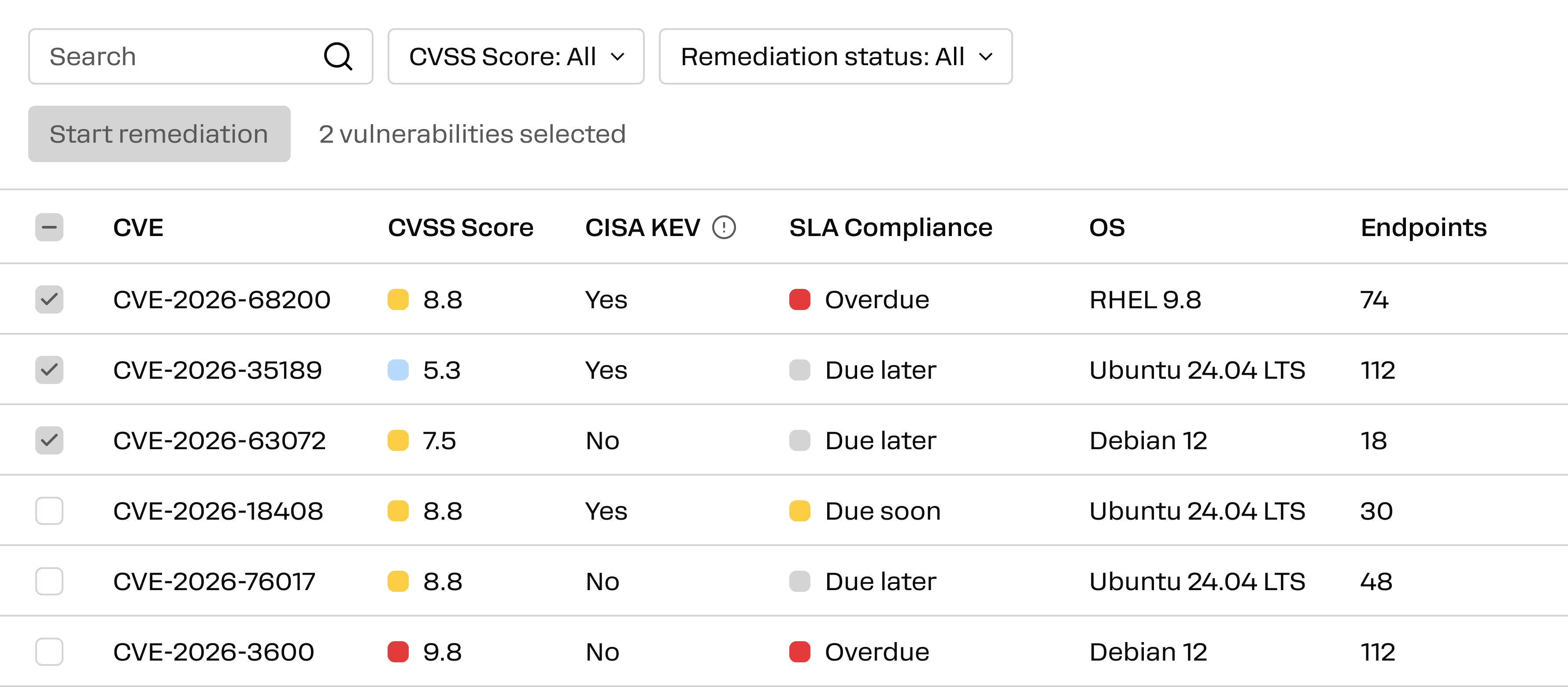
See missing operating system and application updates across supported Linux endpoints.
Prioritize
Review update details and affected endpoints, then decide what to deploy first.
Deploy
Choose updates and target endpoints, then install immediately or on a schedule.
Verify
See which installations succeeded or failed and which updates are still missing. Follow up on affected Linux endpoints.
Enterprise Linux patching use cases
Action1 helps IT teams patch Linux systems with less manual checking and a clear view of the results. IT teams can discover missing updates, control patch deployment and see which systems still need attention from a single console.
Discover and prioritize missing patches
Review available Linux updates, their details, and affected endpoints. Filter by patching status to focus on what needs attention first.
Control what gets deployed
Review and approve updates when required, then target individual endpoints or groups.
Automate routine deployments
Install updates immediately, schedule a one-time deployment, or set a recurring schedule so patching does not need to be started manually.
See what happened after deployment
Use deployment status and endpoint history to see failed installations. Check which updates are missing so your IT team knows where to follow up.
Retry missed deployments
If an endpoint was disconnected at the scheduled time, Action1 can retry when it reconnects within the configured retry window.
Patch remote systems without a VPN
The Linux agent connects to Action1’s cloud-based platform, allowing IT teams to deploy updates to connected remote systems without an on-premises server.