






TL;DR
- Endpoint security management (ESM) is the continuous process of securing and managing all endpoints across an organization.
- ESM protects desktops, laptops, servers, cloud workloads, virtual machines, and mobile devices from cyber threats.
- Core security controls include patch management, EDR, XDR, antivirus, firewalls, access controls, and vulnerability management.
- Endpoint security management reduces attack surfaces by eliminating vulnerabilities, unauthorized applications, and excessive privileges.
- ESM helps secure remote and hybrid work environments through centralized policy enforcement and monitoring.
- EDR and XDR technologies improve threat detection and automate incident response across managed endpoints.
- Continuous monitoring provides visibility into endpoint health, compliance status, vulnerabilities, and suspicious activity.
- Regulatory frameworks such as PCI DSS, HIPAA, GDPR, SOC 2, and Essential Eight require strong endpoint security controls.
- Effective endpoint security management combines prevention, detection, response, remediation, and compliance reporting.
- Automated endpoint security platforms help organizations strengthen security posture while reducing operational overhead.
Endpoint security management is a systematic and continuous process of securing every endpoint in your network against cybersecurity threats. Desktops, laptops, servers, cloud workloads, VMs, and mobile devices all need to be protected by keeping their software updated, deploying EDR, XDR, antivirus programs, firewalls, and role-based access controls, or engaging an MDR provider to handle threat detection and response on your behalf.
Together, they minimize the attack surface, strengthen your overall security posture, and automate the processes related to securing every endpoint, both on-premises and remote. The goal is simple. Make your environment as hard to breach as possible.
That’s necessary because companies of all sizes rely on interconnected devices to keep their business operations running, and cybercriminals are constantly scanning for vulnerabilities, misconfigurations, and unpatched software across all of them. They breach systems, launch ransomware attacks, exfiltrate sensitive data, plant malware and spyware, and use compromised endpoints as leverage for easy money. They push business leaders against the wall and demand ransom to decrypt endpoints and databases. Or they sell the stolen data on the dark web, where identity theft, data leaks, and fraud follow.
This is what happens when endpoints are left unprotected or poorly managed. And it is more common than most organizations want to admit. According to Verizon’s 2026 Data Breach Investigations Report, 31% of breaches involved vulnerability exploitation, meaning attackers are getting in through weaknesses organizations already knew about but had not fixed yet.
Action1’s 2026 Software Vulnerability Ratings Report makes that even more urgent: 28.3% of vulnerabilities with publicly available exploits were attacked within 24 hours of disclosure. The window to fix what you know is broken is now measured in hours, not weeks. Endpoint security management is how you change that equation.
The only way to minimize these catastrophic scenarios is by deploying the right tools, building a strong cybersecurity strategy, and increasing resilience. Easier said than done, but that’s exactly what we’re here for.
In this article, we explore what endpoint security management is, why it matters, how it differs from endpoint management, what its core components are, the most common ESM policies, the best practices to follow, and how to choose the right solution for your environment. And yes, we also cover Action1, the platform that is built to handle everything this article talks about from a single console.
Why Endpoint Security Management Matters
Endpoint security management matters because it helps you reduce the chances of experiencing cyberattacks, facing financial penalties, losing clients, and damaging your reputation in ways that are nearly impossible to recover from. Every device connected to your network runs on software, which contains code imperfections.
People use these endpoints, which creates opportunities for both intentional and unintentional security gaps. Endpoint security solutions help you reduce your attack surface and keep every system monitored, managed, and protected, because desktops, laptops, mobile devices, and cloud workloads all carry risk the moment they connect to your network, and that risk is yours to deal with whether you’re ready for it or not.
Without comprehensive protection in place, one unpatched vulnerability, one compromised account, or one unmanaged endpoint is all a cybercriminal needs to gain unauthorized access and start working from the inside against you and your team. Endpoint security management solutions have the countermeasures needed to intercept and minimize these risks before they escalate. And in practice, that looks like this:
Reducing the Endpoint Attack Surface
Every unnecessary permission, unpatched software vulnerability, and unauthorized application is a risk you’re carrying for no reason. ESM reduces that exposure by enforcing security policies that restrict what can run, what can be installed or uninstalled, who can access what, and how connected devices communicate across your network.
Remove local admin rights. Install firewalls and antivirus software. Deploy EDR or XDR. Block unauthorized applications. Patch vulnerabilities before hackers find them. Each of these actions directly shrinks the attack surface and makes it harder for attackers to breach your systems and reach your databases and sensitive data. Each layer strengthens the security posture of every device and reduces the blast radius when a security incident occurs. The less attackers can touch, the less damage they can cause.
Protecting Remote and Hybrid Workforces
ESM takes care of the devices your employees use daily, including personal devices like smartphones, tablets, laptops, and desktops, as well as home networks, public Wi-Fi connections, and unsecured remote access points, because every one of them becomes part of your environment, whether your security team approved of them or not. Endpoint security management tools extend the same security policies and continuous monitoring to every endpoint, whether it’s three or three thousand miles away. Making these devices manageable means you can establish uniform and effective security rules for everyone, regardless of location or whether they are using their own device or a company-owned one.
Improving Threat Detection and Response
EDR and XDR systems use behavioral detection technology powered by AI and machine learning, which is far more effective than the signature-based approach used by traditional antivirus software. These systems can catch and respond to sophisticated threats, including attacks hiding inside legitimate processes, abusing trusted applications, and moving quietly across your environment for weeks before anyone notices or before they turn into full-blown security incidents. They give you real-time visibility into what’s happening on every managed endpoint, flagging suspicious behavior, unusual access rights requests, and unauthorized software installations.
The faster you detect a threat, the smaller the blast radius and the lower the consequences. Advanced analytics and alerting capabilities make that speed possible by correlating behavioral signals across your entire environment and prioritizing the ones that actually warrant immediate action, so your team isn’t buried in noise when something real is happening.
One important distinction worth knowing: EDR systems focus on detecting and responding to threats affecting individual devices like laptops and desktops, while XDR expands that visibility by adding cloud infrastructure and email systems into scope. When either system identifies a potential security risk, it analyzes it and triggers predefined automated actions, isolating affected endpoints by cutting them from the network, updating firewall rules, and disabling compromised user credentials.
Supporting Compliance and Audit Readiness
Regulatory frameworks like PCI DSS, HIPAA, GDPR, SOC 2, and the Essential Eight don’t take your word for it. They require verifiable proof that your endpoints are patched, monitored, and access-controlled. That’s one of the core functions of endpoint security management tools, to build that paper trail automatically or with just a few clicks. During audits, you can prove that you enforced security policies, deployed patches, made the necessary access control changes, and that any security incidents that occurred were logged properly with timestamped records and all the information audit bodies require.
How Does Endpoint Security Management Work?
Endpoint security management works through five connected processes: endpoint discovery and inventory, policy enforcement, continuous monitoring, threat detection and response, and patch and vulnerability remediation. Miss any one of them, and you either leave blind spots attackers can hide in or security flaws that nobody catches until it’s too late. That’s the big picture. Now let’s take a closer look at how each one actually works.
Endpoint Discovery and Inventory
ESM simplifies asset management across your entire network by discovering every endpoint, keeping that inventory current, and giving you detailed information about each one, including existing vulnerabilities, installed software, IP addresses, MAC addresses, hardware specs, online and offline status, patch and compliance status, and more. That information updates in real time the moment you install a lightweight agent on each endpoint.
From that moment on, it sends reports to the cloud platform continuously, giving you complete visibility across your IT environment, and that includes desktops, laptops, servers, virtual machines, cloud workloads, smartphones, tablets, and IoT devices. The goal is to eliminate blind spots, reduce the security risks they create, and maintain an up-to-date inventory at all times.
Policy Enforcement
Policy enforcement is how your security rules reach every device in your environment and stay enforced. Your task is to define which applications can run, what access rights users hold, how data encryption applies, and which security configurations every device must meet before connecting to your organization’s network. These policies must be supported across all major operating systems, including Windows, macOS, Linux, Android, iOS, and iPadOS. That said, devices that don’t meet your security baseline get flagged and blocked from accessing corporate data until they’re compliant. Endpoint management ensures all your systems meet your security standards, protects them equally, and prevents incidents from escalating.
Continuous Endpoint Monitoring
Continuous endpoint monitoring tracks every deviation from your security baseline and flags it the moment it happens. So if there are software changes, configuration deviations, or unusual behavior, they get tracked in real time, and your security team gets alerted immediately with all the necessary information, including which endpoints are affected, what caused the deviation, and where it originated. This reduces both investigation and remediation time significantly, so everything gets back to normal in a timely manner, and of course with fewer, or ideally no, consequences.
Threat Detection and Response
EDR and XDR systems use behavioral analysis powered by AI and machine learning to identify threats that antivirus programs miss more often than we would like, including attacks hiding inside legitimate processes and moving quietly across your environment before anyone notices. The moment a threat is confirmed, automated response capabilities can trigger immediately, isolating the affected endpoint, cutting it from the network, disabling compromised credentials, and updating firewall rules without waiting for manual intervention. In practice, this means your response time drops from hours to seconds.
Patch and Vulnerability Remediation
Operating systems and third-party applications are built on code, and no software is perfect. Every application contains code imperfections known as vulnerabilities, which hackers exploit to gain unauthorized access to your network. Patch management tools automatically identify these flaws and prioritize them based on severity and active exploitation status. The right patches then get deployed to close those vulnerabilities, tested on a pilot group first before rolling out across your full environment to avoid downtime.
These platforms support Windows, macOS, Linux, applications, and firmware, letting you keep every endpoint updated, secure, and compliant from one console. Platforms like Action1 take this a step further with an autonomous patching process where updates deploy in stages, ensuring only stable patches reach production while problematic ones get stopped automatically. Endpoints that were offline during the scheduled maintenance window get queued and patched the moment they reconnect. Last but not least, once the deployment completes, with just a few clicks, you can generate audit-ready reports proving which vulnerabilities were identified, on which endpoints, and how they were remediated.
Endpoint Security Management vs Endpoint Management
Endpoint management keeps your systems configured, updated, and running at their best. Endpoint security protects them from cyber threats like malware, ransomware, phishing, viruses, trojans, and exploits. One maintains the endpoints. The other defends them. Both are equally important, and nobody can tell you one should be prioritized over the other.
Without endpoint security, even well-managed devices can be compromised. Without endpoint management, outdated or misconfigured systems become vulnerable, increasing the risk of a successful attack. While they target different problems, both endpoint management and endpoint security aim to protect the same assets. One without the other is a half-finished strategy, and unfortunately, cybercriminals find a way to figure out which half is missing.
To make the differences between these two approaches even clearer, here’s a table comparing them one against the other:
| Endpoint Security | Endpoint Management | |
|---|---|---|
| Primary goal | Prevent, detect, and respond to cyber threats. | Configure, monitor, update, and maintain devices. |
| Focus areas | Malware protection, threat detection, behavioral analytics. | Software and patch deployment, remote access and troubleshooting, policy enforcement, compliance. |
| Common tools | EDR, XDR, antivirus, SIEM integrations. | RMM, patch management, PSA, UEM platforms. |
| Recovery role | Threat containment, quarantine, and automated remediation. EDR and XDR add ransomware rollback. | Backup, restore, and patch deployment coordination. |
| Agent type | Security-specific software. | Management-focused software. |
| Compliance coverage | Audit trails, threat logs, incident documentation. | Device compliance reporting, policy enforcement evidence, patch records. |
Core Components of Endpoint Security Management
Let’s make it clear: managed endpoint protection is a strategy that depends on endpoint management tools, procedures, and processes to respond to security threats like malware, ransomware, data breaches, and unauthorized access. When built properly, it delivers robust protection by hardening your network security, automating routine tasks, and keeping every endpoint device compliant with the regulations your company is subject to.
If you overlook any part of this process, none of it is going to work effectively, costing you time, money, and effort without delivering the expected results. But let’s get back to the question, what are the core components of ESM? Below you’ll find them listed one by one, along with a short and clear description of what each one is used for:
- Endpoint protection platforms – antivirus, anti-malware, firewalls, and intrusion prevention systems. These are your first barrier against cyber threats like ransomware, malware, viruses, and trojans, stopping the known and most widely spread attacks before they execute.
- Endpoint detection and response (EDR) – EDR monitors the activity and processes running on your desktops, laptops, servers, and workstations in real time. It uses AI, machine learning, and behavioral heuristics to automatically detect and isolate advanced threats that EPP platforms are unable to spot.
- Extended detection and response (XDR) – XDR works the same way as EDR, relying on AI, machine learning, behavioral heuristics, and threat intelligence feeds, but it expands the coverage far beyond endpoints. It protects desktops, laptops, servers, workstations, switches, routers, cloud workloads, SaaS apps like AWS and Microsoft 365, email gateways, and identity and access management systems by pulling telemetry from all of them and correlating it into a single unified view of what’s happening across your entire environment.
- Vulnerability and patch management – finds software vulnerabilities across your endpoints’ operating systems and third-party apps, prioritizes them by security risk, then finds the missing patches, tests, and deploys them automatically to close those flaws as quickly as possible with minimum planned and unplanned downtime.
- Application control – defines exactly which software titles can run on your endpoints and blocks everything else by default. Unauthorized applications, malicious scripts, shadow IT, none of them get a chance to execute in the first place.
- Device control and data loss prevention – device control blocks unauthorized USB drives and external storage from connecting to your endpoints. DLP stops sensitive data from being transferred, shared, or uploaded without your knowledge and approval. Both protect the same thing from different angles. Your data.
- Encryption – makes data stored on your endpoints unreadable to anyone without the correct decryption key. Encryption is a critical component of endpoint security. A stolen laptop without it is a data breach. A stolen laptop with BitLocker or FileVault is just a stolen laptop.
- Reporting, analytics, and SIEM integration – gives you real-time visibility into endpoint health, compliance status, and threat activity across your entire environment. Pre-built report templates cut the time spent on regulatory documentation from hours to minutes. Most teams also pipe that data into their SIEM so everything lands in one place. And when the auditors come knocking, you’re ready.
Common Endpoint Security Management Policies
Endpoint security management policies fall into five types: access control policies, device compliance policies, software and patch policies, BYOD and remote work policies, and incident response policies. Each covers a different area, but they all aim to improve the security of your endpoints by restricting access, controlling software changes, managing personal devices, and, most importantly, keeping everything compliant and patched.
These policies don’t assume perfect behavior, and they don’t guarantee immunity to cyberattacks or regulatory penalties, but the level of user and device management they provide helps create guardrails that keep small mistakes from turning into major incidents.
Let’s take a closer look at each type:
Access Control Policies
Access control policies put clear boundaries around who can access what, under what conditions, and for how long. They exist to limit the damage if an account gets compromised. In reality, the biggest mistake many companies keep making is giving full administrator rights to most, if not all, of their employees because it’s convenient and reduces the burden on the IT team. The problem is that when those accounts get compromised, malware, malicious scripts, ransomware, and unauthorized software inherit those same privileges. That risk is never worth the convenience.
The effective way to keep employee productivity up, minimize IT overhead, and protect your endpoints at the same time is by following the principle of least privilege. Give users only the permissions they genuinely need to do their jobs, nothing more, nothing less.
Even better, use privileged access management to make elevated permissions temporary, approved, and fully auditable. Also, implement MFA for employee authentication, remote sessions, and any connection involving sensitive systems that could expose critical business functions or regulated data.
Your policy should define who approves access requests, how emergency break-glass accounts are used, how often permissions are reviewed, and what happens when employees change roles or leave the company.
In practice, forgotten permissions and dormant accounts can get your company into serious problems, so make sure access rights aren’t permanent. They must be justified, reviewed, and removed the moment they’re no longer needed.
Device Compliance Policies
Device compliance policies set clear standards that every endpoint must meet before it gets trusted and granted access to your corporate network and resources. Your policy should confirm that the baseline security measures are in place: device encryption enabled, endpoint protection active, firewall running, critical patches installed, and the device not rooted or jailbroken.
Endpoint management ensures non-compliant devices are identified and blocked from accessing email, SaaS applications, VPNs, or your entire corporate network until the issue is fixed. That’s why continuous monitoring matters in organizations of all sizes. Compliance changes happen daily, and a device might be fully compliant in the morning, skip an update, and become non-compliant within hours. To complete your device compliance policies, include exception processes for legacy systems, define grace periods, and automate remediation wherever possible. That gives you peace of mind, knowing that every device is protected from internal and external threats.
Software and Patch Policies
Software and patch policies set a clear plan for how your patch management process works, from vulnerability identification and prioritization to missing patch detection, testing, deployment, and reporting. Set your timelines based on actual risk. Critical vulnerabilities with a CVSS score of 8.0 to 10.0 must be addressed within 15 to 30 days of detection. Those under active exploitation need attention within 24 to 48 hours.
And the reason that window matters is this: Action1’s 2026 Software Vulnerability Ratings Report says that, once an attacker gets in, they can move to another system in just 29 minutes. A good starting point for identifying actively exploited vulnerabilities is CISA’s Known Exploited Vulnerabilities catalog, because it tells you exactly which vulnerabilities attackers are targeting right now, not just which ones look dangerous on paper. A moderate CVSS score on the KEV list beats a critical score that nobody is actively targeting. Fix what’s being used against organizations like yours first. Flaws scoring between 3.0 and 7.0 can wait for the next maintenance window.
Most importantly, patches must be deployed in stages, not all at once, because a bad update pushed blindly across your environment can cause unplanned downtime you didn’t see coming. That’s why update rings work so well. Create groups of endpoints, set success metrics, and make sure only stable updates meeting those criteria progress to wider deployment while problematic ones get stopped automatically.
And coverage must go beyond Windows, macOS, and Linux. Browsers, collaboration platforms, PDF readers, and other commonly used third-party tools pose real vulnerability risks if left unpatched. Your policy also needs to outline emergency procedures, rollback plans, ownership responsibilities, and how failed deployments get investigated.
The objective here isn’t perfection overnight. That’s simply impossible. It’s building a repeatable process that consistently deploys security patches, reduces exposure, strengthens your security posture, and supports regulatory compliance without disrupting the business.
BYOD and Remote Work Policies
BYOD and remote work policies define how your employees can securely work from anywhere without exposing corporate data. Over the years, the work environment has changed, and employees now use various personal devices, whether their policy officially allows it or not. The question is whether you’ll manage that risk or ignore it.
Ignoring it is not an option. Specify which devices are permitted and consider using mobile device management tools to enforce the security requirements they must meet. Screen locks, encryption, supported operating systems, and enrollment before granting access to business applications or your corporate network are the baseline.
That doesn’t mean you’re violating your employees’ privacy. Many organizations handle this through enterprise mobility management controls that separate personal and business data without touching anything outside the work environment. Be transparent about what IT can and can’t see, because you can’t afford to lose your employees’ trust.
Your policy should also address public Wi-Fi use, approved collaboration tools, remote wipe procedures, local data storage restrictions, and lost device reporting timelines. Because work stopped being tied to the office a long time ago, and those remote work policies are ultimately about data protection, regardless of where your employees happen to be.
Incident Response and Endpoint Containment Policies
Incident response policies define exactly what happens when prevention fails and a device gets compromised. Every mature security framework assumes that incidents will happen eventually and prepares teams for that reality.
Define who can isolate endpoints, who approves containment actions, and what triggers a remote wipe or reimaging process. Fast response often determines whether an incident stays contained or escalates into a full-blown business crisis. Establish clear communication paths involving IT, leadership, HR, and legal when necessary.
Don’t overlook the practical details. How quickly should suspicious devices be isolated? Which logs must be preserved? Who notifies affected users? What evidence needs to be retained?
Most organizations invest heavily in prevention but spend very little time planning the first thirty minutes after an event begins. Unfortunately, those first thirty minutes often determine whether you’re containing security incidents or explaining a major security breach to customers, auditors, and regulators months later.
Benefits of Endpoint Security Management
A strong and effective endpoint security management strategy delivers these key benefits across your entire organization.
- Reduced attack surface – fewer permissions, fewer unauthorized applications, and fewer unpatched vulnerabilities mean a smaller attack surface. It gets way harder for hackers to find a vulnerability, exploit it, and launch a cyberattack.
- Full visibility into every endpoint – with the right monitoring tools in place, you know the condition of each system in real time, with insights about its patch and compliance status, device health, and online or offline state. You also see installed software, MAC address, IP address, hardware specifications, and more.
- Faster threat detection and response – identifying and addressing threats faster means less damage or no damage at all. In reality, the difference between a contained incident and a full-blown breach comes down to how fast the issue gets handled.
- Stronger compliance posture – you can generate audit-ready reports in minutes because all the data is already logged, and you just have to structure it and export or print it. That keeps you audit-ready at all times without spending hours or days collecting, checking, and verifying data.
- Lower operational costs – automated patching, remediation, reporting, privileged access management, and incident detection and response give your IT and security team room to breathe. Instead of managing everything end to end, they monitor the processes. That directly translates to stronger protection with less effort and without expanding your headcount.
- Secure remote and hybrid workforce – every endpoint gets the same protection regardless of location, device type, or who owns it.
- Reduced risk of data breaches – controlling what data can be accessed, transferred, or stored on endpoints massively reduces the chances of sensitive data leaks, whether accidental or intentional.
- Better incident response – your team knows exactly what to do the moment something goes wrong because they have all the information they need about where the problem originated, which endpoints are affected, what caused it, and when it started. That gives them the full picture, reduces pressure, and lowers the chances of missing something critical.
Endpoint Security Management Best Practices
Securing endpoints effectively starts with deploying the right tools, and that’s the first step to building a strong endpoint management strategy. How you configure, maintain, and enforce it determines whether it actually works and holds up during emergency situations. Minimizing the chances of experiencing cyberattacks and maximizing your endpoints’ security posture comes down to following these established best practices:
- Full endpoint discovery before configuring or deploying anything – start with a complete inventory of your network. Count how many endpoints it contains and categorize them by device type, operating system, installed applications, and hardware specifications. You have to discover every single system before you can plan how to manage and protect it. The biggest mistake you can make is failing to create a detailed, complete, and accurate inventory.
- Remove standing admin rights if they already exist – least privilege is one of the most effective endpoint and user protection measures. Every security layer you stack on top of unnecessary admin privileges is literally built on shaky ground. Remove those rights first, build your elevation policies around what users actually need, and everything else you add on top will actually hold.
- Harden every endpoint before it connects to your network for the very first time – disable unused ports, remove unnecessary services, enforce strong password policies, and apply your security baseline before granting network access. Any device that connects before it’s secured is a liability from the moment it joins your environment.
- Segment your network to prevent full-blown security incidents – assume something will get through eventually. Network segmentation contains the damage when it occurs, preventing ransomware and malware from spreading across your entire infrastructure. One compromised device should never have a straight path to everything else.
- Test your incident response plan before you need it – run tabletop exercises. Simulate a ransomware attack. Walk your team through the first thirty minutes of a real incident. The organizations that respond fastest are the ones that practiced beforehand.
- Feed threat intelligence into your detection tools – behavioral detection works better than you think. Especially when combined with live threat intelligence, it becomes way more effective. Push current indicators of compromise into your EDR and XDR to enhance security detection so it reflects what attackers are doing right now, not six months ago.
- Review access rights on a fixed schedule, not when something breaks, so stale permissions don’t become a future incident – quarterly access reviews catch dormant accounts, stale role permissions, and privilege creep that accumulated over years without anyone noticing. Schedule it, put it on the calendar, and make it a process, not a reaction.
- Train your staff because no tool stops a human from making a mistake under pressure – phishing, social engineering, and credential theft work because people get fooled. Regular security awareness training built around real attack scenarios, not generic slideshows, is one of the highest-return investments in your security program.
How to Choose an Endpoint Security Management Solution?
The right endpoint management solution is the one that fits your environment and its specifics, covers every endpoint in your network, and gives you the flexibility to find the sweet spot between maximum uptime and solid security. In theory, there are two ways to build your ESM strategy. You either piece together separate tools for patching, EDR or XDR, compliance reporting, and privileged access management, and spend months integrating each of them. Or you pick a unified endpoint management platform that handles all of it from a single console. In reality, most organizations that went the first route end up migrating to the second after a few months or a couple of years.
Choosing the right endpoint security management solution isn’t as simple as picking the highest-rated or the most expensive one. It has to align with your business, its specific needs, and your endpoint fleet and give you the greatest automation depth. So here’s what to evaluate before you commit to a particular platform.
Platform and Endpoint Coverage
Pick an endpoint manager that covers all your devices and their operating systems. If your environment runs on a mix of systems, you need a platform that covers Windows, Mac, Linux machines, mobile devices, servers, VMs, IoT devices, and cloud workloads. All of it. Verify depth, not just presence, because some platforms handle iOS and Android through a separate MDM module that costs extra. Others have mature Windows coverage and a lightweight macOS agent that misses half the telemetry you actually need.
The question to ask your vendor is straightforward: can every function of the platform be applied with the same depth across all my endpoints? If the answer is yes, great. But if they tell you it’s possible through multiple dashboards or separate agents per platform, you’re looking at management gaps instead of the centralized management a unified solution should deliver.
Automation and Remediation Capabilities
Look for a platform that automates the routine tasks your IT team deals with daily, like software patch management, monitoring, reporting, privileged access management, scripting, onboarding, and software installations and removals. All of them should be handled by the platform automatically. Because what’s the point of expensive software that makes your team constantly babysit every process instead of taking those tasks off their shoulders?
What you need is autonomous patch deployment with update rings so updates roll out in stages, not all at once, where only stable ones progress from group to group until reaching every endpoint. Auto-remediation that isolates compromised endpoints, intercepts malicious processes early, and triggers containment actions without waiting for someone to do it manually. And detailed logs and data after each action, with fully customizable report templates that let you generate audit-ready documentation in minutes, not hours.
Make sure all your operating systems and third-party applications are covered and that you can schedule task execution at convenient times to avoid unexpected downtime and productivity disruptions. Look for granular control over each process at every step so you can build straightforward, predictable protection across your entire environment.
Integration with Existing Security Tools
If you already have appropriate security tools in place, your new unified endpoint management platform has to integrate with them without creating compatibility issues. The integrations that matter most are SIEM for centralized log correlation, Active Directory and Entra ID for group-based policy assignment and conditional access, and your ticketing system for automated incident workflow routing.
If you’re already using EDR or XDR tools, your new platform must share telemetry with them so your team isn’t jumping between multiple consoles to piece together what happened during a potential incident. Before purchasing a license or planning deployment, ask your vendor directly whether integrating your existing tools will create any issues. If the answer is no, close the deal.
Compliance Reporting and Audit Evidence
You need to be able to generate proof that all your systems are updated, protected, monitored, and compliant with the regulatory frameworks your organization is subject to. PCI DSS, HIPAA, GDPR, SOC 2, and others all require that documentation because auditors rely on timestamped records, not your word.
The right unified endpoint security solution offers built-in customizable report templates covering patch deployments, access control changes, security incidents, and policy enforcement actions with enough detail to satisfy auditors and answer follow-up questions without scrambling.
Check data residency options too. If your organization operates across multiple regions, storing endpoint telemetry in the wrong jurisdiction creates its own compliance problem. The right platform lets you define where your data lives and generate region-specific reports that match the requirements of each location your endpoints operate in.
How Does Action1 Support Endpoint Security Management?
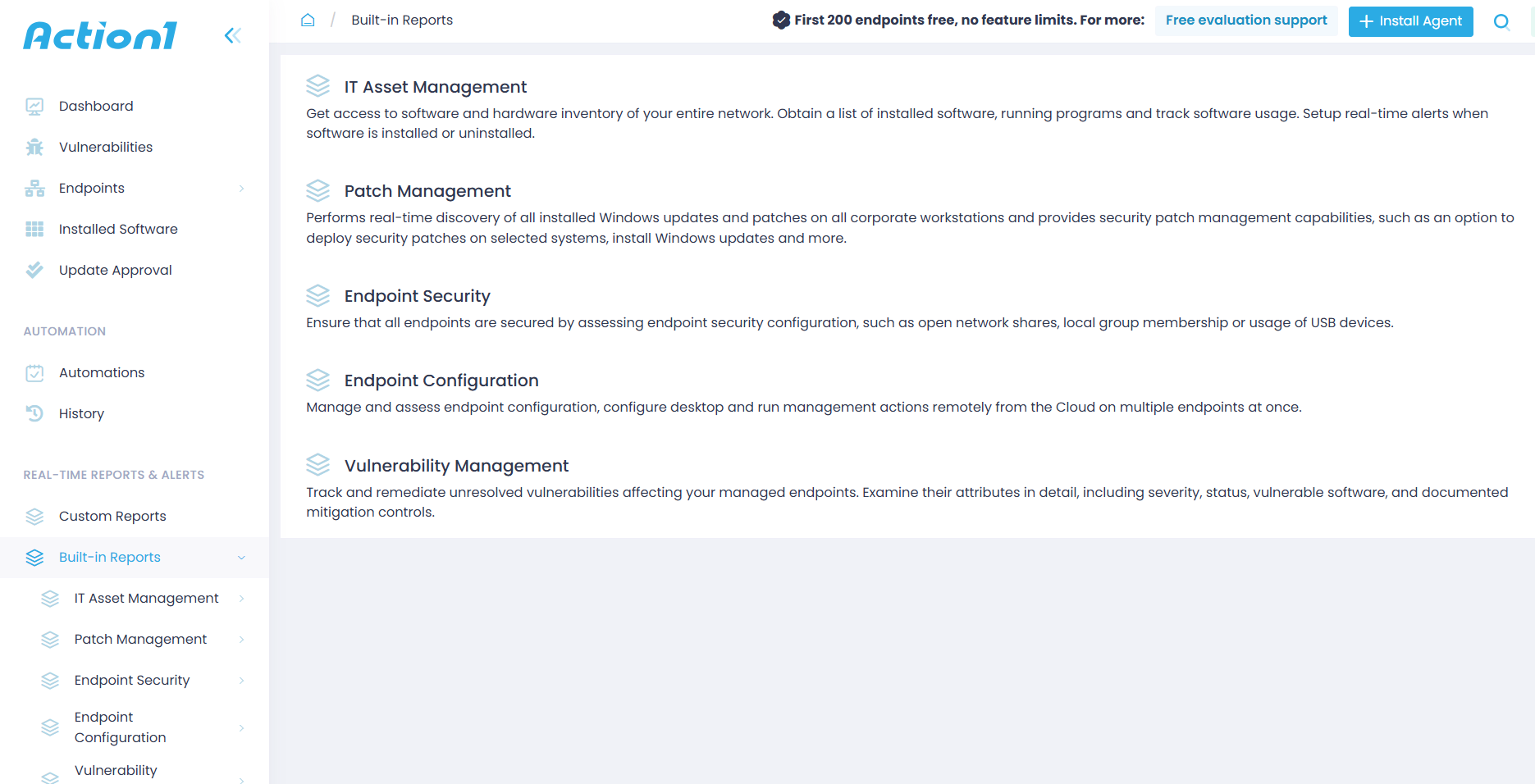
Action1 is a cloud-native autonomous endpoint management platform that brings together everything this article covered in one place, combining patch management, vulnerability remediation, compliance reporting, access control, real-time monitoring, and full endpoint visibility from a single console. No VPN, no on-premises infrastructure, and none of the integration headaches that come with piecing together four or five different tools.
The platform uses lightweight agents to give you current information anytime you need to check the patch status, compliance state, online or offline status, hardware details, or installed software of any endpoint. Automations, reports, RBAC, and remote control are all accessible directly from your browser, so you can monitor, manage, and secure every endpoint anytime, from anywhere. All you need is an internet connection. Nothing else.
The platform is built to automate the repetitive tasks that eat most of your workday. It gives you the flexibility to shape those automations the way you envision them, running on your schedule, so you find the sweet spot between minimal downtime and maximum security. But let’s look at the list of key features the platform offers you:
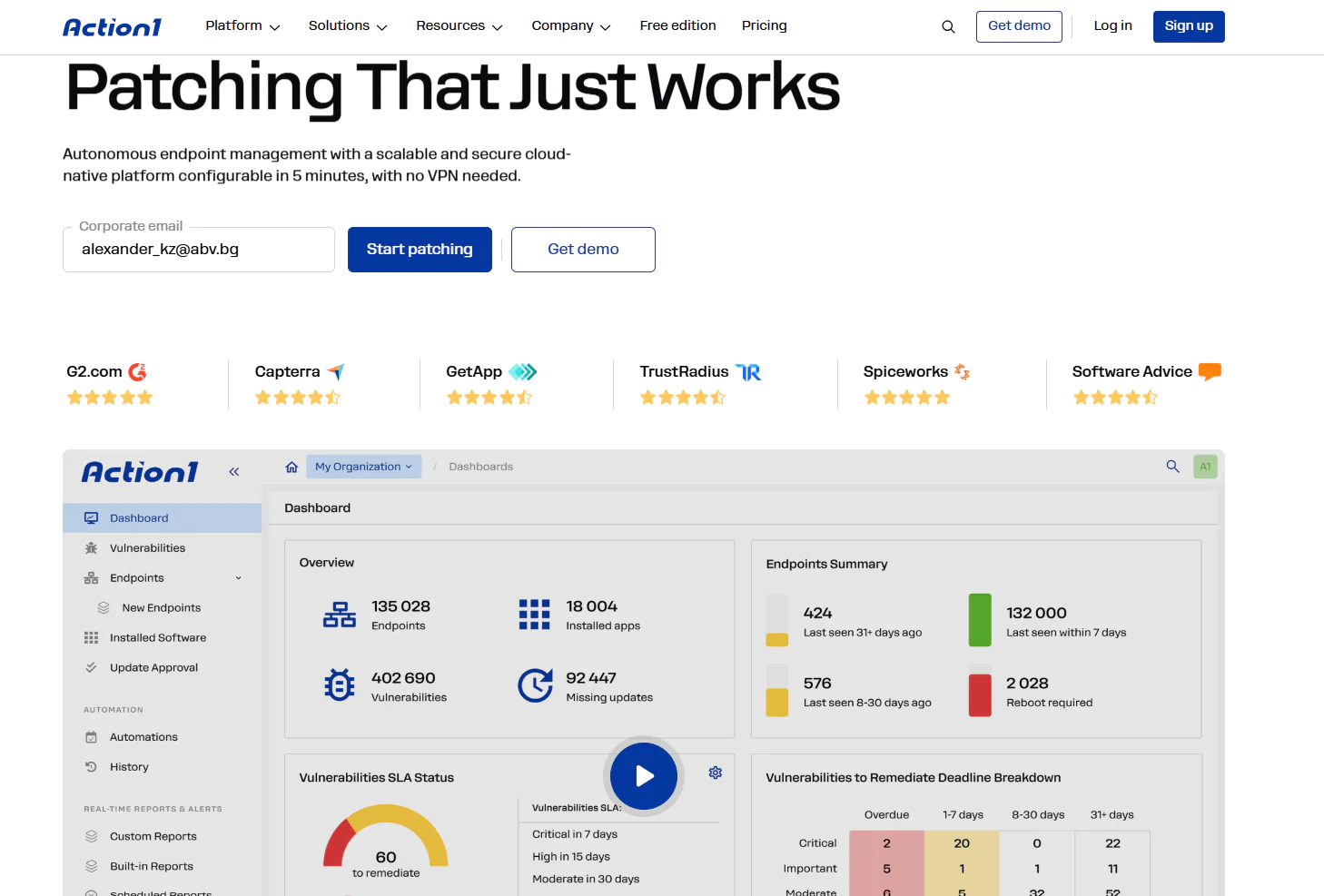
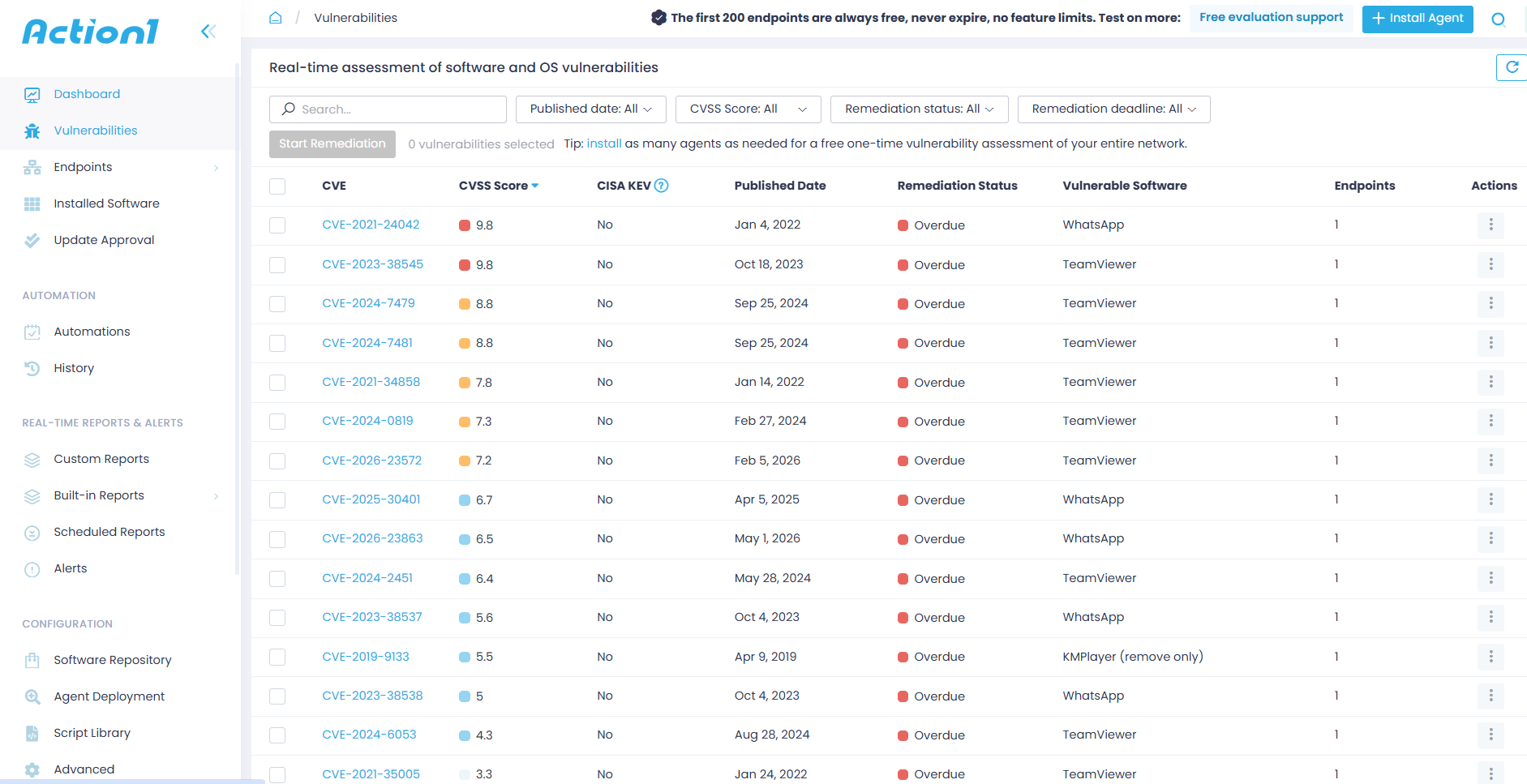
- Vulnerability management with CISA KEV and CVSS prioritization – identifies vulnerable software in real time across every endpoint, cross-references each finding against CISA’s actively exploited vulnerabilities catalog, and prioritizes remediation based on real-world exploitation risk, not just a score on paper. You know exactly what to fix first and why.

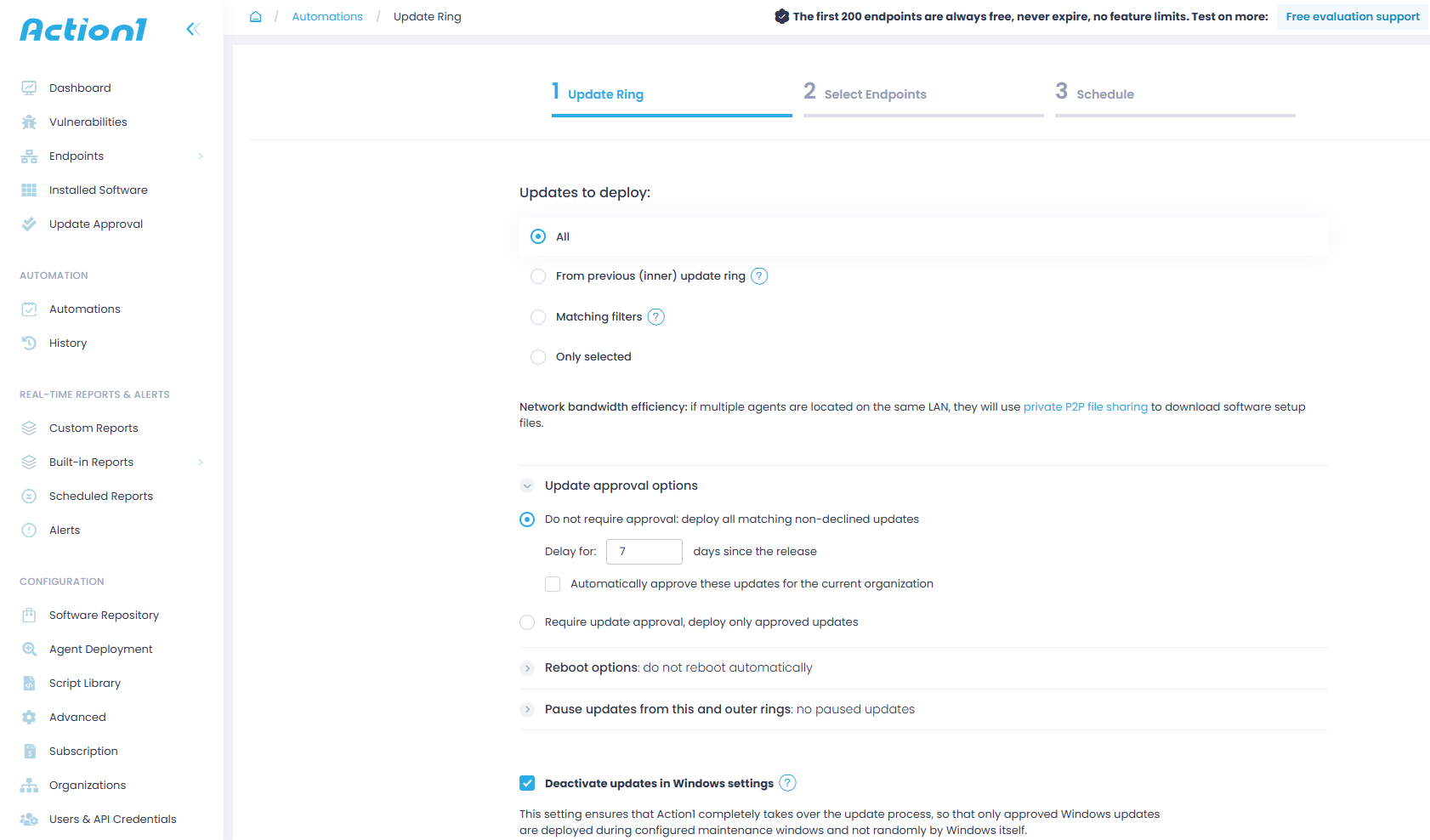
- Autonomous patch deployment with update rings – patches roll out in stages based on success metrics you define. Only stable updates reach your full environment while problematic ones get stopped automatically. Pushing security updates to endpoints that missed the scheduled window happens automatically the moment they reconnect. No manual follow-up. No blind spots.

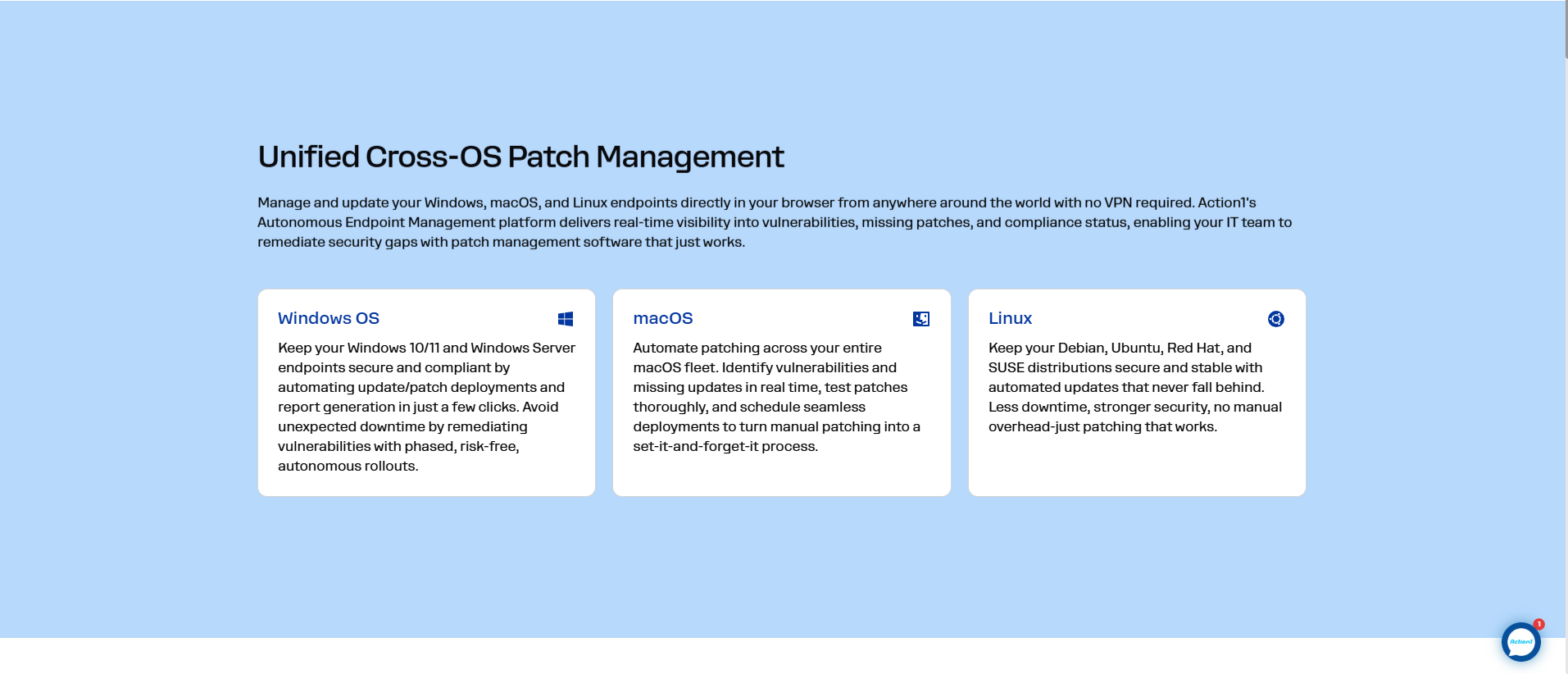
- OS and third-party patching from one console – Windows, macOS, and Linux OS patching fully unified with third-party application patching covering hundreds of software titles including Adobe, Chrome, and Zoom. No separate tools. No separate workflows. One place for everything.

- 100+ built-in customizable compliance reports – patch status, vulnerability exposure, software inventory, and security configuration all reportable in real time. Pre-built templates for regulatory frameworks mean you’re audit-ready without building reports from scratch. Export to CSV or subscribe by email.

- Audit trail with SIEM and XDR API integration – every action across every managed endpoint is logged with full filtering by organization, event type, and date range. That data feeds directly into your SIEM or XDR through API access at no extra charge.
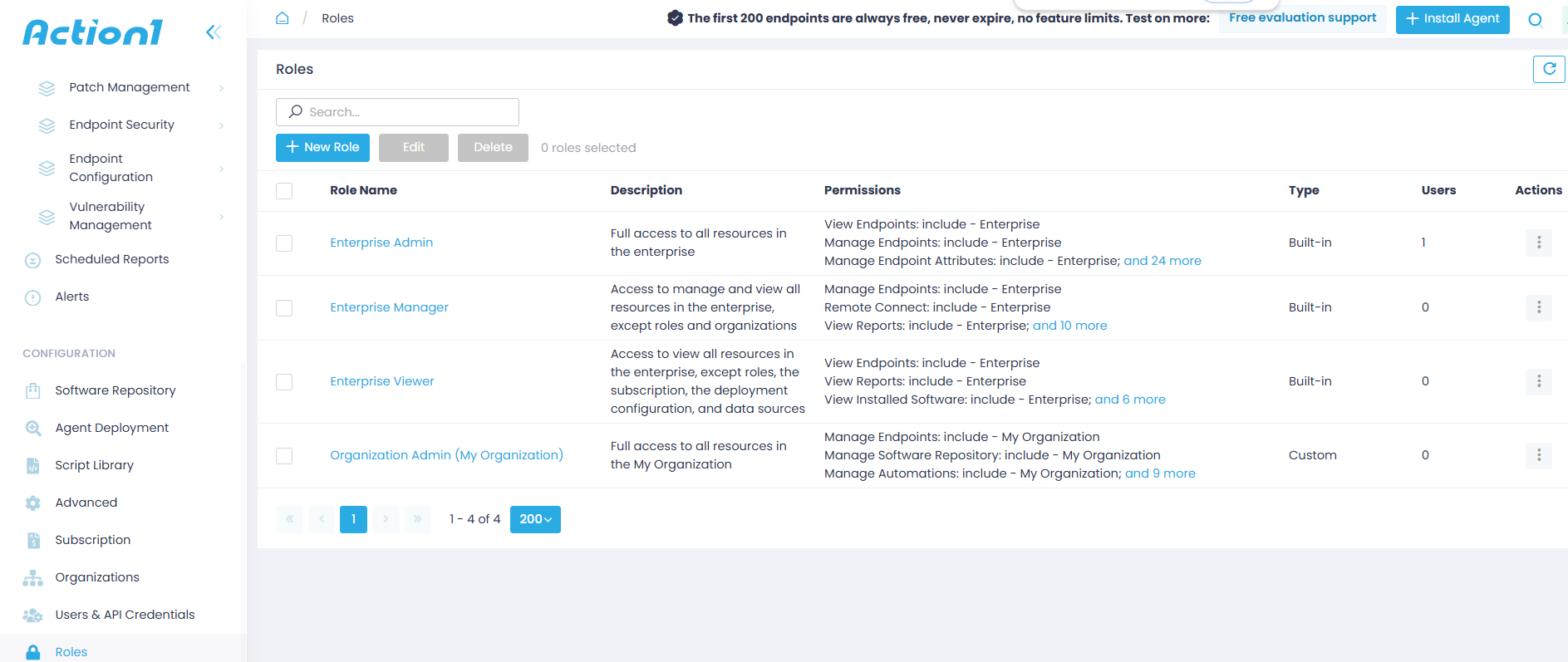
- Role-based access control – granular, fully customizable access levels for every user account. Your IT admins, security team, and auditors each see exactly what their role requires and nothing beyond that.

- Mandatory MFA and SSO – MFA enforced on every account via Google Authenticator, Duo, and others. SSO through Entra ID, Okta, Google, and Duo. Identity verification locked down at the platform level before anyone touches a policy or a report.
- Active Directory and Entra ID integration – agents deploy automatically across AD domains and endpoint groups update dynamically based on AD OUs and security groups. Your access control policies stay aligned with your org structure without anyone updating them manually.
- Cloud-native, no VPN required – endpoints managed through outbound-only connections over port 443. No appliances, no firewall changes, no infrastructure to maintain. A laptop in your office and one on the other side of the world are managed exactly the same way.
- Data residency in North America, Europe, and Australia – store your endpoint telemetry in the region that meets your regulatory requirements. More locations coming.
- Free forever for up to 200 endpoints, no feature limits – fully loaded, no expiration, no credit card required. Every feature in the platform available from day one. When you’re ready to scale, the price per endpoint drops as your count grows.
Action1 Ratings:
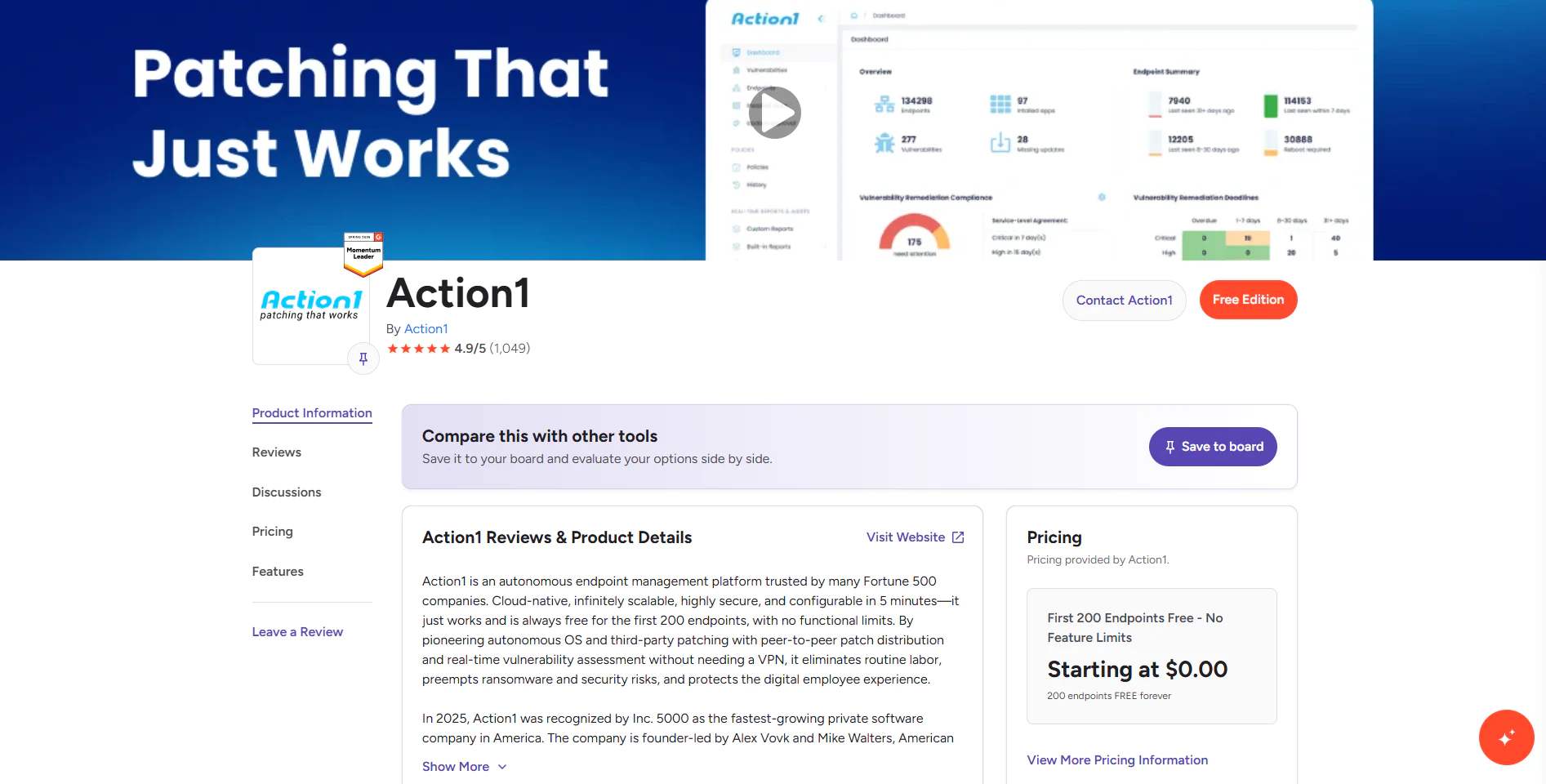
- G2 Rating: 4.9/5 (1,040+ reviews)
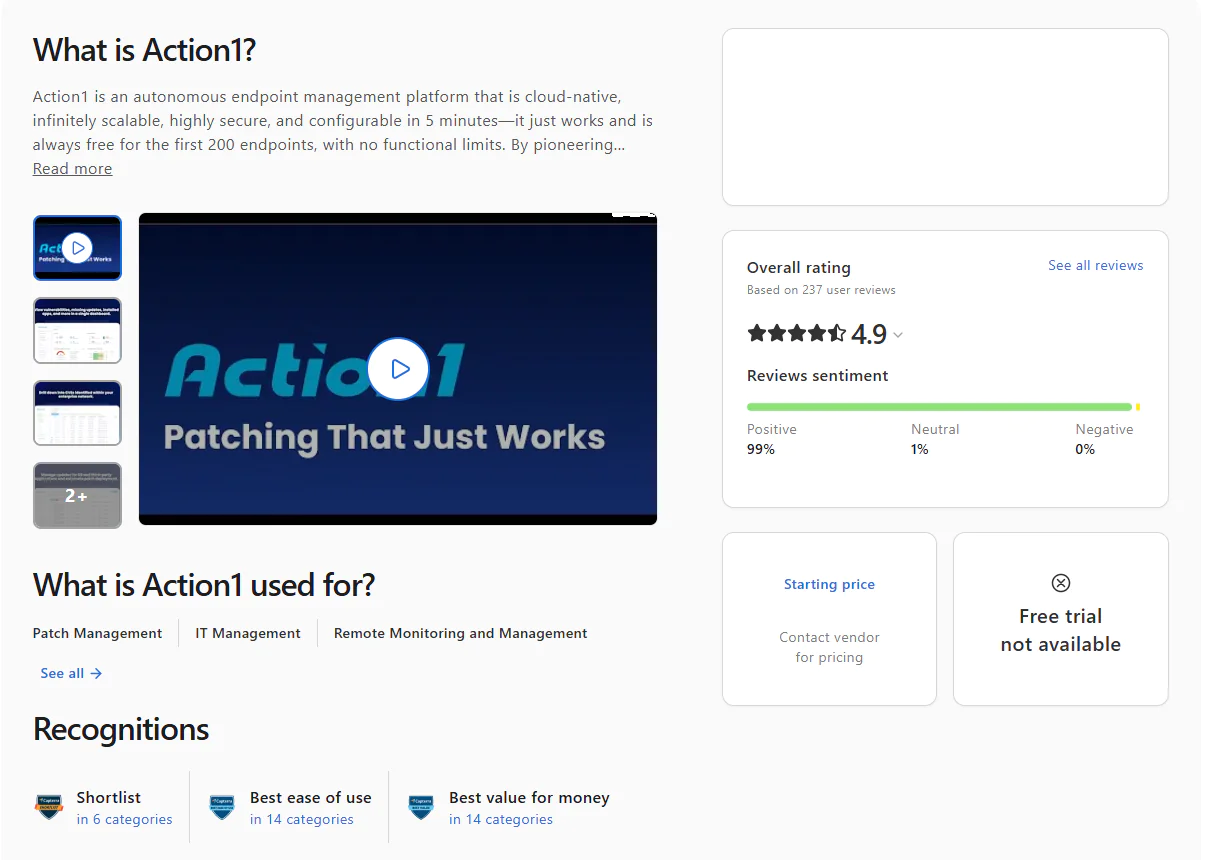
- Capterra Rating: 4.9/5 (235+ reviews)
If you’re looking for a platform that lets you keep things under control across every endpoint in your environment, be it desktops, laptops, servers, VMs, or cloud workloads, and you need cross-OS support, a rich private software repository, P2P patch distribution, multi-tenancy, flexibility, seamless scalability, and deep automation across scripting, patching, software management, policy enforcement, and reporting, then Action1 should be at the top of your list. It offers all of it natively.
It’s cloud-native, works equally well on remote and on-premises endpoints, requires no VPN or local hardware, and takes under five minutes to create an account, deploy the agent, and start monitoring, managing, and protecting your endpoints in a way that works not just on paper but in reality.
Local admin rights nobody ever reviewed are sitting on your endpoints right now. So is the solution. Action1 gives you the visibility, the automation, and the compliance evidence to fix that. So don’t waste time wondering whether the software would meet your needs. Try it. It’s free for your first 200 endpoints, fully loaded, forever. Test it firsthand and see for yourself how it keeps your systems updated, configured, secured, and compliant with just a few clicks.





