TL;DR
- Cloud-based endpoint management centralizes device administration, allowing IT teams to manage endpoints from anywhere without on-premises infrastructure.
- It improves security through centralized policy enforcement, patch management, remote monitoring, and automated remediation.
- Organizations gain real-time visibility into endpoint health, compliance status, software inventory, and security risks across distributed environments.
- Cloud-native platforms simplify management of remote employees, branch offices, hybrid workforces, and internet-connected devices.
- Core capabilities include endpoint monitoring, patch management, software deployment, remote access, asset inventory, reporting, and automation.
- Compared to traditional on-premises management, cloud solutions reduce infrastructure costs, simplify deployment, and improve scalability.
- Strong endpoint management platforms support Windows, macOS, Linux, mobile devices, and third-party application management from a single console.
- Built-in automation reduces manual workload, accelerates vulnerability remediation, and helps organizations maintain regulatory compliance.
- When selecting a platform, evaluate security, scalability, automation, reporting, integrations, remote management capabilities, and total cost of ownership.
- Cloud-based endpoint management has become the preferred approach for organizations supporting modern hybrid and remote IT environments.
Cloud-based endpoint management is a Software-as-a-Service (SaaS) model that lets you and your IT team monitor, secure, configure, update, and protect endpoints from one console. That includes laptops, desktops, smartphones, tablets, and IoT devices, all remotely managed and secured without requiring physical infrastructure or on-site presence.
Every cloud-based endpoint management platform is built around one core purpose: giving you real-time visibility across your network, strengthening the security posture of every device, applying security policies the way you need them, automating routine tasks, and cutting manual effort as much as possible.
In this article, we’re going to pull back the curtain on how it all works, helping you understand the fundamentals, why they matter, and how to choose the right platform for your environment.
We’ll start by comparing cloud-based endpoint management with traditional endpoint management, so you can see what changes when you move away from on-premises servers, VPN-dependent workflows, and manual maintenance. Then we’ll walk through the core functions, the benefits these platforms deliver, and the use cases where they make the biggest difference. To wrap things up, we’ll compare Action1, Microsoft Intune, NinjaOne, ManageEngine Endpoint Central, and JumpCloud side by side, so you can choose a platform that works in practice, not just on paper.
So let’s get into it.
Cloud-Based Endpoint Management vs Traditional Endpoint Management
Traditional endpoint management needs on-premises servers for controlling your office devices and a VPN for the remote ones, offering very limited automation capabilities for monitoring, managing, and securing your systems. Cloud-native endpoint management, on the other hand, works through lightweight agents installed on each endpoint that establish a secure outbound connection to the cloud console, eliminating the need to invest in expensive on-premises hardware and VPN infrastructure. That means you get real-time visibility and control over each endpoint, with the ability to remotely automate patching, scripting, reporting, software management, policy enforcement, and other routine tasks.
Here is how the two approaches compare across every dimension that actually matters:
| Traditional Endpoint Management | Cloud-Based Endpoint Management | |
|---|---|---|
| Infrastructure | Requires on-premises servers and local infrastructure to operate. | No servers, no hardware, no VPN. Just install the agent and you’re managing your endpoints. |
| Remote Access | Requires a VPN. No VPN connection, no access. | Works through the agent over any internet connection, no VPN needed. |
| Deployment | Manual deployment and ongoing maintenance on your end. | Deploy agents remotely in minutes. The vendor handles all maintenance from there. |
| Automation Capabilities | Limited. Monitoring, patching, reporting, and policy enforcement still requires manual work from your team. | Automates patching, vulnerability remediation, scripting, software management, reporting, and policy enforcement end to end. |
| Control Over Offline Endpoints | No control over offline endpoints. If the device is off the network, it’s out of reach. | No real-time control either, but the agent queues pending commands and executes them the moment the device reconnects. |
| Visibility | Strong for office endpoints, weak for remote ones. Depends on VPN for any visibility, which frequently lags, drops, or causes other problems. | Real-time visibility across every endpoint, on-premises or remote. Hardware, software, firmware, patch status, compliance state, and more, all in one place. |
| Scalability | A clunky process that requires new hardware purchases and, in most cases, growing your IT team headcount just to keep up. | Fast scalability. You can expand endpoint coverage quickly by deploying agents remotely, without buying new hardware or rebuilding your environment. |
| Cost | High upfront hardware costs plus ongoing maintenance expenses. | No extra costs. You pay for the subscription and that’s it. |
| Security | Requires open inbound firewall ports or VPN tunnels to reach endpoints, which expands your attack surface and gives attackers more entry points to target. | The agent on each endpoint initiates all connections outbound to the cloud platform. The management server never connects inward. No inbound firewall ports, no VPN tunnels, and no exposed management interfaces for attackers to target. |
Why do Organizations Need Cloud-Based Endpoint Management?
Organizations need cloud-based endpoint management because it gives them the automation depth and flexibility to control and schedule different processes, eliminates the costs associated with on-premises infrastructure, and helps them manage on-premises, remote, and hybrid endpoints equally well. On top of that, it equips them with real-time centralized endpoint visibility, accelerates patch deployment, vulnerability remediation, and other security processes, while minimizing the manual burden that comes with all of them.
Managing Remote and Hybrid Endpoints
With cloud-based endpoint management tools, companies and their teams can monitor, manage, and protect all their endpoints, whether they are office-based or remote. This minimizes the attack surface, strengthens the security posture, brings hidden or unmanaged devices into view, helps maintain compliance, and most importantly, reduces the manual effort on your team’s part. Desktops, laptops, mobile devices, servers, virtual machines, and literally every remote device can be secured with the same precision, automation, and clarity.
Improving Centralized Endpoint Visibility
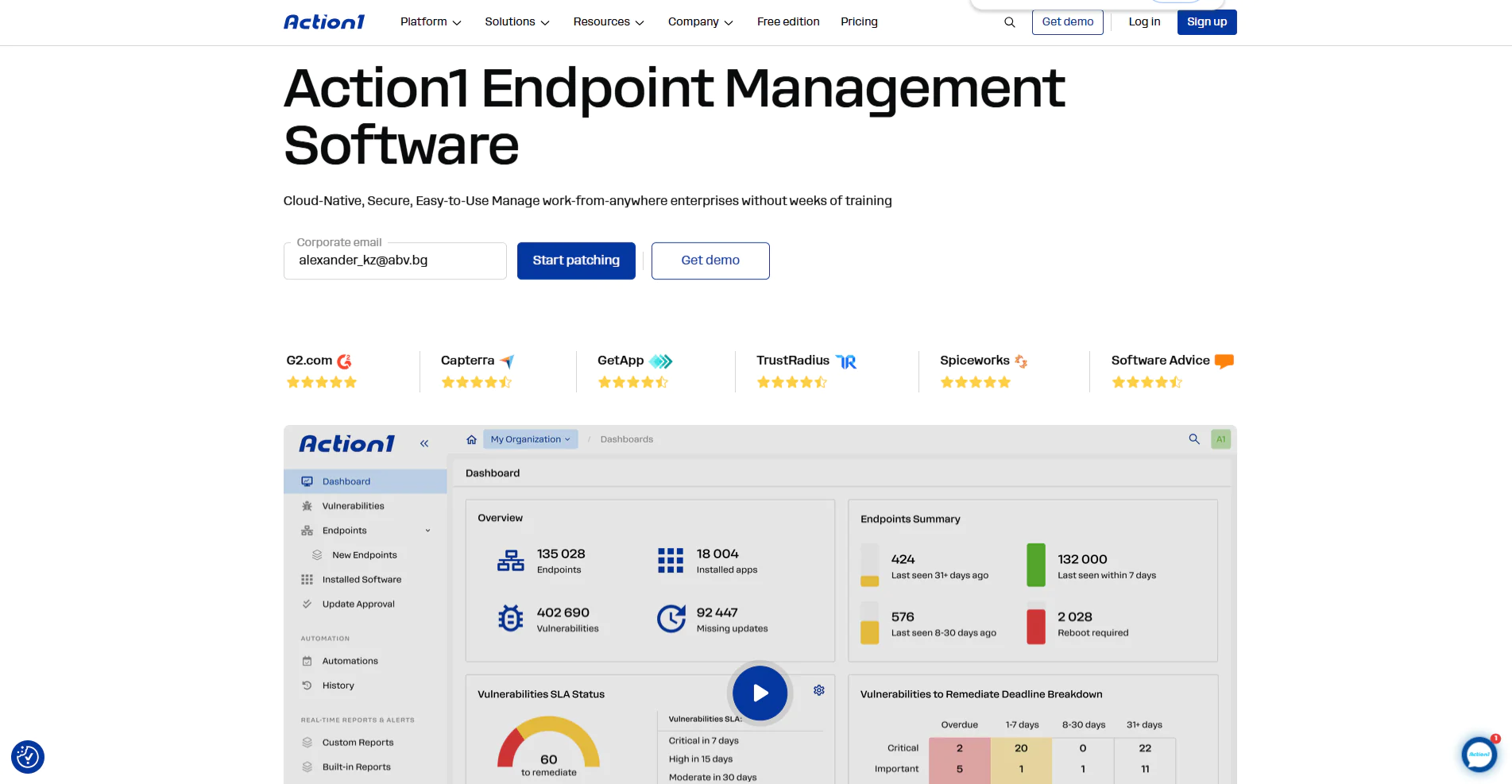
From one dashboard, you can monitor the condition of your systems in real time, including their patch status, compliance state, and overall health. You can check hardware specifications, see connected peripheral devices, verify IP and MAC addresses, track online and offline status, and much more. That centralized real-time visibility, delivered through cloud-based endpoint management, allows you to keep an eye on every device and apply the right measures at the right time to prevent major security incidents. As a result, you reduce the chances of getting fined by regulatory bodies and the risk of experiencing a successful cyberattack.
Reducing Infrastructure and IT Headcount Pressure
Cloud-based unified endpoint management platforms don’t depend on on-premises infrastructure. They work through lightweight agents, the vendor handles the maintenance, you just connect to the cloud and use the platform’s capabilities. What that means is you won’t have to make costly hardware investments or constantly expand your IT team headcount, because in many cases, even a single admin can manage, monitor, and secure a large endpoint environment thanks to the automation depth these platforms offer.
That’s why many organizations of all types and sizes, across different industries, prefer SaaS-based endpoint management platforms. They let their teams manage on-premises and remote endpoints from one place, reduce the need for separate tools, and give them a simpler way to stay in control without pouring budget, time, and people into infrastructure that no longer has to be there.
Accelerating Patch Deployment and Vulnerability Remediation
Cloud-based patch management platforms like Action1 are extremely efficient at automating vulnerability remediation through patch deployment and, in some cases, applying compensating controls. They help you maintain a current asset inventory, identify vulnerabilities and missing patches, and then schedule the testing and deployment process exactly the way you want it.
From there, every step in the chain gets completed automatically. You set up the automation once, and from that moment on, everything runs the way you designed it. Software vulnerabilities get remediated across thousands, if not hundreds of thousands, of endpoints in a predictable timeframe. And when devices are offline during planned deployments, they get updated the moment they reconnect or according to the retry schedule you defined.
That is where the balance between security and productivity becomes easier to maintain. With these solutions, you never have to choose between the two, because they give you multiple ways to minimize planned and unplanned downtime, control reboots, set scheduling options, and test updates before they roll out. In reality, that means stronger endpoint security, less downtime risk, easier audit preparation, happier clients, and lower expenses.
What are the Core Functions of a Cloud-Based Endpoint Management System?
Cloud-based endpoint management systems are built to give you visibility, control, and automation across your endpoint environment. They do that through a mix of core platform components and management functions, including a centralized console, endpoint agents, device inventory and discovery, patch and vulnerability management, software deployment, policy enforcement, remote access and troubleshooting, monitoring, and reporting.
All of them, in their own way, help you protect your endpoints and your corporate data from falling into the wrong hands. To better understand what each one adds, let’s explore how they work and why they matter:
Cloud Management Console
You access the cloud management console through your browser, log in with your credentials, and gain visibility into the managed endpoints across your organization. Through the console, you can check system status, review identified vulnerabilities and missing patches, see which security policies are applied, track process execution, generate reports, and plan or automate maintenance tasks.
What makes that even more useful is that most cloud-based endpoint management platforms let you manage devices regardless of whether they run Windows, macOS, Linux, Android, or iOS/iPadOS, all from that same place. In practice, that means one automation can be applied to all your endpoints simultaneously, which saves not only time but also improves traceability, prevents blind spot creation, and reduces the complexity of managing a diverse fleet of endpoints.
Endpoint Agents
An endpoint agent is lightweight software installed on your endpoint devices to monitor them in real time, gather information, and send it to the cloud management console. From there, you can send commands and start processes like patching, vulnerability remediation, policy enforcement, and report generation. Once the agent receives a command, it executes it and reports the result back to the console, giving you real-time visibility and traceability during each and every process. Moreover, once the agent is installed on a particular endpoint, that device comes under management, so it can’t be missed during planned maintenance.
Device Inventory and Discovery
With cloud-based endpoint management solutions, you get an up-to-date asset inventory. Endpoint detection happens in two ways: through agent installation on each endpoint, which gives you deep, continuous, real-time data about each system, or through agentless discovery, where protocols like SNMP, WMI, SSH, and cloud APIs send queries across defined IP ranges and any device that responds gets cataloged, including digital printers and other network-connected hardware.
Patch and Vulnerability Management
Cloud-based unified endpoint management (UEM) solutions automate patch and vulnerability management end to end. They identify vulnerabilities across Windows, macOS, Linux, and third-party applications, then find the missing security patches that address them. Those patches then get prioritized based on CVSS score, CVE details, and active exploitation in the wild. From there, you can set up your test environment and deployment process, roll updates out in stages to avoid unexpected downtime, and of course keep full control over rebooting.
Some tools even offer mobile device management (MDM) with support for Android, iOS, and iPadOS, giving you even greater network coverage and protection. Because BYOD has become the norm across industries, that extended coverage helps you secure mobile devices alongside traditional endpoints, protecting your employees’ devices and your corporate data while addressing software flaws before they turn into security incidents.
Software Deployment and Management
Software distribution and management is another function of cloud-based endpoint management, and it gets automated, too. It gives you the ability to install and uninstall specific software titles through a single automation policy, not one by one, but by selecting a group or all systems and deploying or removing a program simultaneously across 100 or 100,000+ endpoints. No VPN or local hardware needed, just a few clicks, and everything gets done the way you wanted it to.
You can also create software blacklists and whitelists, or application control rules, to prevent unauthorized apps from being installed or used on company-owned and employee-owned devices. In reality, that means stronger endpoint security, a reduced attack surface, and proper device configuration across your entire environment.
Policy Enforcement and Automation
Cloud-based endpoint management tools let you enforce security policies across every managed device, be it in the office, in a home office, or a thousand miles away. These policies cover password requirements, MFA enforcement, screen lock settings, firewall rules, USB and peripheral device control, application whitelisting and blacklisting, encryption requirements like BitLocker or FileVault, and user privilege restrictions.
The process works like this: the agent installed on each endpoint receives the policy, applies it locally, and reports compliance status back to the console in real time. If any device falls out of compliance, it gets flagged immediately and either auto-remediated or blocked from network access and corporate data until the issue is resolved.
The ability to enforce policies automatically means they are not just created and left sitting on paper somewhere. They are strictly enforced on every endpoint, everywhere. It puts clear boundaries that can’t be avoided, and if somehow a device crosses them anyway, access gets cut off and the risk associated with it gets cut off too.
Remote Access and Troubleshooting
Cloud endpoint management, through its agent connection, lets you take control of a remote endpoint and troubleshoot different problems. You start controlling the remote system through its keyboard, mouse, and screen, which helps you solve technical issues without being next to the endpoint. Everything happens through the web, so you get both visibility and control in one place. You can check hardware, software, patches, compliance, health status, free disk space, MAC address, IP address, and more, while also working directly on the system when needed. As a result, you get faster problem resolution, lower support costs, and most importantly, increased employee productivity.
Monitoring and Reporting
Patch compliance, unaddressed vulnerabilities, installed software, device health, hardware specifications, RAM, storage, disk space usage, IP addresses, MAC addresses, and operating system details can all be monitored through the cloud-based endpoint management console. But that’s not all, since you can also generate audit-ready reports with just a few clicks.
Those reports can cover IT asset management, patch management, endpoint security, endpoint configuration, and vulnerability management, all of which are built directly into your platform. The best thing is that they are fully customizable. That’s the easiest path to get the documentation you need in minutes, not hours or days, and these tools really make a difference when it comes to reducing the time spent on preparing regulatory documentation.
Benefits of Cloud-Based Endpoint Management
The benefits of cloud-based endpoint management software are clear, and they span security, operational automation, cost, and scalability. That said, understanding what each one actually changes in practice is what helps you make the right call. So let’s get into it:
- No investments in infrastructure – You don’t have to spend a fortune on buying hardware for maintaining servers, VPNs, or any on-premises equipment. SaaS means the vendor maintains everything. You just connect and start managing your endpoints from day one.
- Manage all your endpoints from one place – Endpoint protection, management, and monitoring all happen from one console, reducing the tool sprawl that comes with managing separate solutions for each function, as long as the platform offers cross-OS support and covers all your systems. And when it does, that means greater visibility, stronger security, few to no visibility gaps, lower TCO, increased uptime and employee productivity, and last but not least, satisfied customers.
- Real-time visibility – You can check and monitor the patch status, compliance state, health, hardware specs, installed software, and online or offline status of every endpoint. You get notified about any changes, so it’s easier to keep things under control and avoid nasty surprises, whether they come from regulatory bodies, cyber threats, or internal threats.
- Automated patching and vulnerability remediation – Every OS and third-party application ships with code imperfections, but finding and fixing them no longer has to be a manual process. Vulnerability identification, missing patch detection, testing, and deployment all happen automatically, end to end.
- Consistent security policy enforcement everywhere – Security policies follow every device regardless of location or network. Desktops, laptops, mobile devices, servers, and virtual machines all get protected by the same rules, while the policies themselves are enforced consistently.
- Reduced manual effort – Routine tasks that make your IT team sigh before they even start now get automated. Patching, reporting, scripting, software management, policy enforcement, onboarding, and provisioning all get done autonomously, which means less stress for your technicians, fewer delays, and more time for strategic initiatives that actually move the business forward.
- Infinite scalability – You can scale from managing 100 to 100,000+ endpoints, literally in the same day, without buying new hardware, hiring additional staff, or reconfiguring your environment.
- Faster incident detection and response – Real-time monitoring helps your team spot risky endpoint states, missing patches, compliance drift, unhealthy devices, and unusual behavior before small security threats turn into bigger ones. You get clear insights on where the problem comes from, which endpoint was affected, and when it started.
- Easier regulatory compliance – You can generate audit-ready reports in minutes, literally with just a few clicks. The data is there, the built-in customizable reports are too, so you can wrap that data into a document and print it or export it to the right people. When regulatory bodies come knocking, you’ll have everything you need to prove your adherence to the regulations your company is subject to.
- Lower operational costs – No hardware maintenance, no VPN infrastructure, and significantly less manual IT work add up to meaningful cost savings over time.
- Stronger security posture – Automatic updates, MFA, least privilege principles, security policy enforcement, role-based access control, and software management controls all work together to enhance security across your environment, reduce your attack surface, and build a stronger foundation for your cybersecurity strategy.
Cloud-Based Endpoint Management Use Cases
Below are the most common use cases where it makes the biggest difference:
Remote and Hybrid Workforce Management
Cloud-based endpoint management lets you manage laptops, desktops, servers, virtual machines, tablets, smartphones, and other devices, which solves one of the greatest challenges organizations face today: managing every system their employees work on, whether it’s personal or company-provided. From a unified console, you can monitor, manage, and protect endpoints at any scale, and one administrator is enough to handle that volume because everything gets automated.
Onboarding a new remote employee is just as easy. You deploy the agent remotely, the platform applies the full configuration automatically the moment the device connects, and the new hire is ready to go without anyone having to physically touch the device. In platforms that also handle identity and access management alongside device management, that same onboarding process can assign the right access, policies, and configurations from day one.
From there, keeping every remote device compliant, patched, and running only the software it’s supposed to run is handled automatically too. It literally takes minutes to create an automation, add the systems you want to cover, and schedule it at a convenient time. Once the process completes, a single person can check the results and follow up on any endpoints that didn’t receive the planned update, policy change, or configuration, in minutes, not hours, without having to hunt down the root cause.
Everything is right in front of you. Whatever information you need about the current state of your endpoints, you can find it through the platform, and every device gets the same level of management and protection regardless of which network it connects to.
MSP Endpoint Management
For MSPs, cloud-based endpoint management delivers multi-tenancy, scalability without added cost, role-based access controls, MFA, security policy enforcement, automated patching, per-client reporting, reduced technician workload, and cost efficiency.
These platforms let you create a single account that manages hundreds, if not thousands, of clients under one roof, with each organization maintaining its own data confidentiality thanks to granular access restrictions. One technician can be authorized to manage a specific group of devices, create automations, and generate reports for a particular client.
Another can only view reports. A third can just assign or remove roles for new or promoted employees. Everyone gets exactly the level of access they need to do their job without affecting their productivity or slowing them down during their workday.
When you onboard a new client, you can deploy agents across all their devices remotely and start managing their environment the same day, without any additional hardware or infrastructure on your end.
A single console is enough to effectively manage, monitor, and protect the environments of multiple clients and automate the most time-consuming and annoying routine tasks, without violating anyone’s rights or confidentiality. And that means less stress for your technicians, better cyber hygiene, lower costs related to licenses, headcount, and hardware, and most importantly, satisfied clients.
Small Business Endpoint Management
Small businesses typically have smaller IT teams that are stretched thin and barely keep up with managing all their endpoints. These companies can’t afford additional infrastructure costs or expanding their IT headcount, and that’s exactly why cloud-based endpoint management fits so well here. It works without VPNs or additional hardware, and lets one admin handle all the routine tasks easily, monitoring, managing, and securing every device used for work, including personal phones, tablets, servers, and VMs.
The initial setup is extremely easy and fast, with no upfront hardware investment and no ongoing maintenance costs. That lets SMBs reinvest their revenue in growing their business instead of pouring it into systems that won’t increase their bottom line. Add to that the fact that some vendors like Action1 offer a free tier for up to 200 endpoints, and you can get started with enterprise-grade cloud-based endpoint management without spending a single dollar.
That’s a great opportunity for these companies to secure their systems and strengthen their overall security posture. As Action1’s 2026 Software Vulnerability Ratings Report confirms, 28.3% of vulnerabilities with publicly available exploits are attacked within 24 hours of disclosure. Small businesses are targeted precisely because hackers know their patch cycles are slow. Closing that window automatically and helping small businesses stay secure without a large IT team is exactly what cloud-based endpoint management makes possible.
Last but not least, these platforms offer seamless scalability where adding new devices takes minutes, not days or weeks. You simply install the agent and you’re ready to go. Whether you go from 10 to 50 or from 50 to 5,000+ endpoints, the management overhead stays the same because the automation handles the scale for you.
Enterprise Endpoint Management
At enterprise scale, a single visibility gap, one unmanaged device, one missed patch, or one policy that didn’t apply correctly can turn into a breach costing millions, way faster than you might imagine. Cloud-based endpoint management gives enterprises the tools to solve their biggest pain points. Real-time visibility, asset identification, and automated control over every endpoint, across every location and operating system, all from one centralized dashboard. It automates patching, vulnerability remediation, scripting, software management, policy enforcement, and compliance reporting.
All of these tasks can be automated, scheduled, and completed faster and more safely than any manual process allows. These platforms let IT and security teams cut stress levels, reduce security risks, and get routine tasks done with significantly less manual effort. But most importantly, they keep the attack surface under control even as the environment continues to grow, because when you’re managing thousands of endpoints, things don’t just go wrong gradually. They collapse like a house of cards.
Every device is monitored around the clock, audit-ready reports make it easier to satisfy regulatory requests, and the security foundation doesn’t crack under the weight of thousands of endpoints. On top of that, these solutions offer lightning-fast scalability, letting you expand coverage across thousands of new endpoints in a day.
And the best thing is that one or two team members can take care of thousands of endpoints, achieve high patch compliance rates, and keep every device secure and compliant through deep automation.
Vulnerability and Patch Remediation
Cloud-based endpoint management platforms identify and remediate vulnerabilities across your endpoints by deploying the missing patches that address them. The process is fully automated end to end. Once flaws are found, they get prioritized based on CVSS score, CVE number, and active exploitation status from CISA’s Known Exploited Vulnerabilities catalog, so you always know which ones are the most critical and need your attention first. From there, you can schedule patch testing and deployment the way you need it, with complete flexibility over how, when, and where patches get installed and whether endpoints should reboot immediately or delay it by a couple of hours until your employees’ workday is done.
Once the update cycle completes, all that data gets stored on the platform, giving you a complete picture of your patch and compliance status ready to share whenever you need it.
Patch and vulnerability management are two of the most tedious and exhausting processes for IT teams, and nobody wants to deal with them daily. There’s a sheer volume of patches released every week, turning patching into the kind of work that makes you feel like you’re on a hamster wheel. Fortunately, cloud-based endpoint management platforms like Action1 don’t just automate every step of the process. They run it autonomously from beginning to end. That means faster vulnerability remediation, timely patch deployment, minimal downtime risks, a tighter security perimeter, and continuous compliance with almost no manual effort on your part.
Best Cloud-Based Endpoint Management Software
The best cloud-based endpoint management software platforms are Action1, Microsoft Intune, NinjaOne, ManageEngine Endpoint Central, and JumpCloud. All of them are reliable, efficient, and deliver the kind of automation that frees your IT team’s time by handling the routine tasks that eat up half of their workday. However, none of them work equally well across every organization type, and there’s no universal fit that works for every company in every case.
That’s perfectly normal. Each organization has its own device fleet, its own split between office and remote endpoints, its own security strategy, and its own list of tasks it needs to automate. That’s exactly why doing proper due diligence before choosing a platform matters. To make that process easier, we put together the comparison table below. It gives you the most valuable information, outlines the key differences between these platforms, and helps you make an informed choice before investing in software that works in practice, not just on paper.
| Action1 | Microsoft Intune | NinjaOne | ManageEngine Endpoint Central | JumpCloud | |
|---|---|---|---|---|---|
| What it is | Cloud-native autonomous endpoint management platform that specifically focuses on patch and vulnerability management, software deployment and removal, and compliance reporting. | Cloud-native unified endpoint management platform built for Windows-centric environments. Focuses on MDM, MAM, OS patching, compliance policies, and conditional access management for Windows, macOS, and Linux devices. | Cloud-first unified IT operations platform with strong patching, endpoint management, remote access, and MSP appeal. | Broad unified endpoint management and security platform combining patch management, MDM, vulnerability management, privilege management, software deployment, and remote troubleshooting. | Cloud-first identity, access, and device management platform with UEM, patch management, remote access, conditional access, and directory services. |
| Cloud-Native | Yes. | Yes. | Yes. | Yes. Available as cloud or on-premises deployment. | Yes. |
| Supported OS | Windows, macOS, Linux. | Windows, macOS, Linux, iOS, Android. | Windows, macOS, Linux, iOS, Android. | Windows, macOS, Linux, iOS, Android. | Windows, macOS, Linux, iOS/iPadOS, Android. |
| Core Capabilities | OS and third-party patching; Vulnerability remediation; Software management; Compliance reporting; Remote troubleshooting. | MDM and MAM; OS patching via Windows Update for Business and Windows Autopatch; App deployment and management; Compliance policies and conditional access; Endpoint Privilege Management available through Intune Suite add-ons. | OS and third-party patching; Remote monitoring and management; Software deployment; Remote access and control; Scripting automation; Backup (add-on); MDM (add-on). | Patch management; Vulnerability management; MDM; Software deployment; Privilege management; Remote troubleshooting; Compliance reporting. | Identity and access management; Unified endpoint management; Patch management; Privileged access management; Compliance reporting; Zero trust enforcement. |
| Key Features | Cross-OS platform support; Update Rings (autonomous patching); Risk-based vulnerability prioritization; Real-time visibility; Software distribution; Remote access; Advanced reporting; RBAC; MFA; Multi-tenancy; P2P patch distribution; REST API with no extra charge. | Update rings via Windows Autopatch; Compliance reporting and endpoint analytics; App control and BYOD management; RBAC; MFA via Entra ID; Co-management with Configuration Manager; Advanced Analytics and Cloud PKI available through Intune Suite add-ons; Hotpatch updates for supported Windows deployments. | Automated patching across all OS; Real-time device monitoring with automated alerting; Remote access and control; Scripting automation and auto-remediation; RBAC; Multi-tenancy for MSPs; Compliance reporting; Backup and MDM. | Automated patch deployment; Asset inventory; MDM; RBAC; BitLocker and encryption management; Device and USB control; Browser security; DLP restrictions; Self-service portal; Compliance reporting; Next-generation antivirus (Security edition). | Adaptive MFA; PAM with session recording; User lifecycle management; Password manager; Cloud LDAP and RADIUS; Cross-OS endpoint management; OS and third-party patching; Configuration policies; PowerShell and Bash scripting; Asset tracking; Zero trust access; Shadow AI governance; Real-time monitoring and alerting; Compliance reporting. |
| Scalability | Infinitely scalable. Needs no VPN or additional hardware to scale. You can expand coverage and immediately start protecting your endpoints, then contact the sales team to discuss pricing at scale. | Enterprise scale, especially in Windows-centric and Microsoft 365 environments. | Scales by endpoint volume with no hard cap disclosed. Volume discounts apply as endpoint count increases. | Broad packaging for SMB through enterprise. Cloud pricing scales to thousands of endpoints, and the platform is available in multiple editions for different needs. | SMB to enterprise. MSP program available. Scales by user or device count depending on selected modules. |
| Notable Strengths | Autonomous OS and third-party patching; Vulnerability remediation; Ease of use; Ease of deployment; Intuitive interface; Scripting automation and remote access; Privately maintained software repository; SOC 2 Type II and ISO 27001:2022 certified; P2P patch distribution; Customizable reporting with 100+ built-in templates. | Native MDM and MAM breadth; Strong conditional access and identity integration via Entra ID; Windows Autopatch for automated ring-based deployment; Strong fit for organizations already invested in Microsoft 365 and Entra ID. | Strong MSP multi-tenant architecture; Automated patching across Windows, macOS, and Linux; Real-time monitoring with automated alerting; Scripting automation and auto-remediation. | Automated OS and third-party patch deployment; MDM across Windows, macOS, Linux, iOS, and Android; Self-service portal for end users; BitLocker and encryption management; Device and USB control; Browser security and DLP restrictions; Supports both cloud and on-premises deployment; Competitive pricing for mid-to-large environments. | Strong option for organizations that want to unify identity, access, and device control in one cloud platform instead of buying a pure-play endpoint tool plus separate IAM. |
| Notable Weaknesses | No MDM; No self-service portal. | Limited third-party patching without additional tools or add-ons; Steep learning curve. | Reporting customization limited without additional effort; Backup and MDM are add-on costs; Pricing not publicly listed; Annual billing only with no monthly option. | Interface can feel cluttered and overwhelming for new administrators; Not purely cloud-native; Reporting customization requires SQL knowledge for advanced reports. | Advanced features require higher-tier plans; Primarily identity-first rather than patch-first. |
| Integrations | Rapid7, Tenable, Qualys, ServiceNow, Microsoft Defender, Microsoft Intune, Entra ID, CrowdStrike, Single Sign-On (SSO), Okta, Duo, Zapier, HaloPSA, ThreatAware, Foxit PDF Reader, custom integrations through REST API secured by OAuth 2.0. | Full Microsoft ecosystem including Entra ID, Microsoft Defender for Endpoint, Configuration Manager, Microsoft Sentinel, Microsoft 365, Intune Suite, Teams, SharePoint, and third-party tools via Microsoft Graph API. | Microsoft Intune, Azure, Windows 365, ServiceNow, ConnectWise Manage, Autotask PSA, HaloPSA, Freshservice, DeskPay, CrowdStrike, SentinelOne, Bitdefender, Malwarebytes, Webroot, Rapid7, Okta, OneLogin, Splashtop, N-able Passportal, Google Workspace, IT Glue, and StorageCraft. | Zendesk, Tenable, Rapid7 InsightVM, CrowdStrike, Qualys, Splunk Enterprise, ManageEngine Log360, Microsoft Entra ID, Okta, Single Sign-On (SSO), Jira Service Management, and ServiceNow. | Google Workspace, Entra ID, Active Directory, Slack, Zendesk, Atlassian Cloud, AWS, GitHub, CrowdStrike, Salesforce, Zoom, Opsgenie, IT Glue, Jira Service Management, Tray.ai, Celigo, REST API. |
| Free Tier/Free Trial | Yes. Free tier for up to 200 endpoints, fully featured, forever. Free one-time vulnerability assessment for unlimited endpoints. | No free tier. Trial availability and included Intune licensing depend on the Microsoft 365 or Intune plan selected. | No free tier. 14-day free trial only. | Yes. On-premises version offers a free tier for up to 25 desktops and 25 mobile devices, permanently free after the trial expires but with feature limitations. Cloud version offers a 30-day free trial only. | No. 30-day free trial. Free tier available for up to 10 users and 10 devices with limited features. |
| Best for | SMBs, MSPs, large enterprises, government agencies, manufacturers, healthcare and financial institutions, and oil and energy companies. | Medium to large enterprises. | MSPs and mid-sized IT teams. | SMBs through large enterprises. | SMBs, mid-market organizations, and educational institutions. |
| G2/Capterra Ratings |
Note: Product capabilities, free tiers, trial availability, pricing, and review scores can change. Always verify the latest vendor documentation and marketplace listings before purchasing.
How We Selected These Platforms?
We evaluated each platform against six criteria that IT teams, MSPs, and enterprises consistently consider when choosing cloud-based endpoint management software: patch and vulnerability management depth, endpoint visibility and asset inventory capabilities, automation and scripting features, scalability and deployment model, integration breadth with existing security and operations tools, and real user sentiment from G2 and Capterra.
Each platform was assessed based on publicly available product documentation, official vendor pages, and verified customer reviews. Pricing, free tier availability, and feature scope were cross-checked against the latest vendor sources at the time of writing.
Who Should Choose Which Platform?
Choose Action1 if autonomous patching, vulnerability remediation, software deployment, and compliance reporting are your biggest priorities.
Choose Microsoft Intune if your environment is already deeply invested in Microsoft 365 and Entra ID, and you need strong MDM, MAM, compliance, and conditional access capabilities.
Choose NinjaOne if you need broad IT operations, strong remote monitoring, and MSP-friendly remote management.
Choose ManageEngine Endpoint Central if you want a wide UEM feature set with flexible deployment options and strong coverage across patching, MDM, software deployment, and remote troubleshooting.
Choose JumpCloud if identity, access, and device control need to live in one cloud platform.
How Does Action1 Handle Cloud-Based Endpoint Management?
Action1 is a cloud-native autonomous endpoint management platform built to simplify and automate the way organizations monitor, manage, and secure their systems. The idea is to put the most time-consuming and labor-intensive daily tasks on autopilot, and shift your IT team’s focus toward things that actually move the business forward, like growing operations or improving the product itself, instead of constantly maintaining security and compliance across your network.
The patching side of things is where it all starts. Action1 lets you and your team use a single console to find vulnerabilities across Windows, macOS, Linux, and third-party apps, prioritize them based on their real-world threat to your business, and deploy all missing updates that address them in a timely manner. Software flaws get addressed faster, smarter, and with almost no manual intervention, thanks to Action1’s autonomous capabilities that keep finding weaknesses and patching them continuously, following the process shaped by you and your team. That minimizes your exposure window, lowers downtime risks, and strengthens your security posture.
Bandwidth is another thing worth talking about, because large-scale patch deployments can quietly kill your network performance if you’re not careful. Action1 solves that with P2P patch distribution. A patch downloads once on one endpoint and then gets shared to the rest locally. Updates deploy faster, and your business operations stay uninterrupted.
Now the repository piece is worth paying attention to as well, because a patching tool is only as trustworthy as the updates it delivers. Every patch in Action1 comes from a privately maintained secure software repository where only tested updates get added, so your endpoints receive trusted files and cyber risks stay as low as possible.
And for MSPs and large enterprises especially, this one’s a deal-breaker if it’s missing: multi-tenancy. Action1 lets you create and manage multiple organizations or clients from one account under one license, each separated into its own group of endpoints with their own patching and security policies, schedules, and logic.
Role-based access control (RBAC) helps ensure that the data privacy of those organizations, departments, or clients stays protected by controlling which endpoints and data each user can see, access, and work with. RBAC in Action1 supports granular user management by letting you create roles, assign permissions, and give everyone exactly the access they need to do their job, nothing more and nothing less. One employee can create automations, another can only review data or generate reports, and a third can just assign or remove roles for new or promoted employees. That way, every team member gets exactly the level of access their role requires without stepping into areas they don’t need to control. Email wildcards and organization scope take that even further, ensuring each user can only see and manage the endpoints within their assigned organization. That covers the access control side within the platform itself.
Here’s the other thing that matters for access control: MFA and Single Sign-On (SSO) work better together than either does alone. MFA adds a mandatory second verification step every time someone logs in, so even if a password gets stolen, the account stays protected. SSO, on the other hand, lets your team access Action1 and other connected platforms through a single set of credentials, cutting out the friction of juggling multiple logins. The key thing to understand is that SSO without MFA is actually a security risk, since one compromised password suddenly unlocks everything. With both running together, your team logs in once through a secure MFA-protected gateway and gets seamless access to everything they need, without the login fatigue and without dropping the security bar.
What also makes a difference for enterprise environments is how well Action1 integrates with the tools you already use. That includes Rapid7, Tenable, and Qualys for vulnerability intelligence, ServiceNow and HaloPSA for ticketing and workflow automation, and endpoint security solutions like CrowdStrike, Microsoft Defender for Endpoint, and SentinelOne for threat detection and security operations. Custom integrations are available through a REST API secured by OAuth 2.0 at no extra charge. Long story short, patch data, vulnerability findings, and remediation status can flow directly into the tools your team already works from, without chasing workarounds or maintaining separate data pipelines between systems.
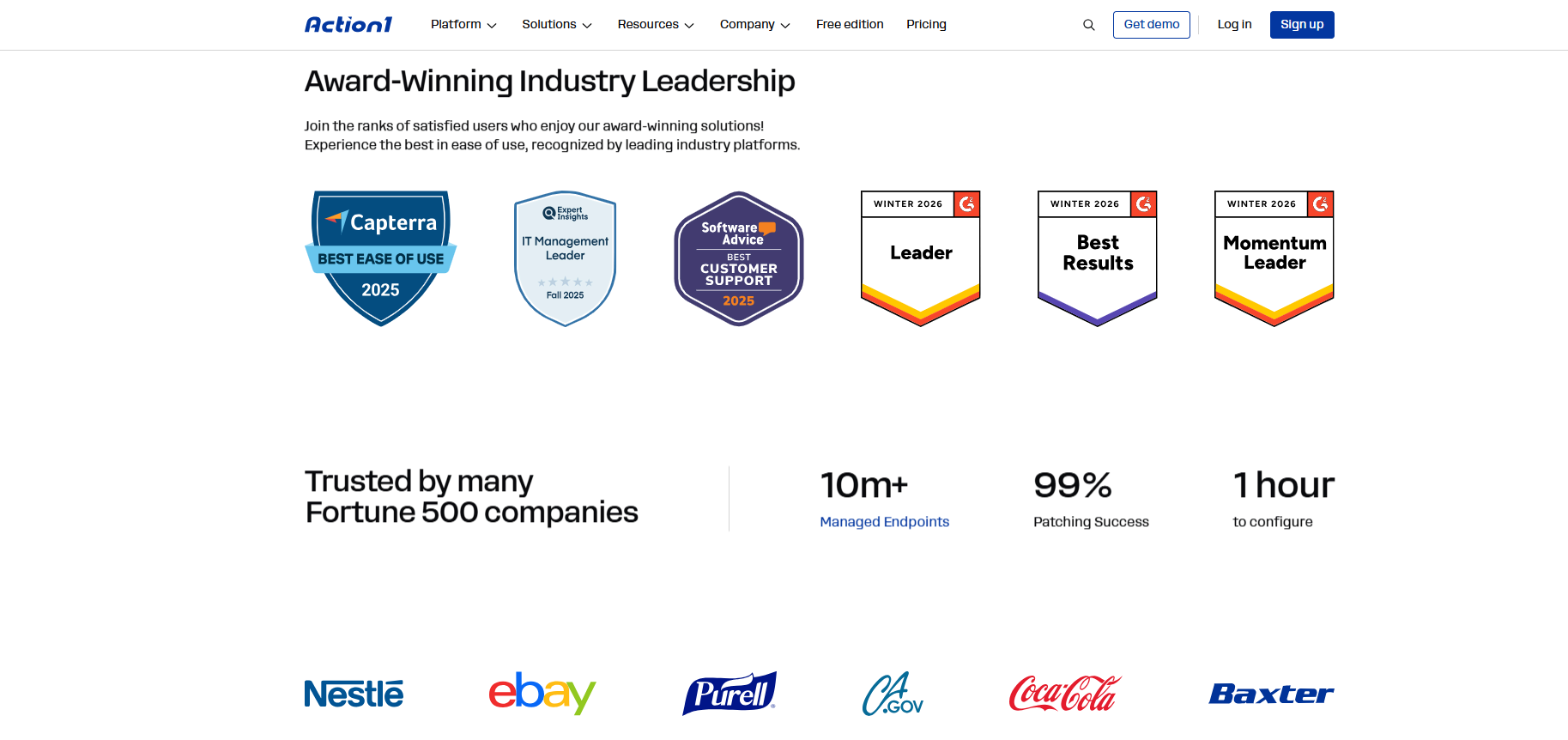
The compliance piece is worth covering as well, especially if your procurement team is involved in the decision. Action1 is SOC 2 Type II and ISO 27001:2022 certified, making it the first patch management vendor to hold both. On top of that, it carries TX-RAMP Level 1 certification, CSA STAR registration, and supports compliance efforts related to GDPR, HIPAA, PCI DSS, and NIST. Add to that 100+ built-in customizable report templates, and compliance documentation is just a few clicks away.
Every action taken inside the platform gets logged in a full audit trail, filterable by organization, event type, date range, and user, with API access for sending that data directly into your SIEM or XDR system. So when auditors come knocking and ask who did what and when, the answer is already there waiting for them. Action1 also gives you a choice of where your data gets stored, with data centers across North America, Europe, and Australia, and more locations coming, so organizations with GDPR obligations or regional data sovereignty requirements aren’t forced into a one-size-fits-all infrastructure arrangement.
Last but not least, Action1 is free for up to 200 endpoints with no feature limitations and no expiration date. On top of that, the free one-time vulnerability assessment covers an unlimited number of endpoints, so you can see exactly where your environment stands before committing to anything. That gives enterprises and MSPs the opportunity to experience the value of the platform firsthand across a real group of endpoints, verify that it meets their needs, and then scale to a paid tier when they are ready.
But you don’t have to take our word for it. Here is what IT teams managing real environments say about Action1:
Andrew Inbody, Systems Specialist, Lincoln City Libraries: “It could have taken two people, three hours each to update third-party applications in a single library branch. With Action1, it can be done remotely for all branches in one hour by a single person. This allows us to be far more proactive in ensuring security.”
Jeremy Campbell, IT Manager, Seyer Industries: “Action1 saves us both time and money. It enables us to manage updates and software across all our endpoints more effectively. Also, its built-in remote desktop empowers us to provide IT support, which saves us $10,000 a year as we do not have to purchase an additional remote support platform.”
Mario Domeniconi, Chief Technology Officer, Netability: “With Action1, I am confident that we can keep our customers’ remote devices properly updated and patched, troubleshoot any problem that users experience, and provide high-quality support. Connections are stable and reliable, and we can scale the platform up as much as we need.”
200 endpoints free. Forever. What are you waiting for? Visit our website and try the power of Action1.
What Gets Better When You Move to Cloud-Based Endpoint Management, and Which is the Right Platform for You?
Cloud-based endpoint management gives you better control over your endpoints and the freedom to manage them from anywhere in real time. By automating routine tasks, alerts, and reporting, you ensure that every desktop, laptop, server, VM, and other managed device stays secure and compliant. Most importantly, your team cuts the time spent on these processes because they run on autopilot.
In other words, patching, scripting, policy enforcement, onboarding, software management, and other time-consuming but highly important processes get done faster, smarter, and more seamlessly. Cloud-based endpoint management platforms work through agents, so they eliminate costly investments in VPNs and hardware, and at the same time, they work equally well on an endpoint sitting in your office or on one in your employee’s home a thousand miles away. That cuts costs while giving you better coverage.
In terms of reporting, regulatory documentation gets generated in minutes with just a few clicks, not the way it used to be, spending hours or days creating a report after the last patch cycle was completed. And if you need to expand your services, scalability is instant. In a day, you can go from 100 to 100,000+ endpoints. The benefits are clear, and in the digital world we live in, SMBs, large enterprises, MSPs, government agencies, manufacturers, healthcare companies, and oil and gas firms all need cloud-based endpoint management software because it works, it makes their lives easier, their environments safer, and all of that with less manual intervention.
Each company needs this kind of software for different reasons, so when picking a vendor, focus on what your team struggles with most and how well the platform addresses it. Whether you go with Action1, Microsoft Intune, NinjaOne, ManageEngine Endpoint Central, or JumpCloud, the right choice will reduce manual work, improve endpoint security, strengthen compliance, and make your IT team’s life measurably easier.