Windows Patch Management
Action1 helps IT teams identify missing Windows updates, automate vulnerability remediation and verify results across distributed endpoints from a single cloud-native platform.
Status: Active
Coverage: Windows 10, Windows 11, and supported Windows Server versions
Availability: Global
New to Action1? See this capability in action!
Fragmented Windows patching leaves
endpoints exposed
Many IT teams rely on a combination of Microsoft tools, endpoint management suites, vulnerability scanners, scripts, and manual reports to manage Windows patching. However, fragmented tools, intermittent connectivity, and limited automation can leave vulnerabilities exposed longer than intended, even when patches are available.
Action1 resolves these issues by bringing vulnerability discovery, prioritization, controlled deployment, and remediation evidence into one continuous Windows patching workflow.
How Action1 Windows patching works
Action1 enables IT and security teams to manage hundreds or thousands of Windows endpoints without
assembling and maintaining a fragmented tool chain. Here is how organizations can simplify patching routine in just
4 steps with Action1:
Discover
Identify missing Windows updates, affected endpoints and remaining exposure without waiting for separate scans or manually reconciling results between tools.
Prioritize
Use vulnerability context to start remediation with systems that matter most or CVEs that pose the biggest threat. Move from a long list of missing patches to a more actionable deployment plan.
Deploy
Automate approvals, schedules, endpoint targeting, phased rollouts, and reboot behavior through centrally managed policies. Deploy immediately when necessary or use maintenance windows to reduce user disruption.
Verify
Monitor successful installations, pending updates, and failures as endpoint data changes. Confirm which vulnerabilities have been remediated and produce reports that document the result.
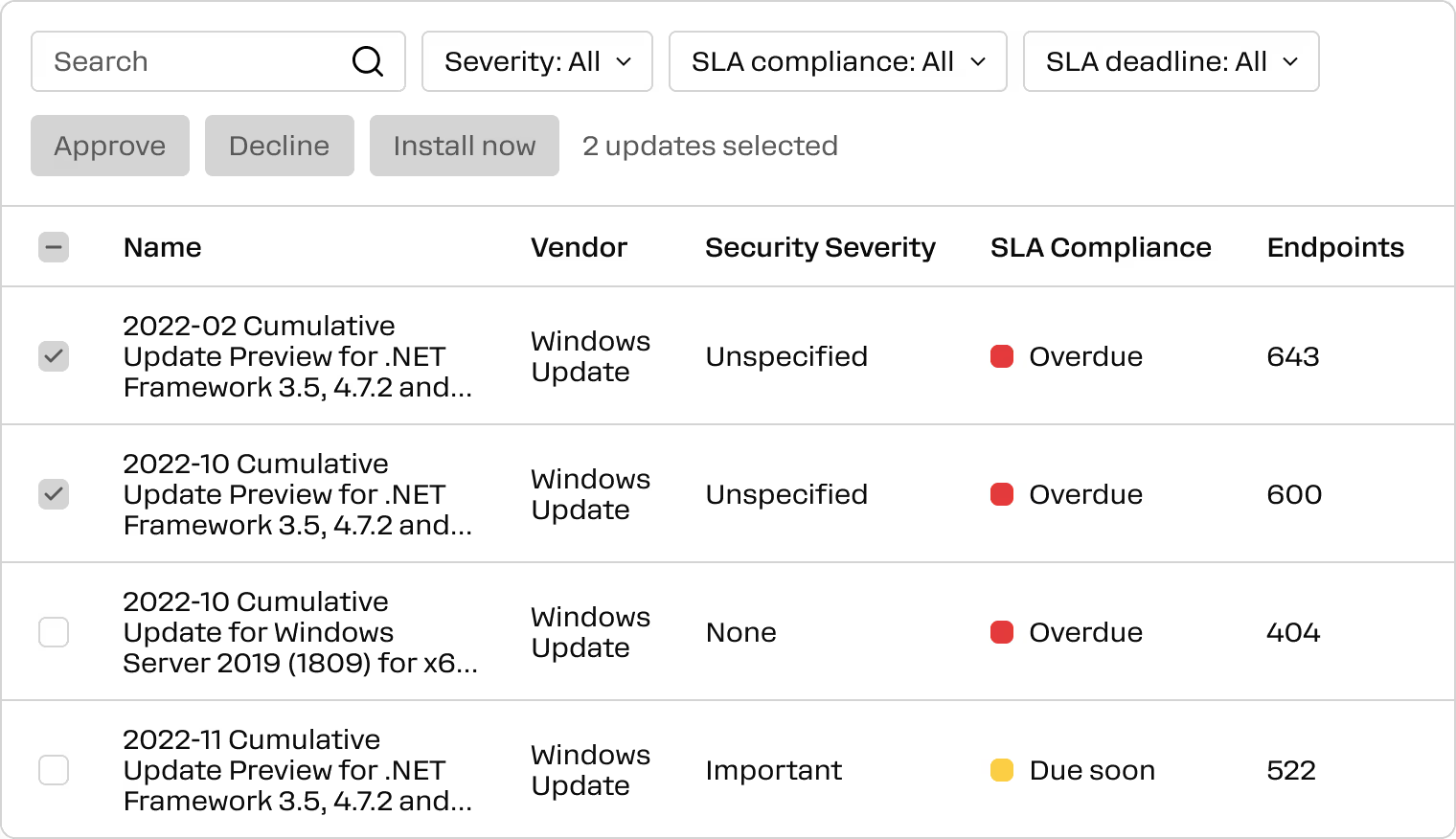
Enterprise Windows patching features
Action1 combines centralized automation, granular rollout controls, and detailed remediation reporting without the on-premises infrastructure and maintenance associated with legacy patching tools. This helps you manage hundreds or thousands of Windows endpoints without assembling and maintaining a fragmented toolchain.
Controlled ring-based deployment
Deploy updates to selected pilot endpoints before expanding them to broader production groups. Action1 update rings use defined success criteria to advance qualified updates and stop those that do not meet the required conditions.
Policy-based automation
Create policies that automatically approve or decline updates, target specific endpoint groups, define deployment schedules, and deliver results by email. Standardize routine patching while retaining oversight of exceptions and higher-risk changes.
Real-time status and remediation evidence
See missing updates, related vulnerabilities, deployment progress, failures, and remaining exposure in one view. Use historical and current reporting to investigate exceptions, demonstrate policy execution, and support audit preparation.
Maintenance windows and reboot controls
Choose when updates install, which endpoints receive them, and how reboots are handled. Coordinate patching with business schedules and give users appropriate reboot options to reduce unnecessary disruption.
Coverage for temporarily offline endpoints
If a Windows endpoint is unavailable during deployment, Action1 retains its assigned updates. When the endpoint reconnects, patching resumes according to the applicable policy, helping prevent temporarily disconnected devices from becoming persistent gaps.
Risk-informed patch prioritization
Prioritize missing Windows updates using CVE severity, CVSS scores, CISA KEV status and remediation deadlines. Focus first on vulnerabilities that present the greatest risk.
Action1 + Microsoft Intune: better together
You can use Action1 alongside Microsoft Intune to automate OS and third-party updates across distributed Windows workstations and servers. Intune manages devices and apps; Action1 identifies missing patches and CVEs, then rolls out updates in stages.

Compare Windows patching approaches
Action1 brings every stage of patching into one platform, from identifying risks to remediating them. See how Action1 compares with common Windows patching alternatives.