






If you’re currently using HCL BigFix and feel like it hasn’t solved your patching or endpoint management pain points, we get it, and we’re here to help you find a better fit. We cover the 10 best HCL BigFix alternatives, evaluating each one on its key features, real-world pros, cons, and ratings based on feedback from verified users across G2, Capterra, and Gartner.
Our goal is to help you find the patch and endpoint management software that gives you the tools you need to strengthen your endpoints’ security posture, minimize manual effort, and, most importantly, close the gaps that HCL BigFix leaves.
Action1 is free for up to 200 endpoints. Forever.
Watch the demo to see it in action. Or sign up in five minutes and start patching right now.
What are the Best HCL BigFix Alternatives?
The best alternatives to HCL BigFix for patch and endpoint management are Action1 Patch Management, ManageEngine Endpoint Central, Microsoft Intune, Patch My PC, SolarWinds Patch Manager, Syncro, Ivanti Neurons for Patch Management, Kaseya VSA, ConnectWise RMM, and GFI LanGuard.
How We Evaluated the Best HCL BigFix Alternatives
Choosing the wrong HCL BigFix alternative costs your organization time and money. To help you avoid that, we made sure our evaluation process was thorough, transparent, and grounded in real data, so you can pick the platform that works not just on paper but also in reality.
We evaluated each platform based on:
- Core evaluation criteria: Patch management capabilities, endpoint management coverage, vulnerability remediation, remote endpoint support, compliance reporting, and scalability.
- Head-to-head scoring: Each platform was scored against the six criteria above, so patching depth and endpoint coverage carried the same weight as compliance reporting and scalability, not just the features easiest to market.
- Third-party review data: Ratings, recurring themes, and friction points were pulled from G2, Capterra, and Gartner Peer Insights, prioritizing verified reviews from IT professionals, MSPs, and enterprise IT teams.
- Deployment and ease of use: Each tool was evaluated based on its deployment model (cloud, on-premises, or hybrid) and how much time and effort it takes to get from signup to your first successful patch deployment.
- Vendor documentation and pricing: We reviewed official vendor documentation and pricing pages as of 2026 and confirmed the information directly on each vendor’s website rather than relying on a sales deck.
Why Look for an HCL BigFix Alternative?
Users across G2, Capterra, and Gartner report recurring issues with complex deployment and administration, limited reporting capabilities, remote endpoint management, macOS support, pricing, MDM, and the platform’s learning curve.
- Complex deployment and administration: The software is powerful, and that’s why large enterprises use it, but that power comes with an unexpected operational burden. Teams need deep expertise, a lot of time, and strong internal ownership to handle onboarding, day-to-day administration, troubleshooting, and long-term maintenance properly. (Verified Gartner Review)
- Limited reporting capabilities: The platform’s reporting falls behind other alternatives on the market, especially in terms of the customization options it offers. That slows the preparation of regulatory documentation instead of accelerating it, which is quite annoying, especially when you’re already overwhelmed with work. (Verified Gartner Review)
- Remote endpoint management challenges: HCL BigFix still uses Java-based processes for accessing your managed endpoints, and that feels clunky at times. The agent also frequently loses connection, and you have to manually restart it to regain control over the system. (Verified Gartner Review)
- macOS support falls short: macOS coverage is weaker than expected, and patching iOS or iPadOS is sometimes only possible through workarounds or manual patching. (Verified Gartner Review)
- High Price: The cost of HCL BigFix is high, especially for small companies with tight budgets. (Verified Gartner Review)
- Weak MDM: Although it offers MDM capabilities, using them makes it clear that they’re very limited for managing mobile devices compared to what you get from other alternatives on the market. (Verified Gartner Review)
- Clunky, outdated UI: Many users report that using the platform reminds them of how software user interface consoles looked in the early 2000s. They also mention that it gets sluggish when pushing an update or deploying software across multiple endpoints simultaneously. (Verified Gartner Review)
- Steep learning curve: New admins often struggle with Relevance language initially. To use the platform’s full range of features, you’ll likely need training and significant time to master them. Instead of feeling intuitive, BigFix seems built for experienced administrators with deep technical expertise. (Verified Gartner Review)
Quick Comparison of the Top HCL BigFix Alternatives
| Platform | Core Focus | Best for | Deployment | Patch Coverage | Automation and Remote Management | Reporting and Compliance | Key Differentiator |
|---|---|---|---|---|---|---|---|
| Action1 Patch Management | Autonomous endpoint, patch, and vulnerability management. | SMBs, large enterprises, MSPs, manufacturers, healthcare, finance, and government agencies. | Cloud-native, agent-based. | Windows, macOS, Linux, and third-party applications. | Autonomous patching, policy-based automation, vulnerability remediation, remote endpoint management without VPN dependency. | 100+ built-in reports on patching, vulnerabilities, software and hardware inventory, and security configuration. | Autonomous patching, vulnerability remediation, remote endpoint control, P2P, private software repository, fully featured free tier for the first 200 endpoints. |
| ManageEngine Endpoint Central | UEM platform with patching and endpoint security. | Mid-to-large organizations and MSPs. | Available in cloud and on-premises versions. | Windows, macOS, Linux, and third-party applications. | Automated patching, software deployment, asset management, remote control, MDM. | Patch compliance reports, vulnerable systems reports, and patch status reports. | UEM platform with strong MDM and a large third-party app catalog. |
| Microsoft Intune | MDM, MAM, software distribution, compliance policies, conditional access, OS patching. | Microsoft-centric IT environments of all sizes. | Cloud-based. | Windows, macOS, and Linux management. Native patching for Windows. Third-party updates rely on Enterprise App Management. | Automated patching, device compliance policies, app deployment, provisioning, and remote actions. | Device compliance reports, Windows update deployment reports, endpoint analytics. | Microsoft identity, device compliance, MDM, and Windows management. |
| Patch My PC | Third-party application patching for Microsoft environments. | SMBs already using Intune, ConfigMgr, or WSUS but need stronger third-party patching without replacing their existing tools. | Integrates with Intune, ConfigMgr, and WSUS. | Packages, publishes, and deploys third-party app updates in Microsoft-managed environments. | Automates app discovery, packaging, testing, publishing, and risk-based prioritization. | Provides dashboards for patch compliance, software health, update deployment, and device insights. | Closes Microsoft’s third-party patching gap while keeping Intune, ConfigMgr, or WSUS as your core stack. |
| SolarWinds Patch Manager | Automates Windows and third-party patch management. | SMBs and enterprises with Windows-based IT environments. | On-premises, installed directly into WSUS/SCCM. | Windows servers, workstations, and third-party updates. | Automates third-party app patching and vulnerability remediation. | Generates reports on patch status, compliance, failed patches, and application vulnerabilities. | Makes WSUS/SCCM more useful by adding third-party patching, custom packages, and clear patch compliance reports. |
| Syncro | RMM, PSA, patching, scripting, ticketing, and billing. | MSPs and SMBs that want to use one platform for end-to-end endpoint management. | Cloud-based. | Native Windows OS and third-party application patching, with macOS and Linux monitoring and scripting capabilities. | Automates patching, scripting, remote access, endpoint monitoring, ticketing, and remediation. | Tracks Windows patch compliance, missing and failed updates, non-compliant assets, and generates one-time or recurring OS patch reports. | Generates Windows patch compliance reports covering missing KBs, failed installs, and devices that aren’t fully patched. |
| Ivanti Neurons for Patch Management | OS and third-party app patching. Vulnerability management. | SMBs, enterprises, manufacturers, and healthcare institutions. | Cloud-based. | Windows, macOS, and third-party applications. | Automated vulnerability prioritization, remediation, patch deployment, and remote endpoint control. | Risk-based compliance, deployment, and vulnerability reports, with patch intelligence tied to active exploits. | Prioritizes vulnerabilities using VRR and patch reliability insights. Autonomous patching process. Deep third-party app catalog. |
| Kaseya VSA | Unified platform for RMM, endpoint, and patch management. | Large internal IT departments, enterprises, MSPs. | Cloud-based. | Windows, macOS, Linux, OS updates, and third-party applications. | Automates patching, software deployment, remediation, asset discovery, endpoint monitoring. | Advanced reporting engine, comes with built-in report templates on patching, vulnerabilities, device health, and more. | Automated patch management. Deep scripting, robust third-party app patching. |
| ConnectWise RMM | Remote monitoring and management (RMM), patch management, scripting, remote access. | MSPs, large enterprises, and companies with mixed OS endpoint fleets. | Cloud-native. | Windows, macOS, Linux, and third-party software titles. | AI-driven scripting, patch management, remote support, vulnerability remediation, network and security monitoring. | Patch compliance tracking, audit readiness, integrated analytics. Built-in templates for patching, system health, and backup history. | Built-in ScreenConnect for remote troubleshooting. AI-assisted scripting, NOC and help desk integration, extensive third-party catalog, intelligent alerting. |
| GFI LanGuard | Vulnerability scanning, network auditing, and patch management. | SMBs, MSPs, government agencies, and mixed-OS environments. | On-premises. WAN Agent enables remote endpoint management. | Windows, macOS, Linux, and third-party applications. | Network scanning, vulnerability assessment, patch management, reporting. | Built-in customizable reports for vulnerability, patch, audit, asset inventory. | Cross-OS support, excellent third-party app coverage, agentless and agent-based flexibility, deep vulnerability database, network and software auditing, relay agents. |
Best HCL BigFix Alternatives: Detailed Review
The best HCL BigFix alternatives for endpoint and patch management are Action1 Patch Management Software, ManageEngine Endpoint Central, Microsoft Intune, Patch My PC, SolarWinds Patch Manager, Syncro, Ivanti Neurons for Patch Management, Kaseya VSA, ConnectWise RMM, and GFI LanGuard.
We’re now going to explore in detail the key features, pros, cons, and ratings from verified G2, Capterra, and Gartner reviews for each platform, so you can better understand how each one addresses HCL BigFix’s shortcomings, what you get for your money, and, most importantly, which endpoint and patch management platform is right for your company.
Action1 Patch Management Software
Action1 is a cloud-native autonomous endpoint management platform. It automates Windows, macOS, Linux, and third-party patching end to end, software deployment, remote management of servers and workstations, vulnerability identification and remediation, scripting, and other routine tasks from a single platform, helping you reduce the risk of security breaches and ransomware attacks.
The platform is designed to optimize and automate remote IT management tasks for system administrators, give them the flexibility to shape and schedule processes based on how they envision them, reduce manual effort, improve the overall security posture of their environments, and boost their productivity. Action1 offers a free tier for up to 200 endpoints, fully featured, forever.
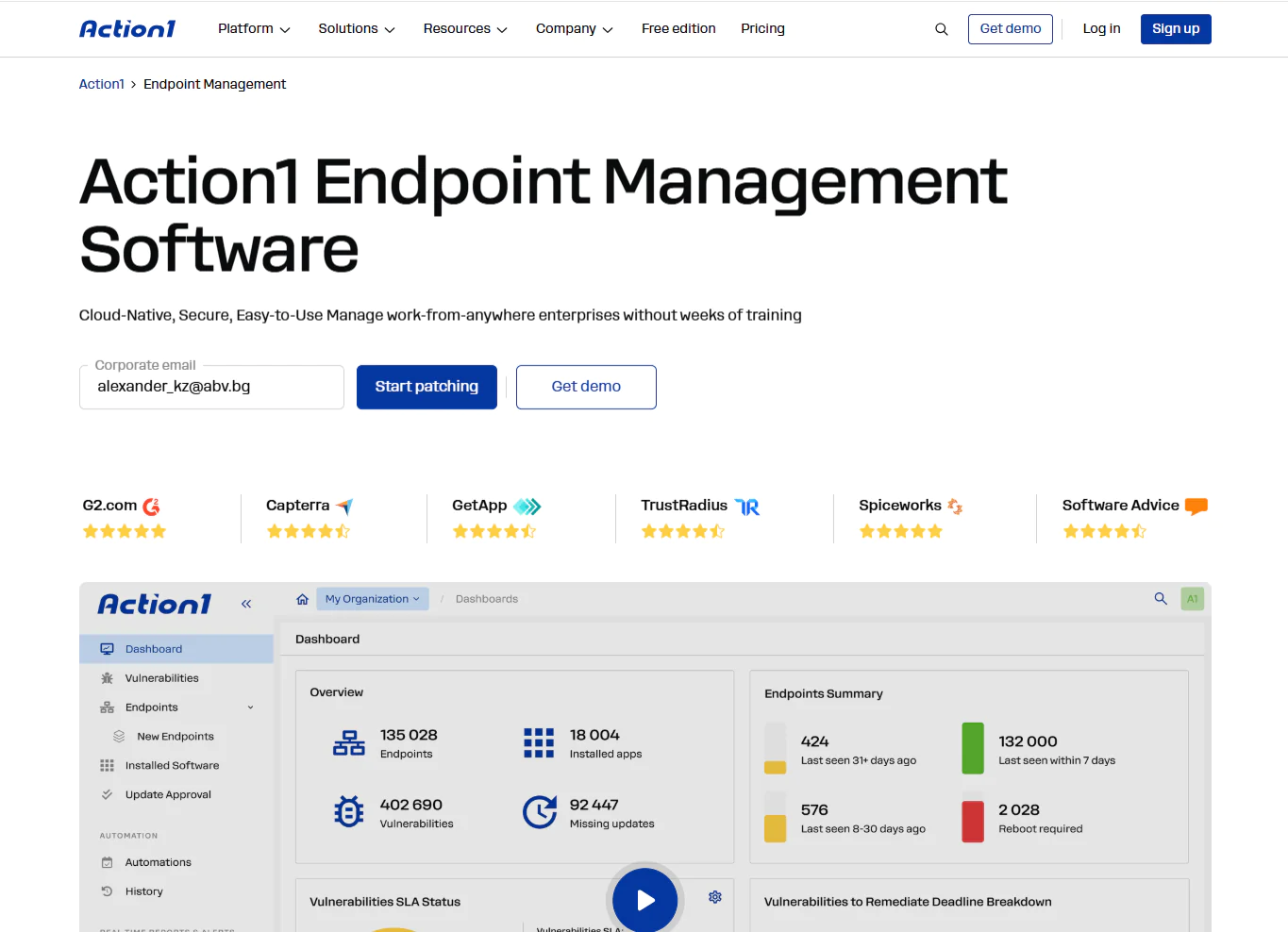
Key Features
- Cross-OS platform support: Windows, macOS, Linux.
- Autonomous patch management: Patches Windows, macOS, Linux, and 310+ third-party applications.
- Risk-based vulnerability management: Detects vulnerabilities across operating systems and third-party apps in real time, prioritizes them by CVE number, CVSS score, and active exploitation in ransomware campaigns, and gives them a score from 1 to 10 based on their risk level. Built-in remediation options let you deploy patches, apply compensating controls like software uninstallation, and isolate an endpoint from the network when no patch is available.
- Update rings for faster and safer rollouts: Patches get deployed in staged rings, moving from the test ring to the next ones only when predefined success rates and deployment counts are met. Unstable updates get stopped automatically to minimize downtime risk.
- Automation flexibility: You can decide when, how, and on which endpoints the updates get installed. Reboot management is under your control for immediate or delayed endpoint restarts.
- Offline endpoint catchup window: If any of your endpoints are offline during scheduled maintenance windows, they’ll get patched once they get back online.
- Software and script management: With just a few clicks, you can deploy or remove prepackaged and custom apps remotely. Action1 runs built-in or custom PowerShell, CMD, and Bash scripts across your fleet to complete different tasks.
- Real-time reporting and asset visibility: You get real-time insights about every endpoint’s patch, compliance, and health status, as well as its hardware and software. 100+ built-in customizable templates allow you to generate audit-ready reports in minutes on patching, vulnerabilities, software and hardware inventory, security configuration, and more.
- Enterprise-grade access security: Role-based access control, MFA, and single sign-on through Entra ID, Okta, Google, or Duo protect every account.
- P2P patch distribution and private software repository: Downloads updates once and shares them peer-to-peer across the rest of the endpoints connected to the same local network to cut bandwidth usage. On top of that, every patch is sourced from a private, secure software repository, with no reliance on public package managers.
- Browser-based remote access: Manage your on-premises and remote endpoints directly from your browser, from anywhere, anytime. No VPN is needed, thanks to the agent-based architecture of the platform. Remote desktop functions allow you to take control of an endpoint’s screen, mouse, and keyboard.
- Multi-tenancy for MSPs and enterprises: Action1 allows the creation of multiple organizations under one account, each with its own endpoints, data, maintenance windows, and update approval workflows.
- Extensive integrations: In addition to its built-in capabilities, Action1 connects to your IT and security stack through REST API, PowerShell, and OAuth 2.0, with native support for vulnerability scanners such as Microsoft Defender, Tenable, and CrowdStrike; ITSM tools like ServiceNow and Jira; identity providers such as Entra ID and Okta; and automation platforms such as Zapier.
- Custom endpoint attributes: Define up to 30 custom attributes per endpoint, either manually or through scripts, covering things like registry keys, warranty dates, BitLocker status, or free disk space. Use them to build dynamic endpoint groups and pull them straight into your reports.
- Free for up to 200 endpoints: Fully featured with no functional limits, forever.
Pros
- Easy to deploy in just five minutes.
- Automates patch and update deployments on operating systems and third-party applications.
- Reduces downtime risk through staged, controlled rollouts.
- Built-in remote control/remote desktop.
- Ranked the #1 easiest-to-use patch management solution by independently verified customers on G2.
- Highly scalable, allowing you to expand from hundreds to hundreds of thousands of endpoints quickly without adding on-premises infrastructure.
- Cloud-native platform that manages both on-premises and remote endpoints without a VPN.
- Comes with built-in security controls, including MFA, SSO, role-based access control, audit trails, malware patch scanning, and Patch Assurance, and is backed by SOC 2 Type II, ISO/IEC 27001:2022, and TX-RAMP certification.
- User-friendly interface.
Cons as per G2 User Reviews:
- No mobile device management (MDM).
- No rollback capability.
Customer Story:
“Action1 has not only strengthened our security framework but also improved the efficiency and consistency of our endpoint management. It has become an indispensable part of our strategy to safeguard Errigal’s business operations and the interests of our clients, ensuring both regulatory compliance and operational excellence.” – Garth Pelan, Group Head of IT
Pricing
Action1 is free for your first 200 endpoints, fully featured, forever. After that, custom pricing applies based on a per-device model. The more endpoints you manage, the lower the price gets.
Get your personal pricing quote here or schedule a demo to see it in action first.
Best for: Action1 is a great fit for SMBs, large enterprises, MSPs, government agencies, non-profit organizations, and institutions in healthcare, finance, education, manufacturing, and the oil and energy sector.
Reviews:
- G2 Rating: 4.9/5 stars – 1,075+ reviews (at the time of update)
- Capterra Rating: 4.9/5 stars – 235+ reviews (at the time of update)
- G2 Action1 vs HCL BigFix Review
ManageEngine Endpoint Central
ManageEngine Endpoint Central is a unified endpoint management platform available in cloud and on-premises versions. It enables IT teams to manage, monitor, and protect endpoints regardless of their location. It offers multi-OS support and automates patching, asset management, remote troubleshooting, and software deployment. Moreover, ManageEngine Endpoint Central helps better protect your endpoints by providing data loss prevention (DLP), ransomware protection, vulnerability management, and enterprise browser security tools.
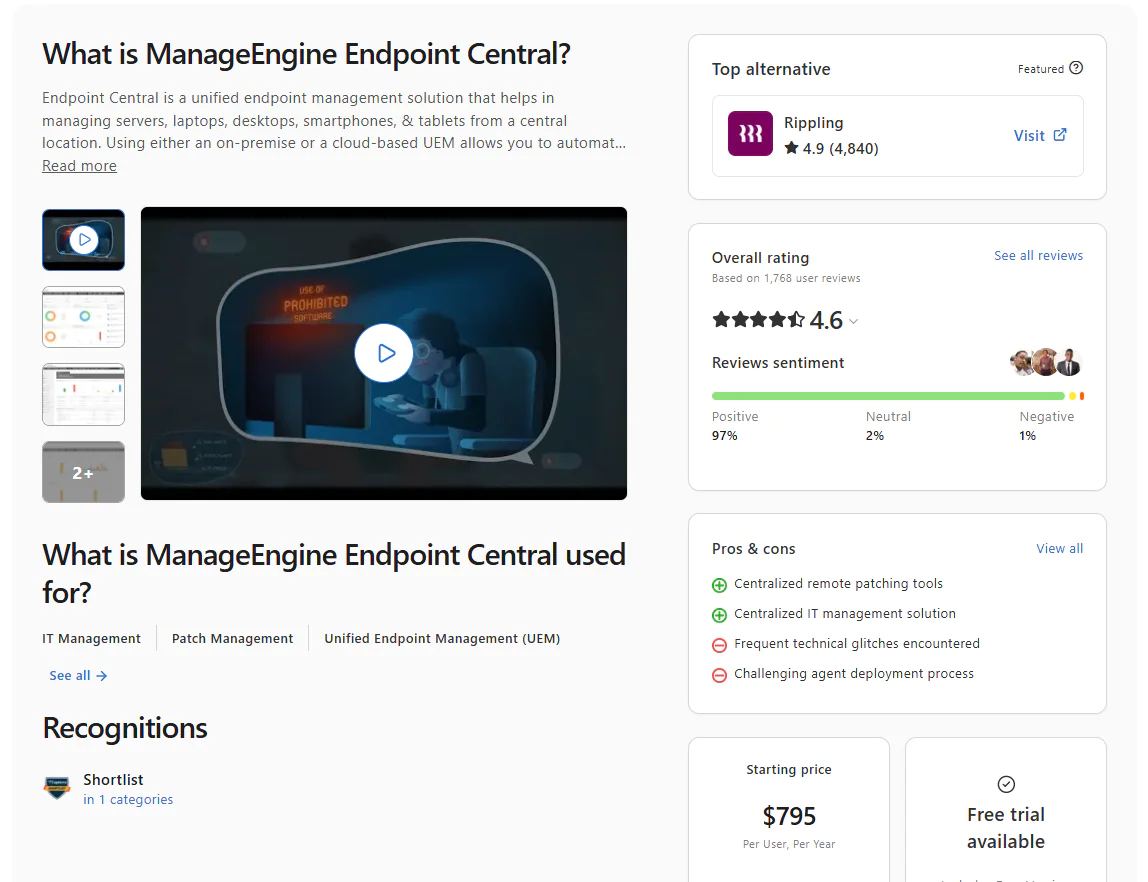
Key Features
- Unified endpoint management – Enables you to manage both on-premises and remote endpoints, like desktops, laptops, smartphones, tablets, servers, and virtual machines, from one place.
- Cross-OS platform support – Windows, macOS, and Linux.
- Automated patching – Automates patch deployments for Windows, macOS, Linux, and third-party apps.
- Threat detection and remediation – Automates vulnerability detection and remediation.
- IT asset management – Manages software and hardware assets, along with license and warranty tracking.
- Mobile device management (MDM) – Centralizes device, application, email, and content management to help enforce security and compliance policies across your mobile fleet.
- App management and distribution – Lets you install or uninstall software across endpoints and create application allowlists and blocklists to control which programs users can install through rule-based policies.
- OS imaging and deployment – Creates and deploys Windows OS images together with the necessary drivers and applications, simplifying OS deployment across multiple computers.
- Remote troubleshooting – Resolve technical issues on remote endpoints directly through the platform without first establishing a VPN connection.
Pros:
- Automates OS and third-party patching, device provisioning, scripting, and other repetitive maintenance tasks.
- Lets you enforce security policies to protect corporate and personal data.
- Available in both on-premises and cloud-based versions.
- Equips you with a strong set of advanced security features.
- Strong MDM capabilities (Android and iOS).
- Phased patch deployment through test groups and APD policies for fewer downtime risks and timely vulnerability remediation.
- Gives you comprehensive real-time visibility into each of your endpoints.
Cons as per G2 User Reviews:
- The interface isn’t as intuitive as expected, and creating automations for the first time feels a bit confusing.
- Occasional patch deployment failures that require restarting the automation or manually deploying the update to fix the issue.
- Agent drop-offs.
- Limited report and dashboard customization.
- Patched endpoints sometimes appear as vulnerable, even though they’ve been patched. The issue either comes from a delay in real-time reporting or from a bug in the platform. However, sometimes that might cause you headaches, especially if it happens during audits.
- User provisioning and assigning users to remote offices come with great complexity.
Pricing:
ManageEngine Endpoint Central offers both cloud and on-premises deployment across all plans. Here’s how the pricing breaks down for 50 endpoints and one technician:
- Free tier – Up to 25 desktops and 25 mobile devices, forever, but with limited functionality.
- Professional – On-premises at $795 per year or $1,987 perpetual. Cloud at $104 per month or $1,045 per year.
- Enterprise – On-premises at $945 per year or $2,362 perpetual. Cloud at $124 per month or $1,245 per year.
- UEM – On-premises at $1,095 per year or $2,738 perpetual. Cloud at $139 per month or $1,395 per year.
- Security – On-premises at $1,695 per year or $4,238 perpetual. Cloud at $205 per month or $2,045 per year.
Best for: Mid-to-large organizations and MSPs that want a full UEM platform, not just patching.
Reviews
- G2 Rating: 4.5/5 stars – 1,090+ reviews (at the time of update)
- Capterra Rating: 4.6/5 stars – 1,630+ reviews (at the time of update)
Microsoft Intune
Microsoft Intune is a cloud-based endpoint management platform for managing corporate-owned and personal (BYOD) devices, their apps, and data from one place, without violating your employees’ privacy or personal space. With it, you can configure security policies, control how data is accessed and shared across your organization, deploy and update applications, and ensure every device meets your compliance requirements. The software works in conjunction with Microsoft Entra ID, Microsoft Purview Information Protection, and the broader Microsoft 365 ecosystem.
Intune manages Windows, macOS, Linux, Android, ChromeOS, iOS, and iPadOS, although its capabilities vary by platform. Windows receives the deepest native update and policy management. Apple devices use declarative device management policies that can target specific OS versions and enforce installation deadlines. Linux management primarily focuses on enrollment, compliance, and Conditional Access instead of native OS patching.
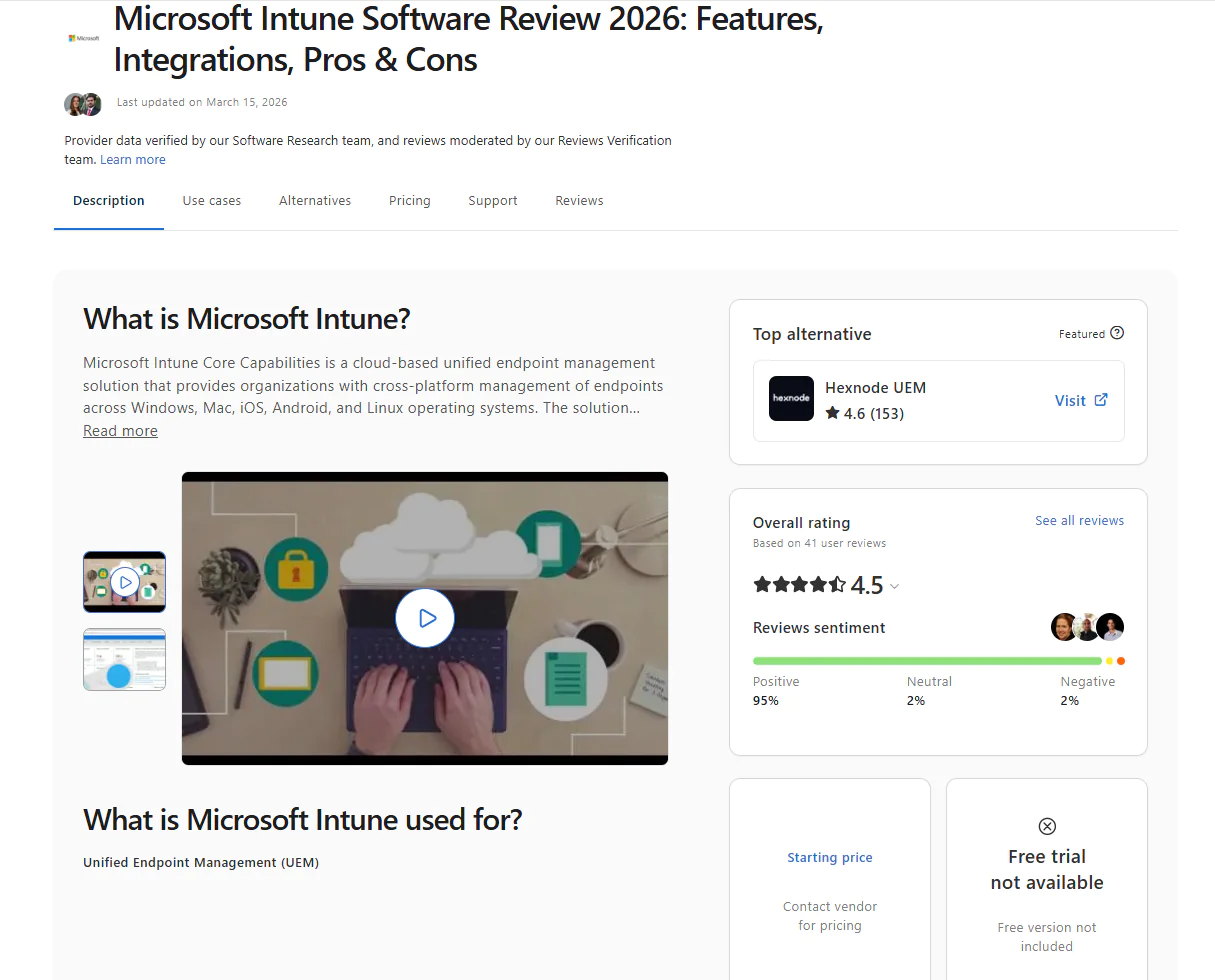
Key Features
- Unified endpoint management – Manage and protect your desktops, laptops, virtual machines, smartphones, tablets, and dedicated shared and kiosk devices from one place.
- Mobile device management (MDM) – You can provision Android, iOS, iPadOS, ChromeOS devices, push security policies, configure specific settings, and manage certificates with ease.
- Mobile application management (MAM) – Enforces controls at the application level for protecting personally owned and corporate devices and the data stored on them.
- Conditional access – If a device doesn’t meet your predefined security requirements, it won’t get access to corporate resources, applications, or sensitive data. You can also control wireless access to corporate networks based on device compliance, user identity, and location.
- Remote control – Remotely wipe, lock, or retire lost or stolen endpoints with just a few clicks.
- Zero-touch device provisioning – Intune automatically provisions new endpoints by applying the necessary security policies, installing apps, and configuring everything autonomously.
- App protection policies – Blocks transfers between work and personal apps and prevents screenshots and transfers to USB drives or unauthorized cloud storage.
- Compliance reporting and analytics – Provides insights into device health, compliance status, and overall security posture directly from the admin center. You can also generate data-driven reports, track policy adherence, identify non-compliant devices and policy misconfigurations, and produce audit-ready documentation.
- OS and application update management – Manages Windows updates through update rings, Apple operating system updates through dedicated Apple update policies, and supported Microsoft and third-party Windows applications through Enterprise App Management.
- Role-based access control (RBAC) – Define which devices, policies, and reports each administrator can view or manage, helping you enforce least-privilege access.
Pros:
- From a single platform, you can manage multiple device types running different operating systems.
- Cuts the time spent on completing routine daily tasks like patching, provisioning, and reporting.
- Offers advanced MDM and MAM capabilities.
- Windows Autopilot enables zero-touch device provisioning at scale.
- Conditional access policies verify user identity, enforce compliance, and only then grant access to corporate resources.
Cons as per G2 User Reviews:
- Remote Help, Endpoint Privilege Management, and Enterprise App Management come with Intune Plan 2 or the Intune Suite at additional cost.
- Basic reporting capabilities, especially without Advanced Analytics.
- New users must undergo training or constantly browse vendor documentation to learn how to use the different features of the software.
Pricing:
Microsoft Intune’s pricing is per user, per month, billed annually. The plans available are:
- Plan 1 – $8/user/month.
- Plan 2 – $4/user/month add-on to Plan 1.
- Intune Suite – $10/user/month add-on to Plan 1.
Best for: Microsoft-centric IT environments of any size. It’s an obvious choice if your organization already runs on Microsoft 365 and Entra ID and prioritizes device compliance, MDM, and conditional access over deep cross-platform patching.
Ratings:
G2 Rating: 4.5/5 stars – 260+ reviews (at the time of update)
Capterra Rating: 4.5/5 stars – 40+ reviews (at the time of update)
Patch My PC
Patch My PC is a cloud-native platform that automates third-party patch management in Intune and Microsoft ConfigMgr. With it, you can automate the patching process completely, from missing patch detection to testing, packaging, deployment, and reporting. The software prioritizes patches based on risk level, so you know which updates to deploy first. And most importantly, it gives you the flexibility to schedule automations outside business hours, so you avoid disrupting your employees’ work and minimize downtime risk.
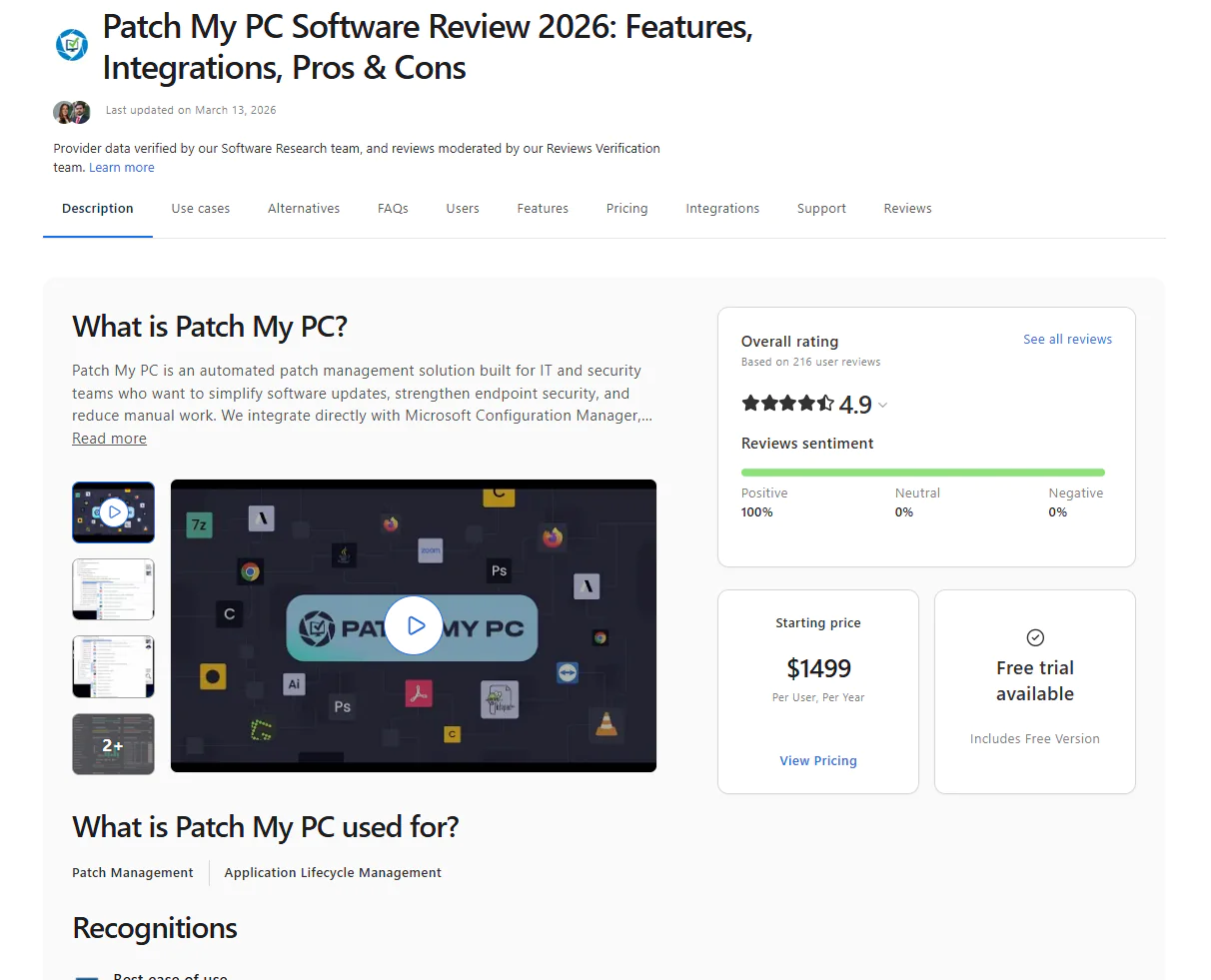
Key Features:
- Third-party app discovery and deployment: Maps the installed apps across your endpoints, then it allows you to deploy the fully updated versions through ConfigMgr, Intune, and WSUS. New apps get auto-configured and installed without manual packaging.
- Automated patch testing and prioritization: Monitors for new patches, automates testing and packaging, and prioritizes rollout based on risk level.
- Application lifecycle management: Patch My PC automates the full application lifecycle, from deployment to removal, integrating directly with ConfigMgr and Intune to cut down on manual rollout work.
- Endpoint analysis and compliance monitoring: Tracks compliance status, device health, and security events in real time.
- Third-party app catalog: Covers 3,583+ supported third-party software titles.
Pros:
- Automates patch management end to end and saves you tens of hours weekly for searching, packaging, and installing third-party updates.
- Makes the switch from manual Intune or ConfigMgr workflows feel almost effortless, with minimal training required to get a new admin up and running.
- Keeps large, complex environments consistently updated without the drift or oversight gaps that come from doing it by hand.
Cons as per G2 User Reviews:
- Limited macOS support compared to its Windows coverage.
- The Custom Apps catalog feels bare-bones, with custom applications sometimes missing proper uninstallation options or enough customization to make deployments reliable.
- Reporting and alerting need real improvement, with limited built-in report options and little ability to build custom ones.
- Bad patches can slip through and disrupt end users, including cases where specific Adobe updates caused problems across a portion of a company’s user base.
Pricing
Patch My PC uses two pricing models:
Enterprise (per organization):
- Enterprise Patch: $2/device/year (minimum $2,000/year, up to 1,000 devices), covers third-party updates in WSUS and ConfigMgr.
- Enterprise Plus: $3.50/device/year (minimum $3,500/year), adds Intune support and automated app packaging.
- Enterprise Premium: $5/device/year (minimum $5,000/year), adds advanced reporting, CVE threat analytics, and real-time ConfigMgr actions.
MSP (per tenant):
- MSP: $0.50/device/month (minimum $250/month across all tenants), on-premises Publisher tool.
- MSP Plus: $0.50/device/month (minimum $25/month per tenant), fully cloud-based with no server required, plus customer self-serve access.
Best for: Patch My PC is best for SMBs already using Intune, ConfigMgr, or WSUS, because it covers their limitations, specifically around third-party application support. In short, organizations already using these programs don’t switch away from them. Instead, they use Patch My PC as an add-on that improves not only patch coverage but also the level of automation.
Ratings:
G2 Rating: 4.8/5 stars – 735+ reviews (at the time of update)
Capterra Rating: 4.9/5 stars – 215+ reviews (at the time of update)
SolarWinds Patch Manager
SolarWinds Patch Manager is a software that automates the patching process end to end for endpoints like desktops, laptops, servers, and virtual machines. It works by extending the capabilities of Microsoft WSUS and Microsoft Endpoint Configuration Manager (formerly known as SCCM) and covers both Windows OS and third-party application updates. It lets you customize patch workflows to accelerate deployments, reduce downtime risk during the workday, prevent patching blind spots, and generate audit-ready compliance reports.
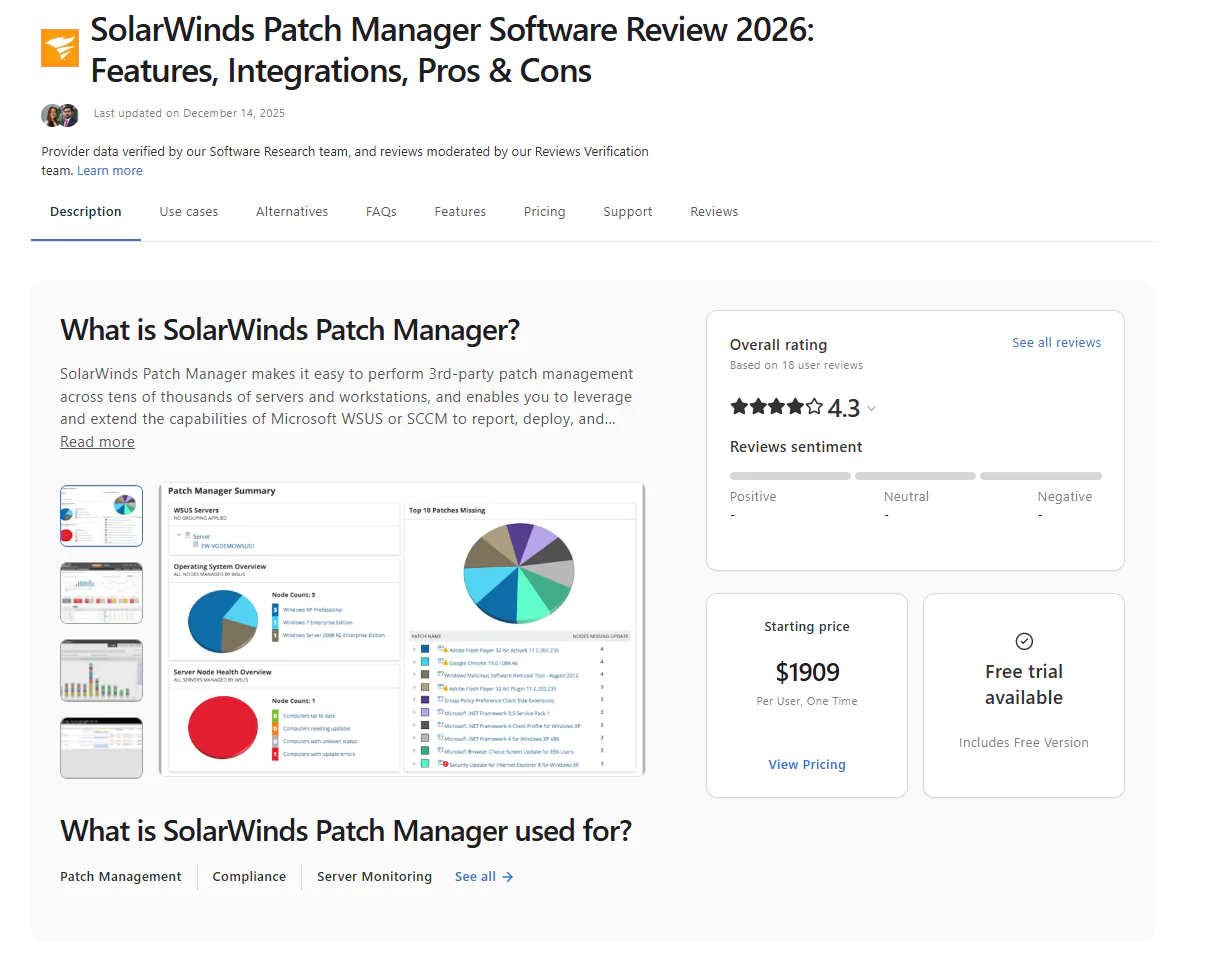
Key Features:
- WSUS/SCCM integration: Integrates with WSUS and SCCM to improve Microsoft’s patching capabilities with automation and broader control.
- Third-party application patching: Supports third-party application patching with prebuilt packages for apps like Adobe, Java, and Chrome.
- Custom patch creation: Enables custom patch creation through a wizard-driven tool for software not covered by default catalogs.
- Patch deployment scheduling: Automates patch deployment scheduling, including approvals, installations, and reboot management, for greater flexibility and to help you avoid unexpected downtime.
- Patch compliance reporting: Provides detailed patch compliance reporting to simplify audits and ease regulatory adherence.
- Real-time monitoring dashboards: Shows patch status, existing vulnerabilities, and update progress across your endpoints.
- Endpoint management tools: Includes remote reboot, Wake-on-LAN, and task scheduling.
- Role-based access control: Properly assigns permissions for patching tasks and user roles.
- Patch testing and approval workflows: Supports staged rollouts before broad deployment.
Pros:
- Automates Windows OS and third-party application patching.
- Minimizes the time between when vulnerabilities are identified and remediated.
- Simplifies regulatory compliance with built-in reports you can use after each patch cycle to demonstrate adherence to regulatory standards.
- Enterprise scalability.
Cons as per Capterra User Reviews:
- Can’t patch endpoints running on macOS or Linux.
- Complex setup and configuration.
- High price.
Pricing:
No public pricing. You have to request a quote directly.
Best for: SolarWinds Patch Manager is best for organizations already running WSUS or SCCM that want to extend their existing infrastructure with third-party app patching, better scheduling, compliance reporting, and patch status visibility, without replacing what they already have in place.
Reviews:
- G2 rating: 4.3 / 5.0 stars – 855+ reviews (at the time of update)
- Capterra rating: 4.3 / 5.0 stars – 18+ reviews (at the time of update)
Syncro
Syncro is a cloud-native platform that combines remote monitoring and management (RMM), automated patching, remote access, ticketing, and billing. With one solution, MSPs run and manage endpoints, tickets, and billing instead of paying for and switching between five separate tools. That means fewer people needed to cover the same work, less money spent on software, less time lost moving between systems, and an easier day-to-day for the whole team.
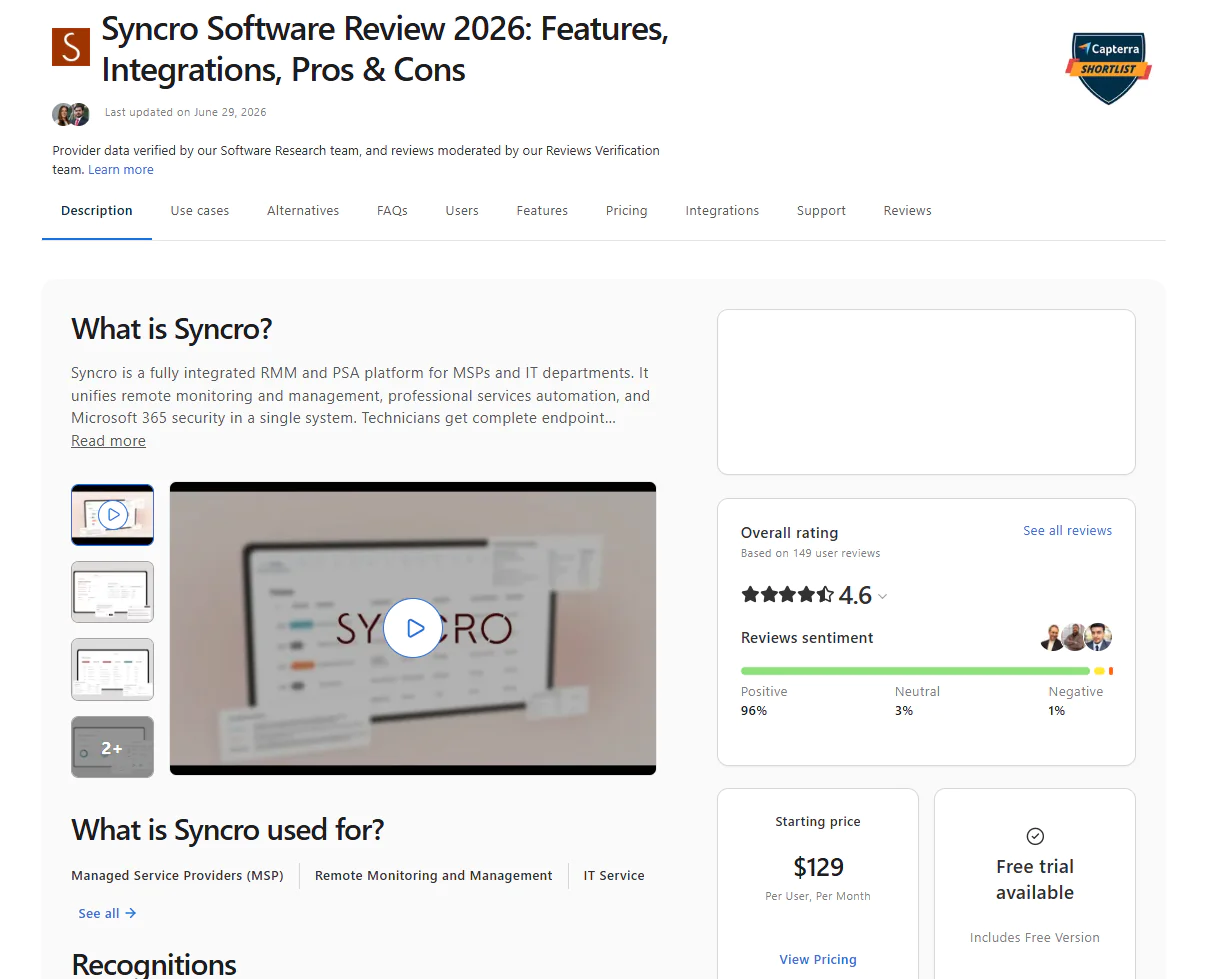
Key Features
- Cross-OS platform support: Manages Windows, macOS, and Linux endpoints, although capabilities vary by platform.
- Automated patch management: Provides native Windows OS and third-party application patching. macOS and Linux administration relies more heavily on monitoring, scripting, and other agent-based management workflows.
- Remote access: Syncro offers built-in secure remote access tools that let you troubleshoot client machines regardless of their location, without needing a VPN.
- PSA features: Ticketing, billing, and customer management, all from one place.
- Scripting and automation: A PowerShell scripting engine lets you automate routine maintenance tasks.
- Cloud backup: Provides cloud-to-cloud backup for Microsoft 365 and Entra ID data.
Pros:
- Syncro gives you the opportunity to run your whole business from one console and pay for one tool. The flexibility in pricing lets you pay for the features you need today and scale in the future.
- Per-technician pricing is seen as a serious advantage, especially for smaller MSP organizations.
- The software deploys fast, and the interface is user-friendly.
- Reduces the time spent on routine tasks by automating everything that can be automated, so your team just oversees the processes and intervenes only when needed.
Cons as per G2 User Reviews:
- Patch management is the most consistently flagged weak spot. Devices sometimes show as offline when they’re not, which quietly blocks scripts and patches from running, and Windows feature updates in particular have caused real reliability issues.
- The interface feels dated. Even after a recent redesign, reviewers say core settings are buried in illogical menus, and dense CSS padding limits how much you can see on screen at once.
- You’re locked into WorldPay for automated billing, and reviewers who’ve had issues with that processor describe it as a genuine dealbreaker, not a minor inconvenience.
- Reporting hits a ceiling fast. Multiple reviewers say anything beyond basic reports means exporting to Excel to actually get what you need.
Pricing:
Syncro’s pricing has two tiers:
- Core: $139/technician/month, covers RMM, PSA, ticketing, billing, and scripting.
- Team: $209/technician/month, adds Microsoft 365 security baselines and network discovery, on top of everything in Core.
Best for: MSPs and SMBs that want one platform covering RMM, PSA, patching, scripting, ticketing, and billing end to end.
Reviews
- G2 rating: 4.5 / 5.0 stars – 500+ reviews (at the time of update)
- Capterra rating: 4.6 / 5.0 stars – 149+ reviews (at the time of update)
Ivanti Neurons for Patch Management
Ivanti Neurons for Patch Management is a cloud-native platform that automates the patching process end to end for Windows, macOS, Linux, and third-party applications. With it, IT teams can monitor, manage, and secure their endpoints and software assets from one place. The AI-powered automation, VRR vulnerability system, and autonomous patching capabilities reduce the time spent on completing recurring routine tasks, improve your overall security posture, and cut the time between vulnerability identification and remediation.
Key Features:
- Cross-OS platform support: Windows, macOS, and Linux.
- Third-party patching: Automates the deployment of patches and updates to a wide range of third-party apps.
- Policy customization: Patch testing, deployment, scheduling, and endpoint reboots all happen on your command. You have many customization options to build a patching process that works best for your environment.
- Patch compliance management: Generate audit-ready reports in minutes after each successful deployment by using the built-in customizable templates.
- Phased rollout: Deploys missing patches in stages. Updates advance from the test to broader groups only after meeting configured success thresholds, helping teams identify problematic updates before they reach production and reducing downtime risk.
- Integration with Intune: Offers a module called Neurons Patch for Intune that automates the packaging and publication of third-party updates directly into Microsoft Intune.
Pros:
- Runs cloud-native.
- Allows you to manage Windows, macOS, and Linux-based endpoints with just one tool.
- Rich third-party application catalog.
- VRR (Vulnerability Risk Rating) system that uses active risk exposure, patch reliability, and device compliance to support more informed vulnerability prioritization.
- Automates the patch management process end to end.
Cons as per G2 User Reviews:
- The initial setup, getting policies configured, and figuring out update rings takes real work, especially if you’re new to it. Learning the interface and getting the most out of it doesn’t happen overnight.
- G2 and Capterra reviewers say patches fail to deploy fairly often, and when that happens, you’re stuck restarting the automation or pushing the patch manually.
- Reporting could use more depth and more ways to customize it.
- Every once in a while, a reboot doesn’t go through, and you have to restart the endpoint yourself.
Pricing:
Ivanti doesn’t publicly list its pricing, so you have to contact their sales team to get a personalized offer.
Best for: SMBs, enterprises, manufacturers, and healthcare institutions that need OS and third-party patching tied directly to vulnerability management.
Reviews
- G2 rating: 4.4 / 5.0 stars – 50+ reviews (at the time of update)
- Gartner rating: 4.6 / 5.0 stars – 3 reviews (at the time of update)
Kaseya VSA
Kaseya VSA (virtual system administration) is a cloud-based RMM platform. With it, you can monitor, manage, and secure on-premises and remote endpoints like servers, laptops, desktops, and mobile devices. It automates the discovery and tracking of network-connected systems, patch management, troubleshooting, and remote control while providing tools that help strengthen endpoint security.
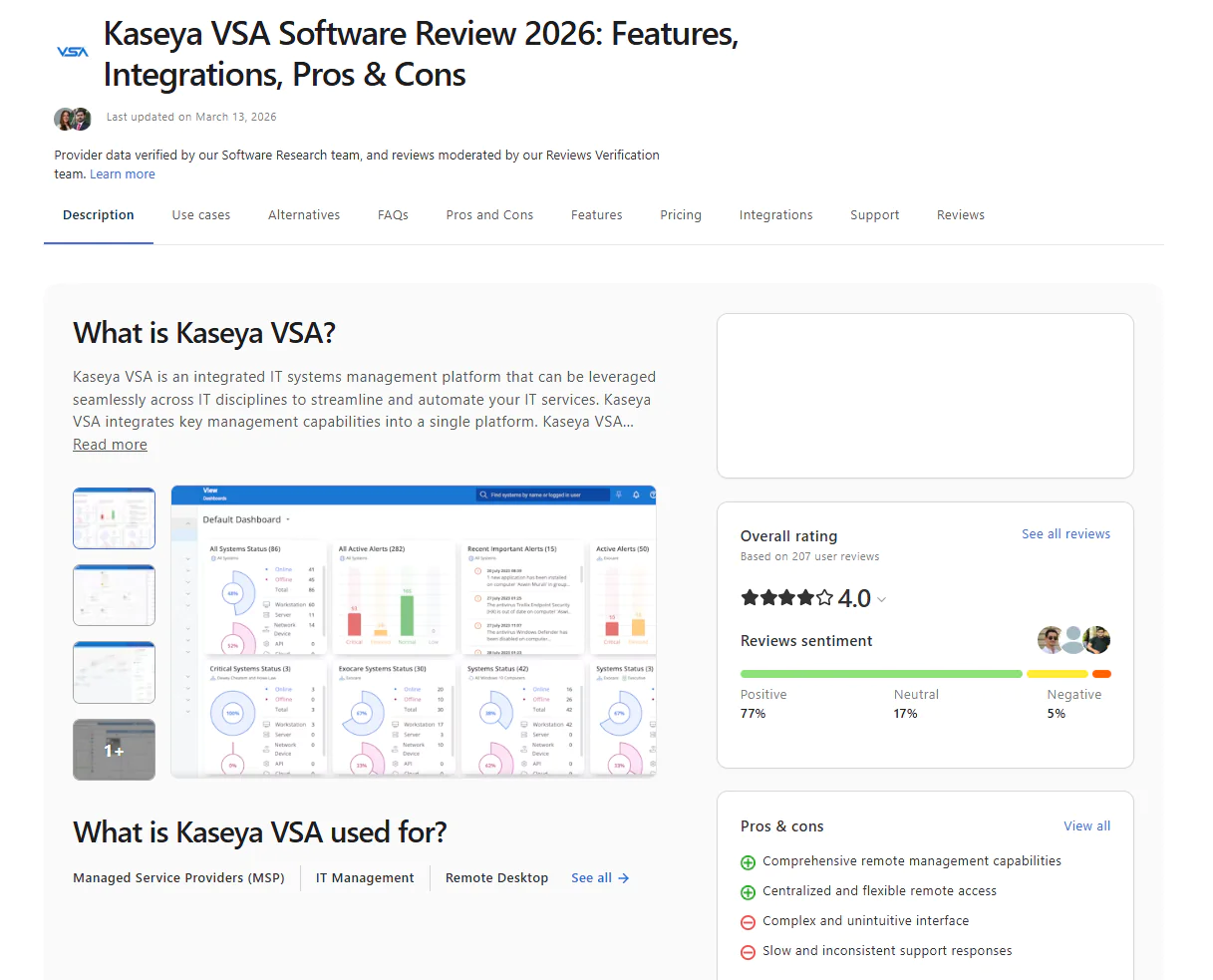
Key Features
- Cross-OS platform support: Windows, macOS, Linux.
- Automated patch management: For Windows, it automates both OS and third-party updates. macOS devices get OS updates and patches, but third-party deployments and major macOS version upgrades aren’t supported. Linux-based endpoints can be monitored and patched via package managers, but you can’t patch third-party apps.
- Endpoint management: Identifies and tracks your endpoints in real time. Gives you insights about devices’ health status and other details.
- Remote control and troubleshooting: Kaseya VSA enables you to take control over endpoints through the lightweight agent installed on each of them, so you can easily resolve technical issues without losing time establishing a VPN connection.
- Reporting: The platform offers built-in customizable templates that let you create audit-ready reports in minutes.
Pros:
- You can expand coverage to as many endpoints as needed almost instantly.
- Kaseya VSA enables you to securely segregate clients or departments into discrete groups. You can manage multiple clients from one platform, and use the RBAC control to assign administrators specific rights that allow them to have control over particular endpoints and tasks.
- Automates the most time-consuming processes IT teams face daily, so they can get their tasks done faster, with greater efficiency, and ensure better protection for your endpoints.
Cons as per G2 User Reviews
- New users might find the platform hard to work with in the beginning. Kaseya offers multiple features and tools, but this creates complexity, so it takes time to master each of them.
- The interface is non-intuitive.
- Slow response times.
- MDM capabilities are limited. In fact, for Apple devices, it works great, but it doesn’t give the same depth of automation and capabilities to Android ones.
- Creating audit-ready reports is difficult, especially for new users.
Pricing:
No public pricing. Quote-only across three tiers (Essential, Professional, Advanced).
Best for: Large internal IT departments, enterprises, and MSPs that want RMM, endpoint management, and patch management unified in one platform.
Reviews:
- G2 rating: 4.0 / 5.0 stars – 325+ reviews (at the time of update)
- Capterra rating: 4.4 / 5.0 stars – 70+ reviews (at the time of update)
ConnectWise RMM
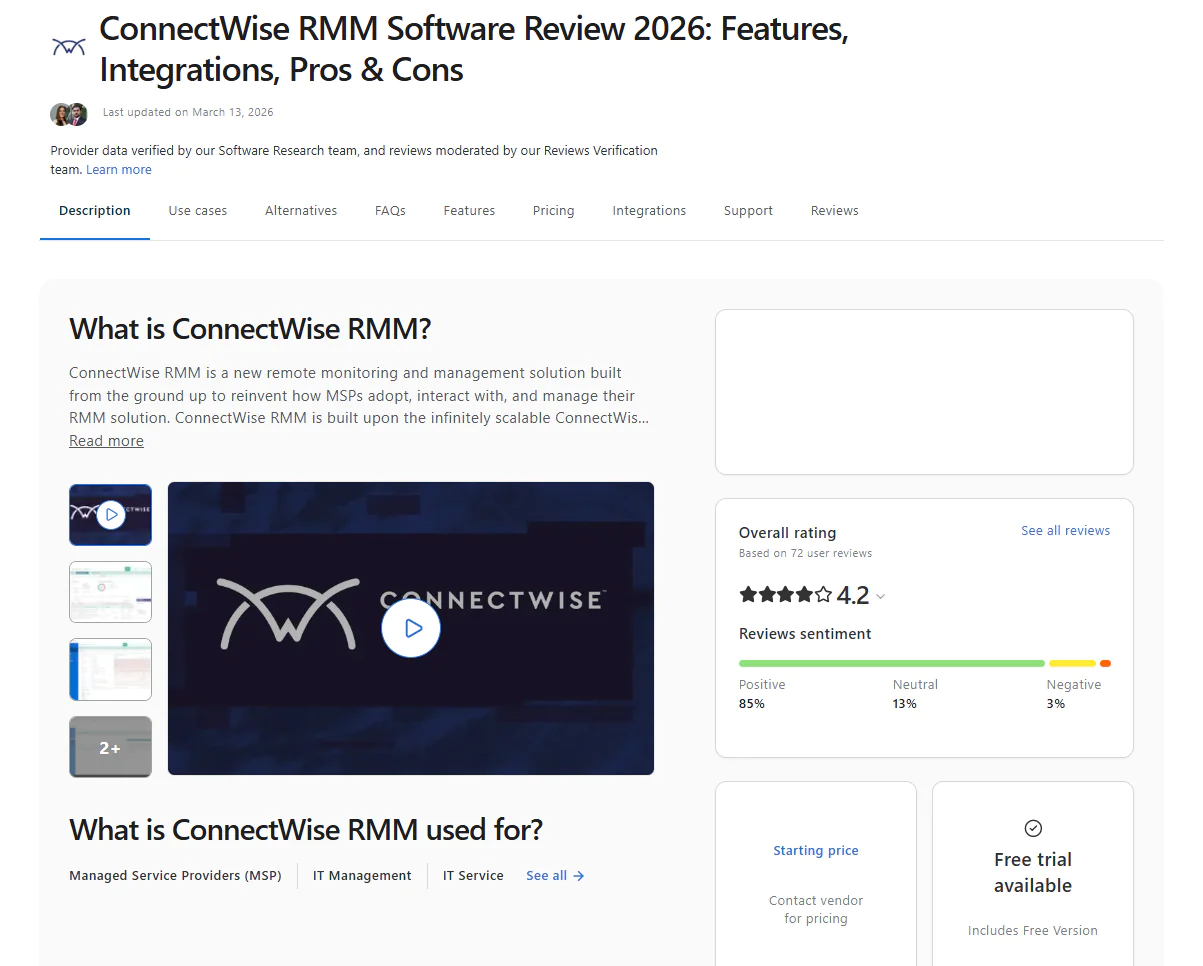
ConnectWise RMM is a cloud-native RMM platform widely used by MSPs for centralizing IT operations and taking control of every endpoint across their networks. With it, you can remotely monitor, manage, and secure them through automated patch management, built-in remote support, and real-time reporting.
Key Features:
- Cross-OS platform support: Windows, macOS, Linux.
- Built-in ScreenConnect™: ConnectWise lets you launch secure, multi-monitor remote sessions without using VPN software.
- Remote support: Connects to managed endpoints without disrupting your employees’ workday. Everything happens in the background under a separate user context. From there, you get access to the command line, event viewer, or registry to complete assigned tasks, without blocking the end user’s work.
- AI-assisted scripting: A built-in script library provides you with prebuilt scripts and AI-assisted tools for automating routine maintenance tasks like software deployment or system diagnostics.
- Automated patch management: Automates the OS and third-party patching process. You can shape the process however you want by controlling when, how, and on which endpoints updates get deployed, along with reboot timing.
- Intelligent alerting: Filters false positives and groups related alerts into actionable tickets.
Pros:
- Automates routine maintenance tasks, improving your team’s productivity.
- Lets you fix technical issues without interrupting the end user.
- You spend less time chasing false positives, since the platform filters out background noise and surfaces only priority issues, so you can focus on remediating them faster.
- Simplifies scripting and lets you automate tasks that matter for your client or your own environment.
- Minimizes manual effort.
Cons as per G2 User Reviews:
- Weak reporting and visibility.
- The interface isn’t as intuitive as expected, which creates complexity that slows you down during your workday.
- The agents installed on remote endpoints frequently go offline, creating the conditions for blind spots. Fixing the issue means manually stopping and restarting the software.
- Gaps in patching, like the inability to see the root cause of a failed patch.
Pricing:
ConnectWise RMM doesn’t publicly list its pricing. You have to contact their sales team to get a personalized offer.
Best For: MSPs handling heavy third-party patching, with over 7,000 apps covered, and larger teams managing thousands of endpoints across client environments at scale.
Reviews:
- G2 rating: 4.2 / 5.0 stars – 65+ reviews (at the time of update)
- Capterra rating: 4.2 / 5.0 stars – 70+ reviews (at the time of update)
GFI LanGuard
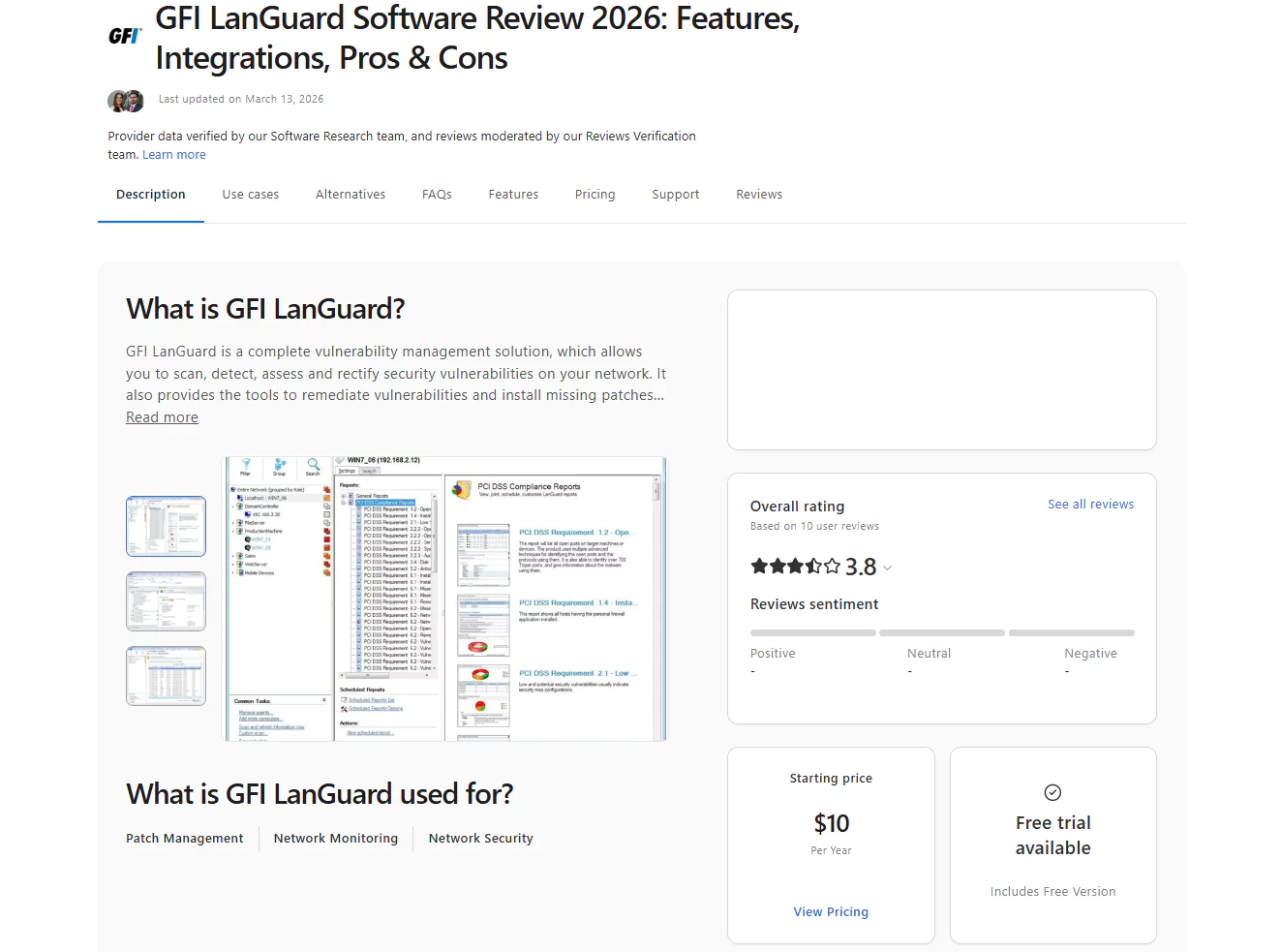
GFI LanGuard is a tool that combines network security scanning and patch management capabilities. It automates vulnerability identification and remediation through missing patch deployments. The platform is primarily designed for managing on-premises endpoints, but it can also control remote ones through its WAN Agent, with no VPN required. It offers a browser-based console that lets you monitor and secure your systems from anywhere. It automates patching for Windows, macOS, Linux, and third-party applications. The platform can discover devices across your environment and help you keep a current asset inventory to minimize the chances of leaving blind spots that could put your entire company at risk.
Key Features:
- Cross-OS platform support: Windows, macOS, and Linux.
- Automated patch management: Automates OS and third-party patching.
- Network monitoring and vulnerability scanning: Scans endpoints and networks to identify missing patches, known vulnerabilities, and configuration issues, then reports the findings so your team can prioritize remediation.
- Compliance reporting: Audit-ready reports get generated in minutes to help you comply with PCI DSS, HIPAA, and SOX.
- Flexible patch scheduling: Gives you options to shape the patching process based on your vision and current organizational needs. The idea is to build maintenance windows that don’t disrupt your employees during their workday, streamline deployments, and boost your business continuity.
Pros:
- Identifies and remediates vulnerabilities in a timely manner, so your attack surface stays smaller and exposure windows get as short as possible.
- By automating patch management, it saves you time, manual effort, and money.
- Cuts downtime risk by letting you schedule, test, and roll out patches outside of business hours.
- Its vulnerability scanning and network auditing capabilities help teams identify security gaps and plan remediation from one platform.
- You can group endpoints together, which makes managing them a lot easier.
Cons as per Capterra and Gartner User Reviews:
- The third-party app catalog is smaller than what you’ll find with other patch management tools.
- It can push updates to remote endpoints, but it’s not quite there compared to what a truly cloud-native tool can pull off.
- The dashboard feels dated.
Pricing
No public pricing. Sold exclusively through certified resellers, you submit your info and a partner contacts you with a quote.
Best For: GFI LanGuard is a solid pick for small- to mid-sized businesses running mixed on-prem networks, especially in regulated fields like finance, healthcare, education, and government, where patching and network vulnerability scanning need to happen in the same tool. It works well for teams who want to catch misconfigurations, open ports, and missing patches across the whole network from one place, without shelling out for separate tools to do it.
Reviews:
- G2 rating: 4.1 / 5.0 stars – 10+ reviews (at the time of update)
- Capterra rating: 3.8 / 5.0 stars – 10+ reviews (at the time of update)
Best HCL BigFix Alternatives by Use Case
Throughout the article, we’ve explored the top 10 alternatives to HCL BigFix. But now it’s time to name the vendors that fit best, not based on their feature list or rating but by use case.
| Use Case | Best HCL BigFix Alternative | Why it Wins | Strong Alternatives |
|---|---|---|---|
| Best HCL BigFix Alternative for Patch Management | Action1 Patch Management | Action1 patches Windows, macOS, Linux, and third-party apps autonomously through update rings, testing patches on a small group before rolling out wider and stopping anything unstable automatically. It also offers P2P patch distribution, a private software repository, strong risk-based prioritization, flexibility to shape the process however you want by controlling when, how, and on which endpoints patches get deployed, along with reboot timing. | ManageEngine Endpoint Central if you want patching folded into a broader UEM platform. SolarWinds Patch Manager if your patching workflow is already built around WSUS or SCCM. |
| Best HCL BigFix Alternative for Cloud-Native Endpoint Management | Action1 Patch Management | Built cloud-native from day one, so there’s no VPN, no on-premises servers, no complex and lengthy configuration, and no infrastructure to maintain. You manage every endpoint straight from your browser, whether it’s down the hall or 2,000+ miles away. | Ivanti Neurons for Patch Management if you want cloud-based, risk-driven patching with deeper vulnerability intelligence. Microsoft Intune if your endpoint strategy already runs through Microsoft 365 and Entra ID. |
| Best HCL BigFix Alternative for Third-Party Application Patching | Patch My PC for Microsoft environments/ ManageEngine Endpoint Central for broader UEM | Choose Patch My PC when you want strong third-party application automation inside Intune, ConfigMgr, or WSUS. Choose ManageEngine Endpoint Central when you need third-party patching across Windows, macOS, and Linux as part of a broader unified endpoint management platform. Note: Patch My PC doesn’t cover Linux, so third-party apps there stay on you. | Action1 if you want cloud-native patching that covers Windows, macOS, Linux, and third-party apps without staying tied to the Microsoft stack. |
| Best HCL BigFix Alternative for Vulnerability Remediation | Action1 Patch Management | Action1 identifies vulnerabilities across operating systems and third-party applications, prioritizes them using risk and exploitation data, and supports remediation through patching, software removal, or endpoint network isolation when no patch is available. | Ivanti Neurons for Patch Management if you want VRR-based prioritization tied to exploit intelligence and patch reliability. GFI LanGuard if you also need network vulnerability scanning and auditing. |
| Best HCL BigFix Alternative for Remote Endpoint Management | Action1 Patch Management | Full remote access and control from your browser, no VPN, no local appliance, no extra setup, and no maintenance. Deploy software, run scripts, and act on real-time alerts the moment something changes, all without leaving your desk. Offline endpoints catch up automatically the moment they reconnect, so remote and traveling devices never get left vulnerable due to a missed patch deployment schedule. | Syncro if you’re an MSP that needs remote access, scripting, ticketing, and patching all from one place. ManageEngine Endpoint Central if you want remote control as one piece of a larger endpoint management suite. |
| Best HCL BigFix Alternative for Unified Endpoint Management | ManageEngine Endpoint Central | This one covers the widest ground under one roof: patching, software deployment, asset management, remote control, endpoint security, and MDM, available in both cloud and on-premises versions. If you want one platform doing everything BigFix does and more, start here. | Microsoft Intune if your UEM strategy is Microsoft-first and centered on device compliance. Kaseya VSA if you want endpoint management that’s part of broader RMM automation instead of a classic standalone UEM suite. |
| Best HCL BigFix Alternative for MSPs | Syncro | Syncro bundles patching directly into RMM, PSA, scripting, ticketing, and billing, so MSPs aren’t stitching five tools together to run their business. One login, one bill, one place to manage every client. | ConnectWise RMM for larger MSPs that want broader third-party patching coverage and deeper RMM workflows. Kaseya VSA if your MSP already operates inside the Kaseya ecosystem. |
| Best HCL BigFix Alternative for Enterprises | Ivanti Neurons for Patch Management | For enterprises that need vulnerability intelligence and active-risk prioritization at scale, Ivanti delivers the depth BigFix users are used to, without the console lag and outdated interface complaints that keep coming up. | ManageEngine Endpoint Central if you want patching inside a real UEM platform. Action1 if you want cloud-native, autonomous patching with P2P distribution, a private software repository, RBAC, and MFA, all with far less infrastructure overhead or management complexity. |
| Best HCL BigFix Alternative for Microsoft-Centric Environments | Microsoft Intune | If your company runs on Microsoft 365 and Entra ID, Intune is the natural fit. Windows patching, device compliance, MDM, MAM, and conditional access all come from the same vendor stack you’re already standardized on. | Patch My PC if third-party app patching is the main gap in your Microsoft-first setup. SolarWinds Patch Manager if your environment still leans heavily on WSUS or SCCM. |
| Best HCL BigFix Alternative for Compliance Reporting | GFI LanGuard | GFI LanGuard is built around network auditing and compliance from the ground up, delivering vulnerability, patch, audit, and ISO/IEC compliance reports as a core specialty rather than a bolt-on feature. If your priority is audit-ready documentation without extra configuration, this is where that focus lives. | ManageEngine Endpoint Central if you want compliance reporting bundled inside a broader UEM platform. Action1 if you want cloud-based patch and vulnerability reporting without maintaining on-premises reporting infrastructure. |
HCL BigFix vs Alternatives: Which One do We Recommend?
Now let’s put HCL BigFix head-to-head with each alternative, side by side, so you can see exactly where each one pulls ahead, and where we’d recommend making the switch.
| Comparison | Recommended Choice | Why We Recommend it | Choose HCL BigFix Instead if | Our Advice |
|---|---|---|---|---|
| HCL BigFix vs Action1 |
Action1 Patch Management Software
|
It offers cross-OS platform support, autonomous OS and third-party patching, software deployment and removal, scripting, remote endpoint access, remote desktop, and real-time reporting. | You need deep UNIX, AIX, Solaris, or HP-UX coverage, or full server infrastructure lifecycle management. | Go with Action1 for autonomous patching, everyday endpoint management, a free tier for up to 200 endpoints, and no VPN or local hardware investment needed. Stay with BigFix for covering endpoints running on UNIX, AIX, or Solaris, or if you’re seeking deep server lifecycle capabilities. |
| HCL BigFix vs ManageEngine Endpoint Central | ManageEngine Endpoint Central | It offers greater flexibility, automation, and features on the endpoint side for patching, software deployment, asset management, remote control, and MDM. It overcomes BigFix’s clunky Java-based remote access and unintuitive interface. | Compliance depth, where BigFix offers 38,000+ prebuilt checks for PCI-DSS, HIPAA, and other regulations. | Pick ManageEngine Endpoint Central for better endpoint coverage, greater automation, and an intuitive interface. Stay with BigFix if your main priority is compliance and the unmatched templates it offers. |
| HCL BigFix vs Microsoft Intune | Microsoft Intune | It’s better on the endpoint side. MDM, MAM, conditional access, and device compliance can all be managed through Intune. A drawback is its limited macOS and Linux patching capabilities. | Your company relies on a mix of endpoints and operating systems and needs real cross-OS platform patching. | Migrate to Intune if your device fleet is Microsoft-centric. Stay with HCL BigFix if you rely on mixed infrastructure and need broad cross-OS and third-party patching. |
| HCL BigFix vs Ivanti Neurons for Patch Management | Ivanti Neurons for Patch Management | Offers very strong risk-based patching using exploit data, patch reliability, and VRR, along with autonomous patching and strong real-time reporting. | You need broad and flexible compliance features, or you have more servers than desktops and laptops. | Go with Ivanti for VRR-based prioritization and automated patch workflows. Stay with BigFix if you need broader built-in compliance content or deeper support for server-heavy and legacy environments. |
| HCL BigFix vs Syncro | Syncro | Because it combines RMM, patching, PSA, scripting, ticketing, and billing under one hood. | You’re managing a single large enterprise fleet, not multiple client accounts. | Syncro is better suited for MSPs, since it gives you a unified platform for managing business processes. Stay with BigFix if you need the widest possible OS support. |
| HCL BigFix vs GFI LanGuard | GFI LanGuard | Combines patch management with network vulnerability scanning and security auditing, delivering audit-ready compliance reports as a core specialty, not a bolt-on feature. | You need full device lifecycle management, software deployment, OS provisioning, and asset tracking, not just patching and vulnerability scanning. | Migrate to GFI LanGuard if your priority is strong built-in compliance features or network security and auditing. Stay with BigFix for complete endpoint lifecycle management. |
How to Choose the Right HCL BigFix Alternative
Choosing the right HCL BigFix alternative depends on your company’s specific needs. Those needs define what features and automation capabilities you must look for in order to pick a platform that’s right for your IT team, one that can automate the most important and time-consuming processes, help you comply with the regulations you’re subject to, strengthen endpoint security, enable full device stack management, and save you time, money, and effort by letting you control everything from one place.
Here’s what to pay attention to during your search for the best HCL BigFix alternative, in order to make an informed decision and find software that works not just on paper but in your reality.
- Define your Patch and Endpoint Management Requirements: List the operating systems you want to patch and manage, along with all the third-party applications you use and need to keep updated. Decide whether you need automated or fully autonomous patching. Next, make sure the platform can manage all your endpoints, whether they’re on-premises or remote. Finally, determine whether your administrators need to write scripts themselves or can rely on built-in automations for endpoint provisioning, software deployment, and application control.
- Compare Cloud-Based vs. On-Premises Deployment: Pick a solution that fits your environment. If your company relies on office-based endpoints, you can pick on-premises software. If you want to manage a mix of on-premises and remote endpoints, go with a cloud-based solution. But keep in mind that the on-premises deployment model requires putting thousands of dollars on the table for the initial setup and for ongoing maintenance. Cloud-based platforms are cost-effective. They work with no VPN, no personally owned servers, no complex configuration, and no in-house maintenance. That’s SaaS, where the vendor takes care of the maintenance while you just use the service.
- Review Automation and Remediation Capabilities: Look past the marketing term “automation” and check what actually runs without you. What matters is whether the platform automates patch testing before wide deployment, stops unstable patches, and remediates vulnerabilities on its own, or whether it needs your constant attention and process management. Check if the feature list includes update rings, staged rollouts, offline endpoint catch-up, and rollback options. These capabilities make the difference between patch automation and autonomy, where the first still requires some effort on your part, while the second runs on its own, making decisions based on your predefined instructions.
- Flexibility to Shape Processes the Way You Want: You need a platform that works for you, one that lets you create automations based on how you envision them. It must give you the freedom to decide when, how, and on which endpoints scripting, patching, policy enforcement, software deployments, or uninstallations happen. You need complete control while the tool simply automates your commands. Only then is it possible to find software that’s the right fit.
- Assess Reporting and Compliance Requirements: Check whether the platform lets you generate audit-ready reports in minutes, not hours of manual formatting. Look for built-in templates for the regulations your company is subject to (PCI DSS, HIPAA, SOC 2, and so on). You need the confidence that you can create and export audit-ready reports on patching, vulnerabilities, software and hardware inventory, and security configurations whenever you need them, with just a few clicks.
- Test Deployment Effort and Ease of Use: Don’t take vendor claims as truth. Test the software yourself, and see how much time it takes from account creation to actual endpoint management. Pay attention to the learning curve the platform comes with. You need one that’s intuitive and easy to use, not one that pushes you to dig through vendor documentation or undergo specific training just to create one automation. Use the free trial or free tier, and if it feels like you’ve been working with the software for years after just a day or two, that’s your platform.
- Compare Pricing and Total Cost of Ownership: Find out what price you’re going to pay for X endpoints and X features, monthly or yearly. During your conversation with the sales team, make them confirm there won’t be extra costs from add-ons or conditions buried somewhere in the contract. If you’re torn between two or three vendors, ask them all the same questions and get the best offer.
Frequently Asked Questions
What is the Best HCL BigFix Alternative?
The best HCL BigFix alternative is Action1, because it solves almost all of HCL BigFix’s shortcomings. It’s easy and fast to deploy, it’s cloud-native, it offers stronger macOS support, built-in remote desktop, and an interface so intuitive there’s no steep learning curve. Last but not least, it’s free for your first 200 endpoints, fully featured, forever. On top of that, Action1 offers cross-OS platform support (Windows, macOS, Linux), real-time reporting, automates OS and third-party patching, scripting, software deployment, and uninstallation, and lets you generate audit-ready reports in minutes using the 100+ built-in customizable templates.
What is the Best HCL BigFix Alternative for Patch Management?
Action1 is the best HCL BigFix alternative for patch management because it turns patching into a fully autonomous process. Update rings drive that automation, where patches roll out in phases, moving from an inner test ring to wider groups of endpoints only when predefined success metrics are met. Qualified patches advance automatically, unstable ones get stopped, and downtime risk drops while vulnerability remediation stays on schedule. Once a deployment completes, 100+ built-in customizable templates let you generate audit-ready reports in minutes.
Action1 also gives you full control over how that process runs. You decide when, how, and on which endpoints updates get deployed, and whether affected endpoints restart immediately or later to avoid disrupting end users. Every patch comes from a secure, privately maintained software repository, and P2P distribution shares updates across endpoints to cut bandwidth usage and speed up large deployments. Action1 is also free for your first 200 endpoints, fully featured, forever.
Simply put, for $0, you get a patch management platform that autonomously patches Windows, macOS, and Linux endpoints alongside hundreds of third-party applications and helps you break free from manual or semi-automated patching.
What is the Best HCL BigFix Alternative for Vulnerability Remediation?
The best HCL BigFix alternative for vulnerability remediation is Action1, because it identifies vulnerable software on OSes and third-party apps in real time, then maps those findings to CVEs and CVSS scores. It uses signals such as CISA KEV active exploitation data, ransomware campaign activity, MSRC data, vendor release notes, NIST NVD, and VulnCheck NVD++ to prioritize vulnerabilities according to their practical risk.
From there, you can remediate vulnerabilities through autonomous patch deployments or apply compensating controls, such as software removal or endpoint network isolation, when no patch is available. You can document those actions through audit-ready reports.
We also recommend, as a runner-up, Ivanti Neurons for Patch Management, because its VRR technology ranks vulnerabilities using active exploitation, weaponization, ransomware association, and exploit intelligence.
How does Action1 Compare to HCL BigFix?
Action1 outperforms HCL BigFix on deployment speed, ease of use, and automation depth. It sets up in under 5 minutes, runs cloud-native with no VPN or on-premises infrastructure, and patches Windows, macOS, Linux and third-party apps through autonomous update rings. Every patch comes from a private, constantly updated software repository, and the platform is free for your first 200 endpoints. However, BigFix is a step ahead in one area, and that’s MDM. Although its MDM capabilities still need improvement, Action1 does not offer MDM at all.
How does ManageEngine Endpoint Central Compare to HCL BigFix?
ManageEngine Endpoint Central officially reports support for more than 1,100 third-party applications across Windows, macOS, and Linux. HCL describes BigFix as supporting hundreds of third-party applications, while some current HCL materials cite coverage of more than 700 applications. Because vendors may count versions, architectures, and product variants differently, these figures are not always directly comparable. ManageEngine also offers more flexible reporting and a simpler deployment model, while BigFix retains broader support for legacy and UNIX-based environments.
HCL BigFix offers broader OS coverage, with patch content for nearly 100 operating systems and major versions, including UNIX environments such as AIX, Solaris, and HP-UX. It also provides deeper built-in compliance content, with more than 38,000 prebuilt checks for standards such as PCI DSS and HIPAA.
Which HCL BigFix Alternative Supports the Most Operating Systems?
ManageEngine Endpoint Central offers the broadest combined endpoint management coverage. It supports Windows, macOS, Linux, Android, iOS, iPadOS, ChromeOS, and tvOS. However, its capabilities vary by platform, and full OS and third-party patching is primarily available for Windows, macOS, and Linux.
Which HCL BigFix Platform Components Require Maintenance and Upgrades?
HCL BigFix administrators must maintain and upgrade the primary server, any secondary servers, consoles, remote Web Reports servers, Explorer and WebUI instances, relays, the Plugin Portal, and clients when deployed. HCL requires a specific upgrade order: servers and management interfaces first, followed by relays, the Plugin Portal, and clients. During the process, the server version must remain equal to or newer than the relay version, which must remain equal to or newer than the client version. This architecture can require more customer-managed maintenance than fully cloud-native SaaS platforms.
What Should I Look for in an HCL BigFix Alternative?
Look for patch management depth, endpoint management coverage, third-party application patching, vulnerability remediation, remote endpoint support, compliance reporting, ease of deployment, ease of use, and scalability. These factors influence operational efficiency, cost-effectiveness, and reduced manual workload over the long run.
Final Recommendation
HCL BigFix is a great option for endpoint and patch management, but like every piece of software, it has its limitations. In many cases, they can’t be ignored, since they disrupt organizations’ day-to-day operations. Complex deployment and administration, limited reporting, remote endpoint management challenges, limited macOS support, high price, weak MDM, and outdated software, those are the most common complaints from IT teams using the software and seeing its shortcomings from the inside.
That’s the reason they start looking for a better alternative, like Action1 Patch Management, ManageEngine Endpoint Central, Microsoft Intune, Patch My PC, SolarWinds Patch Manager, Syncro, Ivanti Neurons for Patch Management, Kaseya VSA, ConnectWise RMM, and GFI LanGuard. All of these tools fill a gap that HCL BigFix leaves. We created this guide with one thing in mind: to help you determine which platform most adequately fits your IT environment, needs, expectations, and team size.
Nobody can tell you which is the right platform for you, because no one knows your company as well as you do. So the final decision is yours. However, we recommend you try Action1, because it really resolves almost all of HCL BigFix’s downsides. It’s cloud-native, deploys in minutes, supports Windows, macOS, and Linux, and offers autonomous patching, real-time reporting, an intuitive interface, strong reporting, software deployment, scripting, and many more features.
Ready to replace HCL BigFix?
Watch the demo and see why thousands of IT teams chose Action1. Or start free for up to 200 endpoints.
Sources and Data Used in This Comparison: This comparison is based on an analysis of vendor documentation and pricing pages, user reviews from G2, Capterra, and Gartner, and internal analysis of each platform’s patch and endpoint management capabilities.





