






TL;DR
- Best overall alternative: Action1 for cloud-based patching, software deployment, reporting, and multi-OS endpoint management.
- Best free command-line option: WinGet for Windows teams comfortable building their own scripts and automation.
- Best for on-premises Windows environments: PDQ Deploy & Inventory.
- Best for MDM and Microsoft ecosystems: Microsoft Intune.
- Best Intune, ConfigMgr, or WSUS add-on: Patch My PC for broader third-party application coverage.
- Best all-in-one endpoint platform: ManageEngine Endpoint Central for patching, MDM, asset management, and remote support.
- Best for simple Windows app updates: Ninite Pro.
- Best for organizations staying with Chocolatey: Chocolatey for Business, which adds private repositories, centralized management, auditing, and package internalization.
- Key reason to switch: Chocolatey Open Source lacks native fleet-wide patch prioritization, complete inventory, compliance reporting, reboot control, and centralized endpoint visibility.
- Important deadline: Chocolatey’s restrictions on direct organizational use of the Community Repository are scheduled to take effect on January 1, 2027.
- Selection advice: Compare private repository support, custom package deployment, OS coverage, third-party patching, automation, reporting, deployment effort, and security controls.
In this article, we’ll explore the best Chocolatey alternatives for software deployment and patch management, including Action1, Windows Package Manager (WinGet), PDQ Deploy & Inventory, Microsoft Intune, Patch My PC, ManageEngine Endpoint Central, Ninite Pro, and Chocolatey for Business.
We’ll pull back the curtain on their key features, pros and cons, and see how verified users across G2 and Capterra rate them based on firsthand use. But before that, we’ll also check what exactly Chocolatey is, how it works, what the difference is between the Community Repository and Chocolatey for Business, and, of course, what its obvious limitations are and why more organizations are considering alternatives. Last but not least, we’ll also help you with tips on how to choose the right option that works best for your business, not just on paper but in reality.
Action1 is free for up to 200 endpoints. Forever.
Watch the demo to see it in action. Or sign up in five minutes and start patching right now.
What are the Best Chocolatey Alternatives?
The best Chocolatey alternatives are Action1 Patch Management and Software Deployment, Windows Package Manager (WinGet), PDQ Deploy & Inventory, Microsoft Intune, Patch My PC, ManageEngine Endpoint Central, Ninite Pro, and Chocolatey for Business.
How We Evaluated the Best Chocolatey Alternatives
Choosing the wrong Chocolatey alternative might cost your company time and money, but more importantly, it might not solve the limitations that made you move away from Choco in the first place. To help you avoid that, we made sure our evaluation process was thorough, transparent, and grounded in real data.
We compared each Choco alternative based on:
- Core evaluation criteria: Private software repository support, custom package deployment, OS and third-party application patching, remote software deployment, automation capabilities, patch compliance reporting, ease of deployment, and security and access controls.
- Consistent comparison: Each platform was evaluated against the same eight criteria, so private repository support and patching depth received the same attention as compliance reporting and security controls, not just the features easiest to market.
- Third-party review data: Ratings, recurring themes, and friction points were pulled from G2 and Capterra, prioritizing verified reviews from IT professionals, MSPs, and enterprise IT teams.
- Deployment and ease of use: Each tool was evaluated based on its deployment model (cloud, on-premises, or hybrid) and how much time and effort it takes to get from signup to your first successful software deployment.
- Vendor documentation and pricing: We reviewed official vendor documentation and pricing pages as of July 2026 and confirmed the information directly on each vendor’s website rather than relying on a sales deck.
Read Also: The Hidden Costs of Community-Maintained Software Repositories
Quick Comparison of the Top Chocolatey Alternatives
| Tool | Package Source |
OS and Third-Party Coverage |
Software Management |
Pricing and Free Option |
Best For |
|---|---|---|---|---|---|
| Action1 Patch Management and Software Deployment | Private, securely maintained software repository built into the platform, with no direct reliance on public community repositories for supported packages. | Windows, macOS, Linux, plus 310+ third-party apps. | Install, update, and remove software remotely, deploy custom packages, run scripts, schedule automations, and track installed apps. | Free forever for your first 200 endpoints. Custom per-device pricing after that. | SMBs, large enterprises, MSPs, government agencies, non-profit organizations, and institutions in healthcare, finance, education, manufacturing, and the oil and energy sector. |
| Windows Package Manager (WinGet) | Uses the Microsoft Store and WinGet Community Repository sources by default. You can also add trusted sources or install from local manifests. | Windows only. It installs and updates software but does not provide risk-based patch prioritization. |
Search for, install, update, remove, list, pin, import, and export applications from the command line.
|
Completely free. | Developers and IT teams who don’t mind scripting their own automation. |
| PDQ Deploy & Inventory | Includes a PDQ-maintained Package Library sourced from official publishers. You can also build custom deployment packages and scripts. | Windows only, third-party patching via prebuilt packages. | Install, uninstall, patch, and deploy custom packages. |
No free tier. A 14-day trial is available. $1,950 per administrator per year, covering unlimited endpoints.
|
Windows-centric organizations that want self-hosted software deployment and inventory, especially in on-premises or air-gapped environments. |
| Microsoft Intune | Supports Microsoft Store apps, the paid Enterprise App Catalog, and uploaded Win32 or line-of-business packages. | Windows, macOS, Linux, Android, iOS, iPadOS, and ChromeOS. Capabilities vary by platform, with the deepest native update-management capabilities available for Windows. | Install, assign, update, uninstall, monitor, and protect applications. |
Plan 1 at $8/user/month. Plan 2 adds $4/user/month, Intune Suite adds $10/user/month. Often already included in M365 E3/E5. |
Windows-centric companies that need app deployment, device management, compliance policies, MDM, and MAM in one cloud platform. |
| Patch My PC | Privately maintained repository with thousands of products. Custom Apps lets you upload EXE or MSI installers. | Windows, macOS, and third-party apps. |
Automates third-party application packaging, deployment, updating, and removal through Intune, ConfigMgr, or WSUS.
|
$2 to $5/device/year, tiered, with a $2,000 to $5,000/year minimum. MSPs pay $0.50/device/month instead. |
Companies already using Intune, ConfigMgr, or WSUS, but wanting stronger third-party application coverage. |
| ManageEngine Endpoint Central | Private repository covering 1,100+ third-party apps. Offers custom package support. | Windows, macOS, Linux, plus mobile MDM for Android and iOS. | Install, uninstall, patch, deploy custom packages, and manage mobile devices. | Free for up to 25 desktops and 25 mobile devices. Paid tiers start around $795/year on-prem or $104/month cloud. | Mid-to-large organizations and MSPs that want a single tool for patching, MDM, and asset tracking. |
| Ninite Pro | Downloads and verifies installers from official publisher sites. Curated catalog only, no custom apps. | Windows and third-party applications. | Install, update, and uninstall, but only from Ninite’s own app list. | $1 per month for the first 20 machines, $0.50 for the next 400, and $0.25 for each additional machine. A 14-day trial is available. The free version is for home use. | Small and midsize Windows teams that want the easiest possible way to keep a fixed catalog of popular applications updated. |
| Chocolatey for Business | Supports private, internal repositories and package internalization, so you host your own instead of pulling from the public Community Repository. | Windows only. It’s a package manager, not a vulnerability-driven patch engine. | Install, uninstall, and update through Chocolatey commands and automated deployment workflows, plus build and internalize packages. | $18 per node per year, with a $1,800 annual minimum for 100 nodes. There is no free Chocolatey for Business tier, although Chocolatey Open Source remains free for organizations. | Organizations that want to stay with Chocolatey while adding enterprise packaging, internal repositories, central management, and audit capabilities. |
What is Chocolatey?
Chocolatey is a free, open-source command-line package manager for Windows that lets you install, uninstall, and manage multiple programs on your endpoints. With it, you can automate software management with commands instead of downloading installers, going through each setup wizard, and updating apps one by one. A great advantage of Choco is that, with a single command, you can install or uninstall multiple programs at once, without any manual back-and-forth.
It was created in 2011 by Rob Reynolds, and ever since, it’s served as a universal package manager for Windows, adopted by millions and trusted by many vendors to automate software installation, uninstallation, and updates. But Choco has limitations and carries operational, security, and reliability risks that many IT teams and business owners don’t want to take.
How does Chocolatey Work?
Once deployed on a Windows computer, Chocolatey runs through Command Prompt or PowerShell, where one command tells it exactly what to do, install, uninstall, or upgrade a single program or several at once. Behind that command, Chocolatey pulls the package, runs its install script, and configures the program automatically, all without you clicking through a single wizard.
Here’s what those commands actually look like in practice:
- Example 1: Installing software: choco install vscode- y
- Example 2: Upgrading/updating software: choco upgrade zoom-y
- Example 3: Uninstalling software: choco uninstall zoom-y
For those of you already familiar with Linux, you’re probably seeing the similarities to APT, YUM, and DNF. So yes, you can think of Chocolatey as something like a Windows twin of those Linux package managers.
What is Chocolatey Open Source?
Chocolatey Open Source is the free, open-source command-line client that anyone can use to install, uninstall, and update software on Windows endpoints. By default, it pulls packages from the public Chocolatey Community Repository, although you can configure other sources, including internal repositories. Many packages in the Community Repository are maintained by community contributors, but that is separate from the client itself being open source.
What is Chocolatey for Business?
Chocolatey for Business (C4B) is the paid tier, built to satisfy organizational needs such as centralized management, private package repositories, and package internalization instead of direct reliance on the public feed. This enterprise tier also adds auditing tools and dedicated support that you won’t find in the Open Source or Pro editions.
Why Look for a Chocolatey Alternative?
IT teams and business owners look for Chocolatey alternatives for a mix of reasons like new restrictions on enterprise use of the Community Repository, the risks that come with a public, community-maintained feed, supply chain concerns, limited visibility into what’s already installed, the need for centralized patch management and audit-ready compliance reporting, and tighter control over private repositories and third-party packages.
Chocolatey’s New Enterprise Use Restrictions
Chocolatey changed the rules recently, and it’s worth knowing exactly what that means for you. Per its own Prohibited Activities policy, stated right on their website, the company restricts direct organizational use of the Community Repository for managing enterprise computers, unless you get written permission first.
That change takes effect January 1, 2027, and it carves out exceptions for personally administered work devices and for setups using the Community Repository purely as an upstream cache instead of a direct source. So nothing breaks tomorrow. But if you built your patch and deployment workflows directly around that public feed, you now have a fixed window to migrate, cache locally, or move to a licensed alternative before the restriction takes hold. (Source: Chocolatey’s Own Terms)
Public Repository Risk
The Community Repository is one of the major reasons why so many people look for Choco alternatives. Because it’s public and community-run, different contributors are responsible for uploading and refreshing its packages. In reality, that means quality varies from package to package. Some can be outdated, broken, or inconsistently kept current, and instead of minimizing the time spent on deployments, you might end up troubleshooting devices or manually searching for a stable patch.(Verified G2 Review)
Read Also: The Hidden Risk of Wrapped Dependencies: When Your Vendor’s Vendor Changes the Rules
Software Supply Chain Concerns
Supply chain concerns remain even though package versions go through validation, verification, and moderation before publication. The fact that anyone can publish is itself a real risk, because there are cybercriminals clever enough to infect a file and slip past Chocolatey’s security checks, and with today’s incredibly powerful AI technologies, that risk is greater than ever. It’s not just a hypothetical one. Organizations subject to strict regulatory requirements can’t afford any of these risks, which is why they look for alternatives with private and secure software repositories, since those reduce that risk as much as possible. (Verified G2 Review)
Limited Visibility Into Pre-Existing Software
Chocolatey Open Source primarily tracks the packages it manages and doesn’t provide you with a complete endpoint inventory or native real-time monitoring on its own. Software installed or changed outside Chocolatey can fall outside its package records.
Licensed editions add synchronization capabilities, while Chocolatey for Business can bring eligible applications from Windows Programs and Features under Chocolatey management. Even so, companies of all sizes need more than that. They need real-time visibility into patching, compliance, and device status so they can minimize blind spots and keep every system and piece of software up to date. (Verified Capterra Review)
Need for Centralized Patch Management
Chocolatey Open Source doesn’t offer you native risk-based prioritization, centralized reboot policies, compliance reporting, or one-click rollback. Chocolatey for Business adds deployment plans, endpoint groups, centralized reporting, and auditing, but it still isn’t a vulnerability-driven patch management platform. Its core purpose remains packaging, installing, removing, and updating software.
Its own creator has confirmed this directly: Chocolatey “will never perform a reboot, it’s simply not in its purview.” That’s a reasonable design choice for package management, but it means the actual meat of patch management, including testing, staged rollouts, reboot control, and compliance reporting, has to live somewhere else. As organizations scale past a handful of endpoints, that gap between “installing software” and “managing patch risk across a fleet” becomes the real reason they start looking elsewhere. (Source: Chocolatey GitHub discussion)
Enterprise Compliance Requirements
Chocolatey’s free and Pro tiers were never built with regulated industries in mind. Pro is explicitly restricted from organizational use under Chocolatey’s own terms. Even Chocolatey for Business, while it adds real enterprise tooling, still asks you to stand up and configure the recommended infrastructure yourself, a NuGet repository server, Chocolatey Central Management with its own SQL database, and typically an automation pipeline, just to get audit-ready reporting.
For teams under PCI DSS, HIPAA, or similar frameworks, that’s a meaningfully higher lift than platforms that ship with compliance reporting as a native, out-of-the-box feature. Verified users have also described Chocolatey as difficult to set up and build out for deployment, which only adds to that lift. The issue isn’t that Chocolatey can’t get you there. It’s how much extra infrastructure, setup, and administrative work it takes to arrive. (Verified Capterra Review)
Need for Private Software Repositories
Depending on the public Community Repository for business-critical software is exactly the problem Chocolatey for Business exists to solve. It moves organizations off that public feed and onto internally hosted, self-controlled package sources instead. That’s a real, working solution, but it’s also a quiet admission that the free, open-source path isn’t sufficient for most business use once you factor in reliability, security, the limited pool of available packages actually vetted for enterprise needs, and now the new enterprise use restrictions on top of it.
A private repository puts you in control of exactly which packages exist, who can publish to them, and when updates roll out, no waiting on a community maintainer, no exposure to a public feed’s outages. For many teams, that control isn’t optional anymore.
Limited Control Over Third-Party Packages
Many packages in the Chocolatey Community Repository are maintained by third parties rather than the original software vendor. That means a stranger, some community maintainer with no connection to you or the software publisher, decides the install script, version pinning, and update cadence. You also have no say over the admin privileges the package requests or the process behind how it was built.
If a maintainer stops updating a package, moves slowly, or makes a packaging choice you’d never approve for production, your options are limited: fork it yourself or create your own internal package from scratch. For any organization with real change-control requirements, that’s a meaningful gap. You’re not deploying the vendor’s installer directly. You’re deploying what that stranger decided to wrap around it.
Best Chocolatey Alternatives: Detailed Overview
The best Chocolatey alternatives are Action1 Patch Management and Software Deployment, Windows Package Manager (WinGet), PDQ Deploy & Inventory, Microsoft Intune, Patch My PC, ManageEngine Endpoint Central, Ninite Pro, and Chocolatey for Business.
We’re now going to explore in detail the key features, pros, cons, and ratings from verified G2 and Capterra reviews for each platform, so you can better understand how each one addresses Chocolatey’s shortcomings, what you get for your money, and, most importantly, which software deployment and patch management platform is right for your company.
Action1 Patch Management and Software Deployment
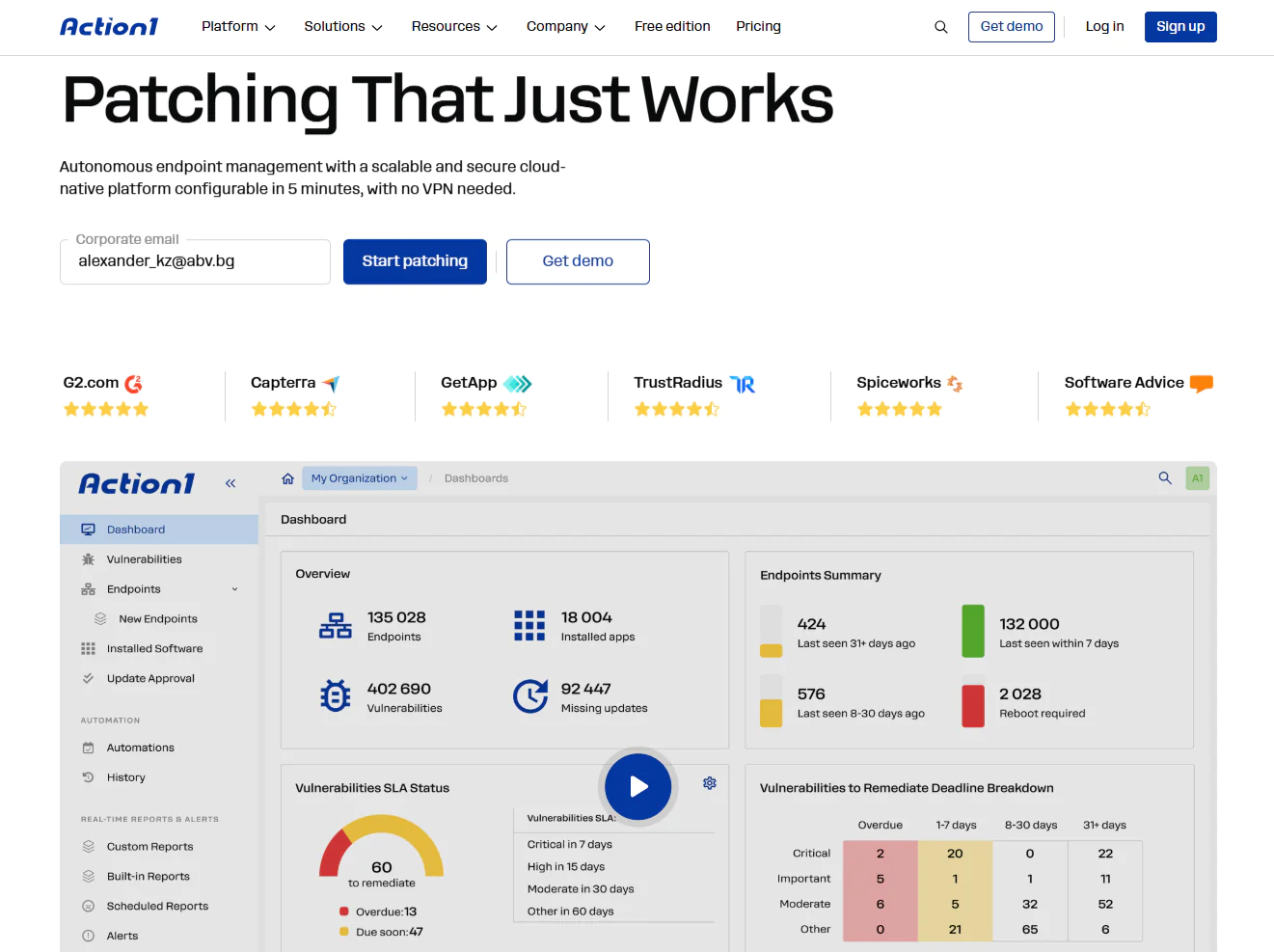
Action1 is a cloud-based autonomous endpoint management platform that automates OS and third-party patch management, software deployment, scripting, and reporting across on-premises and remote endpoints. It supports Windows, macOS, and Linux, simplifying the management of IT environments built on a mix of operating systems from one place.
It also lets you monitor, manage, and secure each of your systems directly from your browser, with no VPN or any hardware required, thanks to the agent-based architecture of the software. You get real-time insights into patch status, compliance, device connectivity, and hardware, all from that same dashboard. That visibility is what lets IT teams replace manual work with autonomy, spend less time completing routine tasks, and address security gaps faster instead of chasing them one endpoint at a time. And you get all of that free for your first 200 endpoints, fully featured, forever.
Key Features
- Cross-platform support: Windows, macOS, Linux.
- Autonomous patch management: Updates Windows, macOS, Linux, and 310+ third-party applications.
- Risk-based vulnerability management: Identifies vulnerabilities across operating systems and third-party apps in real time, displays their CVE identifiers, and prioritizes them based on factors such as CVSS severity and active exploitation in ransomware campaigns, assigning each a score from 1 to 10 based on risk level. Built-in remediation options let you push patches, apply compensating controls like software uninstallation, and isolate an endpoint from the network when no patch exists.
- Update rings for faster and safer rollouts: Patches roll out in staged rings, advancing from the test ring to the outer rings only once the predefined success-rate and deployment-count criteria are met. Unstable updates are automatically halted to reduce downtime risk.
- Private Software Repository: Each patch is thoroughly tested by Action1’s expert team, ensuring only reliable and secure updates reach your endpoints.
- Automation flexibility: You choose when, how, and on which endpoints the updates get applied. Reboot management stays under your control for immediate or delayed endpoint restarts.
- Offline endpoint catchup window: If any of your endpoints are offline during scheduled maintenance windows, they’ll be patched automatically once they reconnect.
- Software and script management: With just a few clicks, you can deploy or remove prepackaged and custom apps remotely. Action1 executes built-in or custom PowerShell and CMD scripts on Windows endpoints and Bash scripts on macOS and Linux endpoints to handle different tasks.
- Real-time reporting and asset visibility: You get live insights into every endpoint’s patch, compliance, and health status, along with its hardware and software details. 100+ built-in customizable templates let you generate audit-ready reports in minutes covering patching, vulnerabilities, software and hardware inventory, security configuration, and more.
- Enterprise-grade access security: Role-based access control, MFA, and single sign-on via Entra ID, Okta, Google, or Duo secure every account.
- Peer-to-Peer (P2P) patch distribution: Downloads updates and patches once and shares them across your endpoints in the same local network, reducing external bandwidth usage and speeding up large update deployments without needing on-premises local cache servers.
- Browser-based remote access: Manage your on-premises and remote endpoints directly through your browser, from anywhere, anytime. No VPN is required, thanks to the platform’s agent-based architecture. Remote desktop functions let you take control of an endpoint’s screen, mouse, and keyboard.
- Multi-tenancy for MSPs and enterprises: Action1 supports the creation of multiple organizations under one account, each with its own endpoints, data, maintenance windows, and update approval workflows.
- Extensive integrations: Beyond its built-in capabilities, Action1 links to your IT and security stack through REST API, PowerShell, and OAuth 2.0, with native support for vulnerability scanners such as Microsoft Defender, Tenable, and CrowdStrike; ITSM tools like ServiceNow and Jira; identity providers such as Entra ID and Okta; and automation platforms such as Zapier.
- Custom endpoint attributes: Set up to 30 custom attributes per endpoint, either manually or through scripts, covering things like registry keys, warranty dates, BitLocker status, or free disk space. Use them to build dynamic endpoint groups and feed them straight into your reports.
- Full REST API Access: Connect Action1 to your existing IT stack through a complete REST API with OAuth 2.0 authentication at no additional cost, supporting integration with PSA platforms, ticketing systems, client management tools, endpoint security tools, and custom workflows.
- Free for up to 200 endpoints: Fully featured with no functional restrictions, forever.
Pros
- Easy to deploy in just five minutes.
- Automates patch and update rollouts across operating systems and third-party applications.
- Cuts downtime risk through staged, controlled deployments.
- Includes built-in remote control/remote desktop.
- Rated the #1 easiest-to-use patch management solution by G2.
- Highly scalable, letting you grow from hundreds to hundreds of thousands of endpoints fast without adding on-premises infrastructure.
- Cloud-native platform that manages both on-premises and remote endpoints without needing a VPN.
- Includes built-in security controls, such as MFA, SSO, role-based access control, audit trails, malware patch scanning, and Patch Assurance, and is backed by SOC 2 Type II, ISO/IEC 27001:2022, and TX-RAMP certification.
- Intuitive, user-friendly interface.
Cons as per Verified G2 User Reviews:
- No mobile device management (MDM).
- No rollback capability.
Customer Story
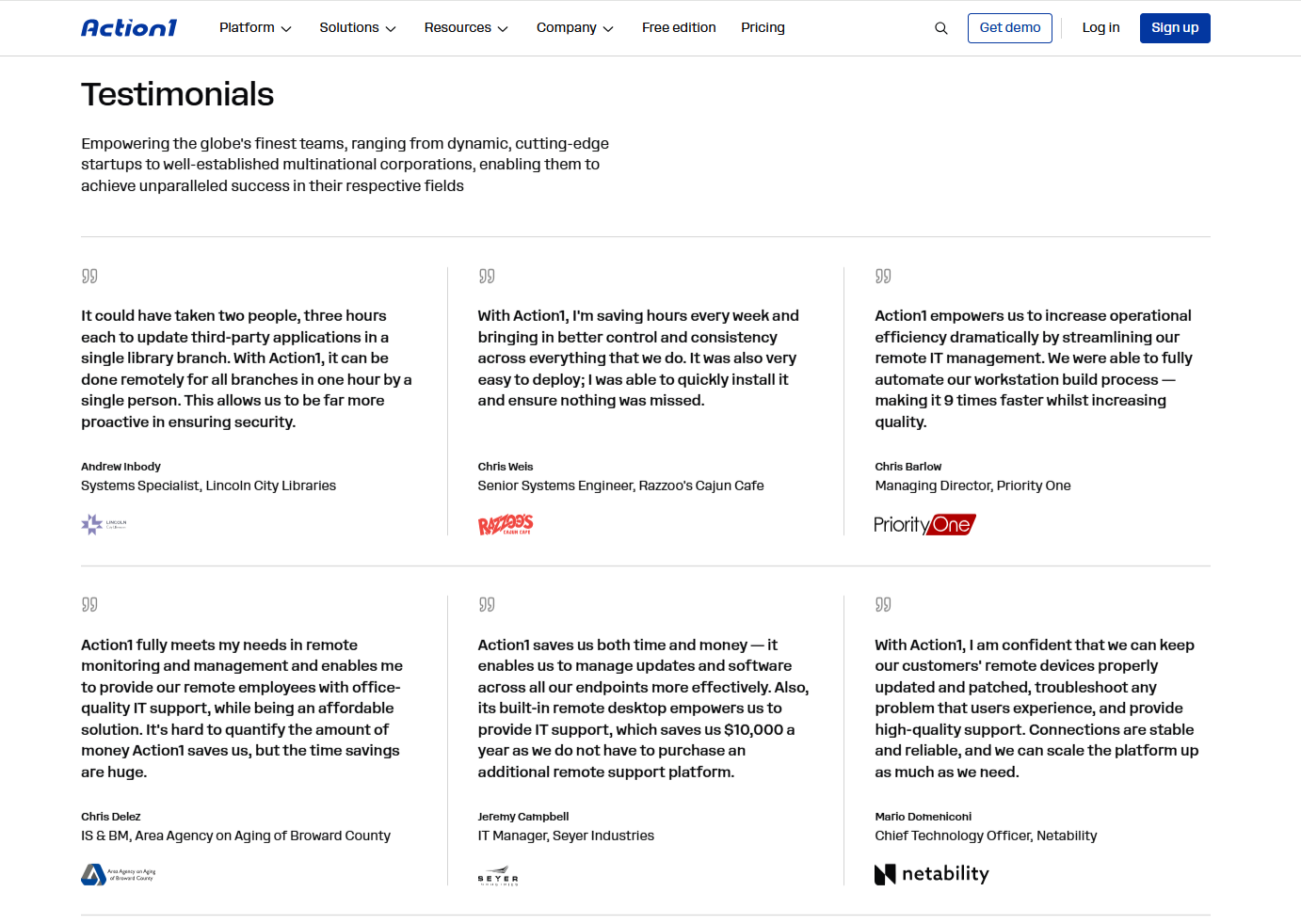
“Action1 has completely transformed how we handle patch management. What used to take hours of manual work across multiple tools is now automated and centrally managed. The dashboard gives us clear visibility into vulnerabilities across all endpoints, and the third-party patching alone has been a game changer. Setup was straightforward, and the platform just works. Highly recommended for any IT team looking to tighten security without adding overhead.” – Oleksii Mikov, Enterprise Infrastructure Director
Pricing
Action1 is free for your first 200 endpoints, fully featured, forever. After that, custom pricing applies based on a per-device model. The more endpoints you manage, the lower the price gets.
Get your personal pricing quote here or schedule a demo to see it in action first.
Best for
Action1 is best for SMBs, large enterprises, MSPs, government agencies, non-profit organizations, and institutions in healthcare, finance, education, manufacturing, and the oil and energy sector.
Reviews
- G2 Rating: 4.9/5 stars, based on 1,075+ reviews (at the time of update)
- Capterra Rating: 4.9/5 stars, based on 235+ reviews (at the time of update)
PDQ Deploy & Inventory
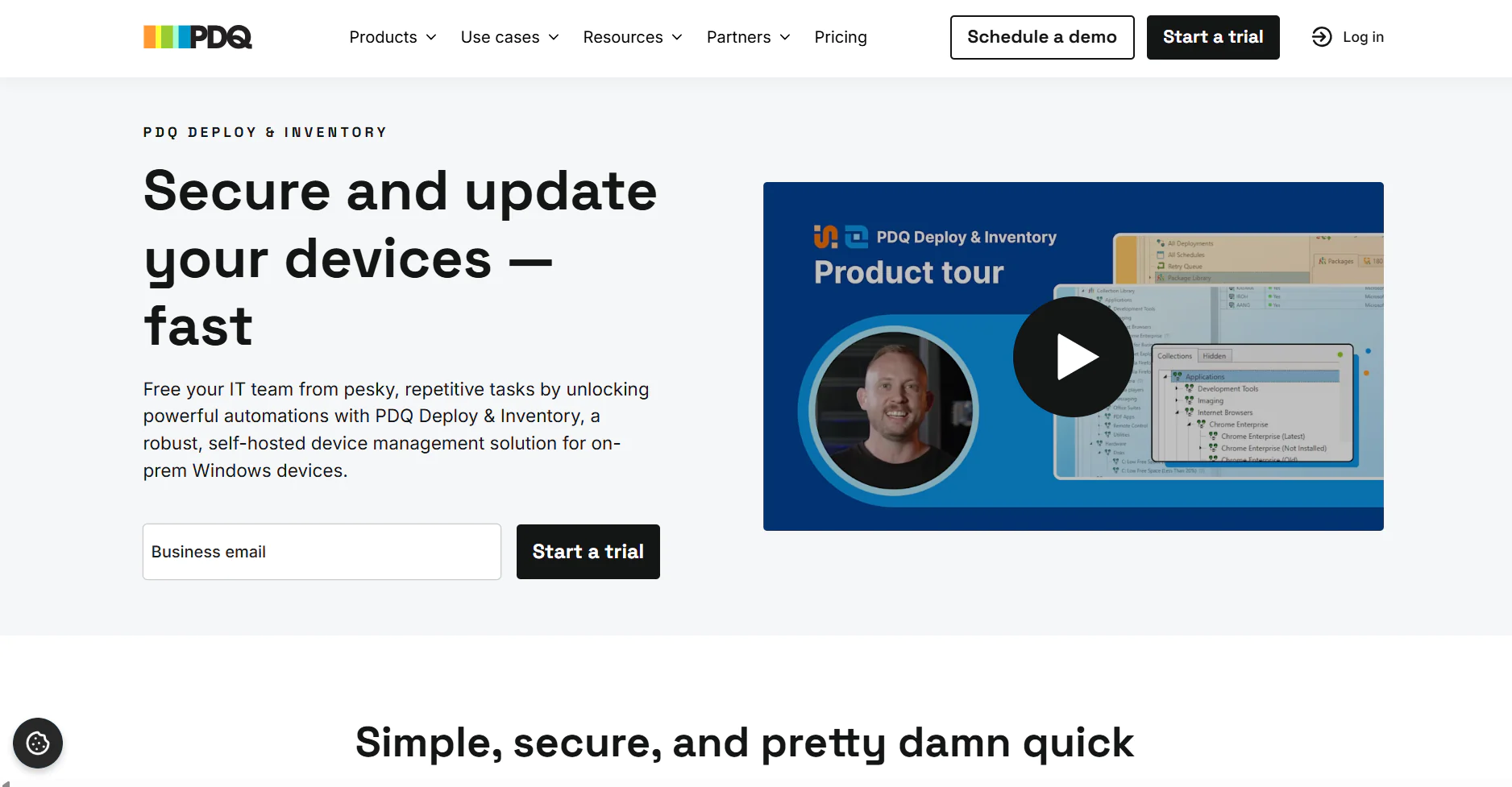
PDQ Deploy & Inventory is an endpoint management platform that automates patching for Windows OS and third-party applications. It’s an on-premises solution that requires an upfront investment on your part to set it up. It’s specifically designed for organizations that want to keep their data center and all the hardware in-house for one reason or another. The software helps these teams automate vulnerability detection and remediation through patch deployments. Although it’s built to manage on-premises endpoints primarily, it also supports remote ones, but only through a VPN connection. At its core, the platform runs on two components, as its name implies:
- PDQ Deploy helps you update third-party software, deploy custom scripts, and manage configuration changes.
- PDQ Inventory scans your network, gathers detailed information on your on-premises Windows machines, and organizes them so deployments hit exactly the right endpoints.
Key Features
- Windows OS support: Covers Windows OS for on-premises or VPN-connected devices.
- Third-party patching: Available for on-premises or VPN-connected devices.
- Custom device groupings: Lets you organize endpoints for testing, security purposes, and targeted deployment strategies.
- Automated deployment scheduling: Schedules update deployments with flexible timing controls to avoid unexpected downtime.
- Custom script deployment: Offers script deployment and management capabilities for Windows devices.
- Automatic asset discovery: Uses PDQ Inventory to identify and catalog every on-premises device across your network infrastructure.
- Active Directory integration: Syncs automatically and imports computer records to streamline device management workflows.
- Package library: Provides popular application updates plus tools for building custom deployment packages.
- Secure Windows device management: Delivers a complete tool suite built for IT professionals and enterprise environments.
Pros
- Automates patch management for Windows OS and third-party applications.
- Offers strong flexibility to schedule, test, and roll out patches based on your preferences, reducing downtime during planned or unplanned maintenance windows.
- Strengthens endpoint security and gives you improved visibility across your endpoints.
Cons as per Verified G2 User Reviews:
- No cross-OS platform support.
- Limited reporting capabilities.
- Requires an initial hardware investment to get started, in addition to the licensing cost for PDQ Deploy & Inventory. Ongoing maintenance adds to the expense as well.
Pricing
PDQ Deploy & Inventory costs $1,950 per admin per year for the Standard plan. That’s one license covering both tools, patching and inventory tracking, no need to buy them separately. It includes scheduled patch management, custom deployments and scripting, and group tracking and reporting.
If you’re managing a bigger fleet, volume and multi-year pricing applies starting at 15 admin licenses, so it doesn’t get out of hand as you scale. And if you’re a small business (under 50 employees), a nonprofit, or a school, you get a straight 15% discount, worth checking if you fit one of those.
Best for
PDQ Deploy and Inventory is designed for on-premises Windows sysadmin teams that need a simple way to manage devices, deploy software, and track inventory without the complexity of a full endpoint management platform.
Reviews
- G2 rating: 4.8/5.0 stars, based on 270+ reviews (at the time of update)
- Capterra rating: 4.8/5.0 stars, based on 340+ reviews (at the time of update)
Microsoft Intune
Microsoft Intune is a cloud-based endpoint management platform that helps you securely manage devices, data, and apps to properly protect your organization from ransomware, data breaches, and other cyber threats. It covers Windows, macOS, Linux, iOS, iPadOS, Android, and ChromeOS, but neither the patching nor the endpoint management capabilities offer the same functionality and depth across those platforms.
For example, Windows gets the deepest native update management and policy enforcement. macOS works through Apple’s MDM framework with different update controls, while Linux systems can be monitored and evaluated for compliance but cannot be patched directly through Intune.
With it, you can set security policies, control how data is accessed and shared across corporate-owned and personal devices, deploy and update apps, and ensure every device meets your compliance requirements.
Key Features
- Unified endpoint management: Manage desktops, laptops, virtual machines, smartphones, tablets, and dedicated shared and kiosk devices from a single console.
- Mobile Device Management (MDM): Provision devices, deploy security policies, configure settings, and manage certificates with ease.
- Mobile Application Management (MAM): Protects personal and corporate data on BYOD devices by enforcing controls at the application level rather than the device level, keeping work and personal information clearly separated.
- Conditional access: If a device fails your predefined security requirements, it’s automatically blocked from corporate resources, applications, or sensitive data. You can also gate wireless network access based on device compliance, user identity, and location.
- Remote device actions: Wipe, lock, or retire supported lost or stolen devices with just a few clicks.
- Zero-touch device provisioning: Automates device provisioning the moment devices boot up for the first time. Intune enrolls them, applies the necessary security policies, installs apps, and configures everything autonomously.
- App protection policies: Protect enterprise data by blocking transfers between work and personal apps and preventing screenshots and transfers to USB drives or unauthorized cloud storage.
- Compliance reporting and analytics: Access clear information about your devices’ health, compliance status, and overall security posture directly from the admin center. At your convenience, generate data-driven reports, monitor policy adherence, identify non-compliant devices, and obtain audit-ready documentation.
- OS and application update management: Uses policies and rings to manage supported operating-system updates. For supported Windows Win32 applications specifically, Intune can deliver newer versions through assignments, supersedence, and Enterprise App Management.
- Role-Based Access Control (RBAC): Specify exactly who on your IT team can view, configure, or manage which devices, policies, and reports, helping you enforce least-privilege access.
Pros
- Lets your team manage multiple device types through a single platform.
- Automates the most repetitive routine tasks.
- Covers Windows, macOS, Linux, iOS, iPadOS, Android, and ChromeOS.
- MDM and MAM capabilities rank among the best on the market.
- Windows Autopilot enables zero-touch device provisioning.
- From a single cloud-based platform, you can confirm user identity, enforce compliance, and only then grant access to corporate resources.
- Its compliance features help safeguard organizational data on both company-owned and personal devices.
Cons as per Verified G2 User Reviews:
- Limited macOS, Linux, and third-party patching.
- Basic reporting capabilities, particularly without Advanced Analytics.
- Steep learning curve.
Pricing
Microsoft now sells Intune bundled inside Microsoft 365 E3 or E5, or as standalone add-ons to Intune Plan 1 for organizations not on those subscriptions.
Through Microsoft 365 (recommended path):
- Microsoft 365 E3 – $39.00/user/month with Teams, or $30.45/user/month without Teams, billed annually. Includes unified endpoint management and protection, antivirus and antimalware, shadow IT discovery, identity and access management, plus the full Office app suite, Teams, Windows for Enterprise, and 1 to 5+ TB of cloud storage per user. Starting Q3 2026, Microsoft is also folding in Remote Help, Advanced Analytics, and Intune Plan 2 capabilities (Tunnel for MAM, Firmware-over-the-Air updates, and specialty device management) at no extra cost.
- Microsoft 365 E5 – $60.00/user/month with Teams, or $51.45/user/month without Teams, billed annually. Includes everything in E3, plus endpoint security, identity threat detection and response, SaaS security, risk-based conditional access, extended detection and response, and Security Copilot. Starting Q3 2026, E5 also picks up Endpoint Privilege Management, Cloud PKI, and Enterprise Application Management on top of everything E3 gets.
Standalone (for organizations not on E3 or E5):
- Intune Plan 1 – $8.00/user/month. The required base license for every add-on below.
- Intune Plan 2 – $4.00/user/month, add-on to Plan 1. Adds specialty and shared device management, Tunnel for MAM, and FOTA updates.
- Microsoft Intune Remote Help – $3.50/user/month, add-on to Plan 1.
- Microsoft Intune Endpoint Privilege Management – $3.00/user/month, add-on to Plan 1.
- Microsoft Intune Advanced Analytics – $5.00/user/month, add-on to Plan 1.
- Microsoft Intune Enterprise Application Management – $2.00/user/month, add-on to Plan 1.
- Microsoft Cloud PKI – $2.00/user/month, add-on to Plan 1.
- Intune Suite – $10.00/user/month, add-on to Plan 1. Bundles all five modules above (EPM, EAM, Advanced Analytics, Remote Help, Cloud PKI) at a lower combined cost than buying two or more separately.
Best for
Intune is a great fit for SMBs and enterprises that primarily use Windows-based endpoints, and most importantly, that need robust mobile device management (MDM) and mobile app management (MAM) capabilities. It’s a solid choice if you’re seeking complete Windows patching coverage but are willing to accept that you might need supplementary tools for patching Linux and macOS endpoints.
Reviews
G2 rating: 4.5/5 stars, based on 260+ reviews (at the time of update)
Capterra rating: 4.5/5 stars, based on 40+ reviews (at the time of update)
Patch My PC
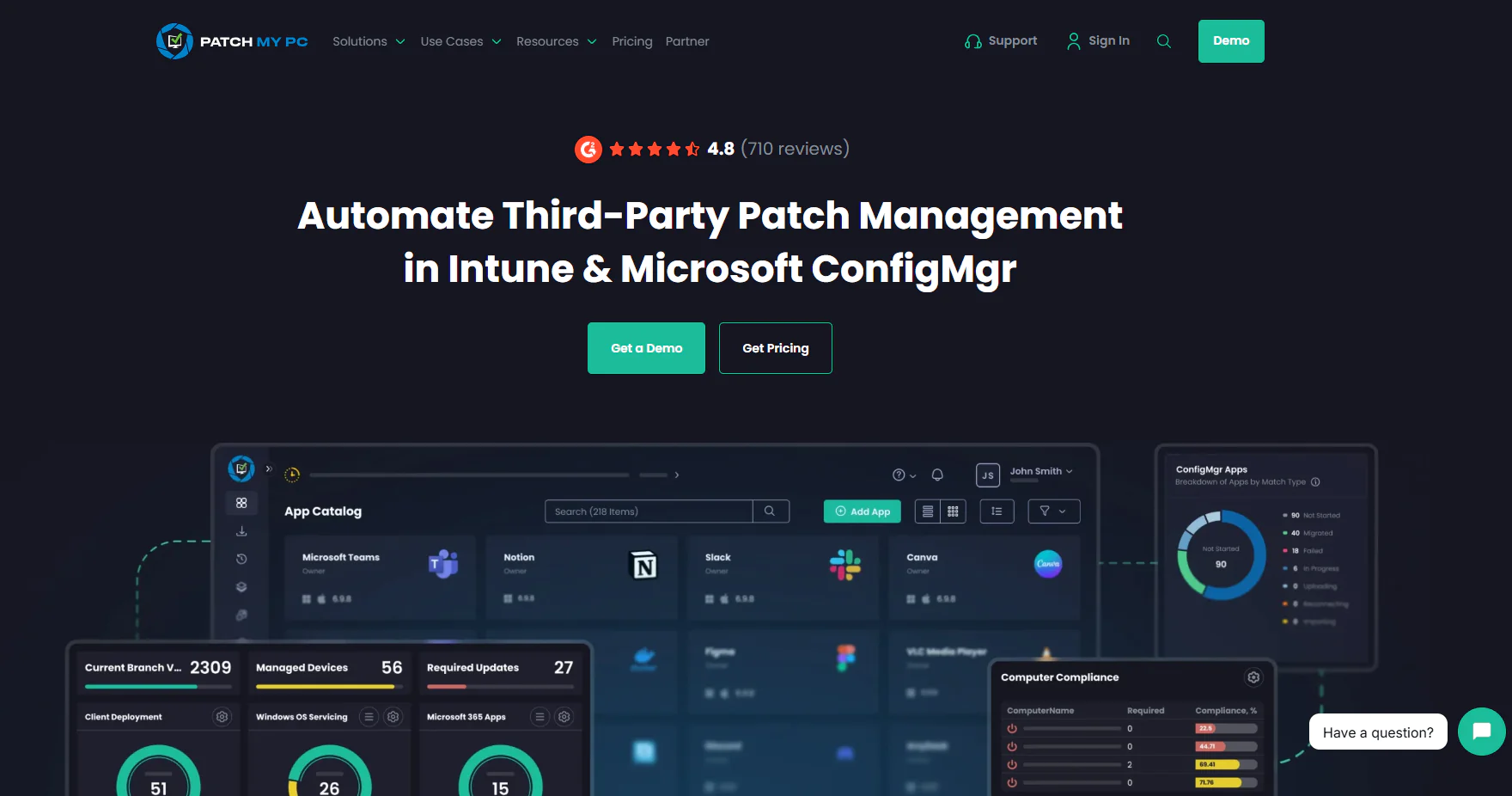
Patch My PC pairs an on-premises Publisher component with a connected cloud service, giving you the flexibility to run on-prem, cloud, or both together, automating third-party application management through Intune, Microsoft ConfigMgr, and WSUS. With it, you can automate the patching process end to end, from missing patch detection to testing, packaging, deployment, and reporting. Higher-tier capabilities add CVE and threat analytics that help you identify which application updates should be prioritized first. And most importantly, it lets you schedule automations outside business hours, so you avoid interrupting your employees’ work and reduce downtime risk.
Key Features
- Third-party app discovery and deployment: Maps installed apps across your endpoints, then lets you deploy fully updated versions through ConfigMgr, Intune, and WSUS. New apps get auto-configured and installed without manual packaging.
- Automated patch testing and prioritization: Identifies new patches, automates testing and packaging, and prioritizes rollout by risk level.
- Application lifecycle management: Patch My PC handles the entire application lifecycle, from deployment to removal, integrating directly with ConfigMgr and Intune to reduce manual rollout work.
- Endpoint analysis and compliance monitoring: Monitors compliance status, device health, and security events in real time.
- Third-party app catalog: Covers 3,583+ supported third-party software titles.
Pros
- Automates patch management end-to-end and saves you tens of hours weekly on searching, packaging, and installing third-party updates.
- Keeps large, complex environments consistently updated without the drift or oversight gaps that come from manual handling.
Cons as per Verified G2 User Reviews:
- Limited macOS support relative to its Windows coverage.
- The Custom Apps catalog feels bare-bones, with custom applications sometimes lacking proper uninstallation options or enough customization for reliable deployments.
- Reporting and alerting need real improvement, with limited built-in report options and little ability to build custom ones.
- Bad patches can slip through and disrupt end users, including cases where specific Adobe updates caused problems across a portion of a company’s user base.
Pricing
Patch My PC uses two pricing models:
Enterprise (per organization):
- Enterprise Patch: $2/device/year (minimum $2,000/year, up to 1,000 devices), covers third-party updates in WSUS and ConfigMgr.
- Enterprise Plus: $3.50/device/year (minimum $3,500/year), adds Intune support and automated app packaging.
- Enterprise Premium: $5/device/year (minimum $5,000/year), adds advanced reporting, CVE threat analytics, and real-time ConfigMgr actions.
MSP (per tenant):
- MSP: $0.50/device/month (minimum $250/month across all tenants), on-premises Publisher tool.
- MSP Plus: $0.50/device/month (minimum $25/month per tenant), fully cloud-based with no server required, plus customer self-serve access.
Best for
Patch My PC is best for SMBs already using Intune, ConfigMgr, or WSUS, since it addresses their limitations, particularly around third-party application support. In short, organizations already relying on these programs don’t move away from them. Instead, they use Patch My PC as an add-on that boosts not only patch coverage but also the level of automation.
Reviews
- G2 rating: 4.8/5 stars, based on 735+ reviews (at the time of update)
- Capterra rating: 4.9/5 stars, based on 215+ reviews (at the time of update)
ManageEngine Endpoint Central
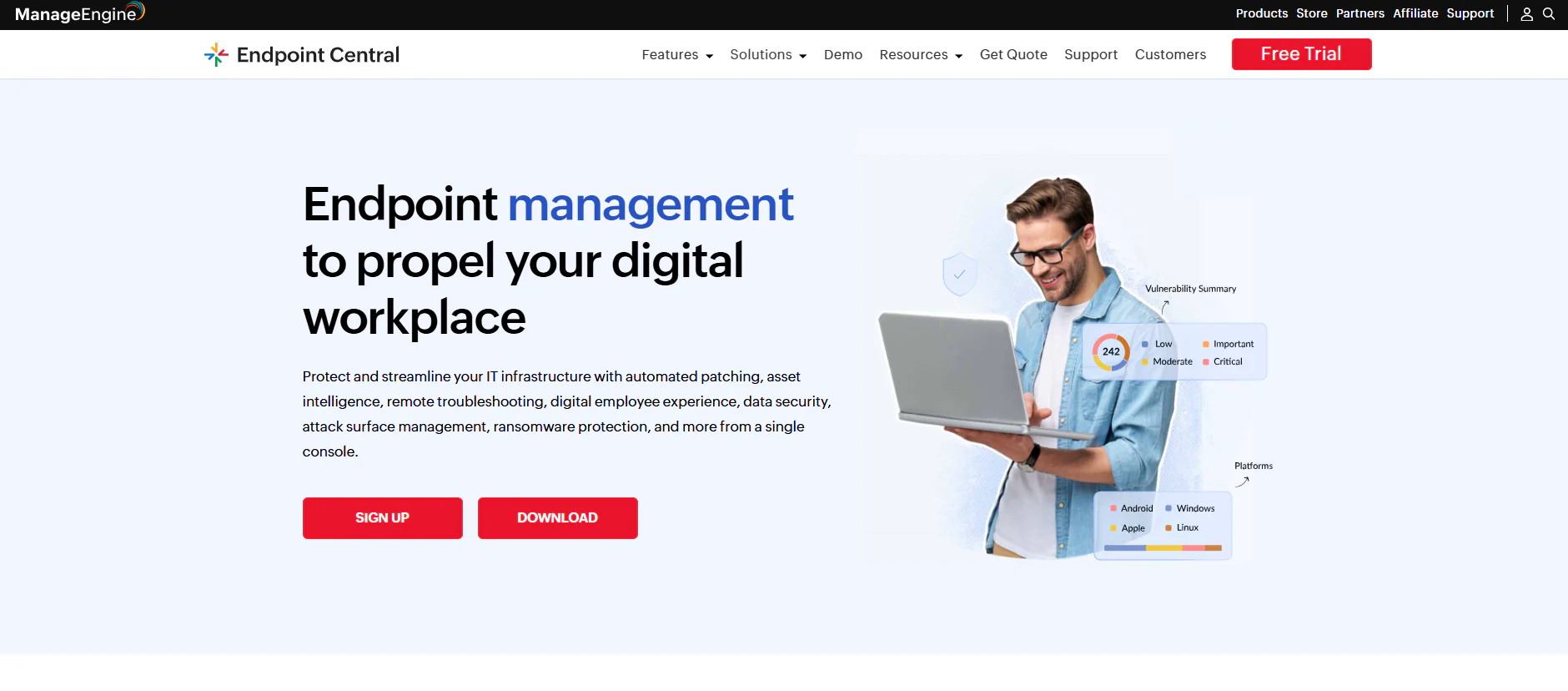
ManageEngine Endpoint Central is a unified endpoint management platform available in both cloud and on-premises versions. It lets IT teams manage, monitor, and secure endpoints no matter where they’re located. It offers multi-OS support and automates patching, asset management, remote troubleshooting, and software deployment. On top of that, ManageEngine Endpoint Central helps better protect your endpoints through data loss prevention (DLP), ransomware protection, vulnerability management, and enterprise browser security tools, all built to ensure safety across specific needs your organization actually has.
Key Features
- Unified endpoint management: Lets you manage both on-premises and remote endpoints, including desktops, laptops, smartphones, tablets, servers, and virtual machines, from a single console.
- Cross-OS platform support: Windows, macOS, and Linux.
- Automated patching: Automates patch deployments for Windows, macOS, Linux, and third-party apps.
- Threat detection and remediation: Automates vulnerability detection and remediation.
- IT asset management: Tracks hardware assets and all the software detected across your fleet, along with license and warranty information.
- Mobile Device Management (MDM): Centralizes device, application, email, and content management to enforce security and compliance policies across your mobile fleet.
- App management and distribution: Lets you install or uninstall software across endpoints, and build application allowlists and blocklists to control which programs users can install, all governed by administrator rights and rule-based policies.
- OS imaging and deployment: Creates and deploys Windows OS images along with the necessary drivers and applications, simplifying OS rollouts across multiple computers.
- Remote troubleshooting: Lets your IT team diagnose and resolve issues on remote endpoints directly through the platform over the internet, without first connecting the device to a VPN.
Pros
- Automates OS and third-party patching, device provisioning, scripting, and other repetitive maintenance tasks.
- Lets you enforce security policies to protect corporate and personal data.
- Available in both on-premises and cloud-based versions.
- Equips you with a robust set of advanced security features.
- Strong MDM capabilities (Android and iOS).
- Phased patch deployment through test groups and APD policies for fewer downtime risks and timely vulnerability remediation.
- Gives you real-time visibility into each of your endpoints.
Cons as per Verified G2 User Reviews:
- The interface isn’t as intuitive as expected, and building your first automations can feel confusing until you become familiar with the workflow.
- Occasional patch deployment failures that require restarting the automation or manually pushing the update to fix the issue.
- Agent drop-offs.
- Limited report and dashboard customization.
- Patched endpoints sometimes show up as vulnerable, even though they’ve already been patched. The issue either stems from a delay in real-time reporting or a bug in the platform. That can cause real headaches, especially if it happens during audits.
- User provisioning and assigning users to remote offices come with significant complexity.
Pricing
ManageEngine Endpoint Central offers both cloud and on-premises deployment across every plan. Here’s how the pricing breaks down for 50 endpoints and one technician:
- Free tier: Up to 25 desktops and 25 mobile devices, forever, with limited functionality.
- Professional: On-premises at $795 per year or $1,987 perpetual. Cloud at $104 per month or $1,045 per year.
- Enterprise: On-premises at $945 per year or $2,362 perpetual. Cloud at $124 per month or $1,245 per year.
- UEM: On-premises at $1,095 per year or $2,738 perpetual. Cloud at $139 per month or $1,395 per year.
- Security: On-premises at $1,695 per year or $4,238 perpetual. Cloud at $205 per month or $2,045 per year.
Best for
A great option for mid-to-large organizations and MSPs that want a full UEM platform, not just patching.
Reviews
- G2 rating: 4.5/5 stars, based on 1,090+ reviews (at the time of update)
- Capterra rating: 4.6/5 stars, based on 1,630+ reviews (at the time of update)
Windows Package Manager (WinGet)
Windows Package Manager, or WinGet, is Microsoft’s own free, open-source command-line tool for installing, updating, configuring, and removing software on endpoints running Windows 10 or Windows 11. It’s built into the operating system and pulls updates straight from its own public repository.
Key Features
- Native Windows integration: Comes preinstalled on Windows 11 and modern versions of Windows 10. No separate client, no extra setup, just open a terminal and go.
- Command-line package management: Install, update, remove, and configure software with a single command, similar to other package managers such as APT on Linux or Homebrew on macOS. A typical workflow looks like this: search for a package, install it, check its details, or list everything already on the machine, all through simple, one-line commands. One example is the “winget list” command, which shows all the installed programs on the endpoint.
- Version control and rollback: Lets you install a specific version of an application or roll back to a previous one if an update causes problems, instead of being stuck on whatever’s newest.
- Machine-wide installations: Supports installing a package for every user on a device at once, not just the account running the command, which is useful for provisioning shared or multi-user machines. Requires admin privileges to run, and not every package supports it. Some will just throw an error if you try.
- Default sources: Comes with the Microsoft Store source, the WinGet Community Repository for applications, and the WinGet Community Repository for fonts.
- Public community repository: Pulls from an open-source repository maintained on GitHub, with over 12,850 packages and counting.
- Private and enterprise sources: Organizations can host their own internal package source by standing up a REST API that follows Microsoft’s official WinGet REST Source spec, with installer files hosted wherever you choose, Azure Blob Storage being the most common option.
- Built-in security layers: Every download gets SHA-256 hash verification and passes through Windows SmartScreen reputation checks. MSIX installers carry digital signatures, and admins can pin critical apps to a specific version until they’ve reviewed an upgrade.
- Group Policy controls: IT admins can block experimental features, force elevation prompts, or restrict which sources users are allowed to install from, all centrally managed.
- Automation and tooling integration: Plugs into automation platforms like Ansible, Jenkins, and PowerShell, so you can combine WinGet commands with scripts that configure files, registry settings, or environment variables across a broader deployment workflow.
- Golden image and VDI support: Teams commonly use WinGet to script a standard app set onto base images, exporting a list of the apps installed on a reference machine and importing it elsewhere to recreate the same environment.
Pros
- Completely free, no licensing cost at all.
- Pre-installed on Windows 10/11.
- Officially backed and maintained by Microsoft, so long-term support isn’t a question mark.
- It’s open-source, so the community can dig into it, flag bugs, and push it forward.
- Installs and updates run silently, so they don’t interrupt your daily activities.
- Search actually surfaces what’s available, no digging through random third-party download sites.
- Lets you pin, upgrade, or downgrade to whatever version you actually need, not just whatever’s newest.
- Every package is validated before it reaches the repository, so a malicious file has a much harder time slipping through.
- Solid built-in security checks (hash verification, SmartScreen) baked in by default.
- Integrates cleanly with common automation tools, making it easy to fold into an existing deployment pipeline.
Cons
- No native graphical interface. It’s command-line only, which is a real pain for teams without a scripting-comfortable admin on staff.
- No built-in enterprise console, reporting dashboard, or compliance tracking. You’re on your own for visibility across a fleet.
- Coverage gaps exist for niche or proprietary software, and there’s sometimes a real lag between a vendor releasing a new version and that version showing up in the WinGet repository.
- Supports multiple configurable sources, but dependency handling and centralized enterprise governance remain limited. If you need deeper control, you’ll need additional tooling.
- Smaller community than older tools like Chocolatey, so when something breaks, finding someone who’s already solved it takes longer.
- Setting up a private, enterprise-grade source isn’t plug-and-play. You’re building and hosting your own REST API from scratch, which takes real engineering time most small IT teams don’t have lying around.
Pricing
WinGet is completely free. There’s no paid tier, no license, no subscription. It’s an open-source Microsoft project with zero cost to use, whether you’re managing five machines or five thousand.
Best for
WinGet is good for small teams that don’t mind typing commands and want a free way to install software automatically. It’s a great fit if your company is already built around Microsoft, runs Windows 10 or Windows 11, and has administrators comfortable with command-line automation.
Ninite Pro
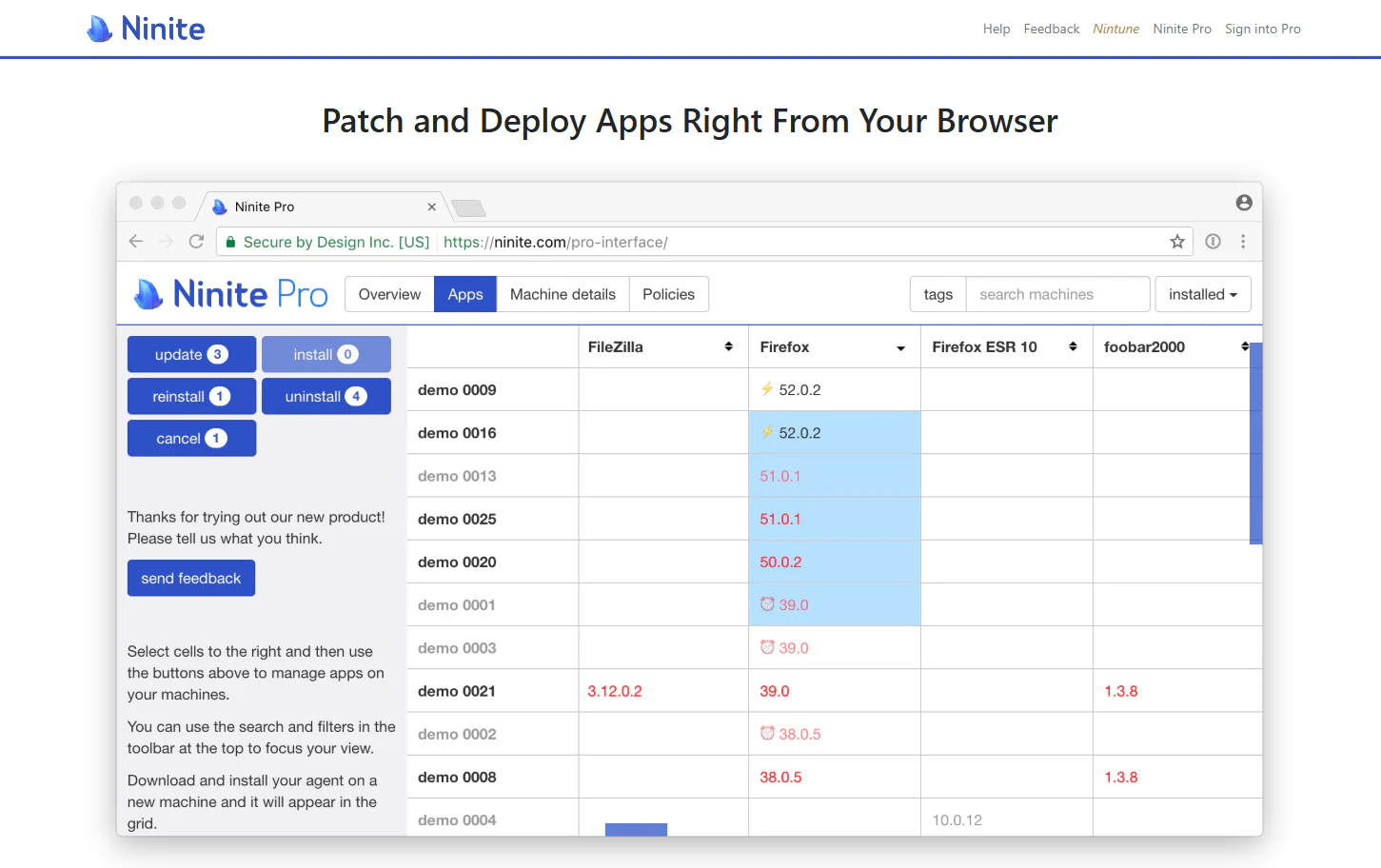
Ninite Pro is a Windows-focused, cloud-based patch management platform built specifically for patching and updating third-party applications. While it can’t handle OS patching, it’s highly effective at automating the installation, updating, and removal of software across your endpoints straight from the browser, with no VPN required.
It gives you the flexibility to build your own patching policy, keeping every endpoint secure and compliant with minimal administrative overhead and limiting the risk of unexpected downtime.
Key Features
- Lightweight agent: Uses minimal system resources during operation.
- Third-party application patching: Automates updates for 190+ Windows applications.
- Real-time remote monitoring and control: Live web dashboard showing all your machines and their installed apps.
- App locking for specific versions: Blocks changes to apps that require a fixed version.
- Tagging, sorting, and filtering capabilities: Lets you organize endpoints by custom tags and status.
- Overview dashboard for patching status: Gives you a current view of your endpoints’ patch statuses across your entire network.
- Multiple deployment options: Deploy via MSI, EXE, or a network-wide installer.
- Command-line interface for scripting and integration: Automate Ninite through the shell for RMM integration.
Pros
- Centralized management console for software installations and updates.
- Silent installation feature for background updates with no user interruption.
- Remote management capabilities for handling devices from anywhere.
- Streamlined automation of software installations across multiple devices.
- Solid reporting capabilities.
Cons as per Verified G2 User Reviews:
- Limited selection of applications available in the catalog.
- When patch installation fails, there isn’t enough detail on what actually went wrong.
- Higher pricing compared to similar tools.
Pricing
Ninite Pro runs on a subscription model, and the price scales with how many machines you’re managing. It looks like this:
- 20,000 machines: $5,115/month
- 5,000 machines: $1,365/month
- 1,000 machines: $365/month
- 250 machines: $135/month
- 50 machines: $35/month
Best for
Small-to-mid-sized businesses running Windows-only devices that need simple management for a curated catalog of popular third-party applications.
Reviews
- G2 rating: 4.8/5 stars, based on 40+ reviews (at the time of update)
- Capterra rating:: 5/5 stars, based on 4 reviews (at the time of update)
Chocolatey for Business
Chocolatey for Business (C4B) is an automated software management platform for Windows, built specifically for organizations. It offers secure, worldwide deployments at scale, centralized endpoint management, and real-time reporting and visibility that help you improve compliance and governance.
C4B helps IT teams streamline software installation, uninstallation, and upgrades using a universal packaging format. It’s the paid tier that lets you move away from direct reliance on the public Community Repository by hosting private packages and internalizing community ones, so you’re not depending on someone else’s feed to keep your organization running.
Key Features
- Package Builder: Generates packages from installers or Programs and Features, cutting down the manual packaging and scripting work required.
- Package Internalizer: Downloads community packages and the remote resources their scripts depend on, then rewrites and recompiles those packages to use embedded or internally hosted files. This removes external internet dependencies and supports more reliable, repeatable deployments.
- Self-service anywhere: Lets end users install pre-approved software on their own, without ever needing admin rights, cutting down help desk tickets while keeping control in IT’s hands.
- Package audit: Lets you inspect prior package installations and upgrades, including who ran them and when, giving you a clear, searchable trail for troubleshooting and compliance reporting.
- Chocolatey Central Management dashboard: Gives you a centralized view of installed and outdated packages, unique installed packages, deployment plans, managed software, endpoint counts, and broader system insights.
- Programs and Features Synchronization: Keeps Chocolatey’s records aligned when managed applications are upgraded or removed outside Chocolatey. C4B’s synchronization command can also bring eligible existing applications from Programs and Features under Chocolatey management.
- Package reducer: Automatically shrinks the size of your package installations, useful for organizations managing bandwidth-constrained environments or large fleets.
- Runtime malware protection: Can scan externally downloaded installation files for malware at runtime, adding another layer of protection before they execute.
- System integration: Integrates with Intune, SCCM, Chef, Puppet, Ansible, and other tools.
Pros
- Brings scattered software tracking under one centralized console for installations and updates.
- Includes audit trails that show exactly who installed what and when, keeping compliance and licensing checks simple.
- Supports air-gapped, fully offline environments by letting you internalize public packages instead of pulling them live.
- Scans every package for malware at runtime, adding another layer of protection before it reaches your endpoints.
- Converts .msi and .exe files into standardized packages in seconds, cutting out manual scripting.
- Integrates with tools you’re likely already using, including SCCM, Intune, Puppet, Chef, Ansible, and CI/CD pipelines.
- Lets end users self-install approved software without needing local admin rights.
Cons as per Verified G2 User Reviews:
- The price is quite high, especially for SMBs. Similar tools on the market offer more features and greater coverage at the same price or even lower.
- A full Chocolatey for Business deployment is not plug-and-play. To install Chocolatey as part of the recommended enterprise setup, your team may also need to configure an internal NuGet repository, SQL-backed Central Management components, endpoint agents, and supporting automation.
- Quality across packages varies, and some might be outdated or broken. This creates serious downtime and security risk.
Pricing
Chocolatey for Business costs $18 per node per year, with a 100-node minimum that brings the annual starting cost to $1,800. It includes everything available in Chocolatey Pro, plus Central Management, Self-Service Install Management, Full Package Synchronization, Package Internalizer, and Package Audit. There is no free Chocolatey for Business tier, although Chocolatey Open Source remains free for organizations.
Best for
Chocolatey for Business is a great option for mid-to-large enterprises with Windows-centric environments looking for a way to improve security and compliance tracking while simplifying software management.
Reviews
- G2 Rating: 4.5/5 stars, based on 15 reviews (at the time of update)
- Capterra Rating: 4.8/5 stars, based on 6 reviews (at the time of update)
Why Action1 is a Strong Chocolatey Alternative
Action1 is a stronger alternative to Chocolatey because it offers you not only a secure, privately maintained software repository that’s constantly updated, but also patch and vulnerability management capabilities, multi-OS and third-party app coverage, real-time reporting, software deployment, and the ability to manage every endpoint remotely, all from one cloud-based console. It works through agents on each endpoint, so you can check and manage any of your systems directly in your browser, anywhere, anytime.
On top of all that, Action1 is free for your first 200 endpoints, fully featured, forever. In short, it helps you automate routine tasks that eat up half of your day from one place, improve your team’s productivity, strengthen your company’s overall security posture, and easily maintain compliance with the regulations you’re subject to.
But that’s just the broad picture. Now let’s look at the key differences and see exactly where and how Action1 is stronger than Chocolatey.
Custom Private Software Repository
Action1 has its own private and secure software repository, where each update and patch is thoroughly tested for security and reliability before being added there. That minimizes supply chain and downtime risks as much as possible. A whole team of experts runs these tests and ensures that each file reaching your endpoints is malware-free and stable.
Deploy Custom EXE, MSI, CMD, BAT, PS1, and ZIP Packages
With Action1, you can upload and deploy custom packages in EXE, MSI, CMD, BAT, PS1, and ZIP formats directly in the Software Repository. If the package needs extra logic, you can add a remote PowerShell script for pre-installation checks, post-installation cleanup, or custom configuration. You get control over silent install switches, deployment scope, and pre- or post-install actions, so packages install exactly the way you configure them, per machine, across your fleet, not just per user.
While the platform offers coverage for the most widely used third-party apps across typical environments, there’s a chance it’s lacking support for specific software you’re currently using. But that can be easily addressed through custom packages, so you can ensure there are no gaps, and your business-critical apps are covered too.
Centralized Software Deployment from the Cloud
Action1 deploys software through the connection between the cloud and the agent installed on each endpoint, so there’s no server to set up, no VPN to connect to, and no infrastructure to buy and maintain on your end. You can manage the software installations, uninstallations, and updates from your browser with just a few clicks, and it’ll reach every endpoint you’ve targeted, regardless of whether it’s in the same building or on the other end of the world. One of the greatest advantages of the cloud-native platform is that it works equally well on desktops, laptops, servers, virtual machines (VMs), and cloud workloads.
OS and Third-Party Application Patching
Action1 autonomously patches Windows, macOS, Linux, and 310+ third-party applications. The platform uses a feature called update rings, where you can create as many rings (groups of endpoints) as you want, starting with a testing one, and progressively expanding that coverage with every ring that follows.
Updates advance from ring to ring only if they meet the success metrics and deployment counts you determine. If they aren’t met, the patch is flagged as unstable and gets stopped automatically from spreading to endpoints in the next ring. And if any endpoint is offline during the scheduled deployment, it’ll get patched automatically on its next reboot. As a result, you get timely vulnerability remediation with minimal downtime risk.
Remote Deployment Without VPN Dependency
Action1 enables remote deployments across all of your endpoints no matter where they are, without a VPN, servers, complex configuration, or any other type of hardware. The platform is cloud-native and agent-based, which means it creates a constant connection between the cloud platform and the agent. The agent is responsible for monitoring and reporting 24/7 for every endpoint, so once you get into your Action1 account, on the dashboard you see valuable insights about the installed software on each device, its current version, and other metrics like IP address, MAC address, hardware components, and so on.
P2P Patch Distribution
Peer-to-peer patch distribution reduces bandwidth strain. On a local network, like an office or a factory, a single endpoint downloads a particular update, then shares it with the rest of the endpoints around it, be it 100 or 100,000+. This accelerates the whole patch process, minimizes the exploitation window, and prevents network slowdowns.
Audit-Ready Reporting and Compliance
Action1 equips you with 100+ built-in customizable report templates covering patching, vulnerabilities, software and hardware inventory, security configuration, and more. Offline endpoints are no longer a blind spot, because the platform fills the gap with cached data from that endpoint’s last check-in, so your reports stay complete under any circumstances.
The report customization options let you clone any template, add or remove columns, change filters, and adjust grouping to follow your team’s or clients’ needs. Once you generate the latest report, you can subscribe to it via email or export it straight to CSV.
Last but not least, for even greater flexibility, you can build a custom report directly from PowerShell script output, so even the edge cases your team cares about are covered in a way that just works.
Chocolatey vs Action1
Here’s how the two stack up side by side across the categories that matter most for enterprise deployments. Action1 comes out ahead in every category, and the table below shows exactly why.
| Category | Chocolatey (C4B) | Action1 | Winner |
|---|---|---|---|
| Package Source |
Community Repository by default, with internal repositories supported in Open Source and licensed editions; C4B adds package-internalization tooling
|
Private repository, built in, tested by Action1 | Action1 |
| OS Support | Windows only | Windows, macOS, Linux | Action1 |
| Third-Party Patching | Community, internal, custom, or internalized packages | 310+ apps, autonomously patched and tested | Action1 |
| Reporting | PDF/Excel reports and a dashboard, available with C4B only | 100+ built-in, real-time report templates, free tier included | Action1 |
| Remote Endpoint Control | Centralized deployment only, no native interactive remote control | Built-in remote desktop, no VPN, no extra setup | Action1 |
Chocolatey Alternatives by Use Case
Now let’s have a look at which is the best alternative to Chocolatey, or Chocolatey for Business, in different use cases. The table below gives the answers.
| Use Case | Best Alternative | Why it’s the Right Pick for You |
|---|---|---|
| Private Software Repository | Action1 | You get a platform that downloads all patches and updates from a privately maintained, secure software repository. Before being uploaded, each patch is tested by an internal team of cybersecurity experts for security and reliability. As a result, only safe files reach your endpoints. |
| Patch Management | Action1 | OS and third-party patch management get controlled autonomously. You can create as many rings (groups of endpoints) as you want, set specific success metrics, deployment counts, and a schedule. From there, only updates meeting the success criteria progress to the next ring, while unstable ones don’t. Patches get deployed as quickly as possible with minimal planned and unplanned downtime. |
| Remote Software Deployment | Action1 | Manage every endpoint straight from your browser, no VPN, no server, no extra hardware. Push installs, updates, or removals to your whole fleet with a few clicks, wherever those endpoints happen to be. |
| Windows Package Management | Windows Package Manager (WinGet) | If you just want native, free, Microsoft-built package management with zero setup, this is it. It’s already sitting on your Windows machines, so there’s nothing extra to deploy. |
| Microsoft Environments | Microsoft Intune | Intune is a cross-platform Microsoft product that fits especially well in Microsoft-centric environments. It plugs right in, giving you MDM, MAM, and strong native Windows update management from one place. |
| MSPs | ManageEngine Endpoint Central | Built for teams managing more than one environment at once, patching, MDM, and asset tracking all live under one roof, which is exactly what an MSP supporting multiple clients needs. |
| Compliance Reporting | Action1 | You get 100+ built-in, audit-ready report templates that update in real time, so when your compliance team needs proof, you’re not scrambling to build it from scratch. |
How to Choose the Right Chocolatey Alternative
Choosing the right Chocolatey alternative is a process that demands attention on your part. You can’t just pick the highest-rated option on the market, because it might not give you the tools needed to solve the gaps that made you look for an alternative in the first place. So, we’ve prepared a list of the most important questions you have to ask yourself, ones that will give you clear direction toward the one vendor that best fits your environment’s specifics, and that works not just on paper but in reality, too.
Do You Need Public or Private Package Sources?
The first thing you have to be clear about is whether you need a public or private package source (repository). If you’re switching from Chocolatey because of the security risks that come with public, community-driven repos, then you need an alternative where all patches and updates come from a privately maintained repository. “Looked at from the other angle, if you’re okay with the risk that comes with public package sources, you can still consider an alternative that uses them.
Are You Managing Windows Only, or a Mixed OS Environment?
Map the operating systems on your endpoints. If they’re a mix of Windows, macOS, and Linux, then you need an alternative that offers cross-OS support. On the other hand, if all your systems rely on just one of these OSes, then you can go with a vendor that supports it. It’s up to you.
Do You Have Custom or In-House Software that Needs Packaging?
Vendors with private repositories aim to cover all the third-party applications found across typical enterprise environments. So, if you use software that isn’t widely used and known, then you must ensure the vendor offers custom packaging, because that’ll allow you to build your own packages and install them through the vendor’s platform. That flexibility gives you confidence that, under any circumstances, each piece of software is going to be protected, up to date, and compliant. A combination of a deep third-party catalog and custom packaging is the best possible option.
Do End Users Need Administrative Privileges, or Just IT?
Decide whether you need a self-service portal that allows end users to install authorized apps by themselves to minimize ticket volume, or whether you have an IT team that isn’t currently overwhelmed. If ticket requests are a daily routine, then you need that portal. If they’re not, then you can skip it.
What Compliance Framework are You Actually Subject to?
Not every business is under the same rules, so don’t just tick a generic “compliance” box. Name the actual framework you answer to. Healthcare teams need HIPAA, retail and finance often need PCI DSS, and plenty of companies now need SOC 2 to close enterprise deals.
Each one wants different proof: HIPAA cares about patient data access logs, PCI DSS wants proof every card-handling endpoint stays patched, and SOC 2 auditors want a clean, repeatable trail showing you actually did what you say you did. If your alternative can’t generate the specific report your auditor asks for, you’re back to building it manually. That defeats the whole point of switching in the first place.
How Much Setup Time Can Your Team Actually Afford?
Be honest with yourself here. Deployment style is not just a personal preference when your team is already stretched thin. Some tools install in five minutes and start patching the same day, like Action1. Others need you to build internal repositories, host your own management server, and train admins on new scripting workflows before anything works. Neither approach is wrong, but one fits your reality and one does not. Match the tool to the time you actually have, not the time you wish you had.
The Step-by-Step Migration Plan
- Audit your current Chocolatey environment. Document the packages you manage, including internalized and custom ones, along with your scripts, scheduled deployments, and any Chocolatey for Business policies in use. Record which external resources your scripts download, where they come from, and whether those sources will remain available after migration. Then export your package lists and deployment history.
- Build a rollback plan before you start: Define the specific criteria that would trigger it, and keep Chocolatey installable until the new platform is fully validated. The common risks are agent conflicts during parallel deployment, loss of historical package or deployment data, broken integrations with scripts or automation tools you already had running, and a productivity dip while your team gets up to speed. Phasing and the parallel-run window absorb all four.
- Map your configurations to the new platform. Identify which Chocolatey packages have direct equivalents and which need rebuilding as custom packages. If you were using Chocolatey Central Management, this is also when you plan out how those deployment plans and reports get rebuilt on the new platform.
- Deploy the new agent in parallel on a test group of endpoints, alongside your existing Chocolatey setup: Watch for conflicts, resource usage, and whether installs and updates are landing accurately.
- Migrate in phases by department, site, or endpoint role rather than all at once: This approach limits the blast radius if something breaks.
- Train your team hands-on before each phase: Give admins real time with the new platform’s interface and workflows before they’re relying on it daily. The more hands-on time, the smoother the cutover.
- Run both platforms in parallel for two to four weeks: Validate that the new platform is catching every update, completing patch cycles, and reporting accurately before you commit further.
- Decommission Chocolatey: Uninstall the client from your endpoints, cancel Chocolatey for Business if you were on it, and archive your exported package data for compliance records.
- Review at 30 days: Compare patch compliance rate, time spent on manual packaging, and downtime incidents against your pre-migration baseline.
Frequently Asked Questions
What is a Package Manager?
A package manager is software that automates installing, updating, or removing applications on an endpoint, without needing to manually download installers or run setup wizards each time for every program. With a single command, a package manager can resolve the requested or available version, install it, and record the package state on your system.
On Windows specifically, tools like Chocolatey and Windows Package Manager (WinGet) work this way. On Linux, the same concept shows up as apt, YUM, or DNF, and on macOS, it’s Homebrew. They all follow the same basic idea: helping you install, upgrade, or remove software on a device through a consistent package-management workflow.
What is the Best Chocolatey Alternative?
The best Chocolatey alternative is Action1. It has a privately maintained, secure software repository, offers cross-OS support, turns patching into an autonomous process, automates software deployment, scripting, and reporting, and gives you real-time visibility across your endpoints. In short, Action1 addresses Choco’s main gaps and provides a more complete platform for endpoint, patch, vulnerability, and software management. It’s cloud-native, agent-based, easy to install and use, and most importantly, it just works.
Is Chocolatey Safe for Business Use?
Depends on which version you’re running, honestly. The free, open-source client pulling from the public Community Repository comes with real risk for business use. Those packages are maintained by volunteers, not a vendor security team, and on top of that, Chocolatey’s own terms now restrict direct organizational use of that repository starting January 1, 2027. Chocolatey for Business fixes most of this since you get private, self-hosted repositories and package internalization, so you’re not touching the public feed at all.
What is a Private Software Repository?
A private software repository is a secure, centralized location for proprietary source code, software packages, or binaries. These repositories are maintained by vendors’ own expert teams that test each update for malware and stability before it’s added to the repo. That’s why they are considered more reliable and safer than public or community-maintained repositories.
Can Action1 Replace Chocolatey?
Yes, Action1 perfectly replaces Chocolatey, because it offers even greater capabilities like cross-OS platform support, a private and secure software repository, scripting, reporting, autonomous patching, software deployment, and remote endpoint control. The platform is cloud-native and agent-based, so it requires no VPN or customer-managed server. In many environments, it can take as little as five minutes to create an account, deploy the agent, and begin managing endpoints. Also, it’s free for up to 200 endpoints, fully featured, forever. Last but not least, Action1 comes with an intuitive interface.
Does Action1 Support Custom Software Packages?
Yes, Action1 supports custom software packages. You can upload and deploy your own EXE, MSI, CMD, BAT, PS1, and ZIP packages straight from the software repository, so anything the built-in catalog doesn’t cover, you can fill the gap yourself. Custom install switches, deployment scope, pre- or post-install actions, all configurable per machine,Custom installation switches, deployment scope, and pre- or post-installation actions are all configurable per machine across your fleet.
How Private Repositories Reduce Public Package Risk
Private repositories cut public package risk since every file is verified before it ever reaches you. Instead of pulling from a public feed anyone can contribute to, patches come from a source that’s already tested for malware, integrity, and reliability.
How Private Repositories Support Compliance and Audit Readiness
Private repositories support compliance and audit readiness because every patch is documented, tested, and traceable from the moment it’s added. No wondering who touched what, no gaps in your audit trail. When PCI DSS, HIPAA, or SOC 2 auditors ask “prove you patched this and knew exactly what you deployed,” you actually have that proof, source, testing, deployment history, all in one place. With a public repository, you’re stuck reconstructing that story after the fact instead of just pulling it up.
Final Recommendation
Chocolatey works well for what it is, a fast, simple way to install and update software from the command line, but its limitations are real, and obvious. Public repository risk, no built-in reporting, weak visibility into what’s already installed, no risk-based patch prioritization, and now, new enterprise use restrictions taking effect January 1, 2027. Those are the reasons IT teams and business owners start looking elsewhere, especially as environments grow past a handful of endpoints.
This article made it clear that:
- Action1 resolves nearly every one of Chocolatey’s shortcomings. It patches Windows, macOS, and Linux autonomously through update rings, deploys custom packages, gives you 100+ customizable report templates, and runs entirely from the cloud with no VPN or server required. It’s also free for your first 200 endpoints, fully featured, forever.
- Windows Package Manager (WinGet) is the closest thing to a like-for-like Chocolatey replacement, free, command-line, already built into Windows. But it comes with the same core weakness Chocolatey has: no built-in reporting, no compliance tracking, and setting up a private source means building your own REST API from scratch.
- PDQ Deploy & Inventory is a strong fit if you want to stay fully on-premises, but it’s Windows-only and requires real upfront hardware investment to get running.
- Microsoft Intune makes sense if you’re already deep in the Microsoft 365 ecosystem, but its patching depth outside Windows is limited, and full third-party coverage requires additional paid add-ons.
- Patch My PC is a smart, focused choice if you’re already running Intune, ConfigMgr, or WSUS and just need stronger third-party patching bolted on, but it doesn’t replace Chocolatey’s general-purpose deployment role on its own.
- ManageEngine Endpoint Central covers the widest ground, patching, MDM, asset tracking, all in one console, making it a strong pick for MSPs and larger organizations juggling multiple environments.
- Ninite Pro is genuinely the easiest option if all you need is a fixed catalog of popular apps kept updated, but its catalog is limited and it can’t handle custom or in-house software.
- Chocolatey for Business solves the public repository problem specifically, private repositories, package internalization, real auditing, but it’s still not a complete endpoint management platform. You’re layering enterprise features onto a package manager, not switching to a purpose-built patch and deployment solution.
What that all means is that the right Chocolatey alternative for your environment depends on your specific gaps, whether that’s repository risk, missing reporting, limited OS coverage, or the need for real patch management instead of just installs and updates. Our top recommendation is Action1, because it closes nearly every gap Chocolatey leaves open, and does it without asking you to build your own infrastructure to get there. All of that with minimal manual effort, cost, and complexity.
Ready to replace Chocolatey?
Watch the demo and see why thousands of IT teams chose Action1. Or start free for up to 200 endpoints.
Sources and Data Used in This Comparison: This comparison is based on vendor documentation and pricing pages, user reviews from G2 and Capterra, and our internal analysis of each platform’s patch and software deployment capabilities.





