TL;DR
- Endpoint privilege management (EPM) controls and restricts administrative privileges across user devices.
- EPM removes standing local administrator rights and grants elevated access only when required.
- Least privilege enforcement reduces the risk of malware, ransomware, credential theft, and lateral movement.
- Organizations can allow approved applications and administrative tasks without giving users permanent admin access.
- EPM reduces endpoint attack surfaces by limiting unnecessary permissions and privileged actions.
- Just-in-time privilege elevation allows temporary access for specific tasks while maintaining security controls.
- Centralized policies help standardize privilege management across Windows, macOS, Linux, and remote endpoints.
- EPM supports compliance requirements by providing audit trails, access controls, and privilege monitoring.
- Common EPM features include application control, privilege elevation workflows, role-based access, and reporting.
- A well-implemented EPM strategy strengthens endpoint security while preserving user productivity.
Endpoint privilege management is a cybersecurity practice of controlling and restricting admin rights for users, applications, and processes across every endpoint in your organization. Instead of giving everyone local admin rights and hoping for the best, you enforce least privilege, remove standing admin access, and grant elevated permissions only when there’s a legitimate reason to do so, like allowing an employee to install approved software or run a specific admin task.
By limiting what users can do by default, you also limit what attackers can do the moment they compromise a device. Even if they breach a particular endpoint or a standard user account, no admin rights means no easy path to the rest of your network, no straightforward access to your corporate data, and no simple way to move laterally across your environment. They get in. They just can’t go far.
In this guide, we cover why that matters, how it works, how it compares to PAM and endpoint management, the key capabilities to look for, the best practices to follow, the most common mistakes teams make, and which solutions are worth your time and money.
Why Endpoint Privilege Management Matters?
Without endpoint privilege management, chances are most of your employees are running with local admin rights nobody ever questioned, reviewed, or removed. That’s the biggest problem because it’s exactly what cybercriminals count on. EPM lets you split your employees into two groups: standard users with restricted access, enough to complete their daily tasks, and administrators with extended privileges who have access to far more than a standard user ever would.
But to tighten control even further, EPM solutions ensure that only trusted applications can be installed and run, while others can be blocked with a single policy. That’s the kind of flexibility every organization needs to keep everything under control but also elevate privileges when there’s a legitimate reason to do so, without interrupting your employees’ productivity. Long story short, those are the most obvious advantages, but there are many more that aren’t so obvious at first glance, and we’re covering all of them below.
Reducing Local Admin Rights
With EPM, you can give everyone in your organization exactly the access they need, nothing more and nothing less. It’s a very common practice for organizations to hand out local admin rights to all their users, especially in SMBs, because it’s easier and faster and removes the constant access requests that you or your team have to manage daily, if not hourly. But this practice is dangerous and creates security risks that outweigh the convenience. If an employee has permanent admin rights and somehow makes the mistake of clicking on a malicious link directing them to a harmful website, or answering a phishing email and handing over their credentials, hackers can disable endpoint security tools, modify system settings, launch a ransomware attack, or exfiltrate sensitive data before anyone on your team realizes what’s happening.
EPM removes these standing admin rights by default and replaces them with a controlled process where you can still elevate privileged access only when it’s needed and for as long as necessary. That alone eliminates a massive amount of unnecessary risk, simply by reducing local admin rights.
Least Privilege Enforcement
Least privilege means every user gets only the access they need to complete their daily tasks. It sounds simple, and at the beginning it is, but some IT teams still get it wrong because permissions grow over time. Someone needs temporary access to cover for a sick colleague. Someone gets promoted, but their old permissions stay. Onboarding and offboarding are processes that demand someone go back and clean things up, but does that always happen? Not every time. EPM solves that problem by enforcing least privilege automatically, defining access policies based on each employee’s role, and revoking them the same way, without any manual effort on your part.
In practice, this means a much smaller attack surface and a much harder environment for cybercriminals to move through once they gain unauthorized access, effectively locking them inside a zone with clear borders. They’re clever enough to still attempt privilege escalation, but it takes time, and that time may be exactly what you need to detect and respond before real damage is done.
Reducing the Endpoint Attack Surface
Every permission your users don’t need is a risk you’re carrying for no reason. Instead of giving your employees full control over their workstations, EPM grants granular, policy-driven access based on each employee’s role. Every unnecessary permission removed is a step toward better cyber hygiene and a stronger overall security posture. Endpoint privilege management reduces your attack surface by eliminating standing local admin rights, blocking unverified applications from running, restricting built-in administrative tools like PowerShell from executing unauthorized commands, and, most importantly, capping what a compromised account can actually do by limiting its reach to only the resources that account was explicitly approved to access in the first place. The less an attacker can do, the less damage they can cause.
Supporting Zero Trust Security
Every user, every device, and every application has to prove it should have access before it gets it, every single time. EPM removes the assumption that users or applications are trustworthy by default. Verification is required before any privileged action is allowed. Most importantly, access is granted based on identity, context, and need, monitored in real time, and revoked the moment it’s no longer justified. Want to run a PowerShell script or install a driver? Fine, but you need to verify it’s actually you and that there’s a legitimate reason to do so before any elevation is granted.
How Endpoint Privilege Management Works
Endpoint privilege management works through four connected mechanisms: just-in-time privilege elevation, policy-based application control, request and approval workflows, and real-time monitoring. Each applies under specific conditions, and together they replace permanent admin rights with a controlled system that grants and revokes the right level of access at the right time, for the right users and applications. That’s the surface-level picture, though, so let’s take a closer look at how each mechanism actually works under the hood.
Just-in-Time Privilege Elevation
Just-in-time (JIT) privilege elevation grants temporary administrative access only when a specific task requires it. The EPM agent receives that request and checks it against a pre-configured set of elevation rules. If it matches an approved rule, elevation is granted immediately for exactly as long as that task requires. Once the task closes or the time window expires, the EPM agent stops the elevated session, and the account returns to standard user status in seconds, with no manual effort on your part.
IT teams have the ability to define the boundaries of those elevation rules. They can specify which executables, scripts, or installers are eligible, under what conditions they can be elevated, which users or user groups the rule applies to, and how long it lasts. For instance, if you need to install a driver, you might get only five minutes to do it. A PowerShell script might be approved only for members of the IT team running it from a specific path. That level of granularity is what allows organizations to enforce least privilege without creating operational bottlenecks.
That means no constant granting and revoking of user access manually. Just-in-time solves the scaling problem. A user gets exactly the access they need for exactly as long as they need it, and once that window closes, the access vanishes too.
Policy-Based Application Control
Application control in EPM operates at the policy level. Security teams define exactly what can run, what gets blocked, and what requires elevated privileges before it executes. Those policies target specific executables, scripts, and installers and, in more granular implementations, individual command-line arguments, environment variables, and process behaviors.
The two core mechanisms are allowlisting and blocklisting. Allowlisting defines the trusted applications approved to run. Blocklisting defines the known malicious or unauthorized ones that get stopped before they execute.
But the mechanism that separates mature EPM implementations from basic application control is ring-fencing. Ring-fencing controls what an application can do while it’s running, not just whether it can run. A ring-fenced application can’t reach network resources outside its defined scope, can’t interact with other processes it wasn’t permitted to touch, and can’t access sensitive corporate data or personal files even if it executes successfully.
That matters because most sophisticated attacks don’t rely on obviously malicious software. Attackers abuse legitimate trusted applications, browser processes, scripting engines, and system utilities, exploiting the access those tools already have. Ring-fencing closes that gap by treating application behavior as a security boundary, not just application identity.
User Request and Approval Workflows
When a user tries to run a task that requires elevation and isn’t covered by an existing policy, the EPM agent intercepts the request before it executes. That user then gets prompted for a business justification and, depending on your configuration, may also need to re-authenticate. That request goes straight to an admin who can grant or deny it in real time. However, when managing 100+ employees, admins can easily get overwhelmed and make unintentional mistakes.
That’s why EPM solutions allow low-risk tasks from trusted users to be auto-approved, leaving manual approval only for higher-risk ones. Requests outside business hours can be automatically denied or escalated so nothing piles up waiting for someone in the morning. The workflow is as flexible as the policy behind it, which means it follows your rules.
In short, the goal is to eliminate the binary choice between locking everything down and giving everyone admin rights, because both can bring serious, even catastrophic, consequences. EPM gives you the middle ground that balances security risk without affecting productivity or overwhelming your team. And every request, justification, approval, and denial gets logged automatically without anyone having to document it manually.
Monitoring, Logging, and Audit Trails
Everything gets logged. Requests, approvals, denials, and every action taken inside an elevated session, all of it tracked by the EPM agent automatically. You get a detailed record of who made the request, what they requested, what justification they gave, who approved or denied it, how long the session lasted, and every change made while the elevation was active. That level of detail gives you three massive advantages.
The first is compliance. Frameworks such as PCI DSS, HIPAA, and SOC 2 require verifiable evidence that privileged access was controlled, documented, and traceable from request to execution. EPM gives you that automatically after every elevation session.
The second is forensic analysis. When something goes wrong, or an incident occurs, the first question is always what happened, what changed, on which endpoint, and when. With an EPM solution in place, that’s already documented, and the answers are right there waiting for you, not buried somewhere after days of chasing different teams and departments. You review the logs and quickly reconstruct what happened, when it happened, and which endpoint was affected.
And last but not least, threat detection. Elevation activity often reveals early warning signs before a real problem develops. A user account requesting elevation for the same unfamiliar process multiple times is worth investigating. Elevation attempts outside business hours from endpoints that don’t normally generate them are an obvious red flag. These signals often appear in audit logs long before they trigger alerts in other security tools, and catching them early can prevent a successful cyberattack, stop credential theft before it escalates, and save your organization hundreds of thousands of dollars along the way.
Endpoint Privilege Management vs Privileged Access Management
Endpoint privilege management and privileged access management (PAM) are related, but they are not the same. PAM controls privileged accounts at the network and server level, managing access rights to critical infrastructure like databases, domain controllers, and cloud consoles. EPM operates at the endpoint level and controls what users can do on their own devices on a day-to-day basis. Long story short, PAM asks who can access a critical system, and EPM asks what a current user can do on the machine they’re logged into.
That said, if your organization is running PAM without EPM, you still have local admin rights sitting on your endpoints that hackers can exploit the moment they compromise a single device. On the other hand, running EPM without PAM leaves privileged accounts and sensitive resources at the infrastructure level unprotected. And yes, that means you need both to protect your endpoints and your users and to build something that actually works.
Privilege Elevation Rules
Without elevation rules, EPM has nothing to enforce. They’re the configuration layer that tells the system exactly what to allow, who to allow it for, and how long it lasts. Each rule defines a specific condition under which elevated privileges are granted, including which executable or script qualifies, which users or groups the rule applies to, what path or hash the file must match, and how long the elevated access lasts. Without a precise elevation rules policy, EPM will either block too much and hurt your team’s productivity or approve too broadly and recreate the same problem you were trying to eliminate in the first place.
Well-configured rules follow the least privilege model and grant elevation only for verified, pre-approved tasks. That also eliminates the need for a user to switch to a shared local admin account. Elevation happens under the same user identity, which keeps your audit trails accurate and attribution clean.
PAM uses elevation too, but at a completely different level. It grants temporary access to servers, databases, and privileged accounts through session-based controls. EPM elevation controls what a standard user can do on their own device. Same concept, completely different scope.
Application Allowlisting and Blocking
As we’ve covered earlier, EPM controls what’s allowed to run in your environment through allowlisting, blocklisting, and ring-fencing. PAM doesn’t touch application control at all. It doesn’t care what runs on your endpoints. That’s entirely EPM’s job, and it’s one of the clearest lines between the two tools. But owning that job means treating allowlisting, blocklisting, and ring-fencing as living policies that need the same regular attention as your endpoints. You’ll add new applications, stop using ones you no longer need, and your lists need to reflect that every time.
Cross-Platform Endpoint Support
Cross-platform EPM means your elevation rules, application control policies, and audit logging apply consistently across Windows, macOS, and Linux endpoints from a single management console. Most organizations today run mixed environments, and administrative privileges on a macOS device carry the same security risk as full admin access on a Windows workstation. An EPM solution that manages all three from one place is the only reliable way to ensure that least privilege is enforced everywhere, not just on the platforms your IT team knows best. Some solutions extend coverage to mobile devices like Android and iOS, helping you cover every endpoint your employees use inside and outside the office.
PAM also supports cross-platform environments, but it covers access to your infrastructure, Linux servers, Windows domain controllers, and cloud platforms. EPM covers the devices your employees work on every day. Both are cross-platform. Neither covers the same layer.
Compliance Reporting
EPM helps you achieve compliance by automatically generating detailed audit trails that document all privileged activities across your endpoints, including every elevation request, approval, denial, and session action. When a user requests elevation, the EPM agent captures the entire process end to end, giving you an audit-ready paper trail that supports compliance with the regulatory standards and frameworks your organization is subject to, like PCI DSS, HIPAA, and SOC 2.
PAM generates compliance reports too, but only for infrastructure access, privileged sessions to servers, databases, and cloud consoles. In reality, you need both tools reporting because neither covers what the other does.
How Endpoint Privilege Management Supports Endpoint Security
Endpoint privilege management strengthens your endpoint security by controlling what a logged-in user can actually do with the access they already have. It’s the foundation of your security stack, and, like any foundation, everything else sits on it. EDR, MDM, and antivirus are the walls and the roof. But none of them hold without the foundation underneath. That’s EPM.
What makes EPM particularly valuable is its ability to prevent attacks that look completely normal until it’s too late. A user with local admin rights can disable your antivirus, modify your EDR configuration, or install software your MDM never approved, and none of that triggers an alert because those actions don’t look like an attack. But if that account is compromised and a cybercriminal is behind the keyboard, every one of those actions is an attack. EPM removes that risk by controlling access through precise rules, giving each user only what their role requires, and logging every action automatically so nothing goes undetected and everything stays traceable.
Common Endpoint Privilege Management Use Cases
Endpoint privilege management solves real operational problems that your IT team deals with every single day. The main goal is to harden your endpoints automatically while cutting operational costs and manual work as much as possible. Here’s how that plays out in practice:
Allowing Standard Users to Run Approved Admin Tasks
Most of you know that software installations and uninstallations, driver upgrades, and legacy application launches require admin rights even though the task itself is completely routine, sometimes even close to zero risk. EPM lets standard users across your organization run specific pre-approved tasks with temporarily elevated privileges without anyone having to manually adjust their base permission level.
The process happens invisibly, the task completes, the privileges disappear, and most of the time, users don’t even realize anything changed. No more tickets when someone from the finance team needs to run legacy software that requires elevation, no more waiting for IT to approve a driver update for a field technician on the road. You need it, you get it, you complete the task, and then it’s gone. As simple as that.
Securing Remote and Hybrid Endpoints
EPM secures your remote endpoints, whether they’re on the next floor or another continent. It doesn’t need a VPN or network connectivity to enforce security policies across your endpoints. The agent installed on each device enforces elevation rules, application control, and audit logging automatically from the moment it’s deployed. That means you have the same visibility and control over a laptop in Tokyo as one three feet away.
Meeting Compliance and Audit Requirements
Detailed audit trails covering every elevation request, approval, denial, and session action map directly to the evidence requirements of PCI DSS, HIPAA, SOC 2, and the Essential Eight. So when you get notified that an audit is coming, you can breathe easy, because you already have every piece of proof that privileged access was controlled across your endpoints over the past months. With a few clicks, you pull the report and hand it over. And the best part is that nobody spent hours documenting any of it. The EPM system built that paper trail automatically, every single time, without anyone having to think about it.
Endpoint Privilege Management Best Practices
Getting EPM deployed is the easy part. Getting it configured in a way that actually holds up under real-world conditions, scales with your organization, and doesn’t create more problems than it solves, that’s where most teams struggle. These are the practices that separate a solid EPM deployment from one that falls apart six months in.
Start With an Audit of Existing Privileges
Run a full discovery of every local admin account and check the local administrators group on each endpoint across your environment. Bet you’ll find accounts nobody knew existed, users with admin rights they’ve had since their first day and never needed, and shared admin credentials that multiple people use. That’s the first important step you need to take, and you can’t enforce least privilege without it.
Remove Standing Admin Rights Before Configuring Elevation Rules
Before deploying an EPM solution, be sure to remove any admin rights you have previously granted, if applicable. If not, this step doesn’t apply to you. If users across your organization still have permanent local admin rights, your elevation rules will be decorative at best, and human error in granting those rights in the first place becomes a permanent security gap. You can’t restrict access that’s already been handed out freely. Remove standing rights first, then build your elevation policies around what users actually need.
Build Elevation Rules Around Roles, Not Individuals
Writing elevation rules for specific users makes you feel like you are on a hamster wheel. Every time someone changes roles, joins the team, or leaves the company, you’re manually updating rules. Build your policies around user groups and roles instead. Finance receives the specific elevation rules it requires. IT receives broader elevation privileges compared to standard users. Developers get what they need to complete their daily tasks, nothing more and nothing less.
That level of granular control is only possible when your policies are built around roles rather than individuals. When someone moves departments, their elevation rules change automatically because their Active Directory group membership changes. When someone gets hired, you assign them the right role permissions from day one without spending hours figuring out what access they need.
Test Elevation Rules Before Rolling Them Out Organization-Wide
Start with a pilot group, ideally a mix of technical and non-technical users representing the diversity of your environment. That test will show you what gets blocked that shouldn’t be, what gets approved that raises questions, and what complaints it generates. Fix those issues before the rules reach the rest of your users. You can run the same test for every department. That way, you save countless hours resolving complaint tickets, keep tension low, and keep your headaches to a minimum. Many of you, familiar with deployment rings in patch management, will make the connection immediately. Catch problems early while they’re still small.
Define Clear Escalation Paths for Denied Requests
What happens when a user requests elevation and gets denied? If the answer is “they email IT and wait,” you haven’t finished your EPM deployment. Define exactly where denied requests go, who reviews them, and how quickly they get a response. Users who can’t complete tasks because of an EPM policy that wasn’t configured correctly will find workarounds, and workarounds drive up operational costs while creating security gaps at the same time. So, having a clear escalation path is what allows your employees to remain productive and keeps IT in control of what actually gets approved, meaning you’ll never have to sacrifice productivity over risk mitigation, or vice versa.
Review Elevation Logs Regularly, Not Just Before Audits
EPM solutions give you detailed elevation logs, and they shouldn’t be used only for compliance purposes. These logs contain valuable information, including obvious red flags that signal an upcoming attack. Unusual user activity, like requesting elevation for the same task repeatedly in a short period, is worth investigating immediately. An endpoint sending elevation attempts at 2 am when your employee should be asleep is an eye-catching detail that something isn’t right.
The same applies when you spot a sudden spike in denied requests from a specific user or department. Review these logs regularly, and you can identify threats early, take appropriate action, and avoid the devastating consequences of ransomware, identity theft, and data breaches. Daily, weekly, bi-weekly, or whatever works for your company, just make it a habit.
Keep Your Allowlist and Blocklist Current
New tools get adopted, old ones get retired, vendors push updates that change executable paths and file hashes, and shadow IT finds ways to introduce applications nobody approved. Schedule a quarterly allowlist review at minimum. Check for applications that are approved but no longer in use, executables that have changed since you last verified them, and new software requests that should be added to policy rather than routed through manual approval every time.
Integrate EPM With Your Broader Security Stack
EPM data becomes significantly more valuable when it feeds into your SIEM tools, your EDR, and your identity management platform. Elevation events linked to Azure AD or on-premises Active Directory authentication logs show patterns that neither system can see by itself. EPM alerts routed into your SIEM give your SOC team endpoint privilege context alongside network and application events. If you’re running Microsoft Intune or a similar MDM platform, connecting it to your EPM solution gives you a unified view of device compliance, session management, and privilege status from a single console. Don’t run EPM as a standalone tool if you don’t have to.
Common Endpoint Privilege Management Mistakes to Avoid
Implementing a new tool across your environment without the necessary experience or technical knowledge always creates gaps that either expose your systems, prevent you from squeezing the software’s full potential, or make it unable to automate the tasks it was meant to. Most of the mistakes below aren’t obvious when you’re setting things up.
They show up later, at the most inappropriate moment, when something breaks, or an audit flags a gap you didn’t know existed. Either way, that always ends up the same, costing you time, money, and many hours fixing it. So to help you avoid that scenario, here are the most common EPM deployment mistakes IT teams make and what to do instead.
Deploying EPM Without Removing Existing Admin Rights First
This one is covered in best practices, but it’s worth repeating here because it’s the single most common EPM deployment mistake. If your end users still have administrative rights when you flip EPM on, your policies won’t work as expected. Your employees can bypass every elevation rule you’ve configured simply by using the local admin access they already have. EPM doesn’t automatically remove existing privileges. That’s your job before deployment, not after.
Building Elevation Rules That Are Too Broad
Broad elevation rules feel like a reasonable compromise when you’re trying to avoid user complaints during rollout. Such rules are ineffective, as they can result in greater losses than gains. A rule that elevates any executable in a specific folder, or any process run by a specific user group, defeats the purpose of controlling access entirely. Attackers know how to drop malicious files into approved paths or compromise accounts that belong to over-privileged groups, effectively bypassing your controls and compromising security without triggering immediate suspicion. Your elevation settings policy needs to target specific executables, specific hashes, and specific conditions. The more precise your rules, the less room attackers have to work with.
Ignoring Application Control and Focusing Only on Privilege Elevation
Controlling access to which applications can run on a user’s endpoint is just as important as controlling who can elevate. A standard user can still execute a malicious script if your EPM solution’s application control policies aren’t configured to block unauthorized scripts from running. As we’ve mentioned earlier, privilege elevation and application control are equally important, and focusing only on one and neglecting the other makes your EPM deployment meaningless and ineffective.
Not Defining What Happens When Requests Get Denied
Define your denial workflow before you go live. It needs a clear escalation path that notifies your users their request is being reviewed, which helps you avoid user frustration, unnecessary helpdesk ticket creation, and decreased productivity. Users who hit dead ends repeatedly start looking for workarounds, and workarounds are the main reason security gets compromised without anyone noticing. So make things clear, and avoid all these potential issues.
Assuming EPM Covers All Your Operating Systems by Default
Not every EPM product covers Windows, macOS, and Linux with equal depth. Some products have mature Windows support and basic macOS or Linux coverage. In certain scenarios, the operating systems running in your environment aren’t fully supported by your chosen solution, which means your least-privilege enforcement has gaps you haven’t accounted for. Verify cross-platform coverage before you commit to a vendor, not after you’ve rolled it out to 5,000 endpoints.
Skipping User Communication Before Rollout
A one-page explainer sent to users before rollout, explaining what EPM is, why it’s being deployed, and what to do if they hit a wall, saves you more time than any technical configuration decision you’ll make. This one gets ignored more than any other. You configure your policies, you test your pilot group, and then you flip the switch for the whole organization without telling anyone what’s changing or why. The result is a wave of confused users who suddenly can’t do things they could do yesterday, a helpdesk that gets buried, and an IT team that spends its first week post-deployment doing damage control instead of monitoring.
Trusting File Names Instead of File Hashes
A malicious file renamed to match a trusted one, like a widely trusted third-party application, can pass right through your EPM policies if you’re only checking the file name. What carries greater weight are file hashes. A hash is calculated from everything inside the file, every byte, every line of code. Rename a malicious file to match a trusted one, and the name matches. The hash never will.
Relying on EPM Alone Without MFA on Admin Accounts
EPM controls application access and what standard users can do on their endpoints, but if an admin account gets compromised, that unlocks access to almost everything across your organization. That’s why combining EPM with MFA on all admin accounts is absolutely mandatory, not just on admin accounts, but on every single employee. The hard truth is that MFA can still be bypassed under certain circumstances, particularly through session theft, phishing attacks, and social engineering. The difference is that MFA makes the attack significantly more difficult, time-consuming, and expensive for attackers to pull off.
Even if you use both, you still won’t be immune to cyberattacks. No cybersecurity software makes that promise anymore. But your chances of a full-blown incident drop as much as possible.
Best Endpoint Privilege Management (EPM) Solutions
The best endpoint privilege management solutions available right now are Action1 EPM, BeyondTrust EPM, Microsoft Intune EPM, CyberArk EPM, Delinea Privilege Manager, and ThreatLocker. Each brings different key features, strengths, and OS support to the table. So, here’s what you need to know about all six before making a decision.
| Platform | Core Focus | Deployment Type/ Architecture | Supported OS | Key EPM Strengths | Best For | Free Tier / Trial |
|---|---|---|---|---|---|---|
| Action1 EPM | Autonomous endpoint and patch management with integrated EPM capabilities. | Cloud-native. No VPN or on-premises infrastructure required. | Windows, macOS, Linux. | Autonomous patching. Real-time compliance reporting. RBAC. MFA. P2P patch distribution. AD integration. SIEM and XDR API integration.Hardened network isolation. WAF protection. Service isolation. Strict least-privilege access. Internal zero trust enforcement. Entra ID identity authentication | SMBs, enterprises, MSPs, and government agencies. | Free forever for up to 200 endpoints with no feature limits |
| BeyondTrust EPM | EPM solution with least privilege enforcement, application control, and JIT elevation. | Cloud and on-premises. SaaS and Pathfinder deployment options available. | Windows, macOS, Linux. | Granular policy control. JIT access management. Application control with ring-fencing. Deep audit logging. Entra ID identity authentication on macOS. Policy version comparison. | Mid-size to large enterprises. | No free tier. Demo available on request. |
| Microsoft Intune EPM | EPM add-on within Microsoft Intune for Windows endpoints managed through Entra ID | Cloud-based SaaS. Requires Microsoft Entra joined or hybrid joined devices and Intune enrollment. | Windows 10 and Windows 11 only. | Policy-based JIT elevation. Automatic elevation for pre-approved apps. User-confirmed elevation with business justification. Virtual account isolation. Detailed audit logging per elevation. Zero Trust enforcement via Entra ID. | Mid-size to large companies running mostly Windows and already paying for Microsoft 365. |
No free tier. 30-day free trial on Intune Plan 1 available.
|
| CyberArk EPM | Enterprise-grade EPM with application control, threat detection, and JIT elevation across endpoints | Cloud-based SaaS. | Windows, macOS. Linux OPM reached End of Life June 2025. | JIT elevation with time-limited sessions. Application allowlisting and threat detection. Audit logging across 50 million+ endpoints. Strong PAM and EPM integration. | Large enterprises and MSPs. | No free tier. However, 30-day free trial option is available. |
| Delinea Privilege Manager | Endpoint least privilege and application control for workstations with cloud and on-premises deployment | Cloud and on-premises. | Windows and macOS. Linux/Unix support discontinued. | Local Security and Application Control as two core components. Auto-discovery of admin rights. UAC override. Child process control. Sandboxing. MFA via Entra ID integration. | SMBs, large enterprises and MSPs. | No free tier. Only 30-day free trial available. |
| ThreatLocker | Zero Trust deny-by-default endpoint protection with elevation control, application allowlisting, and ring-fencing | Cloud-native. | Windows, macOS and Linux. | Default-deny application allowlisting. Ring-fencing for approved applications. Elevation Control without granting local admin rights. 24/7 Cyber Hero support team. Modular unified bundle with allowlisting, ring-fencing, storage control, and network control. | Large enterprises and MSPs. | No published free tier. Custom pricing. Demo available on request |
How to Choose an Endpoint Privilege Management Solution that is Right for You?
Choosing the right EPM solution isn’t just about feature checklists. The platform you pick has to fit your environment, your team’s technical capacity, your OS mix, and how you want to manage elevation at scale.
Every vendor is going to introduce their product as the right one for you. In fact, you can easily fall into that trap if you don’t do your own research, if you don’t grab a pen and paper to write down your environment specifics, your needs, and the level of protection you’re looking for. Demos look clean, feature lists are impressive, and the sales team knows exactly what to say. The thing is, real-world deployments never look like demos. Avoiding critical mistakes comes down to careful planning and knowing what you actually need. That’s why we made this guide to help you pick the right product, not the one with the best ratings that barely meets your needs.
What Operating Systems Does the EPM Solution Support?
Before you look at a single vendor, map your endpoint environment end to end. Write down how many desktops, laptops, servers, virtual machines, cloud workloads, and mobile devices you have, and most importantly, what operating systems they run. Windows only? You have the most options. Mixed Windows, macOS, and Linux? You need to verify that elevation rules, application control policies, and audit logging work with equal depth across all platforms, not just on Windows with basic support for the rest.
Cloud-Native or On-Premises: Which Deployment Model Do You Need?
Cloud-native options are great for organizations with a mix of on-premises and remote endpoints because they don’t need VPNs or additional hardware to function. A lightweight agent handles policy enforcement across every device, whether it’s on the next floor or on the other end of the world. No dependencies, full flexibility, and consistent enforcement everywhere. That’s what most organizations need.
But if you’re in a highly regulated environment with strict data residency requirements or an air-gapped network, cloud-only may not work for you. In that case, look for a vendor that offers both cloud and on-premises deployment. Know which model you need before you talk to anyone.
Key Features to Look for in an EPM Solution
A strong EPM solution covers these capabilities regardless of whether your organization manages 100 endpoints or 100,000:
- Least privilege enforcement with automatic rights removal – removes standing local admin rights and replaces them with policy-driven elevation automatically.
- Just-in-time elevation with automatic revocation – grants elevated access for exactly as long as the task requires, then revokes it without manual intervention.
- Application allowlisting, blocklisting, and ring-fencing – controls what can run and what approved applications can access while running.
- Hash-based file verification – verifies executables by hash and publisher certificate, not just file name or path which attackers can spoof in seconds.
- Centralized approval workflows with role-based approvers and escalation paths – structured governance for elevation requests with defined approvers, expiration controls, and separation of duties.
- Session isolation and credential theft protection – isolates elevated sessions so attackers can’t scrape credentials from memory during an active elevation.
- Detailed audit logging with SIEM integration – every elevation event generates a timestamped record that feeds directly into your existing security stack.
- Cross-platform support – enforces the same policies across Windows, macOS, and Linux from a single console.
What You Pay for and What Gets Billed Later
EPM licensing comes in three models: per endpoint, per user, or bundled inside a broader platform you may or may not need. Pick the model that fits your environment, run your numbers, and then look beyond the base price because hidden costs around add-on modules, SIEM integration, API access, and support tiers can change the math significantly. When you talk to the sales team, come with a prepared list of questions and push for straight answers so you don’t end up paying more than you expected.
Does the EPM Solution Integrate with What You Already Run?
EPM solutions need seamless integration with Active Directory or Entra ID for group-based policy assignments, and they need to feed elevation events into your SIEM for threat detection. If you’re running EDR, XDR, or MDR, check whether the EPM solution integrates with those too. Before any vendor conversation, list the tools you’re already running and ask specifically how the EPM solution integrates with each one. Not “does it integrate” but “how does it integrate and what does that actually look like in production?”
Is the EPM Solution Too Complex for Your IT Team to Manage?
If you have a large security team to configure and maintain the EPM solution, look for deep granularity. But if you have a two-person IT department, that same granularity might turn into a liability. Match the solution’s complexity to what your team can realistically take on. A simpler solution that gets fully deployed beats a sophisticated one sitting half-configured because nobody had time to finish the rules.
Does the Vendor Offer a Free Tier or Full-Featured Trial?
Look for a vendor that offers either a fully featured 30-day free trial or a permanent free tier. The trial gives you time to test the software firsthand within a fixed window, while the free tier lets you use it for as long as you want, get used to the product capabilities, see if it works as expected across your environment, and explore its strengths, weaknesses, and ease of use. Only then should you step into purchasing the license. Honestly, a free tier is always the better option because it doesn’t limit you in features or time, so you can make sure everything works as advertised and avoid setting yourself up for any nasty surprises.
Endpoint Privilege Management and Action1
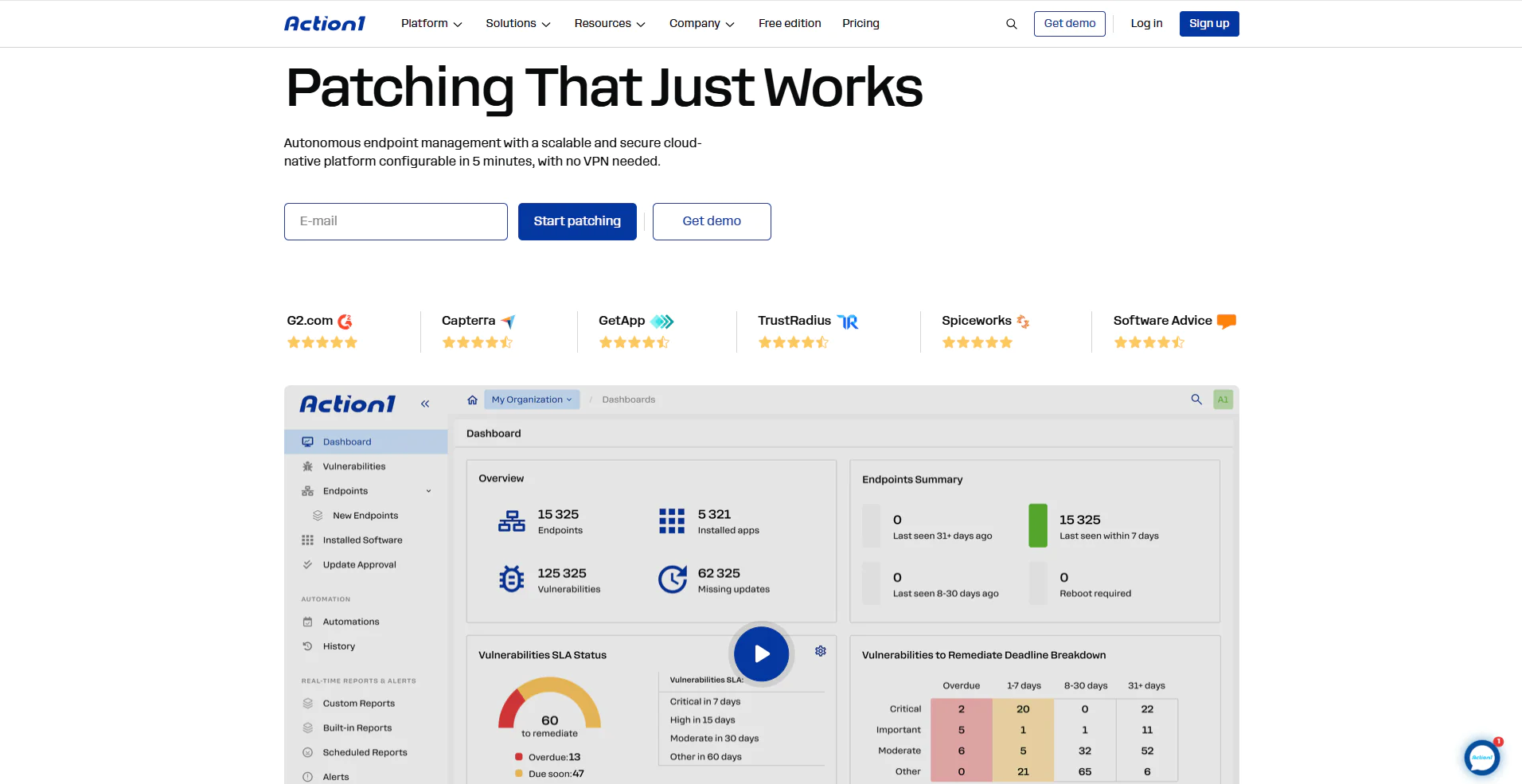
Action1 is a cloud-native autonomous endpoint management platform that equips you with privilege management, patching, scripting, vulnerability remediation, real-time compliance reporting, and full endpoint visibility from a single console. In practice, this means fewer tools to use and pay for, fewer integrations, less complexity, and one place where everything about your endpoints is visible, controlled, and documented. The software offers you the following key features:
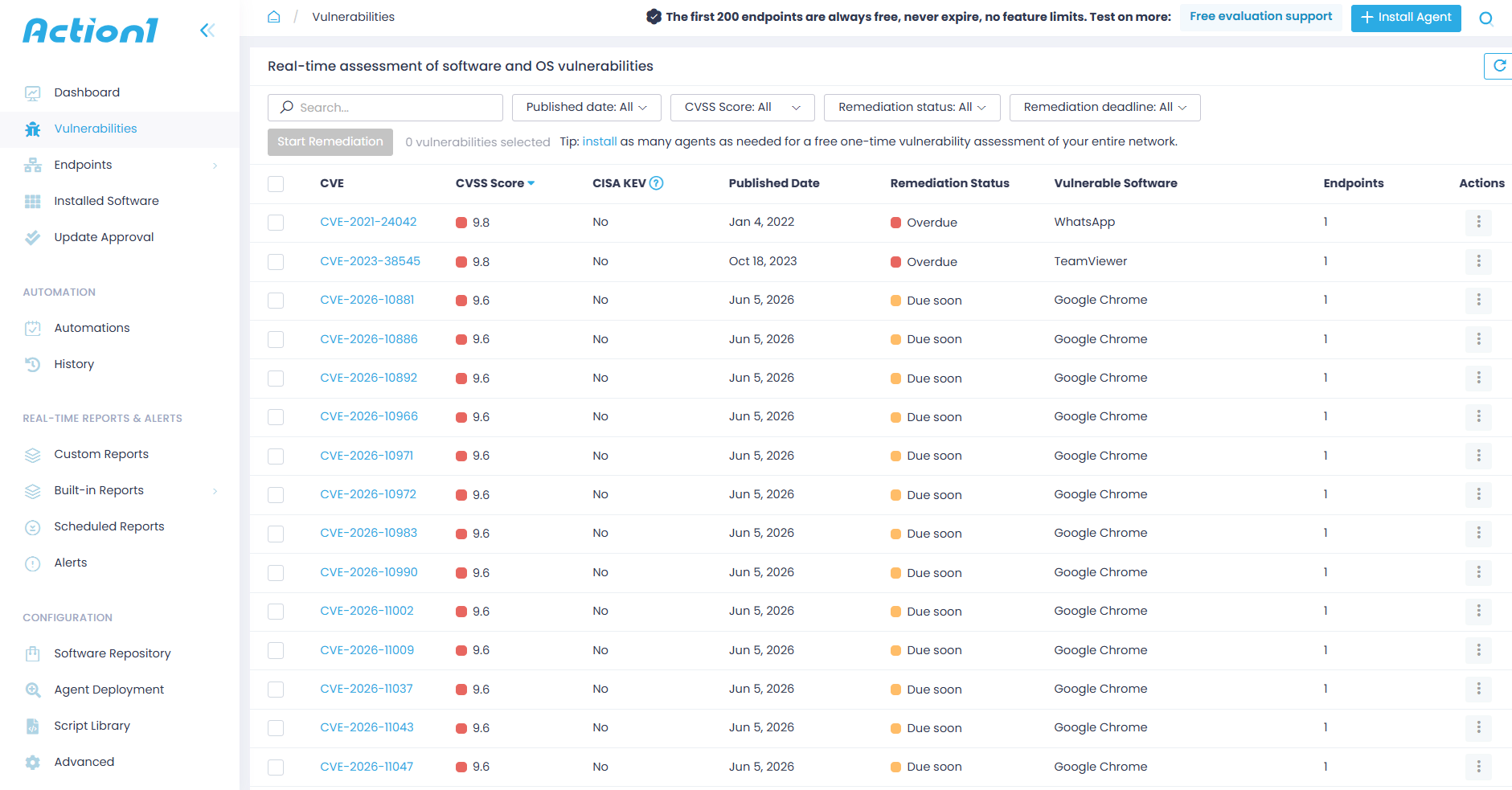
- Vulnerability management with CISA KEV and CVSS prioritization — identifies vulnerable software in real time across your desktops, laptops, VMs, servers, and cloud workloads, cross-references each finding against actively exploited vulnerabilities from CISA’s KEV catalog, and prioritizes remediation based on real-world exploitation, not just a score on paper.

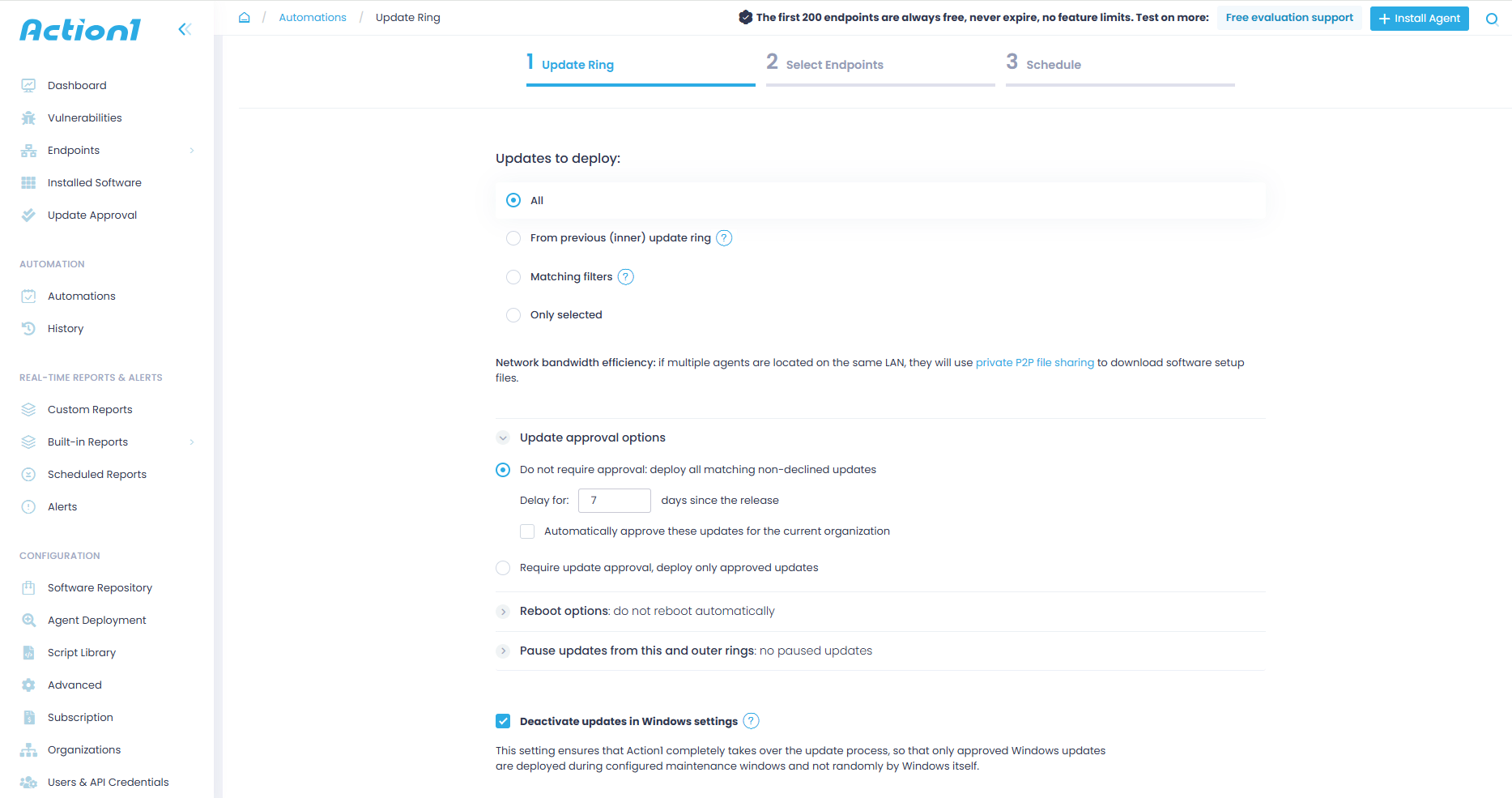
- Autonomous patch deployment with update rings – patches deploy in stages based on success metrics you define. Only stable updates reach your endpoints while problematic ones get stopped automatically. Devices that were offline during the initial deployment wave get patched the moment they reconnect, so no endpoint gets left behind.

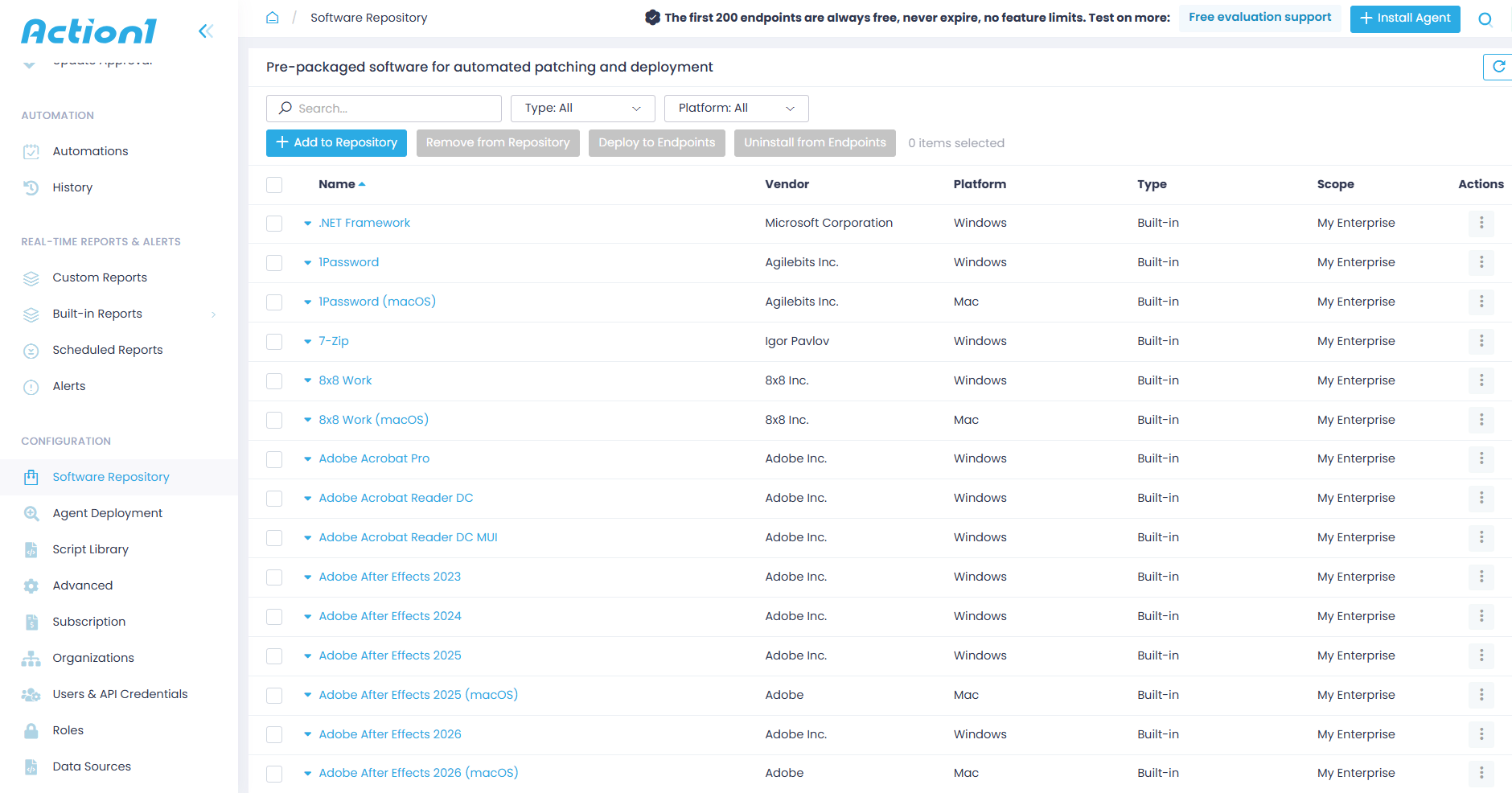
- Third-party patching with a privately maintained secure repository – hundreds of software titles like Adobe, Chrome, and Zoom are patched automatically from a repository Action1 maintains privately. No reliance on community repositories like Chocolatey or Winget that are known supply chain attack targets.

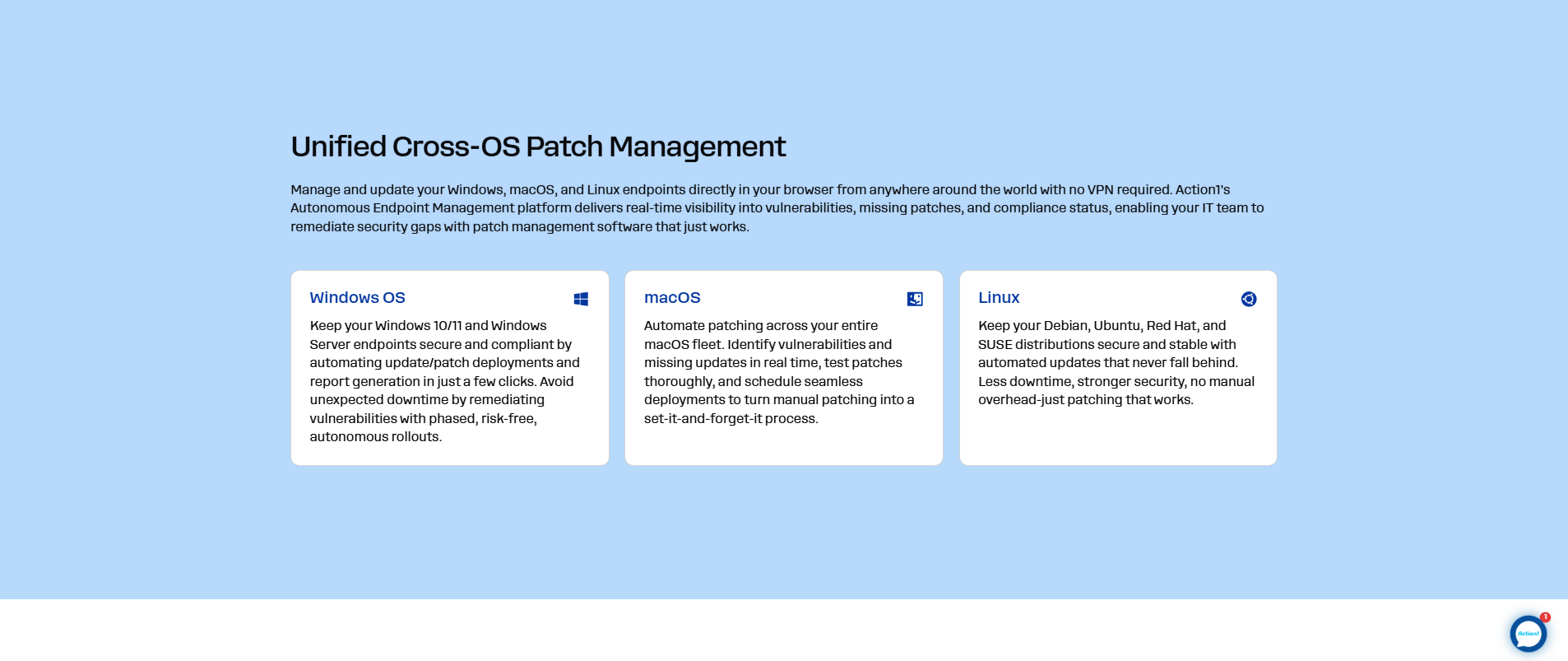
- Cross-OS support – Windows, macOS, and Linux endpoints managed from one console with the same policies and audit logging across every platform.

- Mandatory MFA and SSO – MFA enforced on every account via Google Authenticator, Duo, and others. SSO works through Entra ID, Okta, Google, and Duo, so identity verification is locked down at the platform level before anyone touches a policy.
- Hardened platform security architecture – network isolation, WAF protection on external interfaces, and service isolation with blast radius containment. Even if something targets the platform itself, the damage stays contained.
- Zero trust enforcement and strict least-privilege access across all internal platform components – no implicit trust between internal systems, verification required at every interaction point, and all human and service-level permissions reduced to only what is operationally required.
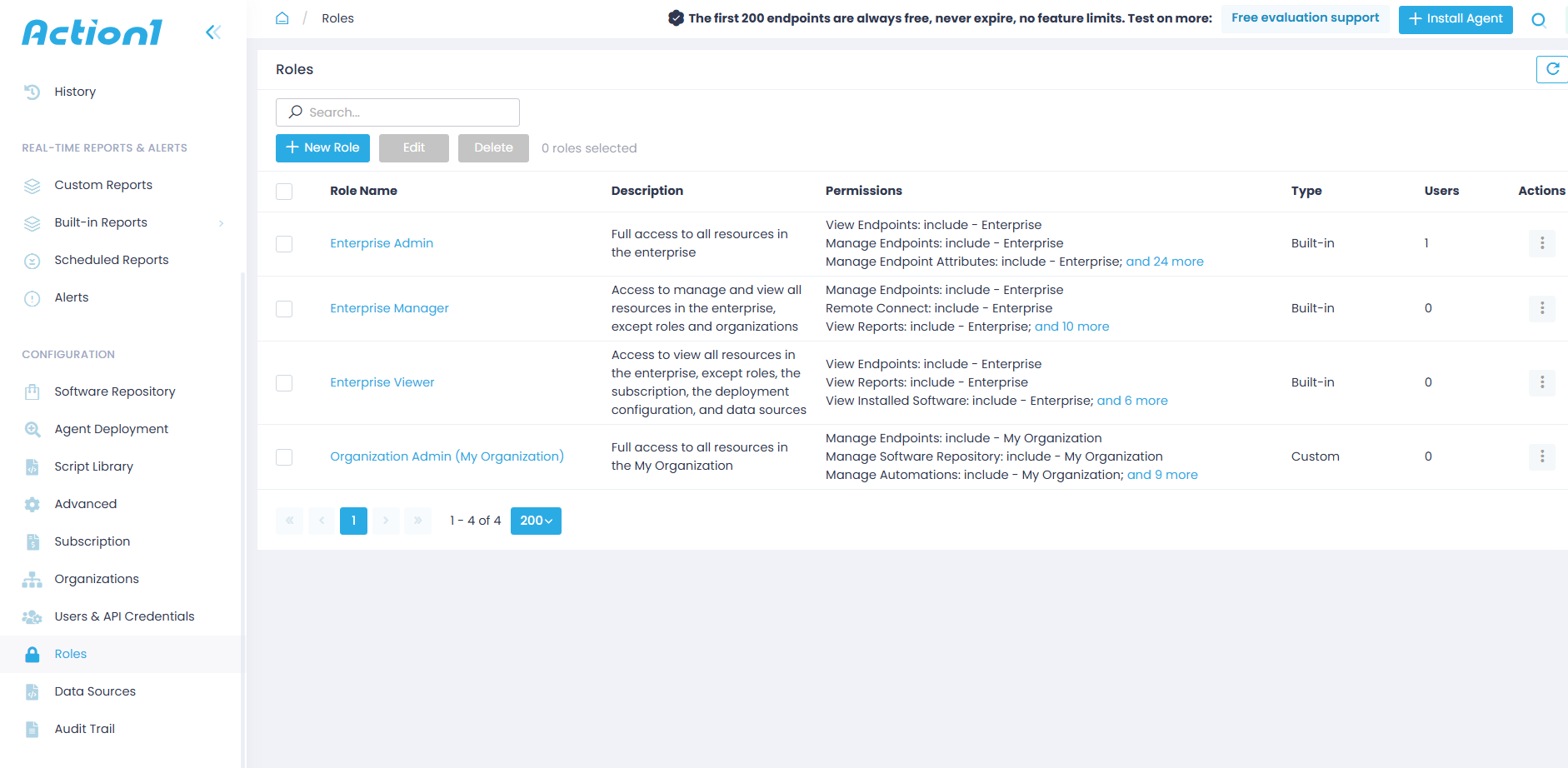
- Role-based access control – ensures users get exactly the access their role requires, nothing more and nothing less. IT team members are restricted to only the specific endpoints, reports, and administrative tasks their job responsibilities call for.

- Active Directory and Entra ID integration – agents deploy automatically across AD domains, and endpoint groups update dynamically based on AD OUs and security groups, keeping EPM policies aligned with your org structure without manual updates.
- Audit trail with SIEM and XDR API integration – every action on every endpoint is logged with full filtering by organization, event type, and date range. SIEM and XDR receive that data through API access at no extra charge.
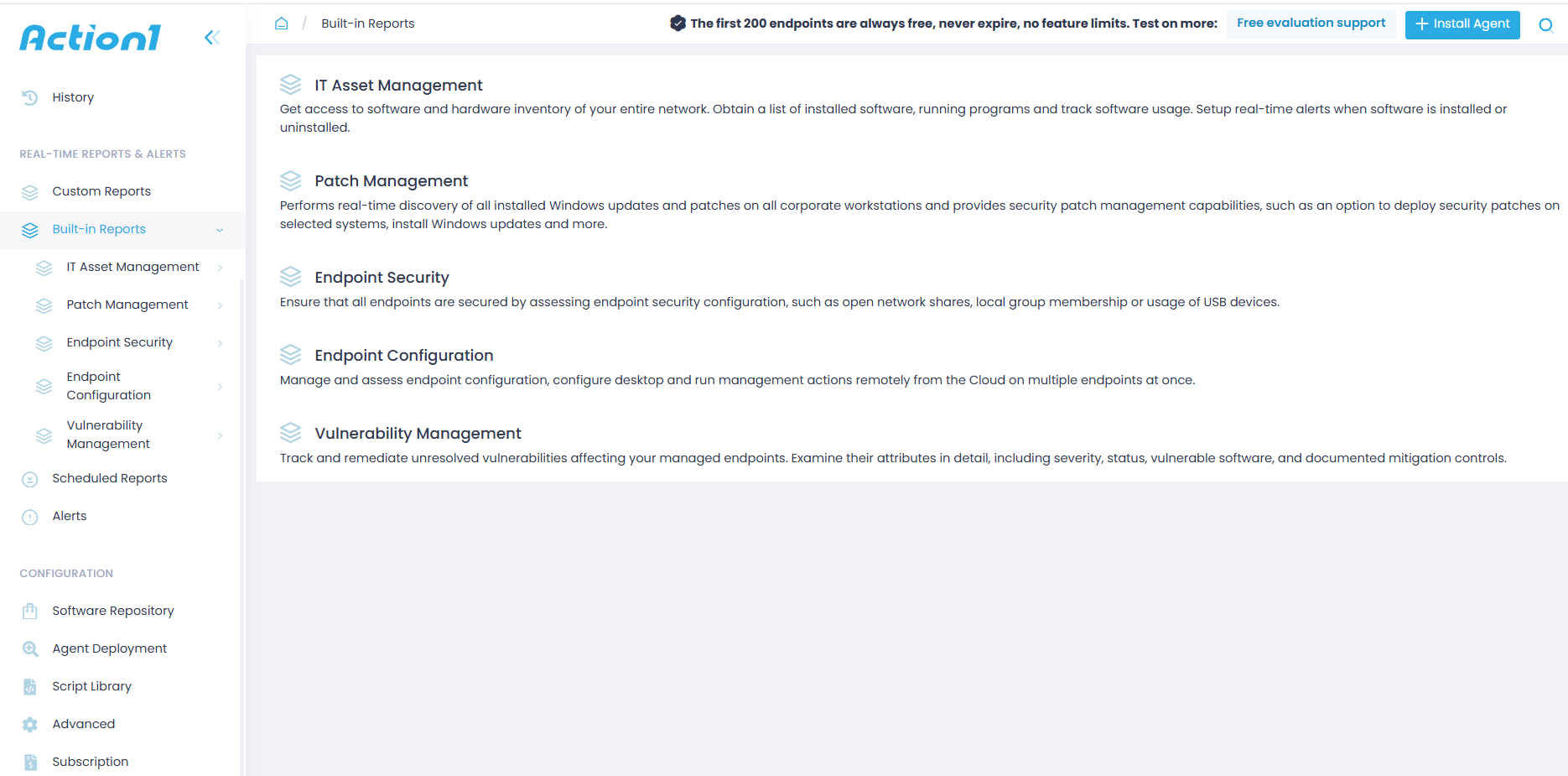
- 100+ built-in customizable compliance reports – patch status, vulnerabilities, software inventory, and security configuration all reportable in real time to satisfy industry regulations and internal compliance requirements. Export to CSV or subscribe by email.

- P2P patch distribution – updates download once and spread locally across the network, so deployments are faster with no bandwidth bottlenecks and no local cache servers required.
- Cloud-native, no VPN required – endpoints managed through outbound-only connections over port 443. No appliances, no firewall changes, no infrastructure to maintain. Office endpoints and remote ones are treated exactly the same way.
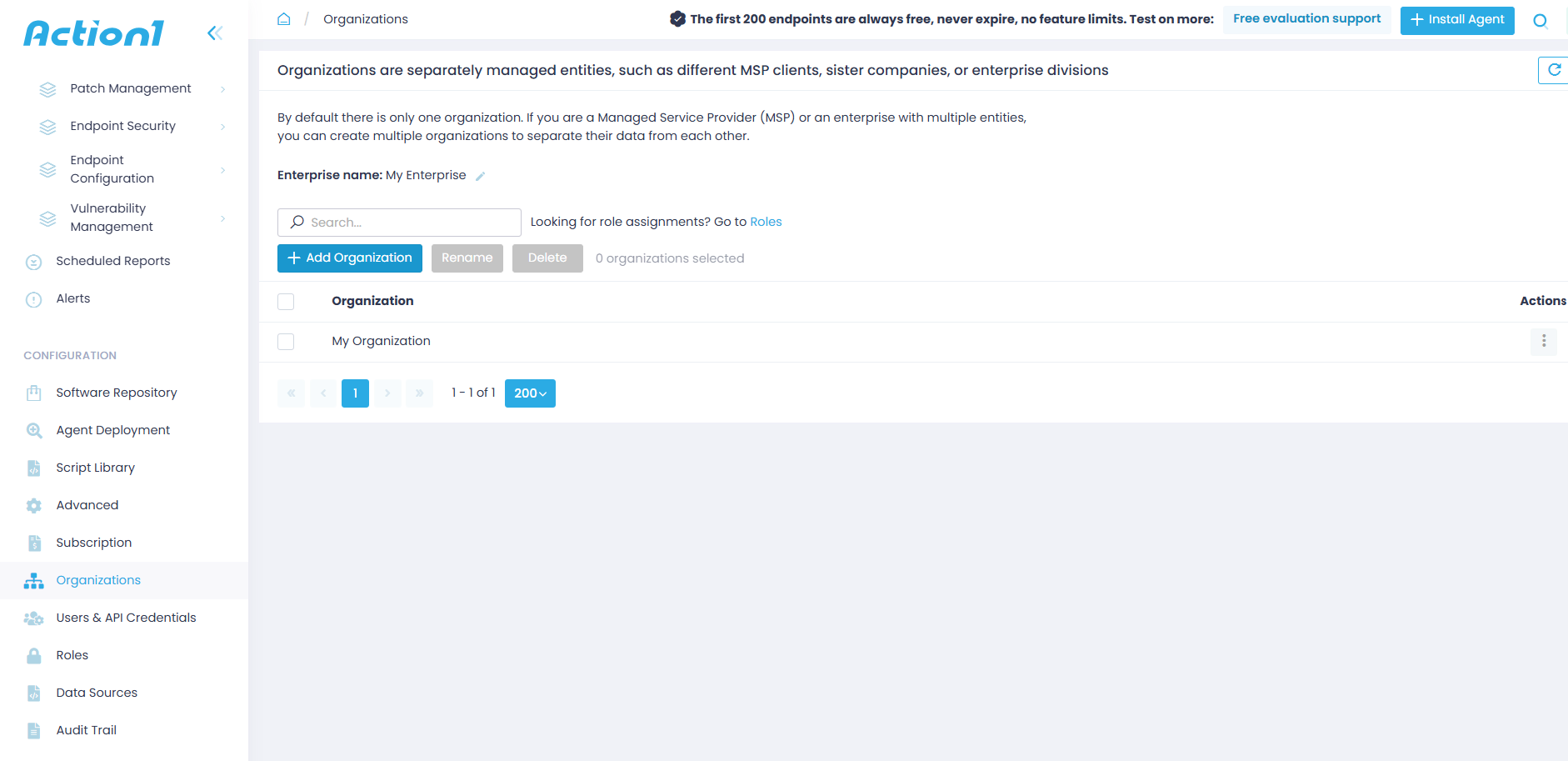
- Multi-tenancy – organizations, policies, and data stay completely separate under one console. Built for MSPs managing multiple clients and enterprises running distinct departments.

- Free forever for up to 200 endpoints, no feature limits – fully loaded, no expiration, no credit card required. When you’re ready to scale, the price per endpoint drops as your count grows.

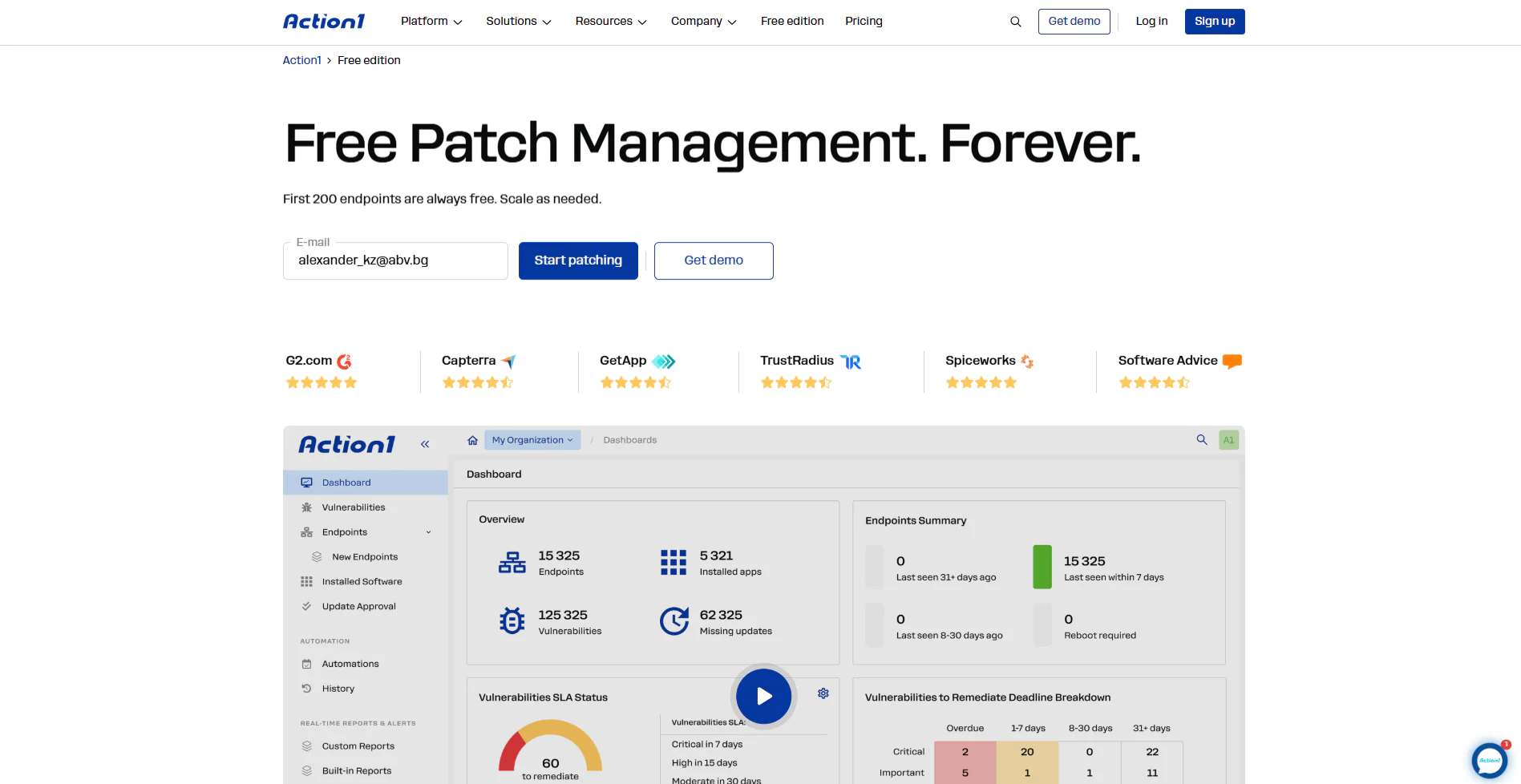
Endpoint privilege management is ultimately about reducing risk. The fewer opportunities users have to make mistakes and attackers have to abuse excessive access, the stronger your security posture becomes. Action1 helps you strengthen that foundation through centralized endpoint visibility, vulnerability remediation, policy-driven access controls, and the tools needed to keep your environment secure, compliant, and under control.