If you are in a hurry – here is a TL;DR & Summary of main key points
- Action1: Cloud-native, cross-OS (Windows, macOS, Linux), autonomous patching, free for 200 endpoints
- Heimdal: Part of a broader security suite, solid patching + asset management, smaller app catalog
- Patch My PC: Best for Microsoft environments (Intune/ConfigMgr), Windows-only
- All three: Offer automation, vulnerability management, and reporting
- Key difference: Action1 = full endpoint management + deeper automation
- Best for flexibility & scale: Action1
- Best for security suite integration: Heimdal
- Best for Microsoft-centric setups: Action1 / Patch My PC
On the surface, all patch managers look the same and offer almost identical features, but that’s not exactly true. In fact, they differ in cross-OS support, third-party patching, automation depth, flexibility, architecture, ease of use, feature set, security, scalability, and pricing.
Patch management solutions are designed to automate the deployment of patches and updates across your endpoints and particularly their operating systems and third-party applications. Their purpose is to keep each device secure, updated, and compliant, protecting your company from cyberattacks, data breaches, and regulatory penalties.
If you are looking to implement such a platform for the very first time across your IT environment or searching for the best alternative to your current one, you are in the right place. In this article, we’re going to compare three of the best patch management platforms on the market: Action1, Heimdal Patch & Asset Management, and Patch My PC.
We’ll put each platform through its paces, covering features, security, ease of use, pricing, and real-world use cases. By the end, you will know exactly which platform is worth every dollar and actually does what it says it does.
What Is Patch Management Software?
Patch management software automates the identification of vulnerabilities across your endpoints, lists each missing patch for your operating system and third-party apps, gives you the flexibility to deploy them immediately or on a schedule, tests the reliability of patches before an organization-wide rollout, and lets you easily generate audit-ready reports.
With such software, you can shape a patching policy that perfectly fits your company’s needs while keeping complete control over every step, ensuring every system ends up secured and running the latest software versions available. The best part is that you get all of this while eliminating manual work, reducing downtime risks, achieving greater patch coverage, and cutting the window for identifying and addressing vulnerabilities.
Overview of Action1, Heimdal Patch & Asset Management, and Patch My PC
Action1 is an autonomous endpoint management platform tightly focused on patching. Heimdal Patch & Asset Management is one module within a broader unified security suite, purpose-built for automating patch deployment and asset management across your endpoints. Patch My PC is a third-party patching add-on built specifically for Microsoft Intune and ConfigMgr environments. But that’s just the tip of the iceberg. Before we dig deeper, let’s take a quick look at each platform’s architecture, core focus, and who it is best suited for, along with a few other key details.
|
|
Action1 |
Heimdal Patch & Asset Management |
Patch My PC |
|---|---|---|---|
|
Architecture |
Cloud-native, agent-based. No VPN or on-premises hardware required. |
Cloud-based, agent-based. Single agent for all modules. |
Agentless for Intune. SaaS portal syncs with your existing Microsoft infrastructure. |
|
Core Focus |
Patch management, vulnerability remediation, software deployment, remote access, scripting, reporting. |
Patch management, vulnerability remediation, remote access, reporting. |
Third-party application patching and packaging for Microsoft environments. |
|
OS Support |
Windows, macOS, Linux. |
Windows, macOS, Linux. |
Windows only. |
|
Third-Party App Patching |
Patch coverage for 630+ software titles, with 99% coverage for typical enterprise environments. |
Covers hundreds of software titles. |
Supports third-party application patching through Intune, ConfigMgr, and WSUS. |
|
Deployment Time |
5-minute setup. |
No publicly confirmed timeframe. |
30 minutes or less. |
|
Free Tier |
Up to 200 endpoints, with no feature or time limitations. |
No free tier. 30-day free trial only. |
No free tier. 30-day free trial. |
|
Best For |
SMBs, large enterprises, MSPs, hybrid and remote teams, government agencies. |
MSPs, large enterprises, hybrid and remote teams. |
Microsoft-centric companies already using Intune or ConfigMgr. |
Patch Management and Vulnerability Remediation Capabilities
Automating patch management and vulnerability remediation end-to-end strengthens your company’s overall security posture, keeps each endpoint compliant and up-to-date, minimizes your attack surface, and, of course, saves you time and resources. But the results heavily depend on the key features and level of automation a platform actually delivers and how well it fits your organization and environment. So let’s see what Action1, Heimdal, and Patch My PC actually bring to the table.
|
Feature |
Action1 Patch Management |
Heimdal Patch & Asset Management |
Patch My PC |
|---|---|---|---|
|
Cross-OS Patch Support |
✅Yes. Windows, macOS, Linux |
✅Yes. Windows, macOS, Linux |
❌ No. Windows only. |
|
3rd-Party Application Coverage |
✅Yes. Patch coverage for 630+ software titles, with 99% coverage for typical enterprise environments. |
✅Yes. Covers hundreds of software titles. |
✅Yes. Offers large third-party application catalog. |
|
Private/Secure Software Repository |
✅ Yes. Every patch is scanned for malware and reliability by a team of experts before being added to the private secure repo. |
✅ Yes. Packages tested, adware-cleaned, and repackaged before being uploaded to the Heimdal cloud. |
✅ Yes. Curated catalog with strict quality and security standards. |
|
P2P Patch Distribution |
✅ Yes. Action1 downloads patches once to a single endpoint and shares them across the local network. |
✅ Yes. Patch files get downloaded once and then shared across the rest of the endpoints. |
❌ No built-in P2P. Relies on Intune and ConfigMgr distribution mechanisms. |
|
Offline Endpoint – Catchup Window. |
✅ Yes. Endpoints that are offline during scheduled deployments get updated automatically upon reconnection. |
✅ Yes. Offline endpoints receive missing updates automatically once they reconnect to the network. |
✅ Yes. Uses SCCM or Intune to deploy missing updates on endpoints once they reconnect. |
|
Update Rings / Staged Rollouts |
✅ Yes. Autonomous staged deployments. Patches advance based on success rates and deployment counts. |
✅ Yes. Customizable deployment schedules and phased rollouts. |
✅ Yes. Update rings configurable for staged testing and broader rollout. |
|
Scheduling Flexibility & Reboot Management |
✅ Yes. Full scheduling control, reboot deadlines, and end-user postponement options. |
✅ Yes. Full scheduling control and reboot management through the unified dashboard. |
✅ Yes. Full scheduling control and reboot management through Intune and ConfigMgr. |
|
Vulnerability Management |
✅ Yes. Real-time vulnerability identification with built-in remediation capabilities. |
✅ Yes. Strong vulnerability management capabilities. |
✅ Yes. It offers strong vulnerability management capabilities. |
|
Risk-Based Prioritization |
✅ Yes. CVE numbers, CVSS scores, CISA KEV exploitation data, and ransomware campaign intelligence. |
✅ Yes. Uses CVE/CVSS data and automated risk analysis. |
✅ Yes. Prioritizes patch deployment based on CVSS scores and active exploitation status. |
Software Deployment, Remote Access, and Reporting Compared
Deploying or uninstalling software, accessing and managing endpoints remotely, and generating reports are part of every IT team’s daily routine. They’re time-consuming, sometimes even annoying, and of course, never ending. However, with the right tools you can automate routine tasks and stop them from eating up half your workday. That said, let’s take a sneak peek at how Action1, Heimdal, and Patch My PC handle all of this.
|
Features |
Action1 |
Heimdal Patch & Asset Management |
Patch My PC |
|---|---|---|---|
|
Software Deployment |
✅ Yes. Custom MSI, EXE (Windows), PKG (macOS), up to 32GB. Multi-file ZIP archives. |
✅ Yes. You can deploy and manage proprietary or custom software using command-line scripting via the Infinity Management add-on. |
✅ Yes. Automated packaging and deployment of third-party apps to Intune, ConfigMgr, and WSUS. |
|
Software Uninstallation |
✅ Yes. You can schedule bulk removal of unauthorized or legacy software simultaneously across your on-premises and remote endpoints. |
✅ Yes. It allows you to uninstall or downgrade software remotely. |
✅ Yes. You can uninstall third-party software easily through the platform. |
|
Scripting and Automation |
✅ Yes. PowerShell, CMD, and Bash scripts. Built-in script library. Run immediately or on schedule across any endpoint. |
✅ Yes. Custom scripting supported within the platform. |
✅ Yes. Pre/post installation scripts only (PowerShell, Batch, VBScript, CMD). No standalone endpoint scripting. |
|
Remote Access |
✅ Yes. Browser-based, no VPN required. |
✅ Yes. Remote desktop module available as part of the Heimdal suite. |
❌ No. Remote access not included. |
|
Asset and Hardware Inventory |
✅ Yes. Real-time hardware inventory and full visibility into installed software across every endpoint. |
✅ Yes. Full asset tracking and software inventory through the Patch & Asset Management module. |
⚠️ Limited. Basic patch compliance in all tiers. |
|
Real-Time Reporting |
✅ Yes. Real-time patch, compliance, and hardware data from connected endpoints. Cached data from offline ones. |
✅ Yes. Real-time visibility into patch status and vulnerabilities across your endpoints. |
✅ Yes. Real-time patch compliance dashboard included in all tiers. |
|
API Access |
✅ Yes. Full REST API, OAuth 2.0, PSAction1 PowerShell module. |
✅ Yes. REST API v2.0 with OAuth2 authentication. |
⚠️ Limited. API access works through Microsoft Graph API for Intune automation and custom app management. |
|
Multi-Tenancy |
✅ Yes. Per-organization data segregation for MSPs and enterprises. |
✅ Yes. You can manage different client environments under one license. |
✅ Yes. You can manage different client environments under one license. |
Security and Compliance
To stay compliant, avoid regulatory penalties, and keep your company’s reputation intact, you need to choose a patch management platform that protects your data, gives you control over who has access to what, and makes compliance reporting effortless.
Let’s take a moment to explore what certifications each platform holds, what regulatory frameworks it complies with, and what security features it puts in your hands.
Action1 Patch Management Software
Action1 is an autonomous endpoint management platform designed with security in its DNA, backed by the following certifications, framework compliance, and security features:
Certifications:
-
SOC 2 Type II
-
ISO/IEC 27001:2022
-
TX-RAMP
-
CSA STAR Level 1
-
HECVAT
CISA Secure by Design Pledge: Action1 has signed CISA’s Secure by Design Pledge, reinforcing its commitment to building security into its platform from the ground up.
Compliance Frameworks:
-
GDPR, HIPAA, PCI DSS, NIST, and SOX
Security Features:
-
Privately maintained software repository with every patch scanned for malware before reaching your endpoints, eliminating supply chain attack risks.
-
Mandatory MFA for all users via email or authenticator apps.
-
SSO support for Entra ID, Okta, Google, and Duo.
-
Fully customizable RBAC with customer-defined roles and scopes.
-
Full audit trail with filtering and SIEM and XDR integration via API.
-
Real-time CVE, CVSS, and CISA KEV data for identifying and prioritizing security vulnerabilities accurately based on real-world risk.
-
End-to-end encryption using 2048-bit RSA private keys with TLS 1.2 and AES-256 agent protocol.
-
IP restrictions and OAuth 2.0 for API access.
Most importantly, all of these security features come at no extra cost.
Heimdal Patch & Asset Management
Heimdal’s Patch & Asset Management module is backed by the following certifications, framework compliance, and security features:
Certifications:
-
SOC 2 Type II under ISAE 3000
Compliance Frameworks:
-
GDPR, NIS2, Cyber Essentials, CIS Controls, NIST, MITRE ATT&CK, DORA, and Essential Eight.
Security Features:
-
All packages tested, adware-cleaned, and repackaged before upload to the Heimdal secure cloud, ensuring only clean and reliable patches reach your endpoints.
-
HTTPS encryption for all packages in transit.
-
MFA required for all dashboard administrators.
-
RBAC to control user permissions and define who can access what within the management dashboard.
-
Full CVE/CVSS audit trail for compliance tracking and vulnerability history.
-
Software blocklist to prevent unauthorized or untrusted applications from running.
Patch My PC
Patch My PC comes with the following certifications, framework compliance, and security features:
Certifications:
-
ISO 27001:2022.
-
SOC 2 Type II.
-
Data Privacy Framework (DPF): certified for EU-U.S., UK Extension, and Swiss-U.S. data transfers.
Compliance Frameworks:
-
GDPR and CCPA.
-
Supports organizations in meeting PCI DSS and HIPAA patch management requirements.
Security Features:
-
Catalog files protected with dual code-signing certificates, ensuring file integrity before reaching your environment.
-
Hash checks on every application update to verify the binary matches the vendor’s original file.
-
VirusTotal scanning of all binaries to prevent malicious or tampered files from entering the catalog.
-
Encrypted connections via Azure API for publishing apps to Intune.
-
MFA supported on the Patch My PC portal to secure user accounts.
-
RBAC available in Advanced Insights with Active Directory integration, controlling which users can access specific environments and data.
Ease of Use, Deployment Speed, and Scalability
How easy to use, how fast to deploy, and whether the platform lets you go from 100 to 100,000+ endpoints is as important as the automation features it equips you with. An efficient patch management software must be deployable literally in minutes, without requiring any additional hardware or complex configuration. It must offer an intuitive interface and the option to scale easily whenever needed.
Perhaps, these are the three criteria that would make a platform useful or useless, of course after its key feature set. So, what comes next is a table that clearly compares these highly important areas between Action1, Heimdal, and Patch My PC.
|
|
Action1 |
Heimdal Patch & Asset Management |
Patch My PC |
|---|---|---|---|
|
Deployment Time |
Maximum 5 minutes from creating your account to deploying the agent. |
Between 15-20 minutes to create your account, deploy the agent, and input your license key. |
It typically takes 30 minutes for initial setup per user reviews. |
|
Learning Curve |
Low. Rated #1 easiest-to-use patch management solution on G2. |
Moderate. Unified dashboard covers 10+ security modules. Some users report configuration complexity. |
Low to moderate. Clean UI, praised for simplicity. |
|
Interface |
Browser-based. Intuitive single-pane dashboard. |
Unified Threat Dashboard. Feature-rich but complex for new users unfamiliar with security suites. |
SaaS publisher portal. Clean and straightforward for Intune/ConfigMgr administrators. |
|
Infrastructure Requirements |
None. Cloud-native. No VPN, servers, or hardware required. |
None. Cloud-based. No on-premises infrastructure required. |
Requires existing Intune, ConfigMgr, or WSUS environment. |
|
Scalability |
Seamless and infinitely scalable. Go from 100 to 100,000+ endpoints at a gradually lowering per-endpoint cost. |
Scalable, but users report the whole process takes longer than expected. |
Seamless scalability allowing you to go from hundreds to thousands of endpoints quickly. |
|
VPN Required |
No. |
No. |
No. |
|
Remote Control |
Yes. From any browser, anywhere. |
Yes. From the Heimdal dashboard. |
Limited. Managed through Intune/ConfigMgr admin center. |
Pricing and Licensing Compared
Pricing is the elephant in the room when evaluating different platforms, not only for small businesses with tight budgets but also for enterprises. We all know that even when finding a true gem in functionality, the first thing that comes to everyone’s mind is, “What’s the cost?”
To answer this question, we’ve created the following table that focuses on all the information needed to decide whether Action1, Heimdal, or Patch My PC would fit your budget or not.
|
|
Action1 Patch Management |
Heimdal Patch & Asset Management |
Patch My PC |
|---|---|---|---|
|
Free Tier |
✅ Yes. Up to 200 endpoints, no functional or time limitations. |
❌ No. 30-day free trial only. |
❌ No. 30-day free trial only. |
|
Pricing Model |
Per endpoint, billed annually. Price decreases as endpoint count grows. Custom quote. |
Starts at $16.00 per user, per year. |
Three paid tiers billed per user, per year: Enterprise Patch $1,499.00, Enterprise Plus $2,499.00, Enterprise Premium $3,499.00. |
|
Technical Support Included |
✅ Yes. |
✅ Yes. |
✅ Yes. |
Pros and Cons of Each Platform
|
Action1 Patch Management – Pros |
Heimdal Patch & Asset Management – Pros |
Patch My PC – Pros |
|
Cloud-native architecture. No VPN, local appliances, or hardware required. |
Cloud-based architecture. No VPN, local appliances, or hardware required. |
SaaS-based, agentless architecture. No additional hardware required. |
|
Easy to deploy and set up in just 5 minutes. |
Patch delivery in under 4 hours from vendor release. |
Seamless native integration with Intune, ConfigMgr, and WSUS. |
|
Cross-OS platform support: Windows, macOS, and Linux. |
Cross-OS platform support: Windows, macOS, and Linux. |
Automated Windows OS and third-party application patching. |
|
Automated OS and third-party application patching. |
Automated third-party application patching. |
Intuitive interface. |
|
Advanced reporting with 100+ customizable templates for generating audit-ready documentation in minutes. |
|
Simple setup and configuration, allowing for quick deployment. |
|
Built-in vulnerability management with real-time CVE, CVSS, and CISA KEV data and full remediation capabilities. |
P2P patch distribution for bandwidth efficiency. |
No agent required on endpoints for Intune deployments. |
|
Highly secure and infinitely scalable platform. |
Packages encrypted, tested, and adware-cleaned before deployment. |
Risk-based prioritization. |
|
Risk-based prioritization plus update rings for autonomous patch deployments delivering timely remediation and minimal downtime risks. |
Offers intuitive user interface. |
Offers seamless scalability. |
|
Free tier for up to 200 endpoints, no feature limits, forever. |
Real-time reporting on patch, compliance, and device status. |
Update rings for staged and controlled rollouts. |
|
User-friendly interface. |
Advanced reporting capabilities, allowing you to generate reports with minimal manual intervention. |
Curated catalog with strict quality and security standards including dual code-signing and VirusTotal scanning. |
|
Automated patch deployments to offline endpoints once they reconnect to the network. |
Risk-based prioritization. |
Pre/post installation scripting support (PowerShell, Batch, VBScript, CMD). |
|
Minimized external bandwidth consumption and greater deployment speed through P2P patch distribution. |
Highly secure platform offering multiple security features. |
Offline endpoint patching via Intune and SCCM upon reconnection. |
|
Action1 Patch Management – Cons |
Heimdal Patch & Asset Management – Cons |
Patch My PC – Cons |
|
No one-click rollback capability. You can still uninstall patches but only through script automation. |
Patch deployment failures sometimes lack detailed information about the root cause, making troubleshooting harder. |
Does not offer cross-OS platform support. |
|
No mobile app available for iOS or Android for on-the-go management. |
Users across G2 and Capterra report they want to see a broader third-party app catalog. |
Dependent on Microsoft Intune, Configuration Manager (SCCM), or WSUS to function. |
|
Pricing above 200 endpoints is not publicly listed. |
Reporting must be more flexible, and the dashboard customization options are limited. |
Reporting needs improvement, and users have to go to Intune to see detailed information about successful and failed patch deployments. |
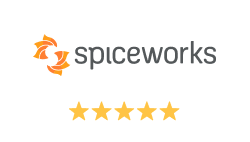
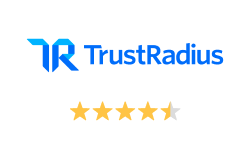
Action1 vs Heimdal vs Patch My PC: G2 and Capterra Ratings
Real-user reviews can give you the information you need on whether a particular software delivers what it promises or not. With that in mind, let’s see how people already using Action1, Heimdal Patch & Asset Management, and Patch My PC rate each one, based on their firsthand experience.
|
|
Action1 Patch Management |
Heimdal Patch & Asset Management |
Patch My PC |
|---|---|---|---|
|
G2 Rating |
|||
|
Capterra Rating |
Which Platform Is Right for Your Organization?
Action1 is the right endpoint management solution for your organization if you are looking for a fast setup, an intuitive interface, cloud-native architecture with no VPN or local appliance dependencies, cross-OS platform support, deep third-party application coverage, autonomous patch deployments, remote endpoint management, strong security features, and compliance reporting.
With just a few clicks you can automate each step of the patching process, including vulnerability identification, missing patch detection, testing, deployment, rebooting, and report generation.
The platform literally turns patch management into an autonomous process that saves you time and money, keeps full visibility across your network, and proactively defends against ransomware and security risks. With Action1, you set patching on autopilot and stop stressing about update deployments.
Which Platform Is Best for A Company Managing Under 200 Endpoints?
Action1 is the best patch management platform for companies managing under 200 endpoints because it offers them a free tier with no feature or time limitations. It equips you with all the necessary tools to find and remediate security vulnerabilities, generate audit-ready reports, and keep each piece of software across your endpoints up to date without spending a single dollar.
You don’t need to hire an IT team to manage it. You can handle everything yourself, schedule automated deployments across your entire environment, and keep your systems secure and compliant without constant oversight.
The cloud-native architecture uses an agent to provide you with complete control and remote monitoring over each of your endpoints, which means no extra expenses on VPNs or appliances. In just 5 minutes you can create an account, deploy the agent, and start protecting your office-based and remote endpoints, servers, or virtual machines with a patch management platform that just works.
Which Platform Scales Best for Enterprises Managing 10,000+ Endpoints?
Action1 is the best patch management platform for enterprises managing 10,000+ endpoints because it is infinitely scalable and requires no VPN, local hardware, or complex setup. The price drops with an increasing number of endpoints across your environment. You can literally go from 100 to 100,000+ endpoints at a gradually lowering per-endpoint price without spending a dollar on on-premises infrastructure or weeks on complex configuration.
Most importantly, update rings ensure patches roll out safely in stages around the clock, including off-hours when there is nobody in the office, while P2P patch distribution keeps your network from being drained during large-scale deployments. Last but not least, Action1 is highly secure and certified for SOC 2 Type II and ISO/IEC 27001:2022, providing you with patching that just works and security you can trust.
Which Platform Is Best for MSPs and Large Enterprises Managing Multiple Client Environments Simultaneously?
Action1 is the best patch management platform for managed service providers because it scales seamlessly, offers RBAC and multi-tenancy capabilities, and works equally well on desktops, laptops, virtual machines, servers, and cloud workloads. It deploys in minutes, offers an easy-to-use interface, and has built-in remote access. It automates end-to-end patch management, vulnerability management, and software deployment, making it the perfect option for any MSP looking to eliminate manual workload across all client environments.
Add to that P2P patch distribution, the privately maintained software repository, strong security features, and real-time reporting capabilities, and you get everything you need in a single platform. It’s cost-effective, reliable, and helps you keep every endpoint under control regardless of how many you manage
Choosing Between Action1, Heimdal and Patch My PC
For any SMB, MSP, large enterprise, or government agency, Action1 is the go-to option to transform patch management from a manual or semi-automated to a fully autonomous process.
It offers everything you need for unified endpoint management, protecting your office-based and remote endpoints, servers, virtual machines, and cloud workloads directly from your browser, with no VPN or local hardware required, thanks to its cloud-native architecture.
Action1 supports Windows, macOS, and Linux, covers 99% of typical enterprise environments, and delivers P2P patch distribution, a private software repository, update rings, flexible deployment scheduling, strong reporting capabilities, a catch-up window for offline endpoints, scripting, MFA, RBAC, and a free tier with no time or functional limits.
That said, Heimdal Patch & Asset Management is a reasonable choice for large enterprises and MSPs that want patch management as part of a broader unified security suite, but its third-party application catalog is limited, reporting is not as flexible as it should be, and patch deployment failures sometimes lack detailed information about the root cause, making troubleshooting harder.
As for Patch My PC, it is great, but only if your organization relies entirely on Windows-based endpoints and already has Microsoft Intune, ConfigMgr, or WSUS implemented across your network. It lacks cross-OS support, native P2P patch distribution, and its reporting can be a bit tricky and time-consuming.
At the end of the day, patch management platforms are similar at their core but differ in cross-OS support, third-party patching coverage, automation depth, reporting, and architecture. These differences determine whether a platform fits your environment, solves your biggest pain points, and actually delivers the results you expect, so choose wisely to avoid costly mistakes.