TL;DR
- Top Atera alternatives include Action1, NinjaOne, Syncro, Datto RMM, ConnectWise RMM, and Kaseya VSA
- Atera is strong for RMM, PSA, endpoint monitoring, patching, and remote access
- Teams may seek alternatives due to patch failures, reporting limits, agent instability, and learning curve
- Action1 stands out for autonomous patching, cross-OS support, remote endpoint control, reporting, and a free tier for up to 200 endpoints
- NinjaOne is strong for MSPs and enterprises needing RMM, MDM, backup, and patching
- Syncro fits smaller MSPs needing RMM, PSA, and billing in one platform
- The best choice depends on patch automation, OS coverage, RMM depth, pricing, and scalability
Patch management tools help you protect your endpoints by keeping their operating systems and third-party applications up to date. In practice, this means a stronger security posture, a minimized attack surface, regulatory compliance, and smooth system operation.
They automate each step of the patching process, from known vulnerability identification and missing patch detection to risk-based prioritization, testing, installation, and report generation. The process is automated, but the decisions are yours. You can select when, how, and which endpoints get patched, with more or less testing, and with immediate or delayed rebooting.
Atera is a great example of a reliable and effective patch management platform, but like every platform, it has its pros, cons, and use cases. It’s impossible to fit every environment because the needs of SMBs, large enterprises, MSPs, government agencies, and other organizations are simply too different. That’s exactly why today we’re going to explore the best Atera alternatives, including Action1, NinjaOne, Syncro, Datto RMM, ConnectWise RMM, and Kaseya VSA.
We’ll put each platform through its paces, covering features, pros, cons, pricing, and real-world use cases. By the end, you’ll know exactly which platform is the right one for your organization, the one that solves your real-world problems in the best possible way and leaves no gaps that require workarounds or additional tools to be resolved.
What are the Best Atera Alternatives?
The best Atera alternatives in 2026 are Action1, NinjaOne, Syncro, Datto RMM, ConnectWise RMM, and Kaseya VSA. Each platform excels in different areas, so the right pick depends on whether patch management automation, OS coverage, RMM depth, or pricing is your biggest priority.
Action1 is in a league of its own as the strongest overall alternative, fitting every environment whether you manage 50 or 200,000+ endpoints. It’s cloud-native, supports Windows, macOS, and Linux, covers 630+ third-party applications (according to vendor documentation), and delivers autonomous patching with no infrastructure dependencies.
On top of that, it comes with a rich feature set, and it’s free for up to 200 endpoints, fully featured, forever. It takes about five minutes to create your first account, deploy the agent, and start testing its real capabilities, with no credit card required, no complex configuration, and no hidden catch.
What is Atera?
Atera is an all-in-one, cloud-based IT management platform built for MSPs and large enterprises. It covers endpoint monitoring, patch management, remote access, software management, and scripting, alongside a built-in PSA with ticketing, billing, contract management, and SLA tracking, all from one place.
On the patching side, it offers cross-OS support covering Windows, macOS, and Linux and broad coverage of third-party applications commonly used across enterprise environments, including Adobe, Chrome, and Zoom. It automates end-to-end patch management from vulnerability identification and prioritization to patch detection, testing, deployment, and reporting.
Patch deployments run on configurable schedules, and you decide whether they should run daily, weekly, or monthly. It also lets you apply them separately to different device groups, in case you need to run tighter cycles on critical servers while keeping standard workstations on their own cadence. Reboot management and patch testing are flexible too.
On top of that, Atera monitors your endpoints’ health in real time, tracking CPU load, memory usage, and disk activity. Inside the platform you can also track routers, switches, and printers thanks to its SNMP monitoring capabilities.
It does a solid job of scanning and inventorying assets too, so you stop fearing blind spots and get clear visibility into installed software, OS distribution, Microsoft Office details, and more. The platform also offers built-in remote desktop capabilities for troubleshooting dispersed endpoints and lets you install or remove software applications with just a few clicks.
In short, Atera gives you a strong foundation for improving workflow efficiency, minimizing security risks, and staying audit-ready, all from one place. The question isn’t whether it works. It does. No doubt about that. The question is whether it works well enough for your specific environment.
Why Look for Atera Alternatives?
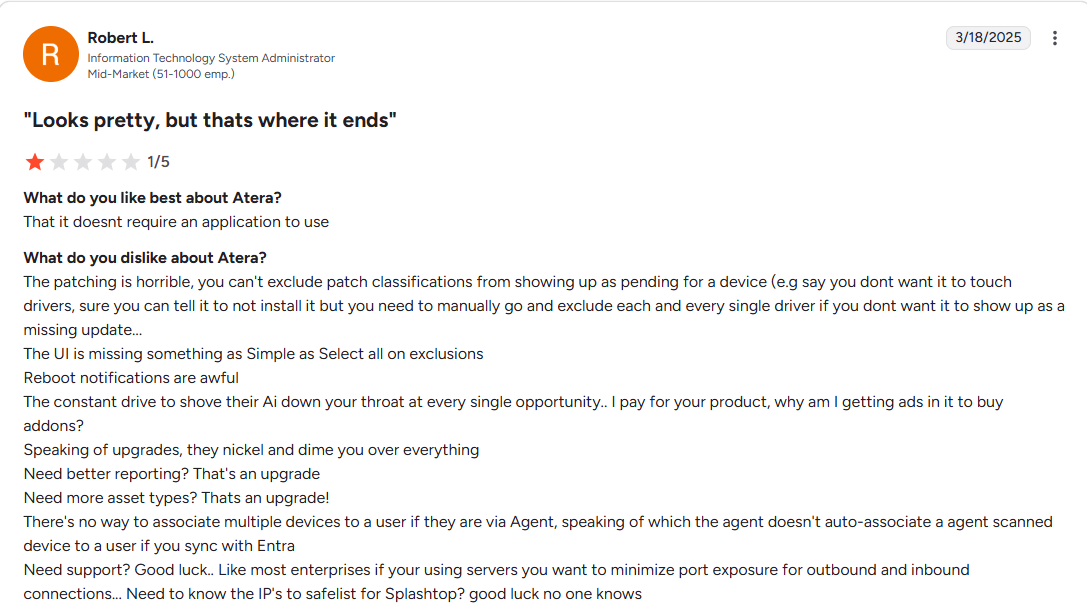
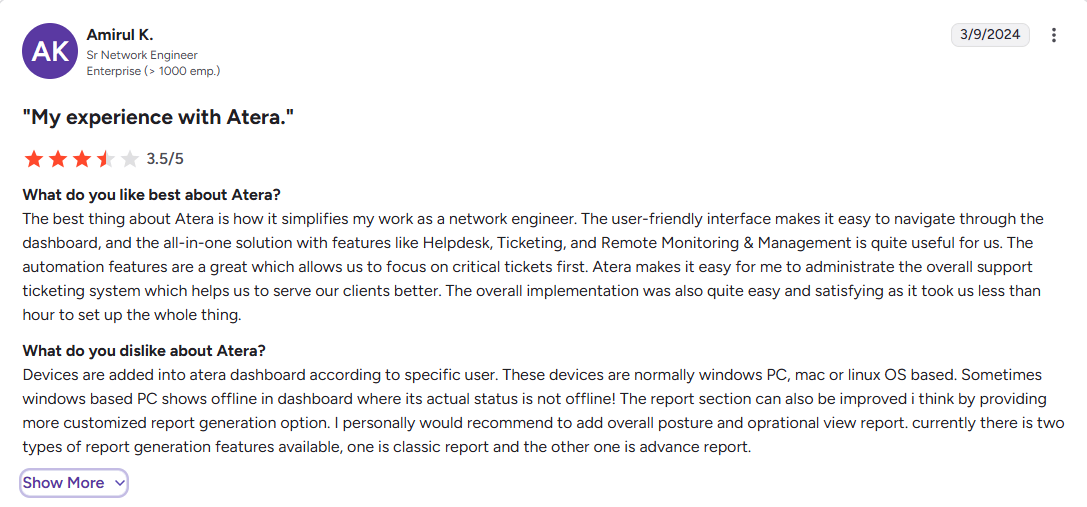
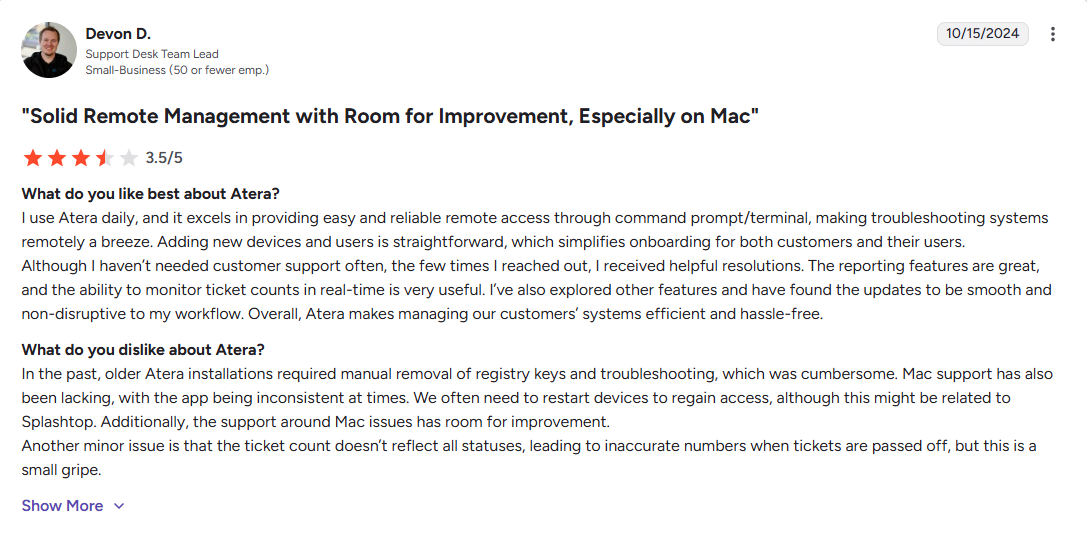
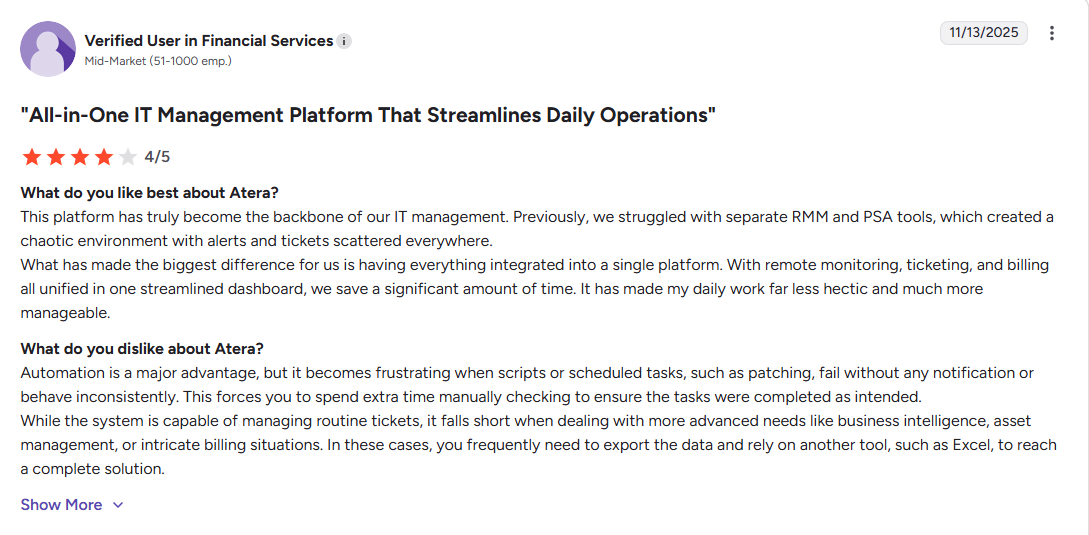
IT teams and business leaders look for Atera alternatives to address its limitations in automation depth, frequent patch deployment failures, reporting, agent instability, remote access issues, and a steep learning curve that makes the platform feel confusing and overwhelming for new users.
Let’s be blunt. When you can’t be sure that all patches will be deployed successfully across your endpoints, that creates security gaps requiring either manual installation or compensating controls to address them. When preparing regulatory reports takes hours instead of minutes due to limited customization options, it becomes a productivity problem, or even worse, a reason for audit failure that can lead to thousands of dollars in fines.
Or let’s say you connect to a remote endpoint and suddenly lose connection mid-task, forcing you to start everything from scratch. That’s quite annoying, and despite everything Atera offers, it becomes a reason for looking for a better platform that handles these things with ease.
How We Selected the Best Atera Alternatives
Choosing the wrong patch management platform costs your organization time, money, and security. That is exactly why we made sure our evaluation process was thorough, transparent, and grounded in real data, covering where each tool is strongest, where it falls short, and which types of organizations are most likely to benefit from it.
We evaluated each platform based on four sources:
- Official vendor documentation and feature sets reviewed as of 2026;
- Current pricing pages verified directly from each vendor’s website;
- User reviews from G2 and Capterra, analyzing feedback from verified IT professionals and MSPs;
- Hands-on assessment of product capabilities across common enterprise and MSP environments.
Our goal is simple. To provide you with technically accurate, current, and practical information alongside a real point of view from customers already using these platforms, so you can make an informed decision about the best Atera alternative for your organization based on an honest review that reveals the real-world advantages and limitations of each option on our list.
Atera Alternatives Comparison Table
Before we dig deeper into the detailed reviews, let’s have a quick look at what each platform focuses on, its key strengths, architecture type, and whether it offers a free tier or just a limited free trial.
| Action1 | NinjaOne | Syncro | Datto RMM |
ConnectWise RMM |
Kaseya VSA | |
|---|---|---|---|---|---|---|
| Core Focus | Autonomous patch management and endpoint management. | Unified RMM and patch management. | RMM, patch management, and PSA platform. | RMM platform with patch management capabilities. | RMM and patch management platform. | RMM and patch management platform. |
| Best For | SMBs, enterprises, MSPs, and government agencies. | MSPs and large enterprises. | MSPs, small IT teams, and service providers. | MSPs, large enterprises, and government agencies. | MSPs, TSPs, and large enterprises. | MSPs and large enterprises. |
| Key Strengths | Autonomous patching. Cross-OS support. Third-party app patching. Vulnerability management. Risk-based prioritization. Real-time reporting. Remote endpoint control. Intuitive interface. | Cross-OS and third-party patching. Remote endpoint control. Real-time reporting. MDM. | Cross-OS platform support. Third-party patching. Strong automation capabilities. Risk-based prioritization. Powerful scripting. Remote endpoint control. | Cross-OS platform support. Third-party patching. Strong automation and scripting. Advanced security features. Real-time reporting. | Cross-OS platform support. Third-party patching. Remote endpoint control. Advanced automation and scripting. Risk-based prioritization. Advanced reporting. | Cross-OS platform support. Third-party patching. Risk-based prioritization. Remote endpoint control. Automation and scripting. Real-time reporting. |
| Architecture | Cloud-native. No software or hardware dependencies. | Cloud-native. No VPN or additional hardware required. | Cloud-native. No VPN or local appliances required. | Cloud-based. No VPN or additional hardware required. | Cloud-native. No hardware or software dependencies. | Cloud-based. No investment in VPNs or on-premises hardware required. |
| Free Tier | Yes. Free tier for up to 200 endpoints, no feature limits, forever. | No. 14-day free trial only. | No. 14-day free trial only. | No. 14-day free trial only. | No. 30-day free trial only. | No. 14-day free trial only. |
Action1 Patch Management & RMM
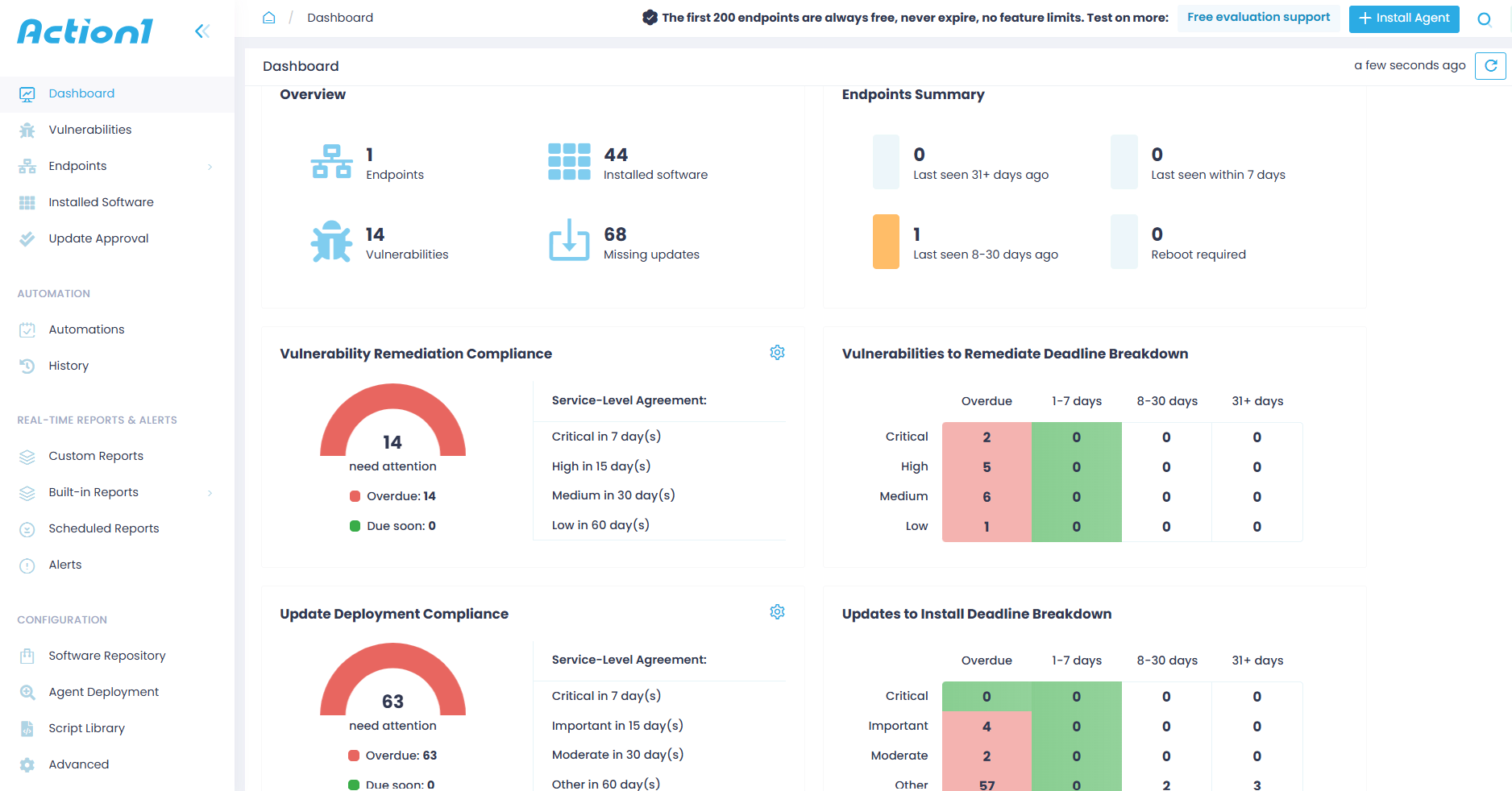
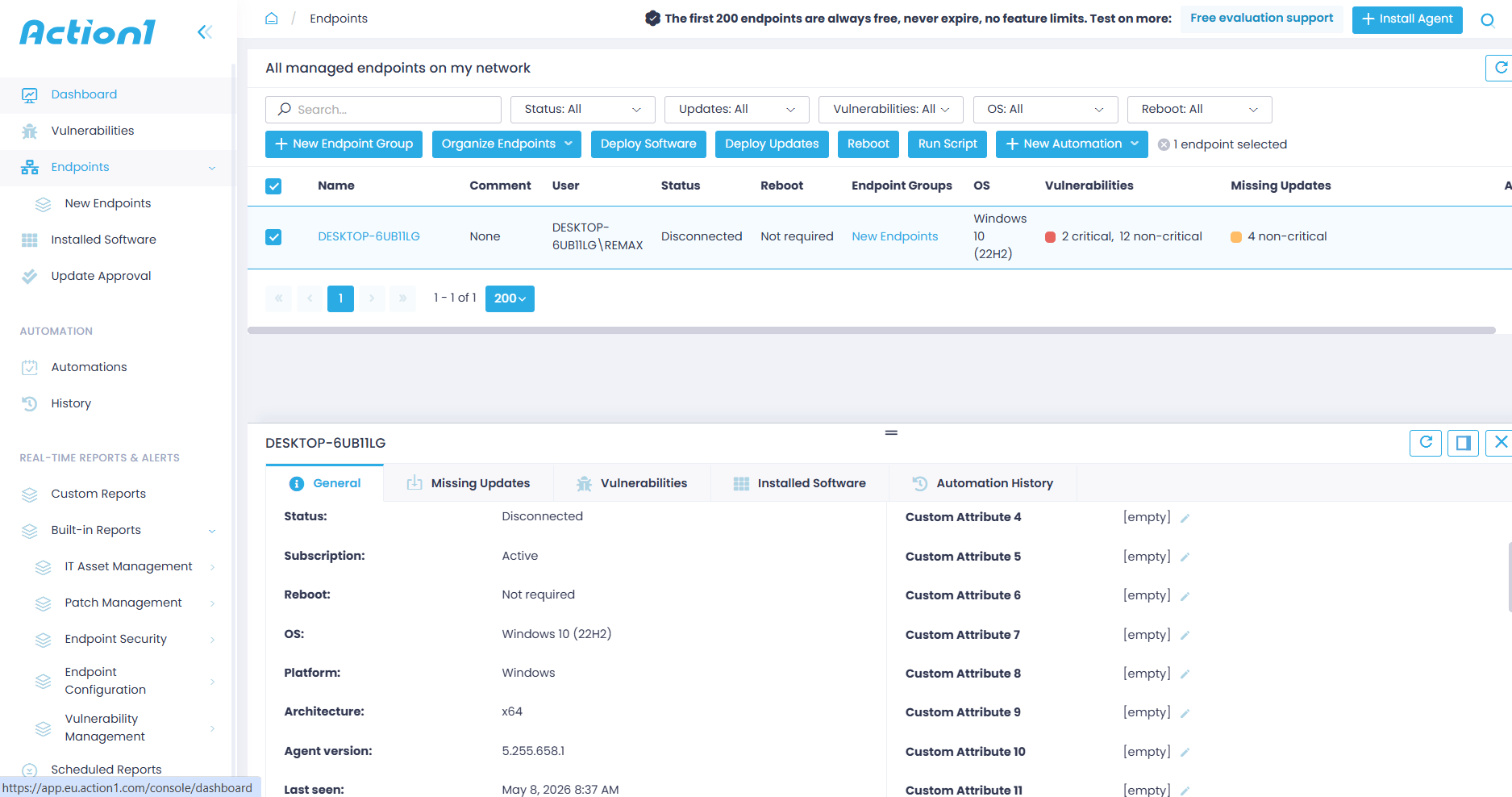
Action1 is a cloud-native autonomous endpoint management platform with RMM capabilities that automates patch management, remote endpoint control, software deployment, and scripting for SMBs, large enterprises, MSPs, and government agencies. It covers your entire environment, from Windows, macOS, and Linux endpoints to third-party applications, all sourced through a privately maintained software repository and delivered using P2P patch distribution for faster, safer, and smoother deployments.
One of its greatest advantages is that you don’t need a VPN or on-premises infrastructure to monitor, manage, and protect your office-based and remote desktops, laptops, servers, virtual machines, and cloud workloads, thanks to its agent-based architecture.
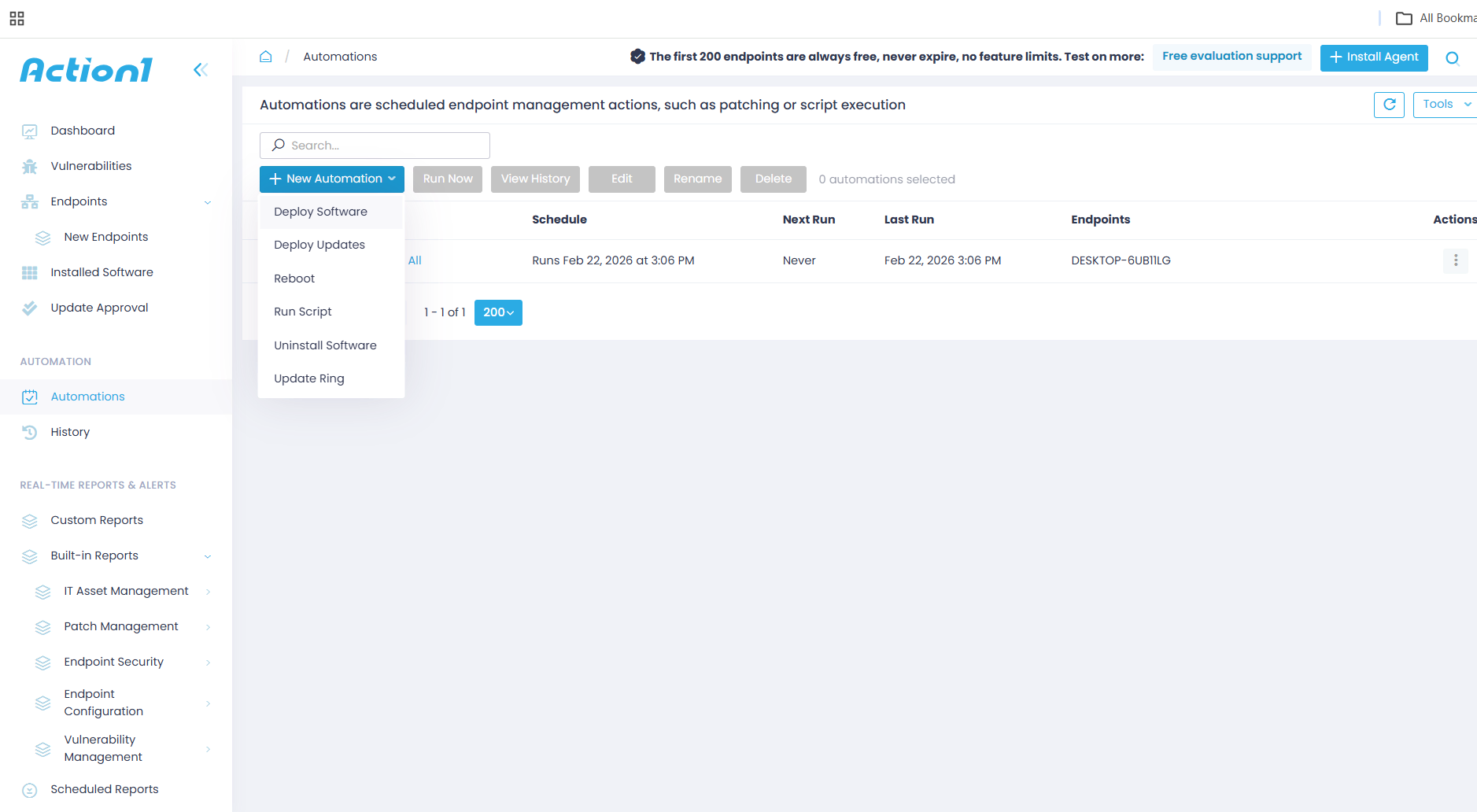
In short, with Action1, you can automate patch management, software deployment and uninstallation, remote endpoint control, scripting, and regulatory report preparation, all from one place with an intuitive interface. The platform gives you flexible and customizable options to decide how these processes should happen, based on your vision, preferences, and organization or client requirements. With just a few clicks, you can strengthen your endpoints’ security posture, minimize the attack surface, and keep every system secured, compliant, and up to date with almost no manual effort on your part.
You set the rules, and Action1 does the rest. The free tier is real. No time limits, no feature restrictions, no credit card. Create your Action1 account in five minutes and start patching up to 200 endpoints for free, forever.
Key Features:
- Cross-Platform OS Support → Windows, macOS, and Linux.
- Third-Party Patching → Automated patching of numerous software titles on Windows and macOS based on filters such as severity and vendor, with real-time progress status and 99% coverage for typical enterprise environments including Adobe, Chrome, and Zoom.
- Policy-Based Patch Management → You define the patching rules, controlling which updates get deployed to which endpoints, when they run, how they are tested, and whether each endpoint reboots immediately after deployment or at a more convenient time.
- Unattended Remote Access → Securely access and troubleshoot remote endpoints directly from your browser without requiring a VPN, inbound ports, or user interaction.
- Offline Catchup Window → If an endpoint is offline during a scheduled patch deployment, it’ll get patched once it comes back online automatically, with no additional actions needed on your part.
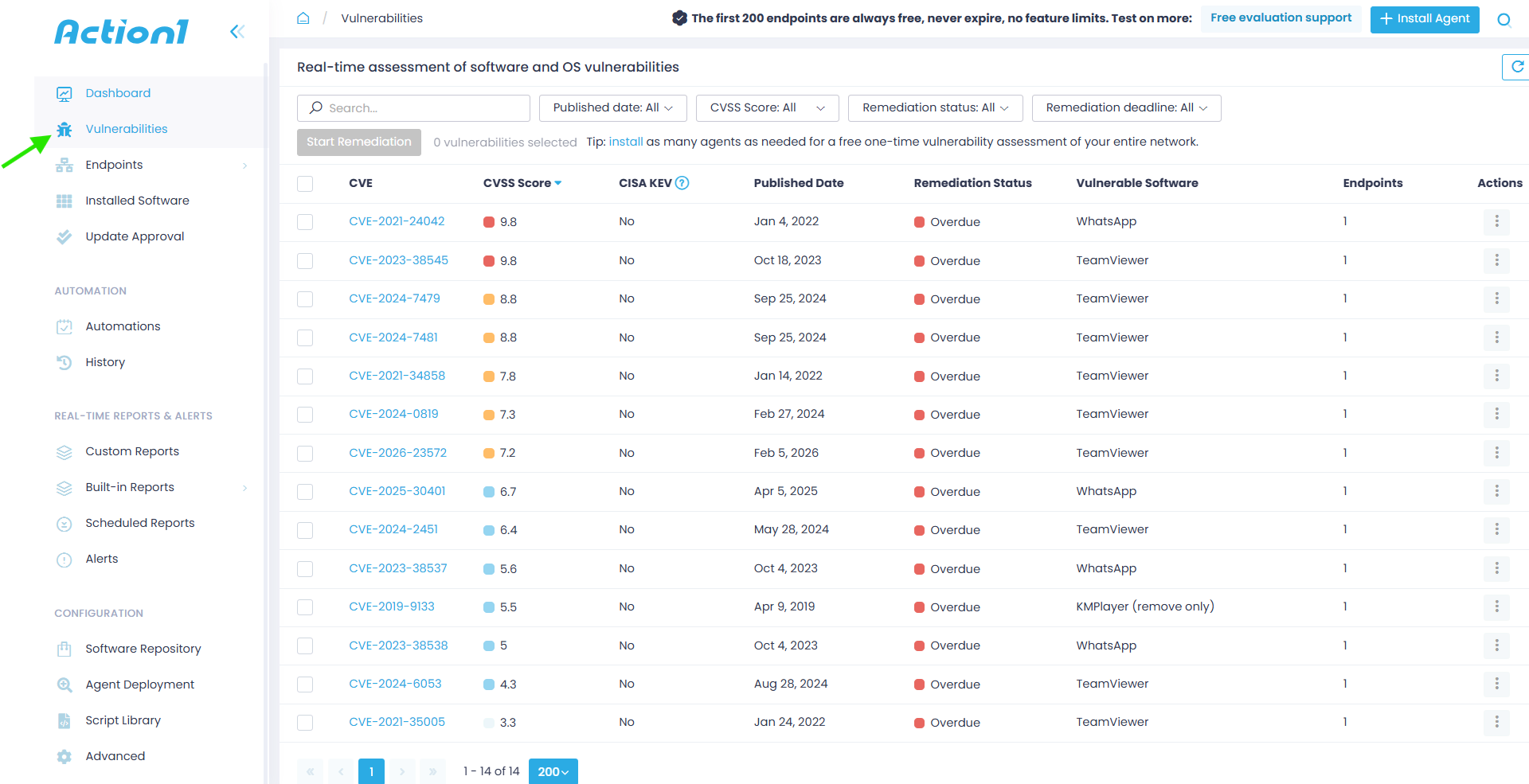
- Vulnerability Management → Real-time identification with built-in remediation capabilities.
- Risk-Based Patch Management → Prioritize and apply software patches and updates based on the level of risk they pose to your organization’s IT infrastructure and critical assets.
- IT Asset Inventory → Real-time visibility into the hardware details and online/offline status of your endpoints.
- Software Deployment → Streamlined deployment of prepackaged and custom applications.
- Software Uninstall → Bulk uninstallation of unauthorized or legacy software.
- Scripting Automation → Built-in scripts and support for custom PowerShell, CMD, or Bash scripting.
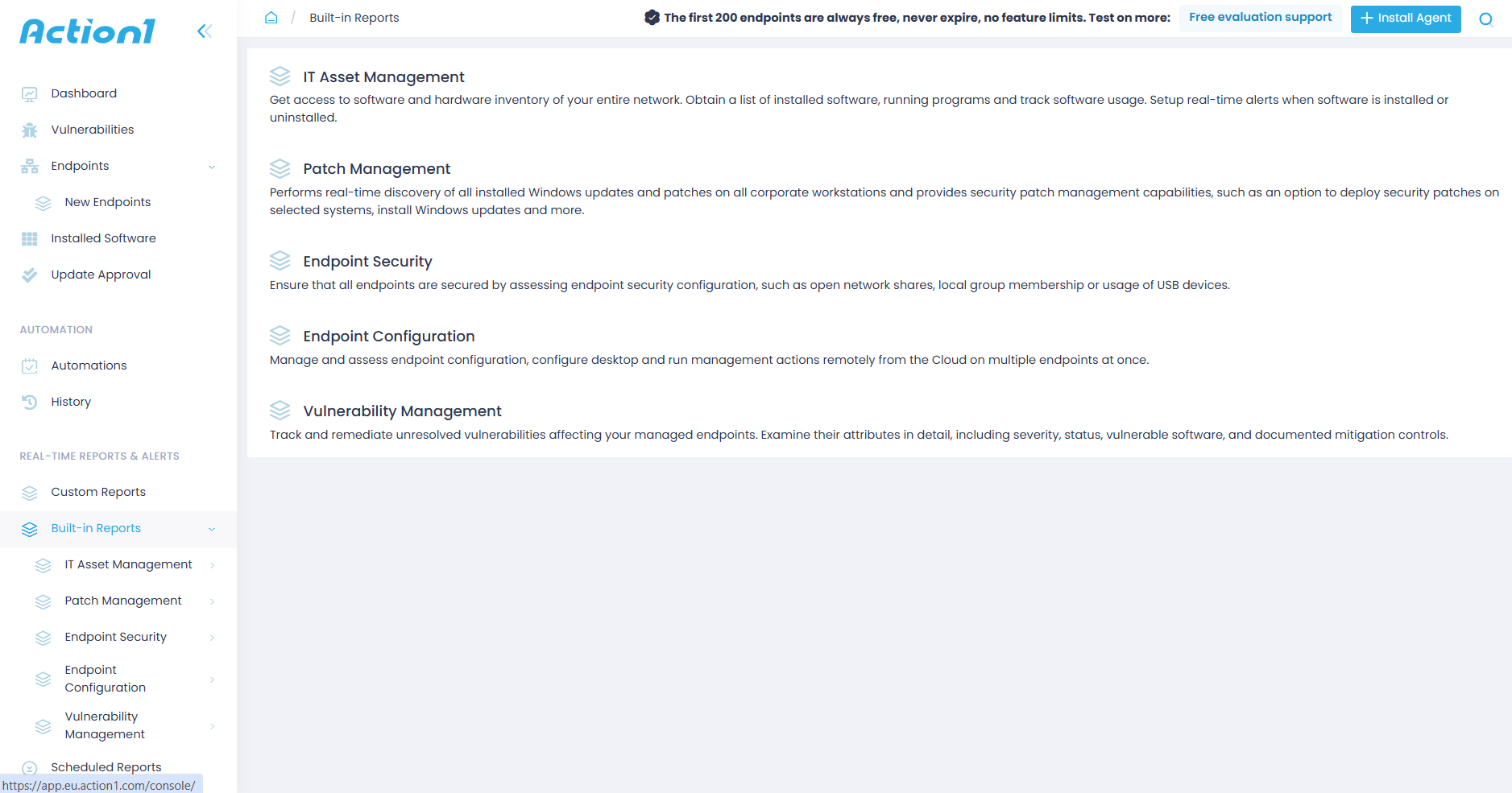
- Real-Time Reporting → 100+ built-in report templates with customization options.
- Role-Based Access Control (RBAC) → Granular levels of access for user accounts, ensuring sensitive data and critical systems are only accessible to the people who actually need them.
- Single Sign-On (SSO) → Leverage your existing identity provider for Single Sign-On through Entra ID (Azure AD), Okta, Google, or Duo.
- Multi-Factor Authentication (MFA) → Secure access to business-critical data and applications using multi-factor authentication through email verification or authenticator apps like Google Authenticator and Duo to protect user credentials and enforce access controls.
- Update Rings → Patches roll out in stages, autonomously, from inner to outer rings. Only reliable updates progress to the next ring, groups of endpoints, while those not meeting the predefined success criteria don’t. In reality, this means faster vulnerability remediation with fewer unexpected downtime risks.
- P2P Patch Distribution → Updates are downloaded only once and then shared internally across your local network, preserving network performance by minimizing external bandwidth consumption and speeding up deployments.
- Private Software Repository → Each patch and update is thoroughly tested by Action1’s expert team, ensuring only reliable and secure files reach your endpoints.
- Real-Time Vulnerability Data → Provides CVE numbers, CVSS scores, and exploitation indicators to support real-time patching decisions.
- Auto Repair of Windows Update Agent → Automatically detects and repairs broken Windows Update Agent configurations across your endpoints to help you maintain 99% patch compliance rates at all times.
- Custom Endpoint Attributes → Examples include attributes based on registry keys, installed or missing software, machine type such as VM, physical, laptop, or server, BitLocker status, free disk space, environment variables, BIOS version, and more.
- Full REST API Access → Connect Action1 to your existing IT stack through a full REST API with OAuth 2.0 authentication at no extra charge, enabling integration with PSA platforms, ticketing systems, security tools, and custom workflows.
- Windows Feature Updates → Upgrade Windows 10 to Windows 11.
- Free Tier → For up to 200 endpoints, fully featured, forever. No credit card required, no catch, just patching that works.
Pros:
- Fast initial setup taking about five minutes from creating your account to deploying the agent.
- Automates OS and third-party patching.
- Enables remote monitoring and management of your endpoints wherever they are, directly from your browser.
- Reduces manual workload through automation. You set the patching rules, Action1 does the rest.
- User-friendly platform with an intuitive interface.
- Free forever for up to 200 endpoints.
- No VPN or infrastructure required. Works equally well for office-based and remote endpoints, servers, virtual machines, and cloud workloads.
- Your team always knows which vulnerabilities to fix first, so critical exposures get closed faster and low-priority issues never get in the way.
- Seamless scalability from 200 to 200,000+ endpoints at a gradually lowering per-endpoint cost.
- Automates software deployments and uninstallations.
- Lets you generate audit-ready reports in minutes.
- Patches reach your endpoints faster and bandwidth stays under control no matter the package size, thanks to P2P distribution that eliminates the need for local appliances or cache servers.
- Meets globally recognized security and compliance standards including SOC 2 Type II, ISO 27001, TX-RAMP, and GDPR, according to vendor documentation, so your organization stays protected and audit-ready without additional compliance tooling.
- No one-click rollback capability. Currently, rollback is available through script automation.
- No MDM functionality.
Best For:
Action1 is a strong option for small-to-midsize businesses, large enterprises, government agencies, managed service providers, and manufacturers. That wide coverage comes down to one thing. It offers everything needed to monitor, manage, and secure on-premises and remote endpoints, backed by a rich feature set, strong security standards, a free tier, and autonomous patching capabilities that most platforms on this list simply can’t match.
Pricing:
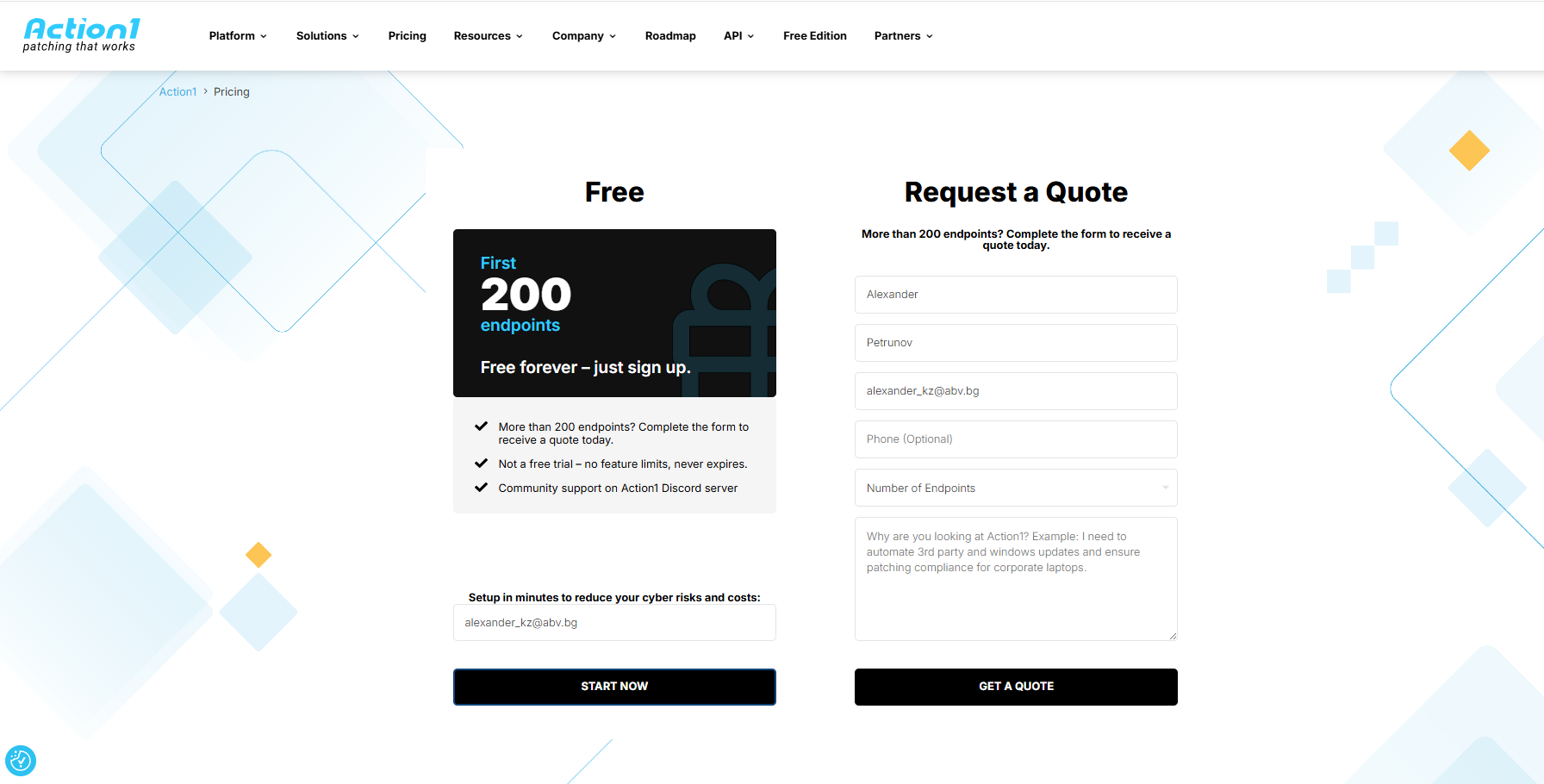
Action1 starts at $0.00 because it offers a free tier for up to 200 endpoints, fully loaded, forever. Scaling above that requires a custom quote, which you can request directly from the pricing page. The more endpoints you manage, the lower the per-endpoint price gets. When you’re ready to scale, expanding your coverage happens almost immediately.
Atera vs Action1 Patch Management & RMM
Action1 is the stronger choice over Atera, especially for companies that need reliable and effective patch management automation, cross-OS endpoint coverage, infrastructure independence, instant browser-based endpoint access, an intuitive interface, and advanced reporting capabilities.
Atera works well as an all-in-one RMM platform, but its limitations are hard to ignore. Some users report patch deployment issues that may require manual intervention. Agent instability leaves endpoints unmanageable, creating blind spots across your network. Reporting customization is limited, making it harder to generate the regulatory documentation your team needs without spending extra time working around those gaps. Together, these limitations slow your team down on a daily basis and demand more effort than any patch management platform should.
Action1 addresses every one of those limitations directly. So if patch management automation, cross-OS endpoint coverage, a broad third-party app catalog, 24/7 real-time monitoring, scripting, software deployment, a user-friendly interface, and cost efficiency are your main priorities, Action1 is the obvious choice.
Action1 Ratings:
- G2 Rating: 4.9/5 (1,012+ reviews)
- Capterra Rating: 4.9/5 (235+ reviews)
NinjaOne
NinjaOne is a cloud-native unified IT management platform for monitoring, managing, and securing on-premises and remote endpoints from one place. It equips you with the tools to automate patching across Windows, macOS, and Linux alongside hundreds of third-party applications, handle software deployment and uninstallation, run scripts, generate reports, and eliminate other repetitive tasks that quietly eat up your team’s time.
With it, you can protect your systems regardless of their location, monitor and track their patch, compliance, and security status in real time, troubleshoot issues with built-in remote desktop capabilities, and prepare audit-ready reports with minimal manual effort. That combination of RMM, patch management, MDM, backup, and data protection under one roof is what draws larger MSPs and enterprises to NinjaOne, though how well it delivers on each depends on your specific environment.
Key Features:
- Cross-Platform OS Support → Windows, macOS, and Linux.
- Third-Party Patching → Automates the deployment of patches for hundreds of third-party applications.
- Risk-Based Prioritization → Prioritizes vulnerabilities using CVE numbers, CVSS scores, exploit context, and real-world threat intelligence to ensure your team always addresses the highest-risk exposures first.
- Automation Flexibility → Lets you create your own patching strategy that delivers the best results based on your company’s specifics, accomplishing complete coverage with fewer downtime risks and less manual intervention.
- Endpoint Remote Control → Connect to and manage endpoints regardless of their location with no VPN or local appliance dependencies.
- Real-Time Reporting → Gives you real-time insights into the patch and compliance status of every endpoint across your network and lets you generate audit-ready reports in minutes.
- Asset Discovery and Management → Identifies and inventories hardware and software across your network, so you always have a current inventory and minimize the chances of leaving blind spots.
- Mobile Device Management → For Android, iOS, and iPadOS devices. You can whitelist or blacklist specific apps and lock or delete data across lost or stolen endpoints.
- Self-Service Portal → Eases issue resolution by allowing end users to submit tickets or access self-help resources whenever they need to.
Pros:
- Automates OS and third-party patching.
- Proactive patching with CVE/CVSS integration can help reduce vulnerability exposure when policies are configured and maintained properly.
- Minimizes the time between vulnerability identification and remediation.
- Lets you control your on-premises and remote endpoints without a VPN or any additional infrastructure.
- Unified endpoint management lets you secure desktops, laptops, servers, virtual machines, and mobile devices from one place.
- Scales seamlessly as your endpoint count grows.
- Reporting lacks depth and customization options.
- The interface is not as intuitive as it should be, and new users need time to explore and get comfortable with different features and automations.
- Basic scripting capabilities.
- Problems with reboot management.
- Rollback works perfectly on Windows, but for macOS and Linux endpoints it requires scripting automation or manual intervention.
- Reported patch deployment issues based on user reviews from G2 and Capterra.
- More expensive than other alternatives offering the same features.
Best For:
NinjaOne is best for MSPs and large enterprises that need one platform for automating RMM, MDM, patch management, backup, and more.
Pricing:
NinjaOne does not publicly list its pricing, so you’ll need to contact their sales team directly for a custom quote. And if you want to test the platform before committing, the 14-day free trial gives you enough time to evaluate whether it is the right fit for your environment.
Atera vs NinjaOne:
Choose Atera if you need a strong feature set at a lower and more predictable price, with unlimited device coverage, solid patch management, RMM, and native PSA integration for billing and ticketing.
Go with NinjaOne if your organization is a larger MSP or enterprise, since it has a clear advantage in advanced automation, backup, network monitoring, and reporting capabilities.
NinjaOne Ratings:
- G2 Rating: 4.7/5 (4,280+ reviews)
- Capterra Rating: 4.7/5 (280+ reviews)
Syncro
Syncro is a cloud-native all-in-one solution combining RMM, PSA, and Microsoft 365 management in one place, enabling monitoring, ticketing, billing, patch management, and endpoint control under one roof.
With it, you can automate patching, handle complex scripting, monitor your endpoints’ patch, compliance, and health status in real time, and manage service tickets with ease. Its integrated PowerShell scripting engine helps you streamline onboarding, offboarding, compliance reporting, monitoring, and remediation workflows across your on-premises and remote endpoints.
Key Features:
- Cross-Platform OS Support → Windows and macOS. Linux monitoring and scripting support included.
- Third-Party Patching → Automated third-party application patching across your managed endpoints.
- Scripting Engine → Supports PowerShell, Bash, and Batch scripts for custom automation across your managed devices.
- Network Discovery → Scans your network or your clients’ networks to identify unmanaged endpoints and close coverage gaps.
- Remote Access → Splashtop gives you full-screen unattended access to a user’s desktop, exactly as if you were sitting in front of it. SyncroLive lets you complete background tasks like file management, terminal access, and registry editing without interrupting the end user at all.
- Policy-Based Patch Management → Lets you define automated patching rules and apply them to your Windows devices with granular control over scheduling, patch severity approvals, exclusion lists, and reboot behavior, so every device in your environment is patched exactly the way you want it.
- IT Asset Inventory → Maintains centralized visibility into endpoints, users, software, and system status across all your managed environments, giving you a complete and always up-to-date picture of everything on your network.
- Real-Time Monitoring and Alerting → Monitors device health, processes, services, and system activity, and lets you create customizable alerts so your team can detect and respond to critical issues before they affect end users or create security gaps.
- Automated Remediation → Triggers scripts and automated responses when issues are detected, enabling your team to resolve problems hands-free without manual intervention for every incident.
Pros:
- Fast and easy to deploy.
- Customizable dashboards that let you tailor your workspace to display key metrics, alerts, and other critical data.
- Intuitive user interface.
- RMM features include high-end automation, policies, and scripting available out of the box without additional configuration.
- Real-time alerts from the RMM agent notify your team the moment an issue is detected on any managed endpoint.
- Automates OS and third-party patching.
- Minimizes the time spent preparing regulatory paperwork.
- Patch management features need improvement and are a recurring area of feedback from users across Capterra reviews.
- Limited cross-platform support for Linux endpoints beyond basic monitoring and scripting.
- Intermittent issues with the RMM product and Splashtop remote access have been reported, though they rarely cause major disruptions.
- Advanced scripting is limited compared to dedicated RMM tools, which is a consideration for teams that need deep scripting power.
Best For:
Syncro is the right call for small to mid-sized MSPs that need RMM, PSA, patch management, and billing in one unified platform at a flat per-technician price with unlimited endpoints.
That said, if you need deep RMM automation, advanced scripting, or strong Linux endpoint management, a more specialized platform will serve you better.
Pricing:
Syncro offers two plans available on monthly or annual billing. The Core plan starts at $129 per month when billed annually and covers everything you need to manage endpoints, automate patching, and run your support desk. The Team plan is $179 per month when billed annually and adds Microsoft 365 security, advanced automation, network discovery, and identity governance on top of everything in Core Plan.
And if you’re wondering whether they offer a free tier, the answer is no. But Syncro does offer a 14-day free trial so you can test the platform before committing.
Atera vs Syncro:
Choose Atera if you need deeper patch management automation, broader OS coverage, stronger AI capabilities, and 24/7 customer support.
Choose Syncro if you’re a small to mid-sized MSP that needs RMM, PSA, and billing in one affordable platform at a flat per-technician price with no per-device costs.
Syncro Ratings:
- G2 Rating: 4.5/5 (490+ reviews)
- Capterra Rating: 4.6/5 (140+ reviews)
Datto RMM
Datto RMM is a cloud-based remote monitoring and management platform that offers patch management, advanced software management, automation, scripting, and remote access for on-premises and remote endpoints from a single dashboard.
It allows you to monitor, manage, and protect desktops, laptops, servers, and virtual machines faster, smarter, and with minimal manual effort. With it, you get complete visibility into the software and hardware assets across your organization, giving you a clear picture of the patch, compliance, and device status of every system.
In practice, that means you can do all of the following. Patch Windows endpoints and hundreds of third-party applications to remediate software vulnerabilities in just a few clicks. macOS patching is available through a dedicated ComStore component. Install or uninstall software simultaneously across thousands of endpoints with a single automation. Prepare regulatory documentation in minutes instead of hours. And if repeatable tasks used to feel like a chore, scripting makes them feel almost effortless.
Key Features:
- Cross-Platform OS Support → Windows for native patch management, macOS patching available via “ComStore.” Linux monitoring and scripting supported.
- Third-Party Patching → Automates the deployment of patches and updates across hundreds of third-party applications.
- Flexible Scheduling and Deployment Options → Lets you decide which updates get deployed, when, and across all or a specific group of endpoints, shape the testing process before an organization-wide rollout, and control reboot management.
- Remote Monitoring and Management → Real-time monitoring of the health, performance, and security status of your on-premises and remote endpoints, with instant alerts for critical issues that require immediate attention.
- Remote Access and Support → Remote desktop lets you troubleshoot issues and transfer files securely.
- Scripting and Automation → Build, import, and deploy custom scripts to automate tasks, remediate vulnerabilities, isolate endpoints, apply compensating controls, or deploy software across multiple systems simultaneously.
- Advanced Reporting → Generate audit-ready reports in minutes.
Pros:
- Cloud-based platform that requires no VPN, local appliances, or complex configuration.
- Monitor, manage, and protect your Windows, macOS, and Linux endpoints from a centralized dashboard, regardless of their location.
- Automates patching, scripting, report generation, and software deployment and uninstallation.
- Gives you real-time visibility over on-premises and remote endpoints.
- Minimizes manual workload and maximizes security and productivity.
- Delivers customizable alerts so your team stays focused on the issues that actually matter.
- The platform is not as intuitive as it should be, and new users need training to get comfortable with it.
- Frequent remote access issues caused by agent failures, which limits control over endpoints outside the local network.
- The built-in script library is limited compared to other platforms on the market, often requiring you to build your own scripts for task automation.
- Limited third-party application catalog.
- Reporting needs improvement, especially in terms of customization.
- Slow performance, particularly with endpoint control and cloud backup recovery.
Best For:
Datto RMM is a solid choice for MSPs and internal IT teams managing large, hybrid, or remote-first IT environments. It offers strong security features, automation capabilities, effortless scalability, and reliable remote support, which makes it well-suited for exactly that type of environment. That said, if you’re a smaller MSP looking for transparent pricing, a broader third-party application catalog, and a more intuitive interface out of the box, a more specialized platform will serve you better.
Pricing:
Datto RMM does not list transparent pricing on its official website, so you’ll need to contact their sales team for a custom quote. Based on user-reported pricing from G2 and Capterra, costs are commonly reported in the range of $2.50 to $4.50 per endpoint per month, though the actual rate depends on your endpoint count, contract length, and selected features.
Atera vs Datto RMM:
Choose Atera if you need a true all-in-one platform with transparent per-technician pricing, 24/7 customer support, cross-OS patch management covering Windows, macOS, and Linux, and Agentic AI capabilities that eliminate manual and repetitive IT tasks.
Go with Datto RMM if your environment is primarily Windows-based and you’re already embedded in the Kaseya ecosystem.
Datto RMM Ratings:
- G2 Rating: 4.5/5 (750+ reviews)
- Capterra Rating: 4.3/5 (40+ reviews)
ConnectWise RMM
ConnectWise RMM is a cloud-native remote monitoring and management solution designed to help you monitor, manage, and support different IT environments. It offers centralized visibility, intelligent alerting, advanced automation, and native integrations with the broader ConnectWise ecosystem to help you proactively address IT challenges and prevent downtime, while maximizing the security posture of your endpoints with minimal manual effort on your part.
Key Features:
- Cross-Platform OS Support → Windows, macOS, and Linux.
- Third-Party Patching → Automates patch management for numerous third-party applications including Chrome, Slack, Adobe, Zoom, and many more.
- Policy-Based Patch Management → Lets you customize patch policies and decide which patches get deployed, when, across all your endpoints or just a specific group, and whether they reboot immediately after deployment or at a more convenient time.
- Intelligent Alerting and Monitoring → Cuts alert noise and false positives significantly, so your team stays focused on the issues that actually matter.
- Secure Remote Access → Provides fast and secure remote access through ScreenConnect, allowing you to troubleshoot endpoints from anywhere without disrupting end users.
- Scripting and Automation → Use built-in scripts or create your own to remediate vulnerabilities, isolate compromised endpoints, create system restore points, reset local passwords, clean up disk space, and more.
- Advanced Reporting → Intuitive dashboards and real-time analytics simplify endpoint compliance evaluation and generate audit-ready reports for regulatory frameworks including HIPAA, PCI DSS, and ISO 27001.
- Asset Inventory → The agent-based architecture eliminates blind spots by giving you real-time visibility into the current state of every endpoint across your environment.
Pros:
- Manage Windows, macOS, and Linux endpoints from a single centralized dashboard without switching between tools.
- Automates update and patch deployment across Windows and macOS endpoints and third-party applications, along with scripting and routine maintenance tasks across thousands of endpoints simultaneously.
- Gives you fast and reliable remote access for troubleshooting endpoints without disrupting end users, directly through ScreenConnect.
- Enables you and your team to identify and resolve issues before they become major problems, thanks to intelligent alerting that cuts noise significantly.
- The NOC team researches and approves Windows OS security patches before they reach your endpoints, so you always deploy with confidence.
- Scales effortlessly from a handful of endpoints to tens of thousands without requiring additional infrastructure or configuration overhead.
- Flexible plans with different pricing and feature options.
- Steep learning curve. The platform has a lot to offer but getting to a point where you can use it effectively takes real time and training investment, especially for new users.
- The interface has gone through multiple redesigns and different sections still show different styles, which creates a confusing and inconsistent experience during daily workflows.
- Some users report that newer features may require workarounds before they feel fully mature.
- Limited integrations compared to other RMM platforms, which can create gaps if your stack relies on tools that ConnectWise RMM does not natively support yet.
Best For:
ConnectWise RMM is a strong choice for MSPs, TSPs, and large enterprises operating in complex environments that need a comprehensive feature set for patch management, endpoint monitoring, advanced scripting, and remote access from a single cloud-native dashboard.
Pricing:
ConnectWise RMM does not publish transparent pricing on its official website. You need to contact their sales team for a custom quote. Based on user-reported pricing from community discussions and third-party sources, pricing typically ranges between $1.50 and $3.75 per endpoint per month depending on your endpoint count, contract length, and selected package.
Atera vs ConnectWise RMM:
Choose Atera if you need a true all-in-one platform with a short setup time, reliable 24/7 customer support, cross-OS platform support, strong third-party patching, and Agentic AI that autonomously executes and completes IT tasks without requiring you to check on the process every step of the way.
Choose ConnectWise RMM if your company is a large MSP or enterprise already embedded in the ConnectWise ecosystem that needs deep customization, NOC-assisted patch testing, advanced scripting capabilities, and advanced reporting. Just keep in mind that you need to be ready for a steep learning curve and, in some cases, a multi-week setup process. If that works for you, ConnectWise RMM is a solid choice.
ConnectWise RMM Ratings:
- G2 Rating: 4.2/5 (65+ reviews)
- Capterra Rating: 4.2/5 (70+ reviews)
Kaseya VSA
Kaseya VSA comes in two versions: cloud-based and on-premises. It is a remote monitoring and management platform widely used by IT professionals and managed service providers to manage, monitor, and secure their desktops, laptops, servers, virtual machines, and network devices. The software brings heavy automation for patching, software deployment, and remote troubleshooting.
By automating these processes, Kaseya VSA helps you keep your endpoints secure, compliant, and smoothly performing with minimal disruption and maximum efficiency.
Key Features:
- Cross-Platform OS Support → Windows, macOS, and Linux.
- Third-Party Patching → Automates the deployment of updates and patches for 300+ popular applications including Chrome, TeamViewer, and Zoom.
- Risk-Based Prioritization → Each identified software vulnerability gets a severity score from 1 to 10, allowing you to remediate flaws in the right order, starting with those that pose the biggest threat to your company.
- Remote Monitoring → Provides comprehensive device monitoring with real-time visibility into endpoint health, performance, and network connectivity.
- Remote Control Capabilities → Rely on secure remote control to resolve issues, deploy patches, or install software on endpoints regardless of their location.
- Security Management → Integrated ransomware detection and policy-based controls.
- Flexible Scheduling and Deployment Options → Patch, update, or install software on your own terms to avoid unnecessary downtime risks without losing control over security.
- Advanced Reporting → Generate audit-ready reports in minutes directly from the intuitive interface.
Pros:
- Available in both on-premises and cloud-based versions.
- Automates patching, software deployment, report generation, and remote endpoint monitoring and management.
- Intuitive interface that lets you start protecting your systems without extensive training.
- Saves time and resources by automating routine maintenance tasks across your endpoints.
- Minimizes the time between issue identification and resolution.
- Higher price compared to other alternatives on the market with similar capabilities.
- Outdated interface that feels like working with mid-90s software.
- Unstable remote access where Live Connect disconnects frequently, connections fail, latency builds up, key press delays appear, and multi-screen setups are handled poorly.
- Patch deployment failures that can only be resolved by pushing patches manually.
- The mobile app is limited, buggy, and missing basic functionality needed for on-the-go monitoring.
- Creating audit-ready reports is complex and offers limited customization options.
Best For:
Kaseya VSA is a strong choice for MSPs and enterprises that specifically need a platform delivering comprehensive visibility and a high level of automation across patching, software deployment, and RMM, to help them secure their large and distributed networks from one centralized place with minimal manual effort.
Pricing:
Kaseya VSA does not publicly list its pricing and you need to contact their sales team for a custom quote. That said, based on user-reported pricing from G2 and Capterra reviews, pricing typically ranges between $4 and $5 per endpoint per month, which puts it on the higher end compared to alternatives with similar capabilities.
Atera vs Kaseya VSA
Atera is a modern, cloud-native all-in-one RMM and PSA platform with transparent per-technician pricing, cross-OS patch management, an intuitive interface, 24/7 customer support, and Agentic AI that handles repetitive IT tasks autonomously. It’s the right fit for SMBs, lean IT teams, and fast-scaling MSPs that need rapid deployment and everything under one roof.
Kaseya VSA is a powerful and complex platform built for larger MSPs and enterprises that need deep scripting automation, risk-based vulnerability prioritization, on-premises deployment, and comprehensive RMM capabilities across large distributed networks. Just be prepared for a dated interface, unstable remote access, and a steeper learning curve.
Kaseya VSA RMM Ratings:
- G2 Rating: 4.0/5 (320+ reviews)
- Capterra Rating: 4.0/5 (205+ reviews)
Best Atera Alternatives by Use Case
The best Atera alternatives are Action1, NinjaOne, Syncro, Datto RMM, ConnectWise RMM, and Kaseya VSA. We’ve already covered their features, pros, cons, and given you a brief recommendation on which platform fits where. Now it’s time to give you stronger, more direct guidance on which alternatives to Atera work best for your specific use case, based on our hands-on evaluation.
Best for MSPs
The best Atera alternative for MSPs is Action1. It offers everything an MSP needs to automate patch management, software deployment and uninstallation, and remote endpoint control across all client environments, no matter how complex they are, without any infrastructure costs.
What makes it work particularly well for MSPs is how it handles the specific challenges that come with managing multiple clients at once. Native P2P patch distribution minimizes external bandwidth usage across your client sites. Separate organizations per client keep data completely isolated under one account. And granular RBAC lets you give each technician the right level of access and privileges to complete their daily tasks and nothing more.
On top of all that, Action1 supports Windows, macOS, and Linux alongside 630+ third-party applications, deploys in under five minutes, and scales from 200 to 200,000+ endpoints at a gradually lowering per-endpoint cost. And last but not least, it’s free for up to 200 endpoints, fully loaded, forever, allowing you to test it firsthand across your clients’ environments before purchasing a license.
For MSPs that need automation depth, multi-client management, the ability to approve, decline, or hold updates per organization, and cost efficiency in one platform, Action1 is the obvious choice.
And if you manage a larger MSP operation that needs unified RMM, MDM, and professional services automation under one roof, NinjaOne is worth evaluating as a strong runner-up.
Best for Enterprise IT Teams
The best Atera alternative for enterprise IT teams and IT departments is Action1. It’s cloud-native, easy to deploy, and automates end-to-end patch management, endpoint monitoring and management, scripting, software deployment, and report generation across Windows, macOS, and Linux systems, with no VPN, on-premises hardware, or complex configuration required.
What makes it a strong fit for enterprise environments specifically is its ability to replace multiple platforms with one centralized solution covering patching, endpoint management, reporting, and automation.
It supports 630+ third-party applications sourced from a privately maintained secure software repository, gives you real-time visibility over each and every endpoint wherever it is located, and eliminates blind spots like coverage gaps and unpatched systems with an offline catchup window that automatically patches devices the moment they come back online.
The platform also offers MFA, RBAC, and multi-tenancy at no extra cost. And if security compliance is a requirement for your organization, Action1 is certified for SOC 2 Type II, ISO/IEC 27001:2022, and TX-RAMP, and scales from 200 to 200,000+ endpoints without breaking a sweat.
Put all of that together and you get the right choice for enterprise teams looking for autonomous patching, strong security standards, advanced scripting with ready-to-use scripts and the option to create your own, full RMM capabilities, software management, and 100+ built-in customizable report templates, all without a single infrastructure headache.
That said, Kaseya VSA is our runner-up pick, especially if on-premises deployment for security reasons and deep scripting customization are on your checklist. If those are your priorities, Kaseya VSA is worth a serious look.
Best for Automation
The best Atera alternative for automation is Action1. Once you set your patching policies, update rings, and deployment schedules, the platform takes over completely. It identifies vulnerabilities, prioritizes them by risk level, and tests and rolls out OS and third-party updates autonomously, stopping problematic ones in the early stages and distributing them across your network through P2P for faster deployments with fewer bandwidth constraints.
And that is just the patching side. The scripting capabilities supporting PowerShell, CMD, and Bash, combined with an offline catchup window, ensure no endpoint remains vulnerable or out of your sight. Together, those two things turn patching, software deployment and uninstallation, and scripting from recurring tasks into a background process that just runs, on its own, efficiently and flawlessly.
So for teams that need patching and endpoint management to run on autopilot with minimal oversight across on-premises and remote systems, Action1 is the obvious choice.
And if NOC-assisted patch testing and pre-approved Windows OS security updates are a specific priority for your organization, ConnectWise RMM is worth evaluating as a strong runner-up.
Best Budget-Friendly Alternatives
The best budget-friendly Atera alternative is Action1, and it’s not even close. It’s the only platform on this entire list that offers a free tier for up to 200 endpoints, fully loaded, forever, without asking for a credit card. Not a trial. Not a limited version. A fully featured autonomous endpoint management platform covering cross-OS and third-party patching, software management, scripting, and strong RMM capabilities with built-in remote desktop.
For $0.00 you get a platform that lets you monitor, manage, and protect every single one of your endpoints regardless of where they are located, directly from your browser. For SMBs, non-profit organizations, or any company managing under 200 endpoints, Action1 is the obvious choice. Without spending a dollar on licenses or infrastructure, you keep your laptops, desktops, virtual machines, servers, and cloud workloads secure, up to date, compliant, and smoothly performing.
In under five minutes you can visit Action1’s website, create your account, deploy the agent manually or remotely via script, and start protecting your endpoints.
Which One Is the Best Atera Alternative?
The best Atera alternative is Action1, because it fills every gap that Atera leaves across your network. It automates the most time-consuming routine tasks that every IT team faces daily, like patch and vulnerability management, software deployment and uninstallation, scripting, reporting, and endpoint monitoring and management.
From a centralized platform with an intuitive interface you can monitor and manage your Windows, macOS, and Linux endpoints without fearing blind spots, since the agent installed on each device keeps everything under control. You get real-time monitoring and reporting capabilities, and current data about the patch, compliance, and health status of every system.
And if some of them are offline during scheduled automations like patch deployments, they’ll catch up automatically with no extra effort on your part.
Because in a world full of hackers and software vulnerabilities, having qualified technicians alone will not save you from cyberattacks, regulatory penalties, or a damaged reputation. They need a platform that helps them achieve that goal. One that automates routine processes, delivers real-time visibility, and allows for scheduled patch deployments, software installations, remote troubleshooting, and endpoint provisioning. They need current and accurate data about the state of every system, whether we’re talking about patch status, compliance, or hardware and software configurations.
Action1 checks every one of those boxes. It gives you a platform that improves operational efficiency by simplifying everyday IT workflows, reducing manual workload, lowering infrastructure costs, and strengthening your overall security posture without adding unnecessary complexity to your environment.
So if you own or work for an SMB, large enterprise, MSP, or government agency, stop scrolling. You already found the one that delivers everything Atera can’t. Visit our website and start protecting your desktops, laptops, servers, virtual machines, and cloud workloads with a cloud-native autonomous endpoint management platform that just works.
Our vision has always been and always will be a world where cyberattacks exploiting known vulnerabilities are entirely prevented across all types of devices, operating systems, and applications. We’re simply committed to giving companies of all sizes a platform that makes the digital world a safer place.
We aim to reduce MTTR to the absolute minimum, eliminating the advantage of threat actors. And if you want to understand exactly how the threat landscape shifted in 2024, our 2025 Software Vulnerability Ratings Report breaks down the most critical vulnerability trends IT and security leaders need to know.
For those of you with tight budgets managing under 200 endpoints, Action1 is free, fully featured, forever. For everyone else managing more than 200 endpoints, you can test the software firsthand, explore its capabilities in practice, see if it solves your biggest pain points, and then purchase a license. There is no catch, no fine print.
P.S. This comparison was prepared using vendor documentation and pricing pages reviewed for 2026, user reviews from G2 and Capterra, and hands-on analysis of patch management, endpoint management, RMM, scripting, remote access, and reporting capabilities across each platform.