Mean time to remediate (MTTR) measures the time from finding a vulnerability in your environment to applying a fix and verifying that the vulnerability is gone. A lower MTTR means your systems spend less time exposed to a vulnerability that attackers could exploit.
This article is about fixing vulnerabilities, not restoring outages.
What is Mean Time to Remediate?
Mean time to remediate (MTTR) is the average time it takes an organization to fix a security vulnerability after it is detected. You measure it from the day a scanner or agent first finds the vulnerability in your environment to the day a rescan confirms the fix. A lower MTTR shortens the window in which attackers can exploit the vulnerability. It also helps you assess whether your vulnerability management process meets internal remediation targets and applicable security requirements.
The MTTR clock covers the full remediation process:
- Detection: Identify a vulnerability through a security scan, advisory, or another detection method.
- Triage and prioritization: Assess its severity, exploitability, and potential business impact.
- Assignment: Assign an owner and set a remediation deadline.
- Remediation: Apply a patch, upgrade software, change a configuration, or remove the vulnerable component.
- Verification: Rescan the affected endpoint or system to confirm that the vulnerability is eliminated.
The clock stops only when verification confirms the fix. Deploying a patch or closing a ticket does not, by itself, prove that remediation succeeded. A deployed patch that failed on 30 endpoints has not remediated them, so the clock keeps running until a rescan says otherwise.
Your measurement should also account for delays. Waiting for an approval, a scheduled change window, a maintenance window, or an endpoint to reconnect still leaves the vulnerability unresolved. These delays count toward MTTR because the security exposure continues while the organization waits. A report that hides those days hides the part of the process you can improve.
What MTTR Stands for in Vulnerability Management
In security and vulnerability management, MTTR stands for mean time to remediate. In IT operations, the MTTR acronym has other meanings, including mean time to repair, recover, resolve, or respond. Those metrics measure different activities, such as how quickly an outage is restored, not how quickly a vulnerability is fixed.
In reporting, state explicitly which MTTR you mean in every report, dashboard, and audit response. Without a label, a reader who sees “MTTR: 12 days” cannot tell whether it measures patching or outage recovery.
Remediation vs. Mitigation vs. Risk Acceptance: What Counts as “Remediated”
Remediation removes a vulnerability or the condition that makes a system vulnerable. Examples include installing a security patch, upgrading to a specific software version, correcting a vulnerable configuration, or removing the affected component. A verification scan or other appropriate evidence must confirm that the vulnerability has been eliminated before you stop the MTTR clock.
Mitigation lowers the likelihood or impact of exploitation without necessarily eliminating the vulnerability. A web application firewall (WAF) rule, network isolation, or a compensating security control are all mitigations. Track them separately as mean time to mitigate or flag mitigated findings in your reports.
Risk acceptance means an authorized decision-maker accepts the risk for a defined period or under specified conditions. It does not fix the vulnerability. Exclude risk-accepted findings from MTTR but report their number and status separately.
False positives also need separate treatment. Once investigation confirms that a finding is invalid, remove it from the valid vulnerability population.
These classification rules can change your MTTR. If you count mitigated or risk-accepted findings as remediated, your average may improve without the underlying vulnerabilities being eliminated.
When Does the MTTR Clock Start and Stop?
Your mean time to remediate number is reliable if you define when the clock starts and stops. Different start and stop events produce different results for the same vulnerability, so decide on a measurement method. The following approaches are common:
- First detection to verified remediation: The clock starts when a vulnerability is first detected on an affected asset and stops when a verification scan confirms remediation. Count calendar days, including weekends, holidays, approval delays, and waiting time for scheduled deployment.
- Ticket creation to verified closure: This approach is useful for assessing workflow performance, but it can understate exposure if a ticket is created after the vulnerability was first detected.
- Scan detection to verified remediation: This starts at the scan that reported the finding, which can be later than the first sighting if scan schedules vary.
Choose one method, document it, and apply it consistently.
Federal agencies work with two clocks, and you should not confuse them with your own.
- Under CISA’s BOD 26-04, the remediation deadline begins at whichever qualifying event happens first: CISA adds the vulnerability to its KEV Catalog, or the agency identifies the vulnerability on an asset and records it in the applicable Continuous Diagnostics and Mitigation (CDM) dashboard. The directive’s timelines use calendar days. BOD 26-04 binds federal civilian agencies, so treat it as a model for your own policy.
- Under the FY 2025 CIO FISMA Metrics (and continuing in the FY 2026–2027 CIO FISMA Metrics, v1.1), the clock for calculating MTTR for KEVs begins at whichever qualifying event occurs later: when the vulnerability is first detected on the asset or when the CVE is added to the KEV catalog. It measures the interval from that later event to remediation.
Keep the federal reporting metrics separate from your own MTTR when setting SLAs and reporting compliance.
The following table summarizes the different measurements and their start/stop points:
| Measurement | Clock starts | Clock stops | Purpose and scope |
|---|---|---|---|
| Organizational MTTR (recommended) | First detection by a scanner or agent on an asset | Verification scan confirms the fix | Exposure tracking and SLA reporting for your own program |
| Ticket-based MTTR | Ticket created | Verified remediation or ticket closure, according to the defined rule | Remediation team workflow performance only; excludes days before a ticket exists |
| Scan-based MTTR | Scan that reported the finding | Rescan confirms the fix | Programs where scan cadence sets visibility |
| BOD 26-04 remediation deadline | Whichever qualifying event happens earlier: detection or KEV catalog addition | Vulnerability is remediated within the applicable deadline | Regulatory compliance for federal civilian agencies |
| CISA FY 2026 & FY 2027 CIO FISMA metrics | Whichever qualifying event is more recent: detection or KEV catalog addition | Remediation completed | Federal reporting; not comparable to organizational MTTR |
What Counts as Vulnerability Remediation?
Vulnerability remediation means eliminating the vulnerability from an affected system, not just reducing exposure temporarily. A follow-up verification scan must confirm the result before the MTTR clock stops.
Qualifying remediation actions include:
- Installing a vendor update or a security patch
- Replacing or upgrading vulnerable software
- Removing the affected application
- Decommissioning a system that cannot be secured
- Another corrective action may qualify if it eliminates the vulnerable condition, such as a configuration change
By contrast, network isolation and segmentation normally reduce exposure but leave the vulnerability in place, so they are mitigations.
The following table summarizes common actions and clarifies which ones remediate vulnerabilities and which ones mitigate risk:
| Action | Eliminates the vulnerability? | Stops the MTTR clock? | Source or qualification |
|---|---|---|---|
| Install a security patch or update | Yes, if the fix addresses the finding | Yes, after a rescan confirms it | Fix installed and verified |
| Remove vulnerable software | Yes, if the affected component is fully removed | Yes, after a rescan confirms it | Vulnerable component no longer detected |
| Decommission an affected system | Yes, if the system and its vulnerable instance are removed from service | Yes, after confirming decommissioning | Asset retired and removed from scan scope; record the date |
| Network isolation or segmentation | Usually, no | No, if measuring actual remediation | Treat as mitigation and track as mean time to mitigate unless the vulnerable condition is eliminated |
| Remove public internet exposure | Usually, no | No, if measuring actual remediation | Mitigation; reduces external accessibility but may leave other attack paths |
| Apply a temporary mitigation (WAF rule, compensating control) | Usually, no | No, if measuring verified remediation | Mitigation; flag in reports and set an expiry date |
If a patch fails, a vulnerable version remains installed, or a restart is still pending for the fix to take effect, keep the finding open. Stop the clock only when the vulnerability is confirmed to be eliminated.
CISA BOD 26-04 also defines remediation as eliminating the vulnerability through patching, system decommissioning, or another effective action. It reinforces the need to consider exposure, known exploitation, exploit automation, and technical impact when prioritizing security updates.
How to Calculate Mean Time to Remediate
Calculate mean time to remediate by measuring how many calendar days each vulnerability takes to fix and verify, then dividing the total by the number of vulnerabilities remediated during the reporting period. Use consistent detection dates, verified remediation dates, and counting rules.
The MTTR Formula
To calculate MTTR, subtract the detection date from the verified remediation date for each finding, add the results and divide by the number of findings you remediated in the period. Here’s the formula:
MTTR = Σ (verified remediation date − detection date) ÷ number of vulnerabilities remediated in the period
Exclude unresolved findings from the completed-remediation average, but report them separately so they do not disappear from your risk picture.
Worked Example: Calculating MTTR for One Month of Findings
Suppose your team verifies fixes for five vulnerability instances during October. Their remediation times are:
| Vulnerability | Severity | Days Open |
|---|---|---|
| Vuln A | Critical | 3 |
| Vuln B | High | 10 |
| Vuln C | High | 14 |
| Vuln D | Medium | 28 |
| Vuln E | Medium | 45 |
| Total | 100 |
The total is 100 days. Divide by 5 findings and you get the month’s MTTR.
| MTTR = 100 days ÷ 5 = 20 days |
|---|
| The median is 14 days, the middle value in the ordered list of 3, 10, 14, 28, and 45 days |
Now suppose November’s five remediated findings took 5, 2, 12, 8, and 18 days. Their total is 45 days, so for November:
| MTTR = 45 days ÷ 5 = 9 days |
|---|
| The median is 8 days, the middle value in the ordered list of 2, 5, 8, 12, and 18 days |
The mean fell from 20 days in October to 9 days in November, an improvement of 55%.
However, October’s blended MTTR of 20 days hides an important detail: the critical finding took just 3 days, while a medium-severity finding took 45 days. A single average does not show whether your team is meeting severity-based deadlines. Severity-specific reporting and a closer look at outliers provide a more useful picture.
When the Remediation Clock Starts and Stops
Here is a quick reference list for remediation clock definitions:
- Clock Start: When a scanner or endpoint agent first detects the vulnerability in your environment. The time from CVE publication to your fix is a separate metric. Keep it out of MTTR.
- Clock Stop: When a rescan verifies that the vulnerability is gone, not the date someone closed the ticket.
- Unit of Time: calendar days, not business hours. Attackers do not keep office hours, and a vulnerability remains exposed over weekends and holidays.
- Reopened Findings: Distinguish between a failed remediation and a vulnerability that returns after a verified fix. If the original remediation never succeeded, retain the original detection date because the vulnerability remained unresolved. If the fix was verified and the vulnerability is later reintroduced, treat it as a new exposure period and start a new MTTR measurement from the new detection date.
Mean vs. Median: Why Outliers Distort MTTR
The mean can hide the effect of a long-open vulnerability. Return to October’s five findings, then add a legacy-server vulnerability that took 180 days to remediate.
The new total is 280 days for six findings, so the mean rises from 20 days to 46.7 days. The median rises from 14 days to 21 days. One finding has more than doubled the mean, while the median has increased by 7 days.
Report the mean and median together to show both the overall remediation effort and the typical cases. Report the 90th percentile (P90) too, which indicates the time within which 90% of remediated findings were resolved, exposing the slow tail. Your sample size should be large enough to support a reliable estimate, since a small sample can make percentile comparisons misleading.
Calculating MTTR by Severity and Asset Group
Calculate MTTR separately for critical, high, medium, and low-severity findings. Also segment results by internet-facing versus internal assets and operating system (OS) versus third-party application vulnerabilities. These views help you identify slow remediation processes that an overall average can hide.
For example, a low overall MTTR may reflect rapid closure of many medium- and low-severity findings while critical vulnerabilities remain open too long. Compare each segment with its applicable SLA target and report unresolved findings separately.
Use this template for monthly reporting:
| Severity | Count remediated | MTTR (days) | SLA target (days) |
|---|---|---|---|
| Critical | |||
| High | |||
| Medium | |||
| Low |
What Should You Count as One Remediation?
MTTR is meaningful when you define the unit being averaged. Common measurement units include:
- An asset-and-CVE pair (a specific vulnerability on a single device). If the same CVE affects 100 endpoints, each affected endpoint is counted separately.
- A CVE counted once across the environment (a single CVE counted as one finding, regardless of how many endpoints it affects)
- A remediation ticket (a single action item that may cover multiple systems)
- Any other formally documented unit (for example, per application or per environment)
Counting only one instance per CVE can hide the work involved when the same vulnerability affects hundreds of endpoints. For example, if one CVE affects 300 endpoints, counting “one CVE” hides 300 units of work. CISA applies its BOD 26-04 decision points to every vulnerability on every asset, so tracking by asset-CVE pair is a safe default in reporting.
Choose one measurement unit, document it, and use it consistently. Otherwise, an apparent improvement in MTTR may reflect a change in how incidents are counted.
Should You Track Mean, Median, and P90 MTTR?
Yes. One long-open vulnerability can distort the arithmetic mean, so report the mean, median, and P90 together when your sample size supports it. Each statistic reveals a different aspect of remediation performance.
- Mean MTTR: The average remediation time for completed vulnerability instances. Sensitive to outliers.
- Median MTTR: The midpoint of the ordered remediation times, which is less affected by extreme values.
- P90 MTTR: Time within which 90% of findings were remediated. Surfaces the slow tail.
- Sample size: The number of remediated instances included in the calculation.
- SLA compliance: The percentage of findings remediated within the applicable internal target or external deadline.
Also report unresolved findings by severity and age. Completed-remediation statistics exclude open vulnerabilities, which means an organization can show an improving mean while a backlog of critical findings remains unaddressed.
MTTR vs. Other Vulnerability Management Metrics
MTTR is one of several metrics that describe how long vulnerabilities stay exposed. The following table shows where each one starts and stops.
| Metric | What it measures | Clock starts | Clock stops |
|---|---|---|---|
| Mean time to detect (MTTD) | Average time to discover a vulnerability in your environment | Vulnerability becomes detectable or is introduced, according to your defined method | Vulnerability is detected |
| Mean time to acknowledge (MTTA) | Average time until an assigned owner acknowledges a remediation ticket | Vulnerability detection or ticket creation, according to the defined method | Owner acknowledges the ticket |
| Mean time to remediate (MTTR) | Average time to eliminate a vulnerability and verify the fix | Vulnerability is first detected in your environment | Rescan verifies remediation |
| Mean time to mitigate | Average time to reduce the risk posed by a vulnerability (such as through a compensating control) without necessarily eliminating it | Vulnerability is detected | Mitigation is implemented and verified |
| Vulnerability age | How long currently open vulnerability findings have remained unresolved | First detection of each open finding | Current date (no stop while the finding remains open) |
| SLA compliance rate | Percentage of vulnerability instances remediated within their applicable SLA deadline | Depends on the defined SLA clock | Verified remediation or the applicable deadline |
| Vulnerability Monitoring coverage | Percentage of in-scope assets successfully scanned/monitored for vulnerabilities | Start of the defined scanning or assessment period | End of that period or completion of the assessment |
| Mean time between failures (MTBF) and failure rate | Equipment reliability metrics measuring time between failures and the frequency of failures, respectively; not used to measure vulnerability remediation | Not applicable to vulnerability remediation | Not applicable to vulnerability remediation |
MTTR vs. MTTA (Mean Time to Acknowledge)
MTTA measures the time between detecting a vulnerability or creating its remediation ticket (whatever your chosen method is) and the assigned owner’s acknowledgment. It reveals delays in ticket assignment and handoffs.
MTTA is one component of the remediation process. A team might acknowledge critical findings quickly but still take too long to deploy and verify fixes. Tracking both metrics helps you distinguish delays in ownership from delays in remediation.
The Core Vulnerability Metrics: MTTD, MTTR, Mean Time to Mitigate, Vulnerability Age, SLA Compliance
The MTTD, MTTR, Mean Time to Mitigate, Vulnerability Age, and SLA Compliance metrics describe different stages of vulnerability management.
- Together, MTTD and MTTR help you understand the potential exposure window. As a simplified model:
Exposure window ≈ MTTD + MTTR
This approximation assumes that the clock starts when the vulnerability becomes detectable and ends when remediation is verified. Exposure depends on when the vulnerable condition was introduced, whether the affected asset is reachable, and whether an attacker can exploit it.
- Mean time to mitigate shows how quickly you cut risk when a full fix must wait.
- Vulnerability age complements MTTR by showing how long current findings have remained open, including findings that have not yet been remediated. This is important because MTTR calculates only from completed findings and excludes the unresolved backlog.
- SLA compliance shows whether remediation meets the deadlines set for each severity level or risk category.
- Remediation coverage adds another essential check: even fast remediation is insufficient if parts of your environment are missing from vulnerability assessments.
Limitations and Challenges of Measuring MTTR
MTTR is useful but easy to misread. Watch for these problems.
- Survivorship bias: MTTR counts findings that have been closed and verified, so your oldest open vulnerabilities are left out. Report the age of open vulnerabilities by severity along with MTTR to show how long the remaining exposure has persisted.
- Blended averages: An overall low MTTR can hide critical vulnerabilities that remain open for weeks while teams quickly remediate large numbers of low-severity findings. Calculate MTTR separately for each severity level.
- Inconsistent definitions: Teams and tools may start the clock at different points, such as vulnerability detection, ticket creation, or vendor patch release. They may also stop it when a ticket is closed or a rescan verifies the fix. Document your start and stop conditions so that internal reports and comparisons reflect the same measurement.
- Scanner coverage gaps: Assets that are missing from inventory, offline during scans, or excluded from scanning may not generate findings, leaving vulnerabilities out of the MTTR calculation. Track asset inventory coverage and scan success rates to identify blind spots.
- Gaming risk: MTTR can be artificially improved by quickly closing easy, low-severity findings. This rewards volume of activity rather than actual risk reduction. Always break results down by severity and closely track SLA compliance on critical findings.
- No view of where time is lost: A single number doesn’t show whether time is lost during triage, ownership assignment, approval, deployment, or verification. Record a timestamp at each stage to identify bottlenecks and determine which process changes could shorten remediation time.
What Is a Good MTTR for Vulnerability Remediation?
There is no universal “good” MTTR. A reasonable target depends on:
- Vulnerability severity and potential business impact
- Exploitation risk and exploit likelihood
- Internet exposure and asset criticality
- Whether a fix is available
- Your organization’s risk tolerance and regulatory or contractual requirements
Rather than adopting a generic time limit, set remediation targets by risk and compare performance against your own baseline. A reduction in severity-specific MTTR, fewer overdue critical findings, and a shrinking backlog of old vulnerabilities provide a more meaningful picture of progress than one overall average.
External guidance can help establish deadlines. The CISA KEV Catalog identifies vulnerabilities with evidence of exploitation. PCI DSS v4.0 Requirement 6.3.3 specifically requires applicable critical security patches and updates to be installed within one month of release; timelines for other applicable patches must be based on the organization’s risk assessment. These requirements provide reference points, not a universal MTTR target for every organization.
Published benchmarks give context. Verizon’s 2026 Data Breach Investigations Report (DBIR) found the median time to patch rose from 32 to 43 days. Edgescan’s 2026 Vulnerability Statistics Report put the average MTTR for high and critical severity application and API vulnerabilities at 54.81 days in 2025.. However, its reported remediation timelines should be interpreted in the context of its dataset and methodology, not treated as a deadline every organization must meet.
Benchmark Targets by Severity
Use the following as starting points for an internal policy, then adjust them to your risk profile and obligations. These are typical policy targets, not universal requirements.
| Severity | Typical policy target | External reference |
|---|---|---|
| Known exploited (any CVSS score) | 3 to 14 days |
BOD 26-04 tiers for federal agencies: 3 or 14 days, depending on the four decision points (discussed below): Highest-risk combinations → 3 days (often + forensic triage) Many other KEV combinations → 14 days Some lower-risk KEV combos can fall to 60 days or “next upgrade” |
| Critical | 7 to 15 days |
PCI DSS v4.0.1 Requirement 6.3.3: install within one month of release. CISA KEV status and BOD 26-04 can drive faster timelines. |
| High | 16-30 days | PCI DSS leaves non-critical timelines to the organization’s documented risk assessment. |
| Medium | 60-90 days | PCI DSS: timeframe set by your risk assessment. Set according to asset exposure, exploitability, and business impact. |
| Low | 90–180 days | No fixed external deadline. Set according to risk tolerance and remediation capacity. |
How Should MTTR Targets Change Based on Risk?
One SLA should not apply equally to every vulnerability. A critical vulnerability on a publicly exposed server with an available exploit needs faster action than a lower-risk finding on an isolated internal system.
CISA’s BOD 26-04 gives you a risk model with four decision points:
- Asset exposure: Is the affected system publicly accessible?
- Known exploitation: Is the vulnerability listed in CISA’s KEV Catalog?
- Exploit automation: Can attackers automate the steps needed to exploit it?
- Technical impact: Could exploitation give an attacker partial or full control of the asset?
Combine these factors with asset criticality, business impact, fix availability, and regulatory requirements. This is the basis of risk-based vulnerability management: prioritize remediation according to the threat and potential consequences, not just severity scores.
Why MTTR Matters for Vulnerability Management
MTTR measures how quickly your team closes and verifies vulnerabilities, helping you understand how long vulnerable systems remain exposed. A shorter MTTR can reduce the window attackers have to exploit known weaknesses, particularly when a vulnerability is actively exploited or affects an internet-facing asset. Your remediation process needs to account for vulnerabilities that become exploitable before the next routine patch cycle.
MTTR also gives evidence of progress in the following areas:
- Audit and compliance evidence: Severity-specific MTTR reports, remediation timestamps, and verification results help demonstrate whether your team meets internal targets and applicable deadlines.
- A measure of automation’s impact: Establish a baseline before introducing automated patch deployment, prioritization, or verification. Compare MTTR afterward using the same measurement rules to assess whether the change reduced remediation time.
- A trend line for leadership: Track MTTR by severity, overdue findings, and unresolved vulnerability age. This shows whether remediation is improving without hiding critical vulnerabilities behind a low MTTR.
Use MTTR to evaluate both speed and risk reduction. A lower average is useful when critical findings are addressed faster, more vulnerabilities meet their deadlines, and fewer high-risk findings remain open.
Industry Reality Check
- The 2026 Verizon DBIR reports that vulnerability exploitation is now the top initial access vector, accounting for 31 percent of breaches.
- In its 2026 State of Exploitation report, VulnCheck found that in the first half of 2026, 23.43% of KEVs showed evidence of exploitation on or before the day the CVE was published.
- Mandiant’s M-Trends 2026 report estimates that the mean time to exploit a vulnerability was −7 days, meaning exploitation is routinely occurring before a patch is even released.
- IBM’s 2026 Cost of a Data Breach Report puts the global average breach cost at $4.99 million. Breaches that lasted more than 200 days averaged $5.65 million, against $4.32 million for shorter ones. IBM measures the time to identify and contain a breach, not patch time, but the lesson carries over: time exposed costs money.
MTTR and Compliance Remediation Deadlines
Regulatory compliance depends on meeting the specific deadlines that apply to each finding. Auditors may examine severity-based remediation times, patch records, evidence of verification, and exceptions for overdue vulnerabilities.
- CISA issued BOD 26-04 on June 10, 2026, revoking and replacing BOD 19-02 and BOD 22-01. The new directive sets risk-based deadlines of 3 days (highest risk, often with forensic triage), 14 days, 60 days, or the next system upgrade. It binds federal civilian agencies, and CISA encourages everyone else to adopt it.
- PCI DSS v4.0.1 Requirement 6.3.3 requires applicable patches for critical vulnerabilities to be installed within one month of release. Other applicable patches must be installed within time frames based on the organization’s risk assessment.
Auditors will ask for MTTR by severity, so build your reports that way from the start.
How to Reduce Mean Time to Remediate
To reduce MTTR, your teams need to identify the vulnerabilities that pose the greatest risk, assign ownership, automate repetitive tasks, and verify that fixes work. The following six actions help improve the remediation process.
Prioritize by Risk, Not Just CVSS Score
Combine the Common Vulnerability Scoring System (CVSS) severity score with the Exploit Prediction Scoring System (EPSS) probability, Known Exploited Vulnerabilities (KEV) status, and asset criticality and exposure. A CVSS 9.8 vulnerability on an isolated test system may be a lower priority, depending on its exploitability, potential attack paths, and system role.. A CVSS 7.5 vulnerability listed in the KEV catalog on a public-facing server may demand more urgent attention. Use these factors to prioritize remediation queues so teams reduce MTTR for the vulnerabilities that pose the greatest risk.
Set Severity-Based SLAs and Clear Ownership
Define SLAs that specify how quickly teams must remediate findings, then assign each vulnerability to a named owner or responsible team. Automatically route new findings based on asset ownership, technology, and business unit. Consult the Benchmark Targets by Severity section for a sample policy. Shorten these targets when active exploitation, asset exposure, or regulatory requirements demand faster action. Make sure you track overdue findings and escalate missed deadlines.
Automate Patch Deployment for OS and Third-Party Apps
Use automated patch policies to deploy OS and third-party application updates, with staged rollout rings to manage deployment risk. Start with a pilot group, expand to broader endpoint groups, and schedule deployments within defined maintenance windows. Extend the same patching process to third-party applications as to the OS. They are often where remediation is slowest, because each vendor ships updates differently.
Connect Scanning, Ticketing and Patching
Manual handoffs between vulnerability scanners, ticketing systems, and patching tools create delays and increase the chance of missed findings. Integrate these tools so a new detection can automatically create a ticket, identify the responsible owner, and initiate an approved remediation workflow. Where possible, manage the process from detection through remediation from the same console.
Verify Fixes with Continuous Rescans
A successful patch deployment does not prove that a vulnerability has been fixed. The update may fail, require a restart, or leave the affected software running a vulnerable version. Use continuous, agent-based assessment or scheduled rescans to confirm that the finding is addressed. Close the vulnerability only after verification succeeds. Continuous rescans or assessments shorten the time between deploying a fix and confirming it, which improves your MTTR.
Plan for Vulnerabilities You Can’t Patch Quickly
Some vulnerabilities lack a vendor fix, require extensive compatibility testing, or affect systems that cannot be taken offline immediately. Apply compensating controls, such as isolating affected assets or restricting network access, while tracking mean time to mitigate separately from MTTR. Document risk exceptions with an owner, justification, approval, and expiry date. If the same finding keeps returning, perform root-cause analysis and fix the underlying issue.
How Security Teams Use MTTR
Security teams use MTTR to measure vulnerability remediation performance. Common uses include:
- Tracking SLAs by severity: Compare remediation times against SLA targets for critical, high-, medium-, and low-severity vulnerabilities. Flag overdue findings and escalate actively exploited vulnerabilities that need immediate attention.
- Reporting trends to leadership and the board: Show how MTTR changes over time along with overdue critical findings and the age of the unresolved backlog. These trends help leadership assess progress and understand remaining security risks.
- Comparing asset owners and business units: Identify teams that meet remediation targets and those experiencing delays. Consider differences in patch availability, staffing, asset exposure, and approval processes when comparing performance.
- Measuring the return on investment (ROI) of tools and automation: Establish a baseline before introducing automated patching or integrated workflows. Compare MTTR and SLA compliance afterward to assess whether the changes improved results.
- Providing audit evidence: Maintain detection timestamps, remediation records, verification results, and approved risk exceptions to demonstrate compliance with internal policies and regulatory deadlines.
- Holding MSPs and vendors accountable: Define remediation targets, reporting requirements, and escalation procedures in service agreements. Review MTTR and overdue findings regularly to assess whether providers meet their commitments.
FAQs
What Does MTTR Stand for in Cybersecurity?
In vulnerability management, MTTR stands for mean time to remediate. It measures the average time between detecting a vulnerability and verifying that the fix has eliminated it. Always label it, because the same acronym means other things in IT operations. You should also define start and stop points and report MTTR by severity so you can see how quickly different risk levels are closed.
Is Mean Time to Remediate the Same as Mean Time to Resolve?
No. Mean time to remediate measures how long it takes to fix and verify a vulnerability. Mean time to resolve is an incident-management metric that measures how long it takes to resolve an incident. Because MTTR can have different meanings, reports should state which metric they use.
What is the Difference Between MTTR and MTTD?
Mean time to detect (MTTD) measures how long a vulnerability or security issue exists before you detect it, based on a defined starting point. MTTR starts at detection and ends at a verified fix. Together they approximate your total exposure window.
Should MTTR Include Mitigated or Risk-Accepted Vulnerabilities?
No. A mitigation, such as network isolation, may reduce risk without eliminating the vulnerability. Risk-accepted findings also remain unresolved. Track mean time to mitigate separately, and report mitigated, risk-accepted, and false-positive findings separately from verified remediations.
How Often Should You Report MTTR?
Report MTTR monthly to your security team and quarterly to leadership, with more frequent reporting for critical vulnerabilities and actively exploited findings. Monthly reports show whether process changes. Quarterly trends show whether the program is improving.
How Action1 Helps Reduce Mean Time to Remediate
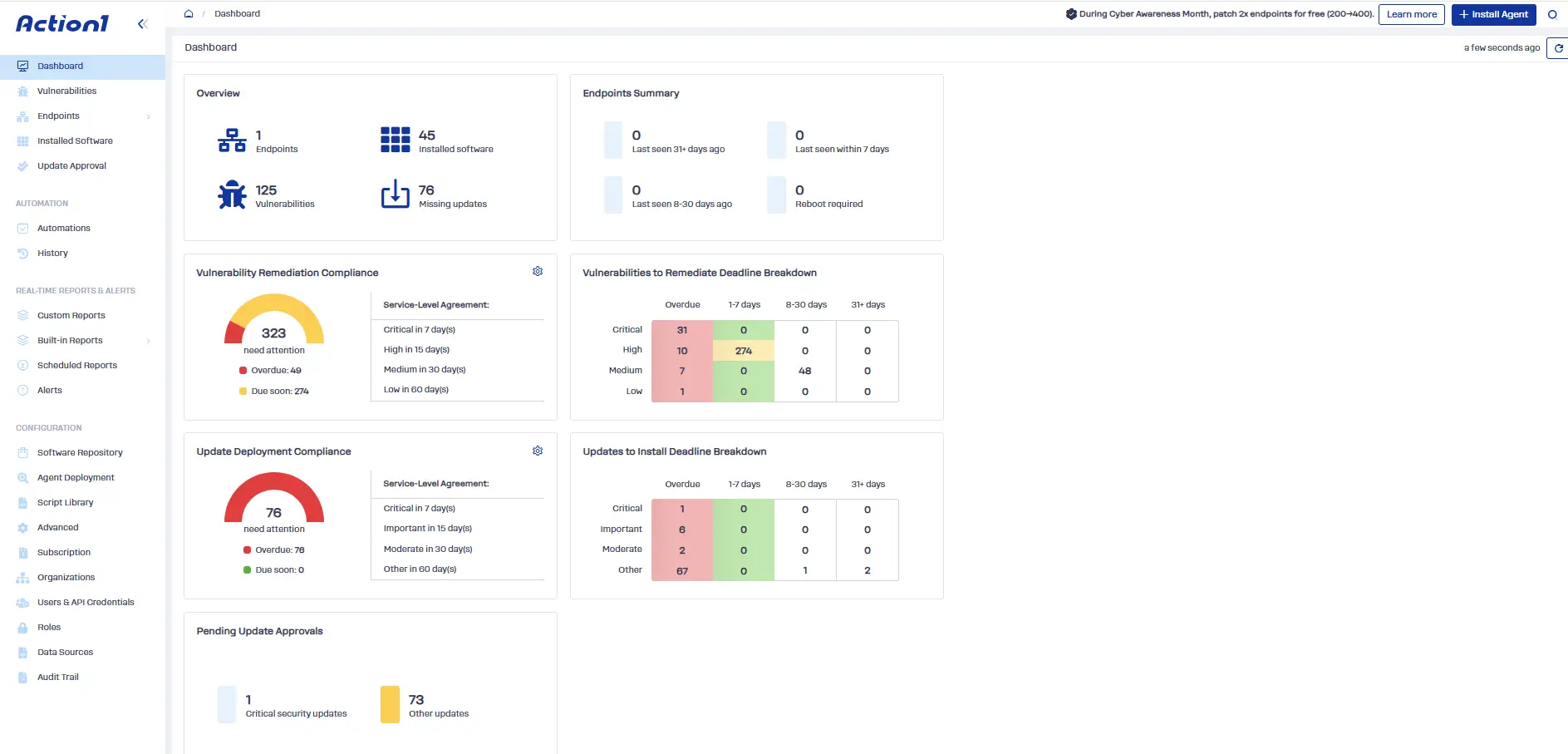
Reducing mean time to remediate (MTTR) means shortening the time between identifying a vulnerability, prioritizing the risk, deploying the appropriate fix, and verifying that affected endpoints are no longer vulnerable. Action1 brings endpoint visibility, vulnerability remediation, patch deployment, and reporting into one cloud-native platform, helping IT and security teams automate this process across on-premises and remote endpoints.
Action1 helps teams reduce MTTR through the following capabilities:
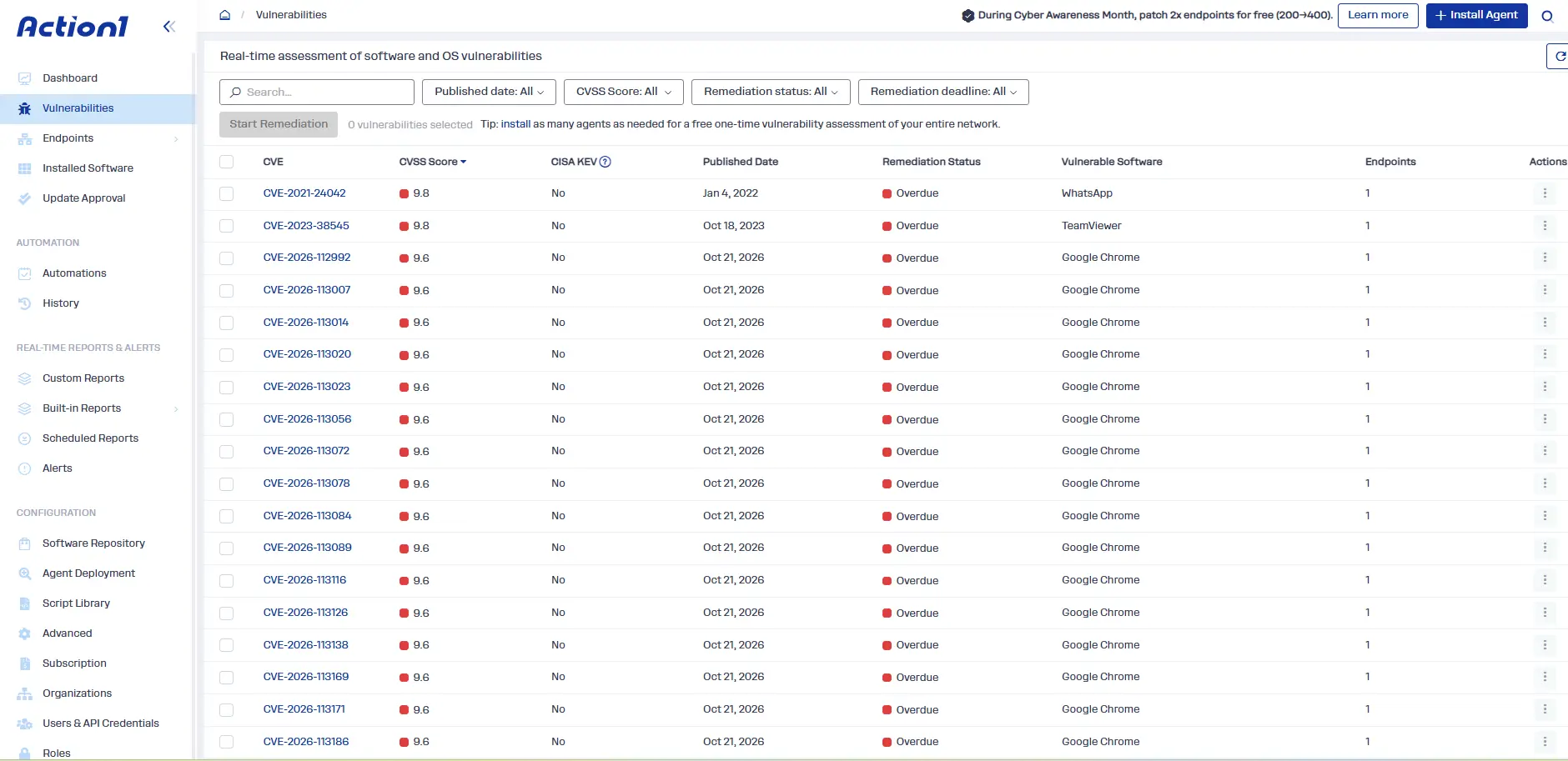
- Vulnerability visibility and prioritization: Identify vulnerable software and endpoints, review available remediation options, and prioritize findings based on risk and business needs.
- Automated patching: Deploy security patches and updates across Windows, macOS, Linux, and over 310 third-party apps from one place to reduce manual work and accelerate remediation.
- Policy- and approval-based workflows: Control which updates you want to approve, hold, or decline at the organizational level. Different departments receive patches based on their operational requirements, providing more intelligent and effective remediation.
- Third-party application patching: Use Action1’s private, secure software repository, which supports more than 310 third-party applications and continuously expanding, to manage third-party application patching.
- Software deployment and removal: Deploy software or uninstall vulnerable applications when removal is the appropriate remediation strategy.
- Remediation across distributed endpoints: Manage on-premises and remote devices through a cloud-native architecture. Peer-to-peer (P2P) patch distribution lets endpoints on the same local network share update files, reducing duplicate downloads and bandwidth usage. The offline catch-up window automatically updates endpoints that missed the first deployment wave.
- Update rings: Update rings turn patch management and vulnerability remediation into an automated, autonomous process. Define deployment groups, success metrics, and rollout thresholds. Patches that meet the criteria automatically progress to the next ring, while problematic updates are stopped. This staged approach speeds up remediation while limiting downtime and disruption.
- Verification and reporting: More than 100 built-in, customizable report templates give you audit-ready output from real-time data, plus cached data from the last time offline endpoints were active.
- Compensating controls: Where immediate patching isn’t possible, apply compensating controls using scripts or software uninstalls, document them, and track outstanding remediation needs.
Ready to reduce vulnerability remediation time? Explore Action1’s autonomous endpoint management platform and see how it can help your team identify, remediate, and verify vulnerabilities across your endpoints.