






What is Mean Time to Patch (MTTP)?
MTTP is a patch management and vulnerability management key performance indicator (KPI) that measures the average time between a defined starting event and the successful deployment and verification of a software patch. It applies to operating system updates, third-party applications, browsers, and in-house software.
To calculate MTTP consistently, you must define when the clock starts and stops. Two starting points are valid:
- Start option 1: Patch release: Start the clock when the software vendor releases the patch. This measures the time your organization takes to assess, test, approve, deploy, and verify an available fix.
- Start option 2: Vulnerability detection: Start the clock when your vulnerability scanner or agent identifies a missing patch or a vulnerable software version. This measures the time from discovery to verified remediation.
- Stop: The clock stops when the patch is installed and its effectiveness is verified, such as through a follow-up vulnerability scan or an agent check. Installation alone does not confirm that the vulnerability has been resolved. A failed installation, pending restart, or unsuccessful verification means remediation is not yet complete.
Your chosen starting point changes the result. If a vendor releases a patch on Monday but your scanner detects the vulnerability on Thursday, and you verify the patch on Friday, the release-based MTTP is four days while the detection-based MTTP is one day. Both measurements are valid. Document your chosen definition and apply it consistently when comparing performance.
MTTP is narrower than mean time to remediate (MTTR). MTTR measures the average time required to address a vulnerability or resolve an issue through any effective remediation method, such as patching, configuration changes, compensating controls, or software removal. Compensating controls and temporary configuration changes may mitigate risk without eliminating the underlying vulnerability, hence every risk reduction measure is not completed remediation. MTTP specifically tracks the patch deployment path, making it useful for identifying delays in testing, approvals, deployment, and verification.
Are patching delays and visibility gaps pushing your MTTP higher? Action1 helps you find missing updates, automate patching, and track results with real-time reports. Fully featured, free forever for your first 200 endpoints. Start free or watch the demo.
Why Does Mean Time to Patch Matter for Security and Compliance?
Every day a known vulnerability remains unpatched, attackers have another opportunity to exploit it, steal data, and disrupt operations. MTTP measures the length of this exposure window and helps you identify delays that increase business risk.
MTTP also helps you demonstrate how your patch management program supports security frameworks and compliance requirements. The National Institute of Standards and Technology Cybersecurity Framework (NIST CSF) emphasizes identifying vulnerabilities, managing risk, and maintaining appropriate protective measures. The Center for Internet Security (CIS) Critical Security Controls includes vulnerability management and secure configuration practices that support timely patching. These frameworks do not establish one universal MTTP deadline for every organization. You must translate their guidance and applicable regulatory requirements into internal targets that reflect your environment and risk.
Specific obligations can impose strict deadlines. For example:
- CISA Binding Operational Directive 26-04 requires US Federal Civilian Executive Branch (FCEB) agencies to remediate high-risk vulnerabilities (especially those listed in the Known Exploited Vulnerabilities catalog on publicly exposed assets) according to risk-based timelines, often as short as 3 days for the highest-risk cases.
- PCI DSS Requirement 6.3.3 requires organizations to install security patches for critical vulnerabilities within one month of release, while other patches follow a defined, risk-based timeframe set by the organization.
Your reporting should distinguish these requirements from internal service-level agreements (SLAs).
MTTP also gives security and IT teams a measurable way to show where response time must improve. Organizations can report results to IT steering groups and risk committees, identify delays between patch availability and deployment, and track progress against agreed deadlines.
Benefits of Reducing MTTP for IT and Security Teams
Reducing MTTP results in several benefits:
- A smaller attack surface: Closing known vulnerabilities sooner reduces the time attackers can exploit weaknesses in operating systems, browsers, and applications.
- Fewer emergency patch cycles: Timely routine patching reduces the backlog that can force teams into disruptive, out-of-band deployments.
- Cleaner audits: Documented deployment and verification records help demonstrate whether patches were applied within enforced or internally defined deadlines.
- Less manual work: Automated patch deployment, scheduling, and verification reduce repetitive tasks for IT administrators and free teams to investigate exceptions.
- Better resource allocation: MTTP data helps teams identify bottlenecks, focus on critical vulnerabilities, and direct resources toward the systems with the highest exposure.
MTTP in Vulnerability Management Programs
A vulnerability management program runs as a loop: scan, prioritize, patch, and verify. MTTP measures the patch and verify steps together, from your documented starting event to successful verification.
- Scan: Discover vulnerable software and missing patches through continuous or scheduled vulnerability scans and endpoint inventory.
- Prioritize: Rank findings using severity, exploitability, exposure, business impact, and applicable remediation deadlines.
- Patch: Test and deploy approved updates using automated patch management where appropriate. Use phased deployment rings to identify problems before expanding the rollout.
- Verify: Rescan affected endpoints or use other checks to confirm that the patch is installed and the vulnerability is addressed.
The loop shortens when its parts connect. Frequent, automated scanning reveals new vulnerabilities sooner, although detection time depends on scan frequency, endpoint connectivity, and when vulnerability information becomes available. Automated patch deployment then acts on them without a manual handoff. When detection and deployment share one console, a finding becomes a patch job without a ticket queue in between.
Shortening remediation from 30 to 7 days reduces the period during which affected systems remain vulnerable, although the actual reduction in breach likelihood depends on the vulnerability, exposure, and threat activity. Use MTTP along with vulnerability severity and patch compliance metrics.
Using MTTP as a KPI for Executive and Risk Reporting
MTTP gives executives, IT leaders, and risk committees a measurable view of how quickly the organization addresses known software vulnerabilities. Include these measures in your reporting:
- MTTP by severity: Compare critical, high, medium, and low-severity vulnerabilities to reveal whether high-risk findings receive faster treatment.
- MTTP by business unit: Identify teams or business units with consistently longer patching times.
- Trend over time: Track monthly results to determine whether process changes are shortening the exposure window.
- SLA attainment percentage: Report the percentage of vulnerabilities patched and verified within the applicable deadline.
- Overdue vulnerability count: Show how many vulnerabilities have exceeded their required or internally defined remediation deadlines, broken down by severity.
- OS versus third-party application MTTP: Compare operating system patches with browser, productivity software, and other application updates to identify gaps in coverage or automation.
- Patch failure and verification rates: Show how often deployments fail or require further action before the vulnerability is confirmed as resolved.
For example, an executive dashboard might show that average MTTP has improved over three months while critical vulnerabilities still exceed the organization’s deadline in one business unit. That helps leaders direct resources toward the remaining risk.
Gartner Peer Community members highlight how patch management metrics support governance and accountability. For example, one participant mentions using MTTP for reporting to IT steering and risk committees, while another describes critical vulnerability remediation as a business-unit KPI tied to patch management SLAs.
How Do You Calculate Mean Time to Patch?
Calculate MTTP by measuring the time between a defined starting event and the successful deployment and verification of a patch for each affected endpoint or vulnerability instance. Add those durations together and divide by the number of remediated instances.
Use this formula:
“MTTP”=(Σ (patch verified timestamp – start timestamp) )/(total number of endpoints (or vulnerability instances) remediated in the period)
Choose one starting point:
- The vendor’s patch release date: This method measures the full period since a fix became available.
- The date your vulnerability scanner detects the missing patch: This method measures the period since your organization identified the problem.
Both are legitimate but they measure different periods. Document your choice and apply it consistently when comparing results.
Moreover, count each endpoint or vulnerability instance, not each patch title. One patch deployed to 500 machines is 500 events, and some of them finish days after the others.
Worked example: Calculating MTTP
The following illustrative dataset shows six vulnerability instances across different endpoints. Dates are used to calculate elapsed calendar days, with each instance’s clock stopping after deployment and verification.
| Patch / instance | Severity | Released | Detected | Deployed and verified | Days from release | Days from detection |
|---|---|---|---|---|---|---|
| A / PC-01 | Critical | Oct 1 | Oct 3 | Oct 5 | 4 | 2 |
| A / PC-02 | Critical | Oct 1 | Oct 4 | Oct 8 | 7 | 4 |
| B / PC-03 | High | Oct 2 | Oct 5 | Oct 7 | 5 | 2 |
| C / PC-04 | High | Oct 3 | Oct 6 | Oct 12 | 9 | 6 |
| D / PC-05 | Medium | Oct 4 | Oct 5 | Oct 6 | 2 | 1 |
| E / PC-06 | Medium | Oct 5 | Oct 7 | Oct 17 | 12 | 10 |
| Total | 39 | 25 |
Using the release date as the starting point:
“MTTP”=(4+7+5+9+2+12)/6=39/6=6.5 days
Using the detection date as the starting point:
“MTTP”=(2+4+2+6+1+10)/6=25/6≈4.17 days
The difference is substantial. The same patching activity produces an average of 6.5 days or 4.17 days, depending on when the clock starts. Both results are correct but comparing them without disclosing the method would be misleading.
Why the “mean” should be viewed with median and P90
A few endpoints that take much longer to patch can push the “mean” upward. Report the median and 90th-percentile (P90) time along with MTTP so that long-tail outliers are visible. For the six release-based durations above:
| Mean | 6.5 days | Average across all instances |
|---|---|---|
| Median | 6 days | Take all six “Days from release” numbers and sort them in ascending order: 2, 4, 5, 7, 9, 12
Since there are 6 values (an even number), the standard statistical median is the average of the two middle values (3rd and 4th values: 5 and 7): (5+7)/2=6 “days” |
| 90th percentile (using the nearest-rank method) | 12 days | Take all six “Days from release” numbers and sort them in ascending order:2, 4, 5, 7, 9, 12
Calculate the position (rank) for the 90th percentile across 6 items: Rank = ⌈0.90×6⌉=⌈5.4⌉=6 (rounded up to the nearest whole rank) Select the 6th value in the ordered set: 12 days Meaning: Approximately 90% of instances were patched in 12 days or less. |
Finally, verify remediation with a post-deployment vulnerability rescan or an endpoint-agent check. Gartner practitioners recommend a remediation scan for this reason. For each endpoint or vulnerability instance, confirm that the patch is installed and the vulnerability is eliminated, then record that instance’s completion timestamp to stop its MTTP clock. Record failed installations, pending restarts, and unsuccessful verification checks for follow-up.
Why Can a Good Mean Time to Patch Hide Growing Exposure?
MTTP only measures patches that have been installed and verified, so unpatched endpoints don’t affect the average until they’re fixed. As a result, MTTP can improve even when the number of vulnerable endpoints or the age of outstanding patches increases. In other words, a low MTTP does not necessarily mean your organization is reducing its exposure. The completed patches improve the average, but the outstanding vulnerabilities continue to pose a risk.
Trend Micro addresses this gap with a metric for average unpatched time (AUT), which helps teams assess how long vulnerabilities remain unpatched. By reporting open patch age along with MTTP, you get a more complete view of remediation performance.
Two points to consider here:
- Segment MTTP by severity, operating system (OS) versus third-party applications, and device group. This can reveal whether critical patches, a particular application, or a specific business unit is falling behind despite a healthy fleet-wide average.
- Keep your inventory clean. Retired devices that still appear unpatched can inflate open-patch counts and distort reporting. Remove or correctly classify them before calculating metrics.
Review the following measures together. MTTP tracks completed work, while open patch age, exceptions, and SLA attainment can indicate exposure.
| What to report | Why it matters |
|---|---|
| MTTP by severity | Shows whether critical vulnerabilities take longer to patch than low-risk ones |
| P90 | Reveals the slowest patch instances |
| Open patch age | Shows how long unresolved vulnerabilities have remained unpatched |
| Exception rate | Highlights endpoints that fail, miss, or are excluded from patching |
| SLA attainment | Shows whether patches meet your organization’s defined deadlines |
How Should You Count Superseded, Failed, Deferred, and Offline Patches in MTTP?
Decide your counting rules before reporting MTTP, because messy real-world cases can change the number more than patching speed does. Rules help you distinguish actual remediation delays from inventory problems, approval waits, and deployment failures.
The following are recommended reporting practices, not requirements established by NIST or universal industry standards. Adapt them to your patching policy.
| Scenario | Recommended counting rule | Why |
|---|---|---|
| Superseded update | Follow the vulnerability, not the knowledge base (KB) number. The clock runs until any update that fixes the vulnerability is installed and verified. | A newer cumulative update may resolve the issue without installing the original patch. |
| Failed install that’s retried | Keep the clock running from the original starting point. Track the number of installation attempts separately. | Resetting the clock after each failure understates remediation time. |
| Planned deferral or approval wait | Report policy or approval time separately from execution time, while retaining the full elapsed time in end-to-end MTTP. | This separates business decisions from deployment delays without hiding exposure. |
| Offline endpoint | Do not pause the clock. Report offline endpoints as a separate exception group. | An offline device is still exposed when it returns. |
| Retired device | Remove the device from active patch reporting once retirement is confirmed and its inventory status is updated. | Retired devices can inflate open-patch count and age if they remain in the active fleet. |
| Restart pending | Do not count the patch as remediated yet. Track the time from installation to restart separately. | The fix may not take effect until the restart. |
| Approved exception with a compensating control | Exclude it from the MTTP calculation and record it in an exception register with an owner and an expiry date. | A compensating control may reduce risk, but it does not mean the patch was installed. |
Keep the following in mind:
- Keep elapsed time separate from execution time. Retain the original starting timestamp and record key events such as approval, deployment attempts, installation, restart, and verification. This lets you report total elapsed time separate from the time spent waiting for approval or executing a deployment.
- Treat approved exceptions separately from successfully patched endpoints and continue tracking their risk until the vulnerability is patched or the exception is formally closed.
Document your rules and apply them consistently every reporting period, so that MTTP trends stay comparable.
How is Mean Time to Patch Different from MTTR, MTTD, and MTTA?
Mean time to patch (MTTP), mean time to detect (MTTD), mean time to acknowledge (MTTA), and mean time to remediate (MTTR) measure different stages of vulnerability and incident management. The following table shows how these metrics can work together.
| Metric | What it measures | Clock starts | Clock stops | Who owns it |
|---|---|---|---|---|
| MTTD | Average time to detect a security issue | Issue or vulnerability first appears, based on the defined measurement method | Issue is detected | Security |
| MTTA | Average time for a human or workflow to acknowledge an alert or reported issue | Alert is generated or received | Alert is acknowledged | Security or IT operations |
| MTTP | Average time to deploy and verify a software patch | Vendor patch release or detection of a vulnerability | Patch is installed and verified | IT, with Security setting risk priorities and targets |
| MTTR (remediate) | Average time to resolve a vulnerability or security issue through an effective fix | Vulnerability is detected or recorded | Remediation is verified | Security and IT |
| Patch compliance rate | Percentage of applicable endpoints meeting the patch policy at a specific time | Not a duration-based clock (snapshot) | Point-in-time measurement (snapshot) | IT, with Security oversight |
Mean Time to Repair vs. Mean Time to Remediate
Mean time to repair and mean time to remediate share the same acronym (MTTR) but they are different metrics.
- Mean time to repair is more of a hardware and equipment maintenance metric that measures how long it takes to restore a failed asset.
- The latter is a software security metric. It measures the time taken to address a vulnerability or security issue and verify that the remediation is effective.
Keep the two apart in reports and spell out the full name to avoid confusion in content that covers both.
MTTP vs. MTTD: Detection Speed vs. Patching Speed
MTTD and MTTP are related but improving one does not automatically improve the other. For example, a critical security patch is released on October 1, making a vulnerability detectable from that date. Your monitoring tools and vulnerability scanners identify the missing patch the same day, resulting in a very short MTTD. However, testing, approval delays, and deployment problems mean the patch is not installed and verified until October 22. Your detection process was fast, but the vulnerability remained unpatched for 21 days after discovery. Track MTTD and MTTP separately to identify whether delays occur during discovery or remediation.
Mean Time to Patch Benchmarks and Patch SLAs
MTTP benchmarks help you set SLAs for patch deployment. The following table lists current patch remediation deadlines by severity from patch-specific sources. These are compliance ceilings, not industry averages. Check the requirements that apply to your organization, then set internal targets based on risk.
| Risk Tier / Criteria | Target Deadline | Source Framework | Who It Binds |
|---|---|---|---|
| CISA BOD 26-04: KEV vulnerabilities | Deadline assigned according to the directive’s criteria | CISA BOD 26-04 | US Federal Civilian Executive Branch agencies |
| FedRAMP: Higher potential agency impact | Varies by provider class, PAIN rating, exploitability, and internet reachability; ranges from 12 hours to 32 days for the highest PAIN ratings | FedRAMP Vulnerability Detection and Response (VDR) and Vulnerability Evaluation and Reporting (VER) rules | Applicable FedRAMP cloud service providers |
| FedRAMP: Lower potential agency impact | Varies by provider class, PAIN rating, exploitability, and internet reachability; some cases allow up to 192 days | FedRAMP VDR and VER rules | Applicable FedRAMP cloud service providers |
| Critical vulnerabilities | Within 30 days / 1 month of patch release | PCI DSS v4.0.1 (Req. 6.3.3) | Card Data Environments (CDE) |
| Other applicable security patches | Within timeframes defined by the entity’s risk assessment | PCI DSS v4.0.1 (Req. 6.3.3) | Card Data Environments (CDE) |
Compliance frameworks and regulatory requirements change periodically; always verify current guidelines with the issuing source before establishing internal targets.
Notes:
- CISA BOD 26-04: Deadlines depend on four risk factors: whether the vulnerability appears in the KEV Catalog, whether the affected asset is publicly exposed, whether exploitation is automatable, and the technical impact of exploitation (partial or total control). The three-day deadline and mandatory forensic triage apply only to the highest-risk combinations of these factors. For the lowest-risk combination (none of the four risk factors apply), agencies are allowed to fix the vulnerability at the next scheduled major system upgrade.
- FedRAMP: These are vulnerability-response timeframes, not strict patch-installation deadlines. Depending on the applicable rule, a provider may meet the response objective by partially mitigating a vulnerability, fully mitigating its risk, or remediating it. Mitigation reduces risk but does not necessarily eliminate the underlying vulnerability. The December 7, 2026, deadline for obtaining or maintaining FedRAMP 20x certification under the new VDR and VER rules is still upcoming as of this writing.
- PCI DSS: Requirement 6.3.3 requires critical security patches and updates to be installed within one month of release. Other applicable patches must be installed within timeframes appropriate to the entity’s documented risk assessment.
OS Patches vs. Third-Party Patches: Measure Them Separately
Frameworks set one ceiling per severity and do not separate OS from application patches. Your reporting should keep them separate, and public data shows why.
| Dataset | Microsoft patches | Third-party application patches |
|---|---|---|
| Median install time | 7.7 days (185 hours) | 5.7 days (136 hours) |
| P90 install time | 38.6 days (926 hours) | 24.9 days (597 hours) |
| Mean time to remediation for complex applications with the longest delays | Not reported | 5 months and 10 days |
The two datasets measure different populations, so do not compare them directly.
The lesson is not that one side always lags. It is that one blended average hides the slow side. Report MTTP, median, and P90 for OS and third-party patches separately, and set the same severity ceilings for both.
What are the Common Challenges that Increase Mean Time to Patch?
Patching delays usually come from the process around the patch, not from the install itself. Look for these first:
- Incomplete software inventory: Incomplete software and endpoint inventories miss outdated applications, shadow IT, portable software, and applications installed outside standard deployment processes. These applications may never enter the vulnerability scan, so their remediation clock never starts, and their exposure never appears in MTTP. Without accurate software and version data, teams either overlook vulnerable endpoints or waste time identifying where a patch is needed.
- Third-party application patching: Operating system updates may follow an established deployment process, while third-party applications rely on different vendors, update mechanisms, and release schedules. Browsers, PDF readers, collaboration tools, and other applications can fall behind when teams manage updates manually or using separate tools.
- Change-approval and testing bottlenecks: Change Advisory Board (CAB) reviews, application compatibility testing, unclear ownership, and narrow maintenance windows can delay deployment after a patch is available. Risk-based approval paths help teams move urgent fixes forward without bypassing security controls.
- Remote endpoints that miss deployment windows: Laptops and other remote devices may be offline, disconnected from the corporate network, or asleep when a deployment runs. If the patching platform doesn’t retry automatically when devices reconnect, those endpoints can remain vulnerable long after the main fleet is updated.
- Failed installs and unverified reboots: Installation errors, pending restarts, interrupted downloads, and incomplete post-install checks can leave vulnerabilities unresolved. Without follow-up status checks or vulnerability scans, teams may incorrectly report these endpoints as patched.
- No risk-based prioritization: Treating every CVE with the same urgency spreads limited resources across issues with different levels of risk. Use CVSS, KEV status, and the Exploit Prediction Scoring System (EPSS) to sort the queue.
How to Reduce Mean Time to Patch in Practice?
To reduce MTTP, you need a repeatable process that identifies affected software, prioritizes vulnerabilities, moves patches through testing and approval, and verifies successful installation. These tactics can shorten delays without creating production risk.
| Automate approval rules by risk and vendor | Define patch approval policies using severity, known exploitation, vendor guidance, and business impact.
|
|---|---|
| Use deployment rings or waves | Start with a pilot group that represents your main operating systems, application versions, and endpoint configurations. Monitor installation results and application health before expanding deployment to broader groups. This cuts testing time without risking production. |
| Patch third-party applications on the same schedule as the OS | Include browsers, PDF readers, collaboration tools, and other business applications in your regular patch schedule.
|
| Use pre- and post-deployment scripts | Scripts can prepare endpoints for updates, check disk space, stop approved services, handle reboots, verify installation results, and report failures for follow-up. Test scripts in the pilot ring and log their results. |
| Use a cloud-based agent | A cloud-based agent can reach remote endpoints over the internet without a VPN connection, subject to the platform’s connectivity and policy requirements. Automatic retries help devices that miss deployment windows catch up when they reconnect. |
| Use one console for detection and deployment | Using one console for vulnerability detection and patch deployment reduces handoffs between security teams that identify vulnerabilities and IT teams responsible for fixing them. |
| Track MTTP by severity tier | Track MTTP by severity tier so a better fleet-wide average does not hide slow remediation of critical vulnerabilities. |
The workflow below shows how rings and scripts fit together.
| Stage | What happens | Gate to advance |
|---|---|---|
| Pre-install script | Check free disk space, stop dependent services, create a restore point, confirm the Windows update components are healthy. | All checks pass. Failed checks open a fix task before patch day. |
| Ring 0: IT pilot | Patch 1-2% of devices, mainly IT staff. Day 0 to 2. | Install success rate meets target and no helpdesk spikes. |
| Ring 1: early adopters | Patch about 10% across departments. Day 2 to 4. | No application or boot failures reported. |
| Ring 2: broad rollout | Patch the remaining workstations. Day 4 to 7. | Success rate holds. Restart deadline enforced. |
| Ring 3: servers and critical systems | Patch in approved maintenance windows with manual approval. | Backup confirmed, rollback plan ready. |
| Post-install script | Restart services, confirm the installed version, record the result. | Version check passes. |
| Verification rescan | Rescan or run an agent check on every endpoint. The clock stops here. | Instance marked remediated. |
How Automation Reduces MTTP
Automation removes the waiting between stages. Scheduled automatic deployment installs patches without a manual launch. Auto-approval policies remove the sign-off queue and move qualifying patches forward. Automated rescans confirm the result and stop the clock. Automated patching is faster at every stage, as this illustrative critical patch workflow shows.
| Stage | Manual process | Automated process |
|---|---|---|
| Detection to approval | 5 to 10 days (ticket, review, CAB) | Under 1 day (policy-based auto-approval) |
| Approval to deployment | 7 to 14 days (next maintenance window) | 1 to 3 days (rings) |
| Restart handling | 3 to 7 days (users postpone) | Up to 1 day (deadline enforced) |
| Verification | 2 to 5 days (next scan cycle) | Same day (automated rescan) |
| Total | About 3 to 5 weeks | About 3 to 5 days |
Illustrative ranges for planning, not measured data. Replace them with your own stage timings.
Automation makes patching faster and more consistent, but it does not eliminate the need for testing, risk assessment, or human oversight. Review failed deployments and overdue endpoints regularly to find where further automation can help.
Can MTTP Be Too Fast? Balancing Speed, Testing, and Rollback
Yes, if speed skips safety. A faulty patch deployed to every machine at once turns a security fix into an outage. Staged rollouts catch these problems in the pilot ring. Keep a rollback path ready: uninstall options, restore points, and an assigned owner.
For routine patches, consider a short safety delay when your risk assessment and testing policy allow it. For actively exploited vulnerabilities, accelerate deployment and shorten or bypass rollout stages when justified by the risk assessment. Use an emergency deployment process supported by risk assessment, focused compatibility checks, monitoring, and a recovery plan. Patch the most exposed systems first. If a full rollout is not immediately safe, apply a temporary mitigation.
FAQs
What is a Good Mean Time to Patch Timeframe?
A good mean time to patch (MTTP) timeframe depends on vulnerability severity, exploitability, and your organization’s risk and compliance requirements. As internal targets, you might aim for 24–72 hours for critical or actively exploited vulnerabilities, 7–14 days for high-severity issues, 30 days for medium, and 90 days for low. These numbers are recommendations.
How Do You Calculate Mean Time to Patch?
Calculate mean time to patch by adding the elapsed time from your defined start point to verified patch completion for each remediated instance, then dividing by the number of instances.
MTTP = total elapsed patching time from start point to verification ÷ number of remediated instances
For example, if five patches take 2, 4, 6, 8, and 10 days, MTTP is 6 days.
Why is Mean Time to Patch Important?
Mean time to patch shows how long systems remain exposed while known vulnerabilities await fixes. It also supports audits and compliance reporting by showing whether patches meet applicable regulatory deadlines and internal SLAs.
How Can Organizations Reduce Mean Time to Patch?
Organizations can reduce MTTP through three practices:
- Automate patching with auto-approvals, scheduled deployments, and automated rescans.
- Prioritize vulnerabilities using exploitation status, severity, exposure, and business impact.
- Patch third-party applications on the same schedule as the operating system.
What Tools Help Track Mean Time to Patch?
Three tooling categories help.
- Patch management platforms track deployment status, installation failures, and completion times.
- Vulnerability scanners identify missing patches, record detection dates, and rescan results.
- IT service management (ITSM) ticketing systems record approvals, exceptions, ownership, and deadlines.
Combine their data to calculate MTTP and identify where patches are delayed.
How is MTTP Different From MTTR and MTTD?
MTTP measures the time required to deploy and verify a software patch. MTTR measures any remediation, while MTTD measures how long it takes to identify an issue. See the comparison table in the How is Mean Time to Patch Different from MTTR, MTTD, and MTTA section for clock start, clock stop, and ownership.
What Does MTTP Stand for?
MTTP stands for mean time to patch, also called average patch time. It is the average time required to deploy and verify a software patch across affected endpoints or vulnerability instances. It measures the interval from a defined starting event, such as patch release or vulnerability detection, to verified remediation.
Which Factors Influence Mean Time to Patch?
Software inventory gaps, third-party application coverage, approval and testing delays, offline endpoints, failed installations, pending restarts, and weak risk prioritization can all increase MTTP. See the What are the Common Challenges That Increase Mean Time to Patch section for details.
Key Takeaways
- Define the clock. Choose whether MTTP starts at patch release or vulnerability detection and stop it only after verified remediation.
- Hold patch deadlines to comply with frameworks and mandates, such as CISA BOD 26-04, PCI DSS 6.3.3, and FedRAMP: Note that these requirements don’t apply to every organization. CISA’s binding directive covers federal civilian agencies, PCI DSS applies within its defined payment-card scope, and FedRAMP applies to covered cloud services. Internal patch deadlines should reflect whichever requirements apply.
- Look beyond the “mean”. Track the median, P90, open-patch age, and exception rates to reveal delays and unpatched vulnerabilities hidden by fleet-wide results.
- Segment results by severity, operating system versus third-party applications, and device group.
- Automate deployment using approval policies, deployment rings, scripts, retries, and verification checks to reduce manual delays and cut MTTP.
How Does Action1 Shorten Every Stage of Mean Time to Patch?
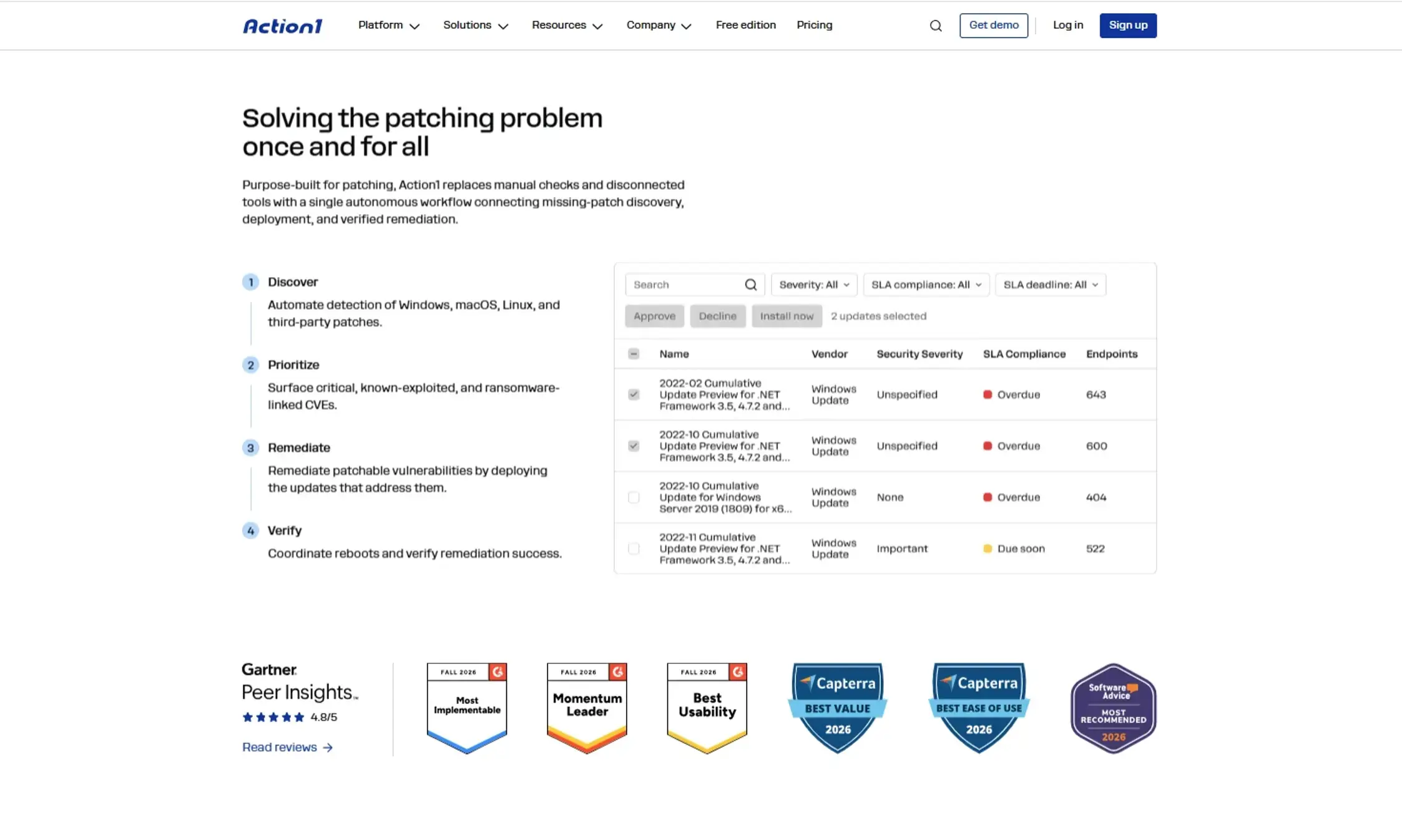
Action1 shortens MTTP by connecting vulnerability detection, risk prioritization, patch deployment, and remediation verification in one cloud-native endpoint management platform. With one agent and a unified set of endpoint data, IT teams can reduce the handoffs between scanning, ticketing, approvals, deployment, restarts, and verification that often extend patching timelines.
Action1’s endpoint and software inventory provides an up-to-date picture of managed devices and installed applications, reducing blind spots that can leave vulnerable endpoints outside the patching workflow. Real-time vulnerability detection, combined with CVSS scores, CISA KEV data, and ransomware context, helps teams prioritize patches based on risk rather than relying solely on manual triage. IT teams can deploy patches for Windows, macOS, and Linux endpoints from one platform, while policy-based automation and update rings reduce manual approvals and coordinate staged rollouts. For remote devices, Action1 deploys patches without a VPN, reducing delays caused by endpoints outside the corporate network. Finally, SLA-based compliance dashboards can track deployment status, identify failed installations and pending restarts, and verify remediation across endpoints, giving visibility into whether patching targets have been met.
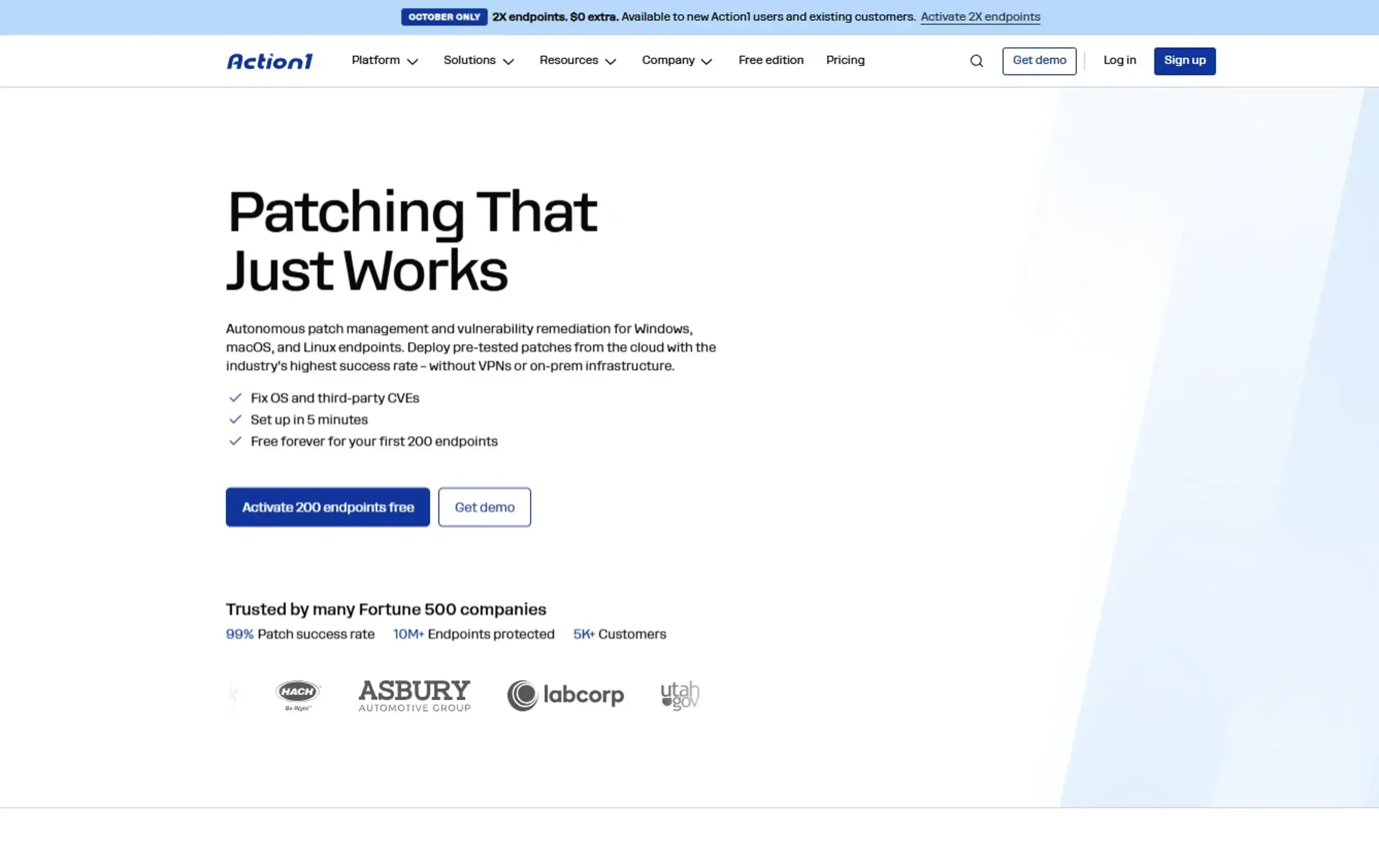
Here’s how Action1 reduces delays at each stage of the patch lifecycle:
- Real-time software inventory and automatic agent deployment: Action1’s software and endpoint inventory provide real-time visibility into installed applications and versions on managed endpoints. Active Directory integration supports automatic agent deployment to multiple domains, filtered by system type or OU. This helps bring new endpoints under management without manual work and reduces the time between patch availability and vulnerability detection. Unknown applications and unmanaged endpoints never start the MTTP clock because they aren’t detected in the first place, making incomplete inventory the first delay to address.
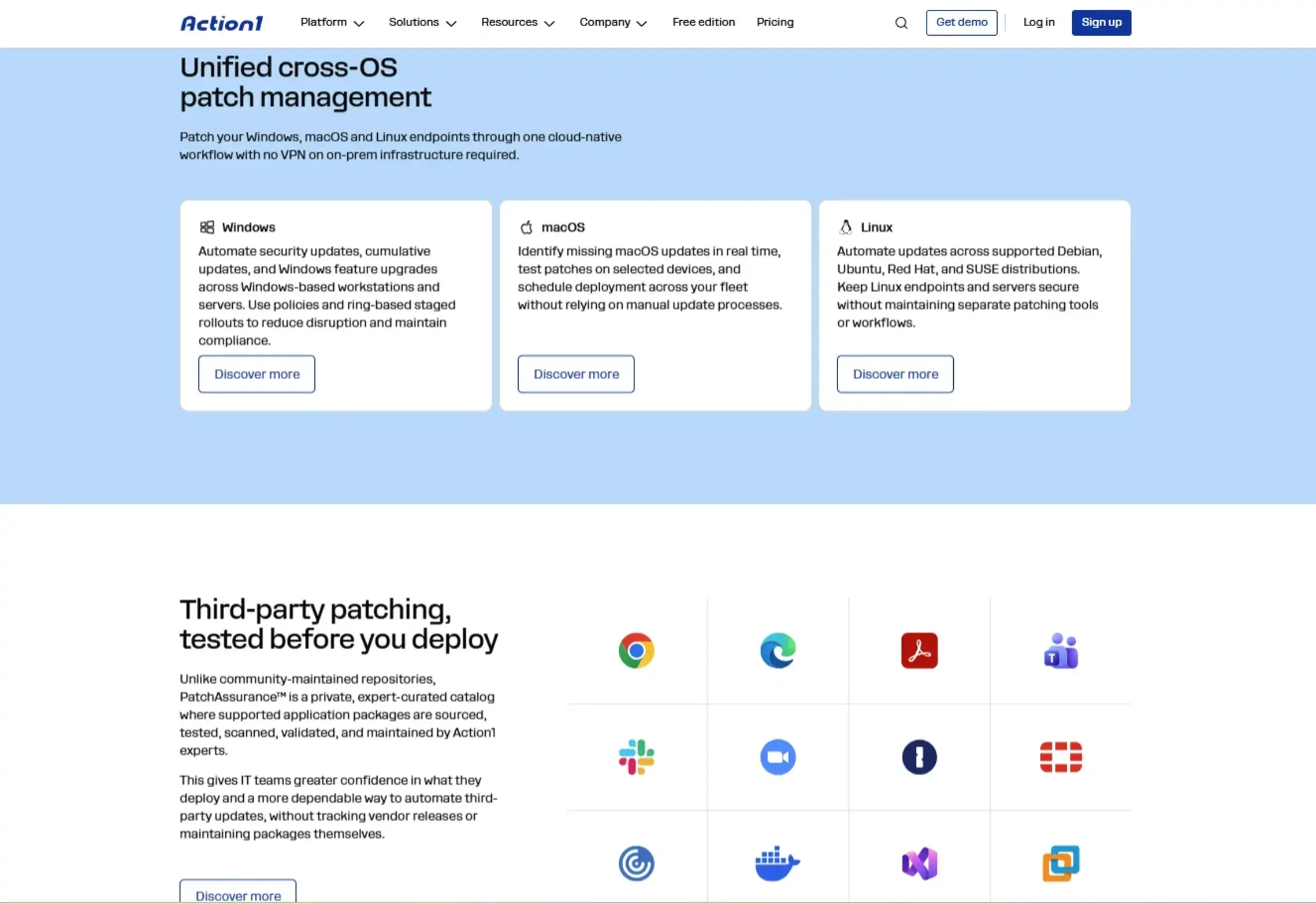
- OS and third-party patching in one workflow: Action1 supports OS patch deployment for Windows, macOS, and Linux, as well as third-party application patching on Windows and macOS. Automation capabilities vary by operating system; for example, update rings are available for Windows and macOS, but not Linux. You can also filter updates by severity, vendor, and update type, and manage custom software through automatic or manual workflows. Centralized patching reduces the third-party patching lag, a common source of delay caused by separate tools and disconnected application-update processes.
- Vulnerability detection with risk context: Action1 identifies vulnerable software and OS versions in real time for Windows and macOS, enriching findings with CVE identifiers, CVSS scores, CISA KEV status, and use in known ransomware campaigns. It draws on multiple sources, including VulnCheck NVD++, the National Vulnerability Database (NVD), CISA KEV, Microsoft Security Response Center (MSRC), and vendor release notes. This context helps teams prioritize patches that pose the greatest risk, so the most severe vulnerabilities get the shortest MTTP.
- Automatic approval with a safety delay: Configure automatic patch approval policies with an optional delay after release, giving teams time to avoid problematic updates. Manual approval remains available for critical systems that require additional oversight. These policies reduce the time patches spend waiting for approval, since they don’t need someone to sign off on every patch.
- Autonomous rollout with update rings: Use update rings to move patches from inner to outer deployment groups based on pre-defined success metrics. Qualifying patches advance automatically, helping teams limit the impact of problematic updates and freeing up time to focus on complex exceptions.
- Flexible scheduling, offline catch-up, and offline alerts: You can patch immediately or on a schedule that aligns with each endpoint’s local time. Offline endpoints run missed schedules when they reconnect, including from outside the corporate network. Action1 uses outbound-only connections, so a VPN isn’t required for endpoint management. Real-time alerts notify teams when endpoints remain offline beyond a defined threshold, helping them identify devices at risk of missing their SLA deadlines. This shortens deployment delays for remote and offline endpoints.
- Peer-to-peer (P2P) distribution: Action1 can distribute update files between endpoints on the same local network. Instead of every device downloading a large package over the internet, endpoints can share files locally, reducing external bandwidth use and helping large rollouts finish faster. No on-premises cache servers or appliances are required for this distribution model. This significantly shortens time-to-installation, especially at offices with limited bandwidth, where large cumulative updates and big third-party packages would otherwise download slowly and stretch out the rollout.
- Fewer failed installations: Action1 uses its privately maintained software repository for third-party patches rather than relying on community repositories such as Chocolatey or WinGet. It can also repair the Windows Update Agent automatically. Its script library includes utilities such as disk space cleanup to help resolve common installation blockers. Separately, custom endpoint attributes can track values such as free disk space, helping IT teams identify potential issues before deployment.
- Restart control: Configure reboot behavior, customize end-user prompts, and discourage postponements with a deadline. Flexible restart policies help teams coordinate reboots, which reduces disruption. Tracking pending reboots shortens the gap between installation and restart, so endpoints don’t remain unprotected while waiting for a reboot for a patch to take full effect.
- Remediation beyond patching: When a patch isn’t available or cannot be deployed, teams can remove unsupported or legacy software (Windows only), exclude an endpoint from the network, document compensating controls centrally, or run built-in and custom PowerShell, CMD, and Bash scripts to address recurring failures. These options help teams manage exceptions and resolve blockers without losing track of unresolved risk.
- Verification and reporting: Action1 provides real-time SLA-based patch compliance dashboards, SLA tracking for active vulnerabilities, and 100+ built-in and customizable reports. Reports combine live endpoint data with cached data from offline endpoints. Full REST API access at no additional cost and the PSAction1 PowerShell module let teams feed endpoint and patch data into ITSM and SIEM workflows. This helps automate reporting, track overdue patches, and verify remediation without relying on manual exports.
Establish your MTTP Baseline with Action1
Before setting MTTP targets, you need to understand your current exposure. Action1 offers a free, one-time vulnerability assessment for an unlimited number of endpoints, helping you identify vulnerabilities and establish a baseline before measuring improvement.
You can also use Action1’s fully featured platform free for your first 200 endpoints, with no expiration date, to centralize endpoint visibility, automate patching, and track remediation progress.
Are patching delays and visibility gaps pushing your MTTP higher? Action1 helps you find missing updates, automate patching, and track results with real-time reports. Fully featured, free forever for your first 200 endpoints. Start free or watch the demo.





