


Coordinate patching with greater transparency through your Jira workflows
Action1 Connector for Jira creates and updates Jira tickets for CVEs that need fixing, missing updates, pending reboots and offline endpoints. Your IT team can assign responsibility and track patching-related work through the Jira workflows they already use.
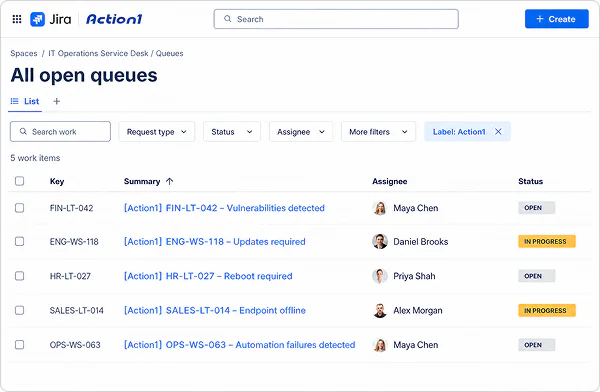
Autonomous patching in Action1.
Greater transparency in Jira

Detect and fix CVEs through patching
Action1 automates patch management across distributed endpoints, including operating systems and third-party applications.

Coordinate patching-related tasks
Prioritize tasks, assign responsibilities and monitor progress through the Jira workflows your IT and security teams already use.
What Changes When Action1 Connects With Jira
Without Action1 connector for Jira
- Review vulnerabilities, missing updates and other issues in Action1 and log the corresponding Jira tickets by hand.
- Switch between disconnected systems to determine what needs attention, who is responsible, and how tasks are progressing.
- Spend extra time choosing the appropriate Jira project and routing tickets manually.
With Action1 connector for Jira
- Use the connector to create and update existing open Jira tickets based on your rules.
- Route tickets to the appropriate Jira projects for different departments, business units, or environments.
- Get a clear view of what needs attention, who is responsible, and what progress has been made.
Keep Patching Activity Transparent And Coordinated in Jira


Eliminate duplicate tickets
The connector maintains one open Jira ticket per endpoint for each type of issue. It updates the ticket as new information becomes available instead of creating duplicates.

See what requires attention
Each ticket includes relevant vulnerability or endpoint details and a link to Action1, so you can quickly see why it was created and access more information.

Organize patch-related tickets
The connector automatically labels the Jira tickets it creates, helping you filter patching and endpoint-related tickets, build queues, and report on vulnerability remediation.