





TL;DR – Key Summary
-
Linux patch management tools automate vulnerability detection, update deployment, and compliance reporting to reduce risk and manual workload.
-
Essential features include multi-Linux distro support, centralized control, automation, scheduling, and detailed reporting.
-
Cloud-native and cross-OS solutions simplify patching across distributed and remote environments.
-
Tool choice depends on environment size, distro mix, automation needs, and compliance requirements.
-
Top tools covered in the article: Action1, SUSE Manager, ManageEngine Patch Manager Plus, Automox, Tanium Patch & Deploy, and JetPatch.
-
Enterprise-focused platforms vary in scalability, customization, and integration capabilities.
-
Using automated patch management significantly improves security posture compared to manual processes.
Keeping your Linux systems secure and up to date is not a sprint but a marathon where manual patching is simply not an option. Linux distributions, like any other operating system, require regular maintenance through patch and update deployments, which remediate vulnerabilities, fix software bugs, improve performance, and introduce new features.
The real world challenge IT teams face today lies in the near impossibility of managing updates efficiently across multiple Linux distributions, servers, and virtual machines, especially in large or hybrid environments where the number of endpoints can easily reach tens to hundreds of thousands.
Fortunately, with a reliable Linux patch management software, you can automate each step of the patching process, from identifying software vulnerabilities and missing updates to testing, scheduling, deployment, and finally, report generation. Such platforms deliver the results organizations of all sizes expect: up to date systems, a hardened overall security posture, easier regulatory compliance, less downtime, cost savings, and end-to-end automation.
In this article, we will clearly explain what patch managers do, why patching is so critical, what you should look for when choosing a Linux patch management solution, and introduce you to a list of the best platforms on the market, including Action1, SUSE Manager, ManageEngine Patch Manager Plus, Automox, Tanium Patch and Deploy, and JetPatch.
We will compare each of their feature sets, pros, cons, and Capterra and G2 ratings. The goal is to help you make an informed decision and choose the right software that meets your needs and expectations while protecting your endpoints with minimal manual effort and far fewer downtime risks.
Quick Summary Table
| Software | Best For | Distros | Automation Level | Price Range* | Key Strength |
|---|---|---|---|---|---|
| Action1 | SMBs, MSPs, Enterprises, remote workforce, mixed-OS environments |
Ubuntu, Debian, RedHat and SUSE (Linux/ Windows/macOS) |
High — full automation (monitoring, vulnerability identification, scheduling, testing, deployment, reporting) |
Free (up to 200 endpoints); then custom pricing based on the number of your endpoints. | Cloud-native, cross-OS, risk-based patching, peer-to-peer distribution, audit-ready reporting, easy to deploy, scalable |
| SUSE Manager (SUSE Multi-Linux Manager) | Large enterprises or large mixed-distro Linux fleets | 16+ distros including SUSE, RHEL, CentOS, Ubuntu, Debian, Oracle Linux, etc. (wide coverage) | High — automated detection, scheduling, deployment, lifecycle management, config management | — (open-source / enterprise licensing) | Broad distro support, centralized control, scalability, support for end-of-life distros. |
| ManageEngine Patch Manager Plus | SMBs, Enterprises, mixed OS and distro environments | RHEL, CentOS, Ubuntu, Debian, SUSE, Oracle Linux, Rocky, Amazon Linux, etc. | High — automated scanning, testing/approval workflows, deployment, reporting/compliance | ~ US$245/year (as per comparison listing) | Broad OS & distro coverage (Linux + Windows/macOS + third-party apps), flexible deployment. |
| Automox | SMBs, MSPs, remote/distributed endpoints, cloud-native environments | Ubuntu, Debian, RHEL, Rocky, CentOS, AlmaLinux, Fedora, SUSE, Oracle Linux, Amazon Linux. | High — cloud-native automated patching and config management, scripting support | ~$1-3/month per endpoint | Fully cloud-native, easy to deploy, cross-platform (OS + third-party). |
| Tanium Patch & Deploy | Large enterprises, distributed infrastructures with high scalability needs | AlmaLinux, Amazon Linux, CentOS, Debian, openSUSE/SUSE, RHEL, Rocky, Ubuntu, etc. | High — automated OS & third-party patching, scheduling, real-time visibility, remote control, | — (module-based licensing; typically higher cost) | Scalability, real-time visibility, flexible scheduling. |
| JetPatch | Large enterprises, hybrid/hybrid-Unix + Linux + Windows + third-party apps, MSPs | AlmaLinux, RHEL, Oracle Linux, Ubuntu, Rocky, SUSE SLES, CentOS, and more. | High — automated discovery, patching, scheduling, third-party app patching, reporting, | (enterprise pricing) | Unified cross-OS/third-party patching, integration with vulnerability scanners & ITSM tools. |
Check Out
What Is Linux Patch Management?
Linux patch management is the process of keeping your Linux systems secure, functional, and up-to-date by identifying, testing, and deploying software updates and patches in order to fix bugs, close security vulnerabilities, integrate new features, and improve overall performance.
Patching Linux environments is a complex and demanding process for IT teams because they often deal with many different Linux operating systems, each with its own package manager, repository structure, release cycle, and dependency rules. This complexity makes it extremely easy to lose track of updates, especially in hybrid environments that include thousands, if not hundreds of thousands, of Linux, Windows, and macOS endpoints.
Anyway, with the right patch management platform, you can leave these challenges and fears in the past because these tools automate the entire patching process, provide detailed visibility and give you a centralized dashboard and control over all your systems.
What Should You Look for When Choosing a Linux Patch Management Solution?
The best Linux patch management solution for your company must support multiple Linux distributions, equip you with end-to-end automated patching, advanced compliance and reporting capabilities, a cloud-native agent-based platform, remote monitoring and control, seamless integration, and infinite scalability.
Supported Linux Distributions
Double-check that your chosen platform supports all the Linux distributions across your network. You must keep every single endpoint secure, compliant, and optimized for peak system performance, and as you can imagine this demands cross-OS support. If even a single device operates with outdated software, the risk of facing a successful cyberattack is real and can lead to serious consequences for the entire organization.
Automation Capabilities
Linux patch management platforms are designed to deliver end-to-end automation and help your IT team escape the vicious cycle of patching Linux systems manually, one endpoint at a time. That’s why you should choose a solution that offers automated vulnerability identification, risk-based prioritization, missing patch detection, testing, scheduling, deployment, and report generation.
Your vendor must provide a truly autonomous process rather than semi-automated patching where you still handle much of the work manually. Look for platforms that let you schedule risk-free, staged deployments and generate audit-ready reports in just a few clicks.
Compliance & Reporting
The best patching software vendors offer simplified and almost entirely automated reporting capabilities. Why almost entirely? Because fully automated reporting does not exist yet. You still need to customize report scopes, schedule deliveries, or interpret results to meet your specific audit requirements. That is why the platform must include a wide range of built-in, customizable templates that help you generate audit-ready reports in just a few clicks.
Real-time monitoring is also critically important for patch management because it allows you to see what is happening right now across every single device in your network, not only what happened in the past. You can closely monitor patch deployments as they progress, see new vulnerabilities appear, and identify devices that are falling behind before any of these issues turn into real problems.
Package Repository Integration
Choose patching software that seamlessly integrates with native Linux package repositories like APT, YUM, DNF, and Zypper to pull updates directly from there. This ensures you are upgrading your endpoints with verified, official updates that will not introduce security risks or cause operational issues during patching.
The platform must automatically sync with your configured repositories, monitor vendor patch releases, and check in real-time for new updates across all managed distributions and then deploy those updates according to your schedule.
If your organization maintains internal packages or operates in air gapped environments, make sure the platform supports both public and private custom repositories, because this capability eliminates the need for manual package management commands and ensures consistent, reliable patching across your entire Linux fleet.
Agent-Based vs. Agentless Models
Agent-based solutions use a lightweight software agent on each of your Linux endpoints to gather real-time information about their patch, compliance, and health statuses, providing system administrators with complete visibility. These agents keep communicating directly with the console and enable real-time monitoring, instant vulnerability detection, and immediate or scheduled automated patch deployment across your on-premises, remote, and even offline Linux devices.
On the other hand, agentless solutions use network protocols like SSH to remotely access your systems and make patching possible, meaning they only work with endpoints that are currently online and reachable within your network.
Undoubtedly, agent-based platforms are the better choice nowadays because they allow you to manage hundreds or thousands of endpoints across different locations and deliver better reliability, real-time visibility, and automation compared to agentless solutions.
Integration with CI/CD, IaC Tools
If your DevOps team runs CI/CD pipelines or manages infrastructure as code with tools like Terraform, Ansible, or Jenkins, you need software that can automatically trigger updates as part of the deployment process. This ensures that every time you push new code or spin up infrastructure, all of your systems are brought to your predefined standards. The best platforms support API integrations and webhooks, allowing them to connect seamlessly with popular tools and letting you define update policies in code just like everything else in your stack.
Scalability
Choose a solution that provides effortless and infinite scalability, a feature that cloud-native platforms offer. They allow you to go from hundreds to hundreds of thousands of endpoints with no delay, no additional expenses on on-premises infrastructure, or any added complexity.
Security Hardening & Vulnerability Intelligence
You need a patch management platform that connects to and gathers information from major vulnerability databases such as CVE, NVD, and CISA KEV. This allows it to automatically identify security flaws across your Linux endpoints and rank them by real risk severity and potential impact on your business. Avoid platforms that simply show raw CVE numbers and choose ones that give you real context around each threat.
Finally, make sure the solution includes built in security hardening tools such as automatic configuration baseline enforcement, ready made compliance policy templates, and clear remediation workflows that help you close vulnerabilities with minimal effort.
What is the Best Linux Patch Management Software ?
The best Linux patch management platforms on the market are Action1, SUSE Manager, ManageEngine Patch Manager Plus, Automox, Tanium Patch and Deploy, and JetPatch. These solutions deliver end to-end-automation and keep each of your endpoints secure, compliant, and smoothly performing. To help you make an informed decision and choose the right platform for your organization, we will explore in detail their key features, pros, cons, supported Linux distributions, and real customer ratings from G2 and Capterra.
Action1
Action1 is a cloud-based autonomous endpoint management and patching platform, which automates each step of the patch management process from vulnerability identification to remediation and audit-ready report generation. The software helps organizations of all sizes keep their IT environments secure and compliant. Action1 offers cross-OS (Windows, macOS, Linux) and third-party application support from a single intuitive interface, allowing IT teams to maximize the overall security posture across on-premises and remote endpoints and minimize the attack surface in just a few clicks.
The platform is agent-based and automatically detects vulnerabilities, prioritizes them based on severity (CVSS scores, CVE numbers, and potential business impact), and provides you with a list of missing patches and updates across your endpoints to remediate the identified software weaknesses.
You can deploy critical patches immediately or schedule less urgent updates for a convenient time slot, like outside business hours, by using autonomous, risk-free, staged rollouts where if a patch/update meets specific success rates, it advances to the next ring. If the criteria aren’t met, it won’t. This minimizes unexpected downtime and security risks as much as possible, reduces manual workload, and boosts your employees’ productivity.
After completing each update cycle, you can generate detailed compliance reports by using the 100+ built-in customizable templates, helping you stay audit-ready at all times. Since the platform is cloud-native, you can manage your endpoints from anywhere directly from your browser with no VPN required.
Action1 is highly secure enterprise patch management software that is certified for SOC 2 Type II, ISO 27001, TX-RAMP, CSA, CISA Secure by Design, CAIQ, and GDPR. What’s more, you can use the platform for free for up to 200 endpoints with no feature limits, forever, and scale seamlessly when needed. In other words, Action1 keeps your endpoints up-to-date, saves you time and money, and reduces the risk of experiencing cyberattacks launched through vulnerability exploitation.
Key Features:
-
Cross-Platform Support: Windows, macOS, Linux
-
Linux Distribution Support: Ubuntu and Debian (Red Hat and SUSE support coming soon).
-
Third-Party Application Patching: Automated patching of numerous software titles on Windows and macOS based on filters (severity, vendor, etc.) with real-time progress status and 99% coverage for typical enterprise environments (Adobe, Chrome, Zoom, etc.). Patches/updates for Linux are automatically deployed through native software repositories (APT, YUM, DNF, Zypper), maintaining compatibility with your distribution’s official sources.
-
Patch Off-Network Devices on Reconnect: If any endpoints are offline during patch/update deployments, they will be patched once they come back online.
-
Vulnerability Management: Real-time vulnerability detection with built-in remediation capabilities.
-
Risk-Based Patch Management: Action1 prioritizes and applies the latest security fixes and updates based on their criticality, potential business impact, CVE numbers, and CVSS scores.
-
IT Asset Management Inventory: The advanced asset tracking enables real-time monitoring of your endpoints’ system health, patch status, and hardware configuration.
-
Software Deployment: Automated deployment of prepackaged and custom applications.
-
Software Uninstall: Eases the process of uninstalling multiple unauthorized or legacy applications across your endpoints.
-
Scripting Automation: Equips you with built-in scripts while supporting PowerShell, CMD, and Bash scripting capabilities.
-
Real-Time Reporting: Create detailed audit-ready reports with just a few clicks, where you can use 100+ built-in templates or create custom reports according to your organization’s requirements.
-
Role-Based Access Control (RBAC): Empower your employees with the right level of access, allowing specific users to manage endpoints or configure automations, while giving view-only access to certain reports to others. This way, you can reduce security risks without affecting your team’s productivity. Action1’s RBAC is fully customizable with customer-defined roles granting permissions to scopes (organizations, groups, scripts, etc.) and functions (reports, automations, dashboards, etc.)
-
Single Sign-On (SSO): Seamlessly integrates with your existing identity provider for Single Sign-On (SSO), including Entra ID (Azure AD), Okta, Google, or Duo.
-
Multi-Factor Authentication (MFA): Strengthens your endpoint security posture and protects access to business-critical data and applications through email verification or authentication applications like Google Authenticator and Duo.
-
Update Rings: Confidently patch your endpoints through phased, risk-free, autonomous patch rollouts. Updates advance from inner to outer rings based on predefined success metrics, ensuring that only reliable patches move forward, while problematic ones don’t. Thus, unexpected downtime risks are minimized as much as possible.
-
Update Approval per Organization: Software update approvals can be managed at the organizational level, rather than uniformly across the entire enterprise, allowing you to approve, hold, or decline updates for each unit, client, or department within the Action1 platform.
-
Custom Endpoint Attributes: Configure custom attributes based on registry keys, installed or missing software, machine type (VM, physical, laptop, server, etc.), warranty expiration date, BitLocker status, free disk space, BIOS version, and more.
-
Remote Access: Allows you to manage both your on-premises and remote endpoints from anywhere without a VPN connection, directly in your browser.
-
Public Roadmap: Feedback-driven development prioritized by customer votes in Action1’s public roadmap.
-
Full REST API Access: With OAuth 2.0 at no additional price.
-
Free for up to 200 Endpoints: Fully featured, with no functional limits, forever. You can use it for free in your SMB or thoroughly test it in your large enterprise before purchasing.
-
Technical/Customer Support: Via phone or email.
Pros
-
Easy to deploy—in just five minutes.
-
Automates patch and update deployments on Windows, macOS, and third-party applications.
-
Autonomous, phased, risk-free deployments minimize unexpected downtime risks.
-
#1 easiest-to-use patch management solution as ranked by independently verified customers on G2.
-
Infinite scalability that allows you to expand from hundreds to hundreds of thousands of endpoints seamlessly.
-
Cloud-native platform that does not require a VPN to manage both on-premises and remote endpoints.
-
Highly secure—certified for SOC 2 Type II, ISO/IEC 27001:2022, and TX-RAMP.
-
User-friendly interface.
Cons
-
No native rollback capability.
Ideal use cases: SMBs, managed service providers (MSPs), nonprofit organizations, large enterprises, universities, educational institutions, manufacturing companies, government organizations, healthcare, and financial organizations.
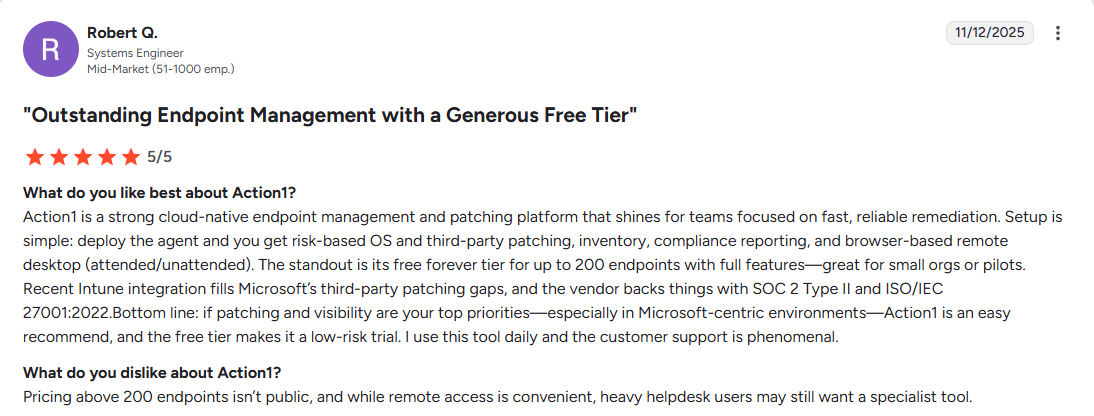
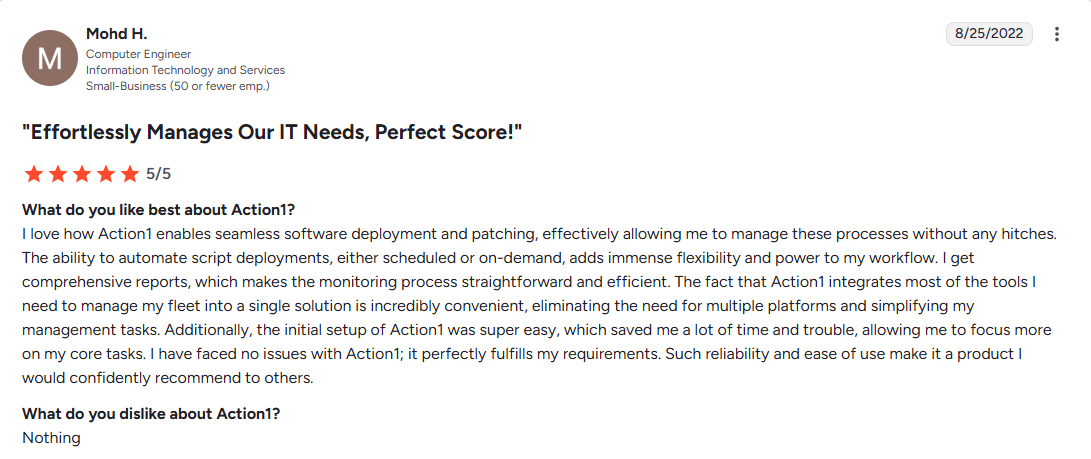
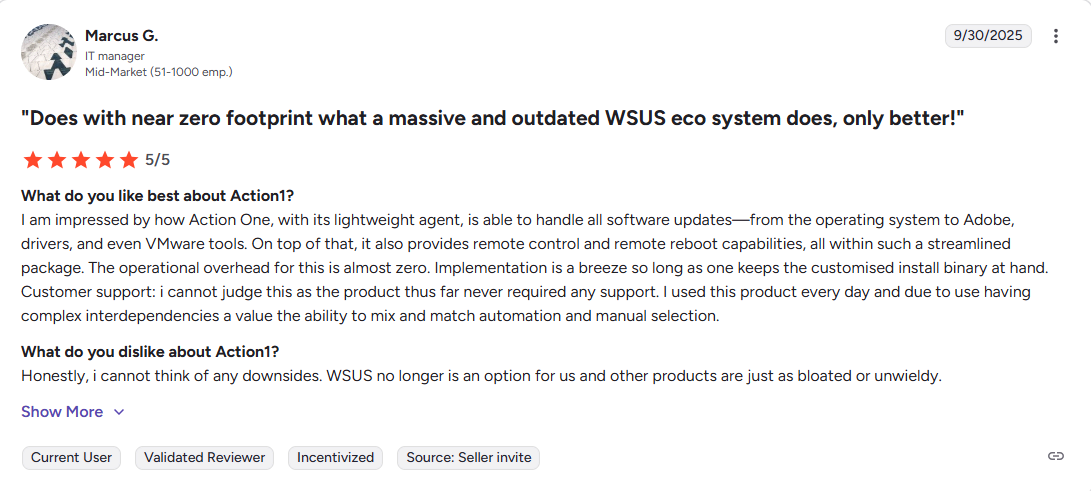
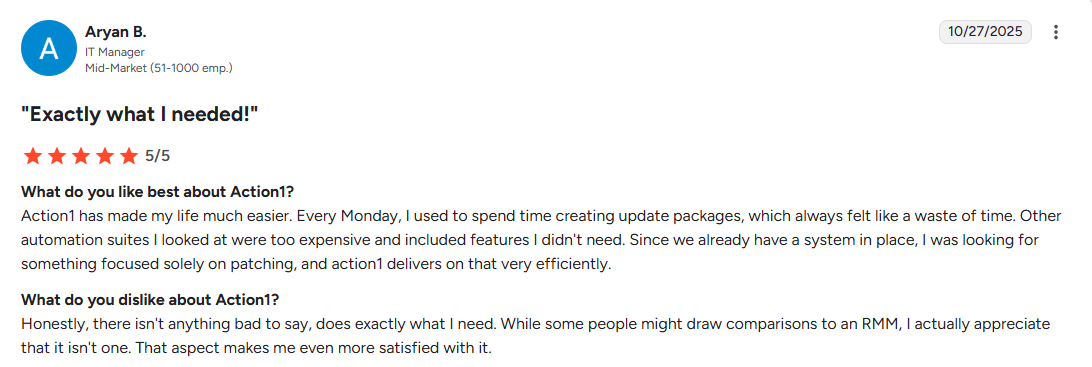
G2 rating: 4.9 out of 5.0 (770+ reviews)
Capterra rating: 4.9 out of 5.0 (230+ reviews)
Check Out
SUSE Manager (also known as SUSE Multi-Linux Manager)
SUSE Manager is an open-source, enterprise-grade patch management platform built specifically for managing various Linux distributions from a single console. It enables centralized control over patch deployment, configuration management, and system provisioning through a single web-based interface. The software automatically detects missing patches and identifies vulnerabilities across your Linux endpoints, lets you schedule update deployments, and provides detailed reporting capabilities to meet regulatory requirements. This helps you keep your Linux network secure and compliant with minimal manual effort and reduced complexity.
Key Features:
-
Multi-Distribution Support: Allows you to manage SUSE Linux Enterprise Server, Red Hat Enterprise Linux, CentOS, Ubuntu, Debian, Oracle Linux, and more than 16 other distributions from one platform.
-
Automated Patch Management: The software automates vulnerability scanning, patch deployments (immediate or on schedule), and vulnerability remediation with integration to CVE databases and OpenSCAP protocols.
-
Content Lifecycle Management: With it, you can test updates in staged environments before organization-wide rollouts to ensure they work as expected.
-
Salt-Based Patch Automation: The software uses Salt (SaltStack) for configuration management, system provisioning, and automated task execution.
-
Real-Time Monitoring: Equips you with live visibility into your endpoints’ system health, patch, and compliance status.
-
Retracted Patch Protection: Protects your endpoints from unexpected downtime and other operational disruptions by automatically blocking installation of vendor-retracted patches to avoid deploying problematic updates.
-
SCAP Compliance: Validates system security against SCAP protocols and performs audit scans through OpenSCAP integration.
-
Custom Patch Management: The platform offers a significant advantage that allows you to create, clone, and manage custom patches in your organization for internal software packages.
-
Hub Architecture: Offers scalable infrastructure that can support up to 1 million managed endpoints.
-
Prometheus & Grafana Integration: Monitor real-time metrics and visualize data through Grafana dashboards.
-
Bare Metal Provisioning: Deploy new systems using Cobbler and Kiwi tools for automated OS installation.
-
Multi-Landscape Support: Manage development, QA, and production environments separately with advanced patch lifecycle controls to further minimize security and downtime risks.
-
SUSE Liberty Linux Support: Extends support to end-of-life distributions like CentOS 6/7 with continued security patches.
Pros:
-
Open-source solution with enterprise-grade capabilities.
-
Supports wide range of Linux distributions from a single console.
-
Highly scalable architecture.
-
Extends life of end-of-life distributions through SUSE Liberty Linux.
Cons:
-
Steep learning curve, especially when dealing with initial deployment and non-SUSE distributions.
-
Missing cloud-native integrations and lack of critical features for a better experience.
Ideal use cases: Large enterprises with mixed Linux environments.
G2 rating: 4.7 out of 5.0 (28+ reviews)
Capterra rating: 5.0 out of 5.0 (1 review)
ManageEngine Patch Manager Plus
ManageEngine Patch Manager Plus is patch management software that helps your IT team remediate vulnerabilities quickly by automatically deploying critical security patches and updates across Windows, Linux, macOS, and third-party applications. By streamlining each step of the process, it strengthens your company’s overall security posture and keeps every endpoint up to date, compliant, and running smoothly.
Key Features:
-
Cross-platform OS support: Windows, macOS, Linux
-
Linux Distribution Support: Ubuntu, Debian, CentOS, Red Hat Enterprise Linux, SUSE Linux Enterprise, Oracle Linux, Rocky Linux, and Amazon Linux
-
Automated third-party updates
-
Flexible deployment policies
-
Patch compliance management
-
Ability to decline patches for legacy applications
-
One-click rollback for problematic patches
-
Automated patch testing and approval
-
Driver and BIOS updates (Enterprise Edition)
-
Remote shutdown and wake-on-LAN (Enterprise Edition)
Pros:
-
Replaces manual patching with end-to-end automation.
-
Supports Windows, macOS, Linux, and hundreds of third-party applications.
-
Cloud-based solution that patches systems across LANs, WANs, DMZs, and remote systems without requiring VPN connectivity.
-
Improves patch reliability through testing patches automatically before deployment.
-
Offers flexible scheduled deployment options that minimize downtime risks.
Cons:
-
Frequent patch failures during deployment
-
Cloud-based but not cloud-native, which introduces limitations such as reliance on on-premises components and reduced macOS/Linux support in the cloud edition
G2 rating: 4.5 out of 5.0 (180+ reviews)
Capterra rating: 4.6 out of 5.0 (340+ reviews)
Ideal use cases: SMBs and large enterprises.
Automox
Automox is a cloud-based IT automation platform that offers you centralized patch management and endpoint control from a single platform across Windows, macOS, and Linux systems and third-party applications. The software successfully automates end-to-end patch management without requiring any on-premises hardware or VPN connectivity. By using it, you minimize the time gap from vulnerability identification to remediation, helping you keep your on-premises and remote endpoints secure and compliant.
Key Features:
-
Cross-Platform OS support: Windows, macOS, Linux
-
Linux Distribution Support: Ubuntu, Debian, Red Hat Enterprise Linux (RHEL), Rocky Linux, CentOS, AlmaLinux, Fedora, SUSE Linux Enterprise Server (SLES), Oracle Linux, and Amazon Linux.
-
Automated third-party patching.
-
Allows you to create and enforce custom patches and configuration policies.
-
Successfully automates patch management, configuration, deployment, and Worklet tasks, targeting particular endpoints by hostname, IP address, OS, or Active Directory Organizational Unit.
-
Provides detailed endpoint visibility into each endpoint’s patch and compliance status, including installed packages.
-
Role-based access controls provide better control over user access to the platform.
-
Fully featured API for third-party integrations with other tools and systems.
-
Offers pre-built reports for monitoring and analysis.
-
Since the software is cloud-based, it offers remote access to your endpoints from anywhere.
Pros:
-
Efficient scalable automation with Worklets that allow scripted remediation and configuration for consistent patching deployments.
-
The software is easy to set up and use, with a straightforward interface that requires minimal learning time.
-
Equips you with a central dashboard showing real-time data for each endpoint’s device health, patch installation status, vulnerabilities, and compliance information.
-
Reduces downtime risks by allowing you to schedule, test, and deploy patches outside business hours.
-
Saves your company time and money by automating patch management while improving your overall security posture through up-to-date and compliant endpoints.
Cons:
-
Slow performance, especially when filtering for groups or loading reports for many devices.
-
Poor reporting that is insufficient for tracking changes and monitoring system status effectively.
Ideal use cases: SMBs, MSPs, and large enterprises.
Check Out
Tanium Patch & Tanium Deploy
Tanium Patch & Tanium Deploy represent another exciting solution set from our list that simplifies and automates each step of the patching process from vulnerability identification to remediation. Tanium Patch handles operating system updates for Windows and Linux endpoints, while Tanium Deploy manages third-party application installations, updates, and removals across your endpoints. Together, these modules offer reliable and efficient patch management capabilities that keep your on-premises and remote devices up-to-date, compliant, and ensure their smooth performance.
Key Features:
-
Cross-Platform Support: Windows, macOS, and Linux systems.
-
Linux Distribution Support: AlmaLinux, Amazon Linux, CentOS, Debian, openSUSE, Oracle Linux, Red Hat Enterprise Linux (RHEL), Rocky Linux, SUSE Linux Enterprise, and Ubuntu.
-
Automated third-party patching.
-
Flexible Patch Scheduling.
-
Block/Approve patches based on different metrics and criteria like severity, release date, and CVE score.
-
Real-time Patch Visibility across all your endpoints.
-
Remote Control that allows you to patch remote, mobile, and on-premises endpoints.
-
Advanced reporting capabilities that enable you to generate audit-ready documentation.
-
Ability to separate endpoints based on their operating system.
Pros:
-
Eliminates manual patching.
-
Supports patching for Windows, macOS, Linux, and hundreds of third-party applications.
-
Offers flexible scheduled deployment options that minimize downtime risks.
-
Reduces downtime risks by allowing you to test updates and schedule their deployment outside business hours.
Cons:
Ideal use cases: Large enterprises.
G2 rating: 4.3 out of 5.0 (15+ reviews)
Capterra rating: 4.2 out of 5.0 (5 reviews)
JetPatch
JetPatch is an IT operations management platform that automates patch management and vulnerability remediation across hybrid environments. The software offers automated endpoint discovery, identifies existing security weaknesses, and then allows you to automatically test and deploy updates to ensure your devices stay secure and compliant.
It eliminates patching blind spots, prioritizes critical vulnerabilities based on risk and potential business impact, and streamlines the entire remediation process to reduce your network’s attack surface and strengthen its overall security posture with minimal manual effort. With the real-time reporting offered by the software, you can easily create audit-ready reports to ensure regulatory compliance.
Key Features:
-
Cross-Platform Support: Windows, macOS, Linux, Unix.
-
Linux Distribution Support: AlmaLinux, Red Hat Enterprise Linux (RHEL), Oracle Linux, Ubuntu, Rocky Linux, SUSE Linux Enterprise Server (SLES), CentOS, and Amazon Linux.
-
Automated third-party patching.
-
Supports Linux security patches and non-security updates.
-
Endpoint auto-discovery.
-
Integration with vulnerability scanners such as Rapid7, Tenable, Qualys, and more.
-
ITSM integration that works with ServiceNow, Jira, and SummitAI for workflow automation.
-
Advanced reporting and analytics.
-
Real-time patch visibility.
-
Custom scripting support.
-
Flexible deployment options.
-
Centralized agent management.
Pros:
-
The level of automation delivered reduces manual effort as much as possible and saves your company time and manpower resources.
-
Automated patch scans.
-
Predictive patching capability that helps you achieve patch compliance.
-
Strong integration with leading vulnerability scanners and ITSM tools.
-
Unified platform that provides centralized management.
-
Delivers faster remediation and reduced IT operation costs.
Cons:
-
The product is more expensive compared to other competitors.
-
Maintaining visibility and control over a large, complex environment can be challenging.
Ideal use cases: Large enterprises with extensive server infrastructure, MSPs
G2 rating: 4.5 out of 5.0 (5 reviews)
Capterra rating: 5.0 out of 5.0 (5 reviews)
Side-by-Side Comparison Matrix of Linux Patch Management Tools
|
Software |
Deployment Model |
Automation Level |
Reporting & Compliance Features |
Integrations |
Best Suited Environment |
|---|---|---|---|---|---|
|
Action1 |
Cloud-native, SaaS |
Full — monitoring, scheduling, deployment, reporting & remediation automation |
100+ built-in customizable report templates, audit-ready; real-time vulnerability detection; role-based access control, SSO/MFA |
Cross-OS (Windows, macOS, Linux), third-party apps; REST API; works in remote / off-network scenarios |
SMBs, MSPs, large enterprises, organizations with mixed OS or remote workforce. |
|
SUSE Manager |
On-prem / corporate-managed infrastructure |
High – automated patching, configuration management, lifecycle management, staging/testing, compliance |
CVE-based patching recommendations, SCAP/OpenSCAP compliance, reporting, real-time monitoring |
SaltStack configuration management; integrates with Prometheus, Grafana. supports multiple distros. |
Large enterprises, data centers, mixed Linux distro environments needing robust control & compliance |
|
ManageEngine Patch Manager Plus |
Cloud or on-prem / hybrid |
High — scanning, test & approval workflows, automated deployment, third-party patching, rollback option. |
System health reports, patch compliance, audit logs, patch-level status across endpoints, detailed dashboards. |
Cross-OS + third-party apps; supports many Linux distros, Windows, macOS. |
Organizations needing broad OS and app coverage, mixed OS environments, hybrid infrastructure, needing rollback and compliance reporting |
|
Automox |
Cloud-native (agent-based) |
High — policy-driven automated patching, scripting, remote task automation, OS + third-party apps |
Patch compliance dashboards, endpoint health & status monitoring, remote scripting & automation, centralized console. |
Cross-OS + third-party apps; custom scripting; works over the cloud for remote or distributed endpoints. |
Distributed workforces, remote endpoints, cloud-first companies, MSPs, environments needing ease-of-use and minimal on-prem infrastructure |
|
Tanium Patch & Deploy |
Enterprise-grade, often hybrid (on-prem + cloud), agent-based peer architecture |
High — automated OS & third-party patching, scheduling, real-time asset and patch visibility, flexible control |
Real-time visibility of deployments, reporting, endpoint compliance tracking, integration with vulnerability intelligence |
Cross-OS, third-party apps, integrates with Tanium broader platform modules. |
Very large enterprises, global infrastructures, complex compliance/regulation environments, organizations needing speed & scale |
|
JetPatch |
Enterprise-grade, on-prem / hybrid / cloud-compatible |
High — automated discovery, patching, third-party updates, scheduling, real-time reporting |
Patch compliance reporting, integration with Rapid7, Tenable, Qualys, analytics & reporting dashboards |
Cross-OS (Linux, Windows, Unix), third-party apps, integrates with ServiceNow, Jira. |
Large enterprises, MSPs, mixed-OS and hybrid environments, organizations needing strong integration with vulnerability scanning and ITSM |
Best Software by Use Case
Here’s a quick guide to help you match the best solution to your use case:
-
Best for large enterprise security teams: Action1 offers you infinite scalability, autonomous patching with update rings and cloud-native management that successfully patches hundreds of thousands of endpoints without VPN requirements or on-premises infrastructure.
-
Best for mixed-distro environments: SUSE Manager supports 16+ Linux distributions from a single console, making it ideal for organizations running diverse Linux fleets.
-
Best for cloud & remote workforce: Action1’s cloud-native platform manages on-premises and remote endpoints seamlessly, without requiring VPN connectivity, perfect for distributed teams and hybrid work environments.
-
Best for DevOps automation: Action1 offers you full REST API access with OAuth 2.0, custom scripting support (PowerShell, CMD, and Bash), and seamless integration with CI/CD pipelines and infrastructure-as-code tools.
-
Best open-source option: SUSE Manager delivers enterprise-grade capabilities with open-source flexibility and community-driven development.
-
Best budget-friendly solution: Action1 is free for up to 200 endpoints with no feature limitations forever, allowing SMBs to use it as long as they want across their networks, while large enterprises can test it thoroughly before scaling.
What Features Should I Look for When Choosing Linux Patch Management Software for a Multi-Distro Environment?
Look for a solution that supports multiple Linux distributions and automates the entire patch management process. Testing features like update rings are a must for risk-free deployments. You’ll also want flexible scheduling, detailed reporting, and real-time monitoring capabilities. Make sure the platform integrates with your package repositories (APT, YUM, DNF, Zypper) and connects with CI/CD and IaC tools.
Opt for an agent-based model because it offers you better control, and you can manage all your endpoints from anywhere, directly in your browser, with no VPN needed. Last but not least, the platform should allow you to scale easily from hundreds to hundreds of thousands of endpoints and help your company grow instead of introducing unexpected complexities or requiring additional on-premises infrastructure.
Which Linux Patch Management Software Offers the Best Reporting and Compliance Capabilities for Enterprise Environments?
Action1, SUSE Manager, and ManageEngine Patch Manager Plus offer the best reporting and compliance capabilities. But Action1 is the undisputed winner by granting you access to 100+ built-in customizable report templates that let you generate audit-ready reports easily.
How Do Agent-Based and Agentless Linux Patch Management Solutions Differ When Used at Scale?
At scale, agent-based solutions perform way better than agentless because they can patch thousands of endpoints simultaneously, work across any network configuration, and maintain continuous compliance visibility no matter where your endpoints are located.
Agent-based platforms install lightweight software on each of your endpoints to equip you with real-time monitoring, patching of offline endpoints upon reconnection, immediate vulnerability detection, and faster deployment speeds when managing your endpoints from anywhere with no VPN connection required.
Agentless solutions, on the other hand, use SSH or API connections to provide you with remote control over your endpoints, but they only work when endpoints are online and connected to your network, making them less suitable for distributed workforces.
Can Open-Source Linux Server Patch Management Solutions Provide the Same Reliability as Commercial Platforms?
Yes and no…it depends on your needs. Community open-source solutions work best for smaller environments managed by skilled Linux admins, but the downside is that they lack vendor support and guaranteed SLAs. On the other hand, commercially supported platforms (proprietary or open-source with paid support) offer dedicated technical support, faster updates, and strong automation and compliance features. That’s why for mission-critical systems or organizations without deep Linux expertise, commercial support delivers better reliability through professional backing rather than volunteer communities.
Which Patch Management Software is Best for Managing Large Fleets of Mixed Distributions ?
SUSE Manager is the best patch management software for managing large fleets across mixed Linux distributions because it supports 16+ distros from one console. Action1 is another strong choice if you need cross-OS support (Windows, macOS, Linux) and third-party application patching with cloud-native management, requiring no VPN, on-premises hardware, or complex setup. ManageEngine Patch Manager Plus is next in the list, offering you broad Linux and third-party application support.
But remember that the best choice really depends on your specific needs and expectations. If your organization seeks to achieve a seamless Linux patching process, then go with SUSE Manager, but mixed OS environments (not just Linux) get better value from Action1 since it supports Windows and Mac alongside Linux distributions.
Which Linux Patch Management Tools Support Zero-Downtime or Live Patching, and How Do They Compare?
True live patching is only possible through Canonical Livepatch (Ubuntu), SUSE Live Patching (SUSE Linux Enterprise Server), KernelCare Enterprise (TuxCare), and kpatch (RHEL and CentOS) for applying security fixes without reboots. An interesting fact about KernelCare: apart from the wide range of supported distributions, it has servers running for over six years without reboots, but keep in mind that this is a separate paid service.
On the other hand, traditional patch management platforms like Action1, ManageEngine Patch Manager Plus, and Automox, although not offering kernel live patching, allow you to schedule update deployments during convenient time slots, give you reboot options, and use automated test features to minimize downtime risks as much as possible, which is more than enough for most companies around the globe.
Conclusion
Keeping your Linux systems up-to-date through patch management software that automates the entire process ensures they stay secure, compliant, and performing at their best by closing security vulnerabilities, introducing new features, and improving overall performance. But with so many options, choosing the right Linux patch management platform is easier said than done. If you’re not aware of your needs, you might end up spending money without getting the value you expect.
That’s why before making your choice, you must understand your organization’s requirements and pick software that supports multiple Linux distributions (all of them that are used in your company), offers end-to-end automation, simplifies compliance and reporting, delivers built-in package repository integration, uses an agent-based model (cloud-native platform), and integrates seamlessly with CI/CD and IaC tools. Finally, it should offer scalability that lets you go from hundreds to hundreds of thousands of endpoints with no additional infrastructure, complex configuration, or VPN connectivity required.
The best Linux patch management platforms that can offer everything needed to automate the patching process are Action1, SUSE Manager (SUSE Multi-Linux Manager), ManageEngine Patch Manager Plus, Automox, Tanium Patch & Tanium Deploy, and JetPatch. All of these options successfully strengthen your endpoints’ security posture, minimize their attack surface, and let you generate audit-ready reports with just a few clicks after each update cycle.
Linux patching tools eliminate manual labor-intensive processes, human error, minimize downtime and security risks, and boost your employees’ productivity through automation that protects you from cyberattacks and frees your team’s valuable time to focus on growing the company.
About Action1
Action1 is an autonomous endpoint management platform trusted by many Fortune 500 companies. Cloud-native, infinitely scalable, highly secure, and configurable in 5 minutes—it just works and is always free for the first 200 endpoints, with no functional limits. By pioneering autonomous OS and third-party patching with peer-to-peer patch distribution and real-time vulnerability assessment without needing a VPN, it eliminates routine labor, preempts ransomware and security risks, and protects the digital employee experience.
In 2025, Action1 was recognized by Inc. 5000 as the fastest-growing private software company in America. The company is founder-led by Alex Vovk and Mike Walters, American entrepreneurs who previously founded Netwrix, a multi-billion-dollar cybersecurity company.





