





If you are in a hurry – here is a TL;DR & Summary of main key points
- Action1: Best for patching + security; cloud-native, autonomous patching, built-in vulnerability management, free for 200 endpoints
- Atera: Best all-in-one RMM + PSA; strong for helpdesk, billing, and service automation, but relies on integrations for vulnerability management
- SuperOps: Best modern RMM + PSA; strong automation, MDM support, and clean UI, but less mature reporting and advanced workflows
- Patching: All support cross-OS + third-party apps; Action1 leads with autonomous patching and private repository
- Automation: Action1 (autonomous update rings), Atera (IT automation profiles), SuperOps (policy-driven + patch rings)
- Deployment: All cloud-based; Action1 fastest (~5 min), Atera (~15 min), SuperOps slower setup
- Pricing: Action1 per-endpoint with free tier; Atera & SuperOps per-technician pricing
- Bottom line:
- Choose Action1 for security, patching, and automation
- Choose Atera for full IT service management (RMM + PSA)
- Choose SuperOps for modern RMM + PSA with MDM support
These days, endpoint management platforms and RMM systems are an indispensable part of every successful MSP or large enterprise because they automate routine IT tasks, maximize productivity, minimize response times, improve client satisfaction, and, most importantly, help scale operations effortlessly without sacrificing service delivery quality.
If you are about to adopt one of these platforms for the first time or looking to replace your existing one, you are in the right place.
In this article, we’ll compare three market-leading platforms: Action1, Atera, and SuperOps. We’ll cover their core capabilities, patch management depth, automation level, platform architecture, ease of deployment, user experience, pricing, and real-world strengths and limitations. And because vendor claims only go so far, we have also included real, verified user reviews for each platform so you can make a confident, informed decision backed by actual experience, not marketing.
What Is an Endpoint Management System?
Endpoint management platforms focus on keeping every single endpoint across your network secure, patched, running smoothly, and compliant with the strict regulatory frameworks your organization is required to follow. Simply put, they give your IT team real-time visibility into on-premises and remote endpoints, automate patching and software deployment, and speed up the time from vulnerability identification to remediation across Windows, macOS, and Linux endpoints, including their third-party applications.
What Is an RMM System?
RMM systems are designed to give you remote visibility and control over your entire IT infrastructure and client environments. They are used for monitoring, managing, troubleshooting, and automating operational tasks across desktops, laptops, servers, virtual machines, and mobile devices, helping minimize downtime through early problem detection and resolution. On top of that, some platforms include PSA tools like helpdesk, ticketing, billing, and invoicing, so you can run the entire operation from one place.
What Is the Difference Between the Two?
While endpoint management platforms are purpose-built around security, patching, and vulnerability management, RMM systems take a broader approach, combining remote monitoring, device control, and proactive issue resolution with day-to-day IT operations management.
Action1 vs Atera vs SuperOps: Platform Overview
Action1, Atera, and SuperOps can all help you manage your endpoints more efficiently, but they are built differently and designed for different needs. That’s why, for your convenience, we’ve put together a table that clearly shows what each platform is, who it is built for, and what makes it distinct from the other two.
|
Vendor |
Action1 |
Atera |
SuperOps |
|---|---|---|---|
|
Platform Type |
Autonomous Endpoint Management (AEM). |
All-in-one RMM + PSA + Autonomous IT. |
Unified RMM + PSA. |
|
Primary Audience |
IT teams, SMBs, enterprises, MSPs. |
IT departments and MSPs. |
MSPs and IT teams. |
|
Platform Architecture |
Cloud-native, no infrastructure required. |
Cloud-based, no infrastructure required. |
Cloud-based, no infrastructure required. |
|
OS Support |
Windows, macOS, Linux |
Windows, macOS, Linux |
Windows, macOS, Linux |
|
Third-party patching |
It covers 630+ applications via a privately maintained software repository. |
It offers broad app coverage via Chocolatey, WinGet, and custom repository. |
It offers broad app coverage via Chocolatey, WinGet, Homebrew, and custom repository. |
|
Free Tier |
200 endpoints, fully featured, forever. |
30-day trial only. |
14-day trial only. |
|
Core Focus |
Autonomous patching, vulnerability remediation, software deployment, remote endpoint monitoring and control. |
Remote monitoring, helpdesk, ticketing, patch management, billing. |
RMM monitoring, PSA workflows, ticketing, billing, contracts. |
Core Capabilities Compared
Now that you have a clear picture of what each platform is built for, let’s get into what they can actually do. We’ve listed the most critical capabilities across all three to help you avoid selecting the wrong platform, paying for features you will never use, or, even worse, missing the ones you or your IT team actually need.
|
Feature / Capability |
Action1 |
Atera |
SuperOps |
|---|---|---|---|
|
Cross-OS Patching |
✅ Yes. Windows, macOS, Linux |
✅ Yes. Windows, macOS, Linux |
✅ Yes. Windows, macOS, Linux |
|
Third-Party Patching |
✅ Yes |
✅ Yes |
✅ Yes |
|
IT Asset Inventory |
✅ Yes. Full hardware and software inventory in real time. |
✅ Yes. Full hardware and software inventory. |
✅ Yes. Hardware and software inventory across all managed clients. |
|
Update Rings / Staged Rollouts |
✅ Yes. Update rings with autonomous, staged rollouts and success metrics. |
❌ No. No native update rings. But it offers a similar function – IT Automation Profiles. |
✅ Yes. Patch rings with hierarchical and group-based policy overrides per client, site, or device. |
|
Vulnerability Management |
✅ Yes, native vulnerability management with CVE, CVSS, CISA KEV, ransomware campaign data, and multi-source threat intelligence. |
✅ Yes, but not natively. Via Vicarius integration. |
✅ Yes, but not natively. Available via third-party integrations such as ThreatDown and Huntress. |
|
Remote Access |
✅ Yes, browser-based, no VPN required. |
✅ Yes, through AnyDesk, Splashtop, TeamViewer, and ScreenConnect. |
✅ Yes, through Splashtop (free license included), TeamViewer, and ISL Online. |
|
Private Software Repository |
✅ Yes, privately maintained by the Action1 team. |
❌ No. Supports private software repositories through external integrations, but does not provide a built-in repository natively. |
❌ No. SuperOps supports software deployment through public repositories and custom packages, but does not provide a native private software repository. |
|
P2P Patch Distribution |
✅ Yes, minimizes external bandwidth with no on-prem cache servers. |
❌ No. |
❌ No. |
|
Security & Compliance Certifications |
✅ SOC 2 Type II, ISO/IEC 27001:2022, TX-RAMP, CSA, CAIQ, CISA Secure by Design, GDPR, HECVAT. |
✅ SOC 2 Type 2, ISO/IEC 27001:2013, ISO/IEC 27017:2015, ISO/IEC 27018:2019, ISO/IEC 27032:2012, TX-RAMP Level 2, HIPAA, GDPR. |
✅ SOC II Type 2, GDPR, ISO 27001, and HIPAA. |
|
Real-Time Reporting |
✅ Yes, 100+ built-in customizable templates. |
✅ Yes. |
✅ Yes. |
|
Multi-Tenancy |
✅ Yes, per-organization data segregation for MSPs and enterprises. |
✅ Yes, multi-client management for MSPs. |
✅ Yes, multi-client management for MSPs. |
|
RBAC |
✅ Yes, fully customizable with customer-defined roles and scopes. |
✅ Yes. |
✅ Yes. |
|
Minimal Network Configuration |
✅ Yes, no VPN, outbound port 443 only, no firewall changes required. |
✅ Yes, cloud-based, no VPN required. |
✅ Yes, cloud-based, no VPN required. |
|
Scripting and Automation |
✅ Yes, PowerShell, CMD, Bash with built-in script library. |
✅ Yes. |
✅ Yes, PowerShell, VBScript, and Batch for Windows; Bash for macOS and Linux. |
|
Mobile Device Management |
❌ No. |
✅ Yes, full MDM available via Miradore integration (paid add-on). |
✅ Yes, full MDM across Windows, macOS, iOS, iPadOS, Android. |
|
Public Roadmap |
✅Yes. |
✅ Yes. |
✅ Yes. |
Patch Management Capabilities
Let’s go deeper into the areas that matter most, starting with patch management.
Action1 Patch Management Software
Action1 automates patch management end-to-end. The platform is cloud-native and agent-based, so once that lightweight software is installed on your endpoints, it starts gathering and sending real-time data to the cloud console.
It automatically identifies vulnerabilities and missing patches across your operating systems (Windows, macOS, Linux) and 630+ third-party applications, complete with CVE numbers, CVSS scores, and CISA KEV exploitation data, so you always know exactly which threats need immediate attention.
From there, you can remediate security flaws immediately or on a schedule to minimize planned and unplanned downtime. You can control when, on which endpoints, and how often patches and updates are going to be deployed, with no VPNs or local appliances needed.
Moreover, Action1 allows you to use autonomous deployments through its update rings feature, where updates move from inner to outer rings based on success metrics you define. It allows you to create as many rings (groups of endpoints) as needed. When a particular patch meets the established criteria and proves stable, it automatically progresses to the next ring, while unstable ones don’t.
The platform also gives you the flexibility to decide whether systems should reboot immediately after a successful update or not. Additionally, Action1 has a feature that automatically deploys updates to devices that were offline during scheduled updates, so once they reconnect, they get patched too.
In terms of minimizing external bandwidth consumption and accelerating installations, the software uses peer-to-peer patch distribution technology, so updates get downloaded once and then shared locally among your endpoints. On the other hand, the private software repository guarantees that each patch is thoroughly tested by a team of experts before being added to the repository, eliminating the risks of malware and supply chain attacks.
If Action1 identifies a vulnerability that cannot be patched, you can either remove the vulnerable software directly from the platform or document the compensating controls you have applied outside the platform (such as blocking a port, disabling a service, or restricting network access) to minimize your attack surface until a patch is released.
Last but not least, report generation happens in minutes, and you can use 100+ built-in customizable templates for patching, vulnerabilities, software and hardware inventory, and security configurations.
Atera
Atera offers patch management automation for Windows, macOS, and Linux systems and plenty of third-party applications. The platform is cloud-based, so you don’t need VPNs or any other local infrastructure to get started. It monitors your devices 24/7, identifies vulnerabilities and missing patches, and then lets you schedule automated deployments, set approval workflows, and configure reboot policies to keep disruption to a minimum.
On the OS side, Atera uses the native update tools of each platform, but for third-party apps it pulls updates from Chocolatey, WinGet, and Homebrew. Keep in mind that you can also create software bundles for faster onboarding, which helps cut the time needed to set up new devices.
Atera gives you flexibility over deployment windows through IT Automation Profiles, where you can create separate profiles for different groups of devices and stagger their schedules, essentially testing a patch on a smaller group first before rolling it out across every single endpoint in your organization. Once the profiles are configured and assigned properly, the entire process runs automatically. No oversight, no waiting, no late nights in the office.
Now, in terms of vulnerability management, it is worth mentioning that Atera doesn’t include it natively out of the box. It covers this through an integration with Vicarius, which is a third-party vulnerability remediation platform.
Finally, apart from its robust patch management automation capabilities, Atera provides you with advanced reporting. You can create detailed audit-ready documentation after each deployment in minutes, which can be used to prove compliance when regulatory bodies come knocking.
SuperOps
SuperOps automates patch management across your Windows, macOS, and Linux endpoints and a large list of third-party applications. Vulnerability detection, missing patch identification, testing, and deployment all run literally on “autopilot” once you create your own policy, so missed updates become a thing of the past.
Powered by flexible policy-driven automation, the software gives you full control over the patching process exactly the way you envision it, with complete visibility into how everything unfolds. If critical patches need to go out, you can deploy them immediately. But if you fear that doing so may cause unexpected downtime, you can extensively test patches before pulling the trigger on an organization-wide rollout.
For your convenience and to fully automate deployments with minimal disruption risks, you can rely on staged rollouts. Patch rings let you install patches or updates on a small group of devices, let’s say between 1 and 10% of your entire fleet, before patching the rest of your endpoints. For full coverage and fewer blind spots, the Wake-on-LAN support feature wakes offline endpoints for scheduled deployments, with the main goal of making sure every single endpoint is up to date.
However, one thing worth knowing upfront is that CVE and CVSS scoring are not built in. SuperOps relies on integrated third-party scanning tools to show you each vulnerability’s criticality. In practice, you still get a clear picture of which security issues to concentrate on and remediate first.
Last but not least, the platform offers advanced reporting so you can generate detailed reports in minutes after each deployment and track the patch, compliance, and device status of your endpoints in real time.
Deployment and Platform Architecture
When choosing an RMM or endpoint management platform, you naturally focus first on its capabilities and automation level, and that’s perfectly normal. But understanding how each platform is built is equally important, because it will show you how fast you can deploy it, how it scales, and whether you will need to invest resources in appliances or on-premises infrastructure just to get it running.
Here’s the full picture for Action1, Atera, and SuperOps:
|
Deployment Factor |
Action1 |
Atera |
SuperOps |
|---|---|---|---|
|
Architecture |
Cloud-native. |
Cloud-based. |
Cloud-based. |
|
What That Means |
Built from the ground up as a cloud-first platform. No legacy infrastructure ported to the cloud. |
Runs fully in the cloud but was not originally architected as cloud-native. |
Runs fully in the cloud but was not originally architected as cloud-native. |
|
Agent-Based |
Lightweight agent installed on each endpoint for real-time monitoring and management. |
Lightweight agent installed on each endpoint for real-time monitoring and management. |
Lightweight agent installed on each endpoint for real-time monitoring and management. |
|
Agent Deployment Methods |
Manually, via scripts, or automated through Active Directory |
Manually, via GPO, scripts, or command line |
Manually, via GPO or remote scripts |
|
VPN/Infrastructure Required |
Not required. |
Not required. |
Not required. |
|
Time to First Deployment |
Under 5 minutes. |
Under 15 minutes. |
Days, not weeks per SuperOps official documentation. |
|
Ease of Setup |
G2 awards for Easiest Setup, Most Implementable, and Easiest to Use. Ranked #1 based on verified customer reviews. |
Strong ease of setup ratings on G2 and Capterra. |
Noted for fast onboarding and intuitive interface. |
|
Remote Endpoint Support |
Full support. |
Full support. |
Full support. |
|
Data Residency Options |
North America, Europe, Australia UK and UAE coming soon. |
EU (Amsterdam), US Central (Iowa). |
AWS multi-region. |
|
Scalability |
Infinitely scalable with gradually lowering per-endpoint cost. |
Scales per technician with unlimited endpoints per license. |
Scales per technician with 150 endpoints per license. |
|
Offline Device Support |
Patches queued and deployed automatically on reconnection. |
Configurable queue up to 1 month. |
Yes. Via Wake-on-LAN. |
User Experience and Interface
A platform with strong features becomes useless if you can’t squeeze its full potential out of it because it’s hard to work with. That’s why capabilities, usability, and a user-friendly interface should always go hand-in-hand. Are all three of the platforms following this golden rule? You’re about to find out directly from real users who shared their impressions on G2.
Action1 User Experience
Action1 has been ranked #1 for easiest-to-use and easiest-to-set-up endpoint management platform for three consecutive years by G2. The world’s largest software marketplace awards vendors across different categories based on verified customer reviews and independent market data, not subjective analyst opinions.
The interface is user-friendly and allows you to easily create automations, check your endpoints’ patch, compliance, and device status in real time, remediate vulnerabilities, or generate reports with just a few clicks, and install or uninstall applications across thousands of endpoints. But do not just take our word for it. Here is what real users find when working with Action1 every day:
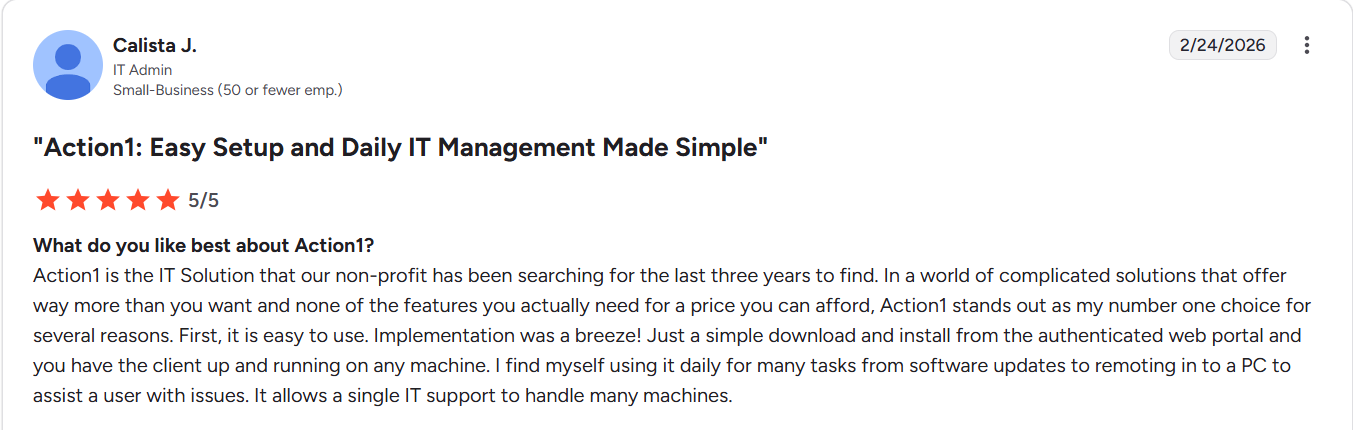
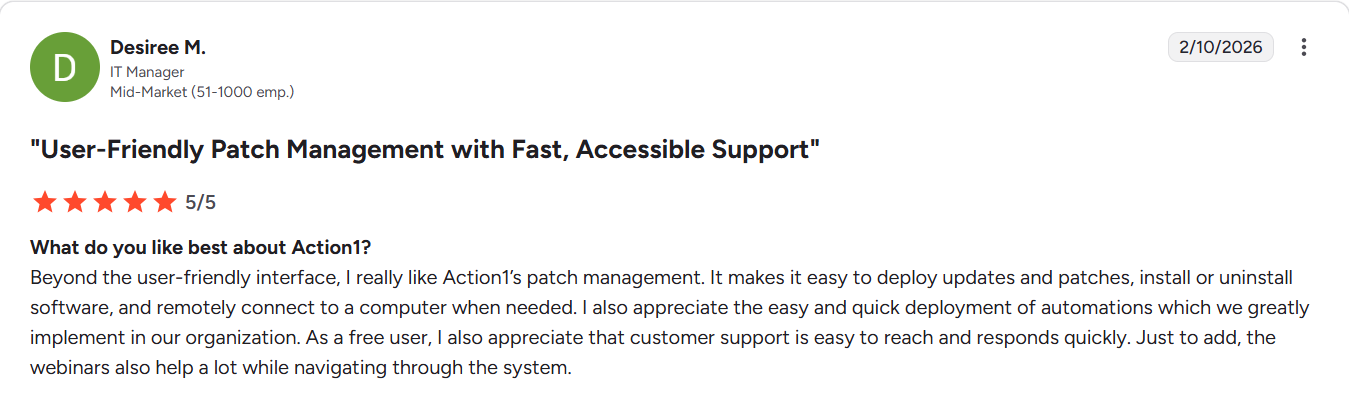
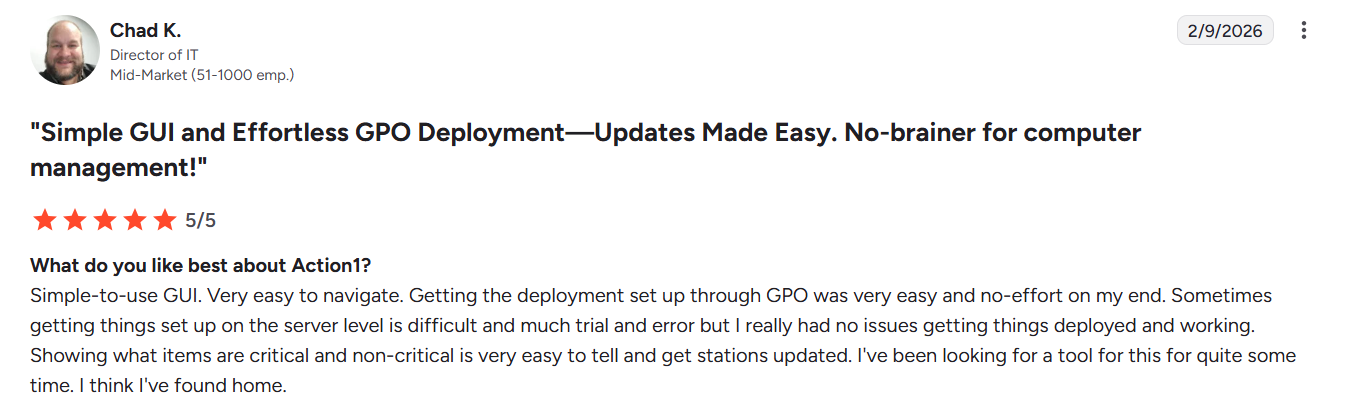
Atera User Experience
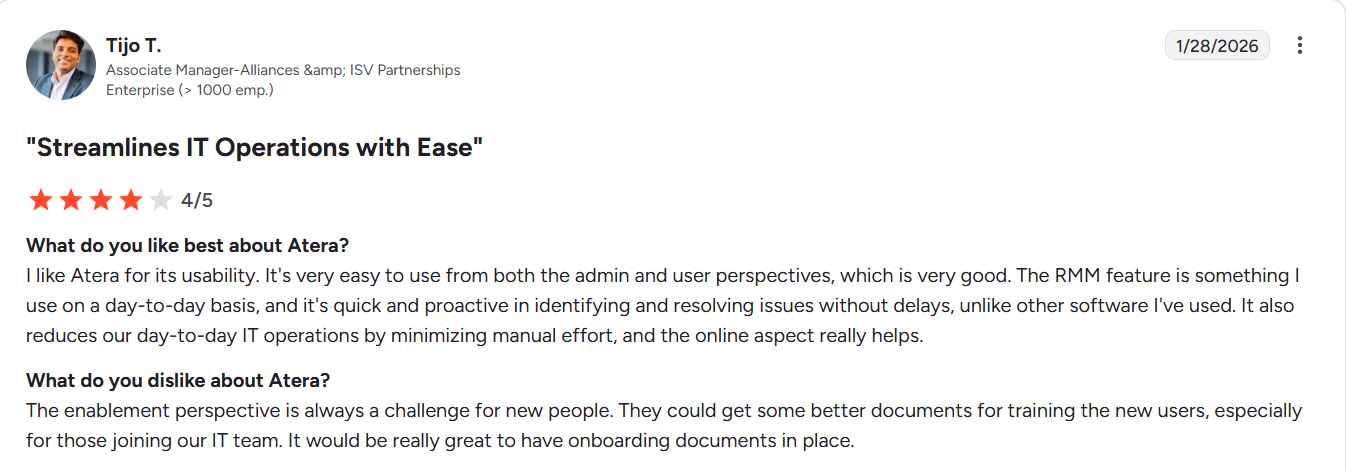
Atera’s interface is intuitive and user-friendly, allowing even non-tech-savvy users to easily monitor their endpoints, create automations, or run specific scripts instantly. On G2, we found multiple users sharing positive experiences with the platform.
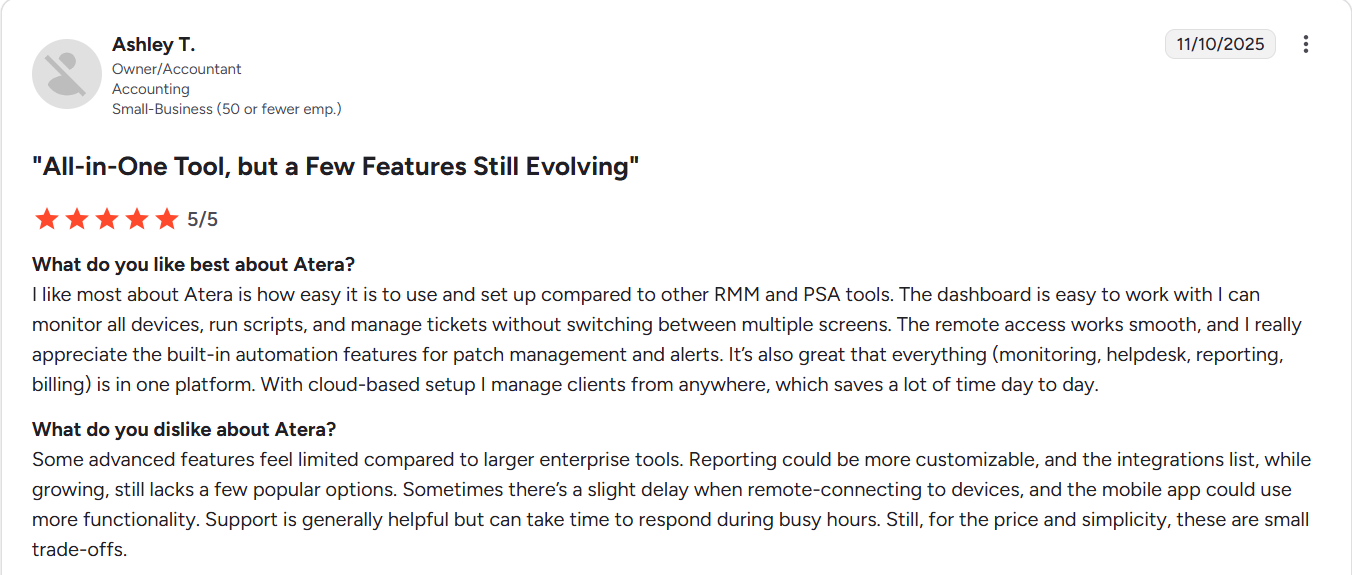
SuperOps User Experience
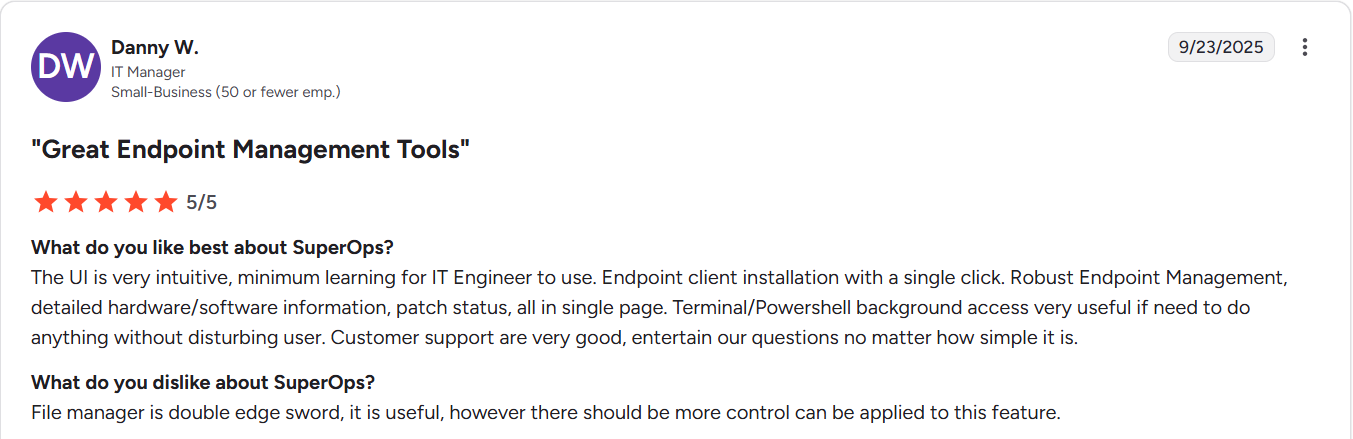
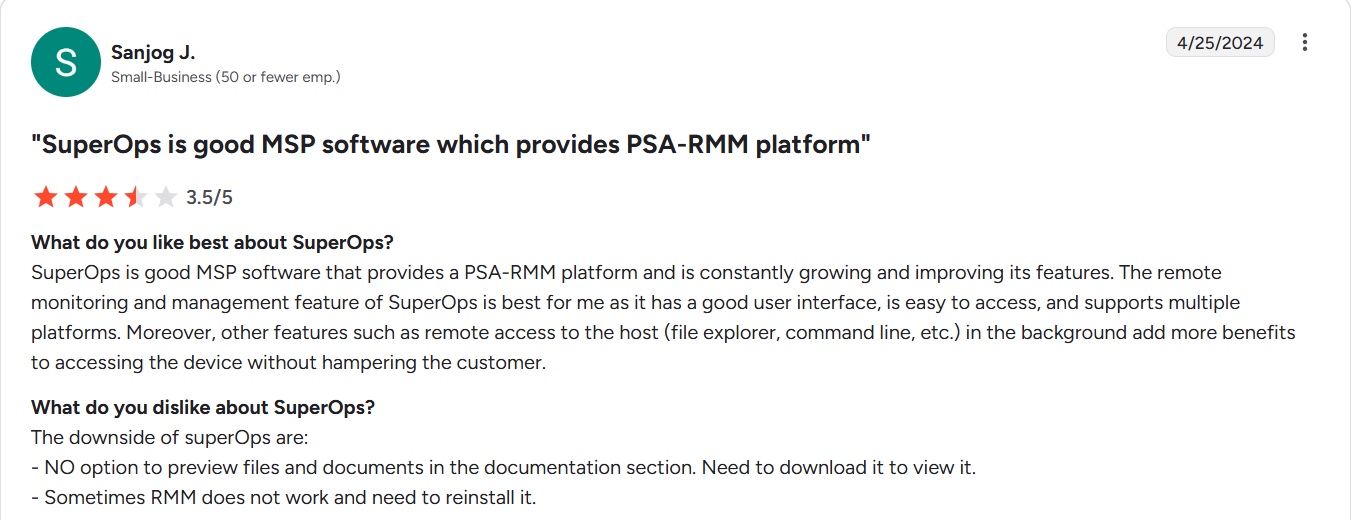
SuperOps users rate it as a highly intuitive, modern, and quite user-friendly platform. In practice, the software is praised for its clean interface, easy-to-create automations, and clear dashboards that let you keep an eye on all your endpoints in real time.
Pricing and Value for Money
At the end of the day, budget matters, so here is the full pricing picture for each platform:
|
Pricing Factor |
Action1 |
Atera |
SuperOps |
|---|---|---|---|
|
Pricing Model |
Per endpoint. |
Per technician. |
Per technician. |
|
Free Tier |
Yes ✅ 200 endpoints, fully featured, forever. |
No ❌ 30-day free trial only. |
No ❌ 14-day free trial only. |
|
Starting Price |
$0.00 – Free for first 200 endpoints. Custom quote beyond that. |
Professional Plan: $169/technician/month. Expert: $189/technician/month. Master Plan: $219/technician/month Enterprise Plan: Custom Quote. |
Standard PSA: $89/technician/month Standard RMM Only: $109/technician/month Pro Plan: $149/technician/month Super Plan:$179/technician/month Super Plus: flexible pricing
|
|
Endpoint Limit Per License |
No limit per license. Price based on total endpoint count. |
Unlimited endpoints per technician license. |
150 endpoints per technician license. Additional packs at $75 per 150 endpoints/month. |
|
Seamless Scalability |
Yes. ✅ Cost per endpoint decreases as the count grows. |
Yes. ✅ |
Yes. ✅ |
Strengths and Limitations
Each of the three platforms has its strengths and limitations, and no software is perfect. Here’s what each one gets right and where things get tricky.
|
Action1 – Strengths |
Atera- Strengths |
SuperOps- Strengths |
|---|---|---|
|
Cloud-native architecture. In 5 minutes, you can create your account, deploy the agent, and start securing your on-premises and remote endpoints.
|
Cloud-based architecture for fast deployment and setup.
|
Cloud-based architecture for fast deployment and setup.
|
|
Windows, macOS, and Linux endpoints can all be managed and secured through one console, irrespective of their location.
|
Supports Windows, macOS, and Linux endpoints. |
Supports Windows, macOS, and Linux endpoints.
|
|
You can automatically patch and update more than 630 applications with Action1.
|
Offers automated and reliable third-party patching. |
Automates third-party application patching. |
|
Built-in vulnerability identification and remediation, allowing you to deploy patches, document compensating controls, and install or uninstall software across thousands of endpoints simultaneously with just a few clicks. |
Unified IT management that allows you to keep all your endpoints updated from a single console. |
Full mobile device management covering policy enforcement, compliance, and zero-touch enrollment. |
|
Offers market-leading features like real-time monitoring and reporting, patch management, policy enforcement, remote access, software deployment, patching offline endpoints upon reconnection, and IT asset inventory.
|
Strong endpoint management feature set for automating repetitive tasks across your network. |
Automatic software bundle deployment on new device onboarding, ensuring every new machine is configured and ready without manual effort.
|
|
Security features: app-based and email-based MFA, RBAC, Single Sign-On support for Entra ID, Okta, and Google, TLS 1.2/AES-256 agent protocol, IP restrictions, and malware patch scanning. |
Robust security features like MFA, data encryption, and integrations with leading security tools. |
Microsoft Store app management for installing, updating, or removing applications directly from the console. |
|
Autonomous, staged patching rollouts through update rings. Minimal planned and unexpected downtime and timely vulnerability remediation.
|
Reliable remote access that keeps all your endpoints secure and updated, irrespective of their location. |
Flexibility to update your systems immediately or on a schedule, depending on what works best for your environment. |
|
Action1 – Limitations |
Atera – Limitations |
SuperOps- Limitations |
|
No one-click rollback function. |
Agents often go offline unexpectedly. |
Remote sessions are limited to 1 hour for security purposes. |
|
No vulnerability assessment for Linux endpoints. (coming soon). |
Limited control over third-party updates, with frequent deployment failures. |
Setting up complex workflows is more challenging than expected. |
|
No publicly available pricing for the paid tier. A custom quote is required. |
Data syncing delays and inconsistent search functionality. |
Reporting needs improvement. |
Which Platform Is Right for You?
It really depends on your organization’s needs and specifications. But the core features to look for in a reliable endpoint management platform are cross-OS platform support, third-party application patching, remote access, staged deployments, scripting automation, advanced reporting, P2P patch distribution, network discovery, fully customizable policy-driven automations, real-time monitoring, flexible scheduling, risk-based prioritization, vulnerability management, and dynamic grouping.
However, in practice, just checking the features listed on each vendor’s website is not enough. You also need to consider whether you need on-premises or cloud-based architecture, what the pricing model looks like, whether the platform scales easily when needed, and whether 24/7 customer support is available. Below you will find detailed information and direct answers to the most common questions that come up during an endpoint management platform evaluation.
Best for Small IT Teams Managing Under 200 endpoints
Action1 is the best option for small businesses with under 200 endpoints for multiple reasons. First of all, it costs you nothing to get a professional endpoint management platform that allows you to secure all your on-premises and remote endpoints, keep them up to date, and compliant. Second, Action1 offers cross-OS platform support, third-party application coverage, real-time reporting, remote monitoring and management capabilities, and plenty of other top-notch automation features.
Third, through the platform, you can install or uninstall software and deploy patches with the flexibility to align your end-to-end processes according to your organization’s needs. Fourth, Action1 is cloud-native, it does not require investments in VPNs or local appliances, and you control every endpoint directly from your browser, anywhere, anytime. It just works.
Fifth, in minutes, you can generate audit-ready reports and stop worrying about an upcoming audit. Last but not least, coverage gaps and blind spots will not be a concern anymore, since the agent on each endpoint maintains a complete IT asset inventory and patches all endpoints that were offline during planned deployments as soon as they reconnect to the network.
Best for MSPs and Service Providers Managing 10,000+ endpoints
Action1 is the best endpoint management platform for MSPs and service providers managing large, distributed environments. It’s cloud-native, requires no VPN and no local appliances, so you can start managing and securing endpoints in under 5 minutes from anywhere in the world.
Cross-OS platform support covers Windows, macOS, and Linux. Third-party application patching reaches 630+ apps through a privately maintained repository that eliminates malware and supply chain attack risks. Autonomous staged deployments through update rings let you roll out patches across thousands of endpoints with minimal disruption and maximum control. P2P distribution minimizes external bandwidth usage and accelerates deployments across your entire fleet.
Multi-tenancy enables you or your technicians to control different clients or departments from one account. You can approve, decline, or hold patches, apply automations selectively, and take complete control of what gets done and who can do it through Action1’s granular RBAC. Every permission, every action, and every change is tracked through a full audit trail with SIEM integration.
You can test the product firsthand for free in your own environment, check if it addresses all your company’s pain points, and then purchase it, with the price dropping gradually as the number of managed endpoints grows. It’s infinitely scalable, highly secure, and built to eliminate routine labor, preempt ransomware and security risks, and protect the digital employee experience.
Best for Autonomous Patch Management and Endpoint Security
Action1 is the strongest choice for organizations of all sizes looking for a platform that offers autonomous patch management and endpoint security. The autonomous patching works through a feature called update rings, where you set success metrics and create groups of endpoints, starting with a testing ring. Schedule the specific time updates should be deployed, and the rest is handled by Action1. Updates that meet the criteria progress from the inner ring to the outer rings, while those that don’t are stopped automatically.
This ensures that unexpected downtime risks caused by unstable patches are minimized as much as possible, while ensuring timely vulnerability remediation. That’s why it’s called an autonomous process, because the system intelligently separates reliable patches from problematic ones without requiring any manual intervention on your part.
Real-time CVE, CVSS, and CISA KEV data tells you exactly which vulnerabilities need attention first, and remediation happens with just a few clicks. A privately maintained repository guarantees that every patch is expert-tested before reaching your endpoints, eliminating supply chain risks. P2P distribution speeds up deployments while keeping bandwidth consumption low. And if an endpoint was offline during a scheduled deployment, it gets patched automatically the moment it reconnects.
Final Verdict: Action1 vs Atera vs SuperOps
Action1, Atera, and SuperOps are purpose-built for different needs and serve different types of organizations. If you are looking for autonomous patch management, endpoint security, and built-in vulnerability management and remediation, Action1 is the obvious choice. It’s cloud-native, free for your first 200 endpoints, allowing you to use it in your small business forever or test it extensively before purchase. The software supports Windows, macOS, and Linux endpoints, plus more than 630 third-party applications, and its feature set includes autonomous staged deployments through update rings, P2P patch distribution, a private software repository, flexible policy-driven automation, real-time monitoring, and much more. If patching, security, and scalability are your priorities, confidently go with Action1.
Choosing Atera makes sense if you need a single platform that covers both endpoint management and full service delivery automation. If billing, ticketing, and helpdesk operations are fundamental to how your team works and you want to automate all of them from one place, Atera is built for exactly that. SuperOps is the right call if you need endpoint management, PSA, and full MDM coverage all under one roof.
No matter which platform you choose, making an informed decision starts with understanding your organization’s environment, pain points, and specific needs. That means getting your IT and security teams in the same room, identifying where things break down, and choosing the tool that fixes that.





