Endpoint Enrollment and Provisioning
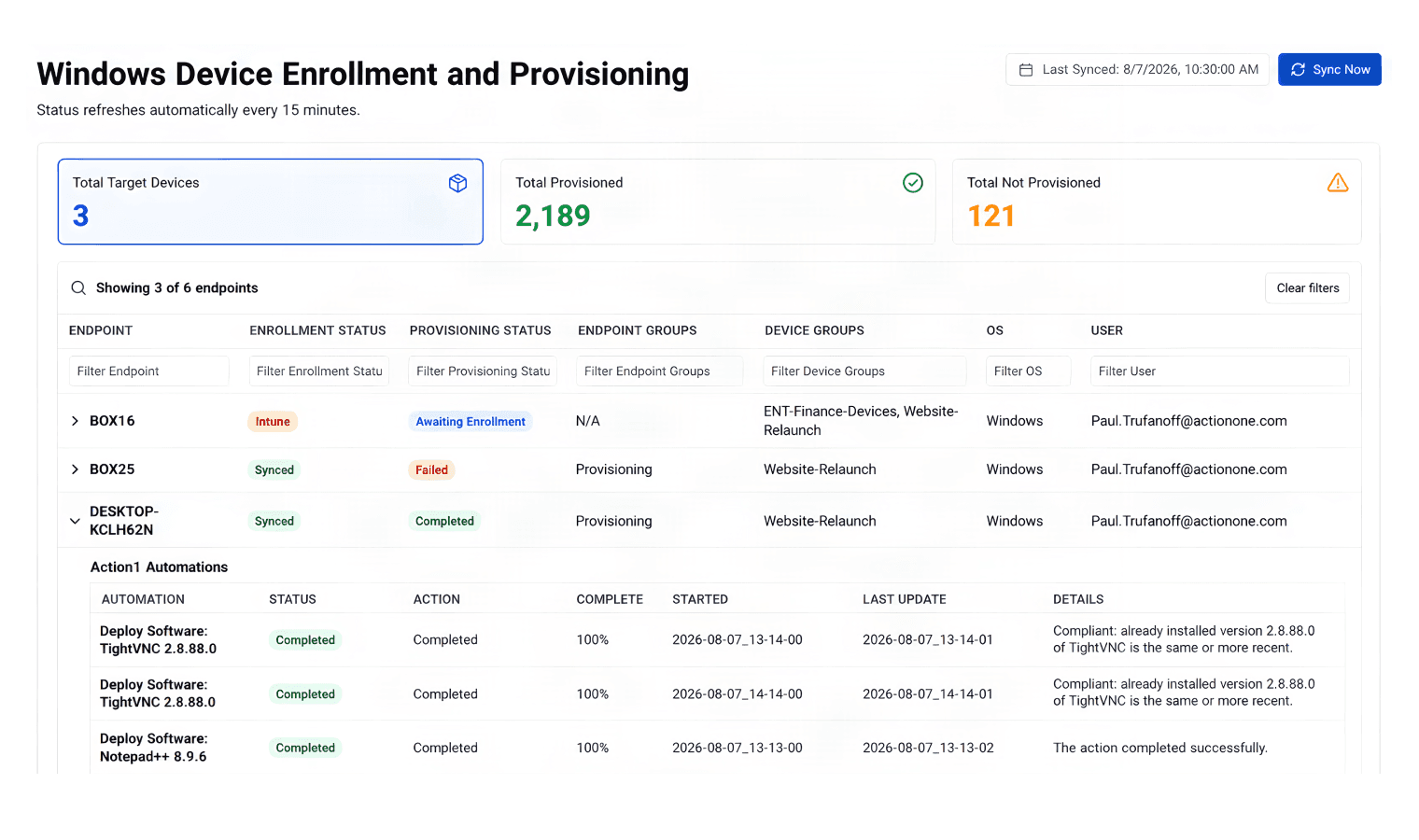
Automatically enroll selected Windows endpoints into Action1 through Microsoft Intune. Once enrolled, run assigned provisioning automations to deploy software, remediate vulnerabilities, and apply configuration policies, with results monitored in Action1.
This module is available as a separate add-on subscription to the Action1 platform.
Secure new endpoints before attackers can find them
AI is accelerating vulnerability discovery and exploitation. Models such as Claude Mythos show how quickly vulnerabilities can be identified, analyzed, and potentially weaponized at scale.
That makes slow provisioning a security risk. Action1 rapidly enrolls Windows endpoints and applies required patches, applications, configurations, and automations, reducing the time between connection and a secure, approved state.
Create Enrollment Endpoint Groups
- Connect Action1 to Intune
- Select Enrollment groups
- Action1 Agent is deployed
- Device enrolls in Action1.
Create/assign Provisioning Automations
- Newly enrolled endpoints run assigned automations:
- Deploy Software
- Patch Vulnerabilities
- Apply Configuration Policies
- Monitor results.
Action1 in the analyst spotlight

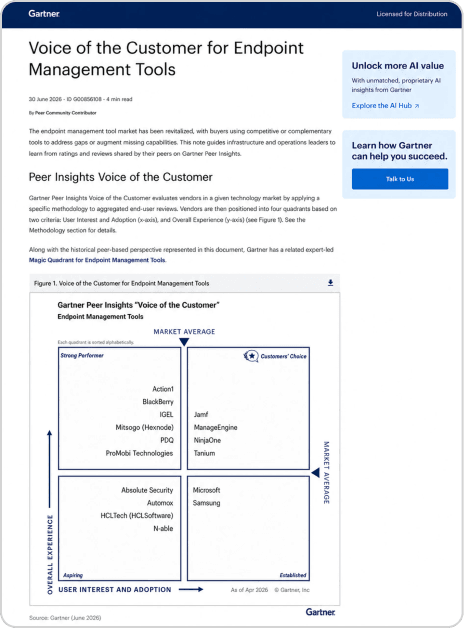
Action1 named Strong Performer in Gartner® Peer Insights™ Voice of the Customer for Endpoint Management Tools, 2026.
View full report

Gartner Peer Insights

G2.com

Capterra

GetApp

TrustRadius

Spiceworks
